Categories
Self-Hosted Developer Tools Machine Learning MLOps Deep Learning Neural Networks Model Visualization ONNXStars
Forks
Watchers
Developer links
Netron
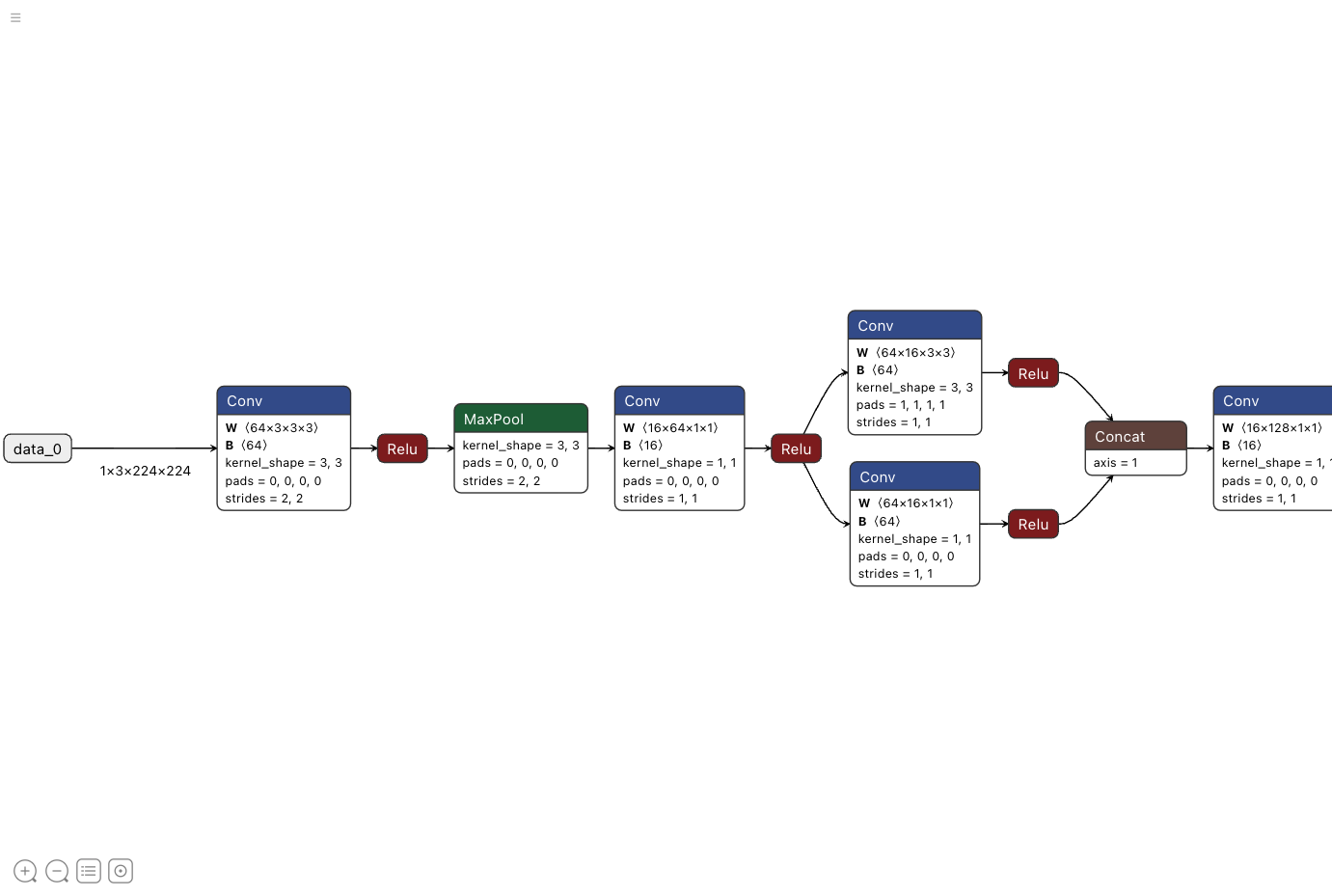
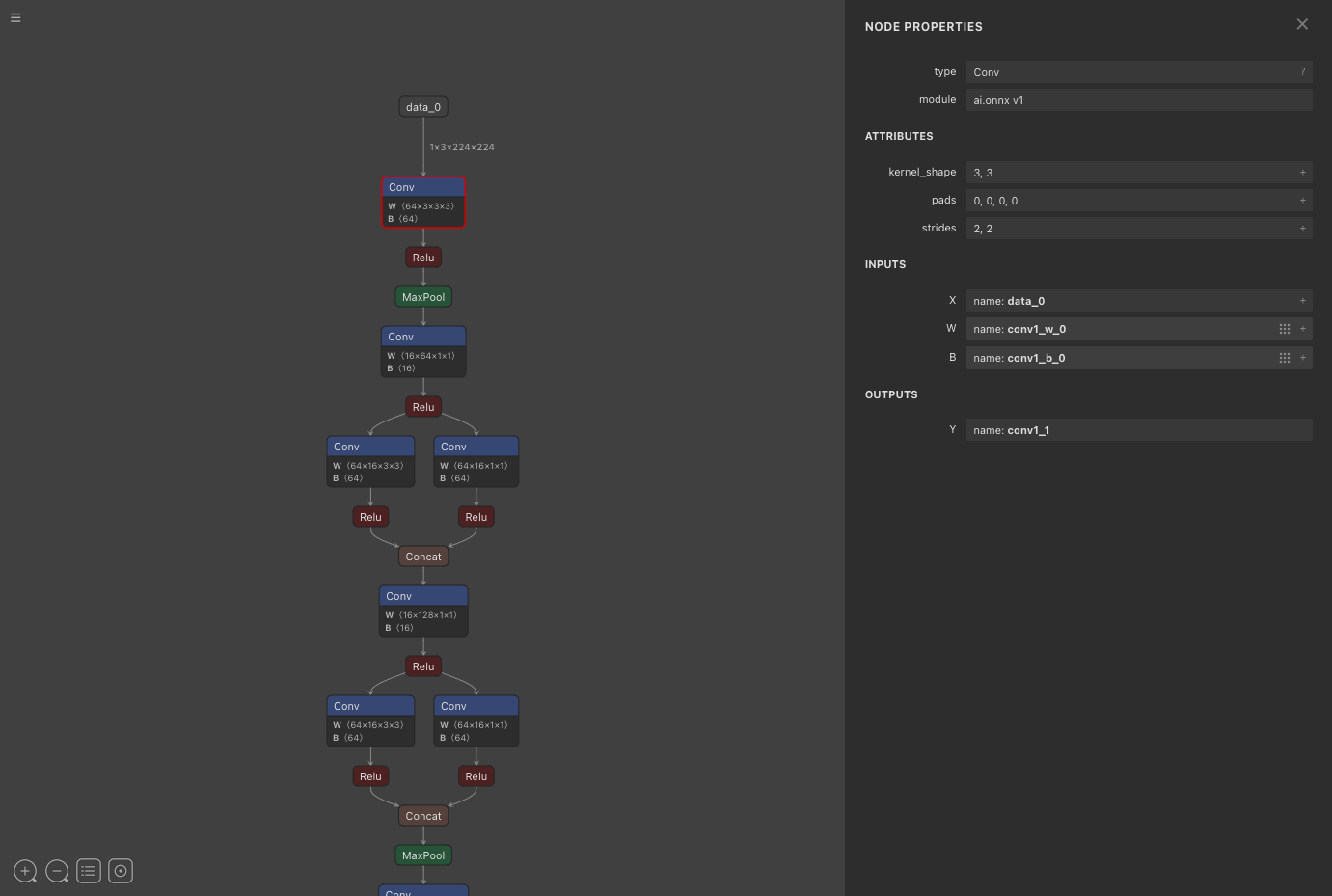
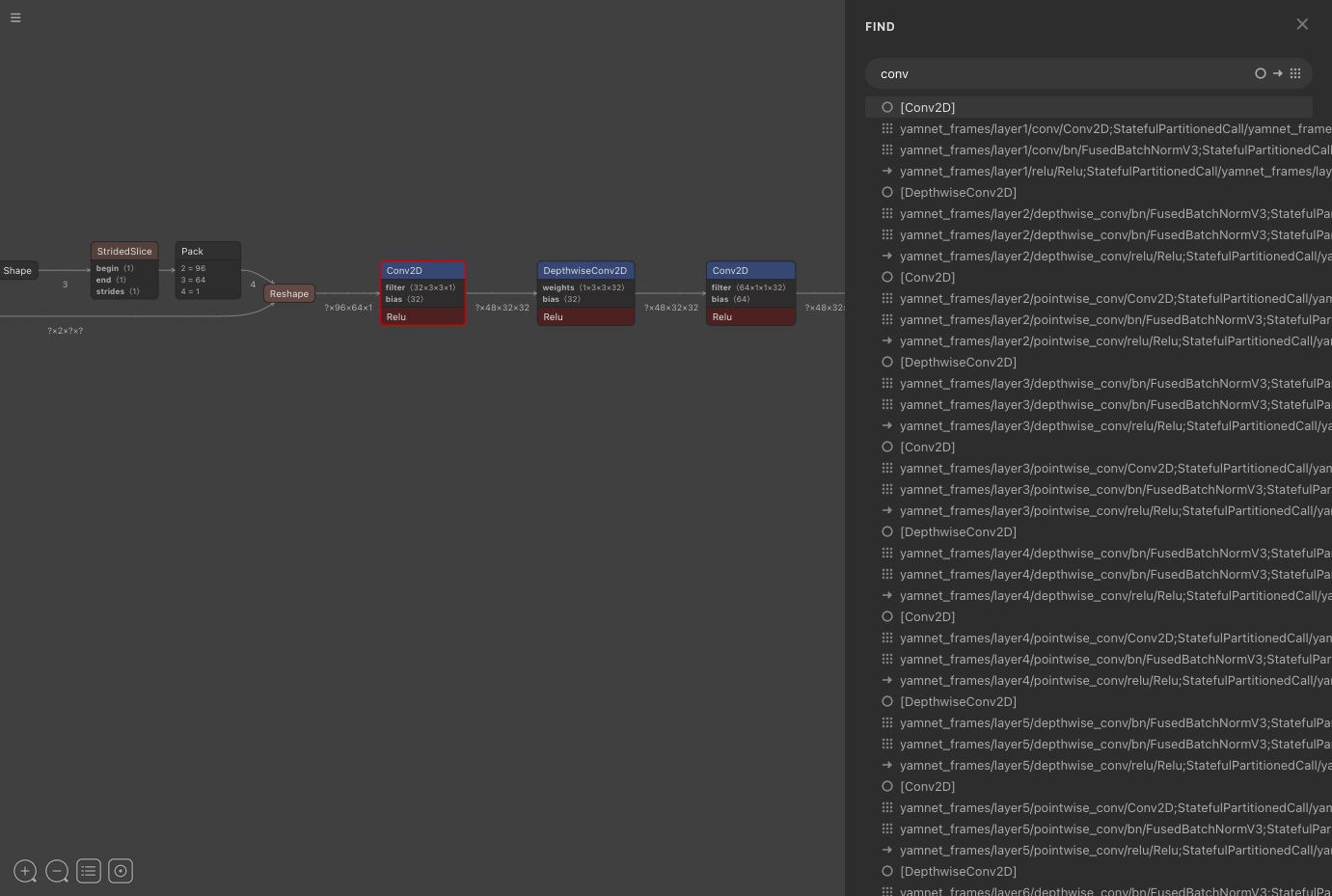
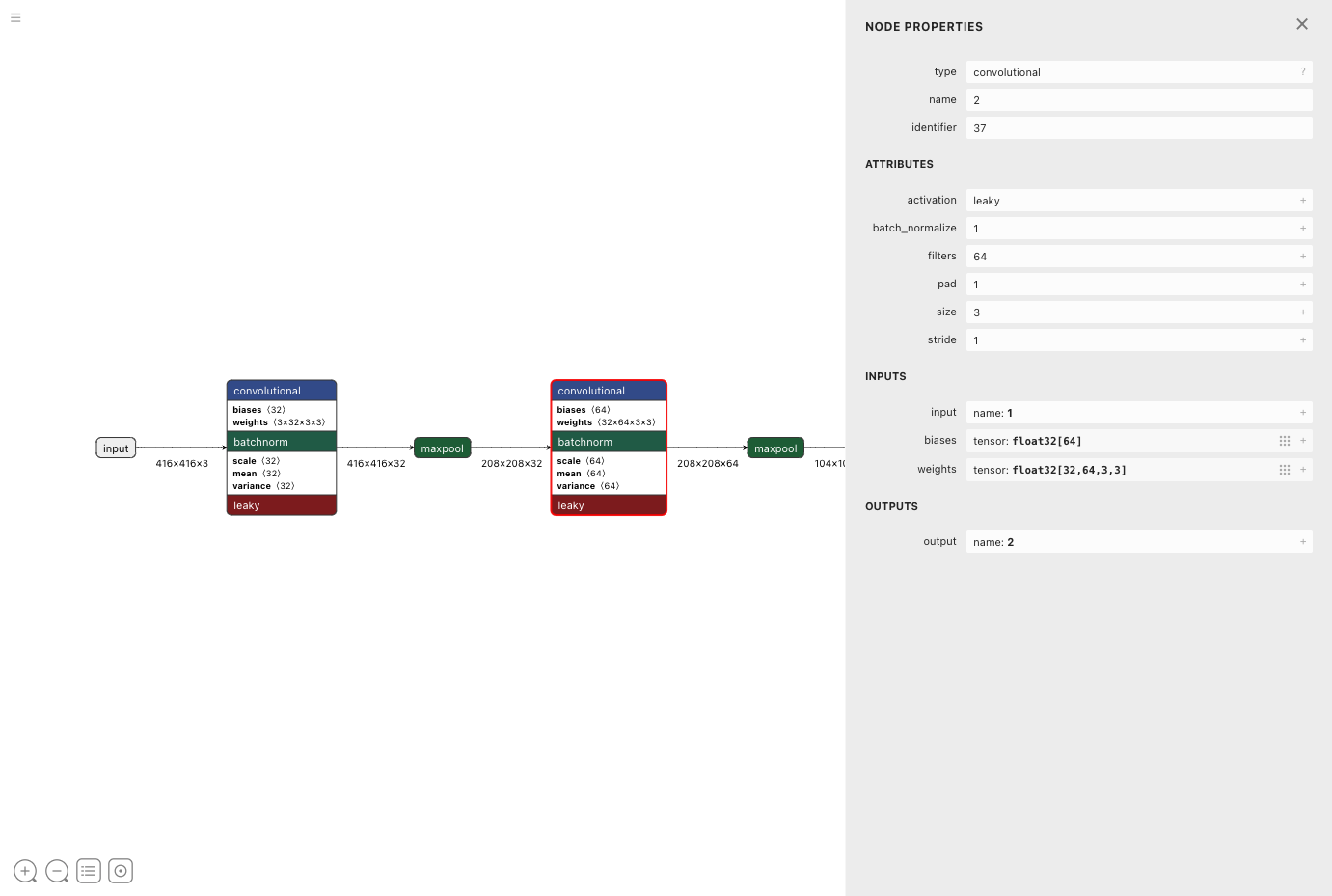
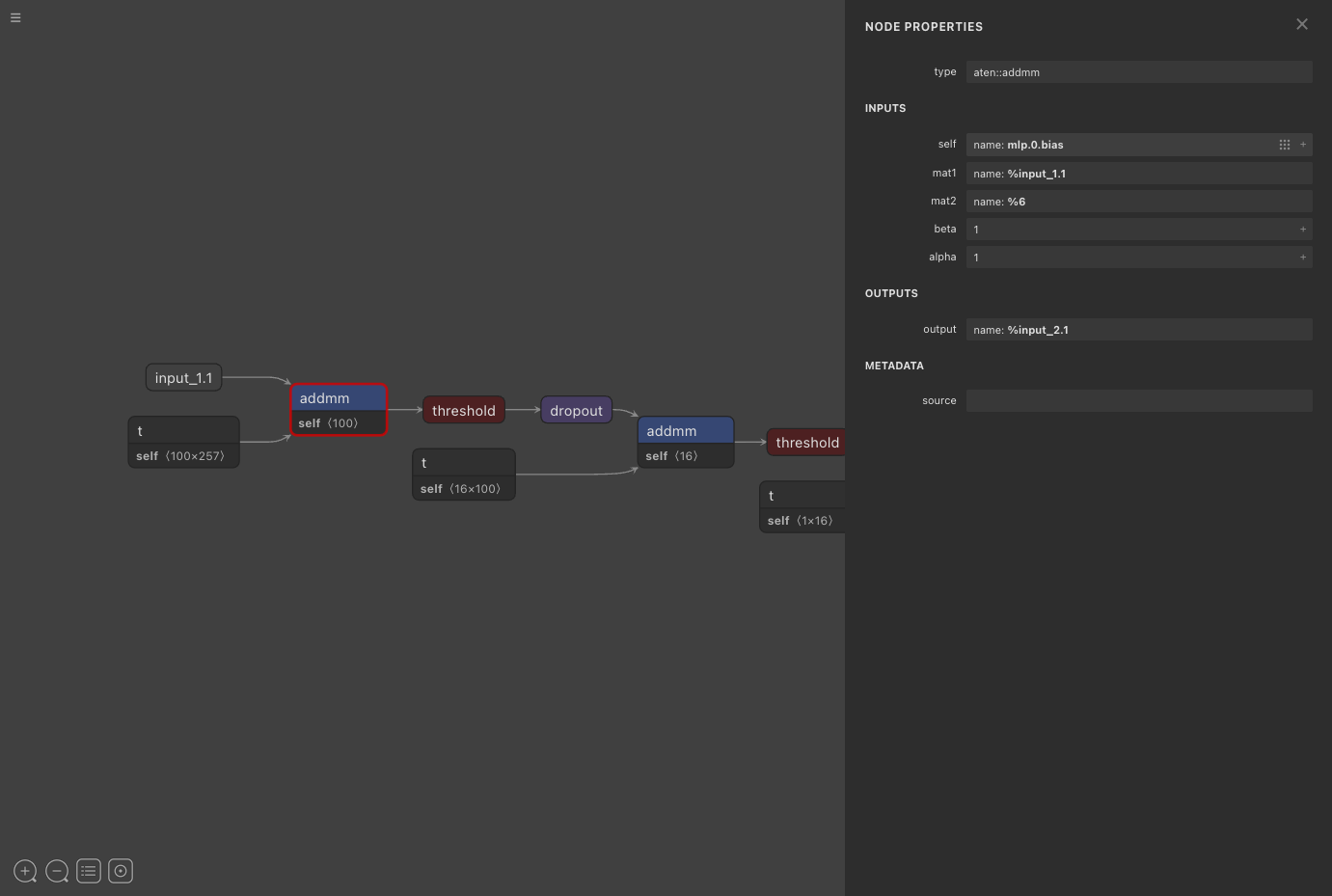
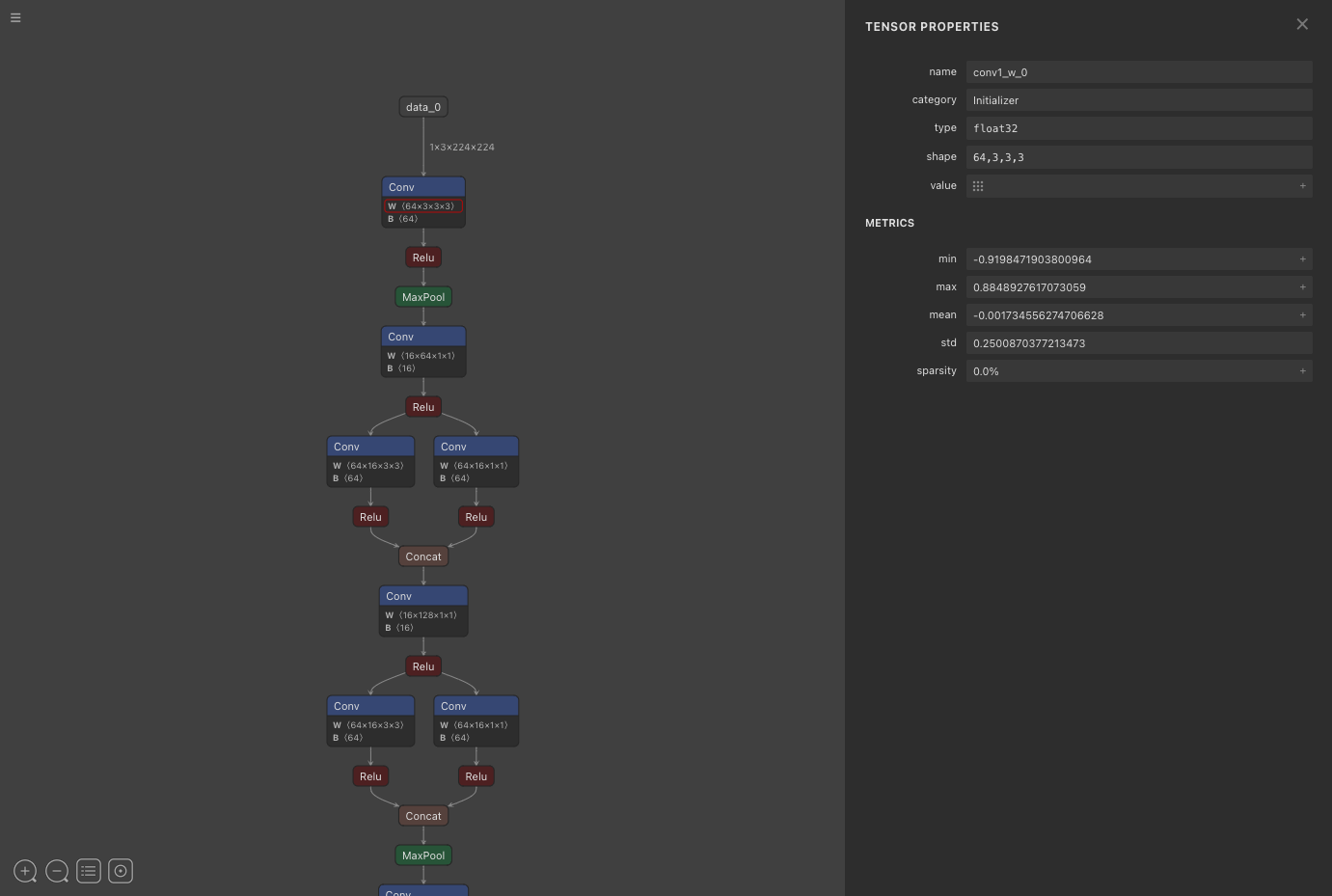
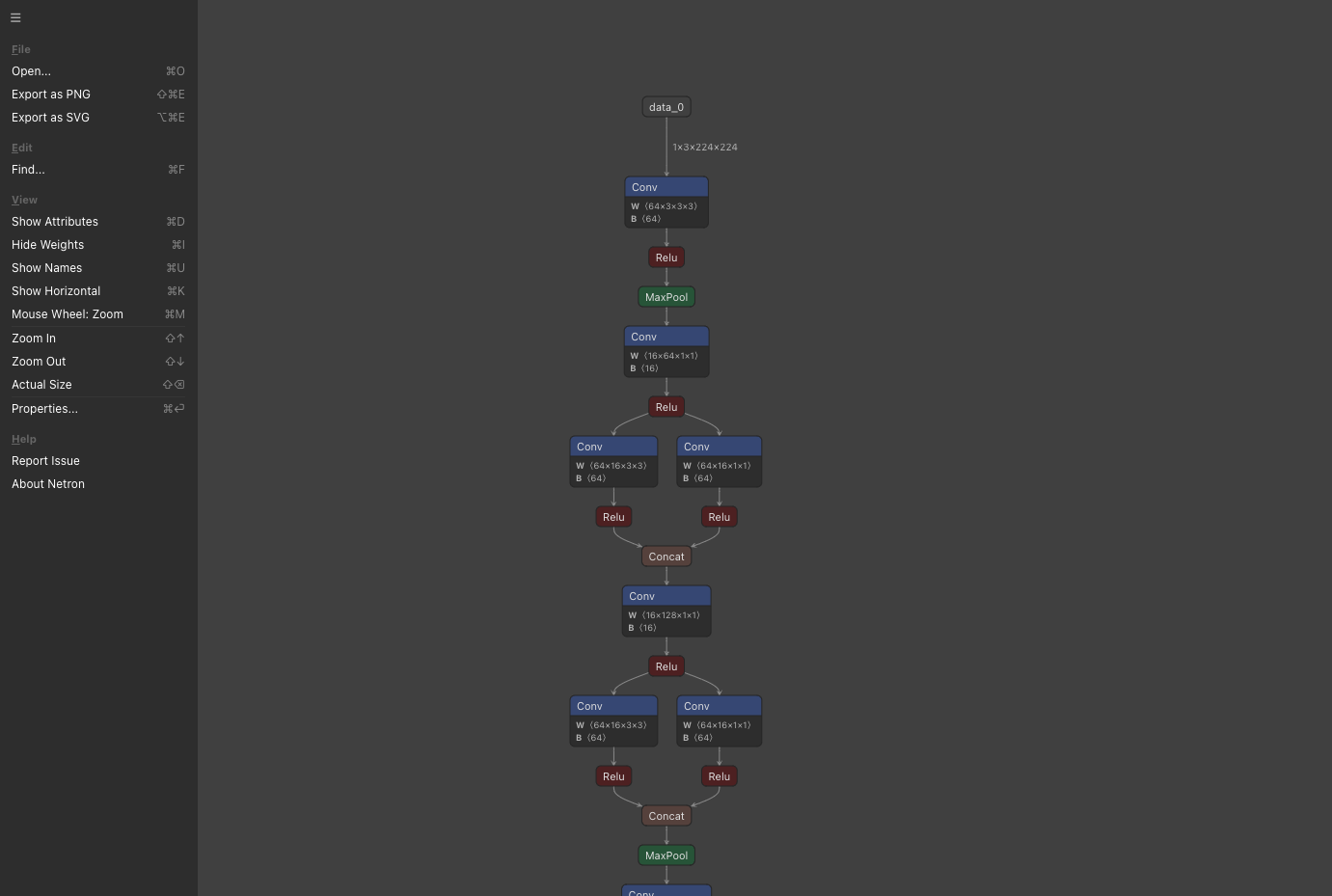
Hand Netron an ONNX, TensorFlow Lite, PyTorch, Core ML, or Keras file and the whole network appears as a zoomable graph, with no training framework or inference runtime required to read it. The same viewer opens TorchScript, torch.export, ExecuTorch, TensorFlow, OpenVINO, Caffe, Darknet, Safetensors, and NumPy files, with experimental support for MLIR, JAX, GGUF, RKNN, ncnn, MNN, PaddlePaddle, and scikit-learn. Click a layer to read its type, attributes, inputs, and outputs; click a weight to see its shape, data type, minimum, maximum, mean, standard deviation, and sparsity. Find searches nodes, connections, and weights by name and centers the graph on the match you pick. Toggle attributes, names, and weights on the canvas, flip between vertical and horizontal layouts, and watch light and dark themes follow the system setting. Model and graph panels list the format, producer, imports, graph inputs and outputs, and parameter counts. Any view exports as a PNG or SVG image for documentation, pull requests, and papers. Install with pip, then run netron model.onnx with a host and port, or call netron.start from Python, and the built-in HTTP server delivers the graph to any browser that can reach it. Teams point reviewers at one shared address to check exported models and conversion results. Running on a dedicated VPS on RepoCloud with guaranteed CPU, RAM, and SSD, full root SSH access, and a browser serial console. MIT licensed.
Benefits
- Read Architectures Without Running Them
- Layers, attributes, shapes, and weights are drawn straight from the model file, with no GPU, training framework, or inference runtime needed to understand how a network is built.
- One Viewer for Every Format
- ONNX, TensorFlow Lite, PyTorch, Core ML, Keras, OpenVINO, Caffe, and Darknet files open in the same interface, which makes comparing a model before and after conversion straightforward.
- Shared Model Reviews Over HTTP
- Run the Python server with a host and port and teammates open the graph in any browser, ideal for walking through an exported model during design or deployment reviews.
- Catch Conversion Mistakes Before Deployment
- Compare operator types, attribute values such as strides and pads, tensor shapes, and weight statistics against the source model to spot missing layers or wrong settings early.
Features
- Interactive Graph Canvas
- Zoom and pan large networks, switch between vertical and horizontal layouts, and read color-coded nodes for convolutions, activations, pooling, and concatenation at a glance.
- Node and Tensor Inspector
- Select a layer for type, attributes, inputs, and outputs, or a weight for shape, data type, minimum, maximum, mean, standard deviation, and sparsity.
- Find Nodes and Weights
- Search names across nodes, connections, and weights, with filters to hide each category, then click a result to center the graph on it.
- Model and Graph Properties
- Side panels list format, producer, version, and imports for a model, plus graph inputs, outputs, and metrics such as parameter count where the format supplies them.
- PNG and SVG Export
- Save the rendered graph as a PNG or an SVG image for design documents, pull requests, slide decks, and papers.
- Python Package and Server
- pip install netron adds a command that serves any model file over HTTP with a configurable host and port, plus a start function and a Jupyter widget for notebooks.