Categories
Server Administration Game Server Management Minecraft Server Dashboard Modrinth Self-Hosted Gaming Multiplayer Gaming Modpack ManagementStars
Forks
Watchers
Developer links
Lodestone
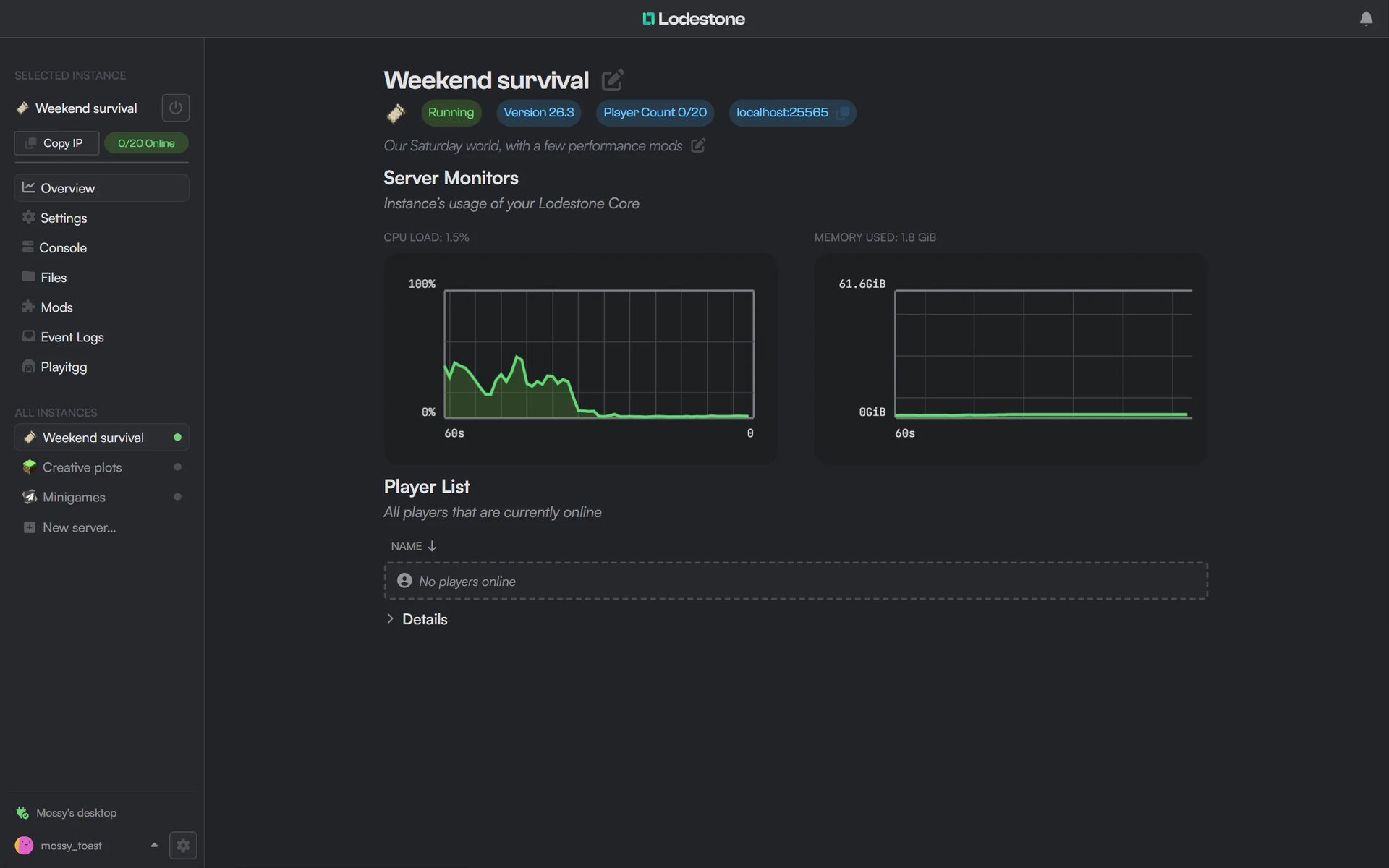
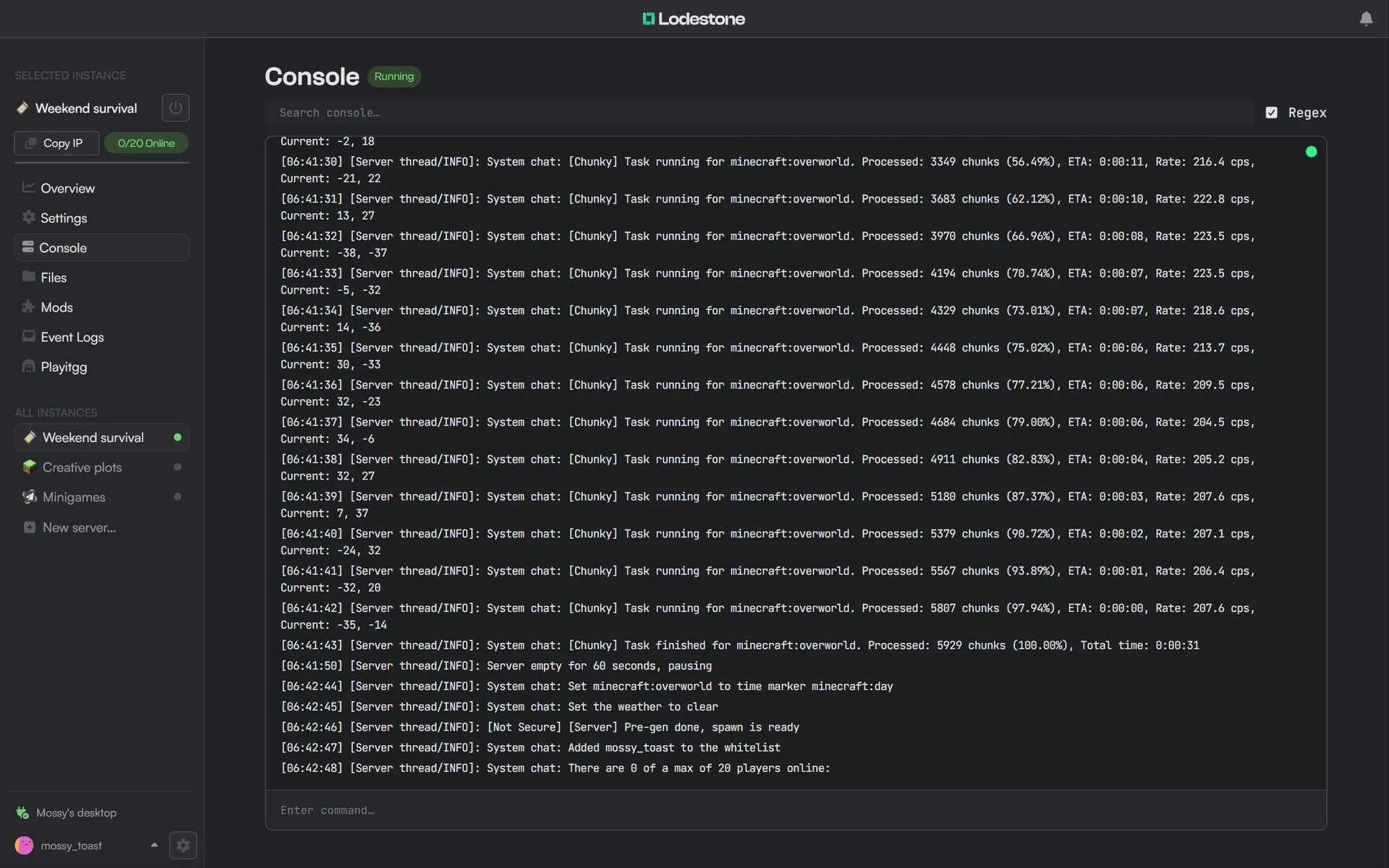
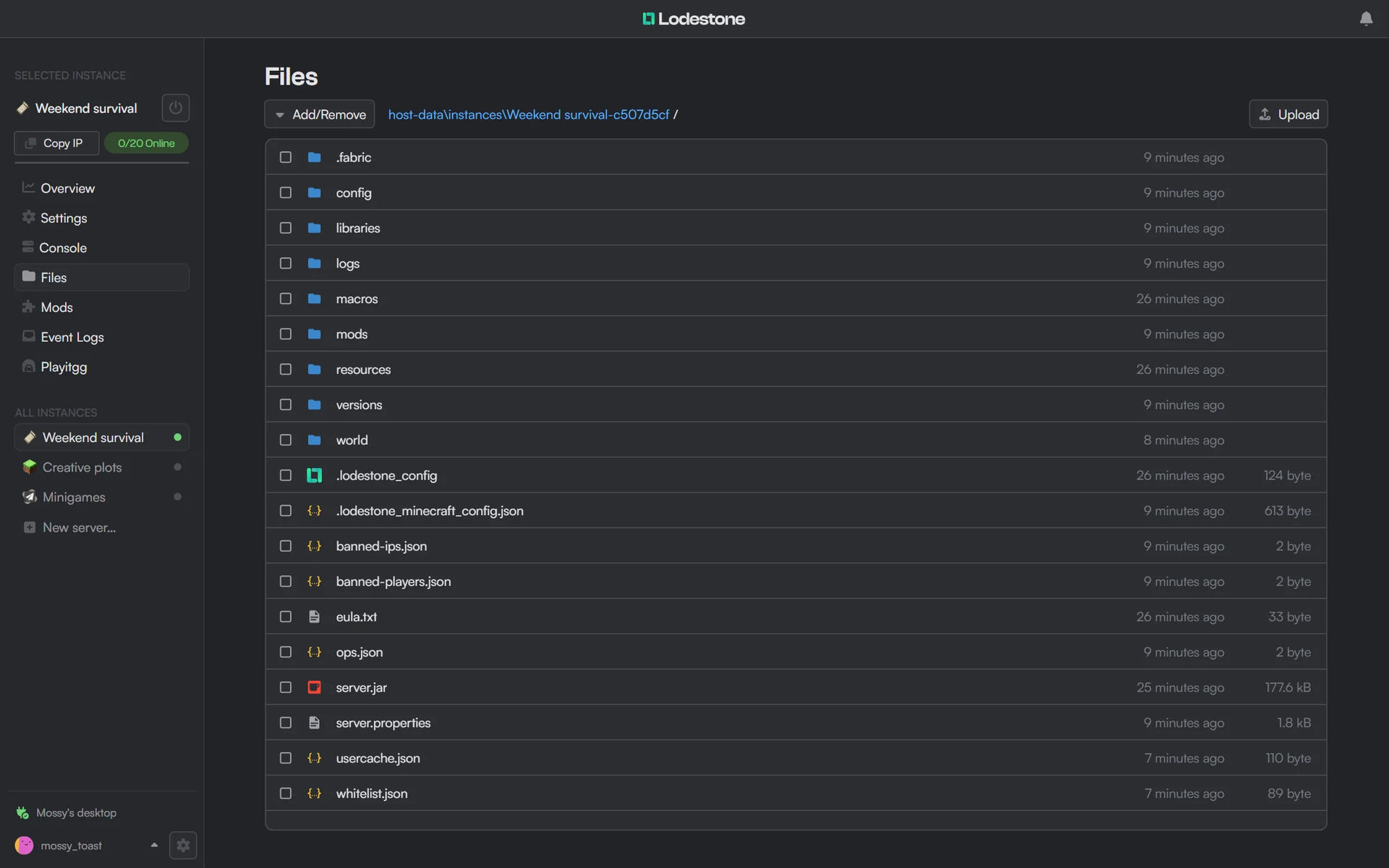
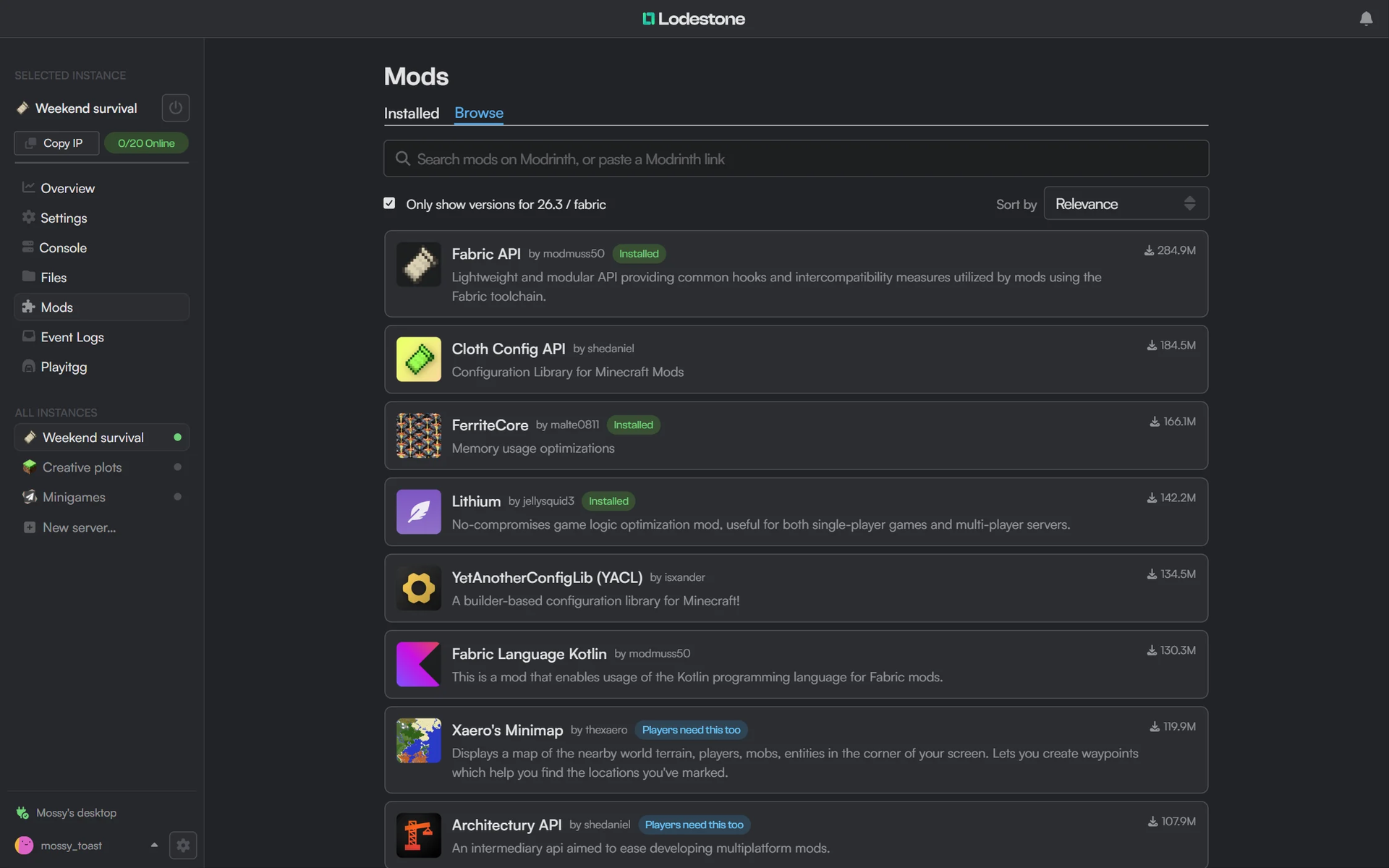
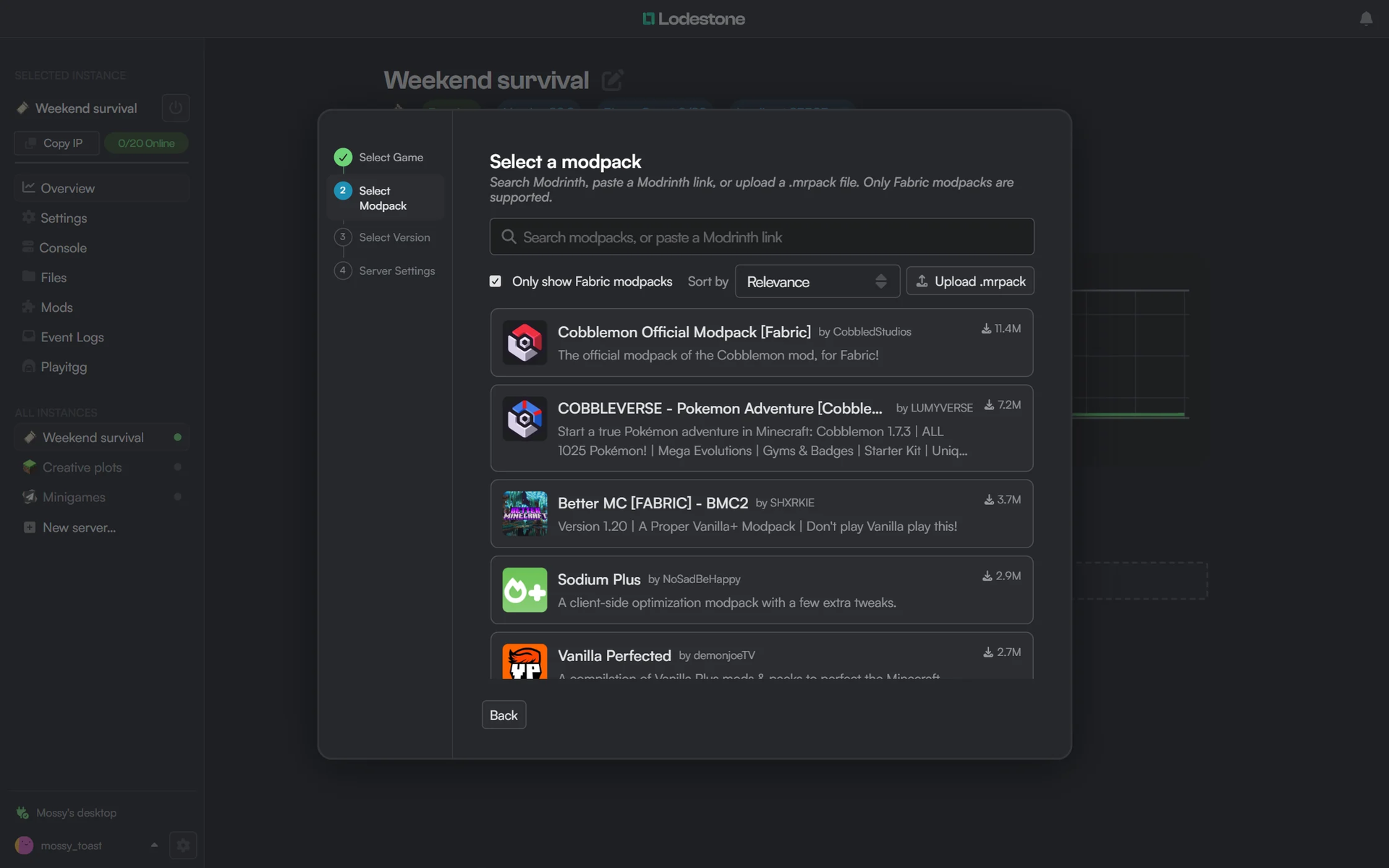
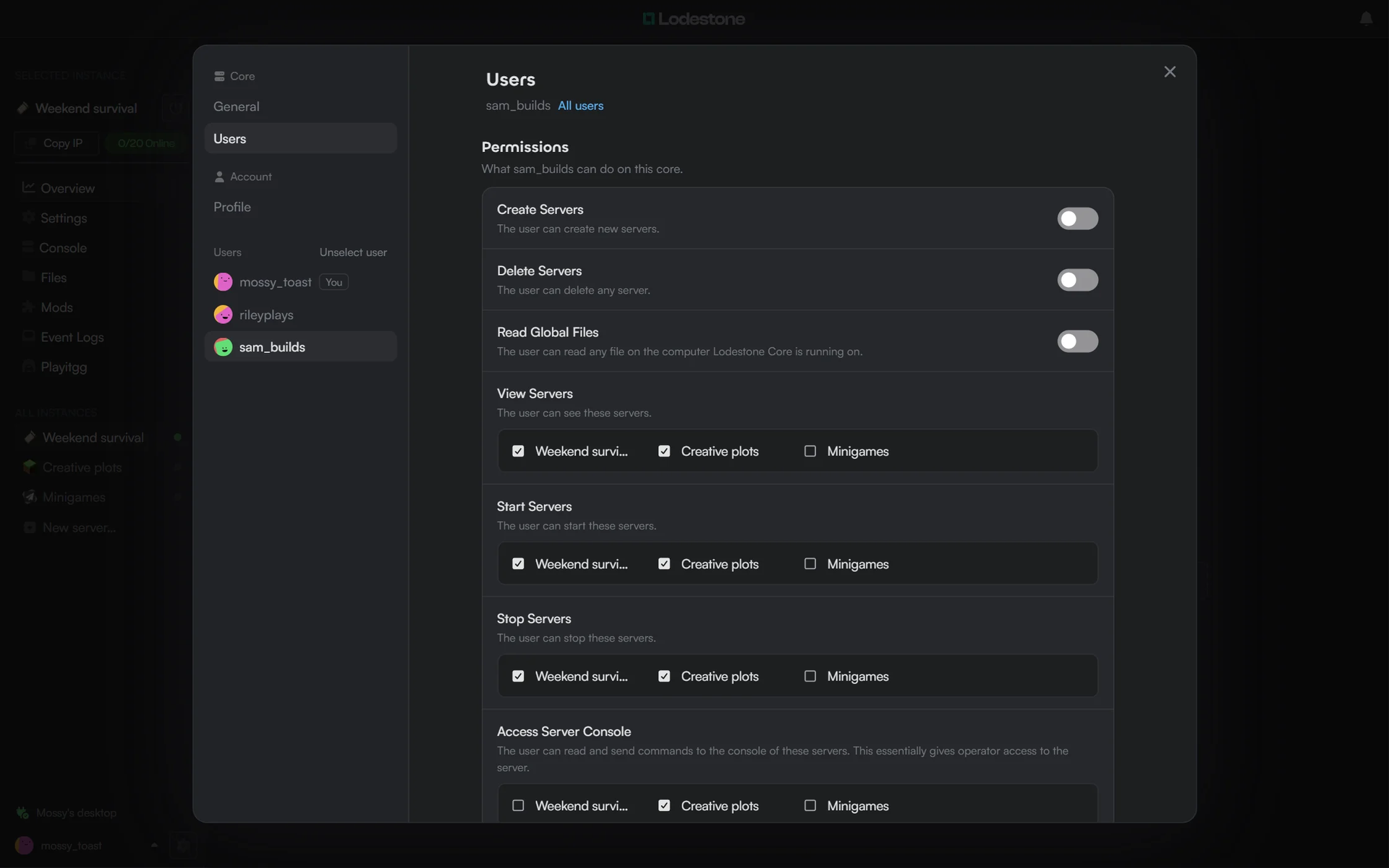
Lodestone Host is a free, open source Minecraft server manager that lets you create, mod, monitor, and share servers from a browser dashboard instead of juggling terminals and config files. A guided wizard builds Vanilla, Fabric, Forge, NeoForge, or Paper servers, or starts from a Fabric modpack found through Modrinth search, a pasted link, or an uploaded .mrpack file, and it downloads the right Java for every server. The instance page shows live CPU and memory charts and the player list, with a searchable console that accepts commands and a file manager that edits configs in the browser. Mods and plugins install straight from Modrinth, filtered to the instance's version and loader, with badges for what is already installed and what players need on their own client too. Lodestone Connect invite links bring friends in without port forwarding, and the companion launcher installs the right mods before joining; optional playit.gg tunnels offer another route in. Give helpers their own accounts with permission to create or delete servers and to view, start, stop, or open the console of chosen ones, then hand scripts and bots scoped, expiring API keys or the JSON-friendly CLI. Survival worlds, creative plots, and minigame servers can all run on hardware you control, sized to your players and not to a hosting provider's RAM tiers. Running on a dedicated VPS on RepoCloud with guaranteed CPU, RAM, and SSD, full root SSH access, and a browser serial console. AGPL-3.0 licensed.
Benefits
- Skip Monthly Minecraft Hosting Fees
- Run survival, creative, and minigame servers on a machine you control instead of renting RAM tiers, with worlds, configs, and mods kept on your own disk.
- Friends Join Without Port Forwarding
- A Lodestone Connect invite link connects players straight to your server without router changes, and the launcher installs the mods the server needs before joining.
- Mods Without Manual File Juggling
- Browse Modrinth inside the dashboard, filtered to the instance's Minecraft version and loader, install in a click, and see which mods players must also install themselves.
- Share Control Without Sharing Everything
- Separate accounts can be allowed to create or delete servers, and to view, start, stop, or open the console of only the servers you choose, so helpers never get full access.
Features
- Multi-Loader Server Wizard
- Create Vanilla, Fabric, Forge, NeoForge, and Paper servers, or start from Fabric modpacks via Modrinth search, a pasted link, or an uploaded .mrpack file.
- Live Console and Monitoring
- Stream server output with regex search, send commands, and watch per-instance CPU and memory charts alongside the list of players currently online.
- Browser File Manager
- Browse a server's directory tree, upload, create, rename, and download files, and edit configs in the browser without a separate FTP or SFTP client.
- Modrinth Mod Browser
- Search Modrinth for mods and plugins matching the instance's version and loader, spot installed items at a glance, and see which mods players need client-side.
- Users, Permissions, API Keys
- Grant per-user permissions for creating, deleting, viewing, starting, and stopping servers, plus scoped, expiring API keys for scripts and the JSON-output lodestone_cli.
- CLI and Docker Install
- Install on headless Linux with lodestone_cli or the ghcr.io/lodestone-team/lodestone_core Docker image, exposing port 16662 with a persistent volume for instance data.