Categories
Peer Review Scholarly Publishing Editorial Workflow DOI Management Journal Management Open Access Publishing Academic JournalsStars
Forks
Watchers
Developer links
Open Journal Systems
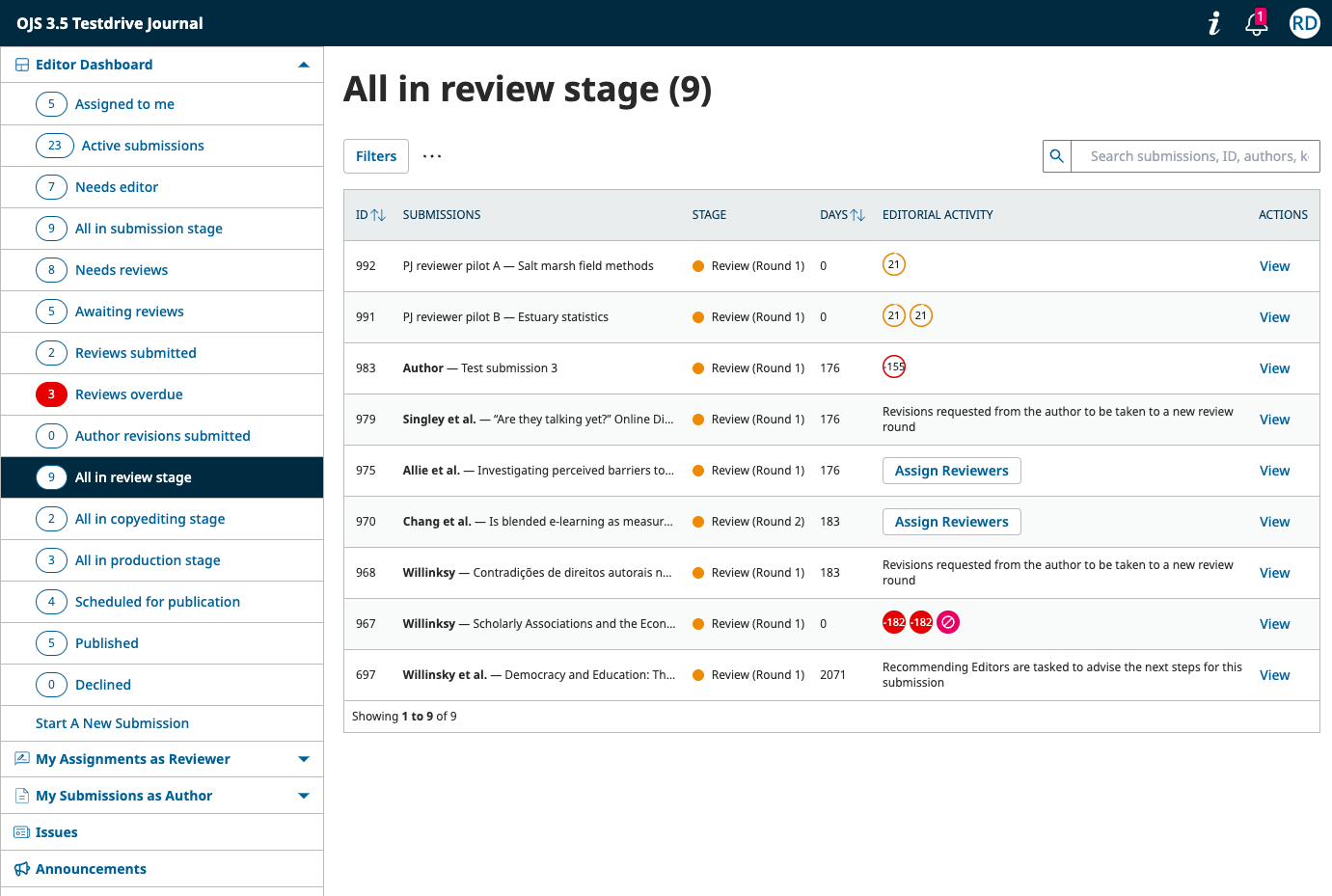
Running a scholarly journal means tracking every manuscript from first submission to published issue, and Open Journal Systems (OJS) keeps that whole journey in one web application. Authors submit through a step-by-step wizard, and editors follow each manuscript on a dashboard with views for submissions that need reviewers, await reviews, are overdue, or sit in copyediting, production, or scheduled stages. Peer review can be double-anonymous, single-anonymous, or open, with due dates, reminders, review forms, and multiple review rounds. Editors assign participants to each submission, request revisions, accept or decline, and manage galleys, the PDF, HTML, or other full-text files readers download, including a JATS XML preview for journals that publish in XML. Articles are grouped into volumes and issues with covers and sections, then published to a mobile-friendly journal website with archives and search. Journal managers pick a theme (Default, Pragma, Manuscript, Classic, Health Sciences, or Immersion) and post announcements. A DOI manager tracks which articles and issues have DOIs and whether they are registered, and indexing support covers Google Scholar, DOAJ, Crossref, DataCite, and PubMed, with OAI-PMH for harvesters. Statistics chart daily or monthly article views by abstract, PDF, and HTML, report editorial trends like days to first decision, and include COUNTER R5 reports. One installation can host several journals, each with its own theme, languages, and roles. Running on a dedicated VPS on RepoCloud with guaranteed CPU, RAM, and SSD, full root SSH access, and a browser serial console. GPL-3.0 licensed.


Benefits
- Run Peer Review In One Place
- Editors pick reviewers, set due dates, send reminders, and open further review rounds, in double-anonymous, single-anonymous, or open mode, and can let authors suggest reviewers at submission.
- Publish Issues Readers Can Browse
- Accepted articles are scheduled into volumes and issues with covers and sections, then appear on a mobile-friendly journal website with archives, search, announcements, and full-text downloads.
- Register DOIs And Reach Indexes
- A DOI manager shows which articles and issues need DOIs or registration, and OAI-PMH metadata plus indexing support for Crossref, DataCite, DOAJ, PubMed, and Google Scholar help published work get discovered.
- Host Several Journals Together
- One installation can run many journals, each with its own theme, languages, and roles, so a university or publisher can serve every title from a single server.
Features
- Editorial Dashboard
- Filtered views list submissions that need an editor or reviewers, await reviews, are overdue, or sit in copyediting, production, or scheduled stages, with a search box and filters.
- Submission Workflow Panel
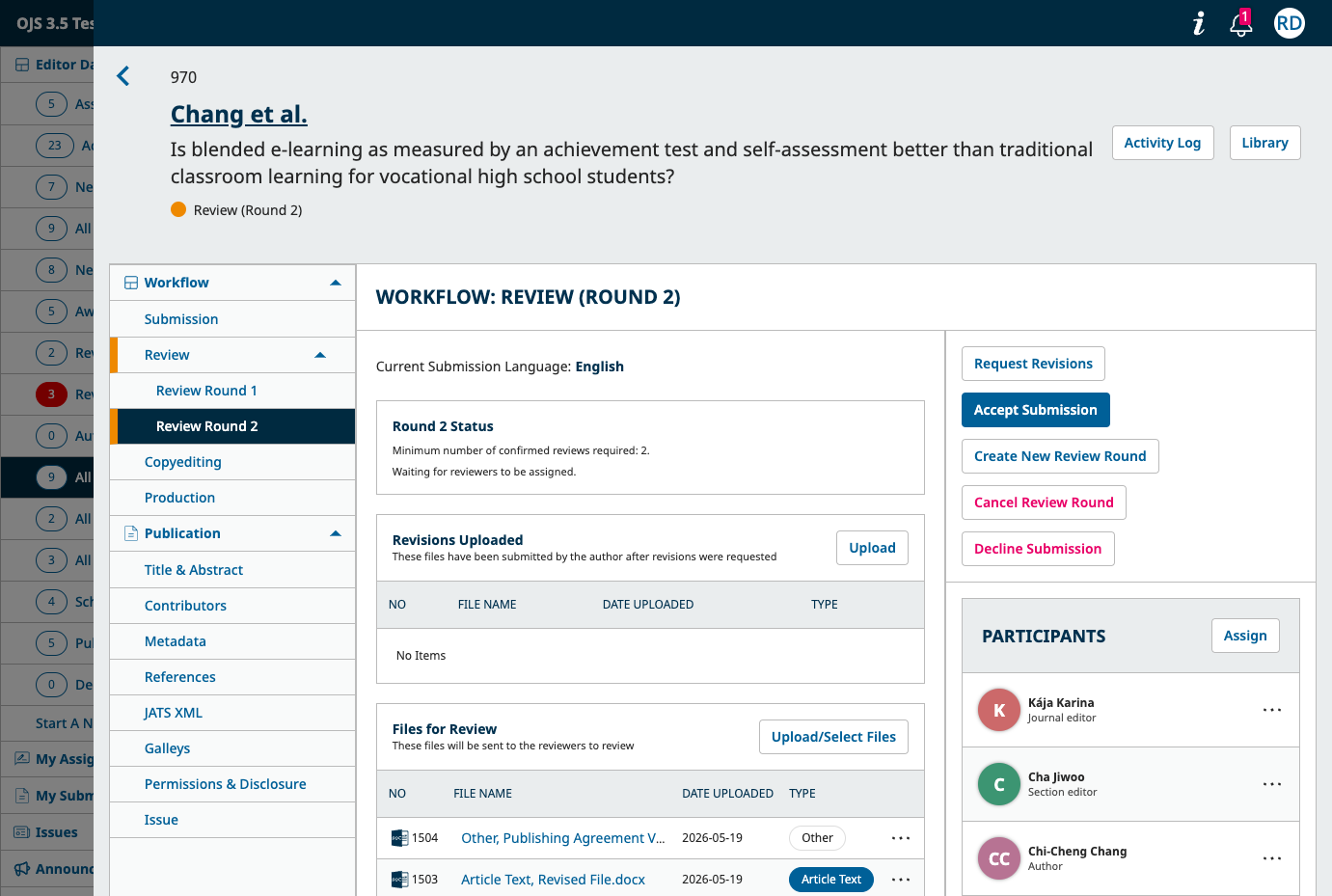
- Opening a submission shows Submission, Review, Copyediting, and Production stages, a participants list, file areas for each round, and an activity log.
- Review Configuration
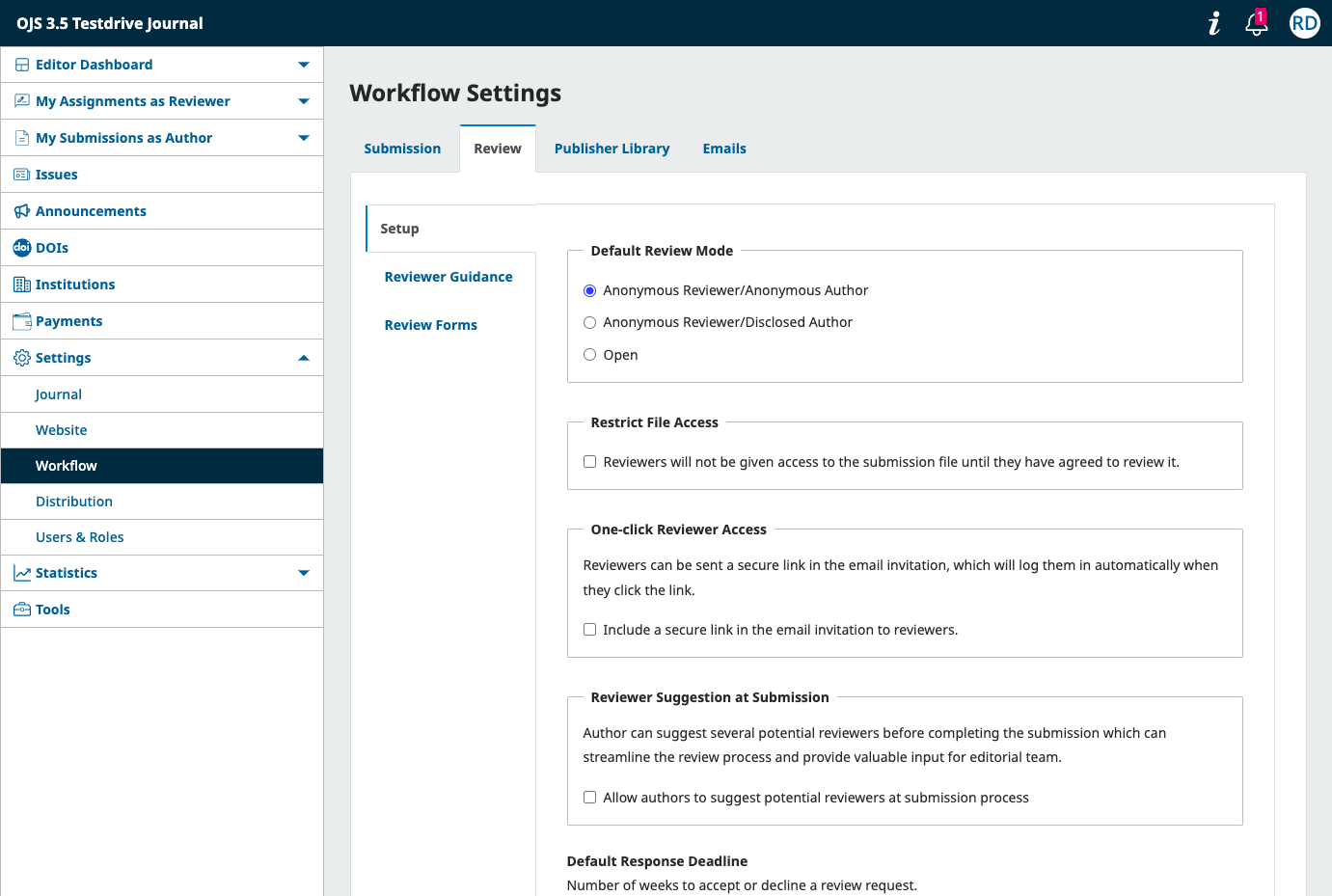
- Settings choose the default review mode, restrict file access until a reviewer accepts, add one-click reviewer links to invitations, and manage reviewer guidance and review forms.
- DOI Management
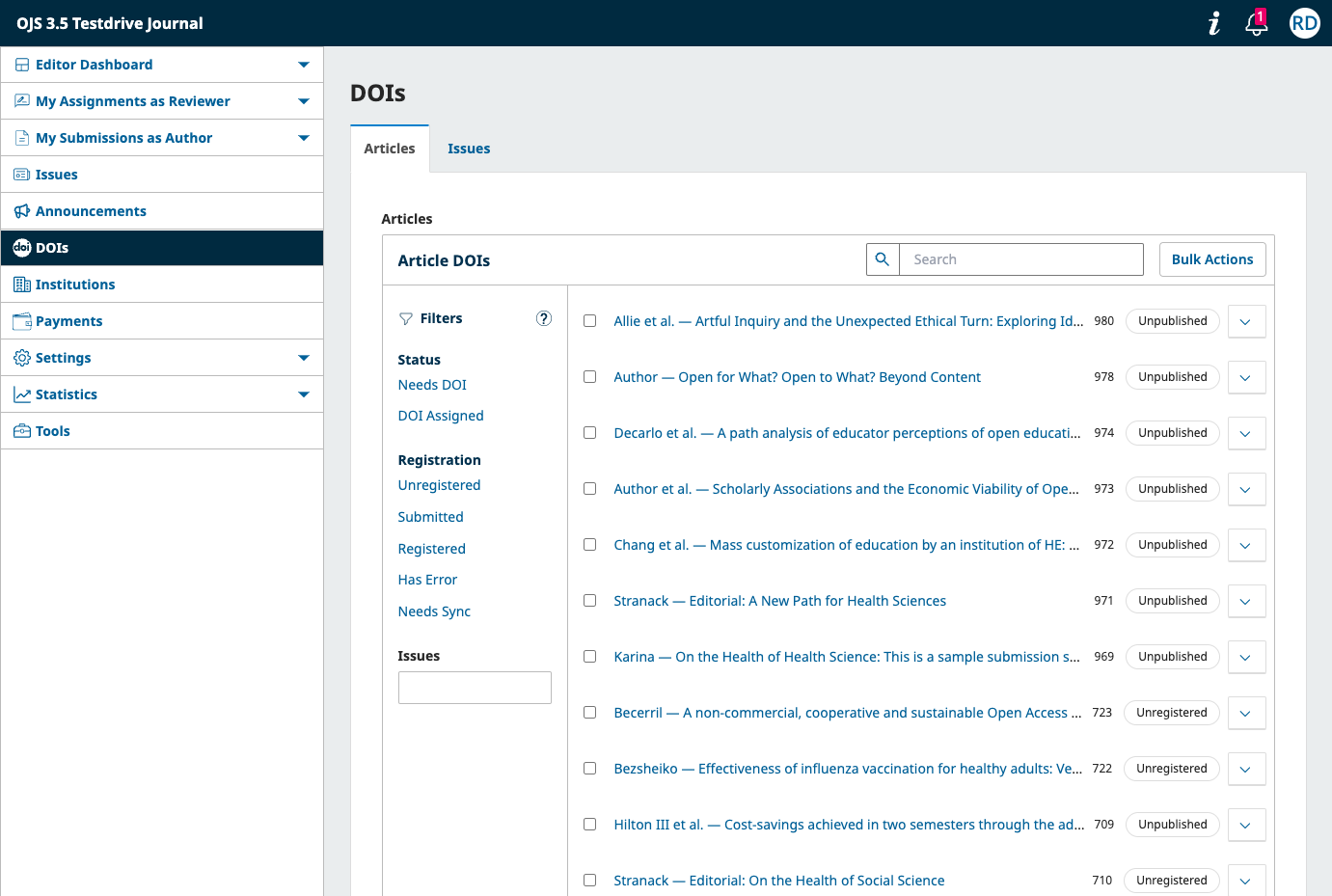
- The DOIs page lists article and issue DOIs, filters by needs DOI, assigned, unregistered, submitted, registered, has error, or needs sync, and supports bulk actions.
- Statistics and Reports
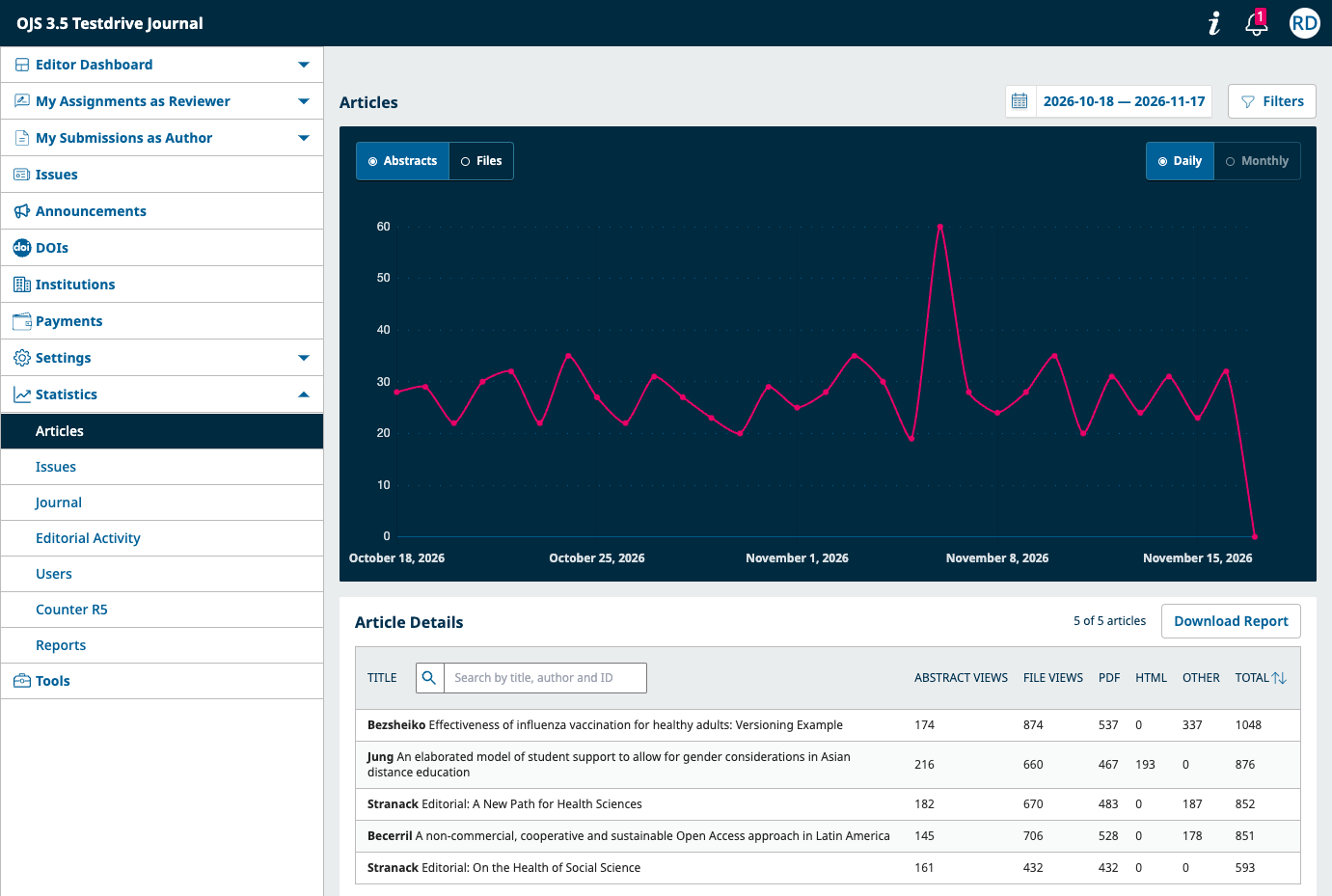
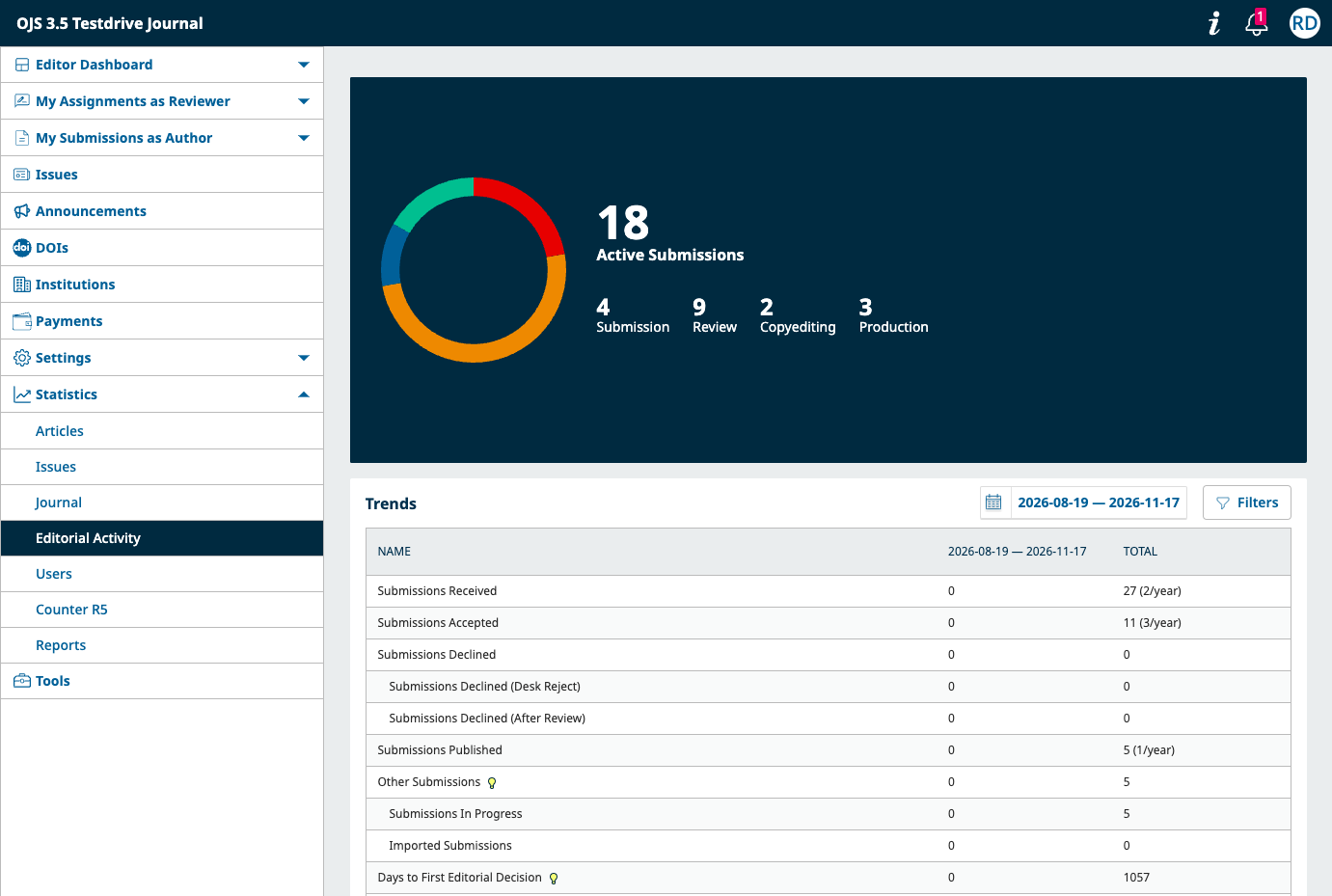
- Charts show daily or monthly article views split into abstract, PDF, and HTML counts, with editorial activity trends, COUNTER R5 usage reports, and downloadable reports.
- Themes and Journal Site
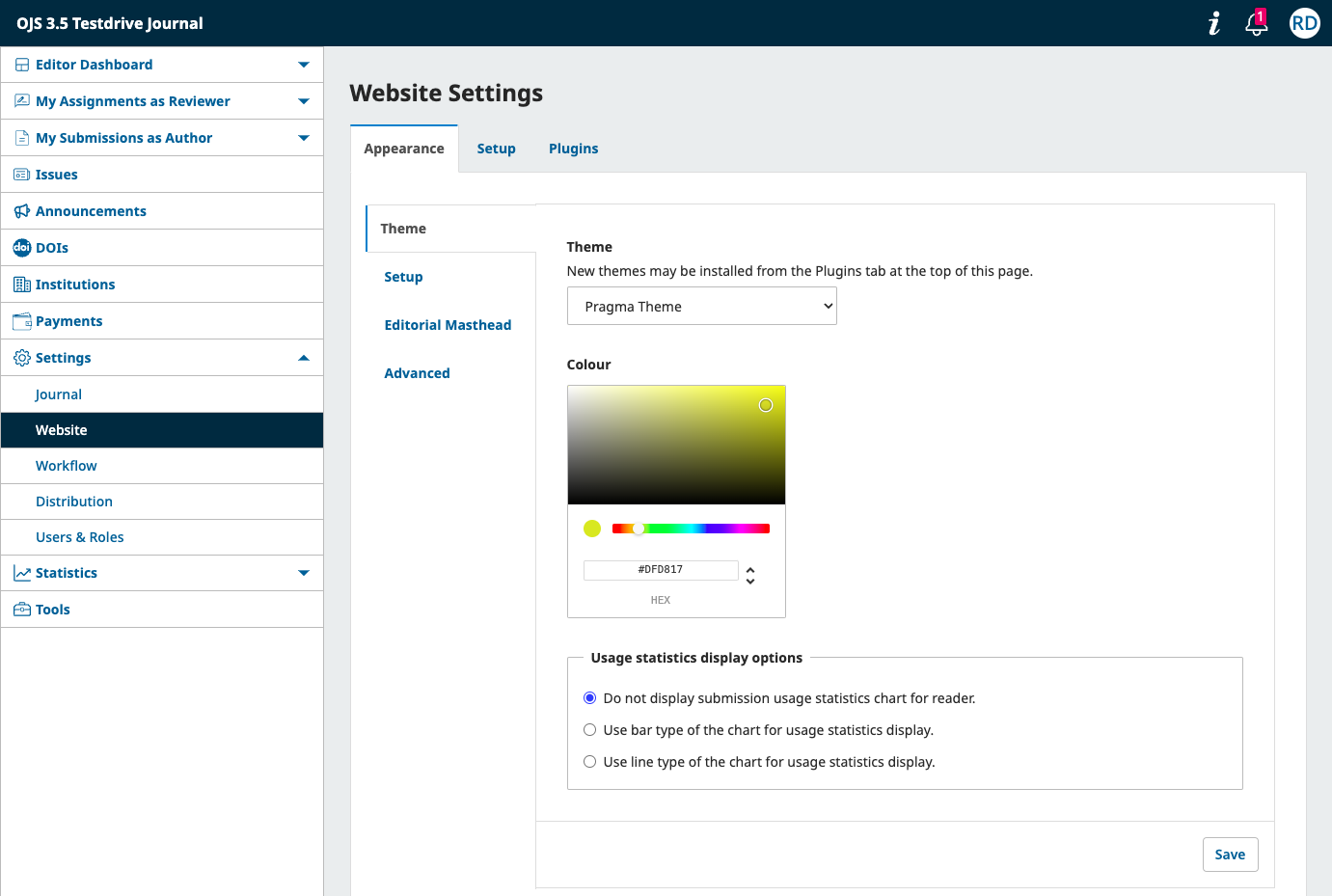
- Responsive themes including Default, Pragma, Manuscript, Classic, Health Sciences, and Immersion style the public site, which offers archives, search, announcements, and a language switcher.