Categories
Self-Hosted Creative Tools Video Production Media Collaboration Video Review Client ProofingStars
Forks
Watchers
Developer links
FreeFrame
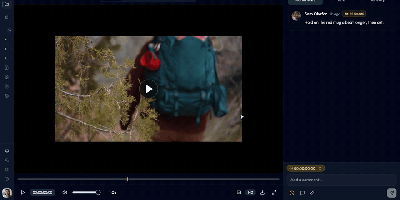
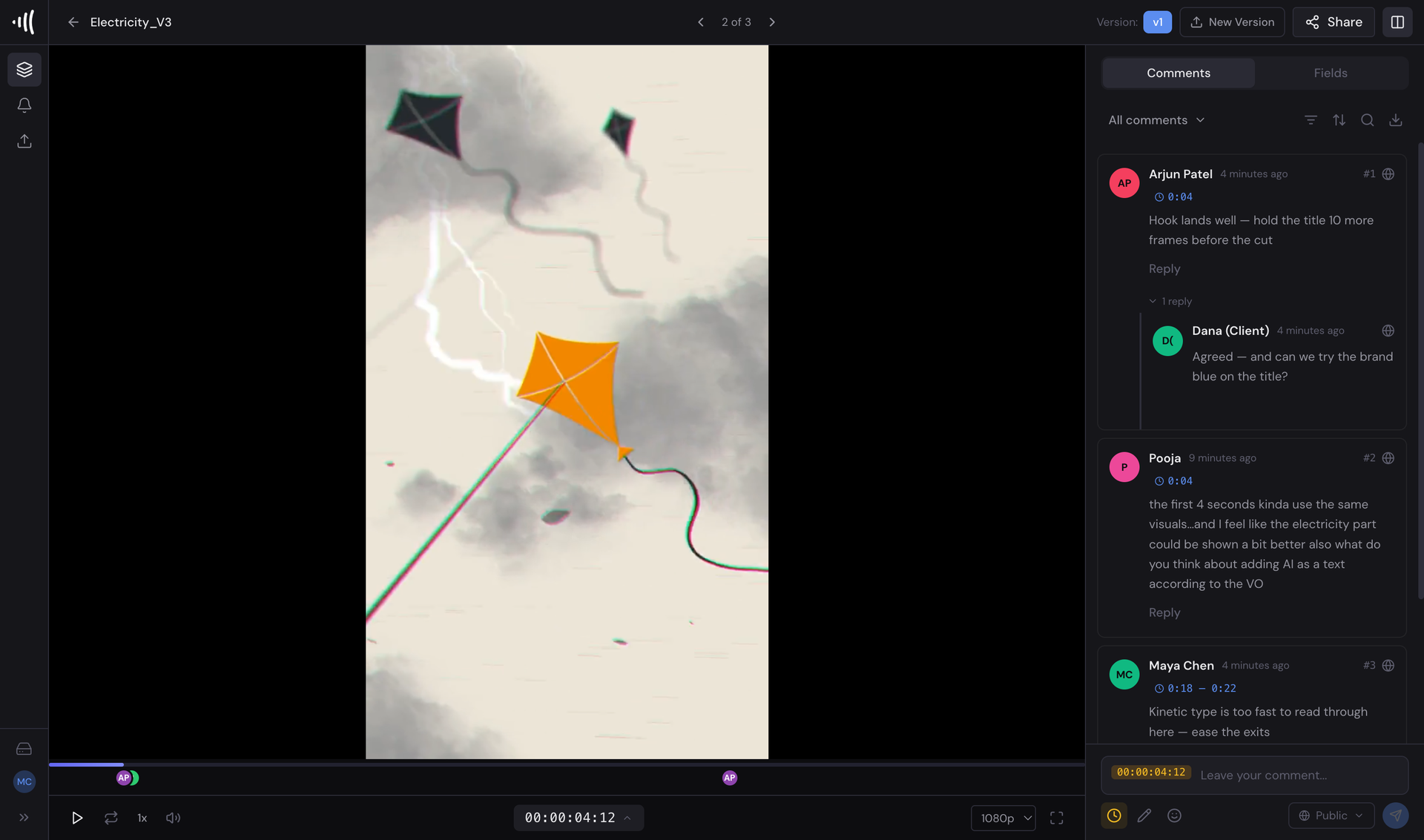
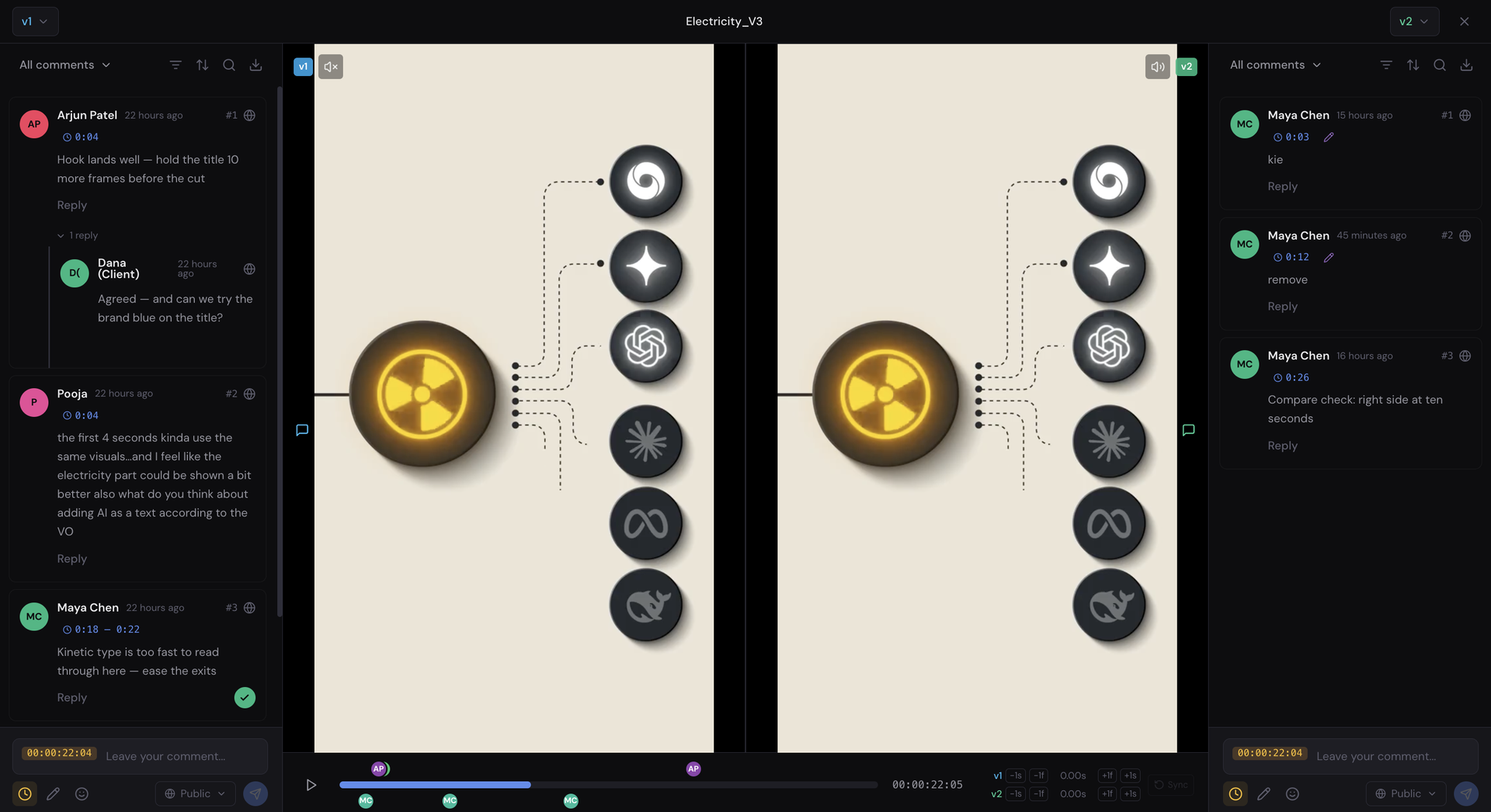
Client feedback that arrives as "the bit near the middle feels off" becomes frame-accurate when FreeFrame hosts your media review on your own server. Reviewers drop timecoded comments on the exact frame, sketch drawing annotations over the picture, and thread replies with mentions, reactions, and attachments until each note is resolved. Video streams adaptively while audio assets get waveform review, and approval workflows track every reviewer's status so a project never waits on a mystery sign-off. When a new cut lands, version compare puts any two revisions side by side or under a draggable wipe slider, playing in sync with per-side audio and offset trim while each version keeps its own comment thread. Finished notes travel back into the edit as timeline markers for DaVinci Resolve, Final Cut Pro, and Premiere Pro, or as a plain CSV, landing on the exact frames they describe. Clients never need accounts: password-protected share links with expiry dates and watermarking let them browse and comment, while you control downloads and permissions per link. Studios can white-label the whole experience with their own name, logos, favicon, and accent color across the app, share pages, and outgoing email. Running on a dedicated VPS on RepoCloud with guaranteed CPU, RAM, and SSD, full root SSH access, and a browser serial console. MIT licensed.
Benefits
- Notes Pinned To Exact Frames
- Timecoded comments, drawing annotations, and threaded replies attach to the precise frame or image region, ending vague feedback rounds and the screenshot archaeology they usually trigger.
- Clients Review Without Accounts
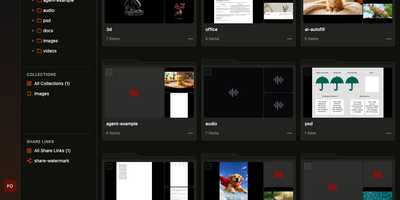
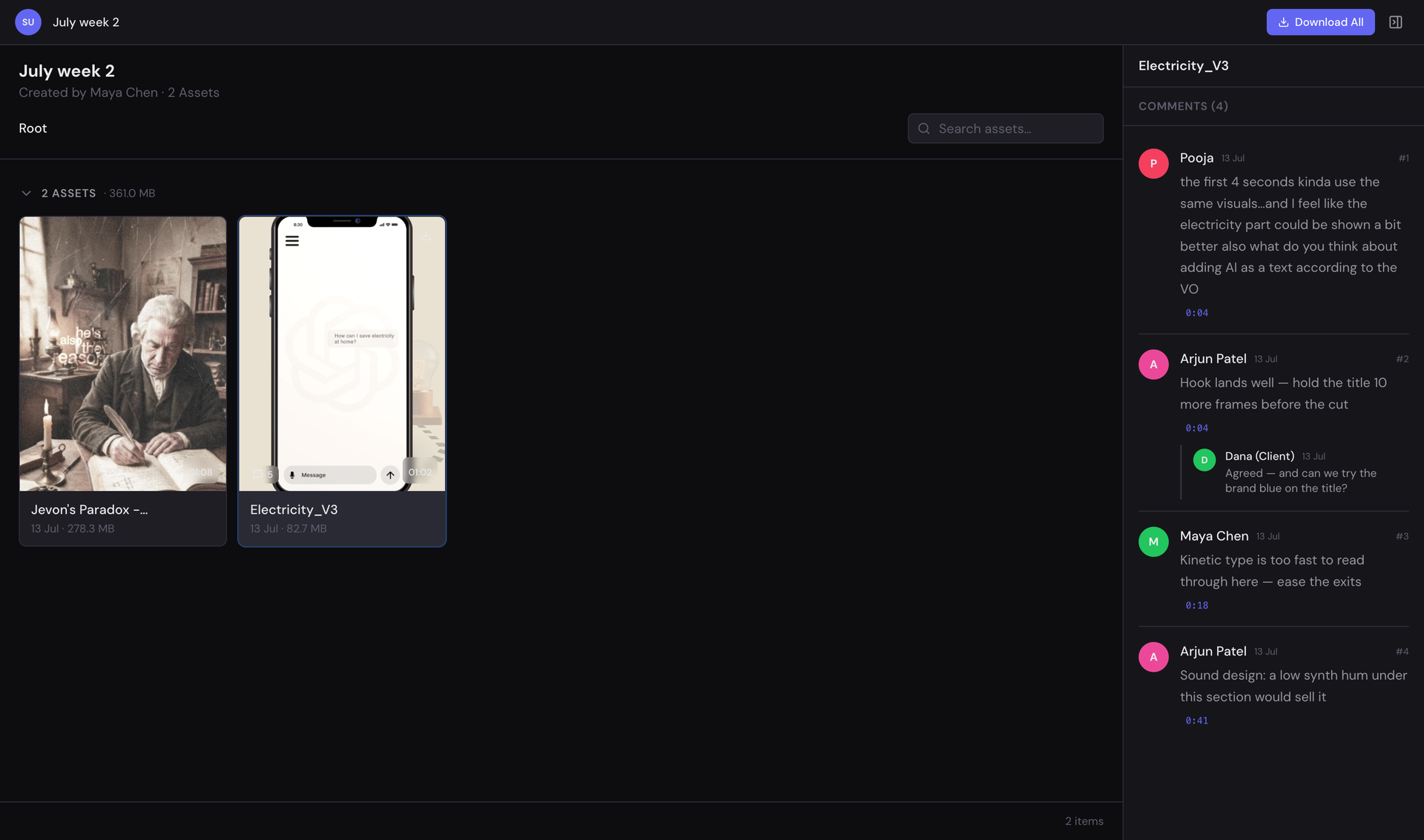
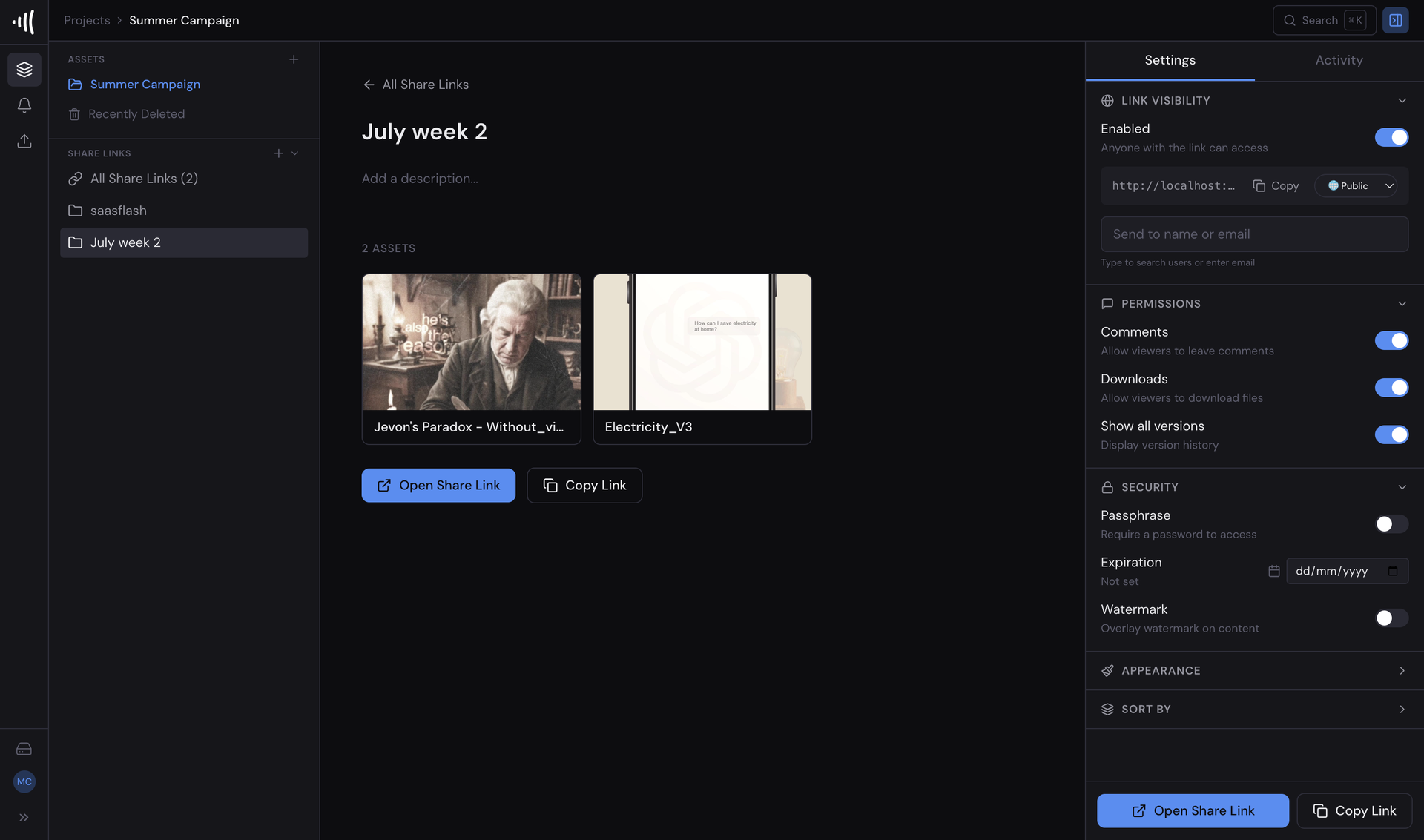
- Password-protected share links with expiry, watermarking, and per-link download permissions let clients browse assets and comment as guests, while your team keeps full control of access.
- Comments Return To Your Timeline
- Export a version's notes as DaVinci Resolve markers, Final Cut Pro FCPXML, Premiere Pro XML, or CSV, so feedback lands back in the editor on the right frames.
- Every Cut Compared Side By Side
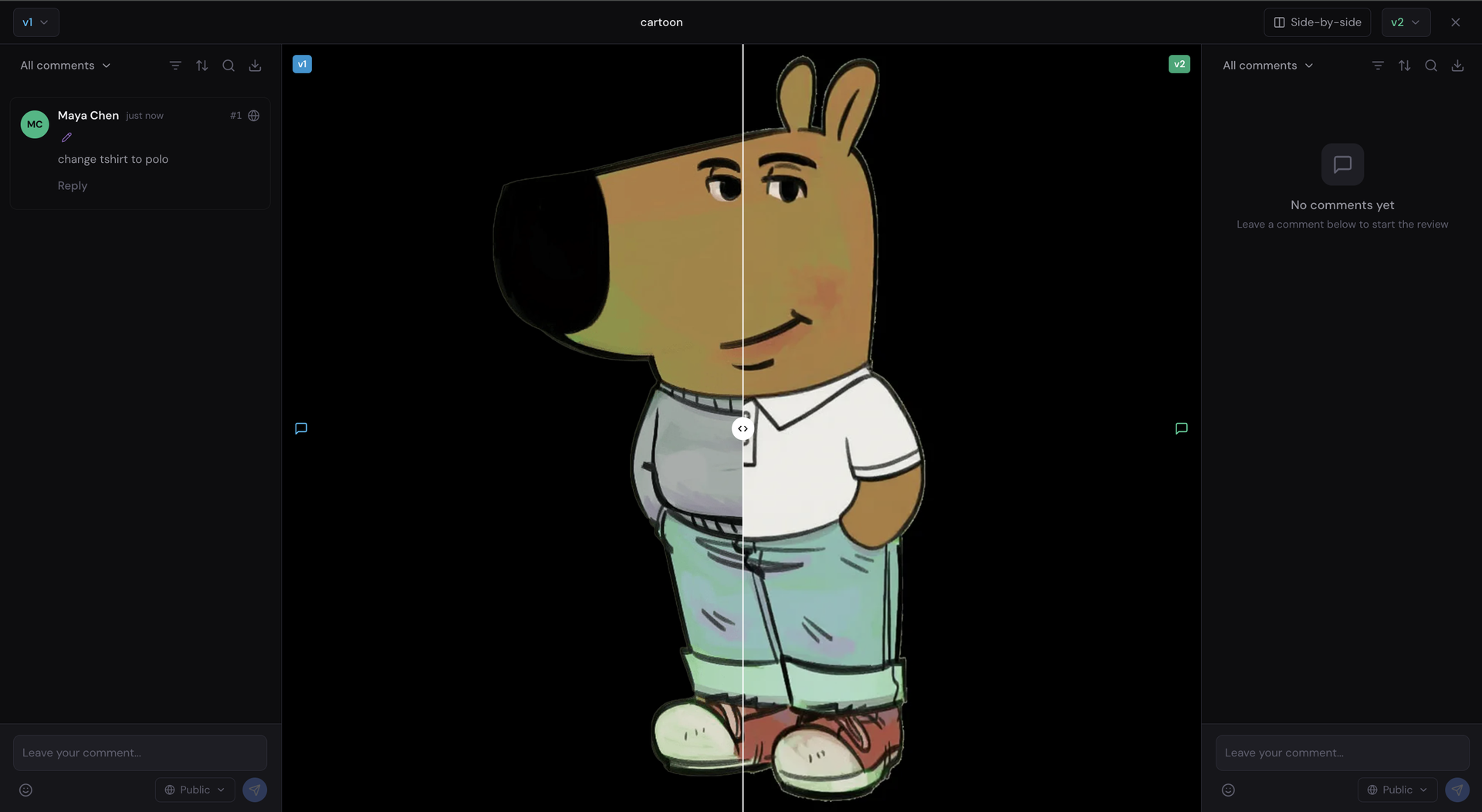
- Two versions play in frame-accurate sync or split under a wipe slider, each keeping separate comments and annotations, making revision differences obvious instead of debated from memory.
Features
- Frame-Accurate Review Player
- HLS adaptive streaming with SMPTE timecode, timeline markers for resolved and open ranges, threaded comments, mentions, reactions, and file attachments on every asset.
- Drawing And Audio Annotations
- Canvas drawing tools annotate any video frame or image, while audio review visualizes waveforms for precise commenting on mixes, voiceovers, and music cues.
- Version Comparison Views
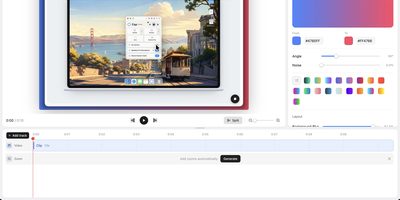
- Side-by-side and wipe-slider comparison for video and images with synchronized playback, per-side audio, frame-offset trim, and shareable URLs for each comparison.
- Approvals And Due Dates
- Per-reviewer approval status tracking with due dates and email reminders keeps projects moving, and real-time server-sent events update every open review instantly.
- Share Link Controls
- Guest commenting links carry passphrases, expiration dates, watermarking, appearance settings, and separate comment and download permissions for each external audience.
- Complete White Labeling
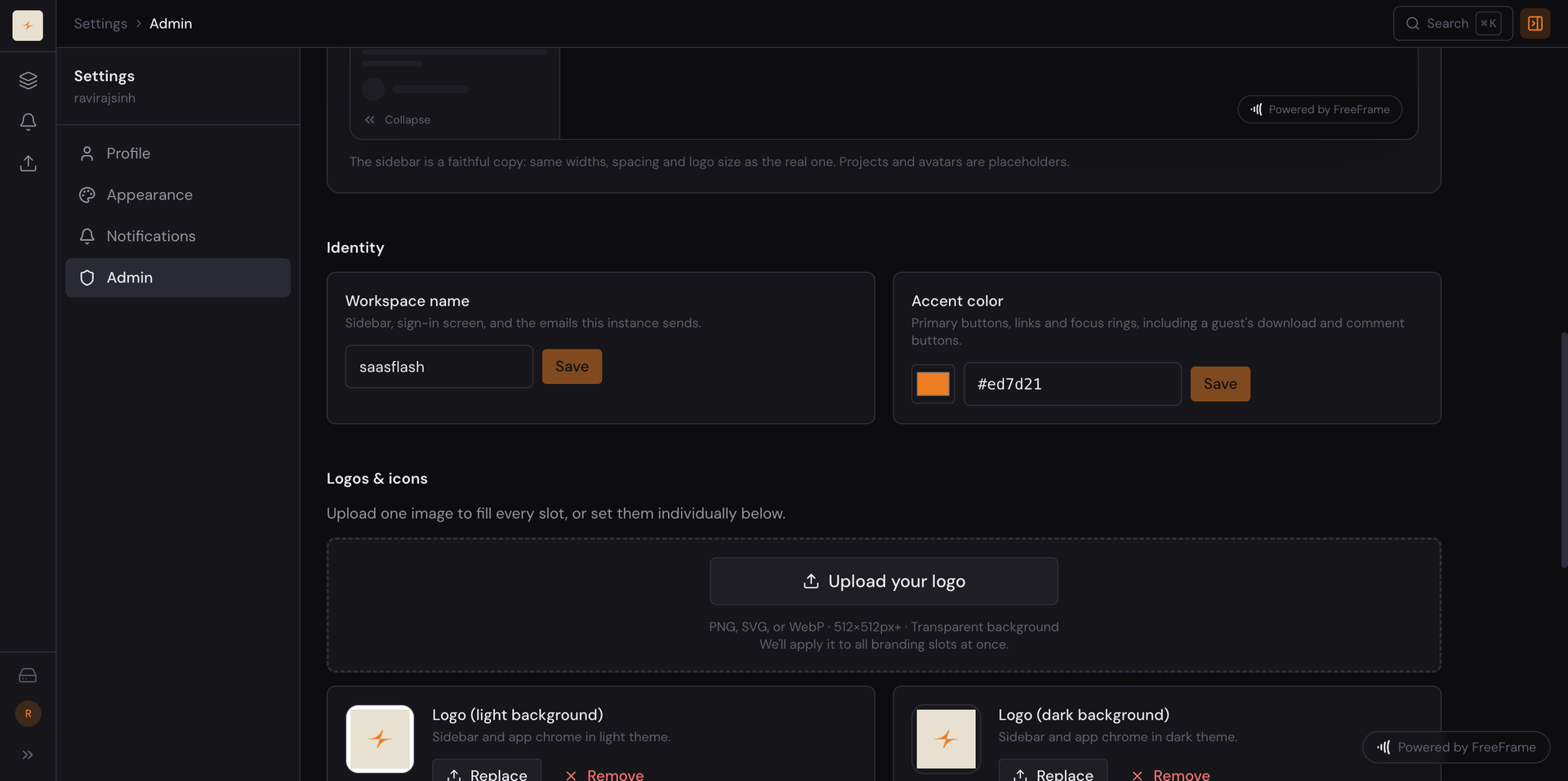
- Workspace name, light and dark logos, favicon, and accent color apply across the application, sign-in, share pages, and client email, with the powered-by badge removable.