Categories
Self-Hosted Cost Analytics Multi-Cloud FinOps Cloud Cost Management Cloud Governance Cloud Cost Optimization Kubernetes Cost AllocationStars
Forks
Watchers
Developer links
OptScale
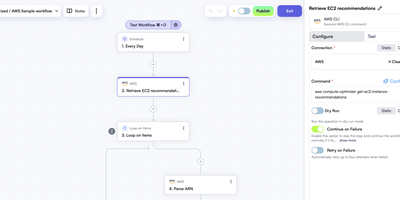
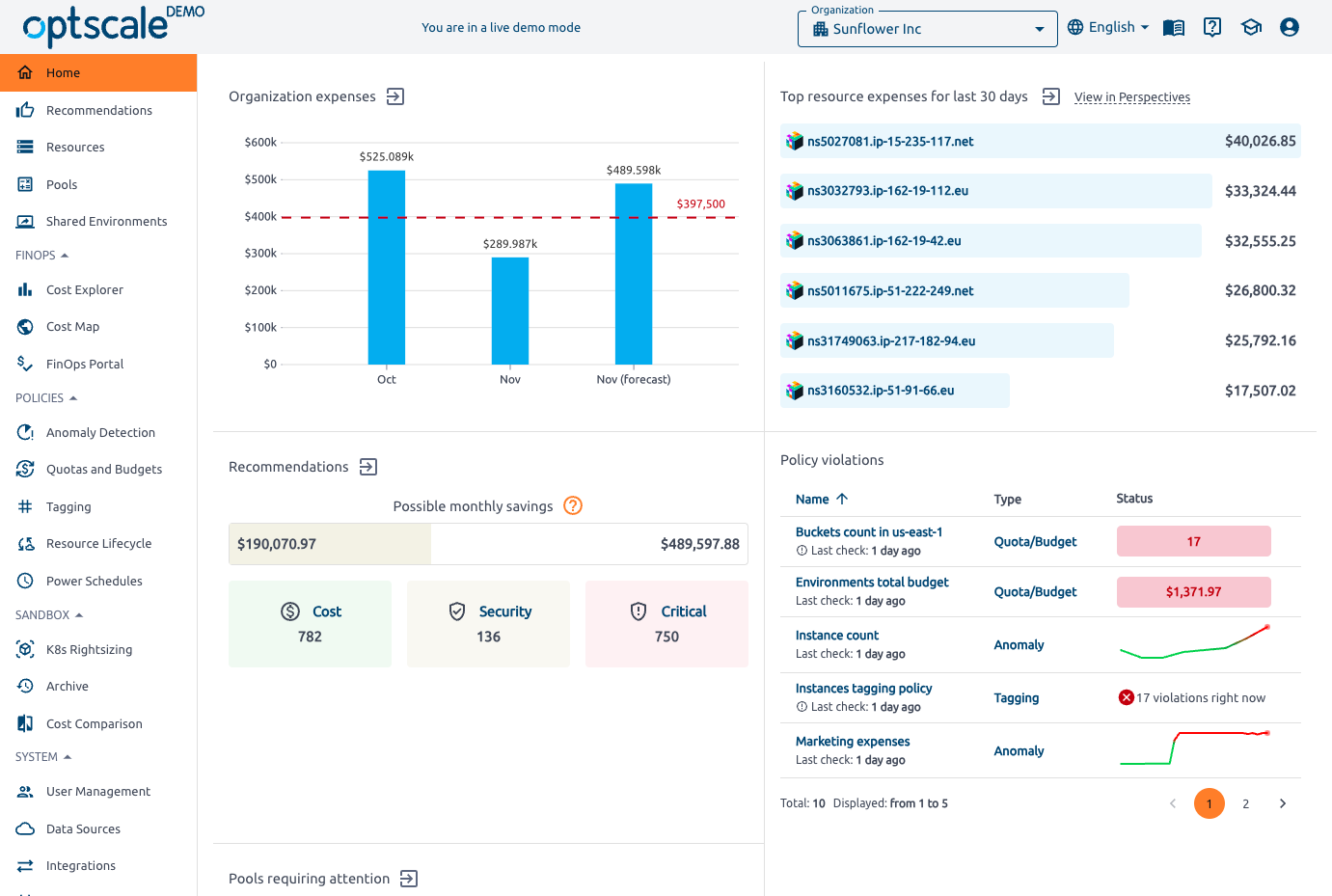
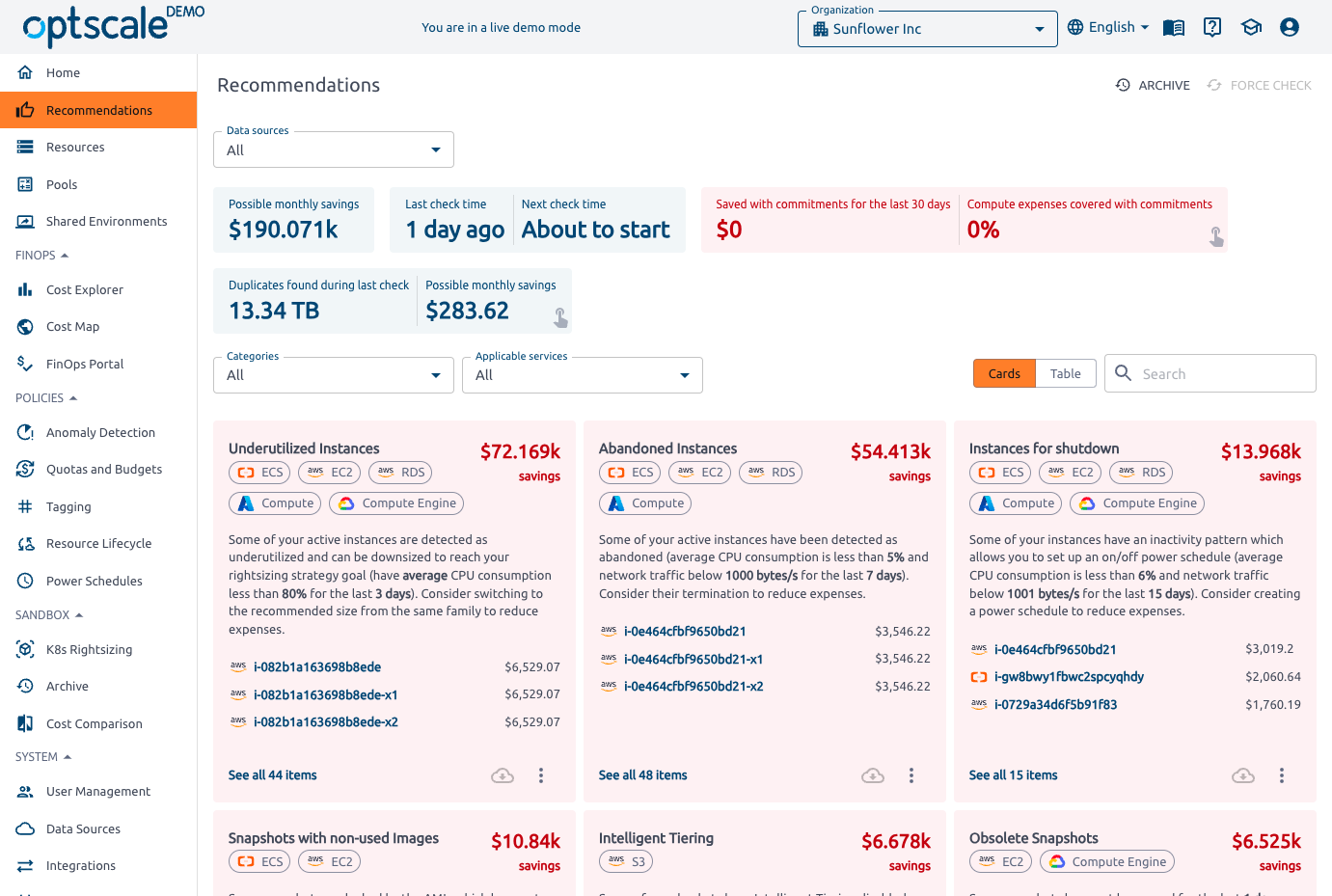
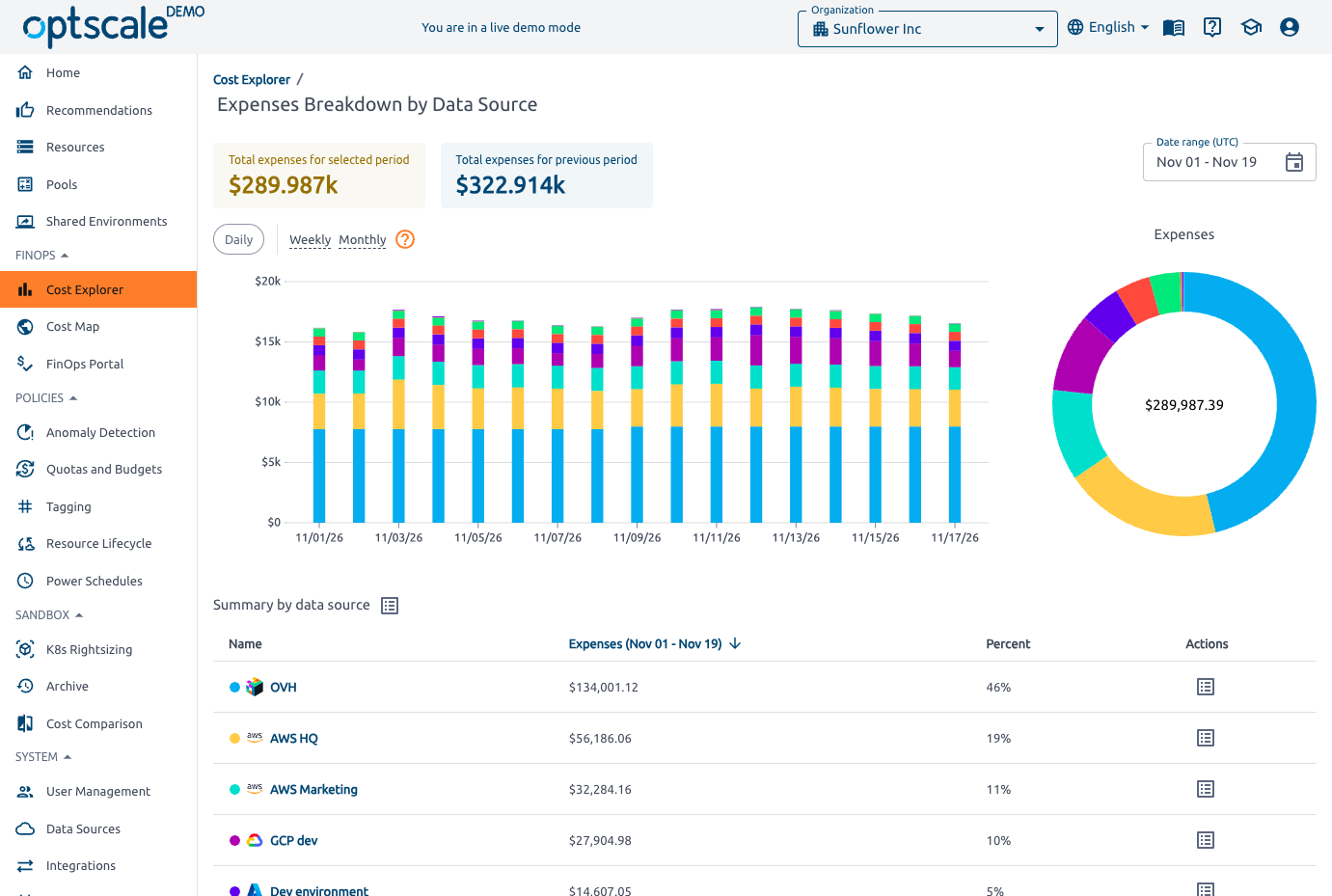
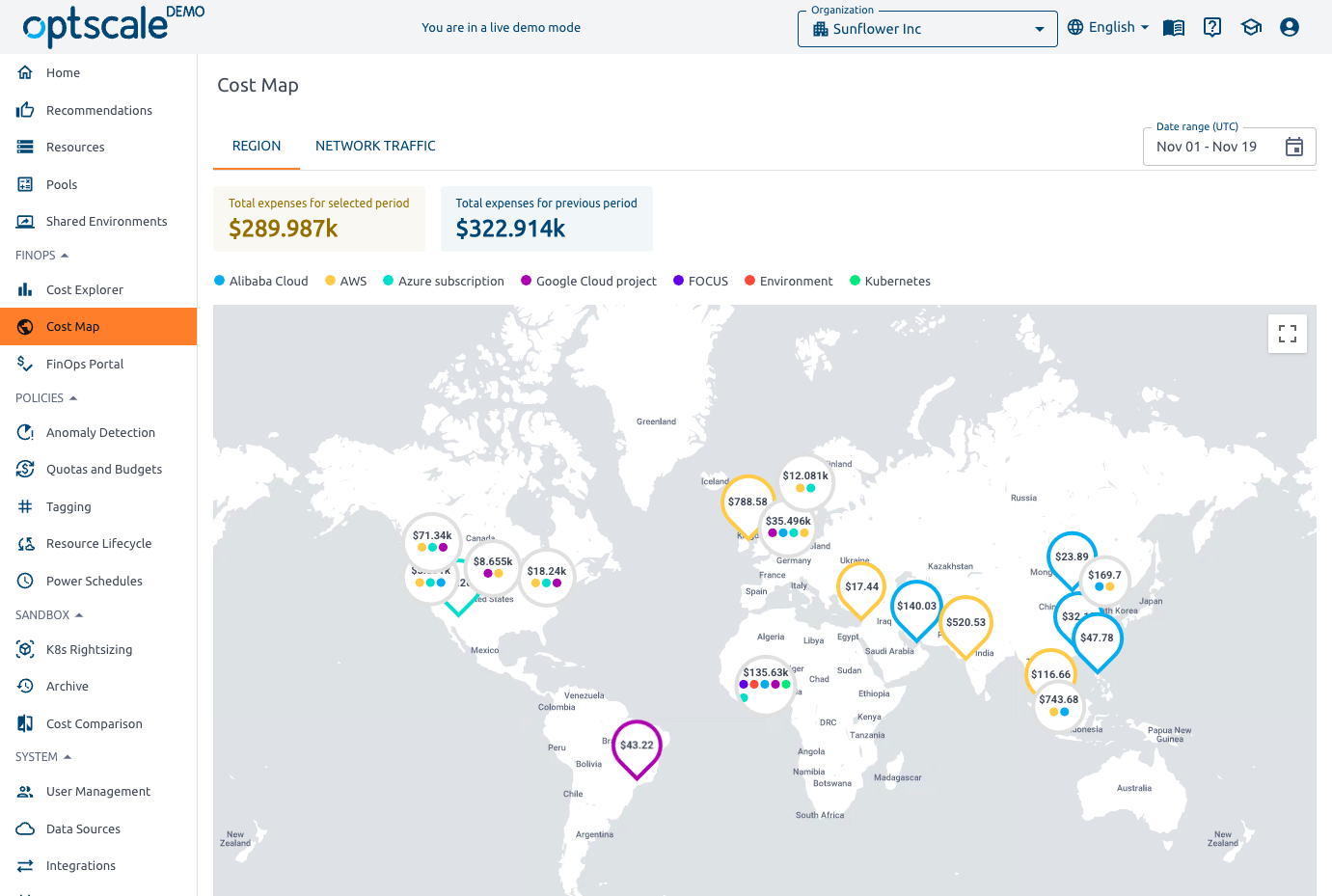
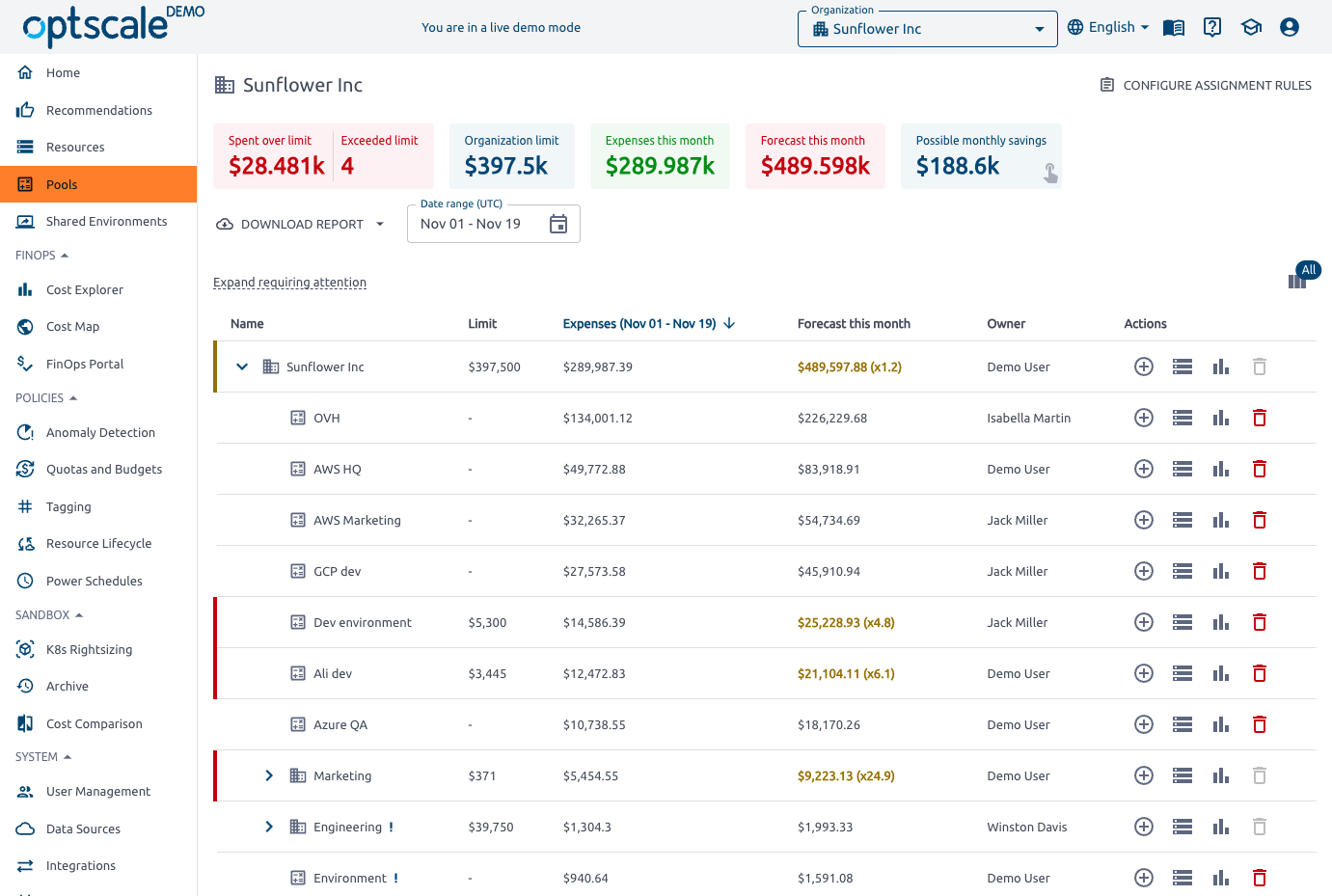
Idle instances, forgotten snapshots, and unattached volumes quietly inflate cloud bills, and OptScale hunts them down across AWS, Azure, Google Cloud, Alibaba Cloud, and Kubernetes from one self-hosted FinOps console. Cloud accounts connect with read-only rights, and the Recommendations page turns billing exports and monitoring data into savings cards for abandoned and underutilized instances, obsolete snapshots, detached volumes, abandoned load balancers, inactive IAM users, public S3 buckets, and Reserved Instance, Savings Plan, and Spot opportunities, each priced in monthly dollars. Cost Explorer breaks daily, weekly, or monthly spend down by data source, pool, owner, or geography, and the Cost Map plots it by region on a world map. Pools mirror your organization with limits, owners, and forecasts, while quotas and budgets, anomaly detection, tagging policies, TTL rules, and VM power schedules flag or contain overspending. Shared Environments let engineers book test stands on a calendar and see which Jira tickets and software builds each one carries. Kubernetes costs are split by namespace, workload, and label, K8s rightsizing compares CPU and memory use with requests, and Databricks cost analytics shows cluster usage and idle time. A cost comparison page lines up VM sizes and prices across providers. Running on a dedicated VPS on RepoCloud with guaranteed CPU, RAM, and SSD, full root SSH access, and a browser serial console. Apache-2.0 licensed.
Benefits
- Find waste with dollar estimates
- Recommendation cards for abandoned instances, obsolete snapshots, detached volumes, and uncovered Reserved Instance or Savings Plan usage list each affected resource with its monthly savings, so you fix the costliest waste first.
- Hold teams to budgets and limits
- Pools carry spending limits, owners, and month-end forecasts, and quota, budget, anomaly, tagging, and TTL policies flag breaches, so an overspending project or untagged resource surfaces before the invoice arrives.
- Try it on one machine first
- A Docker Compose bundle starts a near-full OptScale instance on one host for evaluation, while the production path installs Kubernetes with Ansible and deploys the cluster using runkube.py.
- Allocate Kubernetes and data costs
- Kubernetes spend is allocated per namespace, workload, and label, and Databricks cost analytics shows cluster usage and idle time, so container and data platform bills get an owner as well.
Features
- Savings Recommendation Engine
- Checks idle, abandoned, and underutilized instances, obsolete snapshots, detached volumes, public S3 buckets, insecure security groups, inactive IAM users, and Reserved Instance, Savings Plan, and Spot opportunities.
- Cost Explorer and Cost Map
- Daily, weekly, and monthly expense charts break down by data source, pool, owner, or geography, and a world map plots spend by region and by network traffic.
- Pools, Quotas, and Policies
- Hierarchical pools with limits and owners, assignment rules, quotas and budgets, anomaly detection, tagging policies, TTL rules, and VM power schedules with time zones govern how teams spend.
- Shared Environment Booking
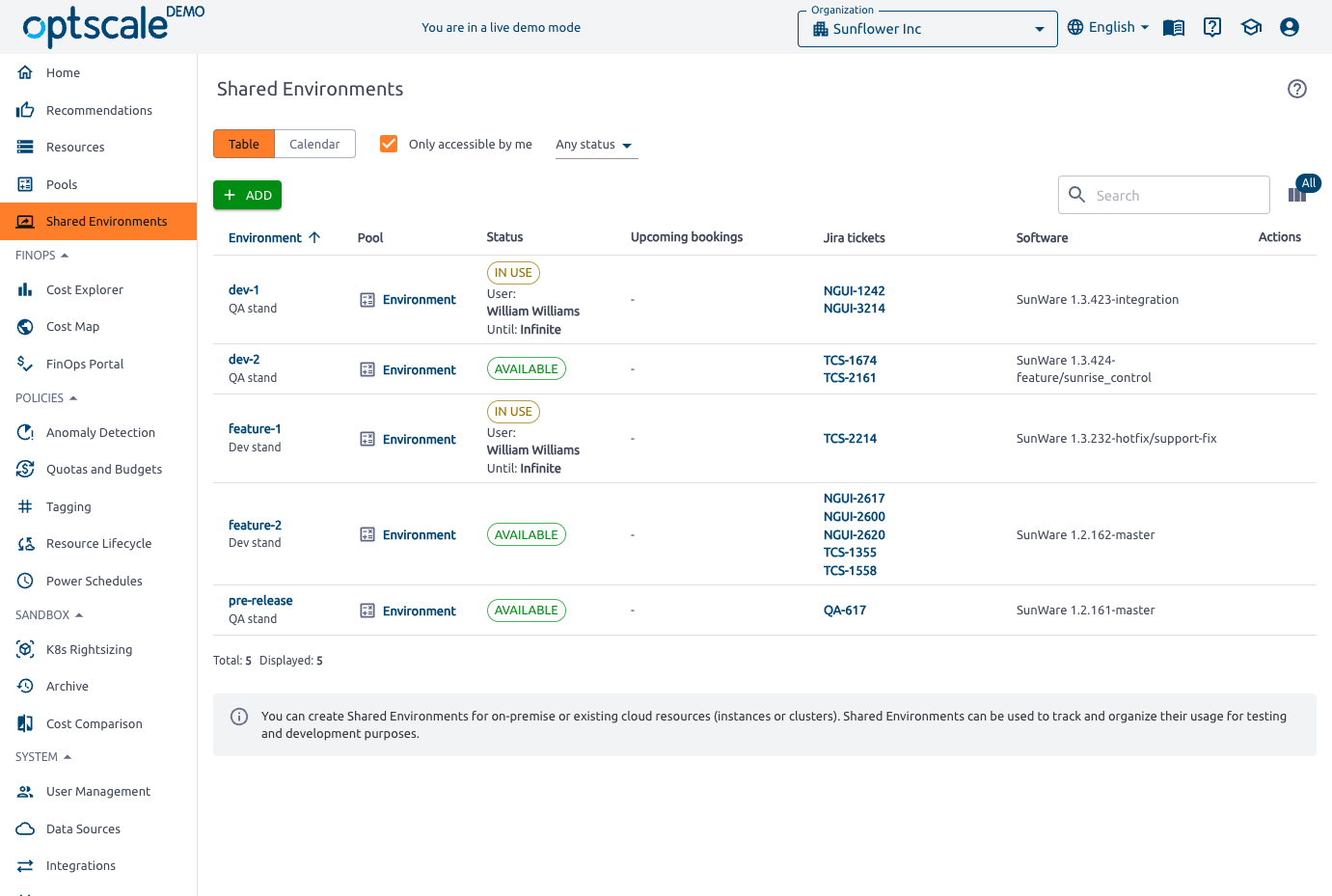
- Teams book test and development environments on a table or calendar view, with status, upcoming bookings, linked Jira tickets, and the software build deployed to each.
- Multi-Cloud Data Sources
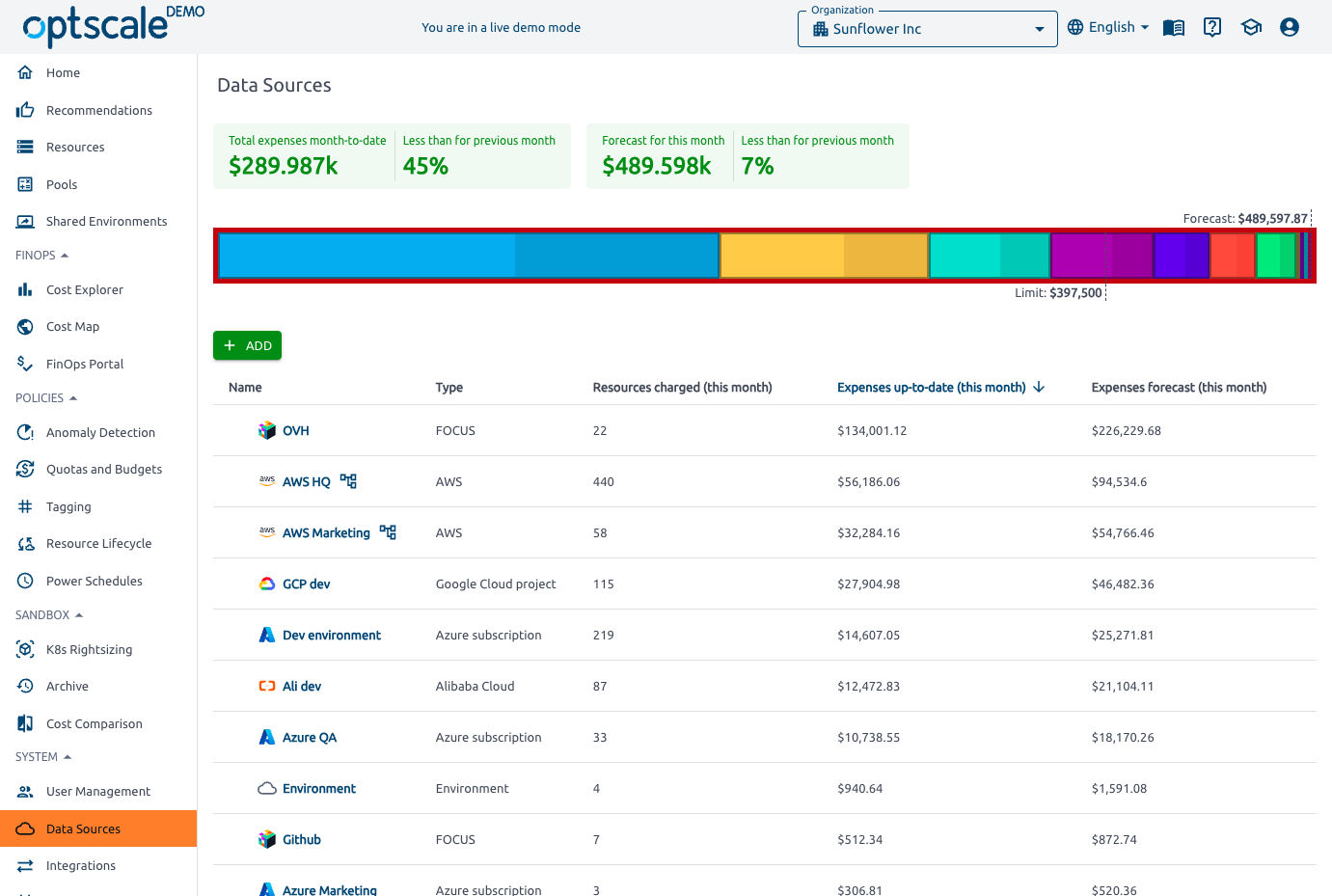
- Ingests AWS Data Exports, Azure Cost Management exports, Google Cloud billing from BigQuery, Alibaba Cloud billing APIs, Kubernetes pod metrics through a collector, and Databricks cluster costs.
- Resource Drill-Down and Monitoring
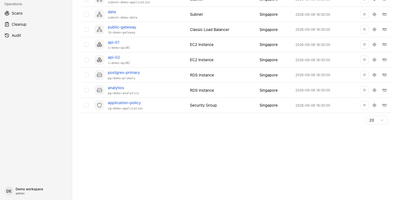
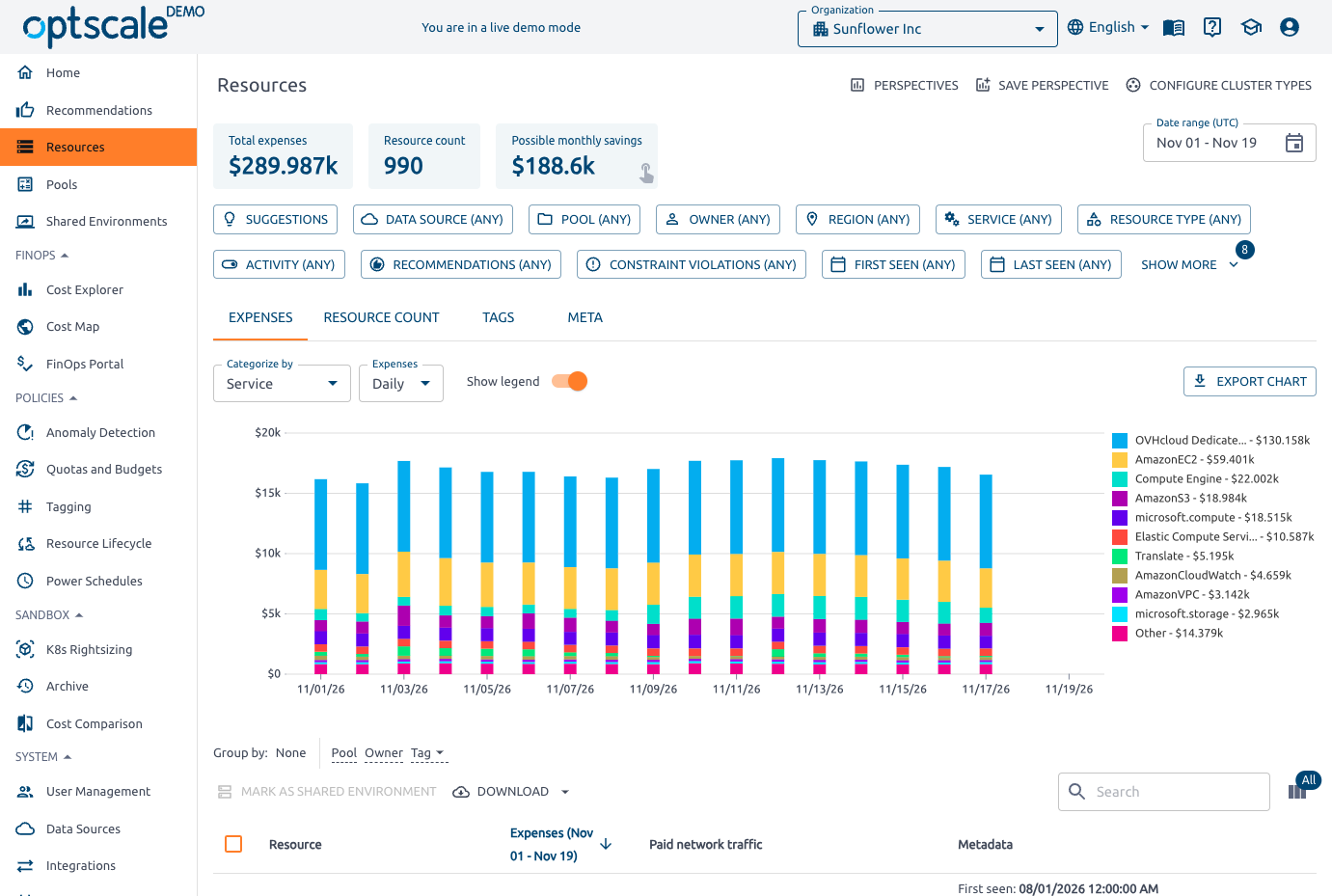
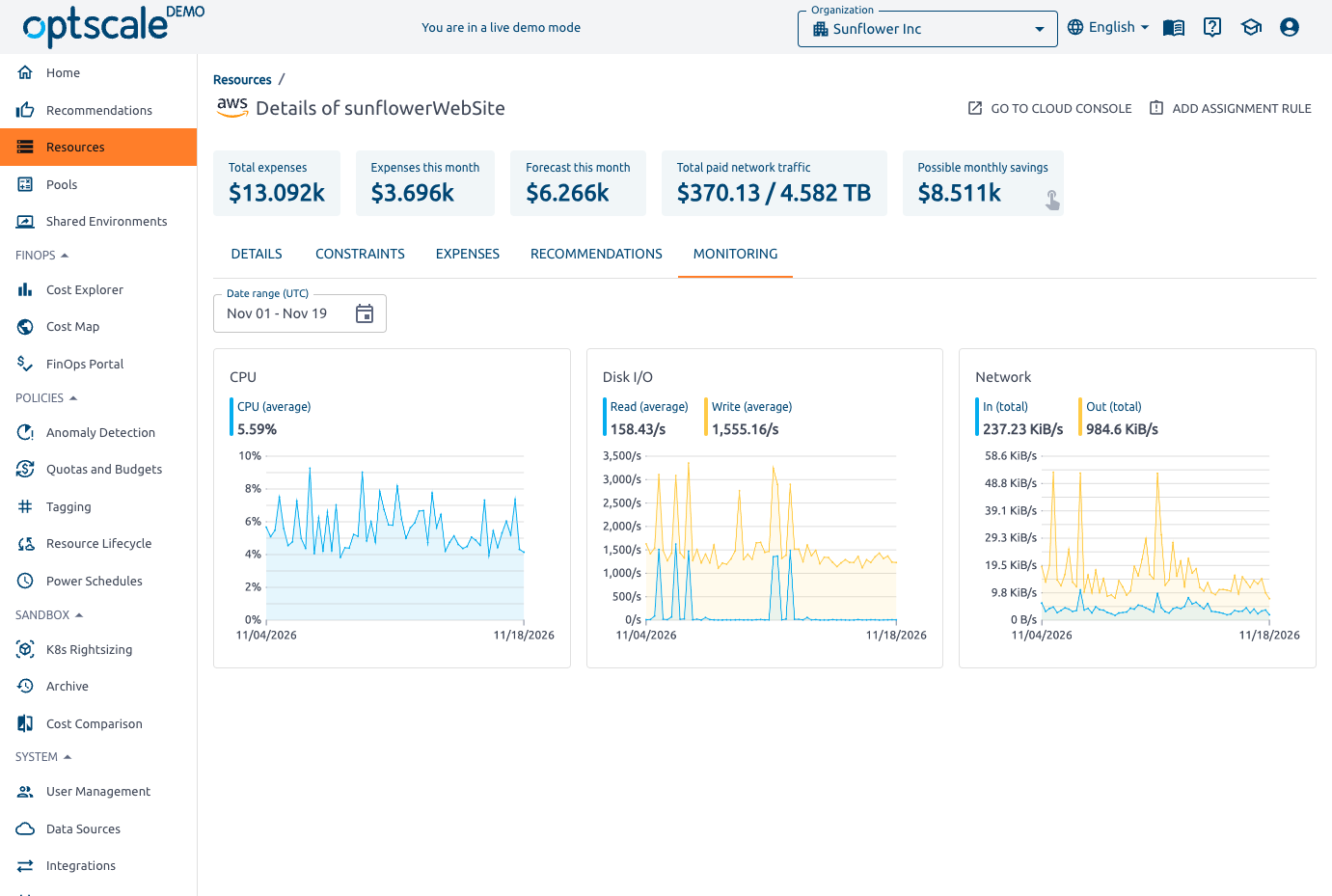
- Filter resources by data source, pool, owner, region, service, and activity, then open one for properties, constraints, expenses, recommendations, and CPU, disk I/O, and network charts.