Maintenant
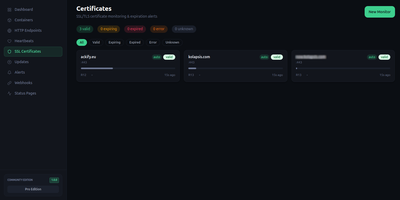
Maintenant replaces three to five separate monitoring tools with a single Go binary that consolidates container discovery, endpoint monitoring, SSL tracking, resource metrics, and public status pages without requiring any external database. The embedded Vue 3 frontend serves on port 8080 immediately after deployment, auto-discovering Docker containers and Kubernetes pods through direct socket and API access without configuration. HTTP and TCP endpoint monitoring validates availability with configurable intervals, while TLS certificate tracking alerts before expiration across all monitored domains. Resource metrics collect CPU, RAM, network throughput, and disk usage per container with real-time Server-Sent Events streaming to the dashboard. Heartbeat and cron monitoring accepts pings from external scheduled jobs, triggering alerts on missed check-ins via webhook callbacks and Discord notifications. The built-in alert engine supports escalation rules and notification batching. Public status pages expose component health to end users without authentication, customizable per monitored service. Network security insights analyze exposed ports, container privilege levels, and host configuration to produce a posture score. Update intelligence scans OCI registries to detect available container image updates with digest comparison. The REST API with SSE broker enables automation, and the integrated MCP server provides tooling for AI assistant integration. SQLite in WAL mode stores all data with zero operational overhead. Running on a dedicated VPS on RepoCloud with guaranteed CPU, RAM, and SSD, full root SSH access, and a browser serial console. AGPL-3.0 licensed.
Tiledesk
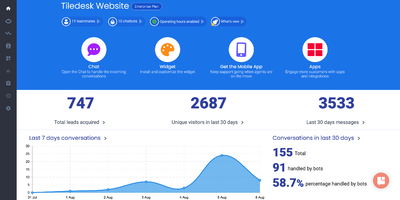
Tiledesk lets you build AI-powered conversational agents with a visual drag-and-drop designer, then deploy them simultaneously across web chat, WhatsApp, Telegram, Facebook Messenger, Instagram, email, and Slack without rebuilding per channel. The no-code Design Studio combines LLM-powered conversations with conditional logic, external API calls, and branching dialogue trees that work identically everywhere. Multi-RAG knowledge management separates content into isolated repositories with hybrid search combining traditional full-text retrieval and semantic understanding via Qdrant vector embeddings, enabling accurate answers even when users phrase queries in unexpected ways. LLM integration supports GPT-4, GPT-4o, Anthropic Claude, and any model exposing an OpenAI-compatible API including locally hosted models via Ollama for complete data sovereignty. The human-in-the-loop system provides seamless escalation from AI agents to live support staff with full conversation context preserved, while multi-agent workflows enable complex orchestration where specialized bots collaborate on different aspects of a customer interaction. REST and MQTT APIs power integration with external systems and webhook-triggered automations, and pre-designed templates accelerate common scenarios. Docker Compose deployment starts the full stack including server, dashboard, messaging engine, and widget. Running on a dedicated VPS on RepoCloud with guaranteed CPU, RAM, and SSD, full root SSH access, and a browser serial console. MIT licensed.
Haven
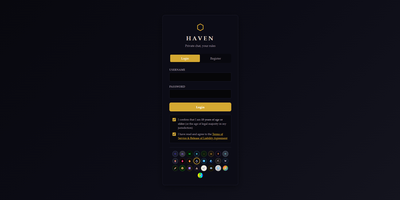
Haven gives your community a private chat server with voice calls, screen sharing, and end-to-end encrypted direct messages where friends join via invite link in their browser without installing apps or creating third-party accounts. Real-time messaging supports image uploads via paste and drag-drop, emoji reactions, replies, threads, typing indicators, @mentions with autocomplete, and inline GIF search through Tenor or GIPHY. Peer-to-peer WebRTC voice chat includes per-user volume sliders, mute and deafen controls, talking indicators, and screen sharing with picture-in-picture mode. Direct messages use ECDH P-256 key exchange with AES-256-GCM symmetric encryption where private keys never leave the browser, ensuring not even the server operator can read them. Twenty-plus visual themes with stackable effects including CRT scanlines, Matrix Rain, Cyberpunk Text Scramble, Snowfall, and Campfire Embers let users personalize the experience with configurable intensity sliders. Rich Presence integration shows what members are playing or listening to via Last.fm, Steam, and Spotify. A built-in bot API supports webhooks and custom slash commands, while Discord history import preserves channels, threads, forums, reactions, pins, and avatars. The Node.js server deploys via Docker Compose or a single batch file that auto-handles dependencies, SSL certificates, and configuration. Running on a dedicated VPS on RepoCloud with guaranteed CPU, RAM, and SSD, full root SSH access, and a browser serial console. AGPL-3.0 licensed.
Sage Wiki
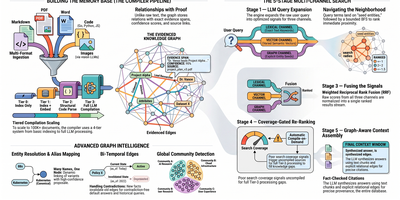
Sage Wiki turns a pile of unstructured documents into a fully interlinked, searchable wiki by running them through a five-pass LLM compiler pipeline. Inspired by Andrej Karpathy's vision of LLM-compiled knowledge bases, the pipeline processes source files through diff detection, summarization, concept extraction, image captioning, and cross-reference discovery, with parallel LLM calls and checkpoint/resume for vaults scaling to 100,000+ documents. The typed ontology graph stores entities and relations with BFS traversal, configurable relation types, multilingual synonyms, and a promotion/demotion lifecycle backed by grounding verification and consensus scoring. Multi-format ingestion handles Markdown, PDF, Word, Excel, PowerPoint, EPUB, email, CSV, images, and code files without manual tagging. LLM provider support spans Anthropic, OpenAI, Gemini, Ollama, and any OpenAI-compatible API, with per-pass model routing enabling cost optimization by assigning cheaper models to simpler tasks. The built-in MCP server exposes 17 tools over SSE transport for integration with Claude, Cursor, and any MCP-compatible agent, while native Obsidian vault overlay ensures existing note workflows remain undisrupted. Team deployment supports Git-synced shared wikis, centralized server access, and hub federation across multiple projects. Ships as a single Go binary with Docker Compose multi-arch images serving the web UI on port 3333. Running on a dedicated VPS on RepoCloud with guaranteed CPU, RAM, and SSD, full root SSH access, and a browser serial console. MIT licensed.
Kurrier
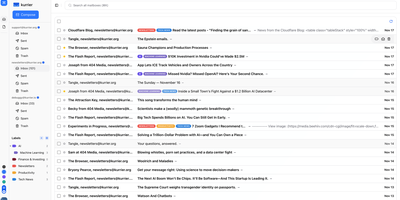
Kurrier unifies email, calendars, contacts, and file storage in a single web interface that connects to any email provider you already use. The Next.js frontend with Nitro API worker deploys via Docker Compose on PostgreSQL and Redis, delivering a cohesive workspace where IMAP/SMTP mailboxes from Gmail, Outlook, or corporate servers sit alongside transactional providers like AWS SES, SendGrid, Mailgun, and Postmark. Automatic inbox building handles threads, attachments, sent items, and deletion sync through persistent background polling. The CalDAV backend enables full two-way calendar synchronization with iOS, macOS, Android via DAVx5, and Thunderbird, supporting event invitations, RSVP processing through the inbox, timezone-aware scheduling, and contact-aware attendee linking. CardDAV contacts sync bidirectionally across all devices with unified name, avatar, and email resolution. Kurrier Drive provides integrated file storage through WebDAV locally or S3-compatible backends for cloud storage. Multiple identities and domains let you manage several email accounts from different providers in one interface, with fast local search indexing subjects, senders, and content without dependency on external APIs. The API-first architecture exposes clean endpoints for automation and custom integrations. Running on a dedicated VPS on RepoCloud with guaranteed CPU, RAM, and SSD, full root SSH access, and a browser serial console. AGPL-3.0 licensed.
Portabase
Portabase takes a zero-trust approach to database backups: lightweight Rust/Tokio agents deploy next to each database, encrypt dumps with AES-GCM before data ever leaves the host, and poll the Next.js control plane outbound every five seconds requiring zero inbound firewall rules. This architecture contains blast radius if the dashboard is compromised while supporting ten engines with stable backup and restore: PostgreSQL 12 through 18, MySQL 5.7 through 9, MariaDB 10 and 11, MongoDB 4 through 8, SQLite 3.x, Redis 2.8+, Valkey 7.2+, Firebird 3.0 through 5.0, Microsoft SQL Server 2017 through 2022 including Azure SQL, and Docker volumes on Engine 20.10+. Encrypted backups store on configurable backends including local filesystems, any S3-compatible provider (AWS, MinIO, RustFS), Google Cloud Storage, and Azure Blob Storage. Cron-based scheduling with Grandfather-Father-Son retention policies automates backup lifecycle management, while on-demand restore targets any compatible server for cross-environment recovery. The CLI installs agents with a single command and auto-updates when new versions ship. A RESTful API with MCP server integration enables automation from CI/CD pipelines and AI agent workflows. Developed by a non-profit under Apache-2.0. 1,270+ stars and 174 releases since October 2024. Running on a dedicated VPS on RepoCloud with guaranteed CPU, RAM, and SSD, full root SSH access, and a browser serial console.
Kodus AI
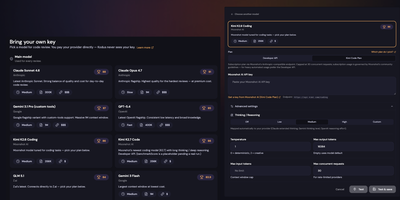
Kodus AI automates pull request code review with inline AI comments across GitHub, GitLab, Bitbucket, and Azure DevOps, supporting any LLM provider at cost with zero token markup. The multi-service TypeScript architecture deploys via Docker Compose, running an API server, background worker, webhooks service, and React dashboard backed by PostgreSQL with pgvector, MongoDB, and RabbitMQ. Integration covers both cloud platforms and their enterprise flavors (GitHub Enterprise Server, GitLab Self-Managed, Bitbucket Data Center) using standard OAuth flows and webhook signing to keep the review loop entirely inside your network. The platform is model-agnostic with Bring Your Own Key support for Claude, GPT, Gemini, Llama, and any OpenAI-compatible endpoint including locally-hosted models. Custom review rules combine your team's coding standards with requirements pulled from Jira, Linear, and Notion, automatically checking every PR against documented specifications. The CLI enables local reviews against working trees, staged diffs, branches, or specific commits, integrating into CI/CD pipelines as pre-merge gates. Source code is never stored and never used for model training, with all data encrypted in transit and at rest. 1,270+ stars and 129+ releases since March 2025. Running on a dedicated VPS on RepoCloud with guaranteed CPU, RAM, and SSD, full root SSH access, and a browser serial console. AGPL-3.0 licensed.
ExcaliDash
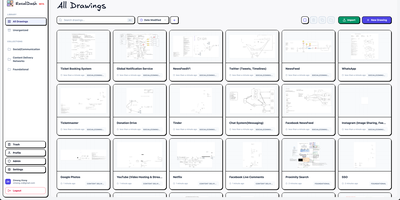
ExcaliDash adds persistent storage, access control, version history, and real-time collaboration to Excalidraw, transforming ephemeral whiteboarding sessions into a managed drawing library your team can rely on. The Node.js/Express backend with React/TypeScript frontend deploys via Docker Compose on port 6767, using Prisma ORM on SQLite for all drawings, users, and metadata. WebSocket-powered collaboration lets multiple users edit the same canvas simultaneously with live cursor presence. Drawing snapshots preserve every revision with visual preview and one-click restore to any previous state. Three authentication modes handle different deployment needs: local email/password for personal use, hybrid mode mixing native credentials with OIDC for gradual enterprise adoption, and enforced OIDC-only for organizations requiring SSO through providers like Authentik or Keycloak. Scoped sharing controls determine whether drawings stay private, shared internally with team members, or accessible via external links without authentication. Collections organize drawings through drag-and-drop grouping, full-text search locates any diagram instantly, and exports use the non-proprietary .excalidraw format ensuring complete data portability. 1,350+ stars since November 2025. Running on a dedicated VPS on RepoCloud with guaranteed CPU, RAM, and SSD, full root SSH access, and a browser serial console. AGPL-3.0 licensed.
Securo
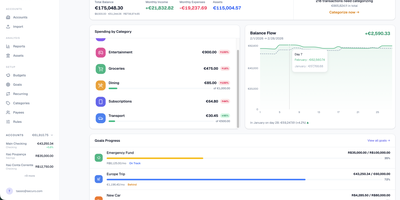
Securo is a privacy-first personal finance platform that keeps all your financial data in your own PostgreSQL instance while connecting to 2,500+ banks across three continents for automated transaction sync. The FastAPI backend with React/TypeScript frontend deploys via Docker Compose on ports 3000 and 8000, with Redis-backed Celery workers handling background synchronization. Bank connections span approximately 2,500 European PSD2 institutions through Enable Banking across 29 countries, US and international banks via SimpleFIN's open protocol, and Brazilian banks through Pluggy, all refreshing automatically every four hours. Multi-account management tracks checking, savings, credit cards, and investments with running balances. The auto-categorization rules engine applies pattern-matching across merchants and amounts. Goal tracking monitors savings targets with progress visualization, asset management handles stocks and custom instruments with configurable valuation growth rules, and reports generate Net Worth and Income vs Expenses charts with category sparklines. Optional AI Agents provide LLM chat with tool-use over your financial data through MCP, supporting OpenAI, Anthropic, Ollama, and compatible providers with per-agent RAG knowledge bases accessible via a global command palette. Multi-user support includes OIDC login, passkey authentication, TOTP two-factor, privacy mode, and multi-currency FX conversion via Open Exchange Rates. 1,500+ stars since March 2026. Running on a dedicated VPS on RepoCloud with guaranteed CPU, RAM, and SSD, full root SSH access, and a browser serial console. AGPL-3.0 licensed.
Databasement
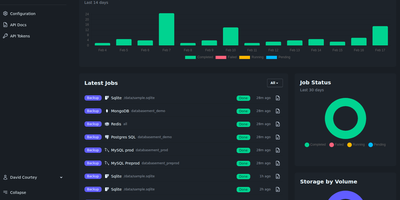
Databasement puts scheduled backup and restore for nine database engines behind one polished web interface, deployed as a single Docker container on port 2226. The Laravel and Livewire backend uses native CLI tools for MySQL 5.6 through 9.x, PostgreSQL 12 through 18, MariaDB 10.x through 12.x, Microsoft SQL Server 2017 through Azure SQL, MongoDB 4.2 through 8.0, SQLite 3.x, Firebird 3.x through 5.x, Redis 2.8+, and Valkey 7.2+ with full restore support including cross-server recovery. SSH tunnel connectivity reaches databases behind firewalls via bastion servers with password or private key authentication, and remote agents handle isolated networks by connecting outbound over HTTPS without inbound ports. Scheduling supports arbitrary cron expressions with GFS grandfather-father-son retention alongside simple time-based cleanup. Storage spans local disk, S3-compatible services including AWS and MinIO, Azure Blob, Samba/SMB shares, and SFTP/FTP servers. Scheduled restores automate production-to-staging synchronization on recurring intervals. Failure notifications alert via Email, Slack, Discord, Telegram, Pushover, Gotify, and webhooks with detailed job logs. The REST API and built-in MCP server enable CI/CD pipeline integration and AI assistant access from Claude, Cursor, and VS Code Copilot. 1,700+ stars since November 2025. Running on a dedicated VPS on RepoCloud with guaranteed CPU, RAM, and SSD, full root SSH access, and a browser serial console. MIT licensed.
Speakr
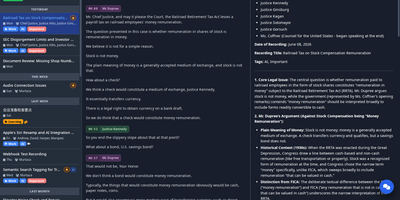
Speakr transforms audio recordings into organized, searchable, AI-enhanced notes with speaker recognition that identifies who said what across your entire recording library. The Python/Flask backend with Vue.js 3 and Tailwind CSS frontend deploys via Docker on port 8899, offering multiple transcription engines through auto-detected connectors: WhisperX for local processing with speaker diarization and voice embeddings, OpenAI Whisper and GPT-4o-transcribe, Mistral Voxtral for cloud diarization, AssemblyAI for multi-hour files, and any custom ASR webservice. Speaker voice profiles use embedding comparison to recognize individuals across different recordings automatically, while custom vocabulary biases the transcriber toward domain-specific jargon. The AI layer goes well beyond transcription: customizable summaries with per-recording, per-tag, and per-folder prompt templates; event extraction surfacing action items and calendar events; per-recording chat with streaming responses; and Inquire Mode for semantic search and natural-language queries across your entire library simultaneously. Smart tags execute custom AI prompts on transcripts for automatic categorization. The REST API with Swagger documentation supports signed webhooks integrating with n8n, Zapier, and Make. Auto-export pushes to Obsidian and Logseq, auto-processing watches directories, and the installable PWA provides mobile-first, offline-capable access with share-target support. 3,600+ stars since May 2025. Running on a dedicated VPS on RepoCloud with guaranteed CPU, RAM, and SSD, full root SSH access, and a browser serial console. AGPL-3.0 licensed.
Pulse
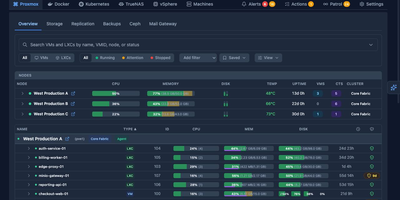
Pulse monitors your entire heterogeneous infrastructure from one screen: Proxmox VE, Proxmox Backup Server, Proxmox Mail Gateway, Docker, Podman, Docker Swarm, Kubernetes, TrueNAS SCALE/CORE, VMware vSphere, and standalone Linux/Windows/macOS machines. The Go binary embeds a SolidJS/TypeScript frontend, delivering WebSocket-driven dashboards with sub-second metric updates on port 7655. A unified agent auto-detects Docker, Podman, Kubernetes, and Proxmox on each host without manual configuration and self-updates silently, while Proxmox nodes need only API credentials with zero agent installation. Smart alerts use adaptive hysteresis-based thresholds to prevent notification floods, pushing to Discord, Slack, Telegram, Teams, email, ntfy.sh, Gotify, and generic webhooks with per-resource overrides. The standout feature is Pulse Patrol: scheduled AI health checks running every ten minutes to seven days using OpenAI, Anthropic, Gemini, or local Ollama models. Patrol catches silent backup failures, capacity creep, restart loops, unhealthy containers, and clock drift that dashboards miss when nobody is watching. Platform-specific views render Proxmox nodes, Ceph clusters, Docker Compose projects, Kubernetes workloads, TrueNAS pools, and vSphere VMs in familiar layouts. OIDC, SSO, and SAML authentication with credential encryption at rest secures access. 6,500+ stars and 441 releases since February 2025. Running on a dedicated VPS on RepoCloud with guaranteed CPU, RAM, and SSD, full root SSH access, and a browser serial console. MIT licensed.
Arcane
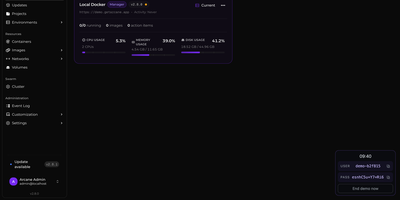
Arcane gives you a single polished dashboard to manage Docker containers, images, volumes, networks, and Compose projects across unlimited remote hosts. The SvelteKit frontend paired with a Go backend delivers real-time resource monitoring with historical graphs, container lifecycle controls including shell exec and live log streaming, and one-click Docker Compose deployment with Git repository synchronization for version-controlled stack definitions. The manager-agent architecture connects remote environments via Direct TCP on port 3553 or Edge mode where agents initiate outbound gRPC/WebSocket connections through NAT and firewalls without requiring inbound ports, all secured with mTLS certificates. Vulnerability scanning identifies security issues in running container images directly from the interface. The backup system enables scheduled container snapshots with configurable retention for disaster recovery. Network and volume administration includes visual relationship mapping between services, and the responsive interface supports dark/light themes with full mobile optimization and community-driven internationalization via Crowdin. 6,500+ stars and 89 releases since April 2025 reflect a rapid development cadence. Running on a dedicated VPS on RepoCloud with guaranteed CPU, RAM, and SSD, full root SSH access, and a browser serial console. BSD-3-Clause licensed.
Frappe
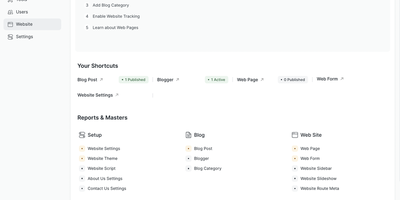
Define a DocType in Frappe and the framework automatically generates database tables, Python ORM classes, REST API endpoints, form views, list views, and role-based permission rules from that single schema definition. The meta-driven architecture stores schemas as database records, letting administrators add fields, reorder layouts, and modify validation rules through the browser-based Form Builder without redeployment. Server-side Python controllers handle business logic through hook-based lifecycle events while client-side JavaScript manages interactive form behavior, with WebSocket connections providing real-time updates across sessions. The built-in workflow engine defines document state machines with role-gated transitions, email notifications, and conditional action visibility. Pre-configured Desk views include list, form, report, tree, kanban, calendar, and dashboard layouts with drag-and-drop workspace customization. The report builder generates grid reports with configurable columns, filters, grouping, and chart visualizations from DocType data or custom SQL and Python scripts. Background job processing uses Redis queues for email delivery, data imports, and periodic tasks. Virtual DocTypes connect external databases to the framework's UI without data migration. Docker deployment via frappe_docker provides production-ready Compose configurations with MariaDB, Redis, Nginx, and worker containers. The foundation powering ERPNext, HRMS, CRM, and Helpdesk in production. Over 10,500 GitHub stars. MIT licensed.
Garnet
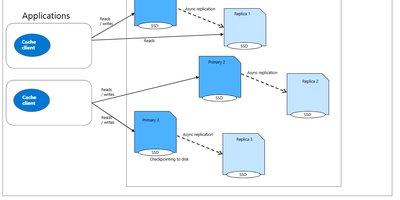
Garnet is Microsoft Research's cache-store built on .NET that speaks the Redis RESP wire protocol while delivering up to 10x higher throughput and 4x lower tail latency than comparable alternatives on identical hardware. The Tsavorite storage engine provides a cache-friendly, shared-memory architecture scaling linearly across CPU cores, supporting both in-memory operation and tiered storage across local SSDs and Azure Storage for datasets exceeding available RAM. Cluster mode enables sharded deployments with replication, dynamic key migration for live rebalancing, non-blocking checkpointing, and automatic failover using standard Redis cluster commands. The RESP implementation covers raw strings, sorted sets, lists, hashes, sets, bitmaps, HyperLogLog, streams, pub/sub, Lua scripting, and client-side transactions, allowing StackExchange.Redis, Jedis, redis-py, and other Redis clients to connect without modification. C#-based extensibility lets developers define custom commands and new data types as server-side stored procedures, compiled and loaded at runtime without restarting the server. TLS encryption, ACL-based access control, and operation logging complete the production feature set. Deployed across Microsoft services including Windows & Web Experiences, Azure Resource Manager, and Azure Resource Graph. Nearly 12,000 GitHub stars. MIT licensed.
Amplication
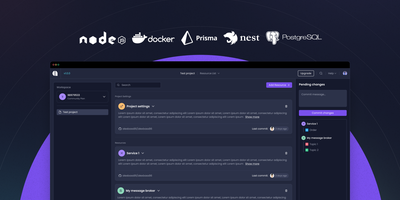
Amplication turns entity definitions into production-ready backend services, generating NestJS with Prisma and Apollo GraphQL for Node.js or ASP.NET Core for .NET, eliminating months of boilerplate. The plugin-driven Data Service Generator hooks into code generation lifecycle events, enabling teams to inject CI/CD manifests, proprietary authentication schemes, testing configurations, and cloud-specific deployment targets for AWS, Azure, and GCP without forking the core generator. Blueprint templates encode organizational architecture standards, security policies, and coding conventions into reusable foundations that keep every generated service consistent across the engineering organization. Jovu AI translates natural language requests into entities, relationships, fields, modules, DTOs, and custom API actions, automatically aligning each resource with predefined standards. Generated services include full CRUD operations with input validation, Swagger/OpenAPI documentation, authentication middleware, database-agnostic ORM via Prisma, optional React Admin interfaces, and Jest test scaffolding. Code output syncs to Git repositories as pull requests, preserving standard review workflows while letting developers edit every generated line and add custom business logic. Supports PostgreSQL, MySQL, and MongoDB as database targets. Over 16,000 GitHub stars with enterprise adoption. Apache 2.0 licensed.
Forge
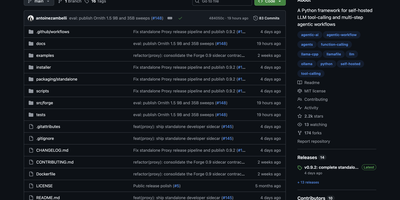
Forge intercepts failing LLM tool calls and fixes them before they derail your agent workflow, applying rescue parsing, retry nudges, response validation, and step enforcement between your AI clients and local model backends. The proxy server mode drops in as a transparent intermediary speaking both the OpenAI chat-completions API and the Anthropic Messages API, so tools like Aider, Claude Code, Continue, and opencode connect through it without configuration changes. Under the hood, the WorkflowRunner provides a complete agentic loop manager with system prompt injection, tool execution, context compaction with configurable thresholds, and VRAM budgeting for consumer GPUs with 12-32 GB. SlotWorker enables priority-queued access to shared inference slots with automatic preemption for multi-agent architectures. The guardrails middleware exposes a two-method check-and-record API that wraps into any existing orchestration loop, providing malformed tool-call rescue parsing, retry nudge generation, required step enforcement, and prerequisite ordering without taking over execution control. Backend adapters support generic OpenAI-compatible endpoints, Ollama, llama-server, Llamafile, vLLM, and Anthropic with automatic model discovery and health checking. Architecture Decision Records document every design choice. Launched February 2026, already at 2,200+ GitHub stars. MIT licensed.
Gollum
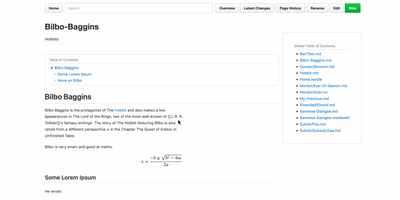
Every wiki page lives as a plain-text file in a standard Git repository, giving you full version history, branching, merging, and the freedom to edit with any text editor or IDE alongside the web interface. Originally built by GitHub's founders as the engine behind GitHub's own wiki feature, Gollum supports Markdown, AsciiDoc, reStructuredText, Org-mode, Textile, MediaWiki, Creole, and Pod markup formats with live preview rendering as you type. PlantUML and Mermaid diagrams render inline for architecture documentation, MathJax handles mathematical notation, and BibTeX integration via Pandoc provides academic citation management. YAML frontmatter controls per-page sidebars, headers, footers, and table of contents generation. CriticMarkup annotations enable editorial review workflows with tracked insertions, deletions, substitutions, and comments. Macros extend pages with dynamic content injection, file includes, and navigation helpers. The wiki maintains compatibility with GitHub and GitLab wiki repositories, so teams can clone existing platform wikis for local editing and offline access. The official Docker image at gollumwiki/gollum exposes port 4567 with volume-mounted repositories, requiring roughly 170 MB of container storage and minimal RAM. Authentication integrates via OmniAuth supporting GitHub, GitLab, Google, and other OAuth providers. Over 14,300 stars on GitHub since 2009. MIT licensed.