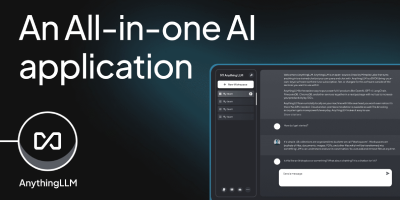
AnythingLLM
Chat with your own documents: AnythingLLM, from Mintplex Labs, wraps retrieval-augmented generation (RAG) in an open-source application anyone can run. You organize content into workspaces, each an isolated namespace with its own documents, vector embeddings, chat history, and settings, so one instance can hold several separate knowledge bases. Upload PDFs, DOCX, TXT, and other formats, or scrape web pages; the built-in collector parses and chunks them into a vector database (LanceDB by default, with Pinecone, Chroma, Qdrant, and others supported). Answers cite their source documents. It works with both cloud LLMs (OpenAI, Anthropic, Gemini) and local ones via Ollama or LM Studio, and the embedding model is separately configurable. Beyond RAG chat, it includes AI agents that can browse the web and run tools, an embeddable chat widget for your website, a developer API, and multi-user mode with admin, manager, and default roles plus per-workspace access control. Context assembly is smarter than naive RAG: pinned documents, attached files, vector search hits, and recent chat history are combined under a token budget so the model's context window is filled efficiently, and each workspace supports multiple independent conversation threads against the same knowledge base. Because the embedding model, vector store, and chat LLM are all independently swappable, you can move between providers without re-ingesting a single document. The stack is Node.js with a React frontend, MIT-licensed.
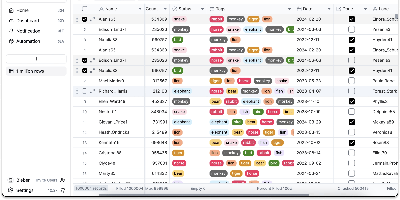
Teable
An Airtable-style spreadsheet interface directly on PostgreSQL: Teable is an open-source no-code database where every table is a real Postgres table. Unlike tools that store records in a metadata abstraction layer, every Teable table is a real Postgres table with standard column types, so filtering, sorting, and grouping run at database speed, million-row tables answer complex filters in roughly 200 milliseconds without index tuning, and any PostgreSQL-compatible tool - psql, BI dashboards, ETL pipelines - can query the same data directly. The interface offers Grid, Kanban, Gallery, Calendar, and Form views as non-destructive overlays with their own filters and hidden fields, plus 20+ field types, formulas, comments, attachments, batch editing, undo/redo, and edit history. Collaboration is real-time with live cursors and instant sync across views, backed by Redis, and a REST API is auto-generated per table, largely compatible with Airtable API clients - alongside native SQL access for BI tools, analytics pipelines, and your own applications to JOIN and query directly, with no exports, API rate limits, or sync jobs. Global search spans all records, chart plugins handle quick visualization, and CSV and Excel import/export cover migrations. Where Airtable caps paid plans at 100K-500K rows and charges roughly $20 per user per month, a self-hosted Teable instance has neither limit: the Postgres database itself is the export if you ever leave. Built in TypeScript with NestJS, deployed via Docker with PostgreSQL and Redis, and licensed AGPL-3.0.
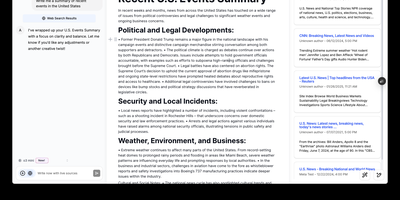
Open Canvas
Open-source alternative to OpenAI's Canvas — a collaborative writing and coding environment where AI agents help you draft, edit, and refine documents through an agentic architecture built on LangGraph. The dual-mode editor combines a BlockNote rich text editor for live-rendered markdown with a CodeMirror-based code editor supporting syntax highlighting across multiple programming languages, letting you switch between prose and code artifacts within the same session. The built-in reflection agent automatically generates style rules and user insights from your chat history, storing them in a shared LangGraph memory store that persists across sessions for increasingly personalized assistance. Pre-built quick actions provide one-click access to common writing transformations including summarize, expand, simplify, and translate, while coding actions offer explain, refactor, add comments, and convert between languages. The monorepo architecture separates the Next.js 14 frontend from the LangGraph agent backend, connecting via HTTP and WebSocket protocols through the @langchain/langgraph-sdk client. Seven LLM providers are supported out of the box — OpenAI, Anthropic Claude, Google Gemini, Fireworks AI, Groq, Azure OpenAI, and local Ollama models — with Supabase handling authentication and data persistence. Deploy via Docker or build from source. Running on a dedicated VPS on RepoCloud with guaranteed CPU, RAM, and SSD, full root SSH access, and a browser serial console. MIT licensed.
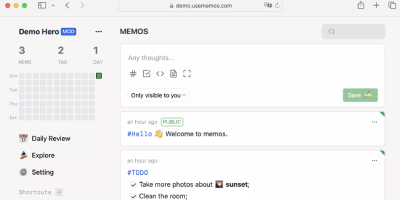
Memos
Open the page, write a Markdown note, move on - Memos is a lightweight, self-hosted service built for quick capture. Instead of folders, notebooks, and titles, it presents a timeline: open the page, write a Markdown note, and move on. Notes support headings, code blocks with syntax highlighting, task lists, tables, and file attachments, with tags auto-extracted from #hashtags in the text. Each memo carries a visibility level, private, protected (logged-in users), or public, so one instance works as a personal log, a small team wiki, or a lightweight microblog. The backend is a single Go binary with a React frontend, around 50 MB of memory at runtime and a ~20 MB Docker image, so it fits comfortably on the smallest instance size with near-zero maintenance. SQLite is the default store, with MySQL and PostgreSQL supported for multi-user deployments needing more concurrency, and full REST and gRPC APIs - Connect RPC for browsers, gRPC-Gateway for external tools - make capture scriptable from CLIs, bots, and automation platforms. Fast full-text search spans all memos, pinned notes keep references handy, and a masonry view suits visual browsing. MIT-licensed with zero telemetry; content is stored as plain Markdown in a database you control, so notes remain readable, exportable, and free of proprietary formats.
Macro
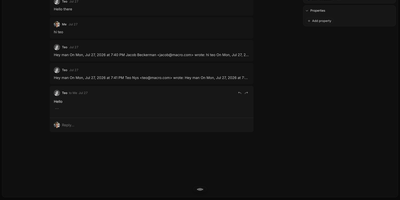
Macro merges email, team chat, collaborative documents, task management, CRM, and video calls into one keyboard-driven application where AI agents operate across the entire workspace with shared team memory, replacing the Slack plus Notion plus Linear plus Superhuman plus HubSpot stack with a single deployment. The email module provides a multi-account unified inbox with keyboard shortcuts, shared team inboxes, and Gmail integration. Team messaging offers channels and direct messages designed for technical discussions with threaded conversations. The task system draws from Linear with board and list views tightly integrated with channels, email threads, and AI agents. Real-time collaborative documents use CRDT synchronization via Loro for conflict-free editing with Markdown-native formatting and @mention linking. A 2D canvas board embeds @links to tasks, files, and emails for visual project planning. AI agents access unified team-level memory spanning all workspace modules, taking autonomous actions across email, chat, tasks, and documents through MCP-compatible tool interfaces. Video calls include recording, transcription, and automatic logging to team memory. The CRM module tracks customers and contacts with custom properties, email synchronization, and data enrichment. Eighty-plus Rust microservices on the Axum framework handle backend operations while a SolidJS static SPA delivers the frontend with instant search and real-time collaboration. Docker Compose deployment provisions the complete service stack with PostgreSQL, Redis, OpenSearch, and FusionAuth authentication. Running on a dedicated VPS on RepoCloud with guaranteed CPU, RAM, and SSD, full root SSH access, and a browser serial console. AGPL-3.0 licensed.
WeKnora
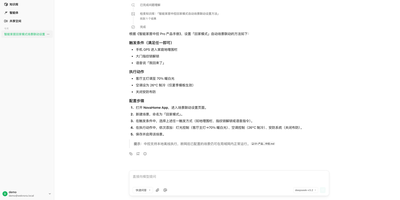
WeKnora turns scattered corporate documents into a searchable, reasoning-capable knowledge asset that your team can query in plain language and receive cited, sourced answers. Upload PDFs, Word files, web pages, Feishu wikis, Notion databases, Yuque docs, GitLab repositories, or RSS feeds into structured knowledge bases, and three distinct modes make the content actionable: RAG Quick Q&A retrieves relevant chunks and generates answers with source citations; the ReAct Agent autonomously orchestrates multi-step reasoning across knowledge retrieval, MCP tool calls, web search, and sandboxed code execution to produce comprehensive research reports; and Wiki Mode deploys LLM agents to distill raw documents into an interlinked markdown knowledge base with an interactive knowledge graph, revision history, and one-click rollback. Connect 20+ LLM providers including OpenAI, DeepSeek, Qwen, Claude, and local Ollama models without vendor lock-in, and choose from seven vector database backends (Qdrant, Milvus, Weaviate, and more) for embedding storage. Enterprise features include four-tier RBAC with per-resource ownership and per-workspace audit logs, AES-256-GCM credential encryption, scoped API keys, Langfuse observability tracing for every agent loop and tool call, and a runtime task-queue dashboard for worker-pool governance. Cross-session long-term memory preserves conversational context across interactions. The Agent Skills catalog lets teams install and share sandboxed scripts executed in Docker or E2B containers. A Chrome Extension captures web content directly into knowledge bases. Running on a dedicated VPS on RepoCloud with guaranteed CPU, RAM, and SSD, full root SSH access, and a browser serial console. MIT licensed.
Khoj
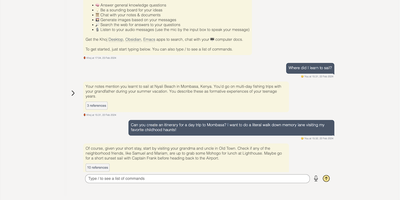
A self-hosted "second brain": Khoj indexes your own files and answers questions from them, parsing Markdown (whole Obsidian vaults included), org-mode, PDF, Word, plain text, Notion pages, GitHub repositories, and images described by a vision model, then embedding everything with sentence-transformers into a vector index for semantic search and RAG with cited sources. Any LLM backend works: local models like Llama, Qwen, or Mistral via Ollama, or cloud models like GPT, Claude, and Gemini. You can build custom agents, each with its own persona, scoped knowledge base, chat model, and tools such as web search and code execution. Scheduled automations run recurring research and deliver newsletters or notifications to your inbox, and research mode performs multi-hop web searches with inline citations. Access it from a browser, the Obsidian plugin, Emacs, desktop, or WhatsApp - all clients connect to the same self-hosted instance, making Khoj one of the few AI assistants Emacs users can point at decades of org files. Semantic search means recall works without exact keywords: "that paper about forecasting with transformers" surfaces the right PDF even when you cannot remember its title. Switching LLM backends never requires re-indexing your documents, and with a local model via Ollama, even inference stays on hardware you control - journals, research, and private notes are never sent anywhere. Python/FastAPI stack, AGPL-licensed, with PostgreSQL storage.
Edi Life OS
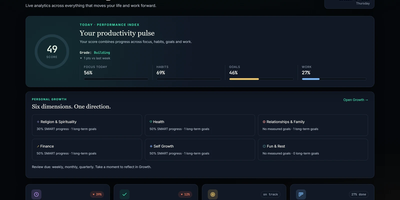
Edi Life OS puts the habits, goals, projects, money, focus sessions, and notes that usually live in five separate apps into one calm dashboard on your own server. Start the day from an Overview that rolls focus, habit trends, goals, finances, and the week ahead into one readable score. Connect long-term goals to six life areas, drive progress from a checklist, a measure, or a habit you actually keep, and use weekly, monthly, or quarterly reviews to choose the next honest step. Log daily habits with streaks and monthly progress, run timed focus sessions with short and long breaks, and keep a history of the deep work you finished. Track expenses, income, budgets, debts, and credits in your chosen currency, including recurring entries that land straight in the ledger. Plan projects on draggable Kanban boards with labels, priorities, due dates, checklists, comments, and attachments, then see card deadlines and money dues together in one calendar. Capture Markdown notes with preview and export, pin sticky notes with colors and connections, and give each account its own private workspace, theme, and currency. Ask an AI assistant through the optional MCP server to read your dashboard, create goals, log habits, or record expenses through a token-protected API that never touches the database directly. Running on a dedicated VPS on RepoCloud with guaranteed CPU, RAM, and SSD, full root SSH access, and a browser serial console. MIT licensed.
MediaWiki
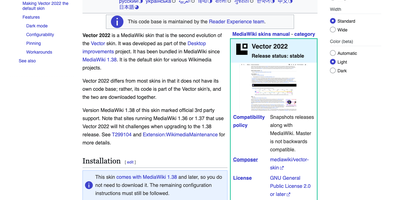
With MediaWiki, the wiki software behind Wikipedia, a team writes one shared knowledge base in plain wikitext or a visual editor while every revision stays saved for comparison and rollback. Page history names the author and edit summary of each change, and a side-by-side diff shows exactly what moved before anyone reverts. Talk pages hold threaded discussions with inline replies, notifications announce mentions and thanks, and watchlists flag the pages you follow. Namespaces, categories, redirects, and reusable templates give a large wiki its structure, and Lua modules written for Scribunto power infoboxes. Uploaded images get automatic thumbnails and a full-screen lightbox. Bundled extensions add PDF handling and math rendering for documentation that needs more than text. Group-based permissions decide who may read, edit, protect, or delete. A wiki can stay open to everyone or sit behind a login. AbuseFilter, CAPTCHAs, blocklists, and two-factor sign-in help fend off spam and account takeovers. Vector 2022 brings a sticky table of contents and an optional dark mode. The interface is localized in over 350 languages. Bots and scripts log in, read, search, and edit with the Action API. Use it for company handbooks, engineering runbooks, course notes, fandom encyclopedias, and public reference sites. Running on a dedicated VPS on RepoCloud with guaranteed CPU, RAM, and SSD, full root SSH access, and a browser serial console. GPL-2.0-or-later licensed.
AppFlowy
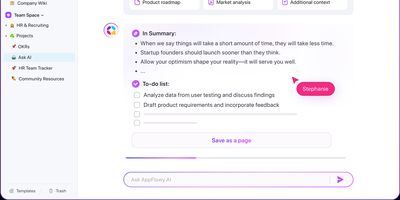
With over 75,000 GitHub stars and native apps across macOS, Windows, Linux, iOS, and Android, AppFlowy is the most widely adopted open-source alternative to Notion — delivering the same block-based workspace model with full data sovereignty. The Flutter frontend renders natively on every platform while a Rust backend powered by Actix-web and Tokio handles CRDT-based real-time collaboration, ensuring sub-second sync across devices with conflict-free concurrent editing. Relational databases support grid, board, kanban, calendar, and gallery views over the same dataset, with two-way relations, rollups, advanced filters, sorts, and formula calculations that cover the majority of Notion's database workflows. The block editor supports 40+ content types including nested pages, toggles, callouts, code blocks with syntax highlighting, embeds, and slash-command insertion. AI integration connects to OpenAI, Anthropic, or local models via Ollama for writing assistance, summarization, and translation — all without sending data off-premises when using on-prem LLMs. Team spaces with workspace-level and per-page permissions, OAuth and SSO authentication through GoTrue, and S3-compatible object storage via MinIO provide enterprise-grade access control and file management. The self-hosted stack deploys through Docker Compose with PostgreSQL for metadata, Redis for caching and pub/sub, and a dedicated background worker for imports and email notifications. Offline-first architecture ensures the desktop app functions without connectivity, syncing changes when the connection resumes. Running on a dedicated VPS on RepoCloud with guaranteed CPU, RAM, and SSD, full root SSH access, and a browser serial console. AGPL-3.0 licensed.
Affine Pro
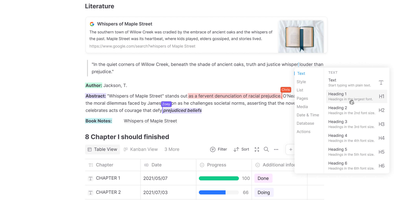
Gaining over 71,000 GitHub stars as one of the fastest-rising knowledge management platforms, AFFiNE merges the document editing capabilities of Notion, the infinite canvas of Miro, and the structured data of Airtable into a single cohesive workspace. The block-based editor built on the custom BlockSuite framework supports rich text, code blocks, embeds, tables, kanban boards, and database views with drag-and-drop composition. The whiteboard mode provides an infinite canvas where users can freely mix documents, sticky notes, shapes, connectors, and hand-drawn elements, enabling visual thinking alongside structured note-taking. Real-time collaboration allows multiple users to edit documents and whiteboards simultaneously with cursor presence, comment threads, and version history. The local-first architecture stores all data on your device by default using CRDT-based synchronization, ensuring offline access and data sovereignty, with optional cloud sync for cross-device availability. Workspaces organize content into hierarchical page trees with full-text search, favorites, tags, and trash management. The platform supports Markdown import and export, PDF export, and HTML export for interoperability. AI features powered by configurable LLM providers enable writing assistance, summarization, translation, and content generation directly within documents. The theming system supports light and dark modes with customizable accent colors. Running on a dedicated VPS on RepoCloud with guaranteed CPU, RAM, and SSD, full root SSH access, and a browser serial console. Licensed under MIT with an open-source self-hosted edition.
Huly
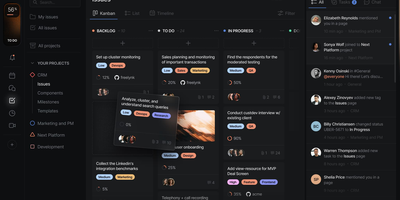
With 27,000 GitHub stars and 349 releases shipping multiple times per week, Huly replaces four separate SaaS subscriptions — Linear for issue tracking, Notion for documents, Slack for team chat, and Motion for time-blocking — with a single self-hosted platform that charges nothing per seat. The issue tracker provides projects, sprints, roadmaps, custom workflows, and Kanban views with bi-directional GitHub and GitLab synchronization that keeps issues and pull requests in lockstep across both systems. Collaborative documents use CRDT-based real-time editing for wikis, meeting notes, and technical specs with nested page hierarchies and rich embedding. Team messaging delivers channels, direct messages, threaded conversations, reactions, and pinned messages in a Slack-equivalent interface that lives alongside your project context. The time-blocking planner schedules tasks into calendar slots with drag-and-drop, integrating directly with your issue backlog so nothing falls through cracks. A virtual office module provides audio and video rooms for standups and pair programming with external guest access. HR features handle team management, office hours, and PTO tracking. The architecture runs 30+ microservices on CockroachDB for ACID-compliant storage, Elasticsearch for full-text search, MinIO for file attachments, and Redpanda for event streaming. Desktop apps ship for macOS, Windows, and Linux alongside mobile apps for iOS and Android. Running on a dedicated VPS on RepoCloud with guaranteed CPU, RAM, and SSD, full root SSH access, and a browser serial console. EPL-2.0 licensed.
MindRoom
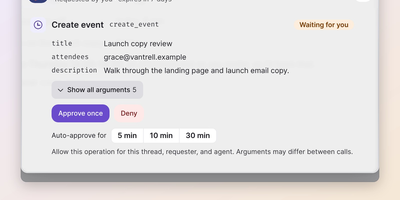
Your team's group chat could have a colleague who has read every email, ticket, and document, remembers all of it, and answers in seconds; MindRoom puts AI agents like that into your chat rooms as full participants. Each agent is a real user on the open Matrix protocol, so you talk to it in MindRoom Chat on web or mobile, in any other Matrix client, or through bridges in Slack, Telegram, WhatsApp, and Discord. Give every agent its own model: a local model for private rooms, a frontier model for hard coding problems, and switch per room or thread whenever the work changes. Agents connect to more than 100 tools, including Gmail, calendars, GitHub, Google Drive, Home Assistant, and any MCP server, and they search your own documents and knowledge bases for answers with sources. Memory persists across conversations and platforms, so an agent remembers people, preferences, and project context months later and can turn repeated work into reusable skills. Before an agent sends an email or runs a command, an approval card shows exactly what will happen; you tap once to allow it, and sandboxed workers keep executed code away from your credentials. Schedule morning briefings, silent inbox checks, and recurring digests in plain language, or wake an agent from any other system with a single HTTP request. Running on a dedicated VPS on RepoCloud with guaranteed CPU, RAM, and SSD, full root SSH access, and a browser serial console. Apache-2.0 licensed.
PipesHub
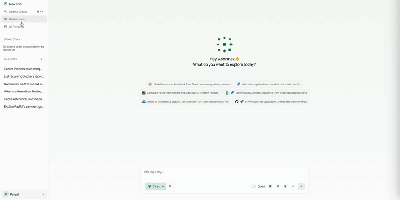
Unify fragmented corporate knowledge across chat channels, documents, and cloud drives with PipesHub, an open-source workplace context platform providing permission-aware search and verifiable answers for teams and autonomous agents. Employees can query enterprise knowledge bases through a conversational interface that retrieves relevant information across Google Workspace, Microsoft 365, Slack, Confluence, Jira, and GitHub while strictly respecting individual user access permissions. Knowledge workers can verify every answer through clickable citation blocks that trace claims directly back to source documents, spreadsheet rows, or chat messages. Teams can assemble custom AI agents visually using a drag-and-drop builder, combining retrieval collections with interactive toolsets to automate multi-step operations like drafting customer responses or creating issue tickets. Autonomous agents connect via Model Context Protocol to inspect shared company knowledge and perform external actions across connected SaaS tools. Organizations can index scanned PDFs, slide decks, markdown pages, and spreadsheets with OCR and document parsing, maintaining synchronized records through automated schedules. Administrators can inspect synchronized records, monitor query history, and manage connector credentials across all integrated business applications. Running on a dedicated VPS on RepoCloud with guaranteed CPU, RAM, and SSD, full root SSH access, and a browser serial console. Apache License 2.0 licensed.
Wiki.js
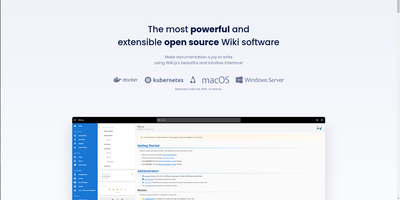
Team and product documentation on a fast Vue frontend with PostgreSQL storage: Wiki.js is a Node.js wiki engine. Its distinguishing trait is per-page editor choice: authors pick Markdown with live preview, a WYSIWYG visual builder for non-technical writers, or raw HTML, page by page. Native Git synchronization commits every page change to GitHub, GitLab, Bitbucket, Azure DevOps, or any Git remote - bi-directionally, so edits made in the repository flow back into the wiki - giving documentation version-controlled backup for free. Authentication coverage is among the broadest of any self-hosted wiki: local accounts with self-registration, social login via Google, GitHub, Discord, and Slack, and enterprise SSO through LDAP/Active Directory, SAML, CAS, Auth0, Okta, Azure AD, Keycloak, and generic OAuth2/OIDC, with optional MFA. Built-in full-text search runs on PostgreSQL with zero setup, and external engines like Algolia or Solr can substitute. Page history with visual version comparison, granular group-based permissions per path, nested navigation menus, 50+ integration modules, and full localization round it out. AGPLv3-licensed with a 28k-star community.
Pad
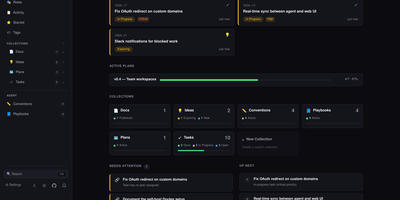
Your coding agents finish a session, close the laptop, and forget everything; Pad is where the project remembers. It holds the tasks, plans, bugs, ideas, and decisions in one workspace that you drive from a browser while your agents drive it from the terminal, so the next session, human or machine, picks up exactly where the last one stopped. You plan on boards, lists, and tables with drag-and-drop status columns, rich item pages, comment threads, and a dashboard that answers what needs attention and what to do next. Your agents read the queue, claim items, leave checkpoints, link their pull requests, and mark work fixed with the fixing PR attached. Conventions teach them the house rules once, like running tests before calling a task done, and playbooks hand them repeatable multi-step workflows they can invoke by name. Every change is versioned with its author, a person or a named agent, and new items appear in the browser the moment an agent creates them in the terminal. The same workspace is reachable three ways: the web interface, the pad CLI, and a bundled MCP server with a natural-language skill that plugs into Claude Code, Cursor, Codex, Windsurf, OpenCode, Copilot, Amazon Q, and Junie. Running on a dedicated VPS on RepoCloud with guaranteed CPU, RAM, and SSD, full root SSH access, and a browser serial console. Apache-2.0 licensed.
Litpage
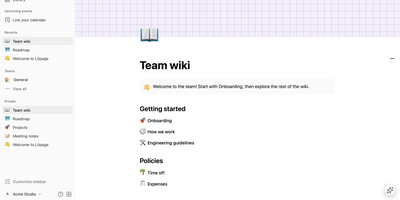
A project brief and the task board tracking it belong together, and Litpage keeps pages, databases, and team discussion in one self-hosted workspace instead of scattering them across subscriptions. Write in a block editor with 41 block types, a slash menu, markdown shortcuts, drag and drop, mentions, equations, and highlighted code blocks. The same data becomes a table, board, list, gallery, calendar, timeline, chart, dashboard, feed, form, or map, with typed fields, formulas, relations, and rollups underneath. Automations and buttons turn those databases into working tools, while templates keep repeated projects consistent. Teammates edit together live, comment, suggest edits, and revisit version history, with page-level and field-level permissions deciding who sees what. Pages can be shared publicly or published as sites, and Markdown, CSV, HTML, Word, and PDF files import into the tree. Optional AI runs on the provider and key you configure: chat that searches your workspace, custom agents on schedules or triggers, writing help, database autofill, and meeting-note summaries. Administrators get member and guest management, security policies, an audit log, analytics, passkeys, and two-step verification. A REST API with personal tokens, webhooks, and an MCP endpoint open everything to your other tools. Running on a dedicated VPS on RepoCloud with guaranteed CPU, RAM, and SSD, full root SSH access, and a browser serial console. MIT licensed.
ZenNotes
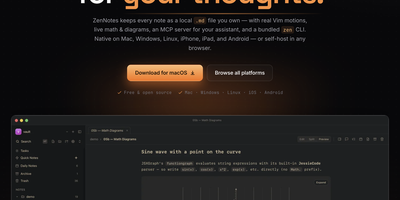
With over 2,200 GitHub stars and a philosophy that your notes should be files you own rather than rows in a database, ZenNotes is the keyboard-first Markdown editor that runs as a self-hosted web app backed by a Go server accessible from any browser on your network. Every note is a plain .md file in a vault directory you mount, with zero proprietary lock-in. Modal editing with real Vim motions, leader-key flows, and a command palette keeps your hands on the keyboard through edit, split, and preview modes. The rendering engine handles KaTeX math, Mermaid diagrams, TikZ graphics, and JSXGraph plots directly from Markdown syntax alongside wiki links and callout blocks. A first-party MCP server ships in the box with one-click integration for Claude Desktop and Cursor, letting AI assistants read and write the same Markdown files on disk without sync layers or duplicate copies. The bundled zen CLI provides note creation, search, tagging, task toggling, and piped capture with JSON output for shell scripting. Board views render plain CSV files as Kanban columns. Daily notes, quick capture, archive, and trash round out the vault workflow. The Go backend serves the browser frontend on port 7878 with token-based authentication, configurable browse roots, TLS proxy support, and file permission hardening at 0600/0700 defaults. Deploy via the multi-arch Docker image for linux/amd64 and linux/arm64. Running on a dedicated VPS on RepoCloud with guaranteed CPU, RAM, and SSD, full root SSH access, and a browser serial console. MIT licensed.