Open Source App Cloud Marketplace
Deploy, host, and scale with one click, at half the cost. Then customize with AI agents.
NextGIS Web
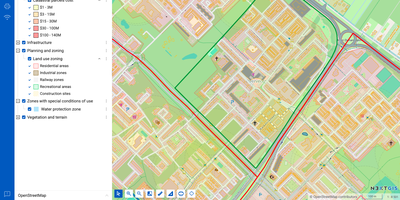
NextGIS Web turns shapefiles, GeoTIFFs, and QGIS projects into shareable web maps on your own server, with no per-seat GIS license to buy. Upload ESRI Shapefile, GeoJSON, GeoPackage, KML, CSV, or GeoTIFF files, or connect an external PostGIS database, then style layers with QGIS styles so web maps match the desktop project. Visitors can search, filter, measure, print, and embed maps on other sites, while editors draw or move points, lines, and polygons, type in coordinates, and snap to existing geometry without leaving the browser. Vector layers keep a history of who changed what and when, so a bad edit can be rolled back and a snapshot of the data at a chosen point in time can be recovered. Layers can be published as WMS, WMTS, WFS, OGC API Features, raster tiles, vector tiles, or Cloud Optimized GeoTIFF, and third-party TMS, WMS, and WFS services can be pulled into the same maps. With the NextGIS Connect plugin, QGIS users publish projects and edit server data directly, so a whole team works on one shared dataset. Permissions are granted to users and groups down to a single layer or map, and Galleries collect the key maps into one landing page. A REST API covers users, layers, services, maps, and permissions, and JavaScript libraries help developers build custom map applications. Running on a dedicated VPS on RepoCloud with guaranteed CPU, RAM, and SSD, full root SSH access, and a browser serial console. GPL-3.0 licensed.
Docker Updater
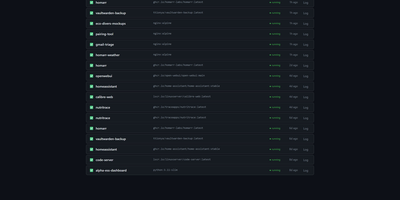
Docker Updater puts you back in charge of container updates: it watches your registries for newer images, and nothing updates until you approve it, so no database restarts itself at dinner. Polls run on a schedule you set, and each container card shows the newer image waiting before anything is pulled. The check costs nothing: it compares the digest your container runs against the registry manifest without pulling a byte, across Docker Hub, GHCR and other Bearer-token registries. Read the last five GitHub releases for an image before committing, update one container or a batch, and watch the pull percentage, layer count and recreation step stream live on the card. If the new container fails to start, the old one returns automatically, and you can keep a backup even after a clean update. Not ready? Defer an update for 7, 14, 30 or 90 days, or indefinitely, and it leaves your notifications alone until then. Several Docker hosts join the same dashboard over SSH or TCP with health indicators, and Compose stacks restart together so services find new addresses. Notifications arrive through an auto-generated ntfy topic or your own Apprise URL, every update keeps a persistent log, and a reclaimable-images view shows what disk space old images hold. The dashboard serves on port 9090 in English or Simplified Chinese, with optional login. Running on a dedicated VPS on RepoCloud with guaranteed CPU, RAM, and SSD, full root SSH access, and a browser serial console. MIT licensed.
InfraCanvas
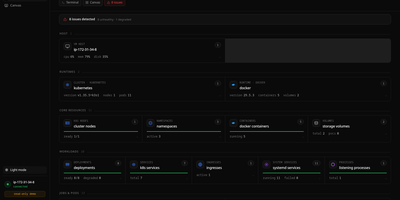
InfraCanvas draws the picture ten terminal commands cannot: a live map in your browser of every container, pod, service, volume and network on a machine, showing what runs where, what talks to what, and what is broken in one glance. Nodes turn green, amber or red from real state, including container health, pod phases, ready replicas, zombie processes and host thresholds, and real connection edges appear between processes, like your app server talking to Postgres on port 5432, read straight from the machine. It works where workloads already live: Docker and Podman containers, full Kubernetes object graphs from nodes to ingresses, LXD and Incus containers, and plain systemd or PM2 services on VMs with no container runtime. From any node you can shell into the container, pod or host, tail logs, restart or stop a service, scale a deployment, run a rolling restart, change an image or kill a process, with secrets masked before anything reaches the screen. A second machine joins through an outbound-only agent, and clusters connect by dropping in a kubeconfig with nothing installed inside them. The self-hosted binary needs no account, sends no telemetry and opens no inbound port: it binds localhost on port 7777 behind a random per-install token, with an optional read-only mode, and every action is audit-logged. Running on a dedicated VPS on RepoCloud with guaranteed CPU, RAM, and SSD, full root SSH access, and a browser serial console. AGPL-3.0 licensed.
Compose Craft
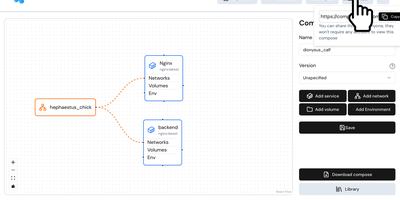
Compose Craft is an open-source visual diagramming and management platform that transforms raw Docker Compose configuration files into an interactive canvas of interconnected service nodes. Developers can drag and drop container services to map complex microservice architectures, automatically wiring port mappings, internal bridge networks, volume mounts, and dependency relationships. The real-time synchronization engine reflects every node repositioning, environment variable adjustment, and resource constraint directly into standard docker-compose syntax alongside a live editable code preview pane. Teams can import existing configuration files to diagnose routing conflicts, auto-format tangled service trees, and generate clean architectural documentation for operational handoffs. Engineers can generate shareable read-only public links to demonstrate infrastructure topologies to teammates and external reviewers without forcing them to register accounts. The built-in playground lets administrators experiment with container restart policies, healthcheck definitions, build contexts, and secret keys before deploying to production hosts. Running on a dedicated VPS on RepoCloud with guaranteed CPU, RAM, and SSD, full root SSH access, and a browser serial console. MIT licensed.
Hammond
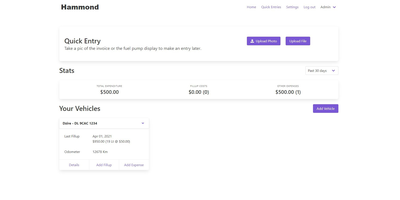
When Clarkson, the once-popular fuel logger, stopped receiving updates, Hammond stepped in as its logical successor - a self-hosted vehicle expense tracker. Written in Go with a Vue.js interface and SQLite storage - a single lightweight container, no external database - it tracks every cost your vehicles generate: fuel fill-ups with cost, volume, and odometer readings; maintenance and repairs; and arbitrary other expenses, each attachable with photos and documents stored against the vehicle. The multi-user, multi-vehicle design is what sets it apart from phone apps: a household or small business adds all its vehicles and all its drivers, shares vehicles across users, and every fill-up lands in one ledger no matter who was driving. The Quick Entries feature respects how expenses actually happen - snap a photo of the receipt or pump screen at the gas station, then complete the structured entry later when you have a minute. Reporting works at both the vehicle level (cost per distance, fuel economy trends) and across the whole fleet. Migration matters here: importers for Clarkson, Fuelly, and Drivvo bring years of fill-up history along, so switching does not mean starting your data over.

Urocissa
Urocissa is a self-hosted photo and video gallery engineered to browse, search, and filter a million-image library in under a second on modest hardware. Its photo stream scrolls endlessly without pagination or lazy loading, flying past the browser DOM height limit that breaks other galleries long before a million items. Search understands boolean operators, so a query mixing and, or, and not narrows a lifetime of photos in milliseconds, and select-all is equally instant across the whole collection. Point it at folders and it watches them for new arrivals, importing photos and videos automatically while duplicate detection keeps redundant copies out. EXIF data is extracted for every image, and your own tags layer manual organization on top, with timeline navigation and rotation built in. Albums share collections with family or clients, a read-only mode publishes a public gallery safely, and videos play inline without leaving the page. The index that makes this fast lives in memory at roughly half a gigabyte per million photos, and the whole application ships as a binary of about 25 megabytes, optionally protected by a password. Running on a dedicated VPS on RepoCloud with guaranteed CPU, RAM, and SSD, full root SSH access, and a browser serial console. MIT licensed.
VolumeVault
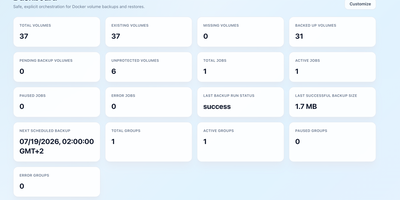
VolumeVault turns Docker volume backups into a routine you can prove: it schedules them, stores them off the box, and restores them into brand-new volumes so original data is never the test subject. A guided web dashboard discovers every Docker volume on the host and shows backup coverage per volume or per Compose and Swarm stack, including the size of the latest known backup, so gaps are visible before they matter. Each job runs on an hourly, daily, weekly or cron schedule with retention by days or archive count, include and exclude filters, and a choice of whether containers stop during the run. Archives land where you keep them: AWS S3, Cloudflare R2, any S3-compatible store, WebDAV, SFTP, Azure Blob, Dropbox, Google Drive or a local path, with credentials encrypted at rest. Restores download and verify the archive first, then unpack it into a new volume by default; overwriting the original demands an explicit confirmation. Several volumes can ride one grouped schedule that reports once for the whole set, and containers can volunteer themselves for backup through Docker labels. Small agent containers extend the same jobs to other Docker hosts, including encrypted cross-host restores into fresh volumes, while API tokens let scripts and dashboards drive everything the UI can. Running on a dedicated VPS on RepoCloud with guaranteed CPU, RAM, and SSD, full root SSH access, and a browser serial console. Apache-2.0 licensed.
CSV AI Analyzer
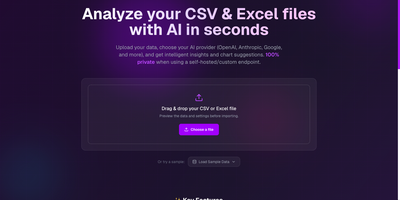
A spreadsheet goes in, a plain-English readout comes out, and with a local model the file never leaves your own network. CSV AI Analyzer reads CSV and Excel files, detects delimiters, headers, and column types, and opens with a data-quality report that counts missing values, repeated rows, and type mismatches per column. A searchable preview table sits next to column, sort, and filter controls. One click on Run Complete Analysis produces a summary with key insights, an anomalies view, and chart suggestions, and the Custom Query tab answers follow-up questions in a chat thread. Charts come as bar, line, pie, scatter, or area, can be built by hand from any two columns, and export as SVG, PNG, or CSV. Reports download as PDF or Markdown. Point it at OpenAI, Anthropic, Google, Mistral, or any OpenAI-compatible endpoint, including Ollama, LM Studio, and vLLM, to keep analysis fully local. API keys stay encrypted in the browser, and a language selector switches the interface. Monthly finance exports, operations reports, and founder dashboards turn into answers without a single formula. Running on a dedicated VPS on RepoCloud with guaranteed CPU, RAM, and SSD, full root SSH access, and a browser serial console. MIT licensed.
Plone
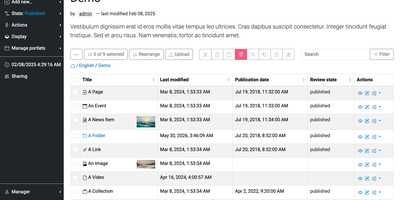
Editors who need to publish a page, route it through review, and roll back a mistake can do all of it in Plone, an open-source CMS, without writing any code. Pages are assembled in place from blocks such as grids, teasers, listings, maps, tables, and video, with a sidebar for page and block settings. A folder-style Contents view handles cut, copy, paste, rename, and workflow state changes in bulk. An editor can revert a page to an earlier revision from its version history. Administrators create new content types through the web in the Content Types control panel and attach behaviors such as versioning. Permissions are assigned per role, group, and workflow state. Content rules publish, move, or notify automatically when an item changes state. One installation can serve an intranet, a public website, and an extranet, with a form builder and a faceted search block built in. Sign-in integrates with LDAP, Active Directory, OpenID, Shibboleth, CAS, and Kerberos. The interface is translated into over 30 languages, and multilingual content is supported. The REST API makes Plone a headless CMS for custom frontends, and the server-rendered Classic UI stays available for sites that prefer it. Official Docker images are available, and clustering or PostgreSQL storage helps a busy site grow beyond one server. Running on a dedicated VPS on RepoCloud with guaranteed CPU, RAM, and SSD, full root SSH access, and a browser serial console. GPL-2.0 licensed.
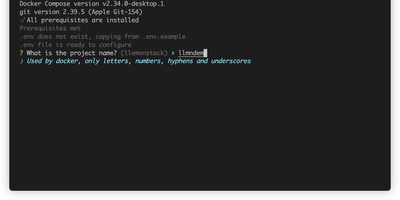
LLemonStack
One CLI command deploys a complete AI development environment: n8n, Flowise, Supabase, Ollama, Qdrant, LiteLLM, Langfuse, Open WebUI, LightRAG, Browser-Use, Firecrawl, Crawl4AI, and more, all pre-wired with networking, credentials, and database connections. LLemonStack eliminates the hours of Docker Compose configuration that typically precede any local AI agent project. The llmn CLI initializes isolated project environments with auto-generated secure credentials, starts services in dependency order (databases first, then middleware, then apps), and displays a dashboard showing every service URL and access token. n8n brings 400+ workflow integrations, Flowise provides visual agent building, Ollama runs local LLMs like Llama and Mistral, Qdrant stores vectors at high performance, Open WebUI offers ChatGPT-style model interaction, and LiteLLM proxies requests to any provider with cost tracking. Langfuse automatically logs traces for every LiteLLM query, providing full observability. Each project maintains isolated Postgres schemas preventing data collision across parallel stacks. Firecrawl and Crawl4AI extract web content into LLM-ready formats for RAG pipelines feeding LightRAG or Qdrant. Dozzle streams live container logs for debugging. Import/export tooling migrates workflows between projects with automatic credential reconfiguration. Running on a dedicated VPS on RepoCloud with guaranteed CPU, RAM, and SSD, full root SSH access, and a browser serial console. AGPL-3.0 licensed.
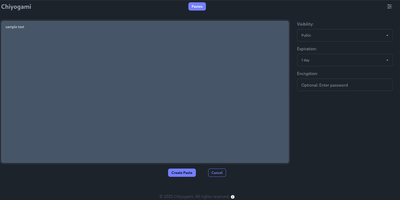
Chiyogami
Chiyogami is a pastebin you host yourself for sharing code, logs, notes, and text snippets through short links that expire on your terms. Paste into the web editor and the content comes back formatted, with syntax highlighting for code and rendered Markdown for prose, so a stack trace or a runbook reads the way it was written. Anything sensitive can be encrypted in the browser before it leaves your machine, and the server never stores the password, which makes an encrypted paste safe to pass through chat or email. Every paste carries a configurable lifetime, from minutes to never, and visibility choices keep a snippet public, unlisted, or private behind an unguessable address. Registered users manage their own pastes from an account, and anonymous quick pastes stay available for one-off sharing. The public paste list supports search, so a team instance doubles as a small shared snippet library. Developers can skip the browser entirely: one curl command creates a paste from a file or a JSON body, and the API returns a short title that fetches the content later. Sharing extends to QR codes for moving text onto a phone, and built-in rate limiting throttles spam and abuse before it fills the database. Running on a dedicated VPS on RepoCloud with guaranteed CPU, RAM, and SSD, full root SSH access, and a browser serial console. BSD-3-Clause licensed.
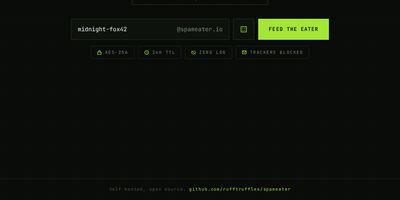
Spameater
SpamEater gives you a disposable inbox on your own domain that burns itself down 24 hours after you create it. Type any name, or roll the dice for a random one, and mail sent to that address lands in a clean web inbox that refreshes itself every few seconds. Open a message and HTML mail renders faithfully, adapted to the dark interface, with inline images embedded and remote images blocked until you ask for them, so tracking pixels never fire behind your back. A live countdown in the corner tells you exactly how long the inbox has left, and a copy button grabs the address for the form you are about to fill. There are no accounts to create, no passwords to remember, and nothing to recover once the timer ends: the inbox, the messages, and the paper trail vanish together. Behind the scenes the service takes its own security seriously, with a web application firewall, intrusion prevention, rate limits, and mail bodies encrypted at rest. Dark and light themes switch with one toggle. Developers use it to test signup flows and password resets, and everyone else uses it to keep a real address out of reach of newsletters. Running on a dedicated VPS on RepoCloud with guaranteed CPU, RAM, and SSD, full root SSH access, and a browser serial console. MIT licensed.
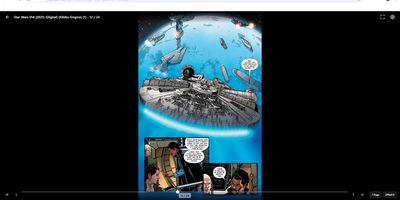
Kumiho
Drop a hard drive's worth of comics, e-books, and audiobooks into folders, point Kumiho at them, and the whole collection becomes a library you can browse and read from any browser. The scanner walks nested folders recursively and treats the folders that actually hold pages or files as series, so an existing collection works as it is, with no metadata matching ritual before the first read. Comics and manga open in a responsive viewer built for the format: page turning on a desktop, continuous webtoon scrolling on a phone or tablet. E-books in EPUB, PDF, and TXT open in the same library, while archives in ZIP and CBZ are read directly without unpacking. Audiobooks get a real player, with a chapter list, resume playback that remembers where you stopped, progress tracking, bookmarks, and a sleep timer for listening at night. A series folder can even carry its own soundtrack: an MP3 whose filename matches starts playing as background music while you read. Everything runs from one lightweight Go server in a single Docker container, storing its database and configuration in mounted volumes, so the library sits comfortably on a small VPS next to the files it serves. Running on a dedicated VPS on RepoCloud with guaranteed CPU, RAM, and SSD, full root SSH access, and a browser serial console. Apache 2.0 licensed.

LearnBuddy
Tell LearnBuddy what you want to learn, in one conversation, and it works out where to start, what to do each day, and when yesterday's material needs another look. You describe the goal, whether that is a language, programming, nutrition, writing, or a career change, and three to five adaptive questions measure your actual baseline instead of making you pick a level from a dropdown. From there it builds a personalized path of four to twenty-four weeks and tells you daily what to study and what to review, so opening the app answers the question instead of raising it. Forgetting is treated as a scheduling problem: reviews resurface at spaced intervals, weekly self-checks test whether the plan still fits, and the roadmap replans dynamically when you race ahead or fall behind. Two editions run from the same codebase: try the hosted Cloud experience, or settle into Personal mode with your own model API key and your learning data stored on your own server. Optional OpenClaw and Feishu integration can bring the daily guidance into the chat tools you already live in. Running on a dedicated VPS on RepoCloud with guaranteed CPU, RAM, and SSD, full root SSH access, and a browser serial console. MIT licensed.
PenX
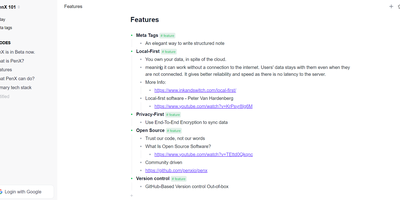
PenX delivers an open-source structured note-taking application that functions as a personal database disguised as an elegant editor — combining the outline workflow of Workflowy and Roam Research with the structured data capabilities of Tana through MetaTags that transform every note into a queryable database record. The local-first architecture stores all data on-device using PGLite, an in-process PostgreSQL-compatible engine, ensuring data ownership regardless of cloud connectivity. End-to-end encryption protects all synchronized data so that even the sync server cannot read your notes, tasks, ideas, or documents. GitHub-based version control provides out-of-the-box backup and history with full commit-level recovery. MetaTags are the core innovation — attaching structured tags to any note converts it into a database entry with typed fields, enabling table views, filters, and queries across your knowledge base without imposing rigid folder hierarchies. The daily notes workflow encourages free-form capture while MetaTags handle organization automatically, letting you record thoughts without deciding physical location upfront. AI-driven features assist with content generation, summarization, and intelligent search across your personal data hub. Real-time sync keeps web, desktop, and mobile in perfect alignment. Cross-platform availability includes web, desktop for Windows, macOS, and Linux, iOS, and Chrome extension. Deploy the web service via Next.js with pnpm using tRPC and Prisma. Running on a dedicated VPS on RepoCloud with guaranteed CPU, RAM, and SSD, full root SSH access, and a browser serial console. AGPL-3.0 licensed.
Middleware
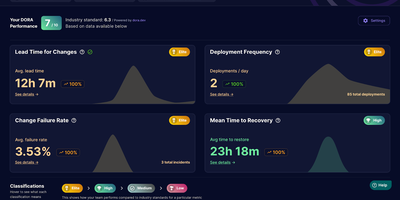
Middleware turns the pull request history your team already has into live DORA metrics, so engineering leads can see deployment frequency, lead time, recovery time, and change failure rate without building a reporting pipeline. Connect GitHub with a personal access token, group repositories into teams, and the dashboard starts charting how often you ship and how long changes take to reach production. Lead time is not one opaque number; it breaks into first commit to pull request, first response time, rework time, merge time, and merge to deploy, so the actual bottleneck is visible instead of guessed at. Merged pull requests count as deployments and revert pull requests count as incidents, which means recovery time and change failure rate appear even if your team has no separate incident tool wired up. You can exclude bot and dependency pull requests, define which branches count as production, and filter incidents in settings, so the metrics match how your team actually ships rather than how a generic template assumes. Bring it to a weekly engineering review to catch a review queue quietly doubling merge times, or open it after an incident to see if failure rate is trending the wrong way across a team. Running on a dedicated VPS on RepoCloud with guaranteed CPU, RAM, and SSD, full root SSH access, and a browser serial console. Apache-2.0 licensed.
KoShelf
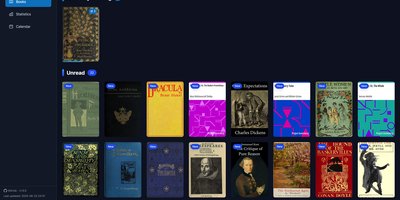
Your e-reader already knows everything about your reading life, and KoShelf turns that KOReader metadata into a beautiful dashboard you can browse from any browser. The library overview gathers currently reading, completed, and unread books and comics, while each item's page collects your highlights, annotations, ratings, and review notes in one place. Reading statistics chart your time and pages with customizable activity heatmaps and weekly breakdowns, and per-item statistics reveal session counts, average session length, and reading speed for every book. A monthly calendar shows what you read on each day, and the yearly recap celebrates completions with monthly summaries of finished items and hours read. Supported books open right inside KoShelf's own reader, with keyboard navigation, a progress scrubber, and inline highlight notes. Metadata entries survive even when the original document disappears, because library archives preserve covers and reading data until the source returns. With writeback enabled in server mode, you can edit annotations, ratings, status, and covers from the browser, protected by revision checks and recoverable backups so external changes are never overwritten blindly. Search by title, author, or series, filter by reading status, and download original files whenever you need them. Running on a dedicated VPS on RepoCloud with guaranteed CPU, RAM, and SSD, full root SSH access, and a browser serial console. EUPL-1.2 licensed.
Alerta
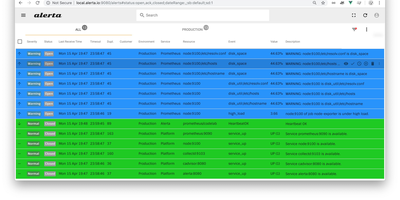
Five monitoring systems should not mean five places to look when something breaks at 3 a.m. Alerta is an open-source alert management server that consolidates alerts from many sources into a single stream, de-duplicates repeats, correlates severity changes, and shows only the current state of each problem in a web console built for fast scanning. Prometheus, Zabbix, Nagios, InfluxDB Kapacitor, cloud watch alarms, and your own scripts all post into the same HTTP API, which accepts a flexible alert format carrying environment, resource, event, severity, and custom attributes, so no tool has to contort itself into someone else's schema first. Repeats of a known fault raise a duplicate count instead of generating another page, and a severity change updates the existing alert rather than birthing a twin. Operators acknowledge problems, assign them, silence expected fire during blackout periods set for maintenance windows, and partition visibility by customer for teams that monitor other people's infrastructure. A command-line client, query language, webhooks, and plugin hooks carry alerts onward into tickets, chat, and paging workflows, and everything persists in MongoDB or PostgreSQL with API keys and OAuth protecting access. Running on a dedicated VPS on RepoCloud with guaranteed CPU, RAM, and SSD, full root SSH access, and a browser serial console. Apache-2.0 licensed.