AgentBox
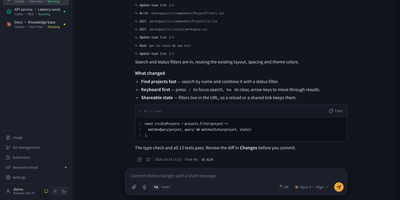
AgentBox is a self-hosted browser workspace that runs Claude Code and Codex CLI on a server you control, so a task goes from chat to reviewed code without leaving one place. Open a workspace from an empty project, an uploaded archive, or a Git clone, then talk to the agent in streaming web chat or drop into its original interactive terminal when you want the CLI itself. Files persist between sessions along with your home configuration and chat history, so a project picked up on a laptop continues on a phone exactly where it stopped. Review per-file diffs line by line before committing, pushing, or opening a pull request, and download the result when no Git connection is configured. Shared files, layered home templates, Claude skills, and MCP configuration carry your setup into every new workspace, with per-workspace overrides when a project differs. A trusted team shares central account pools with per-user scopes, while every model request is recorded with tokens, cache hit rate, cost, and latency, exportable to CSV and optionally capped by credits. An optional tunnel reaches allowlisted repositories and databases on private networks, and six interface styles with light and dark modes keep long sessions comfortable. Running on a dedicated VPS on RepoCloud with guaranteed CPU, RAM, and SSD, full root SSH access, and a browser serial console. Apache-2.0 licensed.
code-server
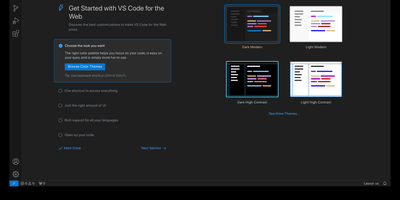
With over 78,000 GitHub stars, 270 contributors, and seven years of continuous development tracking upstream VS Code releases within days, code-server has become the definitive way to run a full Visual Studio Code IDE on any remote machine and access it from any browser on any device. The project applies a curated set of patches to Microsoft's VS Code codebase that add password authentication, sub-path hosting behind reverse proxies, self-contained web views that never call out to Microsoft servers, a built-in proxy for accessing ports on the remote machine directly through the VS Code ports panel, and on-disk settings persistence instead of browser storage. The extension ecosystem works with the Open VSX marketplace by default, giving access to thousands of extensions for Python, JavaScript, Go, Rust, Java, and every other language, along with themes, linters, formatters, and debuggers. The integrated terminal provides direct shell access to the server, Git integration handles version control without leaving the editor, and the debugger supports breakpoints, variable inspection, and step-through execution for Node.js, Python, Go, and other runtimes. DevContainer support enables reproducible development environments defined in JSON configuration files. Installation options include a one-line install script, manual package installation, Docker via the official codercom/code-server image, and DevContainer features. Minimum requirements are a Linux machine with 1GB RAM, 2 vCPUs, and WebSocket support. Running on a dedicated VPS on RepoCloud with guaranteed CPU, RAM, and SSD, full root SSH access, and a browser serial console. MIT licensed.
AgentVerse OS
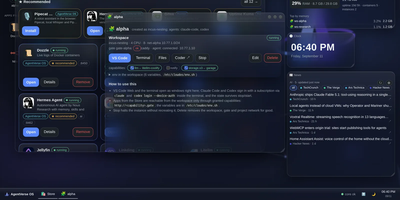
AgentVerse OS turns a single Ubuntu server into a personal cloud with a real desktop in the browser, built for a developer and their AI agents. You work in a windowed desktop with a taskbar, start menu, and widgets for system monitoring, clock, news, weather, and projects, and the same desktop opens from a laptop, tablet, or phone while everything stays on the server. Each project gets an isolated Incus container with Docker inside, its own network and gate, plus VS Code, a terminal, files, and git in the browser. The Agents app runs Claude Code, Codex, Gemini CLI, pi, and Antigravity inside the workspace, with permission prompts you approve from any device, scheduled routines, model menus, conversation search and export, and a ledger of what each session spent. When you close your laptop the agents keep working, and you pick the conversation up later exactly where it stopped. A built-in store merges the Runtipi, Coolify, and Umbrel catalogs into about 945 installable apps with guided setup, credentials shown in the app card, snapshots, and rollback. Projects request capabilities such as storage.s3, llm, or notify instead of hardcoding addresses, scheduled ZFS snapshots feed a restic backup repository, and access arrives only through your Tailscale network with real certificates. Running on a dedicated VPS on RepoCloud with guaranteed CPU, RAM, and SSD, full root SSH access, and a browser serial console. Apache-2.0 licensed.
Eclipse Che
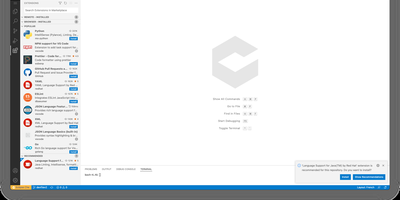
Eclipse Che spins up complete development environments on Kubernetes from a Devfile in the project repository, so new developers click a factory link and open a browser IDE with dependencies, runtimes, and debugging already configured instead of spending their first day installing toolchains. Each workspace runs as a DevWorkspace custom resource in the user's namespace, making environments API-manageable with kubectl and GitOps tooling alike. Developers choose their editor per workspace, from Visual Studio Code Open Source to JetBrains IDEs via Projector, and the 7.124 release adds Orca, an agent development environment for working alongside AI coding agents. Workspaces carry their own containers for build and run, so code executes in a production-like environment with direct Kubernetes API access from the IDE. Teams standardize stacks as Devfile templates, onboard contributors in minutes, and open a fresh workspace per branch or pull request in a new browser tab. The 7.124 release also builds workspace lifecycle commands into chectl, including SSH connections with port forwarding to desktop editors, and DevWorkspace Operator 1.0 adds optional per-workspace NetworkPolicy isolation. Running on a dedicated VPS on RepoCloud with guaranteed CPU, RAM, and SSD, full root SSH access, and a browser serial console. EPL-2.0 licensed.
Wetty
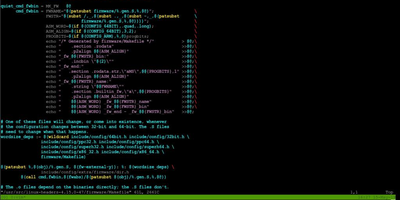
Open a browser tab and you are at a real login prompt on your server. Wetty puts a full terminal inside the web page, so SSH access survives firewalls, borrowed laptops, and networks where only HTTPS gets out. The emulator is a complete xterm.js implementation rather than a crippled web console, so colors, Unicode, mouse interaction, and full-screen programs like vim, top, and tmux behave the way they do in a desktop terminal. Websockets carry the session instead of Ajax polling, which keeps keystrokes responsive enough to forget you are in a browser. Point it at any SSH server with host, port, user, and key options, or let it launch the local login prompt when it runs on the machine itself. Visiting /ssh/yourname skips the username question and goes straight to the password prompt for that account. Serve it over HTTPS with your own certificates, restrict which browser origins may connect, run it on a Unix socket behind a reverse proxy, and confine it to a base path when it shares a domain with other tools. A YAML configuration file and environment friendly flags make the same setup reproducible across a fleet, and an official container image keeps installation to one command. Running on a dedicated VPS on RepoCloud with guaranteed CPU, RAM, and SSD, full root SSH access, and a browser serial console. MIT licensed.
Roamgate
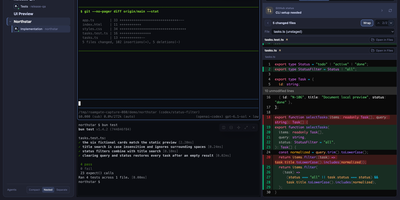
Close the laptop, keep the agents: Roamgate brings the Herdr workspace running on your server into any browser, so the terminal session you left mid-task is waiting on your phone exactly as you left it. Every workspace and recognized agent sits in one view: check what each agent is doing, read its conversation, and take over a real terminal with streaming output, split panes, scrollback, multiline paste, and clickable links. When the agent finishes, the review happens in the same place: inspect staged, unstaged, untracked, and branch changes, annotate exact diff lines, preview rendered Markdown, and send compiled feedback back into the agent pane without pre-filling a submission you did not approve. Files browse beside the terminals, and session history survives disconnects because Herdr owns the sessions, not your browser tab. Connections stay flexible: run the bridge beside Herdr on one machine, save SSH profiles to reach remote hosts, and install the whole thing as a PWA for an app window without tabs. Login is required even on loopback, push notifications flag agents waiting for input, and themes, accents, and terminal fonts make the cockpit yours. Running on a dedicated VPS on RepoCloud with guaranteed CPU, RAM, and SSD, full root SSH access, and a browser serial console. MIT licensed.
Coder
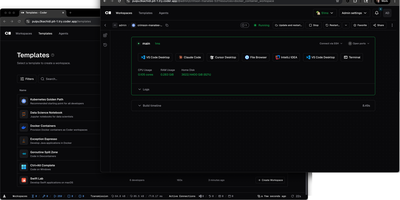
With over 14,000 GitHub stars and enterprise adoption by security-conscious organizations, Coder transforms how development teams provision, manage, and secure their coding environments. Every workspace is defined as a Terraform template, meaning infrastructure engineers can standardize development environments across EC2 instances, Kubernetes pods, Docker containers, or any combination, while developers get self-service provisioning that launches in seconds rather than days of manual setup. The WireGuard-based networking layer establishes encrypted tunnels between developer machines and remote workspaces, providing low-latency access without exposing ports or configuring VPN concentrators. Automatic idle detection shuts down unused workspaces after configurable periods, directly reducing cloud compute costs for organizations running hundreds of developer environments. The Coder Agents feature introduces native AI coding capabilities where the agent loop executes entirely within the control plane on self-hosted infrastructure, keeping LLM API credentials out of individual workspaces and eliminating credential exfiltration risks. Centralized model governance allows platform teams to approve specific AI providers and models, set per-user spend limits, and maintain complete audit logs of all prompts, tool calls, and agent activity. IDE integration supports VS Code through a dedicated extension, JetBrains IDEs via Gateway and Toolbox plugins, and browser-based code-server for web access. The template registry provides pre-built configurations for common development stacks. DevContainer support builds environments from standard devcontainer.json specifications. Deploy on a dedicated VPS on RepoCloud with guaranteed CPU, RAM, and SSD, full root SSH access, and a browser serial console. AGPL-3.0 licensed.
Atheos
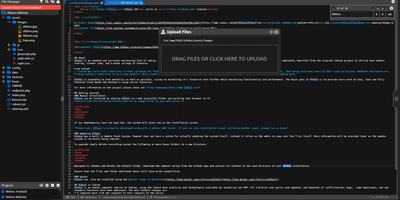
Open a browser anywhere and your development environment is already there: Atheos is a full code editor that runs on your server instead of your laptop, complete with projects, plugins, and multi-user accounts. The three-panel layout keeps the file and project manager on the left, a split-able editing area in the center, and system and plugin controls tucked on the right. Syntax highlighting covers more than 40 languages with over 20 color themes, smart auto-complete speeds up the typing, and error checking flags problems as you work. Multiple users get their own accounts, and real-time collaborative editing puts several cursors in the same file without merge chaos later. Advanced search tools sweep across project files, LocalStorage redundancy protects unsaved work against a dropped connection, and quick-download backups package a project in one click. A plugin library and marketplace extend the editor, from terminal access to Git tooling, and internationalization translates the interface for the rest of the team. There is no database to run: Apache and PHP on your server are the entire stack. Running on a dedicated VPS on RepoCloud with guaranteed CPU, RAM, and SSD, full root SSH access, and a browser serial console. MIT licensed.
HolyClaude
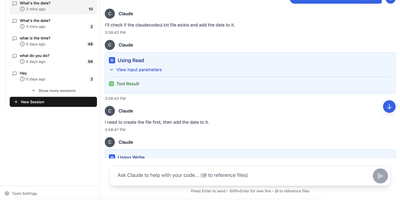
With 2,400+ GitHub stars, HolyClaude replaces a two-hour manual setup process with a single docker compose up command that launches a fully configured AI coding workstation. The container ships with Claude Code pre-installed alongside seven additional AI CLIs — Gemini CLI, OpenAI Codex, Cursor, TaskMaster AI, Junie, OpenCode with OpenRouter multi-provider support, and Pi Coding Agent — all accessible through the CloudCLI browser-based web interface on port 3001. A headless Chromium browser running on Xvfb display :99 comes pre-configured with Playwright 1.61 for automated screenshots, testing, and web scraping without additional setup. The development toolchain includes Node.js 26, Python 3, TypeScript, git, GitHub CLI, database clients for PostgreSQL, SQLite, and Redis, plus deployment CLIs for Vercel, Wrangler, Netlify, and Azure. Process management uses s6-overlay for automatic restarts and graceful shutdown, while bind mounts to ./data/claude and ./workspace ensure credentials, configuration, and project files persist across container rebuilds. The full image supports AMD64 and ARM64 architectures, running on Linux, macOS with Docker Desktop, Windows with WSL2, and Synology or QNAP NAS hardware. A slim tag at roughly 2GB omits the browser stack for environments that do not need it, while the full image at 4GB includes everything. Users authenticate with their existing Anthropic account directly through Claude Code with no credential relay or proxy involved. Running on a dedicated VPS on RepoCloud with guaranteed CPU, RAM, and SSD, full root SSH access, and a browser serial console. MIT licensed.
WebCodex
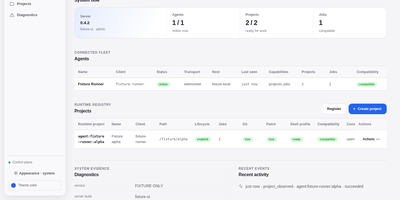
WebCodex gives ChatGPT, Claude, and other MCP clients a real development environment on machines you own, so an AI assistant can edit your actual repositories instead of a pasted snapshot. A self-hosted Server authenticates every request and routes it to a Runner sitting next to your code, where file edits, Git operations, test runs, shell commands, and long jobs execute with your real toolchain. Your projects never move into a hosted workspace; only the tool results you authorize travel back to the model. The browser Runtime Console shows project readiness, the work queue, session activity, and connected Runners, and it is where you decide pending approvals or accept and reject finished work, because the model cannot approve its own changes. Runners join with a short-lived pairing code and stay connected over QUIC, WebSocket, or polling, so machines behind NAT still work. One-command sharing opens a temporary session for a single repository, while durable setups run the Server and Runner as system services behind your own HTTPS domain. Workflow Sessions keep evidence and context across conversations, so long tasks survive closed browser tabs and threads you pick up days later. Running on a dedicated VPS on RepoCloud with guaranteed CPU, RAM, and SSD, full root SSH access, and a browser serial console. Apache-2.0 licensed.