Kolibri
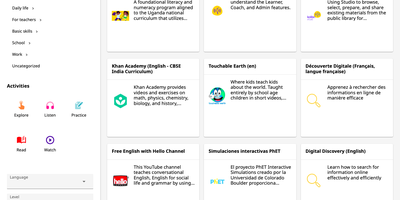
Where the internet is slow or missing, Kolibri still gives learners a library of videos, exercises, books, and interactive apps from one local server. Content arrives as channels, curated collections imported from Kolibri Studio, another Kolibri device on the network, or a USB drive. Learners browse by category, search by keyword, and filter by activity type (Watch, Listen, Practice, Read, or Explore), language, or channel. Most exercises ask for five correct answers in a row, some offer hints, completed resources award points, and bookmarks save a place in any resource. Guest browsing needs no account, or administrators can require sign-in and limit learners to the lessons and quizzes assigned to them. Coaches organize learners into classes and groups, assign lessons and quizzes, and follow an activity feed that flags learners who need help. Reports go down to single answers, and an attendance tool records who was present at each class session. Administrators create learner, coach, and admin accounts, import or export users and classes from CSV files, and download session and summary logs as CSV. Facilities can be imported and synced over a local network, so progress from offline schools reaches one central device. The interface is translated into many languages, including Spanish, French, Swahili, Arabic, and Hindi, and device settings choose the default language, landing page, and storage locations. Running on a dedicated VPS on RepoCloud with guaranteed CPU, RAM, and SSD, full root SSH access, and a browser serial console. MIT licensed.
Frappe LMS
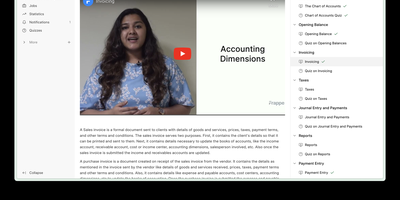
Frappe LMS is a learning management system built on the same Frappe Framework that powers ERPNext. The 3-level course hierarchy organizes content into courses, chapters, and lessons supporting videos, PDFs, SCORM packages, and rich HTML content with heading, code block, and list formatting through the redesigned inline lesson editor. Batch management groups learners by course and duration with scheduled instructor-led live sessions through integrated Zoom and Google Meet, where learners see upcoming classes on their batch dashboard. The assessment engine supports single-choice, multiple-choice, and open-ended quiz questions alongside assignment submissions as PDFs or documents, with progress tracking monitoring completion rates and quiz performance across all enrolled courses. Certificate generation uses built-in templates or custom designs to validate course completion, while the job board connects certified learners with opportunities. Course monetization integrates payment processing to transform courses into revenue streams with financial tracking. Role-based access controls assign Instructor, Learner, Admin, and Manager permissions, while course package import and export enables sharing structured content between instances. The platform integrates with ERPNext HR and CRM modules through the Frappe ecosystem with RTL language support and notification slide-overs. Running on a dedicated VPS on RepoCloud with guaranteed CPU, RAM, and SSD, full root SSH access, and a browser serial console. AGPLv3 licensed.
OpenOlat
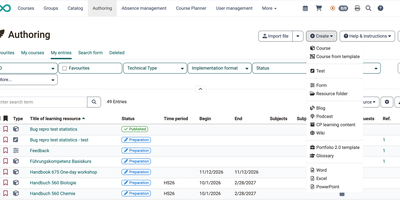
OpenOlat is a learning management system where educators build a course, run the exams, and follow every learner's progress without leaving the browser. Courses are assembled from more than 40 element types: pages, video, podcasts, blogs, wikis, forums, SCORM 1.2 and CP packages, tasks, group tasks, checklists, and surveys. They run as conventional courses or as learning paths whose completion criteria track each person's progress. The test editor offers 16 question types, from single choice and gap text to hotspot, drawing, essay, and file upload; closed questions score themselves, while essays autosave every minute and wait for manual grading. Questions live in a shared question bank, and an optional AI module can draft multiple-choice or essay questions from pasted text. Coaches follow people, courses, and assessment orders in one tool, and the Course Planner schedules products, implementations, events, rooms, and certification programs with recertification. Participants collect badges, certificates, and credit points, or book offers from a catalog. Virtual classrooms connect BigBlueButton, Zoom, or Microsoft Teams, and LTI pages embed outside tools. Hosting it on a dedicated RepoCloud VPS brings guaranteed CPU, RAM, and SSD, full root SSH access, and a browser serial console. Apache-2.0 licensed.
Chamilo LMS
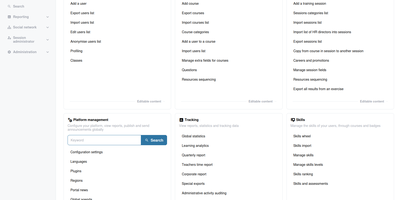
Schools, training companies, and HR teams use Chamilo LMS to publish courses, guide learners step by step, and prove completion with grades, badges, and certificates. Teachers build courses from documents, videos, and 360 media, then arrange them into learning paths that unlock in sequence and track every learner's progress. Quizzes offer more than twenty question types with randomized draws, time limits, and adaptive testing, while assignments accept submissions, support co-grading, and plug into plagiarism checks. The gradebook turns scores into certificates with QR codes, and skills frameworks record competency levels as learners advance. Sessions let one course run for many cohorts on different calendars, attendance tools handle sign-in and Qualiopi style reporting, and the course catalogue can even sell enrolments through its e-commerce module. Discussion forums, live chat, surveys, and videoconference integrations keep classes social, and SCORM, QTI, LTI, and xAPI support means existing content and external tools slot in without conversion projects. Administrators import users in bulk, connect LDAP or OAuth2 logins, and export personal data for GDPR requests; learners get all of it in more than sixty languages, including right-to-left scripts. Running on a dedicated VPS on RepoCloud with guaranteed CPU, RAM, and SSD, full root SSH access, and a browser serial console. GPL-3.0 licensed.
Moodle
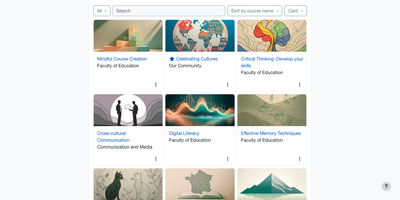
Moodle gives teachers a place to build courses and learners a place to work through them, with quizzes, assignments, grading, and progress tracking on a learning platform you host yourself. Custom or weekly sections sit beside a course index, and Previous and Next buttons walk learners through activities in order. The activity chooser adds forums, wikis, glossaries, lessons, H5P content, and SCORM packages. Question banks can be shared across courses and track every edit, and quizzes combine calculated, ordering, and essay questions with due dates and Safe Exam Browser settings. Assignments offer in-browser PDF annotation, rubrics, and marking guides, and with a marking workflow several markers can leave separate feedback before grades are released. Peer assessment runs through workshops, competency frameworks feed learning plans, and Open Badges recognize achievement. With learning outcomes enabled, a course page lists each outcome beside the activities linked to it. Learners follow deadlines on a dashboard timeline, message classmates, and take course content offline in the official mobile app. Sign-in works through email self-registration, LDAP, Shibboleth, OAuth 2, or LTI, and enrollment through keys, cohorts, flat files, or PayPal. Administrators assign roles, build custom reports, and upload plugin ZIP files. AI actions can run on providers including OpenAI, Azure AI, Gemini, Ollama, and Anthropic Claude, and a course-level report shows how students use them. Running on a dedicated VPS on RepoCloud with guaranteed CPU, RAM, and SSD, full root SSH access, and a browser serial console. GPL-3.0-or-later licensed.
OpenMAIC
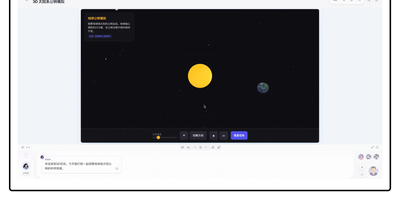
Developed by Tsinghua University researchers and validated across more than 700 students, OpenMAIC converts raw prompts, PDFs, Office documents, audio, and video into complete, multi-agent virtual learning environments. The platform leverages Next.js, LangGraph state machines, and a pluggable `@openmaic/storage` layer to orchestrate autonomous AI professors and student avatars that lecture, debate at roundtables, answer inquiries, and illustrate complex equations on a real-time SVG whiteboard. Its Pro Agent Workbench features durable PostgreSQL-backed sessions, twenty specialized curriculum-building skills, and granular JSON Patch slide editing with full `.pptx` import fidelity. OpenMAIC supports rich scene modalities including automated quiz grading, Project-Based Learning milestones, and Deep Interactive Mode offering in-browser code execution, interactive mind maps, and Three.js 3D physics simulations. Built-in audio pipelines connect with VoxCPM2 for zero-shot voice cloning, Azure STT, and FunASR for speech recognition, alongside a dedicated Chromium-FFmpeg rendering microservice for one-click MP4 video exports. Flexible model routing interfaces seamlessly with OpenAI, Anthropic Claude, Google Gemini, Amazon Bedrock, DeepSeek, and local Ollama or Lemonade instances, while OpenClaw integration enables direct classroom generation from Slack, Discord, Feishu, and Telegram. Running on a dedicated VPS on RepoCloud with guaranteed CPU, RAM, and SSD, full root SSH access, and a browser serial console. MIT licensed.
Exameow
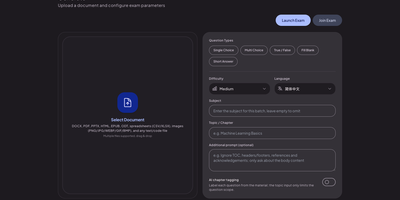
Upload a PDF, a slide deck, or a stack of lecture notes, and Exameow turns the material into exam questions you can actually practice with. The generator reads PDF, DOCX, XLSX, PPTX, EPUB, ODT, TXT, CSV, HTML, and image files, then writes single-choice, multiple-choice, true/false, fill-in-the-blank, and short-answer items through any OpenAI-compatible API you point it at. Counts per type, difficulty, output language, and chapter filters shape each batch, and large documents split automatically with duplicates removed. Practice runs sequentially, shuffled, as a timed mock exam assembled from type quotas, or against your wrong-question list, which clears items after repeated correct answers. Exam mode hides answers for honest attempts; flashcard mode reveals them for review, and AI grades short answers against reference answers with manual regrading available. Teachers publish a bank to the online exam relay and share a six-digit code: students join from any browser, sit a timed session, and get instant scores on objective questions. Question banks import and export as XLSX or CSV with smart column mapping, and practice records stay in your own database. Running on a dedicated VPS on RepoCloud with guaranteed CPU, RAM, and SSD, full root SSH access, and a browser serial console. Apache-2.0 licensed.
Scholarsome
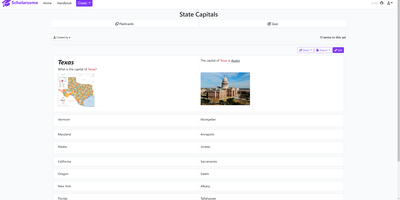
Scholarsome is a self-hosted flashcard platform where you create study sets, share them with other learners, and drill them through flashcards and automatically built quizzes. Start a set from scratch in the card editor, writing terms and definitions with rich formatting, images, and LaTeX expressions for math and science notation. Bring your existing material with you instead: decks import from Anki, Quizlet, and CSV files, and finished sets export back to the same formats so nothing is trapped inside. Share a set with classmates or keep it private with visibility controls, then let everyone study from the same central copy with no device syncing to manage. Multiple learning modes mimic real flashcards for relaxed review, while the quiz builder generates fill in the blank, true or false, and multiple choice questions from your cards for a stricter test. Teachers can assemble a class deck once and publish it to every student at the moment it is ready. Because the whole system runs on your own server, study data stays under your control rather than behind a subscription paywall. Running on a dedicated VPS on RepoCloud with guaranteed CPU, RAM, and SSD, full root SSH access, and a browser serial console. AGPL-3.0 licensed.
Bloom
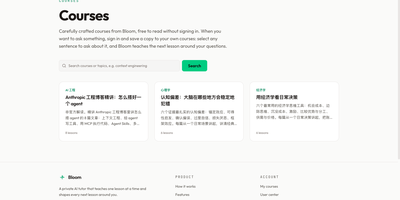
Bloom hires you a private tutor for any subject, then teaches one lesson at a time and rewrites the next lesson around what you actually understood. You begin with a topic, an uploaded PDF, text, or Markdown source, or a set of project files, and Bloom drafts a syllabus of concrete mastery items at simple, standard, or deep expansion. Each lesson arrives focused and readable, with a chapter sidebar for quick jumps and a collapsible syllabus tracking what is already mastered. Reading is active work: highlight any passage and a question thread opens beside it, streaming an answer that stays attached to that sentence for later follow-ups. Reflection questions close every lesson, and your answers, annotations, and highlighted gaps become the raw material for the next lesson, which opens by reviewing the previous answers. Source mode keeps page numbers and sections so lessons can cite where an idea came from, and project files render each document as its own page for highlight questions without generated lessons. Finished courses produce an evaluation and a summary, followed by three recommended next topics drawn from your learning history. A personal center shows a study calendar, daily activity, and streaks across your courses. Running on a dedicated VPS on RepoCloud with guaranteed CPU, RAM, and SSD, full root SSH access, and a browser serial console. MIT licensed.
BigBlueButton
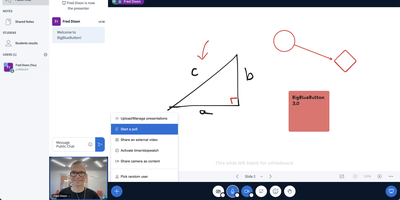
Used daily by millions of educators and learners in over 65 languages and embedded as the default virtual classroom in Moodle Cloud, Canvas, Sakai, D2L, Jenzabar, and Schoology — together comprising more than 75% of the worldwide learning management system market — BigBlueButton has been the leading open-source web conferencing platform for education since its creation at Carleton University in 2007. The platform delivers WebRTC-based real-time audio, video, and screen sharing with a tldraw v2-powered multi-user whiteboard featuring infinite canvas support, allowing multiple participants to annotate slides and draw simultaneously. Breakout rooms support up to eight concurrent groups with collaborative whiteboards enabled by default, and polling with customizable response types lets instructors assess understanding in real time. The built-in Learning Analytics Dashboard answers three questions at a glance: who is attending, who is participating, and who is learning based on poll responses, providing actionable engagement metrics without requiring webcam surveillance. Session recording captures audio, video, slides, chat, and whiteboard annotations for asynchronous playback on any device. The plugin architecture introduced in version 3.0 enables custom extensions, while IMS LTI 1.0 compliance allows integration with Blackboard, Desire2Learn, Pearson Learning Studio, and any conformant platform without custom code. The REST API enables programmatic session management, user authentication, and recording access for custom frontends like the included Greenlight application. Version 4.0 introduces LiveKit-based media and a redesigned interface. Running on a dedicated VPS on RepoCloud with guaranteed CPU, RAM, and SSD, full root SSH access, and a browser serial console. LGPL-3.0 licensed.
LearnHouse
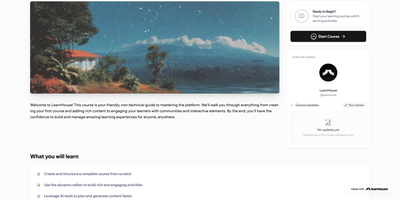
LearnHouse delivers a modern open-source learning platform that replaces proprietary course builders with a self-hosted alternative shipping a rich feature set out of the box. The Tiptap-powered block editor supports videos, documents, embeds, quizzes, and file uploads in a Notion-like interface with real-time co-editing powered by Hocuspocus and Yjs CRDT synchronization over WebSocket. AI tutoring integrates Google Gemini and LlamaIndex for RAG-powered context-aware assistance that adapts to course content, while interactive Playgrounds use AI to generate simulations, diagrams, and learning exercises. The platform handles the full course lifecycle: chapters and activities organize into collections and learning paths, assignments support automated and manual grading, and code blocks execute student submissions in 30+ languages with auto-grading. Analytics dashboards track learner engagement, progress, and completion rates in real time. The backend runs on FastAPI with SQLModel and Alembic migrations against PostgreSQL 16 with pgvector for AI embeddings, while Redis handles caching and session management. The frontend builds on Next.js 16 with React 19 and Tailwind CSS v4. Deployment uses an interactive CLI wizard that configures domain, database, admin account, SSL via Let's Encrypt, and optional features like email via Resend, S3 storage, and Google OAuth, then generates a Docker Compose stack ready to start. On RepoCloud, deploy LearnHouse on a dedicated VPS with root SSH access, persistent PostgreSQL storage for your course data, and complete control over AI provider keys and branding customization, all under the AGPL v3 license.
ILIAS
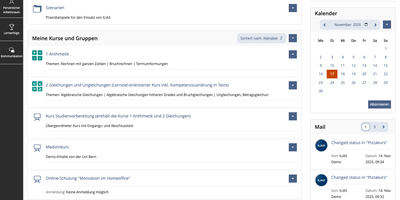
ILIAS is an open-source learning management system that puts courses, SCORM modules, online exams, surveys, wikis, and portfolios on one platform for universities, schools, and companies. Content lives in a repository where categories and courses hold files, learning modules, and tests, and a fine-grained permission system decides who may read, edit, or administer each object. Authors write learning modules, glossaries, and wikis in the browser, import SCORM 1.2 and SCORM 2004 packages, and connect external tools through IMS LTI. The Test and Assessment tool covers everything from self-check quizzes to complete e-exams, and the Scoring tab lets markers work participant by participant or question by question, anonymously if needed, with Markdown feedback. Preconditions unlock the next activity from a test result, so a score of 0 to 30 percent can open one follow-up test while 31 to 50 percent opens another. Study Programmes map whole study and training courses, and an optional progress bar shows learners their completion percentage. Every learner gets a personal workspace for portfolios and blogs, drag-and-drop file upload, profiles, contacts, mail, and chat. Administrators can add guided tours that point at tabs and buttons, assign short links to categories, and export data as XML, CSV, or Excel. The OER Harvester spots Creative Commons material and publishes it in a dedicated category. Running on a dedicated VPS on RepoCloud with guaranteed CPU, RAM, and SSD, full root SSH access, and a browser serial console. GPL-3.0 licensed.
Mentingo
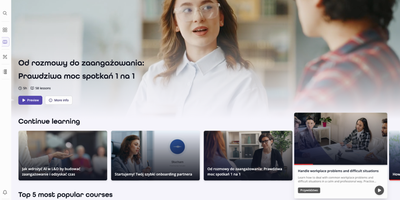
Mentingo is an open-source learning management system where employees practice real workplace conversations with an AI mentor instead of only clicking through slides. The voice and chat mentor plays a customer, candidate, or colleague in role-play scenarios, asks follow-up questions, and returns scored feedback on how the conversation actually went. You can generate a course draft from your own documents, presentations, and procedures, then edit the structure and lessons instead of starting from a blank page. Learners work through a course catalog and distraction-free lessons, while quizzes, scenario questions, and long-form answers check understanding beyond simple recall. Compliance and safety courses can expire on a schedule, with automatic re-enrolment, reminders, and certificate validity tracking keeping renewals from slipping. Administrators organize people by departments, branches, and teams, inherit course access from group membership, and follow engagement and completion analytics per learner, group, and course. A knowledge base, company blog, announcements, and FAQ keep supporting material beside the training itself. Multiple organizations can share one deployment with separate domains and branding, and courses can be exported as SCORM packages for other tools. Integrations include Microsoft 365, Google Workspace, and Slack sign-in, plus an MCP endpoint for AI assistants. Running on a dedicated VPS on RepoCloud with guaranteed CPU, RAM, and SSD, full root SSH access, and a browser serial console. MIT licensed.
Apache OpenMeetings
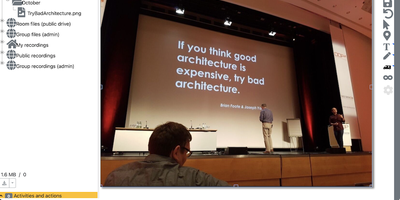
Apache OpenMeetings puts the whole meeting in the browser: cameras, a shared whiteboard, the agenda document, and recording controls, all running on your own server. Participants join rooms with audio and video, audio only, or video only, choose camera resolutions and devices, and present by sharing a screen or a single window at selectable quality. Moderators control the floor person by person: who may draw on the whiteboard, present, share or record the screen, mute others, or speak while everyone else stays muted. Multiple whiteboards hold drawings, text, clip art, and imported documents in PDF, office, and image formats, rescaling to fit every participant's screen, and boards can be saved into the drag-and-drop file explorer for the next session. Every meeting can be recorded with all audio streams exactly as heard, then downloaded as MP4 or played back in the integrated player, and the built-in calendar schedules rooms and sends invitations. Breakout rooms split classes and workshops into groups, polls gather decisions live, private and group chat runs beside the video, and telephone users can dial into rooms through the Asterisk SIP integration. Running on a dedicated VPS on RepoCloud with guaranteed CPU, RAM, and SSD, full root SSH access, and a browser serial console. Apache-2.0 licensed.
Lumen Learning Platform
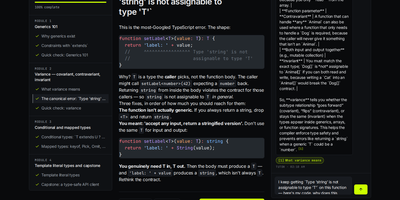
Tell Lumen what you want to learn in one sentence and it interviews you, drafts a brief, and builds a private course with modules, lessons, and quizzes, showing progress as it goes. Every learner owns the whole loop: define a goal, build the course, study it, and share it only when you choose to. An AI tutor sits beside each lesson, streams answers grounded in that course, and attaches citations that jump to the lesson it drew from. A trace view shows every planner step, tool call, and retrieval score behind an answer, and a replay view steps through how a course was authored. Quizzes feed a spaced-repetition review queue, a mastery view tracks progress, and finishing a course issues a verifiable Open Badges credential. Browse a public catalog with subject, level, and tag filters, clone any listed course into your own draft, and press Ctrl+K to search courses or switch themes. Add your own OpenAI, Anthropic, Groq, or Mistral key, or run without a key and keep the rest of the app working. An admin area moderates shared courses, and an MCP server lets coding agents list courses and ask the tutor. Running on a dedicated VPS on RepoCloud with guaranteed CPU, RAM, and SSD, full root SSH access, and a browser serial console. MIT licensed.