Homeio
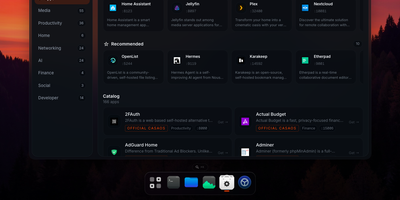
Homeio turns a Linux box into a desktop you open in a browser tab, with draggable windows, a dock, a lock screen, and a command palette sitting on top of your Docker apps, files, and disks. The App Store installs Docker Compose stacks from the CasaOS catalog or your own store sources, and each app's ports, volumes, environment variables, and compose file stay editable before and after install. Containers you started elsewhere still appear with live CPU and memory stats, streaming logs with keyword filters, and one-click restarts. The file manager uploads with progress, previews images, audio, video, and PDFs, edits text in a built-in code editor, mounts USB drives and SMB shares, and shares folders over Samba. A real login shell lives in the Terminal window, with exec access into any container, so routine fixes never need a separate SSH client. Cron-style scheduled tasks restart apps, pull images, or run backups on a timer, and scheduled archives of the database, files, and compose stacks restore from the same interface. Tailscale puts the whole desktop on your private network, while Cloudflare Tunnel can publish a single app on a public hostname with its DNS record created for you. Live metrics stream to widgets and the status bar, and notifications flag crashed containers, filling disks, and failed tasks. Running on a dedicated VPS on RepoCloud with guaranteed CPU, RAM, and SSD, full root SSH access, and a browser serial console. AGPL-3.0 licensed.

Urocissa
Urocissa is a self-hosted photo and video gallery engineered to browse, search, and filter a million-image library in under a second on modest hardware. Its photo stream scrolls endlessly without pagination or lazy loading, flying past the browser DOM height limit that breaks other galleries long before a million items. Search understands boolean operators, so a query mixing and, or, and not narrows a lifetime of photos in milliseconds, and select-all is equally instant across the whole collection. Point it at folders and it watches them for new arrivals, importing photos and videos automatically while duplicate detection keeps redundant copies out. EXIF data is extracted for every image, and your own tags layer manual organization on top, with timeline navigation and rotation built in. Albums share collections with family or clients, a read-only mode publishes a public gallery safely, and videos play inline without leaving the page. The index that makes this fast lives in memory at roughly half a gigabyte per million photos, and the whole application ships as a binary of about 25 megabytes, optionally protected by a password. Running on a dedicated VPS on RepoCloud with guaranteed CPU, RAM, and SSD, full root SSH access, and a browser serial console. MIT licensed.
PNLCS
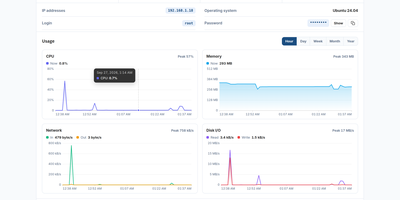
Hosting companies sell, invoice, provision, and support hosting, domains, SSL certificates, and VPS servers from PNLCS, a free self-hosted billing platform with one client portal at the center. Customers browse your catalog, configure services, apply coupons, and check out, and the moment an order is paid a server module creates the account or machine on Panelica, cPanel, Plesk, DirectAdmin, HestiaCP, Proxmox VE, or Vultr. Renewals then run themselves: invoices are generated ahead of the due date, stored cards are charged with retries, reminders and late fees follow, and unpaid services suspend automatically and restore themselves once payment lands. Domain registration, transfers, renewals, WHOIS and EPP codes, and SSL issuance run through the same checkout, while customers manage their actual hosting from the portal itself, including files, mailboxes, databases, FTP accounts, subdomains, DNS records, cron jobs, and backups. Eight payment gateways share one engine, so partial payments, refunds, and credit balances behave the same everywhere. Support tickets route by department with priorities and attachments, a searchable knowledge base deflects repeat questions, and affiliates track referrals and commissions. Operators get revenue dashboards, client management with impersonation, bulk invoicing and mail, and twenty-seven reports covering income, MRR, churn, domains, and tax, all in thirty languages and sixteen themes. Running on a dedicated VPS on RepoCloud with guaranteed CPU, RAM, and SSD, full root SSH access, and a browser serial console. MIT licensed.
ClientSt0r
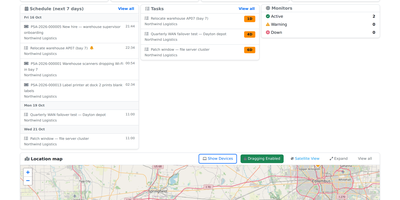
ClientSt0r is a self-hosted operations platform for managed service providers that keeps client documentation, IT assets, credentials, and the service desk in one multi-tenant system running on your own infrastructure. Open any ticket and the client's active contract, the asset it concerns, the runbook that covers it, and the vault entries you are allowed to use appear alongside the conversation, so nobody switches between four products during an outage. Readiness scoring grades every client against what should be documented, explains each gap, and queues the fixes, while versioned documents with owners and review dates keep runbooks from quietly going stale. The credential vault encrypts secrets with AES-256-GCM, isolates them per client, enforces IP, geography, and time-of-day access rules, logs every reveal, generates TOTP codes, checks passwords against known breaches, and imports existing Bitwarden or Vaultwarden libraries. Asset records cover hardware inventory, IP address management, rack layouts, and printable QR labels. The service desk adds queues, SLA timers, dispatch views, time entries, quotes with electronic signatures, invoices, contracts, approvals, a workflow rule builder, a threading email engine, and guided client portal forms, while procurement, profitability reporting, CVE scanning, SSL expiry tracking, and uptime monitoring round out daily operations. Running on a dedicated VPS on RepoCloud with guaranteed CPU, RAM, and SSD, full root SSH access, and a browser serial console. MIT licensed.
AKHQ
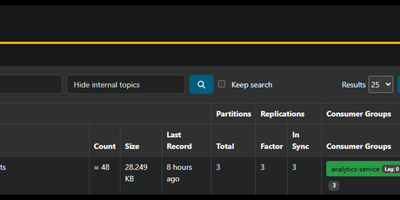
AKHQ puts every Kafka cluster your team runs into one browser console, so topics, messages, consumer lag, schemas, and connectors stop being command-line archaeology. Browse live data inside any topic with search and Live Tail, inspect records by key or partition, and produce test messages without touching a console producer. Consumer group views show lag per partition, and offset resets take a couple of clicks instead of a maintenance window. Multiple clusters sit side by side in the same interface, each with its own Schema Registry, Kafka Connect, and ksqlDB connections attached. Schemas can be created, updated, and versioned from the UI, and Connect clusters report connector and task status you can pause, restart, or reconfigure. Administrators manage ACLs and cluster configuration from the same screens developers use to explore data. Access control goes deep: roles bundle resources and actions, groups scope them with topic patterns and cluster restrictions, and sign-in plugs into OIDC, LDAP, or basic authentication. Point it at your brokers with one configuration file, run it as a single container, and the whole platform team shares one safe window into production Kafka. Running on a dedicated VPS on RepoCloud with guaranteed CPU, RAM, and SSD, full root SSH access, and a browser serial console. Apache-2.0 licensed.
Tela
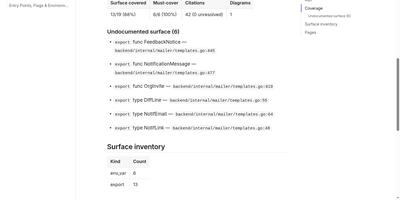
Tela keeps a team's documentation as canonical markdown in a self-hosted wiki that AI agents read, search, and write alongside humans through a built-in MCP server. People edit together with live multi-cursor collaboration, threaded comments, backlinks, and full revision history, so every page shows who changed what and why. PostgreSQL full-text search works immediately, and adding an embedder unlocks semantic retrieval and grounded ask-your-docs answers that cite their sources. Connect Claude, Cursor, or another MCP client with a personal access token and the agent can search the wiki, draft and patch pages, answer comment threads, build spreadsheets with real formulas, and assemble presentation decks exportable to PDF and PPTX. Atlas, the built-in documentation engine, points at a git repository or Jira project and drafts cited wiki pages, then keeps them fresh as the sources change. Teams organize work into spaces, invite members by email, and flip any space public to publish a login-free blog with per-author home pages. Content syncs over WebDAV and exports to zip or PDF, and optional AI features run against your own endpoint or a bundled local Ollama profile, so nothing leaves your server unless you wire it up. Running on a dedicated VPS on RepoCloud with guaranteed CPU, RAM, and SSD, full root SSH access, and a browser serial console. AGPL-3.0 licensed.
HyCanvas
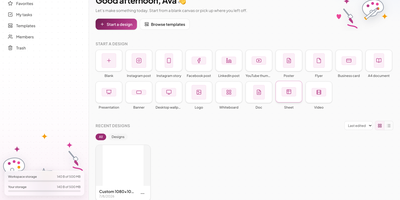
HyCanvas folds graphics, presentations, videos, whiteboards, documents, and spreadsheets into one self-hosted browser editor, covering work that usually takes several separate design subscriptions. Start from one of 140 templates across social, print, events, business, and presentations, or import a PowerPoint file and keep editing it. The canvas carries shapes, frames, tables, nine chart types, QR codes, image filters, crop and masks, background removal, and Magic Resize for one-click reformatting. Video projects get a multi-track timeline with trims, transitions, keyframes, styled captions, green-screen keying, and screen or webcam recording. Whiteboards add sticky notes, connectors, a shared timer, and dot voting, and a finished board converts straight into a slide deck. Teammates co-edit in realtime with presence cursors, comments with mentions, version history, and approvals, while share links open view-only, comment, or edit access. Brand kits hold your colors, fonts, and logos, and a brand lock warns or blocks off-brand edits before they ship. Connect your own AI provider key to generate decks, documents, images, and charts from a prompt, then export PNG, JPG, PDF, SVG, PPTX, MP4, or GIF with no watermark. Running on a dedicated VPS on RepoCloud with guaranteed CPU, RAM, and SSD, full root SSH access, and a browser serial console. AGPL-3.0 licensed.
Proval
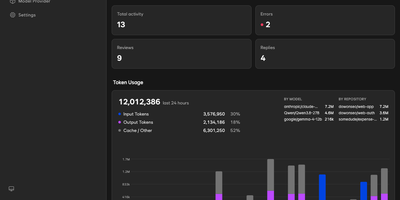
Proval is a self-hosted AI code review agent that reads every pull request on your GitLab, Forgejo, or GitHub server and posts a consolidated, severity-grouped review with inline comments, using a model you run yourself. When a pull request gets a meaningful push, a planning agent groups changed files into review units and dispatches specialist sub-agents in parallel, each exploring the codebase so cross-file issues surface. A writing agent merges their findings into one review, with comments on the affected lines, including multi-line ranges. Reply to any Proval comment and it reads the thread context and answers, and it works on issues too, greeting new ones and answering follow-ups on every message or only when mentioned. Choose per repository whether reviews run on first push only, every push, or not at all, skipping drafts until they are marked ready. Every review, reply, and issue comment is logged with its token usage, so each model's cost shows in the dashboard instead of hiding in an API bill. Your code is never stored; review context goes only to the LLM endpoint you configure, whether that is a cloud API or a local Ollama or llama.cpp server on your own network. Connect GitLab or Forgejo with an access token and webhooks, or GitHub through a GitHub App; Gitea and Codeberg use the same Forgejo-compatible path. Running on a dedicated VPS on RepoCloud with guaranteed CPU, RAM, and SSD, full root SSH access, and a browser serial console. AGPL-3.0 licensed.
Shumai
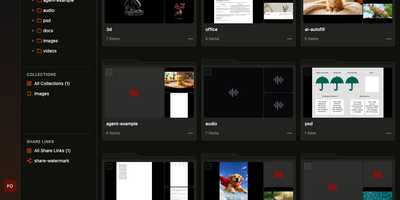
Creative teams use Shumai to review video, images, 3D models, and documents with feedback pinned to the exact frame, on a server they control instead of a rented review cloud. Pause on any frame, draw on the picture, and leave a timecoded comment with the markup attached, then let threaded replies, mentions, and resolve states carry it to a decision. Every cut stacks into a version stack, and any two versions open side by side to compare changes. Layered PSDs and camera RAW review at full resolution, 3D models spin with comments pinned to the viewing angle, and documents page through as converted PDFs. Clients open a share link with a password and expiry date, downloads switchable, and can comment as guests with no account. Watermarks render into the media on your server rather than layering in the browser, so they stay put wherever the file travels. Comments export as Premiere Pro XML, DaVinci Resolve EDL, Final Cut Pro, or Avid files with correct drop-frame timecode for the editor. Mention the AI agent in a comment and it examines the same frame under discussion, or chat privately about a folder using your own OpenAI, Anthropic, or Gemini key. Originals live on local disk or any S3-compatible bucket, with GPU transcoding and workers that scale up for a delivery and back to zero. Running on a dedicated VPS on RepoCloud with guaranteed CPU, RAM, and SSD, full root SSH access, and a browser serial console. MIT licensed.
Digarr
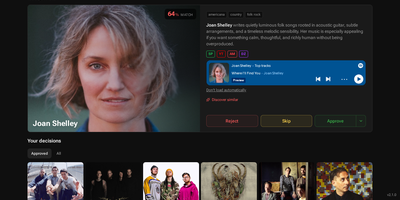
Your next favorite record is hiding in your listening history, and Digarr is the self-hosted discovery engine that finds it, scores it, and queues it for your library. Connect ListenBrainz, Last.fm, Spotify, Deezer, Discogs, or your Plex, Jellyfin, Emby, or Subsonic server, and Digarr builds a taste profile from what you actually play. An AI provider you choose, from Anthropic, OpenAI, and Gemini to a local Ollama model, proposes candidates, and a weighted scoring system ranks them by consensus, similarity, genre overlap, and your past feedback. Every suggestion lands in a review queue where you can preview tracks, approve, reject, or permanently block artists before anything touches your collection. Approve an artist and Digarr adds them to Lidarr with your quality profile, queues the release in slskd, or exports a playlist to Spotify, Navidrome, Jellyfin, Emby, or Plex. Album-level discovery runs on its own: Release Radar catches new releases from artists you follow, Library Gap-Fill surfaces the studio albums you are missing, and scheduled subscriptions keep fresh candidates flowing in without you lifting a finger. Share the instance with family or friends, each with their own queue and connections, protected by local accounts or OIDC single sign-on, and get notified through webhooks, ntfy, Telegram, or Apprise when new picks arrive. Running on a dedicated VPS on RepoCloud with guaranteed CPU, RAM, and SSD, full root SSH access, and a browser serial console. MIT licensed.
LiftTrace
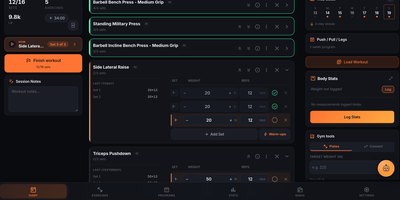
LiftTrace is a self-hosted weightlifting tracker that keeps your entire training history, programs, personal records, and progress photos on your own server in a single Docker container. Log every set with weight, reps, RPE, warm-up markers, and supersets, or type a line like bench 3x5 at 225 and let the Smart Log parser turn plain text or a voice note into structured sets. Follow multi-week programs where each week prescribes its own sets, reps, tempo, rest, and load, and watch the diary prefill today's session from the active template. Browse an exercise library merged from wger, Free Exercise DB, and ExerciseDB, add custom movements, or bulk import your own catalog from a spreadsheet. Automatic PR detection, estimated one-rep maxes, volume and frequency charts, and dated progress photos with a drag-to-compare view show how training is trending. The built-in Trace AI coach reads your workouts, programs, records, and body stats to answer questions, log sessions, and adjust plans through Claude, OpenAI, Gemini, or a local Ollama model. Coaches can prescribe workouts, leave notes on individual sets, and review filmed set videos with comments stamped at the moment that matters, all with explicit consent from the athlete. Import years of history from Strong, Hevy, FitNotes, Jefit, or Garmin FIT files, keep logging offline in the gym, and sign in with OIDC through Authentik, Keycloak, or Authelia. Running on a dedicated VPS on RepoCloud with guaranteed CPU, RAM, and SSD, full root SSH access, and a browser serial console. AGPL-3.0 licensed.
ContainerFlow
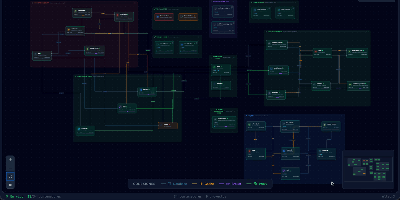
Your database container is probably not at 98 percent memory, whatever docker stats claims, because most of that figure is reclaimable page cache; ContainerFlow subtracts the full cache and shows the memory your containers actually hold. Point it at a Docker socket and it draws the whole estate as a living map: every Compose project discovered automatically, services grouped and colour coded, and the connections between them inferred, app to database, proxy to app, worker to broker. CPU and memory refresh every three seconds, the graph flashes when a container starts, stops, or restarts, and seven days of metric history wait in a local store when you need to know what happened overnight. Click any node and a detail panel opens with live logs you can filter by stream, an inline terminal that runs commands inside the container, and buttons to start, stop, restart, rebuild, recreate, or remove it. The same panel teaches as it works, flagging containers that run with no memory limit, no CPU limit, or no restart policy, while Discord webhooks fire when a container you care about crosses a threshold you set. Running on a dedicated VPS on RepoCloud with guaranteed CPU, RAM, and SSD, full root SSH access, and a browser serial console. AGPL-3.0 licensed.
GyroidVault
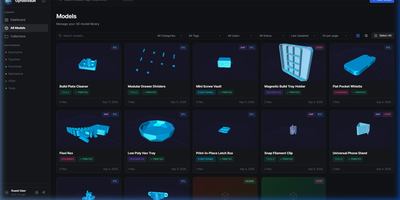
The bracket you printed last spring sits in some folder, on some drive, under a filename you no longer remember; GyroidVault is the searchable library that ends the hunt, where every model can be inspected in 3D, tracked through its prints, and sent to a printer without touching a slicer queue. Point it at your existing folders on a NAS or server and it indexes STL, 3MF, STEP, OBJ, G-code, binary BGCODE, and even Fusion 360 files non-destructively, generating thumbnails and 2x2 collages while a duplicate finder flags identical copies by SHA-256 hash. Opening a model launches Studio 2.0: orbit the mesh, jump between isometric, top, front, and side cameras, switch between solid, wireframe, and X-ray shading, try filament colours live, arrange multi-part assemblies on one build plate, and snapshot your favourite angle as the cover. Sliced files give up their secrets too, with layer-by-layer toolpath previews plus infill, temperatures, filament weight, and estimated cost extracted automatically. From the same page you can fire G-code straight to a Moonraker or Klipper printer, open the file in OrcaSlicer, Bambu Studio, PrusaSlicer, Cura, or Creality Print, log each print with its material and outcome, and share a model through an expiring public link. Collections, version histories, custom metadata fields, and role-based accounts keep a growing print farm library tidy for everyone who uses it. Running on a dedicated VPS on RepoCloud with guaranteed CPU, RAM, and SSD, full root SSH access, and a browser serial console. AGPL-3.0 licensed.
Folivox
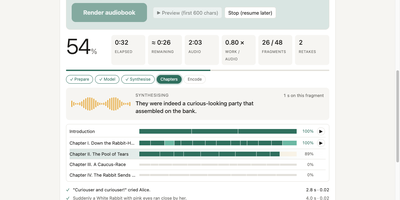
Folivox turns an ebook sitting on your server into a finished audiobook read aloud in a voice you choose, cloned from a short sample, or performed by a whole cast of characters. Drop in an FB2, EPUB, DOCX, PDF, or TXT file and the studio detects the book language, restores chapters, poems, and epigraphs, cleans page furniture away, and spells numbers, dates, money, and abbreviations out in full for nine fully supported languages. Narration runs locally through CosyVoice 3 or the multi-speaker Fish Audio Drama 3, which can give each character their own voice like a radio play, or through ElevenLabs, OpenAI, Gemini, or Cartesia with your own key after a cost estimate you approve. A markup editor finds the dialogue, assigns lines to speakers, and lets you fix mistakes and listen before committing to a ten-hour render. Every fragment is listened back to with Whisper and re-read until the best take survives, while a crash-safe journal means a stopped render resumes where it left off and edited chapters redo only what changed. The finished book arrives as one chaptered M4B with cover and metadata, or one MP3 per chapter, loudness-normalised and ready for any player. Running on a dedicated VPS on RepoCloud with guaranteed CPU, RAM, and SSD, full root SSH access, and a browser serial console. Apache-2.0 licensed.
EveryOS
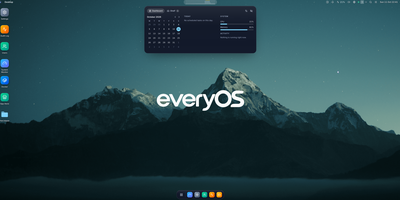
EveryOS gives the Linux server you already own a desktop it never had: open a browser and your machine greets you with windows you can move, snap, and stack, a dock, virtual desktops, widgets, and a launcher, all remembering exactly how you left them. Your files live in a private home with the usual folders, previews, a text editor, and a trash you can restore from, and plugging in a USB disk makes it appear on the desktop ready to mount. An app store installs self-hosted applications from catalogs and follows each deployment, later offering updates that keep your settings, rollbacks when one goes wrong, and backups of app data. The same workspace watches the machine itself: CPU, memory, disk, and network at a glance, systemd services and logs, available package updates, and a Docker view for containers and Compose projects. A real terminal opens in the browser under your own Linux account, Home Assistant arrives as a panel and desktop widgets with its tokens kept on the server, and an AI assistants app can find or install a local model server such as Ollama and chat with it privately. Running on a dedicated VPS on RepoCloud with guaranteed CPU, RAM, and SSD, full root SSH access, and a browser serial console. MIT licensed.
Clodfarm
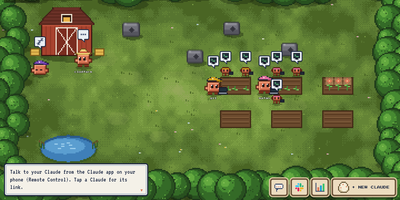
While you sleep, a crew of Claude Code agents in a single Docker container keeps building: you plant a mission, the farm splits it into sub-agents on their own branches, and only work that passes your tests ever lands in the repo. Open the farm in your browser and every agent is a pixel Claude walking its plot, tending a task at a terminal or napping when the budget says stop, with the quest log, mission board, and a hatchery for new agents a click away. Each account is paced against its real five hour and weekly usage, measured live, always leaving you twenty percent and never paying overage, and teammates' agents message each other and hand jobs to whichever account still has room. Talk to any agent from the Claude app on your phone, post quests, set schedules like weekday issue triage at nine, and watch live dashboards the agents maintain themselves. Whiteboards let you sketch while an agent draws back full Mermaid architectures for the whole farm to see, the farm's logged-in browser does website work as you, and Slack mentions, Blender scenes, and other models from GPT to a local Ollama all plug into the same queue. Running on a dedicated VPS on RepoCloud with guaranteed CPU, RAM, and SSD, full root SSH access, and a browser serial console. MIT licensed.
Mynah
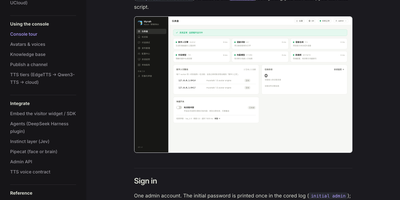
A visitor clicks your link and a face is already there, listening, answering within a fraction of a second, and stopping the moment they interrupt, because Mynah runs live digital humans in the browser instead of playing back rendered video. Underneath, cored takes WebRTC offers, runs the conversation through your chosen language model, speech recognition, and text to speech, and drives a lip synced avatar engine such as MuseTalk, FlashHead, or Wav2Lip, with a semantic end of turn model deciding when a person has finished speaking. The admin console is where you shape the experience: bake a new avatar from a talking video with explicit consent, clone or audition voices, swap avatars per channel without cold starts, and tune green screen keying and gestures live in the playground. Knowledge bases take your documents through ingestion and embedding so answers ground in your material, with retrieval tests before anything ships. Publishing freezes a model, voice, and knowledge snapshot into a channel: a shareable link with token, domain, or CIDR access control, its own branding, and a concurrency cap drawn from an engine pool that computes how many workers your VRAM can hold. Session monitoring shows who is connected and lets you kick a session, health checks watch every dependency, and light and dark themes with Chinese and English interfaces cover both console and visitor pages. Running on a dedicated VPS on RepoCloud with guaranteed CPU, RAM, and SSD, full root SSH access, and a browser serial console. Apache-2.0 licensed.
Berth
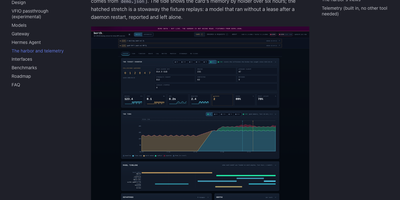
A single GPU can only hold so many models at once, and when a chat server, an image pipeline, and a voice engine all grab VRAM together, somebody runs out of memory and crashes. Berth fixes the scramble by making every engine lease the card: wrap a launch in berth run and the daemon grants memory in turn, queues the rest with an honest place in line and a start estimate, and drains a holder cleanly before the next load begins. The broker learns each engine's real footprint from its runs, so grants are sized by measured peaks instead of guesses, and processes that grab memory without a lease are reported as stowaways, never killed, with contested grants flagged in plain sight. A collisions board counts what the scheduling prevented: avoided collisions, VRAM handed off, drains, stuck releases, and refusals, and every count links back to a gap free event log you can follow live. The Harbor web UI turns that into a departures board of leases, a six hour tide of memory by holder, engine cards with decode throughput and a token ledger, plus a per model leaderboard and thirty days of stored history. Alerts reach your desktop or a webhook, Prometheus scrapes the metrics endpoint, and multi GPU machines can even pass one card through to a VM while the others keep serving. Running on a dedicated VPS on RepoCloud with guaranteed CPU, RAM, and SSD, full root SSH access, and a browser serial console. Apache-2.0 licensed.