Platypus
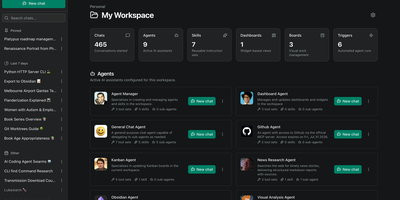
Platypus gives a whole team always-on AI agents that reason, call tools, and keep working on your own servers while everyone is offline. Build an agent once by choosing a provider and model, writing its instructions, and capping its tool-calling loop, then reuse that preset across chats and scheduled runs. Agents load reusable Skills on demand and delegate specialist work to sub-agents that appear to the parent as tools. Connect local and remote data through Model Context Protocol servers, or expose an agent to outside agents and chat platforms through A2A endpoints with a token per client. Triggers run agents on a cron schedule, as one-off jobs, or when workspace events such as a card moving on a board occur, and every run records its result. Kanban boards give agents work they can move and update themselves, while notifications and HMAC-signed webhooks push board and workspace events into your own systems with filtering and retries. Facts and preferences are extracted from conversations in the background and injected into future chats, so returning users are remembered. Sandbox backends give agents shell and filesystem access inside an isolated per-workspace environment instead of the host. Organizations and workspaces keep each team's agents and data separate, and blueprints package shared agents, skills, MCP servers, and providers so a new workspace starts pre-equipped. Running on a dedicated VPS on RepoCloud with guaranteed CPU, RAM, and SSD, full root SSH access, and a browser serial console. MIT licensed.
Engraphis
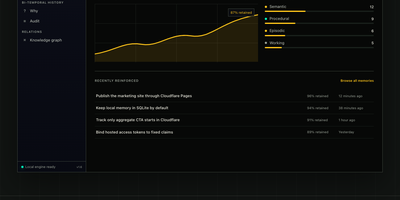
Engraphis is a durable memory layer for coding agents that answers questions like what did we decide about the auth layer three weeks ago, and why, with inspectable project memory that survives across sessions and repositories instead of evaporating when a chat ends. Store a decision once and recall it later in a new session, scoped by workspace, repository, and session so one project's facts never leak into another's context. Recall blends vector, lexical, graph, and code-aware retrieval, then packs the strongest evidence into a hard context budget your agent can actually use. Every returned fact keeps its provenance attached, and the engine cites its support or abstains when the evidence is too weak to trust. Facts are never silently overwritten: bi-temporal history preserves earlier versions, and a timeline view surfaces superseded knowledge when you need to know what used to be true. Index a repository into a code-symbol graph and ask what calls a function before you change it. Conflicting or quarantined memories wait in a review queue for a human decision. Running on a dedicated VPS on RepoCloud with guaranteed CPU, RAM, and SSD, full root SSH access, and a browser serial console. Apache 2.0 licensed.
LifeGLANCE
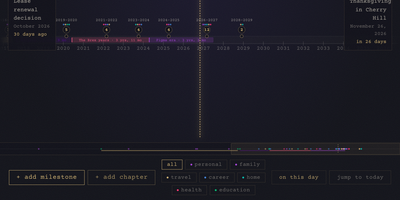
Birthdays, graduations, house moves, weddings, and the trip you keep promising yourself for next year all belong on the same line, and LifeGLANCE draws that line as one zoomable timeline of your life, past and future. Pan smoothly from a single week out to multiple decades, then zoom back in when a dense year needs room; cluster badges keep crowded stretches readable, and a minimap scrubbar jumps you across decades without endless scrolling. Each milestone carries a title, a date at day, month, or year precision, a category, a note, and a link, and you can attach photos, audio, and video directly to the moments they belong to. Birthdays and anniversaries repeat annually with an end year you set. Switch between All, Past, and Future views, search titles and notes in full text, or open On This Day to see what happened on this date in earlier years. A stats panel and summary modal turn the line into counts and patterns. Import calendar events from an ICS file, export the whole timeline as a high-resolution PNG, or back everything up and restore it as JSON. Running on a dedicated VPS on RepoCloud with guaranteed CPU, RAM, and SSD, full root SSH access, and a browser serial console. MIT licensed.
CaseCite
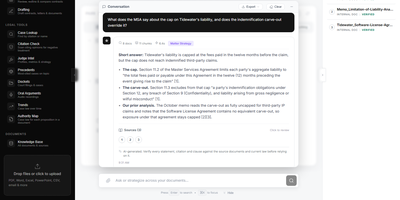
CaseCite puts a law firm's own files under questioning, returning cited answers, contract reviews, and drafted agreements without surrendering a single document to an outside legal platform. Ask a question across the indexed corpus and receive answers tied to the exact source passage, then narrow the search to selected files or a folder when only those should count. For bigger questions, deep research lays out a plan of sub-questions you can edit first, verifies every quote against its source, and keeps a step log of what was searched. Contracts can be analyzed, questioned one at a time, or compared clause by clause across two to four agreements against a baseline, with redlines exported as native Word tracked changes. Tabular review extracts the fields you define from hundreds of contracts at once, shows the supporting passage and estimated cost beside each value, and exports to Excel or CSV. Drafting starts from up to four precedent documents, and long agreements get a section plan for your approval before each section is written and reconciled. Each client engagement lives in its own matter workspace with controlled access and an activity feed, while case lookup, citation checking, judge analytics, dockets, oral arguments, and authority maps cover the caselaw side. Running on a dedicated VPS on RepoCloud with guaranteed CPU, RAM, and SSD, full root SSH access, and a browser serial console. Apache 2.0 licensed.
AgentVerse OS
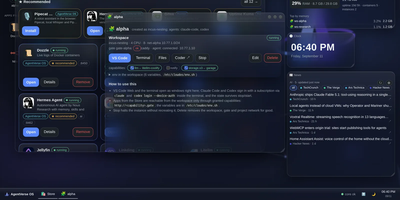
AgentVerse OS turns a single Ubuntu server into a personal cloud with a real desktop in the browser, built for a developer and their AI agents. You work in a windowed desktop with a taskbar, start menu, and widgets for system monitoring, clock, news, weather, and projects, and the same desktop opens from a laptop, tablet, or phone while everything stays on the server. Each project gets an isolated Incus container with Docker inside, its own network and gate, plus VS Code, a terminal, files, and git in the browser. The Agents app runs Claude Code, Codex, Gemini CLI, pi, and Antigravity inside the workspace, with permission prompts you approve from any device, scheduled routines, model menus, conversation search and export, and a ledger of what each session spent. When you close your laptop the agents keep working, and you pick the conversation up later exactly where it stopped. A built-in store merges the Runtipi, Coolify, and Umbrel catalogs into about 945 installable apps with guided setup, credentials shown in the app card, snapshots, and rollback. Projects request capabilities such as storage.s3, llm, or notify instead of hardcoding addresses, scheduled ZFS snapshots feed a restic backup repository, and access arrives only through your Tailscale network with real certificates. Running on a dedicated VPS on RepoCloud with guaranteed CPU, RAM, and SSD, full root SSH access, and a browser serial console. Apache-2.0 licensed.
MillionSend
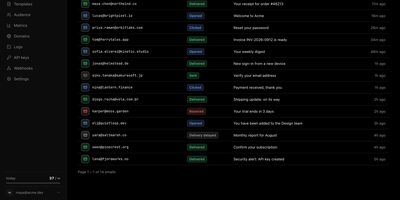
MillionSend is an open-source email platform you run yourself that sends transactional and marketing mail through your own AWS SES account behind a Resend-compatible API. Every message you send becomes a row in the dashboard, and every row opens into a timeline of SES events with the raw payload and the SMTP diagnostic when something bounces. Daily metrics chart sent, delivered, opened, clicked, bounced, and complained volumes against SES thresholds, and broadcasts stop on their own at five percent bounces or 0.1 percent complaints before Amazon can pause your account. Contacts live once for the whole team with custom properties and subscribe state, while segments and topics decide exactly who receives each broadcast. You compose broadcasts from reusable templates with per-contact merge fields, schedule them ahead, and cancel them while they wait. Applications that only speak SMTP send through the relay on port 2587 with an API key as the password, and HTTP integrations use idempotency keys, request logs with secrets redacted, and signed webhooks with a delivery history. Guided domain setup handles DKIM records, hard bounces and complaints are suppressed automatically, and every recipient gets an RFC 8058 one-click unsubscribe. Receiving and agent-ready inboxes are included in beta for mail sent to your verified domains. Running on a dedicated VPS on RepoCloud with guaranteed CPU, RAM, and SSD, full root SSH access, and a browser serial console. AGPL-3.0 licensed.
LanQin Email
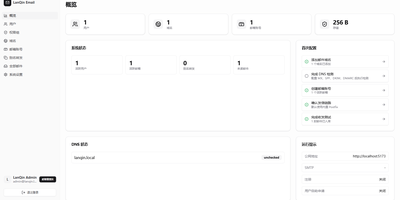
Running your own mail server usually means assembling five services and praying over DNS records; LanQin Email ships the whole stack in one container. Readers switch between mailboxes, search, label, star, and file messages into folders, then compose with a rich-text editor that handles fonts, colors, code blocks, attachments, emoji, and scheduled sending. Contacts, signatures, inbox rules with automatic forwarding, sender blacklists, and mail statistics make it a daily client rather than a demo. Administrators run the postal side from the same panel: add domains and generate DKIM keys, follow the DNS record checklist the system verifies for you, create mailboxes, set delivery aliases and catch-all addresses, and audit every message on the server. Accounts sign in with passwords or OAuth single sign-on, protected by TOTP two-factor codes and bot checks, while permission groups cap attachment size, sending rate, and mailbox count per user. Users can even request their own mailbox and wait for approval instead of filing a ticket. For programs, an Open API with bearer tokens sends mail idempotently and reports delivered, bounced, complained, rejected, and deferred events back through webhooks. External Gmail and Outlook accounts can be aggregated over IMAP, and a client-configuration page shows every IMAP, POP3, and SMTP setting in one place. A multi-container layout remains for debugging the stack piece by piece. Running on a dedicated VPS on RepoCloud with guaranteed CPU, RAM, and SSD, full root SSH access, and a browser serial console. GPL-3.0 licensed.
Monitor
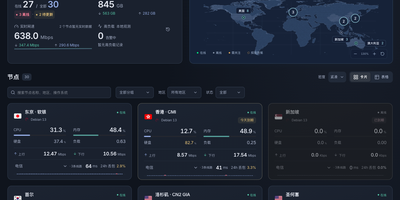
Monitor watches your servers the way a status page should: second by second, from one small binary you run yourself. A lightweight Linux agent on each machine reports CPU, memory, disks, network throughput, connections, and processes to your hub over a persistent connection, and the hub pushes a fresh snapshot to your browser every two seconds. History is kept for charting, so node pages show how load, traffic, and latency behaved over days. Ping tasks run from the hub's side too: define targets once and every agent measures latency to them on its own interval, drawing the curves next to the machine metrics. The public face is a status page you can reskin without touching the server: themes install from the panel, run as static pages against a small public API, and anonymous visitors see only the nodes you marked public, with addresses and hostnames stripped out. Node management stays practical: registration windows hand out tokens safely, installing an agent is one command, and replacing a token disconnects the old connection immediately. When a node goes offline, crosses its traffic allowance, approaches expiry, or someone signs in, alerts go out through Telegram or any webhook. The hub listens only on localhost behind your HTTPS proxy, signs in by password or GitHub OAuth allowlist, and lists revocable sessions. Running on a dedicated VPS on RepoCloud with guaranteed CPU, RAM, and SSD, full root SSH access, and a browser serial console. MIT licensed.
KaletaCMS
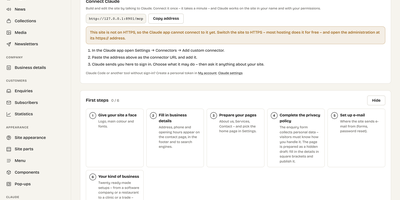
Kaleta is a business-website CMS where the page you edit is the page your visitors get, not a preview of it. The visual builder works on the live canvas: add sections, drag elements, edit text in place, and style every element separately for desktop, tablet, phone, and hover before you publish. Forty-six elements and forty ready-made sections cover pricing tables, timelines, before-and-after sliders, galleries, accordions, carousels, maps, and mega menus. Consistency comes from a design-token system: change one colour, font, spacing, or radius token and the whole site follows, with a WCAG contrast check on every colour pair and export in the W3C token format. Blocks you reuse become components edited once and updated everywhere, and each page carries its own search title, sharing image, and visibility, with the last twenty publications kept as versions. Moving in is a first-class feature: importers take WordPress exports including WooCommerce products and Polylang or WPML translations, plus Ghost, Blogger, Joomla, Drupal, and Webflow, creating a redirect from every old address so rankings survive. An optional AI assistant connected through MCP builds pages and handles chores only as drafts you approve. Forms, booking, enquiries, media folders with focal-point cropping, multilingual publishing, and GDPR duties such as automatic personal-data deletion are built in rather than bolted on. Running on a dedicated VPS on RepoCloud with guaranteed CPU, RAM, and SSD, full root SSH access, and a browser serial console. GPL-2.0 licensed.
BullFlow
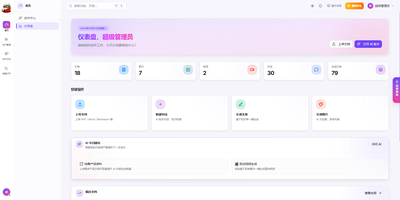
Generic AI writing sounds like nobody in particular; BullFlow writes from your own company knowledge instead. It first builds a private knowledge base from your documents, images, audio, and video plus structured records for your company, brand, products, customers, and cases. Ingestion runs entirely on local open models: OCR reads scans, semantic splitting and chunking prepare text, and hybrid vector plus full-text search retrieves passages with their sources and relevance scores shown under every answer. A creation agent then works in one conversation: it searches the knowledge base, drafts articles with images embedded in the text, generates image sets or short videos, and exports finished pieces as PDF or Word. Output adapts to where it is going, long-form articles for article platforms, multi-image posts with matching copy for image feeds. A separate distribution gateway sends one finished piece to many accounts across Chinese and international social platforms, checks account health on a schedule, and returns publish results and metrics by webhook. Around all of that sits a commercial shell: multiple tenants with isolated data, roles from super admin to finance, credit billing measured per token, image, and second, subscriptions, invoices, referral commissions, and a conversion funnel in the operations backend. Scheduled rules can generate and publish on a timetable with nobody watching, and notifications report each completion or failure. Running on a dedicated VPS on RepoCloud with guaranteed CPU, RAM, and SSD, full root SSH access, and a browser serial console. MIT licensed.
Tessera
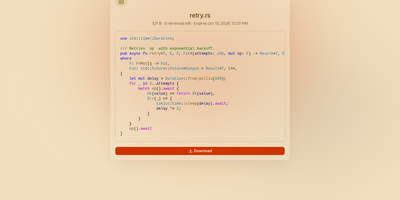
Most file sharing leaves copies lying around forever; Tessera shares things with a built-in goodbye. Drop in a file, a whole folder, a code snippet, or a link and you get back a short code and a URL that anyone can open until it expires or hits the download count you set, at which point it is deleted. Expiry is checked on every request and each retrieval is counted atomically, so a one-time share cannot be raced by two people at once. Passwords can be required before anything is shown, code arrives syntax-highlighted, and images, SVGs, and diagrams preview in the page, with link cards when you paste the URL into chat. Uploads resume after interruptions and stream through the server without ballooning memory at any size. Behind the scenes you choose where bytes live: local disk, S3-compatible storage, Azure Blob, Google Cloud Storage, or WebDAV, several at once, added or retired from the admin panel without a restart. Accounts are optional for a home server, sign-in through OpenID Connect suits a team, and roles with per-account quotas decide who may upload, view everyone's shares, or change settings. Optional malware scanning, anonymous-upload caps, and rate-limited code lookups keep a public instance honest. A CLI and API tokens drive the same endpoints as the web app, so scripts can share and clean up exactly like people. Running on a dedicated VPS on RepoCloud with guaranteed CPU, RAM, and SSD, full root SSH access, and a browser serial console. AGPL-3.0 licensed.
Filex
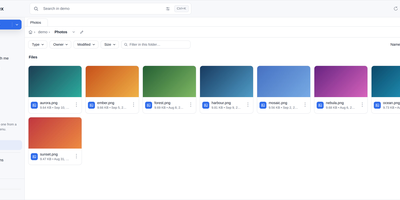
Your files already live in five places; filex puts them in one tree and serves that tree back out through almost any protocol. Mount local disks, S3 buckets, SFTP servers, WebDAV shares, FTP sites, and SMB network drives side by side, then copy in one storage and paste into another without thinking about where anything physically sits. The same tree is reachable as S3, SFTP, FTPS, NFS, and WebDAV, so rclone, restic, the AWS CLI, WinSCP, or FileZilla all work against it with the same per-user and per-folder permissions as the web interface. Sharing leaves the server under your control: public links carry a PIN, an expiry, and a download limit, and file-request links let people upload into a folder without seeing its contents. Anything deleted stays recoverable inside a retention window, overwritten files keep version snapshots, and encrypted folders are sealed in the browser so the server never receives a key. People sign in with OIDC single sign-on, LDAP or Active Directory, or the host machine's own accounts, with roles, groups, and tenants plus folder-level exceptions. A desktop app keeps chosen folders in sync within about a second, the file manager embeds into other products as a web component, and an MCP server plus REST API let agents work the same tree. It runs from one static binary or container on port 5212. Running on a dedicated VPS on RepoCloud with guaranteed CPU, RAM, and SSD, full root SSH access, and a browser serial console. MIT licensed.
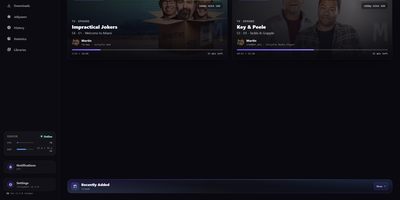
Jellydash
Jellydash answers the questions every Jellyfin admin asks, starting with who is watching right now and whether that stream is transcoding. Live cards show each session's artwork, user, quality, progress, and playback method, including the reason a transcode was needed, and live TV channels appear with real program progress. Behind the scenes, a background poller records every play even when nobody has the dashboard open, building a history you can search, filter by user or library, and export to CSV with poster art intact. Older Jellyfin or Emby Playback Reporting backups import in seconds, so years of viewing are not lost when you switch. Statistics turn that history into watch-time trends, top users, device and client activity, codec breakdowns, and transcode reasons, and clicking a chart opens the exact plays behind it. A monthly recap looks back at a finished month with rankings and daily activity, while trending and all-time most-watched strips show what your household actually loves. Optional pages follow Jellyseerr requests as they arrive and read the status of SABnzbd, qBittorrent, Transmission, Deluge, and NZBGet clients without ever touching their queues. Server activity, maintenance tasks, and system status stay one click away, and selected users can be excluded from monitoring entirely. When someone presses play, a notification can reach your phone through Telegram, Pushover, Discord, ntfy, Gotify, or Web Push. Running on a dedicated VPS on RepoCloud with guaranteed CPU, RAM, and SSD, full root SSH access, and a browser serial console. MIT licensed.
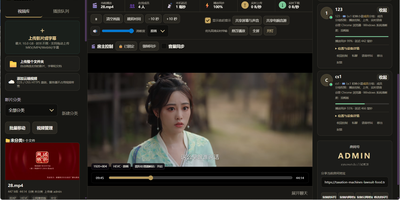
SyncWatch
Movie night should not depend on everyone pressing play at the same second; SyncWatch runs your own watch-party server so friends in different places watch the same frame together. The host controls play, pause, seeking, and playback speed for the whole room, and late joiners or drifting clients are corrected back to the shared position automatically. You build the program from uploads or direct HTTPS media links, with subtitles, audio, images, and documents handled in the same library. Rooms can be permanent or temporary, protected by passwords and member limits, with host, admin, and permission-group control over who may operate playback. Between scenes, people talk through public and private chat, on-screen danmaku comments, emoji, voice messages, or full-room voice. Anyone can share a browser tab, window, desktop, or phone screen into the room, so a clip, a game, or a presentation becomes the shared screen. The server also keeps friends, notifications, online presence, bans, registration approvals, and an operations log, so a private community can run itself without a platform account. Uploaded media is analyzed and thumbnailed automatically, with browser-compatible versions generated for awkward formats. Backups, data export, a recycle bin, mail verification, and network diagnostics round out the admin side. Running on a dedicated VPS on RepoCloud with guaranteed CPU, RAM, and SSD, full root SSH access, and a browser serial console. Apache-2.0 licensed.
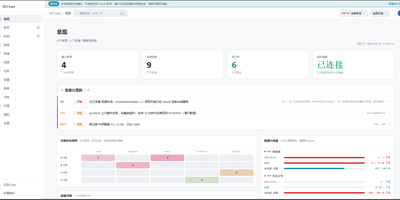
OCI Core
Anyone juggling several Oracle Cloud accounts knows the tab-switching ritual; OCI Core ends it by pulling every tenancy's instances into one self-hosted panel. The cross-account list shows state, shape, volumes, and public IPs for each machine, and you can start, stop, resize, rename, or terminate instances without opening Oracle's console. A creation wizard offers every shape in an availability domain, not just the free presets, while long operations such as IP swaps, resizes, and terminations run as background jobs with visible progress. Capacity hunting watches Oracle's read-only capacity reports and retries creation until a scarce shape appears, notifying you when it lands. Networking tools edit VCNs, subnets, and security rules visually, swap public IPs, enable IPv6, and manage extra network cards. Storage views resize boot and block volumes, and a rescue mode moves a broken system disk to a healthy machine for repair. Billing breaks spend down by service and region, tracks the monthly free egress allowance, and shows real usage for free-tier accounts. Accounts are checked for connectivity, quotas, and credential health, with emails, IPs, and OCIDs masked by default and revealed only on demand. Alerts reach Telegram, WeCom, DingTalk, email, or webhooks, and access is guarded by argon2id passwords, TOTP two-factor sign-in, session controls, and an audit log. Running on a dedicated VPS on RepoCloud with guaranteed CPU, RAM, and SSD, full root SSH access, and a browser serial console. MIT licensed.
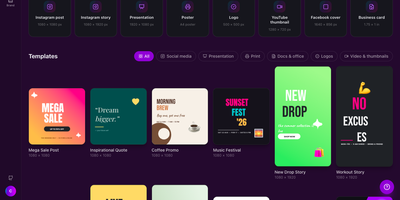
Canvix
Canvix is a self-hosted design studio that lets anyone create social posts, presentations, posters, logos, and thumbnails in the browser with a drag-and-drop editor, 110 ready-made templates, and exports with no watermarks. You start from a template sized for the platform you are publishing to, then drag in shapes, lines, stickers, and your own images, moving, resizing, and rotating everything directly on the canvas. Text gets proper typography controls, with bundled fonts, styles, spacing, alignment, and curved text that arcs across the design. Layers can be reordered and locked while smart guides snap elements into alignment, and a full undo history plus autosave means a closed tab never costs you the work. Finished designs export as PNG, JPG, SVG, PDF, or video at up to three times resolution, ready to publish anywhere. Free accounts keep each person's designs private to them, while share links open a design for anyone to view or continue editing. Version snapshots let you roll a design back when an experiment goes wrong. The AI tools, magic edit, magic write, background removal, and translation, run against your own API keys, so nothing is metered. An optional MCP endpoint even lets AI assistants create and edit designs for you. Running on a dedicated VPS on RepoCloud with guaranteed CPU, RAM, and SSD, full root SSH access, and a browser serial console. MIT licensed.
SoftJL
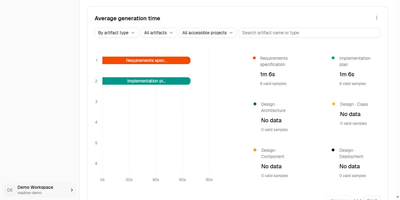
SoftJL turns a system description into the UML diagrams, test cases, and Word specifications a software project is supposed to produce, and keeps every artifact traceable back to the requirement it came from. Describe your system in chat and confirm the extracted requirement rules, then work through feasibility analysis with system context, business and system flows, and implementation options weighed by cost, benefit, and risk. From the confirmed rules it builds requirement and design models: functional structure, use cases, domain concepts, architecture, design classes, database and deployment diagrams, all editable as PlantUML with SVG export. Tests follow the same thread, with normal, exceptional, and boundary cases mapped to requirement rules in coverage and traceability matrices that show exactly which requirements lack design or test support before you submit. When a requirement changes, dependencies and update status point at the models, tests, and documents that need review, instead of leaving you to rediscover them by hand. Specifications generate from the saved models as versioned, editable DOCX files, a feasibility report, a requirements specification, and a design description, ready to compare against the diagrams and revise. An optional read-only MCP endpoint lets a coding agent read your designs and acceptance criteria, and the whole workspace runs on your own OpenAI-compatible model service. Running on a dedicated VPS on RepoCloud with guaranteed CPU, RAM, and SSD, full root SSH access, and a browser serial console. Apache-2.0 licensed.
NexusDesk
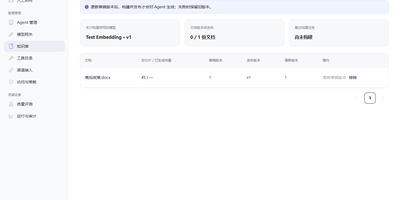
NexusDesk is a self-hosted agent platform whose first complete application turns customer support conversations into retrieved answers, tool calls, and confirmed tickets on your own infrastructure. An agent takes a request, retrieves context from your knowledge base, decides what to do, calls business tools, asks a human to confirm consequential actions, executes, records everything, and feeds evaluation, all as one visible loop rather than a black-box chat. The Harness around that loop is the engineering control layer: it governs permissions and execution boundaries, manages agent memory, routes human handoffs, and keeps an audit trail, so autonomy stays inside lines you drew. You configure, publish, and roll back agents, manage documents, chunks, indexes, and published knowledge versions, and connect Chat, Embedding, Rerank, OCR, and speech models through versioned profiles. Business APIs plug in as tools with their own credentials, parameters, and permissions, and support staff can take over a conversation, draft a ticket from it, and confirm follow-up work without leaving the flow. Channels and application APIs with server-sent events expose the same capabilities to your other systems, while execution records, model and tool call logs, and evaluation results show what the agent actually did. One PostgreSQL handles storage, job queues, and cross-process messaging, and one Compose file starts the stack. Running on a dedicated VPS on RepoCloud with guaranteed CPU, RAM, and SSD, full root SSH access, and a browser serial console. Apache-2.0 licensed.