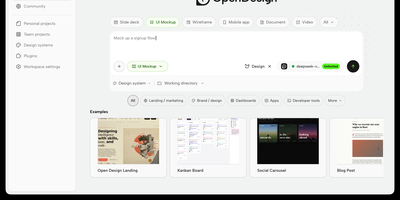
Open Design
With over 84,000 GitHub stars since its April 2026 launch, Open Design has emerged as the definitive open-source alternative to Anthropic's Claude Design. Rather than shipping its own language model, Open Design acts as an agent-agnostic design orchestration layer that auto-detects 25+ coding CLI executables on your PATH — including Claude Code, Codex, Cursor, Gemini CLI, OpenCode, Qwen, GitHub Copilot CLI, Hermes, and Kimi — or connects to any OpenAI-compatible endpoint via its built-in BYOK proxy at /api/proxy/stream. The platform introduces a file-based protocol where SKILL.md files define composable design workflows and DESIGN.md files establish version-controlled brand systems, currently shipping 31 first-party skills and 72 brand-grade design systems. Output spans web and mobile prototypes, live dashboards, presentation decks, raster images, video, and HyperFrames motion graphics, with export pipelines for HTML, PDF, PPTX, MP4, and ZIP. The daemon architecture uses SQLite for project state and serves a sandboxed iframe preview renderer with vendored React and Babel for JSX artifacts. Deployment options include the native desktop app for macOS, Windows, and Linux, local daemon mode via pnpm tools-dev, a single-container Docker Compose path serving both API and Next.js frontend on port 7456, and Vercel deployment for the web layer. On RepoCloud, deploy Open Design on a dedicated VPS with full root SSH access, persistent storage for your design systems and generated artifacts, and complete control over which AI providers and agent CLIs your instance connects to, all under the Apache-2.0 license.
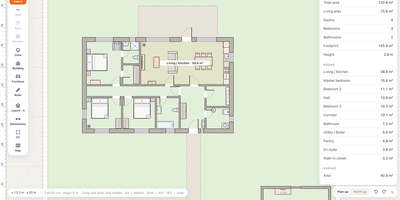
House Planner
House Planner holds the design of your house in one browser workspace, from true-scale floor plans drawn over a satellite photo of your plot to costed wiring, plumbing, sewer, and heating layouts. Draw walls at true scale in millimetres with thickness and materials, add doors, windows, garage gates, and furniture with true dimensions, and watch room areas and plot coverage total as you work. Flip into 3D for a massing model or the house finished with material textures and facade colours, with cut-down walls for reading the layout from above. Every utility network gets an engineering layer: route sewer lines to a septic tank with slopes and cleanouts, auto-route electrical circuits with breaker and voltage-drop checks, and run water piping from well and boiler to each fixture. Underfloor heating loops lay out room by room, split before 80 metres, and balance flow against heat loss. The bill of materials computes quantities from the plan and networks, producing a priced estimate you can print, tick off as you buy, or export to CSV. Every save is a numbered version with restorable snapshots, tabs cannot overwrite each other, and the JSON plan can be edited by an AI assistant through the same API. One password guards the project, phones get a read-only view for on-site checks, and the whole thing runs in one Docker container with no database. Running on a dedicated VPS on RepoCloud with guaranteed CPU, RAM, and SSD, full root SSH access, and a browser serial console. MIT licensed.
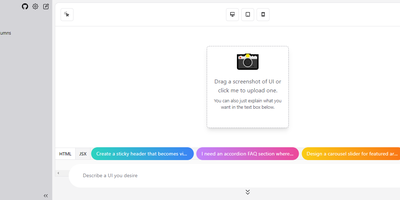
OpenUI
Describe a component in natural language and watch it render: OpenUI, from Weights & Biases, is an open alternative to Vercel's v0. Type a prompt like "a dark-themed dashboard with a sidebar and charts" and the LLM renders working HTML with Tailwind styling live in the browser. You then iterate conversationally, asking for changes until the design is right, and convert the result to React, Svelte, or Web Components for use in a real project. The backend is Python with LiteLLM routing, so it works with OpenAI, Anthropic, Gemini, Groq, and Mistral API keys, or fully offline against local Ollama models, including vision models like LLaVA that can generate UI from screenshot input - feed a screenshot and the model reproduces or riffs on an existing interface. Generated markup is inspectable at any point, with light and dark mode toggles, theme selection, and responsive previews across device sizes. The practical effect is compressing the mockup-review-revise loop from hours to minutes: a described layout renders in seconds and iterates through follow-up prompts, and because output converts to real framework code, prototypes feed directly into production codebases instead of staying trapped in a design tool. Self-hosting keeps unreleased product interfaces and prompts on your own server, and LiteLLM routing lets you pick the model per task - a cheap fast model for rough drafts, a stronger one for final passes, or free local models for unlimited experimentation.
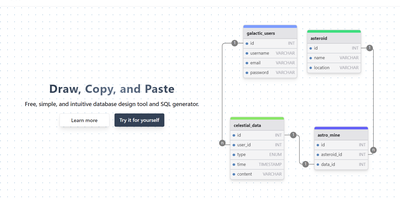
drawDB
Schema design with no account and a few clicks: drawDB is the browser-based entity-relationship diagram editor and SQL generator - an AGPL-3.0 React project with over 37,000 GitHub stars. Draw tables with columns, data types, defaults, and constraints; connect fields to create foreign-key relationships; group tables into labeled subject areas; and annotate with notes. When the design is ready, one export produces CREATE TABLE DDL - with constraints, indexes, and foreign keys - targeted at MySQL, PostgreSQL, SQLite, MariaDB, SQL Server, or Oracle. Diagrams can be database-specific, unlocking every native type plus dialect features like PostgreSQL enums and composite custom types, or generic for portability across all supported flavors. The reverse direction works too: paste existing DDL into the import dialog and drawDB renders your live schema as a navigable diagram - the fastest way to document an inherited database. Versioning and migration-script generation track schema evolution, full editor ergonomics (undo/redo, copy/paste, duplicate, themes) keep iteration fast, and diagrams export as PNG, SVG, or shareable JSON. Everything runs client-side against browser storage - no backend database connection needed - so the self-hosted Docker deployment is a featherweight static app that keeps proprietary schema designs entirely on your infrastructure.
Webstudio
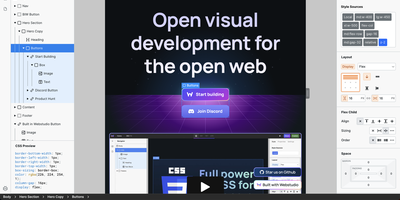
Webstudio delivers a professional-grade visual website builder that outputs semantic HTML and clean CSS without inline style pollution or JavaScript-heavy render paths. The live canvas editor provides direct manipulation of all CSS properties — flexbox, grid, spacing, typography, transforms, and filters — with real-time preview across responsive breakpoints. The component system supports reusable instances with variants and overrides, while design tokens maintain consistent colors, fonts, and spacing across the entire site. Data bindings connect to external content sources through native integrations with Strapi and Supabase, plus a generic CMS interface for any REST API backend. The Scroll Timeline API powers animations at 120 FPS off the main thread, with presets for rotate, scale, translate, opacity, color, and filter effects. Projects build as dynamic Remix applications with server-side rendering or export as static HTML, CSS, and JavaScript files. The Webstudio CLI generates Docker-ready builds that run a Node.js server on port 3000, with Nginx reverse proxy configuration for SSL termination via Let's Encrypt. The builder requires minimum 1 GB RAM and 1 CPU core for Docker builds. MCP integration enables AI agents to create and modify websites programmatically. On RepoCloud, deploy Webstudio projects on a dedicated VPS with root SSH access, persistent storage, and complete control over your hosting, custom domains, and deployment pipeline, all under the AGPL-3.0 license.
KaletaCMS
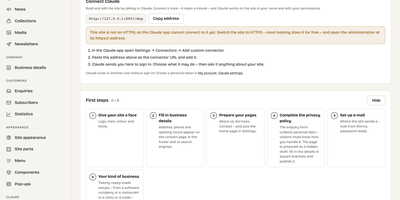
Kaleta is a business-website CMS where the page you edit is the page your visitors get, not a preview of it. The visual builder works on the live canvas: add sections, drag elements, edit text in place, and style every element separately for desktop, tablet, phone, and hover before you publish. Forty-six elements and forty ready-made sections cover pricing tables, timelines, before-and-after sliders, galleries, accordions, carousels, maps, and mega menus. Consistency comes from a design-token system: change one colour, font, spacing, or radius token and the whole site follows, with a WCAG contrast check on every colour pair and export in the W3C token format. Blocks you reuse become components edited once and updated everywhere, and each page carries its own search title, sharing image, and visibility, with the last twenty publications kept as versions. Moving in is a first-class feature: importers take WordPress exports including WooCommerce products and Polylang or WPML translations, plus Ghost, Blogger, Joomla, Drupal, and Webflow, creating a redirect from every old address so rankings survive. An optional AI assistant connected through MCP builds pages and handles chores only as drafts you approve. Forms, booking, enquiries, media folders with focal-point cropping, multilingual publishing, and GDPR duties such as automatic personal-data deletion are built in rather than bolted on. Running on a dedicated VPS on RepoCloud with guaranteed CPU, RAM, and SSD, full root SSH access, and a browser serial console. GPL-2.0 licensed.
Excalidraw
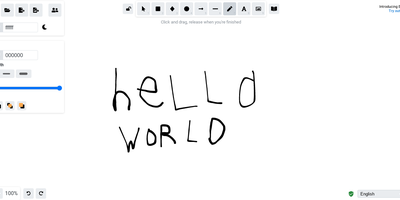
Half the architecture sketches on the internet trace back to Excalidraw - the MIT-licensed virtual whiteboard whose hand-drawn aesthetic made technical diagramming feel approachable, at roughly 85,000 GitHub stars. The infinite canvas offers rectangles, ellipses, diamonds, arrows with smart binding and labels, free-draw, text, images, and an eraser, with full undo/redo, zoom, dark mode, and keyboard-first ergonomics. Community shape libraries add thousands of pre-built elements - AWS architecture icons, flowchart stencils, UI wireframe kits - and everything exports to PNG, SVG, the clipboard, or the open .excalidraw JSON format that keeps drawings diffable and portable. Live collaboration works on a share-a-link model with live cursors and a laser pointer for presenting, and it is end-to-end encrypted by design: the room key travels in the URL hash, which never reaches the server, so the WebSocket relay only ever sees ciphertext. The architecture is remarkably light - the app is a static bundle served by Nginx, drawings persist locally in the browser, and the stateless excalidraw-room relay handles multiplayer - so a self-hosted deployment gives unlimited boards and collaborators with near-zero resource cost, replacing per-editor whiteboard subscriptions.
Draw a UI
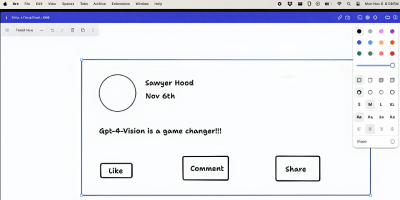
Sketch a wireframe, get working code: Draw a UI turns hand-drawn layouts into web interfaces. It pairs the open-source tldraw canvas with an OpenAI vision model: you sketch a layout - boxes, labels, buttons, arrows, whatever communicates the idea - select the drawing, and click Make Real. The app snapshots your selection as a PNG, sends it to the vision API with instructions to return a single HTML file styled with Tailwind CSS, and renders the result in an iframe directly on the canvas next to your sketch. The loop is iterative: annotate the generated prototype or redraw parts of it, select both the sketch and the previous result, and generate again - the model receives the earlier HTML as context and produces an updated version. Built by Figma engineer Sawyer Hood as one of the first viral GPT-4 Vision demos and the basis for tldraw's "Make Real", it is a Next.js app that runs against your own OpenAI API key. Self-hosting matters here: the upstream demo ships without authentication, so a private deployment keeps your API key from being drained by strangers. MIT-licensed.
SnapOtter
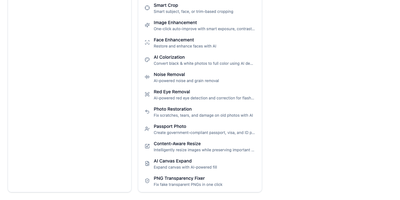
Fifty-plus image processing tools in a single Docker container, with no Redis, no Postgres, and no external dependencies: SnapOtter is a self-hosted image toolkit. The everyday operations are all here: resize, crop, compress, watermark, vectorize, meme generation, GIF creation, and format conversion spanning 55+ input formats (including 23 camera RAW formats) to 14 output formats. What sets it apart is the local AI layer: background removal, photo upscaling and restoration, object erasing, face blurring, OCR, and canvas expansion all run on locally hosted models, so no image ever leaves your server - a hard guarantee that cloud tools like remove.bg or Canva can't make. Optional NVIDIA GPU support accelerates those AI tasks substantially when hardware is available, but everything works on CPU. A built-in layer-based editor handles composition work directly in the browser, and screenshot beautification turns plain captures into polished visuals with backgrounds, shadows, and padding - useful for docs and marketing alike. Batch operations process unlimited images simultaneously, and the full REST API with OpenAPI documentation exposes every tool for pipelines and automations: thumbnail generation on upload, bulk RAW conversion, automated watermarking. For teams processing sensitive imagery or anyone tired of per-image SaaS pricing, SnapOtter replaces a stack of subscriptions with one private container.
OpenPencil
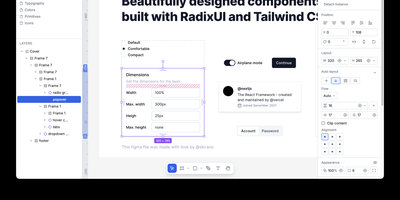
OpenPencil is the open-source design editor that reads and writes native Figma .fig files using the same Kiwi binary format — enabling bidirectional copy-paste between Figma and OpenPencil without data loss. The built-in AI assistant provides 90+ design tools through a chat interface, creating and modifying shapes, fills, strokes, auto-layout, components, variables, and boolean operations from natural language prompts, with BYOK support for Anthropic, OpenAI, Google AI, OpenRouter, Z.ai, MiniMax, and compatible endpoints. A Skia CanvasKit WASM renderer paired with Yoga WASM layout engine delivers Figma-parity rendering with flex and CSS Grid support including gap, padding, and alignment. The headless CLI inspects node trees via XPath queries, lints naming and accessibility, converts between document formats, analyzes color and typography patterns, extracts design tokens, and exports to PNG, SVG, JSX/Tailwind, and HTML. An MCP server exposes all design operations over stdio and HTTP, connecting Claude Code, Cursor, Windsurf, and Gemini CLI for AI-assisted design automation. Real-time P2P collaboration via WebRTC with Yjs CRDT synchronization requires no server and no account. The Vue SDK provides headless components for embedding the editor into custom applications. Ships as a 7 MB Tauri v2 desktop app for macOS, Windows, and Linux, or runs in any browser as a PWA. Running on a dedicated VPS on RepoCloud with guaranteed CPU, RAM, and SSD, full root SSH access, and a browser serial console. MIT licensed.
Instatic
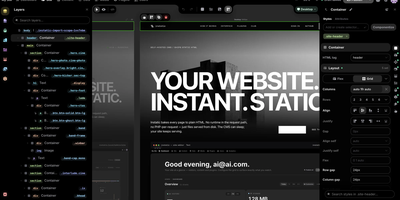
Design a website on a canvas, manage its content in spreadsheet-style tables, and publish plain HTML, all from one self-hosted Instatic server. Designers see several breakpoint frames side by side, or switch to live mode and edit one full-size page in place. A built-in design system expands one brand color into a full shade scale, generates fluid type and spacing scales, and writes the utility classes into a single small stylesheet. Reusable Visual Components take typed parameters and named slots, templates set site-wide or per-post-type layouts, and loops repeat a design over posts or media. Editors work in custom post types and data tables, and posts move through draft, scheduled, and published states. Forms on the site save their submissions to tables of your own. An AI agent can do the building, placing real, editable nodes on the canvas using Claude, OpenAI, OpenRouter, or Ollama with your own key, and an MCP connector lets Claude, ChatGPT, and other remote agents work on the site too. Super Import converts a whole static site into pages, styles, tokens, and media. Teams get roles built from 38 capabilities, TOTP two-factor sign-in, and an append-only audit log, plus site branches with private copies, shareable preview links, and merge review. Everything published is baked to plain HTML and CSS on disk. Running on a dedicated VPS on RepoCloud with guaranteed CPU, RAM, and SSD, full root SSH access, and a browser serial console. MIT licensed.
Doory
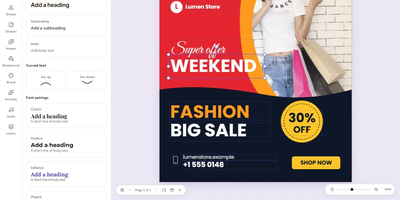
Design posters, social posts, presentations, invitations, resumes, thumbnails, and business cards in your browser with Doory, a self-hosted design editor that keeps your files, fonts, and brand assets on your own server. Start from one of ten starter templates or a blank canvas, then place text, shapes, lines, arrows, emoji, stickers, QR codes, and roughly 27,500 built-in icons anywhere on the page. Photo tools cover cropping, masks, filters, in-browser background removal, and 2x to 4x image upscaling, with stock photo search through Unsplash or Pexels. Layers can be renamed, locked, hidden, grouped, and reordered, while guides, snapping, rulers, per-page sizes, and format resizing keep multi-page designs tidy. Animations add 27 enter and exit effects, 12 emphasis motions, and 16 page transitions, plus Creative Commons music loops and sound effects, so decks can be presented live with speaker notes or exported as MP4, WebM, or GIF. Share links grant view, comment, or edit access with an optional password, and collaborators can pin comments, co-edit in real time, and roll back through version history. Brand kits store your colors, fonts, and logos so recurring posts stay on-brand, and exports cover PNG, JPG, SVG, and print-ready PDF with bleed and crop marks. An optional MCP server lets AI assistants create and fill designs from prompts, including bulk template filling from spreadsheet-style rows. Running on a dedicated VPS on RepoCloud with guaranteed CPU, RAM, and SSD, full root SSH access, and a browser serial console. Attribution Assurance License licensed.
Codel
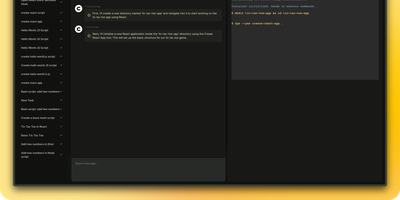
Meet your new digital sidekick, the Fully Autonomous AI Agent! This isn't just any AI; it's like having a superhero in your terminal, browser, and editor. Ready to tackle complex tasks and projects with a single command, this AI Agent is your go-to for making tech magic happen. And with RepoCloud, you're not just saving on costs, you're also joining a league of extraordinary users harnessing the power of open-source collaboration. Get ready to elevate your productivity to legendary levels!
Canvix
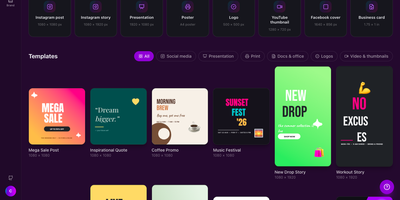
Canvix is a self-hosted design studio that lets anyone create social posts, presentations, posters, logos, and thumbnails in the browser with a drag-and-drop editor, 110 ready-made templates, and exports with no watermarks. You start from a template sized for the platform you are publishing to, then drag in shapes, lines, stickers, and your own images, moving, resizing, and rotating everything directly on the canvas. Text gets proper typography controls, with bundled fonts, styles, spacing, alignment, and curved text that arcs across the design. Layers can be reordered and locked while smart guides snap elements into alignment, and a full undo history plus autosave means a closed tab never costs you the work. Finished designs export as PNG, JPG, SVG, PDF, or video at up to three times resolution, ready to publish anywhere. Free accounts keep each person's designs private to them, while share links open a design for anyone to view or continue editing. Version snapshots let you roll a design back when an experiment goes wrong. The AI tools, magic edit, magic write, background removal, and translation, run against your own API keys, so nothing is metered. An optional MCP endpoint even lets AI assistants create and edit designs for you. Running on a dedicated VPS on RepoCloud with guaranteed CPU, RAM, and SSD, full root SSH access, and a browser serial console. MIT licensed.
OpenPost
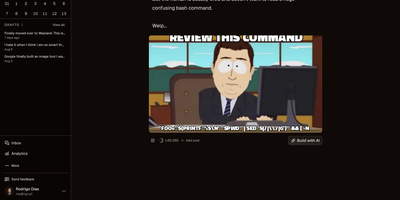
OpenPost is an open-source content creation and publishing suite that unifies multi-platform social scheduling, graphic design, and video editing into a single self-hosted control center. Creators can compose one primary announcement and tailor bespoke copy, media attachments, and thread structures across sixteen distinct networks including Bluesky, Mastodon, X, Threads, LinkedIn, YouTube, and Discord. The integrated browser canvas lets you design multi-slide carousels with custom typography, layer ordering, and automated background removal without juggling external design software. A built-in multitrack video suite allows you to trim footage, render subtitle captions, insert transitions, and slice clips directly by highlighting spoken words in generated transcripts. Social managers can organize campaigns through an interactive visual calendar, stagger deliveries across automated queues, and monitor unified comment streams to answer incoming audience inquiries directly from a single inbox. Teams can organize multiple independent client brands into partitioned workspaces with role-based permissions, automated repost policies, and programmable scheduling webhooks via native REST and Model Context Protocol endpoints. Running on a dedicated VPS on RepoCloud with guaranteed CPU, RAM, and SSD, full root SSH access, and a browser serial console. AGPL-3.0 licensed.
ChartDB
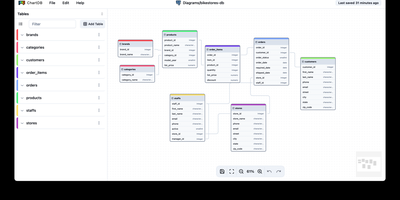
Paste one SQL query result into a browser and get an interactive entity-relationship diagram instantly, with no installations, no credentials, and no account required. ChartDB's "Smart Query" runs a single statement in your existing database client that exports table definitions, relationships, indexes, and column types as JSON metadata, meaning the application never touches your database passwords. The canvas renders draggable entities with cardinality markers, collapsible grouping areas, and sticky notes for documentation. AI-powered DDL export generates migration scripts between dialect pairs like PostgreSQL to MySQL or SQLite to CockroachDB, analyzing your schema to produce target-specific DDL with correct type mappings and constraint translations. Import paths cover Smart Query JSON, raw DDL scripts, and DBML files from tools like dbdiagram.io. The AI layer connects to OpenAI or any compatible inference server including local vLLM instances running models like Qwen2.5-32B. Database coverage includes PostgreSQL (with Supabase and Timescale extensions), MySQL, SQL Server, MariaDB, SQLite (with Cloudflare D1), CockroachDB, ClickHouse, and Oracle. Exports to SVG with inline styles or SQL DDL in any target dialect. Ships as a React/Vite frontend behind Nginx in Docker, deployable on RepoCloud with dedicated VPS resources under the AGPL-3.0 license.
Quant-UX
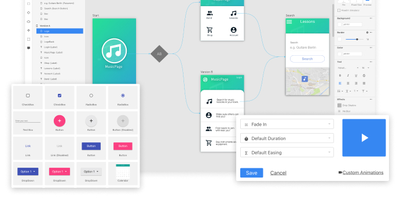
Most design tools stop at prototyping; Quant-UX also measures how real users actually perform with the prototype. The visual editor creates prototypes that behave like real apps - functional input widgets, animations, form validation, data binding across screens, and business logic modeled with REST requests and decision elements. Design systems are first-class, with components, design tokens, and master screens; if you design elsewhere, drop in image files or import from Figma. Testing is a shared link or QR code - no installs on the tester's side. Define user tasks up front, and Quant-UX records every session: click heatmaps show where users found (or missed) actionable elements, user journey graphs expose lost users, drop-off charts reveal where tasks stall, and success rates and task KPIs are extracted automatically into a dashboard. An A/B test operator wires two design variants into one prototype and compares task duration, success rate, and interaction counts. In-prototype surveys collect qualitative feedback alongside the numbers, and an AI assistant generates prototype fragments like styled forms on request. The RepoCloud deployment runs the full stack - frontend, backend, and WebSocket server containers over MongoDB - so all test recordings and research data stay on your infrastructure.
Moocup
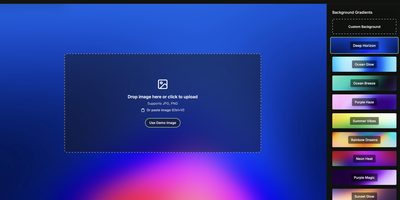
Drop your screenshot, a base style is applied, style it however you wish, and export - "that's basically it," says Moocup's own author, and the description holds. The workflow is genuinely seconds long. Drag an image in and it lands on an attractive backdrop immediately; from there you adjust backgrounds, gradients, padding, borders, shadows, and framing with live preview until it matches your taste, then export a high-quality image ready for a portfolio page, README, blog post, tweet, or slide deck. There are no accounts, no watermarks, and no upload to anyone's cloud - as a self-hosted static app, your screenshots never leave your infrastructure, which matters when the screenshot shows a proprietary dashboard or unreleased product. It runs entirely in the browser from a tiny nginx container, works on any device, and requires zero design skill: the smart defaults do the heavy lifting, and everything else is optional tinkering.