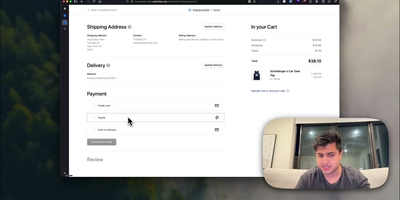
Openship
Point Openship at a GitHub repo, local folder, or prebuilt artifact and it detects your stack, builds a Docker container, provisions databases, configures domains with automatic Let's Encrypt TLS, and routes traffic through an OpenResty edge layer on ports 80 and 443. Already past 10,000 stars since launching in March 2026, it turns any Linux VPS into a managed application host. Language support covers Node.js, Python, Go, Rust, PHP, Ruby, Java, .NET, Docker, and monorepo projects with push-to-deploy CI/CD, pull request preview environments on unique subdomains, staging/production flows, and one-click rollbacks. Integrated backend services include managed Postgres, MySQL, MongoDB, Redis, persistent volumes, WebSocket proxying, object storage, and worker processes, all provisioned from the dashboard without compose files. A built-in SMTP server handles transactional email with automatic DKIM, SPF, and DMARC configuration, eliminating external email services. The edge layer serves HTTP/3 with Brotli compression, configurable cache rules, and instant purging. Real-time monitoring streams build logs, container metrics, visitor geography, and per-status-code analytics at 1.4 microsecond overhead with zero database writes. Scheduled backups cover databases and volumes with one-click restore and export. Three interfaces (web dashboard, desktop app for macOS/Windows/Linux, and the openship CLI) drive the same API, plus a Model Context Protocol endpoint for AI integration. Running on a dedicated VPS on RepoCloud with guaranteed CPU, RAM, and SSD, full root SSH access, and a browser serial console. Apache 2.0 licensed.
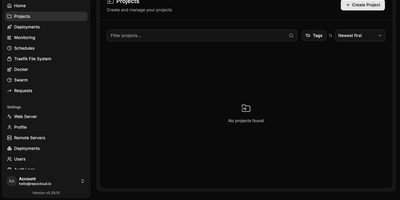
Dokploy VPS
Your own Heroku or Vercel on a dedicated server — Dokploy is the open-source PaaS that replaces cloud platform subscriptions with a single dashboard you control. Point it at a Git repository or a Docker image, and it builds and deploys the application using Dockerfiles, Nixpacks, or Heroku/Paketo buildpacks. Traefik handles reverse proxying, routing, load balancing, automatic Let's Encrypt SSL, and HTTP/3. Databases — MySQL, PostgreSQL, MongoDB, MariaDB, libsql, and Redis — provision from the UI with automated backups to any S3-compatible destination. Complex multi-service applications deploy through native Docker Compose support, and multi-node scaling uses Docker Swarm. The web dashboard covers environment variables, volumes, resource limits, real-time CPU/memory/network monitoring, and deployment logs, with a CLI and REST API for automation. Deploy notifications go to Slack, Discord, Telegram, or email. One-click templates install common open-source tools, and a single control plane can manage deployments across multiple remote servers. Because everything is standard Docker, there is no lock-in: Dockerfiles, Compose files, and data volumes work anywhere else Docker runs. The push-to-deploy workflow of a $20/seat cloud PaaS, running on a dedicated VPS with guaranteed CPU, RAM, SSD, and full root access — no per-app, per-environment, or per-seat fees regardless of how many applications you deploy. 26,000+ GitHub stars.
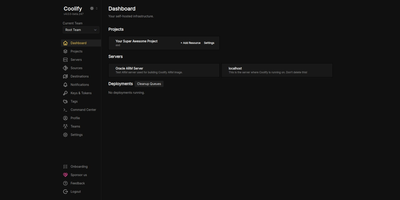
Coolify VPS
The open-source PaaS with 55,000+ GitHub stars and the largest one-click service catalog in its class — Coolify gives you the Vercel push-to-deploy workflow on a dedicated server you control. Connect a GitHub, GitLab, Bitbucket, or Gitea repository and every push builds and deploys automatically via Nixpacks, a Dockerfile, or Docker Compose, with Traefik or Caddy reverse proxying, automatic Let's Encrypt certificates, and per-branch preview deployments with their own URLs. Databases — PostgreSQL, MySQL, MariaDB, MongoDB, Redis — provision in a few clicks, and a catalog of 280+ one-click service templates covers WordPress, n8n, Grafana, MinIO, Plausible, Ollama, and more. One dashboard manages the entire server, with Docker Swarm available for clustering multiple nodes. Backups go to any S3-compatible storage with one-click restore, and a full API supports CI/CD integration. All configuration lives on your own server, so resources keep running even if you stop using Coolify — no vendor lock-in by design. Running on a dedicated VPS with guaranteed CPU, RAM, and SSD, full root access via SSH and browser console. Apache 2.0 licensed.
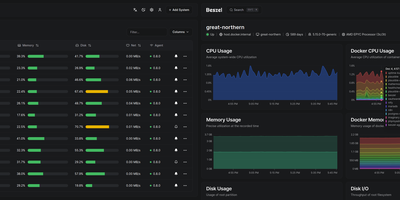
Beszel
Reaching 24,000 GitHub stars within two years of its first commit in July 2024, Beszel delivers Netdata-grade monitoring dashboards from a single Docker container with no Prometheus stack, no external database, and no complex configuration — just a one-binary hub on PocketBase (SQLite embedded) and a sub-15 MB agent per host that auto-discovers Docker and Podman containers on contact. The agent connects outbound via WebSocket or SSH tunnel, requiring zero open ports on monitored servers and zero manual network configuration. Per-host metrics cover CPU usage, memory with swap and ZFS ARC breakdown, disk I/O across multiple partitions, network throughput, load average, sensor temperatures, battery charge, and GPU utilization with power draw for Nvidia, AMD, and Intel cards — features that competitors lock behind paid tiers. S.M.A.R.T. disk health including eMMC wear indicators and Linux mdraid array status surface hardware degradation before failures occur. Container statistics track CPU, memory, and network history per container with automatic discovery as new containers start. Configurable threshold alerts notify via email, Discord, Telegram, ntfy, Pushover, Gotify, Matrix, Mattermost, Signal, Slack, Microsoft Teams, and Twilio when metrics exceed defined limits. Multi-user accounts with OAuth/OIDC authentication let teams share monitored systems with role-based access, while automatic backups persist data to disk or S3-compatible storage. Running on a dedicated VPS on RepoCloud with guaranteed CPU, RAM, and SSD, full root SSH access, and a browser serial console. MIT licensed.
Cap
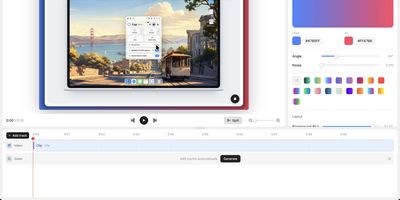
Cap is an open-source screen recorder with a built-in sharing site, so the explanation you would have booked a call for becomes a link someone can watch whenever it suits them. Pick Instant Mode when speed matters: choose a screen, window, or area, add your camera and microphone, and the video uploads while you record, so the share link is ready the second you stop. Pick Studio Mode when polish matters: Cap records locally at up to 4K and 60 frames per second, keeps screen and camera as separate tracks, and opens an editor for trimming, backgrounds, zooms, captions, and export to MP4 or GIF. Whichever mode made it, a shared video lands on a page that plays in any browser, where viewers can leave comments and reactions. Owners can keep a video private or protect it with a password, and team workspaces keep a shared library organized. Share pages come from your own domain, and recordings live in the bundled object store or any S3-compatible bucket. Connect a transcription and AI provider to add transcripts, titles, summaries, and clickable chapters. Bug reports, product demos, onboarding walkthroughs, design reviews, and async standups all shrink to a short recording and a link. The desktop apps for macOS, Windows, and Linux connect to your server through a single Cap Server URL setting. Running on a dedicated VPS on RepoCloud with guaranteed CPU, RAM, and SSD, full root SSH access, and a browser serial console. AGPL-3.0 licensed.
Komodo
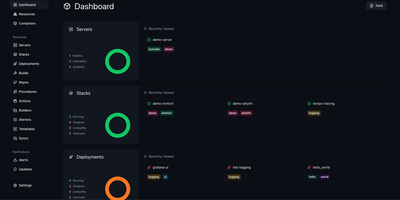
Komodo puts every server, container, and deployment pipeline behind a single dashboard where you build, ship, and monitor Docker workloads across unlimited hosts. Lightweight stateless agents install on each connected server and report CPU, memory, and disk metrics back to the Rust-powered core, giving you real-time visibility without heavyweight monitoring stacks. Docker Compose stacks deploy directly from the UI or link to Git repositories with webhook-triggered automatic redeploys on push. A built-in CI pipeline compiles versioned Docker images from source, with optional AWS spot instances for burst build capacity. For orchestration at scale, Docker Swarm management handles node configuration, service deployment, and multi-node stack orchestration from the same control plane. Browser terminal sessions open persistent named shells on servers and inside containers, complete with shared team access and scriptable Actions that chain executions into multi-stage procedures. Infrastructure-as-code support defines all resources declaratively in TOML files within a Git repository, keeping production state version-controlled and auditable. Granular role-based access control with user groups, per-resource permissions, and OAuth through GitHub and Google keeps teams operating within defined boundaries. A full OpenAPI specification, dedicated CLI, and typesafe client libraries for Rust and TypeScript make programmatic integration straightforward. With 12,000+ stars and active development, the community continues expanding multi-architecture builds and Swarm tooling.
Traefik Manager
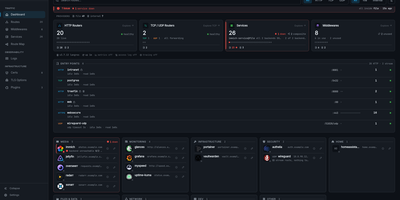
Where Traefik's built-in dashboard only shows what is running, Traefik Manager lets you change it: add routes, middlewares, and services from forms and wizards instead of editing YAML by hand. A first-run wizard connects to the Traefik API, creates a route for the manager itself, and sets the admin password. After that, the dashboard turns every route into a launchable app card with live health, and the Route Map draws each request from entry point through middlewares to backend. New routes use a slide-in form for HTTP, TCP, or UDP with several domains and backends, sticky sessions, and health checks. 30 middleware wizards handle authentication, rate limiting, headers, CORS, and redirects, and weighted, mirroring, or failover services can be built on their own. For day-to-day monitoring, the Certificates tab tracks expiry from acme.json, the Logs tab turns the access log into clickable analytics, the CrowdSec tab lists attacks and bans, and alerts reach Discord, Slack, ntfy, Telegram, and more. Changes to traefik.yml apply with a one-click restart, every edit is backed up locally and can be pushed to a git repository, and a lightweight agent brings remote Traefik servers into the same interface. Sign in with TOTP two-factor or OIDC single sign-on, in any of 14 languages. Running on a dedicated VPS on RepoCloud with guaranteed CPU, RAM, and SSD, full root SSH access, and a browser serial console. GPL-3.0 licensed.
Dockpeek
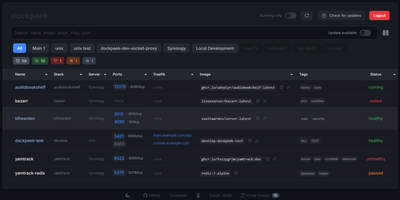
Fleet-wide container discovery, live log streaming, and Traefik reverse-proxy routing converge into Dockpeek, a lightweight Docker dashboard built for multi-host server environments. System administrators can launch web applications with one click through automatic port binding detection and integrated Traefik label parsing that extracts public routing hostnames directly from container configurations. The platform monitors multi-host environments through encrypted Docker socket proxies, letting operators inspect running containers, query published network ports, and trigger image updates from a unified control panel. Native Docker Swarm integration auto-detects active cluster managers, mapping swarm services and replicated tasks alongside standalone workloads while flagging degraded service replicas. Built-in log inspectors stream stdout and stderr outputs in real time with line-filtering controls to diagnose crashed services without opening remote SSH terminals. Operators can track image registries for newer digest tags, review pending updates across container fleets, and trigger graceful rolling container recreations directly from the dashboard. Running on a dedicated VPS on RepoCloud with guaranteed CPU, RAM, and SSD, full root SSH access, and a browser serial console. MIT licensed.
Dagger
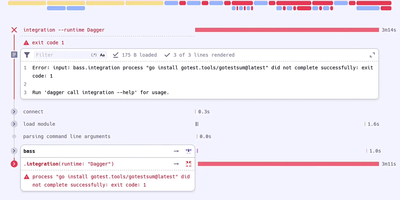
With 16,100 GitHub stars and created by Solomon Hykes (co-founder of Docker), Dagger eliminates proprietary YAML DSLs from CI/CD by letting developers write pipelines as real programs in their preferred language — then executing them identically on a laptop, in GitHub Actions, in GitLab CI, or on any machine with a container runtime. The BuildKit-based Dagger Engine runs every pipeline operation inside OCI containers, constructing a directed acyclic graph where each node is cached by default, parallelized automatically, and produces bit-for-bit reproducible outputs regardless of execution environment. Native SDKs generated from the GraphQL API schema provide Go, Python, TypeScript, PHP, Java, .NET, Elixir, and Rust developers with full type safety, IDE autocomplete, and the ability to unit-test CI pipelines using the same testing frameworks as application code. The module ecosystem enables cross-language composition where a Python team can invoke a Go team's build functions without learning Go, while filesystems, secrets, git repositories, and network tunnels are passed between functions as strongly-typed objects. Pipeline operations cache at container-layer granularity with content-addressed deduplication, and the interactive REPL enables step-by-step pipeline debugging with live container inspection. Host dependencies are explicit and strictly typed, eliminating implicit environment coupling that causes "works on my machine" failures. Running on a dedicated VPS on RepoCloud with guaranteed CPU, RAM, and SSD, full root SSH access, and a browser serial console. Apache 2.0 licensed.
Neko
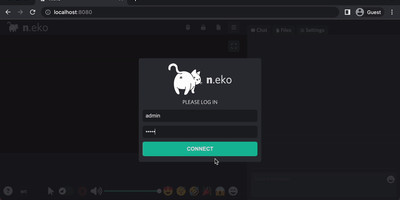
With over 21,000 GitHub stars and six years of steady development through version 3.1.0, Neko transforms any Docker container into a fully interactive browser or desktop environment streamed to web browsers via WebRTC with sub-300-millisecond glass-to-glass latency. The Go backend captures X server display frames using the Pion WebRTC library while the Vue.js frontend renders the remote session with native audio synchronization, delivering a significantly smoother experience than Apache Guacamole or noVNC which rely on image-over-WebSocket approaches. Multiple users simultaneously view and collaboratively control the same session with real-time input synchronization and host-managed control passing between participants. Pre-built Docker images cover Firefox, Chromium, Google Chrome, Tor Browser, Brave, Vivaldi, and Microsoft Edge alongside full desktop environments including XFCE and KDE for running any Linux application. Neko Rooms provides multi-tenant deployment with a REST API for programmatic room provisioning, while Neko Apps extends the platform with additional containerized applications beyond browsers. Sessions persist on the server independently of client connections — close your laptop, reconnect from your phone, and resume exactly where you left off. Optional VPN and Tor integration routes traffic through encrypted tunnels for privacy-sensitive browsing. RTMP broadcasting streams sessions to external platforms. The embeddable client supports iframe integration for custom portals and applications. Running on a dedicated VPS on RepoCloud with guaranteed CPU, RAM, and SSD, full root SSH access, and a browser serial console. Apache-2.0 licensed.
Floci
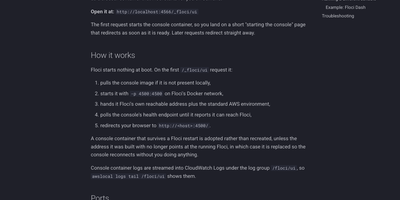
Floci is a local AWS emulator you run on your own server so your code can use S3, queues, Lambdas, and dozens of other AWS services without an AWS account, an auth token, or a bill quietly growing in another tab. Point the AWS CLI, SDKs, Terraform, CDK, or OpenTofu at port 4566 and keep the workflows you already have; every emulated service answers on that one endpoint, in any AWS region or partition. Existing LocalStack projects can swap the container image and keep going, because Floci accepts the same endpoint style and many of the same environment variables. Where emulation is not enough, real services come along too: RDS, ElastiCache, MSK, Neptune, DocumentDB, ECS, EC2, EKS, and CodeBuild run through actual Docker execution rather than a shallow stub, so tests meet behavior closer to production. A browser console starts on demand and lets you inspect the buckets, queues, tables, and other resources your emulator holds, without another tool to install. There is no telemetry, no credit meter, and no CI restriction; the whole feature set is the free set, ready for a developer laptop, a shared test host, or a pipeline runner. Running on a dedicated VPS on RepoCloud with guaranteed CPU, RAM, and SSD, full root SSH access, and a browser serial console. MIT licensed.
Yacht
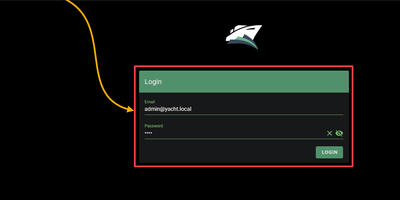
Docker deployment reimagined as an app store: browse a visual catalog of applications, click to deploy with sensible defaults, and customize ports, volumes, and environment variables only when you need to. Point Yacht at any Portainer-compatible template JSON URL and it parses every application into a browsable, searchable interface with pre-configured settings ready for one-click launch. The template framework is fully decentralized — anyone can host template files on GitHub, a personal server, or any URL, creating a community-driven ecosystem of deployment packages without central gatekeeping. Template variables prefixed with ! automatically substitute server-level settings, so !config resolves to your configured path across every deployment without repetitive manual editing. The Python backend handles container lifecycle — start, stop, restart, kill, removal — while streaming real-time logs, providing browser-based shell access, and monitoring resource statistics through the Vuetify dashboard. Docker Compose stacks sit alongside individual containers in the same management interface. Advanced editing lets you modify port mappings, volumes, environment variables, and restart policies on running containers without redeployment. The develop branch introduces agent-managed remote host support for expanding management to additional Docker hosts. Authentication can be disabled for environments behind external proxies like Authelia or Traefik forward auth. Running on a dedicated VPS on RepoCloud with guaranteed CPU, RAM, and SSD, full root SSH access, and a browser serial console. CC-BY-4.0 licensed.
Dockge
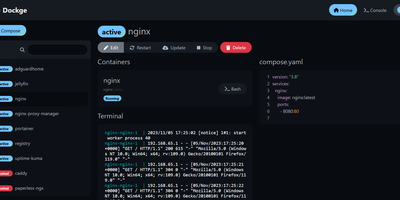
Created by the developer behind Uptime Kuma and carrying over 23,000 GitHub stars, Dockge brings the same clean, reactive design philosophy to Docker Compose stack management with a web interface that makes Portainer's compose handling feel like editing YAML in a terminal over SSH. The interactive editor provides syntax highlighting, inline validation, and a live preview of your compose.yaml files while keeping every stack stored as a standard file on disk in /opt/stacks by default, meaning you can seamlessly switch between the web UI and the docker compose CLI without lock-in or proprietary database formats. Real-time WebSocket updates stream pull progress, container start/stop transitions, and build output directly to the browser with no polling delays. The built-in web terminal opens a shell session inside any running container for quick debugging, while the docker-run-to-compose converter transforms single-container run commands into proper compose.yaml definitions with one click. Multi-agent support introduced in version 1.4.0 connects multiple Docker hosts to a single Dockge dashboard, enabling centralized management of stacks distributed across different servers. Image update detection shows which stacks have newer versions available, and one-click updates pull the latest images and recreate containers without manual intervention. The stack is a single Docker container running on Node.js with Socket.IO for reactivity and stores no external database. Running on a dedicated VPS on RepoCloud with guaranteed CPU, RAM, and SSD, full root SSH access, and a browser serial console. MIT licensed.
Harbor
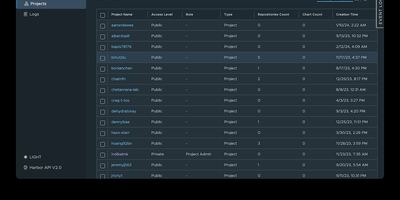
The first container registry to reach CNCF graduated status with over 29,000 GitHub stars since VMware open-sourced it in 2016, Harbor transforms the basic Docker Distribution into a hardened enterprise registry with vulnerability scanning, supply chain signing, multi-datacenter replication, and project-level access control out of the box. Trivy scans every pushed image against the NVD, GitHub Advisory Database, and distribution-specific vulnerability feeds, with scan-on-push policies that block deployment of images exceeding configurable severity thresholds. Artifact signing through Cosign keyless signatures and Notation enforces content trust policies ensuring only cryptographically verified images reach production clusters. Policy-based replication synchronizes images and Helm charts between Harbor instances across multiple datacenters using repository, tag, and label filters with automatic retry and bandwidth throttling — enabling hybrid-cloud and disaster-recovery topologies. The RBAC model isolates projects with per-project quotas, robot accounts for CI/CD automation, webhook notifications, and audit logging that tracks every pull, push, delete, and configuration change. LDAP, Active Directory, and OIDC authentication integrate with existing identity providers, while the proxy cache transparently caches images from Docker Hub, Quay, and other upstream registries to reduce pull latency and rate-limit exposure. The RESTful API with embedded Swagger UI, tag retention policies, garbage collection scheduling, and immutable artifact rules complete the lifecycle management. Deploy via Docker Compose or Helm Chart on Kubernetes. Running on a dedicated VPS on RepoCloud with guaranteed CPU, RAM, and SSD, full root SSH access, and a browser serial console. Apache 2.0 licensed.
ServerKit
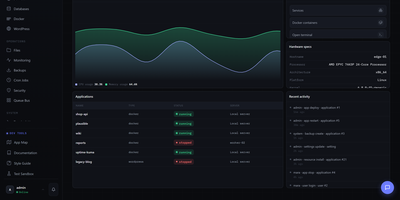
ServerKit delivers a server control panel that fits on a small VPS while managing everything from Docker containers to mail servers. The Python/Flask backend exposes 1,519 REST endpoints across 107 blueprints with full OpenAPI documentation at /api/v1/docs, while the React frontend spans 65 screens in a 1.75MB gzipped bundle served entirely from your own infrastructure. Docker management includes full container lifecycle control, Docker Compose project orchestration, real-time log streaming, and terminal access. Database panels cover MySQL/MariaDB and PostgreSQL with user management, browser-based query consoles, and automated backups to S3, Backblaze B2, or local storage. Nginx virtual host management automates Let's Encrypt certificate provisioning with hardened TLS 1.2+ configurations and Cloudflare-aware setups. The Go-based cross-platform agent enables multi-server fleet management with HMAC-SHA256 authentication over a WebSocket gateway, supporting Linux, Windows, and macOS across amd64 and ARM64 architectures. Fleet monitoring provides cross-server heatmaps, metric comparison charts, alert thresholds, anomaly detection, and capacity forecasting. A built-in marketplace distributes 106 one-click application templates using a declarative YAML schema with Docker Compose stacks. The extension system allows community plugins for Kubernetes management, Redis browsers, and WordPress site orchestration. Running on a dedicated VPS on RepoCloud with guaranteed CPU, RAM, and SSD, full root SSH access, and a browser serial console. MIT licensed.
Mailu
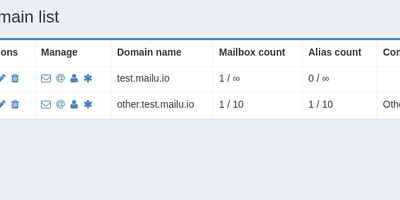
With over 7,100 GitHub stars and 200 contributors since 2016, Mailu has become one of the most popular self-hosted email solutions, delivering a complete production-ready mail server stack as pre-configured Docker containers that eliminate weeks of manual setup. The platform bundles Postfix for SMTP and Submission with auto-configuration profiles for Thunderbird, Outlook, and mobile clients, Dovecot for IMAP and POP3 with full-text search across email attachments, Rspamd for intelligent spam filtering with auto-learn Bayesian classification, greylisting, SPF and DMARC validation, and ClamAV for antivirus scanning of attachments with configurable malicious file blocking. The web administration interface provides global admin controls, per-domain delegation, user quota management, domain aliases, custom routing rules, and announcement capabilities. Users access self-service features including aliases, auto-reply, auto-forward, fetched accounts from external mailboxes via fetchmail, and Sieve filter management through ManageSieve. Security features include enforced TLS on all connections, automatic Let's Encrypt certificate provisioning, outgoing DKIM signing, DANE and MTA-STS support for transport security, and Snuffleupagus PHP hardening for the web interface. The setup wizard at setup.mailu.io generates complete Docker Compose configurations tailored to specific deployment requirements. All components are free and open-source software with zero proprietary dependencies and no tracking. Running on a dedicated VPS on RepoCloud with guaranteed CPU, RAM, and SSD, full root SSH access, and a browser serial console. MIT licensed.
Levelrail
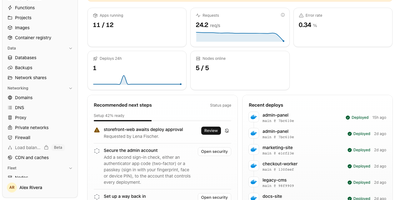
Push to git, watch the deploy go live over HTTPS, and roll back in one click, all on servers you own: Levelrail is a self-hosted platform for running apps and databases without Kubernetes. Deploys start from GitHub, GitLab, Bitbucket, or Gitea webhooks and build from a Dockerfile, Compose file, image, or framework preset such as Next.js, Go, React, or Spring Boot, with preview environments per pull request, canary and blue-green rollouts, approvals, and freezes. Embedded Caddy gives every app a domain with HTTPS: self-signed by default, Let's Encrypt with one toggle, a free sslip.io address when no domain exists, or your own uploaded certificate. Provision Postgres, MySQL, MariaDB, MongoDB, Redis, ClickHouse, and more with scheduled backups that are re-downloaded and verified, Postgres point-in-time recovery, and password rotation. Metrics with deploy markers, searchable live logs, alerts, and a public status page need no separate monitoring stack. Roughly 360 one-click templates and a Cmd+K search across apps, databases, and nodes speed up daily work. Extra servers enroll with a one-time token and a reverse-dialed agent that needs no inbound ports. Sign in with passkeys, TOTP, OAuth from 20 providers, or OIDC, then scope access with IAM policies, encrypted secrets, and a tamper-evident audit log. A CLI, HTTP API, and MCP server let scripts and coding agents deploy and roll back. Running on a dedicated VPS on RepoCloud with guaranteed CPU, RAM, and SSD, full root SSH access, and a browser serial console. Apache-2.0 licensed.
MaxKB
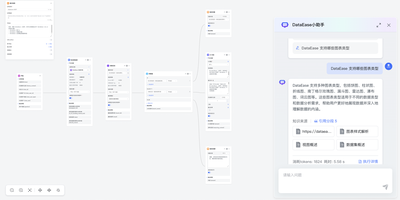
Support teams, IT departments, and researchers can put their own documents behind chatbots and AI agents built with MaxKB, an open-source platform that grounds answers in private knowledge. A support lead starts by uploading Markdown, DOCX, PDF, TXT, HTML, XLSX, XLS, or CSV files, or by syncing a web site, and MaxKB splits, vectorizes, and indexes the content on its own. An IT department can place the finished agent in any third-party site or internal tool with no coding, as a full-screen page, a mobile view, or a floating chat window. Researchers get replies that show, and let them download, the knowledge sources behind each answer. Simple agents pick tools, skills, and MCP connections from the question itself, while advanced agents are drawn as workflows with branching, multi-path recall, loops, and variables. Custom scripts, which AI can help write, plus schedules and event triggers extend what an agent can do. The model manager registers local models such as DeepSeek, Llama, and Qwen beside providers such as OpenAI, Claude, and Gemini, across language, embedding, reranking, vision, speech, and image generation. Conversation logs feed analysis for operations. Dozens of ready-made agent templates, knowledge base templates, tools, and skills in the template center and tool store shorten the first build. Running on a dedicated VPS on RepoCloud with guaranteed CPU, RAM, and SSD, full root SSH access, and a browser serial console. GPL-3.0 licensed.