Memos
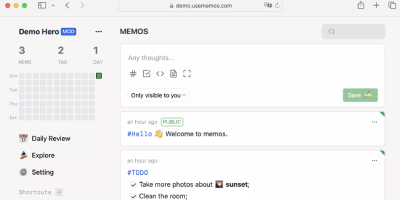
Open the page, write a Markdown note, move on - Memos is a lightweight, self-hosted service built for quick capture. Instead of folders, notebooks, and titles, it presents a timeline: open the page, write a Markdown note, and move on. Notes support headings, code blocks with syntax highlighting, task lists, tables, and file attachments, with tags auto-extracted from #hashtags in the text. Each memo carries a visibility level, private, protected (logged-in users), or public, so one instance works as a personal log, a small team wiki, or a lightweight microblog. The backend is a single Go binary with a React frontend, around 50 MB of memory at runtime and a ~20 MB Docker image, so it fits comfortably on the smallest instance size with near-zero maintenance. SQLite is the default store, with MySQL and PostgreSQL supported for multi-user deployments needing more concurrency, and full REST and gRPC APIs - Connect RPC for browsers, gRPC-Gateway for external tools - make capture scriptable from CLIs, bots, and automation platforms. Fast full-text search spans all memos, pinned notes keep references handy, and a masonry view suits visual browsing. MIT-licensed with zero telemetry; content is stored as plain Markdown in a database you control, so notes remain readable, exportable, and free of proprietary formats.
Paperless-ngx
A pile of paper becomes a searchable digital archive under Paperless-ngx, the community-maintained document management system. The pipeline is what makes it work: drop a file into the consumption folder (or let it poll an email inbox), and a worker hashes it for duplicate detection, routes it by type, runs OCRmyPDF with Tesseract (100+ languages) on anything without a text layer, and produces an archivable PDF/A with invisible selectable text embedded - so Ctrl+F works on your scans. Then the smart part: a scikit-learn classifier (TF-IDF plus multi-label prediction) trained on your own tagged documents automatically assigns tags, correspondents, and document types to new arrivals, alongside rule-based exact, keyword, and regex matching for deterministic cases. Full-text search includes relevance ranking, match highlighting, autocomplete, and "more like this" similarity search. Apache Tika integration extends consumption to Word, Excel, PowerPoint, and LibreOffice formats. The Django/Angular app adds custom fields, saved views on a customizable dashboard, bulk editing, workflow automation triggered on upload or matching, shareable public links with expiration, and a robust permissions system with per-document access control. Metadata lives in PostgreSQL with Redis-queued Celery workers processing documents in parallel. Your tax records, invoices, and contracts stay on your server - searchable in seconds, never in someone else's cloud.
Usermemos
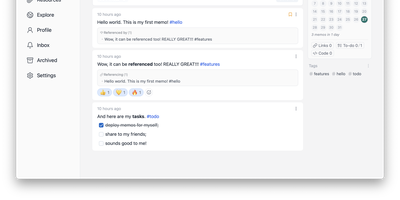
Memos, the lightweight open-source note service from the usememos project, packaged as a containerized deployment for multi-architecture Docker hosts (x86-64 and arm64): that is Usermemos. The model is frictionless capture: no folders or titles, just a chronological stream of Markdown notes with code blocks, task lists, tables, and file attachments, organized by #hashtags pulled automatically from the text. Per-memo visibility - private, protected for logged-in users, or public - lets a single instance serve as a personal journal, a shared team log, or a public microblog simultaneously. Multi-user support with authentication makes it workable for small teams, and full REST and gRPC APIs open capture and retrieval to CLIs, bots, and automation tools. The runtime is a single Go binary with a React frontend that idles around 50 MB of memory and stores content as plain Markdown in SQLite by default, with MySQL and PostgreSQL available for heavier deployments. Configuration happens through environment variables, access works over HTTP or HTTPS behind a reverse proxy, and there is no telemetry - notes stay on your server in a portable format.
SiYuan
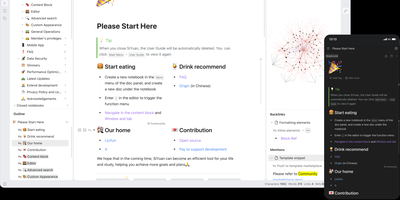
Backed by over 45,000 GitHub stars and described as the tool that replaces Notion, Evernote, and Anki in a single Docker container, SiYuan is the privacy-first knowledge management system where every paragraph, heading, and list item is a uniquely addressable content block. The block-level architecture enables bidirectional links, transclusion embeds, and SQL query blocks that dynamically aggregate content across your entire workspace, while the knowledge graph visualization maps relationship networks between documents and blocks. Built-in databases support table views with relation and rollup columns, filter composition, sorting, and template-based calculations for structured data management alongside freeform notes. The FSRS spaced repetition engine turns any content block into a flashcard with scientifically calibrated review scheduling, eliminating the need for separate memorization tools. AI integration connects to OpenAI-compatible APIs for writing assistance, translation, summarization, and Q&A chat, with semantic search using embeddings and reranking for intelligent content retrieval. The Bazaar community marketplace delivers plugins, themes, templates, and widgets through a managed extension system with TypeScript plugin APIs. End-to-end encrypted synchronization works across S3-compatible storage, WebDAV servers, or SiYuan's own cloud service, while Tesseract OCR extracts searchable text from images and the web clipper captures pages from Chrome, Edge, and Firefox. Export targets include Markdown with assets, PDF, Word, and HTML. Running on a dedicated VPS on RepoCloud with guaranteed CPU, RAM, and SSD, full root SSH access, and a browser serial console. AGPL-3.0 licensed.
NoteDiscovery
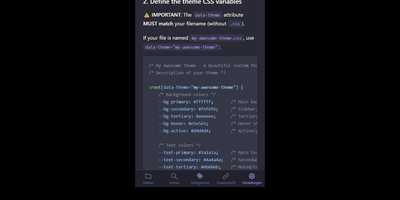
Transforming fragmented research notes, daily technical logs, and project documentation into an interconnected knowledge base is what NoteDiscovery delivers for privacy-conscious teams and researchers. Writers compose rich documents using a dual-pane editor that renders MathJax equations, interactive task lists, and dynamic Mermaid sequence diagrams side by side with raw text. The interactive knowledge graph maps semantic relationships across notebooks, allowing researchers to explore backlinks, uncover hidden topical connections, and navigate complex idea webs visually. Team members sketch architecture diagrams and wireframes directly inside note canvases using the integrated drawing tool, saving revisions as embedded image layers without external editors. The platform organizes thoughts through flexible tag hierarchies, nested folder trees, and reusable document templates equipped with automatic date and variable substitutions. Autonomous coding assistants and language models query documentation, create structured meeting summaries, and update project indexes directly through the native Model Context Protocol server. Built-in export tools convert notebook collections into standalone HTML packages, printable documents, or portable Markdown archives for offline archiving. Running on a dedicated VPS on RepoCloud with guaranteed CPU, RAM, and SSD, full root SSH access, and a browser serial console. MIT licensed.
Docspell
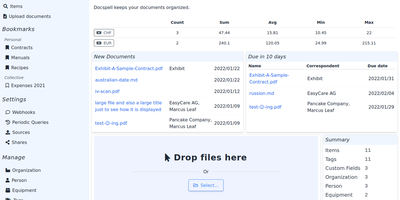
Convert paper archives, email attachments, and PDF records into an organized digital repository with Docspell, an open-source document management system that automates optical character recognition, metadata extraction, and full-text search. Users can ingest receipts and invoices through network scanners, monitored IMAP email mailboxes, mobile uploads, or drag-and-drop browser tools. The background processing pipeline executes optical character recognition via Tesseract, enhances image contrast with unpaper, and extracts text from Word documents and PDFs. Machine learning algorithms analyze document syntax to predict correspondents, suggest relevant organization tags, and identify due dates automatically. Team members can search their entire filing cabinet using complex Boolean queries and full-text indexing powered by Apache Solr or PostgreSQL. Administrators can configure multi-user collectives with isolated permissions, define custom metadata attributes, set up webhooks, and share time-limited document download links. Users can also merge multi-page scans, track processing job queues, and export curated document collections for tax filings or legal audits. Running on a dedicated VPS on RepoCloud with guaranteed CPU, RAM, and SSD, full root SSH access, and a browser serial console. GNU AGPL v3.0 licensed.
Flatnotes
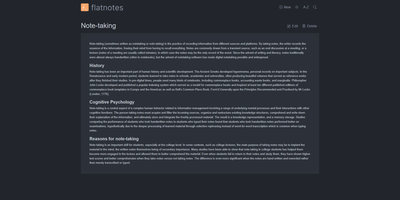
A web interface for a folder of Markdown files - Flatnotes is exactly that, and the discipline of that design is why people love it. Every note is a plain .md file in a single flat directory: no database, no proprietary format, no hierarchy to maintain, no export step if you ever leave. Edit notes in the browser or open the same files in VS Code or Obsidian, sync them with Syncthing or rsync while the app is running - the Whoosh-powered search index synchronizes incrementally, so external edits just show up. The interface is a clean Vue.js app with both WYSIWYG and raw Markdown editing modes (TOAST UI Editor), instant full-text search behind the "/" shortcut with partial-match support, wikilinks for cross-note references, and automatic tag extraction from #hashtags in note bodies. Light and dark themes and a mobile-responsive layout make it pleasant everywhere. Authentication is flexible for a personal tool: none, read-only, username/password, or TOTP two-factor. A documented REST API covers create/read/update/delete for automation. The operational story is the quiet selling point - the only state is the notes folder and a rebuildable index, so backup is copying a directory. For a personal notepad that respects your data, Flatnotes nails minimal.
Nowen Note
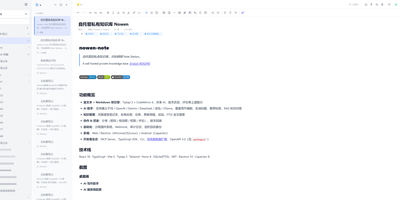
Nowen Note is a self-hosted knowledge base where your notes, tasks, daily journals, and mind maps live in one private workspace you control. One tree holds folders, rich-text documents, and Markdown notes side by side, with drag-and-drop ordering, unlimited nesting, colored tags, pinning, and full-text search across everything. Each note can switch between a rich-text editor and Markdown with live preview, split view, outlines, tables, code blocks, math formulas, diagrams, comments, and version history. Connect the AI provider you prefer, such as an OpenAI-compatible API, Gemini, DeepSeek, or local Ollama, to continue drafts, rewrite passages, translate, summarize, and ask questions answered from your own notes. Tasks get list, board, calendar, and timeline views with dependencies, recurring rules, reminders, and templates, while daily journals capture short entries, moods, and photos and roll them into AI weekly and monthly reviews. Teammates edit together in real time, and folder-level permissions, passwords, allow and deny rules, share links with expiry dates, and guest comments decide exactly who sees what. Imports arrive from Obsidian, SiYuan, Word documents, web pages, and plain Markdown, attachments can live on local disk or S3-compatible storage, and scheduled backups travel to email or WebDAV. Keep working offline with a cached workspace that syncs when you reconnect, clip pages from the browser extension, and connect other tools through the OpenAPI, SDK, webhooks, and MCP server. Running on a dedicated VPS on RepoCloud with guaranteed CPU, RAM, and SSD, full root SSH access, and a browser serial console. GPL-3.0 licensed.
Joplin
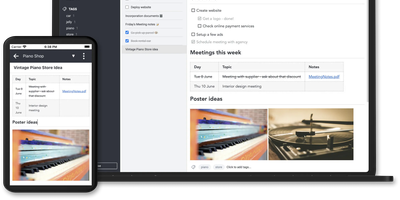
Notes on Windows, macOS, Linux, Android, iOS, and the terminal, synced through your own server: Joplin pairs its open-source clients with Joplin Server, the official self-hosted backend that replaces Dropbox, OneDrive, or Nextcloud as the synchronization target. Notes are Markdown with inline attachments (images, PDFs, audio), organized into hierarchical notebooks and sub-notebooks with cross-cutting tags, alongside to-do lists with reminders and alarms. End-to-end encryption is the headline feature: enabled in the clients, it encrypts sync payloads on-device before upload, so the server stores blobs it cannot read - genuine protection even if the host is compromised. The desktop app offers both Rich Text and Markdown editors, extended by a plugin ecosystem, custom themes, and an Extension API for writing your own scripts; a Web Clipper for Chrome and Firefox captures full pages or screenshots straight into notebooks. Joplin Server ships as a Docker image with SQLite for evaluation and PostgreSQL for production, offers a filesystem storage driver for large content, and includes multi-user support and note sharing - all free under AGPL-3.0 when self-hosted. Notes stay in an open format, so the exit path always exists.
Project NOMAD
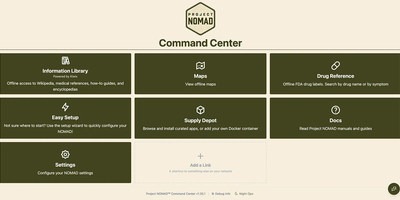
When the connection drops, Project NOMAD keeps serving offline Wikipedia, Khan Academy courses, maps, and an optional private AI assistant from a single Debian-based Linux server. The core needs only about 5 GB of disk and under 1 GB of RAM. Content is what fills the drive, and a setup wizard sorts it into Essential, Standard, and Comprehensive tiers while a storage bar tracks the running total. Wikipedia runs from a quick-reference set of the top 100,000 articles to the complete English edition with images at about 121 GB, and Kiwix also serves medical references, survival and repair guides, and Project Gutenberg ebooks. Kolibri adds Khan Academy courses with multi-user progress tracking, and any browser on the network can study. Offline maps cover the whole globe, single countries, or regions, with markers you can search, color, and navigate to by coordinate. The AI assistant is the heavy part, bringing the install to roughly 25 GB. It chats through Ollama or any OpenAI-compatible server such as LM Studio, searches uploaded documents, lists sources with dates when known, and lets vision models read attached images. CyberChef handles encoding and hashing, and FlatNotes keeps Markdown notes. The Supply Depot adds one-click apps or your own Docker containers. Opt-in auto-updates for the Command Center, installed apps, and downloaded content run inside a window you set. Running on a dedicated VPS on RepoCloud with guaranteed CPU, RAM, and SSD, full root SSH access, and a browser serial console. Apache 2.0 licensed.
Standard Notes
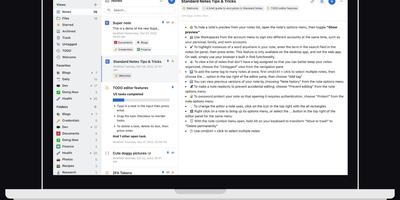
Standard Notes keeps your notes, files, and tags encrypted on your device before anything touches the network, meaning the server stores only ciphertext it cannot read. Cross-platform sync across desktop, mobile, and web delivers fast, conflict-free updates on unlimited devices with the same zero-knowledge guarantee that only your password can decrypt your content. The V2 server architecture condenses everything into four Docker containers consuming roughly 570MB RAM total (down from 13 containers and 1.7GB in the legacy setup), with startup under one minute. Revision history automatically preserves every version of every note, so recovering deleted text or reverting to a previous state never depends on manual backups. A nested tag system organizes thousands of notes with hierarchical categorization that goes well beyond flat folder structures, while search operates entirely on client-side decrypted content. File attachments of any type encrypt and sync alongside notes with identical end-to-end protection. Multiple editor options span plain text, Markdown with preview, and rich formatting to fit different writing workflows. Two-factor authentication via TOTP with email backup codes adds a second barrier beyond your password. An optional separate container serves the web frontend, providing browser access to your encrypted vault without depending on standardnotes.com infrastructure. With 5,500+ GitHub stars and active development, the project continues expanding editor plugins and sync improvements.
TriliumNext
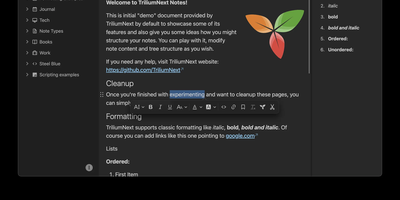
TriliumNext organizes notes in an infinitely deep tree where any single note can be cloned into multiple branches without duplication, building personal knowledge bases that mirror how ideas actually connect rather than forcing a single rigid folder hierarchy. Carrying forward the original Trilium project under active community stewardship with nearly 37,000 GitHub stars, the application is built on TypeScript with a CKEditor 5 WYSIWYG editor supporting rich text, tables, images, KaTeX math expressions, Mermaid diagrams, Excalidraw canvases, mind maps, spreadsheets with XLSX and CSV import/export, and code blocks with full syntax highlighting. A built-in JavaScript scripting engine runs on both frontend and backend, enabling custom widgets, automated workflows, scheduled tasks, and direct interaction with external REST services through a typed Script API. Full-text and fuzzy search with attribute-based queries locates any note instantly across databases tested at over 100,000 notes without performance degradation. The v0.104 release introduced importers for OneNote, Notion, Google Keep, Anytype, and Obsidian alongside 16 dedicated security fixes. Per-note AES encryption, OpenID Connect authentication, and TOTP two-factor protection safeguard sensitive content. The sync server keeps desktop clients, the progressive web app, and mobile devices in lockstep with zero third-party cloud dependency. Web Clipper captures content directly from browsers. Running on a dedicated VPS on RepoCloud with guaranteed CPU, RAM, and SSD, full root SSH access, and a browser serial console. AGPL-3.0 licensed.
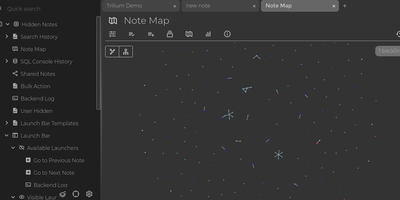
Trilium Notes
For people whose notes number in the tens of thousands, Trilium Notes is the hierarchical note-taking application built specifically for large personal knowledge bases - actively maintained as TriliumNext. Notes arrange into arbitrarily deep trees where every note is both content and container, and cloning lets a single note live in multiple places at once - bash notes belong under both Linux and Scripting, and Trilium refuses to make you choose. A WYSIWYG editor handles rich text, tables, math, and syntax-highlighted code blocks with Markdown-style shortcuts, while dedicated note types cover Excalidraw sketches, mind maps, geo maps with GPX tracks, relation maps that visualize connections between notes, and tables with typed columns. The attribute system is the power layer: labels attach queryable metadata (#year=1999, #author), relations create named links between notes, and both inherit down the tree - feeding full-text search, saved queries, and scripting. Scripting is Trilium's deepest differentiator: JavaScript code notes run on events like note changes or hourly schedules, build custom widgets, and add server-side logic, turning the knowledge base into a programmable platform. Protected notes encrypt sensitive content, note hoisting focuses on subtrees, and the self-hosted server syncs desktop clients across devices.
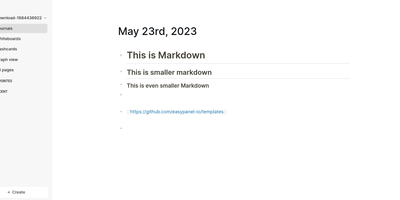
Logseq
Every line an indentable bullet, every bullet a first-class block that can be referenced, embedded, and queried anywhere: Logseq is a privacy-first, local-first knowledge platform built around the block outliner. The daily journal is the system's beating heart - each day opens a fresh date-stamped page where tasks, meeting notes, and fleeting ideas land as blocks without filing decisions, then connect later through [[wikilinks]] with automatic bidirectional backlinks and ((block references)) that transclude any bullet into any page. Everything persists as plain Markdown or Org-mode files on disk - git-friendly, greppable, and owned forever, with sync via iCloud, Dropbox, Syncthing, Git, or an optional end-to-end encrypted service. Built-in tooling goes beyond notes: TODO/DOING task states with scheduling, native PDF annotation with area highlights, spaced-repetition flashcards, whiteboards for visual thinking, Zotero integration for researchers, and Datalog-powered queries that build dynamic views across the entire graph. A marketplace of hundreds of community plugins and themes adds AI chat, Ollama local-model integration, and custom workflows. Written in Clojure/ClojureScript, AGPL-3.0 licensed with 320+ contributors, and completely free - the local-first Roam for people who refuse subscriptions and lock-in.
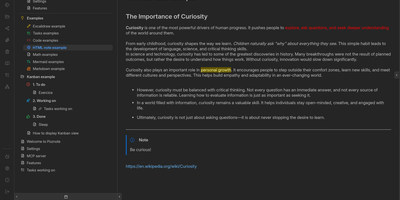
Poznote
Poznote serves as an all-in-one personal knowledge base and digital workspace designed to bridge unstructured thinking and structured documentation. The platform pairs a responsive Markdown editor with live side-by-side rendering, KaTeX mathematical notation, and interactive Mermaid diagram compilation. Creative thinkers can switch instantly to an embedded Excalidraw infinite canvas to sketch system architectures, design mind maps, and create interface wireframes alongside their written notes. Every directory within the workspace can be toggled into an agile Kanban board where nested folders become customizable workflow columns and notes transform into draggable task cards. Task management views aggregate checklists across documents into unified priority queues with due date reminders and completion filters. An integrated bi-directional Git synchronization engine connects user workspaces directly to personal GitHub or Forgejo repositories, versioning edits automatically on save. The software also provides an integrated Model Context Protocol server that enables AI coding assistants to search notes, create documents, and query knowledge repositories securely. Running on a dedicated VPS on RepoCloud with guaranteed CPU, RAM, and SSD, full root SSH access, and a browser serial console. MIT licensed.
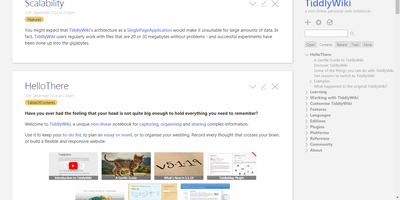
Tiddlywiki
The entire wiki - content, code, and interface - is built from "tiddlers," small addressable units of information that link, transclude, tag, and filter into each other: TiddlyWiki is a non-linear personal notebook with a design philosophy unlike anything else in this catalog. Instead of pages in a hierarchy, you compose views by pulling tiddlers together on demand, which is why researchers, zettelkasten practitioners, and GTD devotees have sworn by it for two decades. The whole application is JavaScript, and the UI itself is written in hackable WikiText - customization goes as deep as rewriting the interface from inside the wiki. Self-hosting runs the Node.js version, which upgrades the classic single-HTML-file architecture in the ways that matter for a server: every tiddler is stored as an individual text file (Git-friendly, organizable), edits save through the HTTP API from any modern browser including phones, and one installation can serve multiple wikis blending shared and unique content. The plugin ecosystem covers graph visualizations, themes, languages, and hundreds of community extensions, declared per-wiki in a simple tiddlywiki.info file; the newer MultiWikiServer plugin adds multi-user accounts and tiddler sharing. Your notes stay usable for decades, independent of any corporation - the project's founding promise. BSD-licensed.
Nanote
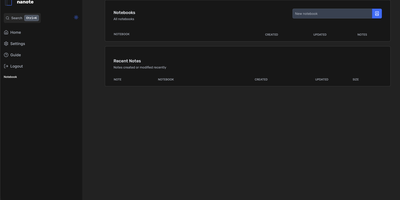
100% portability is Nanote's one non-negotiable principle as a self-hosted note-taking app. There is no database - notebooks are plain folders and notes are plain Markdown files on your filesystem, so the same notes remain fully manageable from a terminal, Notepad, or any other editor, and walking away from Nanote costs nothing because your data was never in a proprietary format to begin with. Built with Nuxt and TypeScript around the Milkdown editor, it layers modern conveniences on that plain-file foundation: fast content search across all notes using OS-optimized tooling (ugrep), native Markdown rendering, image and file attachments, and a mobile-friendly layout for reading and editing on a phone. Clever remark directives make plain text interactive - typing ::file inserts an inline upload picker, while ::today, ::now, and ::tomorrow expand to live dates and times. A fully typed REST API with validation covers automation, and access is protected by a configurable secret key. Deployment is one container with three env vars: paths for notes, uploads, and config, all bind-mountable so your Markdown lives wherever you want it - including inside an existing sync setup. AGPL-licensed and actively daily-driven by its author.
Silicon Notes
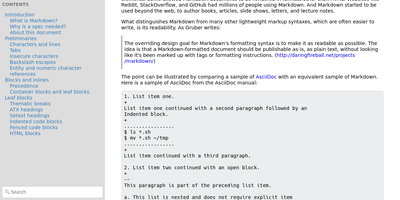
"Somewhat lightweight, low-friction" is how Silicon Notes' author describes the personal knowledge base - written after DokuWiki's editor "drove me mad" and no existing wiki quite fit. The philosophy is that small frequent annoyances compound into cognitive load with no return, so everything here is optimized for frictionless daily use. Notes are written in plaintext Markdown and rendered as clean HTML with Pygments syntax highlighting for code blocks; pages get bi-directional relationships (backlinks), so the knowledge base becomes a connected web rather than a folder tree; and full-text plus title search retrieves anything fast. A table of contents lives in the left sidebar - "where it belongs" - editable while you read without scrolling away. Page history tracks revisions for auditing and rollback, JSON export/import keeps everything portable, and the mobile layout is genuinely usable. The stack is deliberately minimal: Python and Flask with Mistune for Markdown and SQLite for storage - no big frameworks, just a few small dependencies. One honest caveat: there is no built-in authentication, so deploy it behind a VPN, private network, or reverse-proxy auth layer. For a solo engineer's brain, it is exactly enough.