OpenMetadata
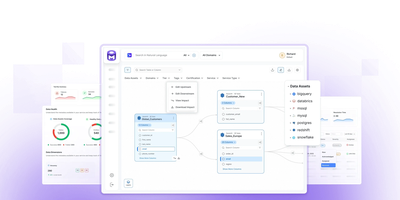
OpenMetadata builds a unified knowledge graph connecting schemas, tables, columns, dashboards, pipelines, ML models, and data products into one searchable catalog accessible at port 8585. The ingestion framework ships 130+ connectors covering Snowflake, BigQuery, Redshift, Databricks, PostgreSQL, MySQL, Kafka, Airflow, dbt, Tableau, Looker, Power BI, Metabase, and Superset, automatically extracting metadata on configurable schedules. Column-level lineage traces data flow across transformations, joins, and aggregations, while built-in data quality testing executes profiling and validation rules as data contracts with automated alerting on failures. Governance features include role-based access control, PII auto-detection, glossary term propagation, and domain-based ownership assignment. The native MCP server and AI SDK expose semantic search, lineage queries, and governance metadata as tools any LLM agent can call, enabling AI systems to discover and reason about enterprise data with full trust context. The architecture requires only PostgreSQL or MySQL plus Elasticsearch, no Kafka, no graph database, and deploys via a single Docker Compose file. Created by the founders of Apache Hadoop, Apache Atlas, and Uber's Databook, the platform has earned over 14,700 GitHub stars and adoption by 3,000+ organizations. Apache 2.0 licensed.
Gorse
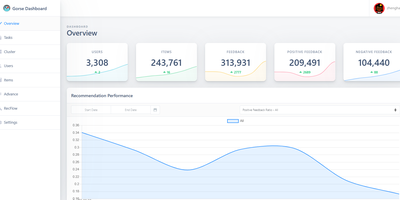
Gorse generates personalized recommendations from your application's user interaction data through automatically trained models, requiring no machine learning expertise to deploy or operate. Over 10,000 GitHub stars and production deployments processing millions of interactions validate a multi-source architecture that merges candidates from latest-item, user-to-user, item-to-item, and collaborative filtering recommenders, then ranks them using factorization machines or LLM-based rerankers with configurable query and document templates. Multimodal content support processes text, images, and video metadata via embedding vectors stored in BF16 format, with optional Qdrant, Weaviate, or Milvus integration for distributed similarity search. The visual RecFlow editor provides a drag-and-drop interface for designing recommendation pipelines, connecting data sources to recommenders and rankers without writing configuration files. A distributed cluster separates concerns across master nodes for model training and dashboard hosting, worker nodes for offline recommendation generation, and server nodes for real-time API endpoints, all scaling horizontally behind load balancers. Online evaluation analyzes recommendation quality from recent user feedback with configurable cache sizes and expiration intervals. RESTful APIs expose CRUD endpoints for users, items, and feedback alongside recommendation retrieval with category filters and API key authentication. Stores data in MySQL, PostgreSQL, MongoDB, or ClickHouse with Redis caching. Running on a dedicated VPS on RepoCloud with guaranteed CPU, RAM, and SSD, full root SSH access, and a browser serial console. Apache 2.0 licensed.
Operately
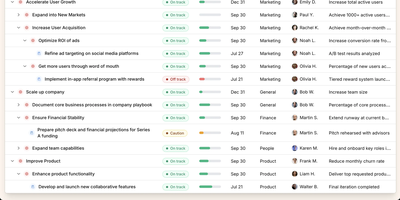
Operately is an opinionated operating system for growing companies that connects strategic goals directly to execution without the overhead of assembling separate tools. The OKR module tracks company-wide, team-level, and individual goals with measurable success conditions showing progress bars against numeric targets, timeframe deadlines, and automated progress aggregation from linked projects. Project management includes champion ownership, milestone tracking, Kanban task boards with TODO, In Progress, and Done columns, and scheduled check-ins that generate async progress updates on a configurable cadence. Team Spaces give departments organized homes for their goals, projects, documents, and discussions with configurable access controls at the space, goal, and project level. Message boards replace scattered email threads with focused project conversations, while the document and file system provides centralized content management. The Review screen aggregates everything requiring attention or approval into a single actionable view. The Elixir Phoenix backend uses Absinthe for GraphQL queries and mutations, Oban for background job processing, and Swoosh for email notifications. The React TypeScript frontend leverages Apollo Client for GraphQL state management. Full CLI and API access enables programmatic interaction, and MCP tools added in version 1.7 allow AI agents to create goals, update projects, manage tasks, and post check-ins. On RepoCloud, deploy Operately on a dedicated VPS with PostgreSQL persistence, root SSH access, and complete control over your organizational data, all under the Apache 2.0 license.
Homebox
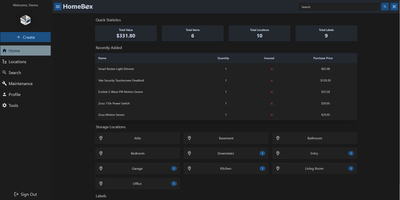
With over 7,000 GitHub stars and active community maintenance through version 0.26.0 released in June 2026, Homebox fills the gap between inadequate spreadsheets and overcomplicated enterprise asset management by providing a purpose-built inventory system designed specifically for home users, families, and small groups. The Go backend with SQLite storage deploys as a single Docker container consuming under 50MB of RAM at idle, running on hardware as modest as a Raspberry Pi while the responsive web interface adapts seamlessly across desktops, tablets, and smartphones. The entity-based architecture introduced in v0.26 unifies items and locations into a shared structure supporting custom fields, attachments, entity types, and reusable templates for consistent data entry across inventory categories. QR code generation creates printable labels that scan with any smartphone camera to instantly display item details, photos, serial numbers, and associated documents. Warranty tracking records purchase dates, prices, and expiration dates while maintenance scheduling sends reminders for recurring service tasks. Location hierarchies organize items spatially with nested sub-locations, and flexible label tagging enables cross-cutting categorization beyond physical placement. Multi-user support shares collections with family members or roommates with OIDC single sign-on integration for Active Directory, Okta, and other identity providers. CSV import and export handles bulk operations, while the full REST API enables automation and third-party integrations. Collection-level ZIP export packages complete inventories with attachments for backup or migration. Running on a dedicated VPS on RepoCloud with guaranteed CPU, RAM, and SSD, full root SSH access, and a browser serial console. AGPL-3.0 licensed.

Suite Docs
An open-source alternative to Notion and Google Docs developed jointly by France's DINUM and Germany's ZenDiS that prioritizes data sovereignty, real-time collaboration, and structured knowledge management. The Yjs-powered CRDT engine provides live cursors, presence indicators, and inline comments enabling teams to edit simultaneously without conflicts, while BlockNote.js renders a clean block-based editing experience with rich text formatting, Markdown shortcuts, and drag-and-drop content organization. Hierarchical sub-documents create wiki-style knowledge bases where documentation nests naturally into navigable structures, and a dedicated slide mode transforms any document into a presentation without separate tooling. The document API separates content from metadata with distinct endpoints for formatted content, raw content streams, and document properties. Optional AI integration connects to configurable language models for writing assistance, summarization, and content generation directly within the editor. Access control supports granular permissions per document with team sharing, public links, and invitation flows. DOCX import brings existing documents into the platform while maintaining formatting fidelity. The Django backend serves a REST API with PostgreSQL storage, Redis caching, and S3-compatible media handling. Deploy via Docker Compose, Kubernetes with the official Helm chart, Nix, or YunoHost on your own infrastructure. Running on a dedicated VPS on RepoCloud with guaranteed CPU, RAM, and SSD, full root SSH access, and a browser serial console. MIT licensed.
Cozy Cloud
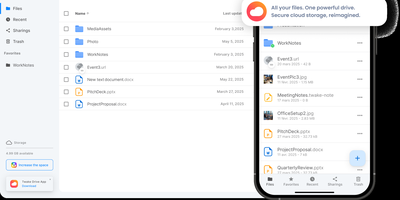
With over 1,200 GitHub stars, 12,000+ commits, and more than a decade of active development distributed under the AGPL-3.0 license, Cozy Cloud operates as a comprehensive personal data hub that goes far beyond file storage by connecting your documents, contacts, calendars, banking transactions, energy bills, and productivity tools into a single self-hosted platform where no third party profiles you. The cozy-stack Go binary handles file storage, CouchDB document management, job scheduling, app serving, and the REST API in a single process consuming approximately 150MB of RAM idle. Sandboxed konnectors import data from 50+ external services — banks, utility providers, telecom operators, cloud drives — running as isolated jobs via nsjail to prevent untrusted code from accessing other user data. The built-in app store serves web applications in subdomain-isolated environments with Content Security Policy headers, each app communicating exclusively through the documented REST API. Real-time synchronization via PouchDB replication and WebSocket keeps files, contacts, and documents consistent across desktop clients, mobile apps for iOS and Android with automatic photo backup, and the web interface. Security features include automatic Let's Encrypt TLS certificates, Argon2id password hashing, optional TOTP two-factor authentication, and GDPR-compliant data export via the CLI. Each user receives their own isolated instance with independent storage, database, and application configuration. Running on a dedicated VPS on RepoCloud with guaranteed CPU, RAM, and SSD, full root SSH access, and a browser serial console. AGPL-3.0 licensed.
Neko
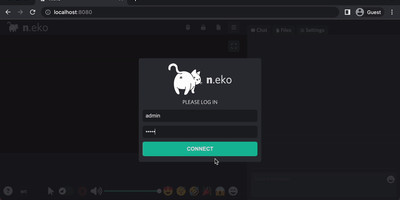
With over 21,000 GitHub stars and six years of steady development through version 3.1.0, Neko transforms any Docker container into a fully interactive browser or desktop environment streamed to web browsers via WebRTC with sub-300-millisecond glass-to-glass latency. The Go backend captures X server display frames using the Pion WebRTC library while the Vue.js frontend renders the remote session with native audio synchronization, delivering a significantly smoother experience than Apache Guacamole or noVNC which rely on image-over-WebSocket approaches. Multiple users simultaneously view and collaboratively control the same session with real-time input synchronization and host-managed control passing between participants. Pre-built Docker images cover Firefox, Chromium, Google Chrome, Tor Browser, Brave, Vivaldi, and Microsoft Edge alongside full desktop environments including XFCE and KDE for running any Linux application. Neko Rooms provides multi-tenant deployment with a REST API for programmatic room provisioning, while Neko Apps extends the platform with additional containerized applications beyond browsers. Sessions persist on the server independently of client connections — close your laptop, reconnect from your phone, and resume exactly where you left off. Optional VPN and Tor integration routes traffic through encrypted tunnels for privacy-sensitive browsing. RTMP broadcasting streams sessions to external platforms. The embeddable client supports iframe integration for custom portals and applications. Running on a dedicated VPS on RepoCloud with guaranteed CPU, RAM, and SSD, full root SSH access, and a browser serial console. Apache-2.0 licensed.
Yopass
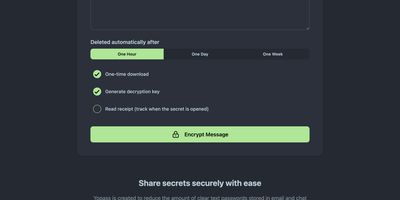
With nearly 3,000 GitHub stars and active development since 2014 through version 14.2.0, Yopass eliminates the universal bad habit of sharing passwords and API keys through Slack messages, email threads, and ticket systems by encrypting secrets entirely in the browser using OpenPGP before anything reaches the server. The Go backend stores only ciphertext — it never sees plaintext — while the React frontend handles all encryption and decryption client-side, generating one-time URLs that self-destruct after a single viewing or when the configured expiration of one hour, one day, or one week passes. File upload support streams encrypted files with configurable size limits, and optional custom password protection adds a second encryption layer beyond the URL-embedded key. The server supports Redis or Memcached as storage backends with automatic key expiration, deploying via Docker Compose in under five minutes or as Kubernetes manifests for production environments. Built-in TLS support works alongside reverse proxy configurations for Nginx, Caddy, and Traefik with automatic Let's Encrypt certificate provisioning. Prometheus metrics expose HTTP request counts, latency histograms, and secret lifecycle counters for Grafana dashboard integration and alerting. Read-only mode enables split-instance deployments separating secret creation from retrieval across different network zones. Multi-language support localizes the interface for international teams. The open-source core under Apache 2.0 provides full self-hosted functionality with no account management required. Running on a dedicated VPS on RepoCloud with guaranteed CPU, RAM, and SSD, full root SSH access, and a browser serial console. Apache-2.0 licensed.
Google Maps Scraper
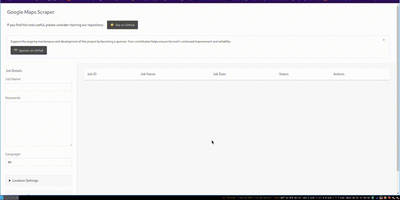
The leading open-source tool for extracting business leads from Google Maps at production scale. The Go-based engine processes approximately 120 places per minute with optimized concurrency, extracting 33+ data points per listing including business name, address, phone number, website URL, rating, review count, latitude and longitude, opening hours, price level, and optionally crawling business websites for email addresses. Three interfaces serve different workflows: the CLI accepts query files for cron jobs and CI/CD pipelines with output to CSV, JSON, PostgreSQL, S3, or LeadsDB; the Web UI provides a browser-based dashboard with real-time job monitoring, a map view of scraped places, and interactive query submission; and the REST API at /api/v1 enables programmatic integration with full Swagger documentation at /api/docs. Built-in proxy rotation supports SOCKS5, HTTP, and HTTPS with authentication for large-scale runs, while the architecture scales from a laptop to Kubernetes clusters with queue-based worker distribution. The SaaS edition adds multi-user access with API key management, admin UI with 2FA, job queue orchestration, and one-command cloud deployment via an interactive wizard. An AI Agent Skill enables coding agents to run scrapes programmatically. Deploy via Docker or build from source requiring Go 1.26.5+. Running on a dedicated VPS on RepoCloud with guaranteed CPU, RAM, and SSD, full root SSH access, and a browser serial console. MIT licensed.
DataHub
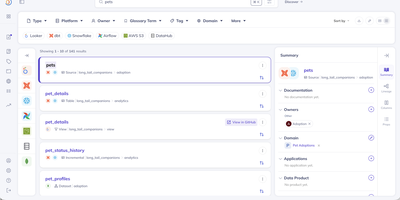
DataHub maps your entire data ecosystem into a searchable, governed catalog where every table, pipeline, dashboard, and metric is discoverable and traceable from source to consumer. Originally built at LinkedIn to manage metadata at hyperscale and proven to handle 10 million+ assets and billions of relationships in production, the platform is now trusted by 3,000+ organizations including Netflix, Visa, Slack, and Pinterest. The Spring Java backend (GMS) exposes both GraphQL and OpenAPI REST endpoints, while the React frontend delivers an intuitive interface for searching, browsing, and governing data assets. The Python-based ingestion framework provides 80+ production-grade connectors extracting deep metadata from Snowflake, BigQuery, Redshift, Databricks, dbt, Airflow, Spark, Kafka, Looker, Tableau, Power BI, Superset, PostgreSQL, MySQL, Hive, Glue, S3, Iceberg, and Unity Catalog through pull-based scheduled crawls and push-based emission via Python and Java SDKs. Automatic table-level and column-level lineage detection uses SQL parsing with 97-99% accuracy, tracing data flows from ingestion pipelines through warehouses to BI dashboards. Real-time metadata streaming via Kafka keeps the catalog continuously synchronized as schemas evolve and pipelines execute. The governance layer provides business glossary management, tag propagation along lineage graphs, domain-based organization, and fine-grained access control policies. DataHub Actions triggers automated responses to metadata changes, enabling notifications, quality checks, and downstream workflows. Elasticsearch powers full-text search with faceted filtering across entities. Running on a dedicated VPS on RepoCloud with guaranteed CPU, RAM, and SSD, full root SSH access, and a browser serial console. Apache 2.0 licensed.
Milvus
With over 45,000 GitHub stars and 100 million Docker pulls, Milvus is the most widely adopted open-source vector database, powering production AI systems at NVIDIA, Salesforce, eBay, Airbnb, and DoorDash. The distributed architecture separates compute and storage with stateless microservices on Kubernetes, horizontally scaling query nodes for read-heavy workloads and data nodes for write-heavy ingestion independently. Milvus 3.0 introduces lake-native retrieval that builds and serves indexes directly over vector data in object storage and open formats including Parquet, Lance, Iceberg, and Vortex without maintaining separate copies. Native hybrid search unifies lexical BM25 full-text retrieval and semantic vector search in a single engine with metadata filtering, eliminating the need for separate search infrastructure. Hardware-accelerated ANN indexing supports IVF, HNSW, DiskANN, and GPU-based indexes with BitQ 1-bit quantization cutting memory usage by 72 percent. SDKs for Python, Go, Node.js, and Java provide programmatic access, while Milvus Lite offers lightweight embedding for local development via pip install. Server-side aggregation, sorting, faceted search, StructArray for nested document structures, and ColBERT multi-vector scoring move ranking and result processing into the engine. The Path Index enables 100x faster JSON filtering with support for 100,000+ collections per cluster for multi-tenant deployments. Self-hosting deploys via Docker Standalone or Kubernetes with Helm charts using S3-compatible, GCS, or Azure Blob storage backends. Running on a dedicated VPS on RepoCloud with guaranteed CPU, RAM, and SSD, full root SSH access, and a browser serial console. Apache 2.0 licensed.
OliveTin
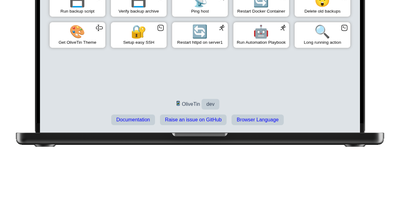
With over 3,600 GitHub stars and a philosophy of deliberate simplicity, OliveTin eliminates the need for SSH sessions, admin panels, and complex automation platforms by letting you define shell commands in a YAML config file and access them as clickable buttons through a clean browser interface. The Go binary consumes only a few megabytes of RAM, running on everything from tiny ARM and RISC-V devices through Linux VMs, containers, macOS, and Windows. Each button executes a predefined shell command with optional typed arguments that render as dropdowns, text fields, and validated inputs, preventing free-form command entry while giving users controlled access to server operations. Access control lists define exactly who can view or run each action — guests, family members, or junior administrators see only the buttons they are permitted to use. Entity templates generate actions dynamically from lists of hosts, containers, or other resources, creating one template that produces many buttons without manual duplication. Flexible triggers extend beyond browser clicks: cron schedules, webhooks, calendar file events, and filesystem watchers run actions automatically when conditions are met. Authentication supports OAuth2, JWT, and header-based methods for integration with reverse proxies and identity providers. Dashboards organize actions into folders and fieldsets for clear navigation across dozens of commands. No plugin system, no extension marketplace, no premium tiers — every feature ships in the single open-source release. Running on a dedicated VPS on RepoCloud with guaranteed CPU, RAM, and SSD, full root SSH access, and a browser serial console. AGPL-3.0 licensed.
ZincSearch
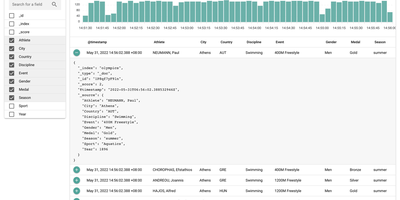
ZincSearch runs full-text search as a single Go binary that consumes a fraction of the memory and CPU that Elasticsearch demands while staying API-compatible, earning 17,800+ GitHub stars as a lightweight alternative. The bluge-powered indexing library processes documents through analyzers, tokenizers, and token filters while maintaining Elasticsearch-compatible ingestion APIs for single-record and bulk operations, letting existing pipelines connect with minimal configuration changes. Schema-less document ingestion accepts JSON payloads without predefined mappings, allowing different documents within the same index to carry different field structures while the engine automatically detects and indexes field types. An embedded Vue.js web console provides a browser-based interface for creating indexes, querying with full-text syntax, browsing results with hit highlighting, managing users, and monitoring system status. A dual API architecture exposes native ZincSearch endpoints under /api alongside Elasticsearch-compatible endpoints under /es, supporting boolean operators, wildcards, phrase matching, fuzzy search, date ranges, and aggregation pipelines including terms, histogram, date histogram, and range aggregations. Multi-tenancy with user-level access control isolates data across teams. Official SDKs for Go, Python, and Node.js provide typed client libraries for programmatic integration. Deploys via Docker or direct binary download with no external dependencies beyond disk storage. Running on a dedicated VPS on RepoCloud with guaranteed CPU, RAM, and SSD, full root SSH access, and a browser serial console. Apache 2.0 licensed.
Traggo
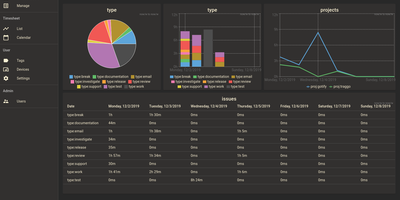
With over 1,600 GitHub stars and a design philosophy that fundamentally rethinks how time tracking should work, Traggo abandons the traditional project-task hierarchy that forces your work into rigid categories and instead lets you tag time spans with arbitrary key-value pairs — project:website, type:coding, client:acme, billable:yes — enabling cross-dimensional analysis that conventional trackers cannot replicate. The Go backend compiles into a single binary that runs alongside a SQLite database and embedded web UI in under 10MB total, consuming approximately 50MB of RAM at runtime and starting in seconds on even the smallest VPS. Tags are the fundamental data model: create any tag key with any set of values, then apply multiple tags to each time span simultaneously to track by project, client, task type, energy level, or any other dimension your workflow demands. Customizable dashboards render pie charts, bar charts, and line graphs from tag-aggregated data, letting you visualize time distribution across any combination of dimensions over configurable date ranges. The calendar view displays time spans as colored blocks across days and weeks, while the list view provides chronological entry browsing with inline editing. Multiple themes including light and dark modes adapt the interface to personal preference, and simple user management with role-based access supports small team deployments. Docker deployment runs a single container exposing port 3030 with multi-architecture support for amd64, arm64, and arm v7. Running on a dedicated VPS on RepoCloud with guaranteed CPU, RAM, and SSD, full root SSH access, and a browser serial console. GPL-3.0 licensed.
WriteFreely
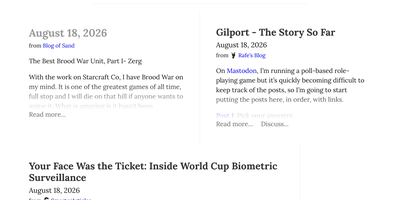
With over 5,100 GitHub stars and a proven track record powering more than 550,000 blogs on the Write.as hosted platform since 2018, WriteFreely strips blogging down to its essential purpose — writing — by removing news feeds, notifications, likes, and engagement metrics that distract from the creative process. The Go binary deploys on any platform as a single executable with SQLite for zero-dependency setups or MySQL and MariaDB for larger installations, consuming minimal system resources and running comfortably on hardware as small as a Raspberry Pi. The auto-saving Markdown editor provides a clean writing environment with instant draft preservation, while published posts render with typography-focused CSS that puts content front and center for readers. ActivityPub federation connects every blog to the fediverse, allowing Mastodon, Pleroma, and other ActivityPub platform users to follow blogs directly, receive new posts in their timelines, and boost or favorite content to their followers. Multi-blog support lets writers maintain separate blogs with distinct pen names from a single account without revealing their association, while OAuth 2.0 integration enables single sign-on onboarding from existing identity providers. Hashtag categorization organizes posts by topic, pinned posts create static pages for permanent content, and draft mode lets writers compose privately before publishing. Blog elements are localized in over 20 languages with first-class right-to-left script support for Arabic, Hebrew, and other RTL languages. Running on a dedicated VPS on RepoCloud with guaranteed CPU, RAM, and SSD, full root SSH access, and a browser serial console. AGPL-3.0 licensed.
PayMe
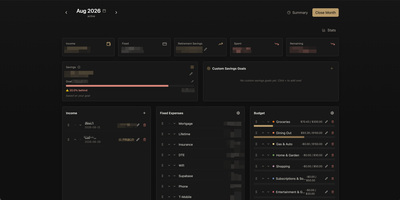
PayMe is a privacy-first personal finance dashboard that runs entirely on your own hardware with zero third-party service dependencies. The Rust backend compiled to a single binary serves a React 19 frontend built with Vite, TypeScript, and Tailwind CSS 4, storing all financial data in a local SQLite database that auto-migrates on startup. Monthly dashboards track income entries, fixed expenses like mortgage and utilities, and budget categories with real-time progress bars showing spending against configurable limits. The savings module includes goal tracking with percentage-based progress indicators, custom savings goals for targeted objectives, retirement savings projections with breakdown analysis, and projected savings calculations. Variance analysis compares actual spending against budgets across categories. Drag-and-drop reordering powered by dnd-kit lets you arrange income sources, expenses, and budget items to match your workflow. The interactive charts rendered by Recharts visualize spending trends, income patterns, and savings trajectories. Month-by-month navigation tracks financial history over time, while the Summary and Stats views aggregate data across periods. JWT-based authentication secures access, and the full OpenAPI Swagger documentation at the /swagger-ui endpoint exposes every API route for automation and integration. Docker Compose deployment creates a minimal image with the compiled Rust binary and static frontend assets, running on port 3001 behind nginx, Caddy, or Traefik reverse proxy with HTTPS. On RepoCloud, deploy PayMe on a dedicated VPS with persistent SQLite storage, root SSH access, and complete privacy over your household financial data, all under the MIT license.

Ntfy
ntfy sends push notifications to your phone or desktop with a single curl command: publish a message to any topic and every subscriber receives it instantly, no signup or API key required. Over 31,000 GitHub stars and 106 releases since 2021 back a server supporting five priority levels mapped to distinct notification sounds and vibration patterns, emoji tags for visual classification, click actions that open URLs when tapped, and up to three action buttons per notification for view, HTTP callback, broadcast, or clipboard copy operations. File attachments push images from surveillance cameras, documents, or any binary payload directly to mobile devices. Subscriptions work through JSON streams, Server-Sent Events, WebSockets, or raw text, with server-side filtering by priority, tags, and message ID. Authentication enforces topic-level access control through Basic Auth, Bearer tokens, or query parameters, with a built-in user and ACL management system. UnifiedPush compatibility lets ntfy serve as a push distributor for Mastodon, Matrix, and other federated services. Web Push via VAPID keys delivers browser notifications without the mobile app. The server ships as a single statically linked Go binary or Docker image supporting amd64, armv7, and arm64 architectures, consuming 30-50 MB RAM at idle with SQLite-backed message caching. Integrations include Grafana, Prometheus Alertmanager, Uptime Kuma, Home Assistant, and Ansible Semaphore. Running on a dedicated VPS on RepoCloud with guaranteed CPU, RAM, and SSD, full root SSH access, and a browser serial console. Apache 2.0 / GPLv2 dual-licensed.
Githome
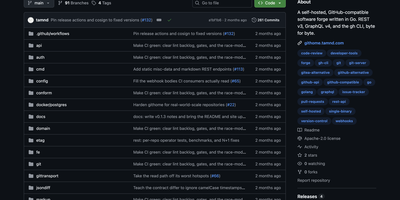
Point the gh CLI at your private Githome server and it works identically to github.com, because every REST v3 and GraphQL v4 endpoint returns byte-for-byte compatible JSON shapes, headers, Link pagination, and ETag caching. A single compiled Go binary serves the REST API under /api/v3, GraphQL under /api/graphql, git smart-HTTP transport, and a server-rendered web UI implementing the GitHub Primer design system with full functionality when JavaScript is disabled. The web interface provides repository browsing with Markdown rendering and syntax highlighting, issue tracking, pull requests with unified diffs and inline code review threads, full-text search, user profiles, and a notifications inbox. Authentication supports personal access tokens with prefix-based identification, OAuth device and web flows, and scoped permissions on every response header with only token hashes stored. The pull request system implements the complete lifecycle including async mergeable state computation, squash, merge, and rebase strategies, commit statuses, check runs, and statusCheckRollup fields. Webhooks deliver events with X-Hub-Signature-256 verification, SSRF protection, and at-least-once retry semantics. Storage supports SQLite for single-node deployments or PostgreSQL for production configurations. Performance optimizations include batch loaders replacing N+1 queries, keyset pagination, FTS-backed search, and GraphQL dataloaders. Docker deployment pulls the official multi-arch container image from GitHub Container Registry. Running on a dedicated VPS on RepoCloud with guaranteed CPU, RAM, and SSD, full root SSH access, and a browser serial console. Apache-2.0 licensed.