Tesserae
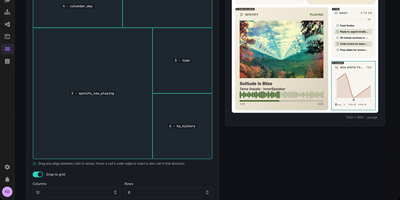
Built for e-ink screens, Tesserae composes calm wall dashboards from your calendar, weather, and Home Assistant data in a browser, then renders each frame at the panel's exact resolution. Lay out pages as a grid of cells or on a free canvas of widgets, text, and shapes, with a live preview. What you see is what paints. Dozens of bundled widgets cover weather, calendars, clocks, news, to-do lists, and photos, and a community catalog adds more widgets, themes, and templates. Frames are dithered to each panel's measured palette, so photos and gradients stay clean on Spectra 6 color, mono, and grayscale screens. One server drives a whole fleet. Each panel keeps its own dashboards, schedules, and rotations, and smart sync renders just before a battery panel wakes while quiet hours let it sleep overnight. Seeed reTerminal and XIAO panels flash from the browser, and Pimoroni Inky, Waveshare, M5Stack, TRMNL-compatible devices, and KOReader Kindles and Kobos work too. Inside Home Assistant it runs as a sidebar App. Home Assistant widgets show entities, history, energy, and cameras, and MQTT discovery turns each panel into a device with its frame, battery level, and signal. No account is needed, and update checks stay off unless you opt in. Ask Claude or any MCP client to lay out a dashboard, check a preview, and push it. Running on a dedicated VPS on RepoCloud with guaranteed CPU, RAM, and SSD, full root SSH access, and a browser serial console. AGPL-3.0 licensed.
Magistrala
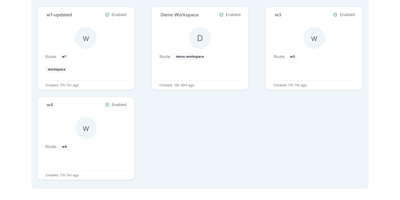
Thousands of devices speaking four different protocols is where IoT projects usually dissolve into glue code; Magistrala replaces that tangle with one platform where MQTT, HTTP, WebSocket, and CoAP clients share a single identity, provisioning, and messaging model. You organise work into domains, register clients for devices and applications, and connect them to channels that control who publishes and who subscribes, with fine-grained policies deciding which client may touch which channel. Protocol adapters bridge the transports, so a sensor publishing over MQTT and a dashboard reading over WebSocket meet in the same channel without translators in between. Telemetry lands in TimescaleDB through dedicated writer services and comes back out through reader APIs, while the bundled three-node FluxMQ cluster carries the messaging load with mutual TLS on device connections. The rules engine reacts to incoming messages with conditions and actions, alarms flag the readings that breach them, and reports package fleet data for the people who never open a terminal. A Community web UI covers domains, clients, channels, messages, and rules for day-to-day operation, and everything deploys as one Docker Compose stack with Prometheus metrics and Jaeger tracing already wired in. Running on a dedicated VPS on RepoCloud with guaranteed CPU, RAM, and SSD, full root SSH access, and a browser serial console. Apache-2.0 licensed.
Node-RED
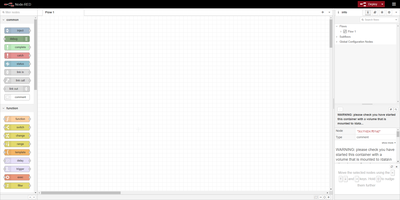
Wire nodes together in a browser, deploy in one click, and real-time data flows from sources through transformations to outputs: Node-RED is the OpenJS Foundation's flow-based programming tool for event-driven applications. Born at IBM as a proof-of-concept for manipulating MQTT topic mappings, it has become the lingua franca of IoT and automation glue - home automation, industrial control, edge data collection - with a community library of over 5,000 contributed nodes and flows covering protocols, devices, and services. Where visual wiring runs out, JavaScript function nodes written in a rich in-editor code editor take over, and every flow serializes to importable, exportable JSON that shares cleanly and version-controls sensibly. Version 5.0 (2026) delivered the largest editor overhaul in the project's history: a rethought layout with Explorer and Information panels in a split sidebar, a native dark theme with theme variants, improved accessibility, and refreshed node appearance. The runtime is lightweight Node.js, exploiting the event-driven non-blocking model so the same flows run on a Raspberry Pi at the network edge or a cloud VM. Apache-2.0 licensed with 240+ contributors, it pairs naturally with dashboard nodes for live charts and controls.
EMQX
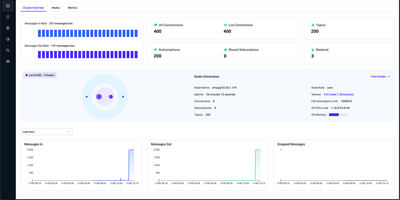
With over 16,500 GitHub stars and a track record powering connected vehicle fleets, smart city sensor networks, and industrial IoT deployments, EMQX is the MQTT messaging platform engineered to handle 100 million concurrent device connections in a single cluster while processing millions of messages per second with sub-millisecond latency. The protocol stack supports MQTT 5.0, 3.1.1, and 3.1 with full QoS 0/1/2 support, shared subscriptions, retained messages, and will messages, plus MQTT over QUIC for faster connection setup, reduced head-of-line blocking, and seamless connection migration on mobile networks. The gateway framework extends connectivity to MQTT-SN, CoAP, LwM2M, STOMP, and ExProto for bridging legacy industrial protocols. The SQL-based rule engine processes and transforms messages in real time with over 50 pre-built integrations including Kafka, PostgreSQL, MySQL, MongoDB, InfluxDB, TimescaleDB, ClickHouse, Redis, AWS Kinesis, GCP Pub/Sub, and Azure Event Hubs. The visual Flow Designer creates data processing pipelines without code. Built on Erlang/OTP with a masterless distributed architecture using Mria for state replication, the cluster separates Core nodes for data consistency and Replicant nodes for client-handling workloads. Authentication supports username/password, JWT, PSK, X.509 certificates, and LDAP with configurable ACL rules. The built-in dashboard provides real-time monitoring of connections, subscriptions, topics, message rates, and cluster health. Deployment runs via Docker, Kubernetes with the EMQX Operator, or native packages. Running on a dedicated VPS on RepoCloud with guaranteed CPU, RAM, and SSD, full root SSH access, and a browser serial console. BSL 1.1 licensed.

Open-Meteo
High-resolution weather forecasts became a free commodity because of Open-Meteo - and this deployment puts the whole open-source engine on your own infrastructure. The public open-meteo.com service aggregates national weather models (NOAA GFS, DWD ICON, ECMWF, Meteo-France, and others) into one consistent JSON interface; self-hosting gives you that same API without rate limits, third-party dependency, or usage metering. The architecture is two cooperating services: the API server exposes forecast endpoints fully compatible with Open-Meteo query parameters - latitude, longitude, hourly and daily variables like temperature, precipitation, wind, and radiation - while a background sync worker downloads fresh weather model data on a configurable interval into a shared persistent volume at /app/data, so forecasts stay current and survive restarts without re-downloading. You control which weather models to mirror, which variables to store, how much historical depth to keep, and how often to refresh - meaning a lean deployment can sync only the model and region you actually query. Responses are plain HTTP/JSON, so integration with dashboards, Home Assistant-style automations, agricultural monitoring, IoT fleets, or any application takes minutes. For anyone making thousands of forecast calls a day, replacing a metered weather API with your own instance turns a recurring bill into a flat infrastructure cost.
ShellHub
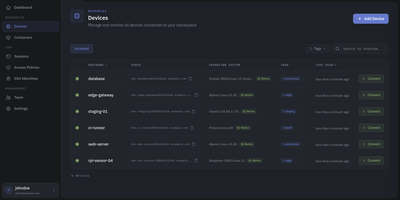
Every server, embedded board, and edge gateway you manage becomes reachable through one SSH address in ShellHub, even when it sits behind NAT with no public IP and no open inbound port. A small agent on each device dials out to your server, so a box on a customer LAN or a cellular link needs nothing beyond outbound web access. Connect with the stock ssh client by typing [email protected]@server, or open a terminal in the browser, and scp, sftp, rsync, and port forwarding work unchanged. SSH identities tie every key to a named team member, so removing someone ends their access on every device at once. Default-deny access policies grant or block members, roles, users, or API keys by device tag, Linux login, and source address, and can require a fresh browser confirmation before a session opens. Provisioning keys enroll whole fleets through automatic, manual, webhook, or allowlist acceptance, with usage limits, expiry dates, and tags. The Sessions page records who connected to which device, as which login, and from where, and browser terminals can be recorded and replayed. A Docker connector turns containers into devices that policies can grant one by one. Four member roles shape what each person can change, and the HTTP API, API keys, and an MCP server let scripts and AI assistants list devices and review sessions. Running on a dedicated VPS on RepoCloud with guaranteed CPU, RAM, and SSD, full root SSH access, and a browser serial console. Apache-2.0 licensed.
Kuzzle
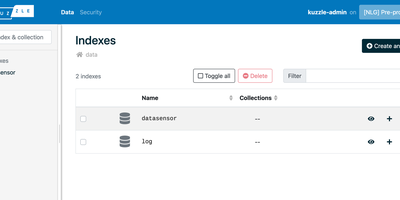
Kuzzle ships a production-ready backend from day one: data storage with Elasticsearch search, real-time pub/sub notifications, user authentication, role-based permissions, and a multi-protocol API serving HTTP, WebSocket, and MQTT simultaneously on port 7512. Rather than rebuilding these standard features from scratch for each project, you get a ready-made backend that accepts connections from web applications, mobile clients, and IoT devices through one unified API surface. Elasticsearch provides persistent document storage with full-text search, geospatial queries, and aggregation pipelines, while Redis handles internal caching and memory storage operations. The Koncorde real-time engine powers pub/sub messaging and database notifications, enabling clients to subscribe to document changes with filter conditions that trigger instant updates when matching data is created, modified, or deleted. User management includes JWT-based authentication, role-based access control with granular permissions at the controller and action level, and pluggable authentication strategies via Passport.js. The extensible plugin framework allows developing custom business logic, additional authentication providers, storage connectors, and protocol handlers. Client SDKs for JavaScript, Dart, Kotlin, and C++ accelerate frontend development, while the Kourou CLI provides command-line API access and project scaffolding. The Vue.js Admin Console offers a web interface for managing indexes, collections, documents, users, profiles, and roles. Horizontal scaling through masterless cluster mode targets 99.99% uptime without single points of failure. Running on a dedicated VPS on RepoCloud with guaranteed CPU, RAM, and SSD, full root SSH access, and a browser serial console. Apache 2.0 licensed.
Eclipse Hono
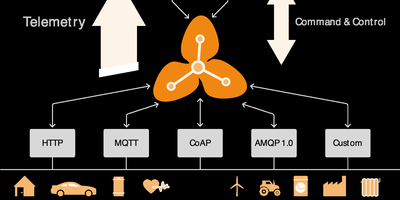
Eclipse Hono is an IoT connectivity platform that sits between device fleets and business applications, accepting connections over MQTT, HTTP, AMQP 1.0, and CoAP adapters and normalizing everything into uniform telemetry and event streams. Devices authenticate against a central registry of tenants and credentials, with X.509 client certificates, pre-shared keys, or automatic provisioning for zero-touch onboarding. Applications consume normalized data from Apache Kafka or an AMQP 1.0 messaging network, choosing per tenant which backbone carries its traffic, and send commands back down to devices through the same platform with delivery feedback. Resource limits cap how much data each tenant's devices may move, keeping one noisy fleet from crowding out the rest, while metrics and tracing follow every message hop. The 2.7 release adds preliminary MQTT 5 support with corrected connect reason codes, message tracing logs, and a hardened JDBC device registry backed by PostgreSQL for production tenant and credential management. Protocol adapters scale horizontally as stateless services, so capacity grows by adding instances behind a load balancer. Running on a dedicated VPS on RepoCloud with guaranteed CPU, RAM, and SSD, full root SSH access, and a browser serial console. EPL-2.0 licensed.