linkding
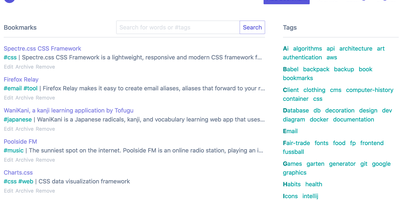
For people who found del.icio.us perfect and everything since bloated, linkding is the bookmark manager - a Django application whose entire design goal is saving and finding links with zero friction. Paste a URL and it fetches the title, description, favicon, and preview image automatically; organize with tags, search full-text across everything, mark bookmarks unread for read-it-later, attach Markdown notes, and bulk-edit whole selections at once. Its answer to link rot is archiving: bookmarked pages can be snapshotted automatically, either submitted to the Internet Archive or saved as local HTML files, and a documented SingleFile browser-extension integration uploads full self-contained page captures straight to your instance. Official Firefox and Chrome extensions (plus a bookmarklet) make saving a one-click habit, the UI installs as a Progressive Web App on mobile, and multi-user support with bookmark sharing - to users or logged-out guests - covers families and teams, with SSO via OIDC when needed. The REST API (create, search, filter by tag) has spawned a genuine ecosystem of community mobile apps and libraries. Operationally it is famously boring in the best way: one small container, SQLite by default, automated migrations, and a zero-breaking-changes policy. Import and export use standard Netscape HTML. MIT-licensed.
Shiori
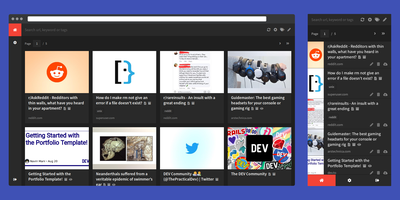
Most web links eventually break - the sobering statistic Shiori, a bookmark manager with archiving by default, is built on. Its answer is archiving by default - where possible, every bookmark you save gets a clean, readable offline copy parsed from the page, ads and navigation stripped, so the article survives even after the original URL dies. Conceived as a simple Pocket clone and written in Go, the entire server is a single binary using roughly 25-30 MB of RAM with SQLite out of the box (Postgres and MySQL supported) - genuinely the lightest archiving bookmark manager you can run. Saving is one click through the Firefox and Chrome extensions, and finding things again is where Shiori quietly outperforms its size: full-text search covers the archived page content, not just titles and tags, so you can find that article by a phrase you remember from paragraph six. Reader mode presents the cleaned text; archive mode shows the preserved page. It's dual-interface by design - a pretty web UI (installable as a PWA on mobile) and a complete CLI for terminal devotees - plus a REST API for scripting. Pocket imports work natively, and Netscape HTML handles browser imports and exports. Multi-user support included. MIT-licensed.
EveryOS
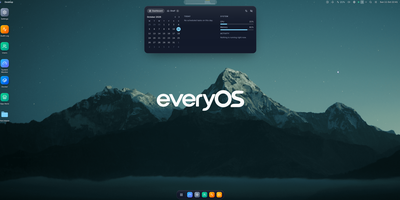
EveryOS gives the Linux server you already own a desktop it never had: open a browser and your machine greets you with windows you can move, snap, and stack, a dock, virtual desktops, widgets, and a launcher, all remembering exactly how you left them. Your files live in a private home with the usual folders, previews, a text editor, and a trash you can restore from, and plugging in a USB disk makes it appear on the desktop ready to mount. An app store installs self-hosted applications from catalogs and follows each deployment, later offering updates that keep your settings, rollbacks when one goes wrong, and backups of app data. The same workspace watches the machine itself: CPU, memory, disk, and network at a glance, systemd services and logs, available package updates, and a Docker view for containers and Compose projects. A real terminal opens in the browser under your own Linux account, Home Assistant arrives as a panel and desktop widgets with its tokens kept on the server, and an AI assistants app can find or install a local model server such as Ollama and chat with it privately. Running on a dedicated VPS on RepoCloud with guaranteed CPU, RAM, and SSD, full root SSH access, and a browser serial console. MIT licensed.
ExpenseOwl
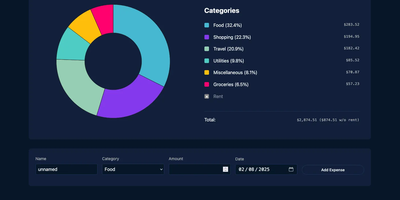
Log a date, amount, and category; get a clean monthly pie chart and a cashflow strip showing income, expenses, and net balance - ExpenseOwl is expense tracking stripped to what actually matters. The MIT-licensed Go application deliberately is not a budgeting system - no envelopes, no accounts, no double-entry, no bank sync - because its author found tools like Firefly III and Actual too heavy for the simple question "where did this month's money go?" The dashboard makes that question fast: click a pie slice to exclude fixed costs like rent and see discretionary spending clearly, then drill into a chronological table view to inspect or delete individual transactions. Recurring transactions handle salaries and subscriptions automatically, optional tags add a second classification axis, and settings cover custom categories, currency symbol, and a configurable month start date for non-calendar pay cycles. CSV import migrates data from virtually any other tool, and CSV export keeps your data portable. It ships as a self-contained binary and multi-architecture Docker image with zero internet interaction, stores data in flat JSON files by default (PostgreSQL optional), and installs as a PWA on phones. Single-user by design; pair it with an authenticating reverse proxy if exposed publicly.

LubeLogger
Vehicle maintenance records shouldn't live in a homemade spreadsheet and a shoebox of receipts - LubeLogger exists because of exactly that. It's a self-hosted .NET web application (from Hargata Softworks) that gives every vehicle in your garage a complete digital history: service, repair, and upgrade records categorized and searchable, with invoices and receipts attached as documents; fuel fill-ups that compute economy in MPG, UK MPG, L/100KM, or KM/L without spreadsheet tedium; taxes, odometer logs, inspections, equipment, and supplies inventory for tracking the parts and fluids on your shelf. The reminder system is what saves engines: recurring reminders trigger by date, odometer reading, or whichever comes first - exactly how real service intervals work - so oil changes and timing belts stop relying on memory. A dashboard summarizes expenses by year, month, and category, a planner tracks to-dos by type, priority, and progress, and professional vehicle reports print a full history - genuinely useful when selling a car. Collaboration is built in: invite household members as collaborators on shared vehicles, with single sign-on support. Custom fields adapt records to your needs, CSV import/export moves data freely, an API enables automation, and the mobile-tested UI installs as a PWA on iOS and Android. MIT-licensed.
openGym
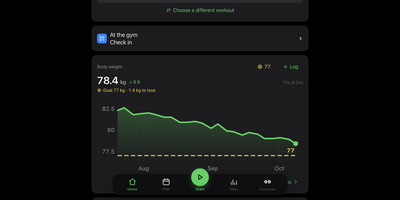
openGym is a self-hosted gym and body-weight tracker that plans your weekly routines, guides every set with pre-filled weights and rest timers, and keeps your training data on a server you control instead of inside a subscription app. Over 5,600 exercises come with animated demos, searchable by body part and the equipment you own, and you can add custom ones with your own photo or video. Progression follows a rule you pick per routine (linear, Greyskull LP, double, triple, or added time), and each target explains where it came from. Supersets, warm-ups, drop sets, rest-pause, timed planks, and cardio by time and speed all log properly, and plate math shows what goes on each side of the bar. A muscle map shows where your volume went, what is still recovering, and what went untrained, beside estimated one-rep maxes, a year-long heatmap, and body weight charted against your goal. Imports from FitNotes, Strong, and Hevy carry your history over. Several people can share one server, each with a private passkey profile, and an optional admin dashboard handles invite-only signup. An optional AI coach, off by default, drafts routines and suggests changes through your own Anthropic, OpenAI, Gemini, or Ollama endpoint, and nothing applies without your approval. The interface speaks 19 languages. Running on a dedicated VPS on RepoCloud with guaranteed CPU, RAM, and SSD, full root SSH access, and a browser serial console. AGPL-3.0 licensed.
WYGIWYH
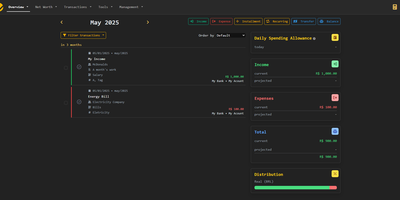
Track income, recurring expenses, and multi-currency assets with WYGIWYH, a self-hosted personal finance platform built on a strict cash-flow principle that preserves monthly savings while exposing spending patterns. Users can aggregate holdings across checking accounts, physical cash reserves, crypto wallets, and custom asset models with automatic foreign exchange rate calculations. The transaction engine executes automated adjustment rules to normalize merchant names, apply category tags, and calculate split costs on every purchase. Investors can schedule dollar-cost averaging portfolios to monitor accumulation performance and price averages over extended investment horizons. Interactive dashboards provide monthly breakdown grids, calendar views of pending recurring bills, and multi-year net worth trajectories. Financial analysts can export transaction journals to CSV, automate data synchronization through REST webhooks, or query accounts with AI agents via the Model Context Protocol. Customizable notification triggers alert account owners to payment due dates and anomalous spending spikes across monitored accounts. Running on a dedicated VPS on RepoCloud with guaranteed CPU, RAM, and SSD, full root SSH access, and a browser serial console. GNU AGPL v3.0 licensed.
Lyftr
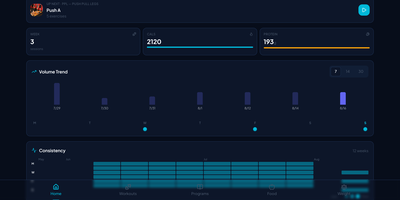
Lyftr delivers a self-hosted workout and nutrition tracker that runs on a small VPS — no subscriptions, no vendor lock-in, no "export is a Pro feature" paywalls. The Go backend with Gin framework provides JWT authentication and a REST API while storing everything in a single SQLite database file you can back up with one copy command. The exercise library ships with 800+ movements auto-seeded on first run, letting you build reusable workout programs with target sets, reps, and weights from day one. Active workout mode provides a guided set-by-set flow through your session while Gym Mode offers a full-screen card layout showing one exercise at a time with an integrated rest timer for focused training. The React frontend built with TypeScript and Tailwind delivers a mobile-first interface featuring a dashboard with weekly session KPIs, daily calorie and protein tracking, 12-week consistency heatmap, volume trend charts, and muscle balance visualization with sparklines. Nutrition tracking connects to Open Food Facts for food search with camera-based barcode scanning, logging calories and macros across customizable meal sections. Bodyweight logging with trend graphs supports both lbs and kg units across all data. An Android APK connects to your self-hosted instance for native mobile access. Running on a dedicated VPS on RepoCloud with guaranteed CPU, RAM, and SSD, full root SSH access, and a browser serial console. MIT licensed.
Ghostfolio
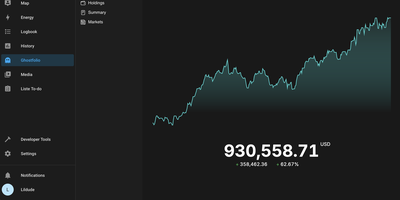
Stocks, ETFs, crypto, bonds, precious metals, and cash across every account and currency, in one privacy-first dashboard: Ghostfolio is open-source wealth management software. The deliberate design decision is no brokerage linking: positions enter by manual entry, CSV import, or the REST API, so your holdings never pass through a data aggregator. Performance is measured as return on average investment across Today, WTD, MTD, YTD, 1Y, 5Y, and Max timeframes, with benchmark comparison against indices like the S&P 500, dividend tracking, and allocation breakdowns by asset class, region, and sector. A static X-ray analysis flags concentration and other portfolio risks, and a FIRE calculator projects progress toward financial independence. Multi-currency support converts holdings using historical exchange rates, market data comes from Yahoo Finance and CoinGecko among other pluggable providers, and everything exports back out as CSV or JSON. Built with Angular and NestJS on PostgreSQL and Redis, shipped as Docker images for amd64 and ARM, with a mobile-first PWA interface, dark mode, and a distraction-free Zen mode. AGPL-licensed.
Radicale
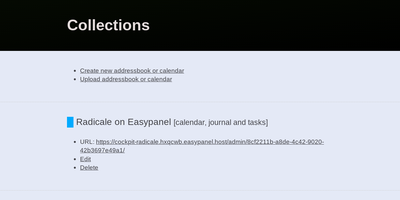
Calendars, to-do lists, journal entries, and contacts, synced over the open CalDAV and CardDAV standards nearly every client already speaks: Radicale is a small pure-Python server that works with Thunderbird, DAVx5 on Android, Apple Calendar and Contacts, GNOME, and many more. Its defining design choice is radical simplicity: there is no database. Events live as plain .ics files and contacts as .vcf files in an ordinary folder structure, which makes backup a copy command, migration a move, and disaster recovery a matter of reading text files. The server works out of the box with no complicated setup, then grows as needed: flexible authentication (htpasswd files among other methods), per-collection authorization rules, TLS-secured connections, and a plugin system for extending storage, auth, and rights handling. Built-in limits on parallel connections, file sizes, and failed authentication attempts harden it for network exposure behind a reverse proxy. A bundled web interface handles creating and managing calendars and address books - useful since many clients cannot create collections themselves. Maintained since 2011 with 140+ contributors, GPLv3-licensed, and light enough to run on the smallest VPS or a Raspberry Pi.
MediKeep
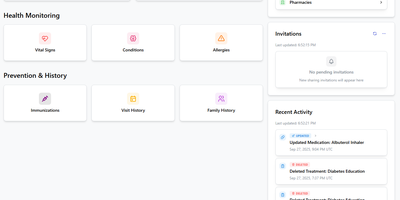
Your medical history, fragmented across a dozen patient portals, in one place on your server: MediKeep (formerly Personal Medical Records Keeper) is a self-hosted health record system. Built with a React frontend and FastAPI backend over PostgreSQL, it organizes 14 categories of medical data - medications with dosages and schedules, conditions, procedures, allergies, immunizations, symptoms, injuries, doctor visits and encounters, treatments, lab results, and even medical equipment with service dates and supplier info. Treatment management is genuinely sophisticated: an advanced mode links treatments to their medications with per-medication overrides for prescriber, pharmacy, and effective dates, and reverse lookup shows which treatments use a given medication. A dashboard summarizes records and recent activity, file uploads attach documents to records, and tagging works across categories. When a new specialist asks for your history, the report builder assembles custom reports by category and exports to PDF, JSON, or CSV - a curated, portable summary instead of a folder of photocopies. Authentication supports Google and GitHub SSO with OIDC providers like Keycloak and Authelia expected to work, and the built-in backup system protects the archive. Health data is exactly what should never live in someone else's cloud.
Wallos
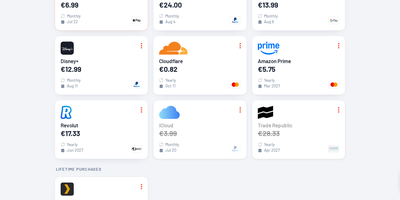
Track every recurring payment you have, from streaming services to SaaS tools, and get AI-powered recommendations on where to cut costs. Wallos manages subscriptions with automatic due date reminders delivered through email, Discord, Telegram, Pushover, Gotify, or custom webhooks so renewal charges never catch you off guard. Multi-currency support handles international subscriptions while the Fixer API converts everything to your primary currency for unified budget visibility. The statistics dashboard breaks down monthly and yearly spending by customizable categories, revealing consumption patterns and highlighting savings opportunities. AI analysis via ChatGPT, Gemini, or a locally-hosted Ollama instance reviews your subscription portfolio and suggests alternatives or consolidation strategies. Logo search automatically fetches brand imagery so your subscription list stays visually organized without manual uploads. Authentication supports OIDC with OAuth for enterprise environments, and the mobile-responsive interface works on any device with customizable themes and multi-language support. The PHP 8.3 application with SQLite backend runs from a single Docker container (bellamy/wallos image) with two persistent volumes for database and logos on port 8282. Deploy on RepoCloud with a dedicated VPS, keeping all financial data private under the GPL-3.0 license.
Journiv
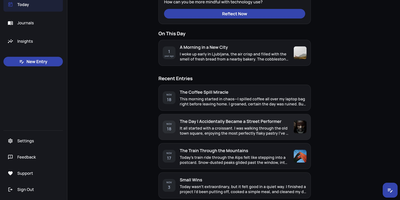
A Day One alternative that keeps your most personal writing on your own server: Journiv is journaling purpose-built for self-hosters. The FastAPI backend runs on SQLite by default with optional PostgreSQL, Redis, and Celery for background work, behind a clean, minimal web UI. Unlike general note-taking apps, it ships the features journaling actually needs: customizable moods and mood groups, activity tracking, goals with automated progress from logged activities, and daily writing prompts filterable by category and difficulty so a blank page never stalls you. Quick Log captures a moment in seconds and expands into a full entry later; "On This Day" resurfaces entries from past weeks, months, and years. Multiple journals separate work, gratitude, and personal writing, with tags and full-text search across everything, plus media uploads with automatic thumbnails and an Immich integration for linking photo-library memories. Analytics chart mood trends and writing patterns over time. Data portability is taken seriously: native import of Day One exports, JSON/Markdown/HTML export, and a standalone HTML viewer that opens your archive in any browser with no server running. OIDC single sign-on works with Authentik or Keycloak, and multi-arch images cover amd64 and arm64.
Cozy Cloud
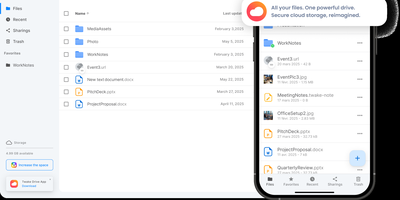
With over 1,200 GitHub stars, 12,000+ commits, and more than a decade of active development distributed under the AGPL-3.0 license, Cozy Cloud operates as a comprehensive personal data hub that goes far beyond file storage by connecting your documents, contacts, calendars, banking transactions, energy bills, and productivity tools into a single self-hosted platform where no third party profiles you. The cozy-stack Go binary handles file storage, CouchDB document management, job scheduling, app serving, and the REST API in a single process consuming approximately 150MB of RAM idle. Sandboxed konnectors import data from 50+ external services — banks, utility providers, telecom operators, cloud drives — running as isolated jobs via nsjail to prevent untrusted code from accessing other user data. The built-in app store serves web applications in subdomain-isolated environments with Content Security Policy headers, each app communicating exclusively through the documented REST API. Real-time synchronization via PouchDB replication and WebSocket keeps files, contacts, and documents consistent across desktop clients, mobile apps for iOS and Android with automatic photo backup, and the web interface. Security features include automatic Let's Encrypt TLS certificates, Argon2id password hashing, optional TOTP two-factor authentication, and GDPR-compliant data export via the CLI. Each user receives their own isolated instance with independent storage, database, and application configuration. Running on a dedicated VPS on RepoCloud with guaranteed CPU, RAM, and SSD, full root SSH access, and a browser serial console. AGPL-3.0 licensed.
Paisa
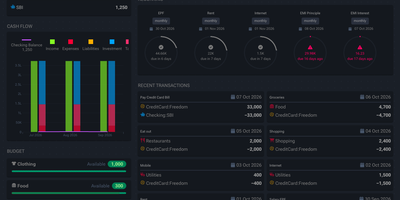
A plain text journal is all Paisa needs to put your net worth, cash flow, expenses, and investment returns on one set of dashboards. Write entries in the built-in editor. It brings syntax highlighting, auto completion, error checking, and auto formatting to double-entry journals. Bank and credit card statements in CSV, Excel, or PDF import through reusable templates that categorize every transaction. Price providers track mutual funds, NPS holdings, and stocks. Manual prices revalue a house, a car, or a plot of land. Budgets set a limit for each category and track spending against it. Allocation targets show how far a debt and equity split has drifted. Goals compute a completion date from monthly savings. The retirement planner works from a safe withdrawal rate and yearly expenses. A calendar marks recurring bills as cleared, late, past due, or upcoming, and Liabilities pages cover credit cards, loan repayment, and interest. Live Sheets calculate taxes and EMIs from ledger data. Journals and settings stay in plain text files that can be version controlled or shared, and ledger, hledger, and beancount are all supported. Running on a dedicated VPS on RepoCloud with guaranteed CPU, RAM, and SSD, full root SSH access, and a browser serial console. AGPL-3.0-or-later licensed.
LinkBreeze
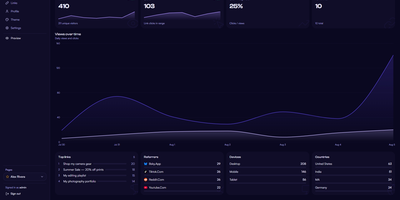
LinkBreeze is a self-hosted link-in-bio platform that lets you publish unlimited, fully themed link pages from your own server instead of renting one by the month. A guided setup wizard covers the admin credentials, profile, and theme, then a floating phone-frame preview refreshes as you edit while autosave stores your changes. Each page gets its own slug, theme, SEO tags, QR code, and analytics, so one install can serve a personal profile, a band, and a shop. Eleven built-in themes cover Aurora, Glassmorphism, Neon Cyberpunk, and Terminal Mono, backed by a token customizer for fonts, backgrounds, card styles, and raw CSS. Links pull in favicons automatically, accept thumbnails, and can be scheduled to appear and vanish on set dates, while embed widgets drop in YouTube, Spotify, SoundCloud, Vimeo, and Bandcamp players. A migration wizard imports profiles from Linktree, Bento, Hopp.bio, LittleLink, or an HTML or JSON export. Visitors can subscribe with an email address that you export to CSV, save your page as a vCard contact, or scan a QR code that downloads as SVG or PNG. Cookieless analytics track views, clicks, referrers, devices, and countries with hashed visitor IPs, and Plausible, Umami, Matomo, or Google Analytics can be added with one paste. The admin panel supports TOTP two-factor authentication, a UTM builder, JSON backup and restore, and seven interface languages. Running on a dedicated VPS on RepoCloud with guaranteed CPU, RAM, and SSD, full root SSH access, and a browser serial console. MIT licensed.
AgentVerse OS
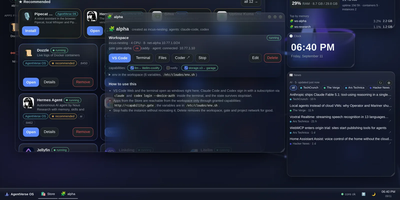
AgentVerse OS turns a single Ubuntu server into a personal cloud with a real desktop in the browser, built for a developer and their AI agents. You work in a windowed desktop with a taskbar, start menu, and widgets for system monitoring, clock, news, weather, and projects, and the same desktop opens from a laptop, tablet, or phone while everything stays on the server. Each project gets an isolated Incus container with Docker inside, its own network and gate, plus VS Code, a terminal, files, and git in the browser. The Agents app runs Claude Code, Codex, Gemini CLI, pi, and Antigravity inside the workspace, with permission prompts you approve from any device, scheduled routines, model menus, conversation search and export, and a ledger of what each session spent. When you close your laptop the agents keep working, and you pick the conversation up later exactly where it stopped. A built-in store merges the Runtipi, Coolify, and Umbrel catalogs into about 945 installable apps with guided setup, credentials shown in the app card, snapshots, and rollback. Projects request capabilities such as storage.s3, llm, or notify instead of hardcoding addresses, scheduled ZFS snapshots feed a restic backup repository, and access arrives only through your Tailscale network with real certificates. Running on a dedicated VPS on RepoCloud with guaranteed CPU, RAM, and SSD, full root SSH access, and a browser serial console. Apache-2.0 licensed.
TriliumNext
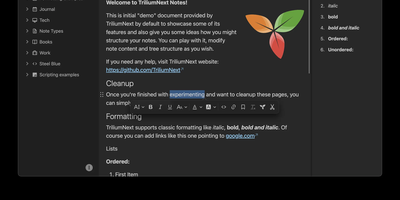
TriliumNext organizes notes in an infinitely deep tree where any single note can be cloned into multiple branches without duplication, building personal knowledge bases that mirror how ideas actually connect rather than forcing a single rigid folder hierarchy. Carrying forward the original Trilium project under active community stewardship with nearly 37,000 GitHub stars, the application is built on TypeScript with a CKEditor 5 WYSIWYG editor supporting rich text, tables, images, KaTeX math expressions, Mermaid diagrams, Excalidraw canvases, mind maps, spreadsheets with XLSX and CSV import/export, and code blocks with full syntax highlighting. A built-in JavaScript scripting engine runs on both frontend and backend, enabling custom widgets, automated workflows, scheduled tasks, and direct interaction with external REST services through a typed Script API. Full-text and fuzzy search with attribute-based queries locates any note instantly across databases tested at over 100,000 notes without performance degradation. The v0.104 release introduced importers for OneNote, Notion, Google Keep, Anytype, and Obsidian alongside 16 dedicated security fixes. Per-note AES encryption, OpenID Connect authentication, and TOTP two-factor protection safeguard sensitive content. The sync server keeps desktop clients, the progressive web app, and mobile devices in lockstep with zero third-party cloud dependency. Web Clipper captures content directly from browsers. Running on a dedicated VPS on RepoCloud with guaranteed CPU, RAM, and SSD, full root SSH access, and a browser serial console. AGPL-3.0 licensed.