Zulip
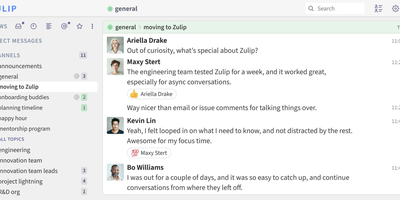
Used by the Rust language community, NASA, Dropbox, and thousands of organizations worldwide with over 25,600 GitHub stars and 1,500+ contributors, Zulip is the only modern team chat app designed from the ground up for both real-time and asynchronous communication through its unique topic-based threading model where every message belongs to a named topic within a channel. This eliminates the context collapse of linear chat by letting teams follow specific conversations without scrolling through unrelated messages, resume threads days later without losing context, and catch up on missed discussions at per-topic granularity. Server 12.0 introduced end-to-end encryption for mobile push notifications, AI-powered search ranking, channel folders for workspace organization, and expanded video conferencing with Jitsi, BigBlueButton, and Zoom integration. Over 100 native integrations connect GitHub, GitLab, Jira, Sentry, PagerDuty, Travis CI, Redmine, dbt, Nextcloud, and n8n with bidirectional notifications, while LLM-driven agents access web-public channels via a standard llms.txt interface. Full-text search covers unlimited message history across all plans, code blocks render with syntax highlighting for 250+ languages, and LaTeX math expressions display inline. The REST API with typed Python and JavaScript SDKs enables custom bots, webhook integrations, and programmatic administration. Import tools migrate entire workspaces from Slack, Microsoft Teams, Mattermost, and Rocket.Chat. Running on a dedicated VPS on RepoCloud with guaranteed CPU, RAM, and SSD, full root SSH access, and a browser serial console. Apache 2.0 licensed.
Codync
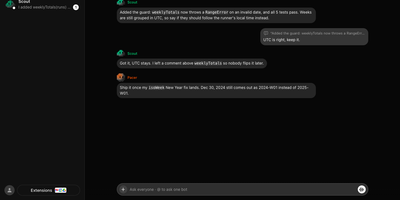
Codync turns the coding agents already installed on your computer into named bots you can message from your phone, so the Claude Code or Codex session on your desk keeps working while you are away. Each bot wraps one agent in one project folder, with its own standing instructions, memory, and approval rules, and several bots run side by side on one machine. Message any bot from the iPhone app, the desktop app, or a terminal; group rooms put bots in one thread, and an @name mention routes a question to exactly one of them. Bots ask each other for reviews inside the room and quote-reply to specific messages. File changes arrive as approval cards naming the file and computer, with Allow once, Always allow, or Deny; finished and blocked work both ping you as push notifications. The connection between phone and computer is end-to-end encrypted through a free relay, your own relay, or directly over the same Wi-Fi or Tailscale. Watch the computer's screen from your phone, hand a bot a computer-use tool, or talk to it in a voice call, and approve every new device per computer with a six-digit code. Your existing agent subscription does the work; Codync never calls a provider API with your login, and there is no paid tier. Running on a dedicated VPS on RepoCloud with guaranteed CPU, RAM, and SSD, full root SSH access, and a browser serial console. Apache-2.0 licensed.
Languagetool
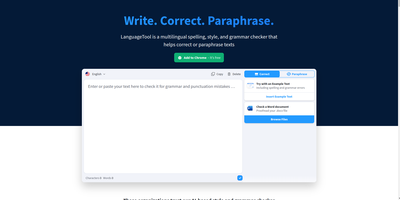
Grammar, punctuation, and style errors a dictionary lookup can't see: LanguageTool is open-source proofreading powered by a Java rule engine covering English, German, Spanish, French, Portuguese, Dutch, and 25+ other languages. Self-hosting the HTTP server is how you get Grammarly-class checking without sending every sentence you write to a third party - a real concern when the text being proofread is confidential email, legal drafts, or unreleased documentation. Your instance exposes the standard /v2/check API, so the official ecosystem plugs straight in: browser extensions for Chrome and Firefox accept a custom server URL, and integrations exist for VS Code, LibreOffice, Obsidian, Vim, Emacs, and many editors. Notably, self-hosting restores free browser-extension checking that the hosted service moved behind a premium subscription - your server, no character limits, no paywall. Detection quality is tunable: optional n-gram datasets (multi-gigabyte language models for en, de, es, fr, nl) teach the engine word-order and confusion-pair errors like there/their and brakes/breaks, and a fastText model improves automatic language identification. Everything runs offline once models are downloaded. The core is LGPL, the API is documented with Swagger, and rules are community- maintained and constantly expanding.
Omni Tools
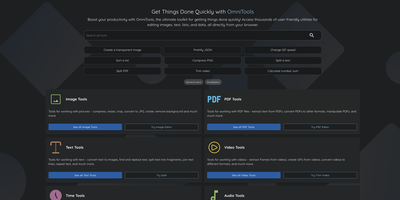
The ad-riddled "free online tools" sites people paste sensitive text into and upload confidential PDFs to - OmniTools replaces that whole ecosystem with one self-hosted app. It bundles 50+ utilities behind one clean React/TypeScript interface: image tools (resize, convert, crop, edit), video and audio tools (trim, reverse, convert), PDF tools (split, merge, edit), text and list utilities (case converters, formatters, shufflers), plus date/time, math, and data-format helpers for JSON, CSV, and XML. The architectural decision that makes it trustworthy is that all file processing happens entirely client-side in the browser - the server only serves static assets, and nothing you process ever leaves your device. That design has a pleasant side effect: the host needs almost no resources (people run it on a Raspberry Pi Zero), because your browser does the work while the server just delivers files. The Docker image is a remarkable 28 MB, making it one of the fastest apps to deploy and cheapest to keep running. There are no ads, no tracking, no accounts, and no upload limits. With multi-language support and an MIT license, it works equally well as a personal toolbox or a team-wide internal utility portal - one URL that replaces a bookmark folder full of questionable converters. Actively developed with 50 contributors and 9,500+ GitHub stars.
Wiki.js
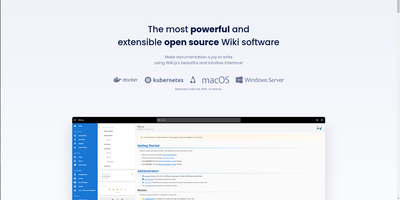
Team and product documentation on a fast Vue frontend with PostgreSQL storage: Wiki.js is a Node.js wiki engine. Its distinguishing trait is per-page editor choice: authors pick Markdown with live preview, a WYSIWYG visual builder for non-technical writers, or raw HTML, page by page. Native Git synchronization commits every page change to GitHub, GitLab, Bitbucket, Azure DevOps, or any Git remote - bi-directionally, so edits made in the repository flow back into the wiki - giving documentation version-controlled backup for free. Authentication coverage is among the broadest of any self-hosted wiki: local accounts with self-registration, social login via Google, GitHub, Discord, and Slack, and enterprise SSO through LDAP/Active Directory, SAML, CAS, Auth0, Okta, Azure AD, Keycloak, and generic OAuth2/OIDC, with optional MFA. Built-in full-text search runs on PostgreSQL with zero setup, and external engines like Algolia or Solr can substitute. Page history with visual version comparison, granular group-based permissions per path, nested navigation menus, 50+ integration modules, and full localization round it out. AGPLv3-licensed with a 28k-star community.
Contrack
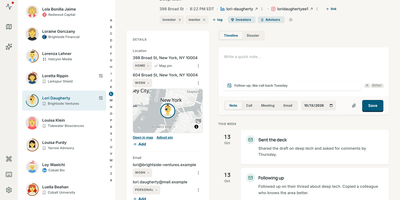
Your contacts live in four different address books; Contrack merges Apple, Google, LinkedIn, and Facebook into one self-hosted personal CRM you fully control. Importing merges the address books you already keep, and connecting a calendar or inbox lays past meetings and conversations along each person's timeline. Obvious duplicates merge themselves, borderline matches wait in a side-by-side review with field-level differences highlighted, and every merge can be undone for 90 days. A scribbled note such as 'met at Sarah's wedding, catch up quarterly' turns into fields, tags, dates, and reminders, while optional web research fills in roles and links with cited sources. Each morning, Pulse shows who is due a follow-up, whose birthday lands this week, and which friends have quietly gone a year without contact. Ask Contrack answers plain questions like 'who do I know in Lisbon' or 'who loves natural wine' by searching your notes and contacts locally. The map plots everyone by city, and drawing a loop around a neighborhood before a trip turns a visit into a dinner list in seconds. Households share one server while each profile keeps a private book, and the built-in MCP server lets Claude, ChatGPT, or Cursor look up context and log notes for you. One-click verified backups snapshot the whole address book, passkeys handle sign-in, and open exports mean your data leaves whenever you do. Running on a dedicated VPS on RepoCloud with guaranteed CPU, RAM, and SSD, full root SSH access, and a browser serial console. AGPL-3.0 licensed.
ZenNotes
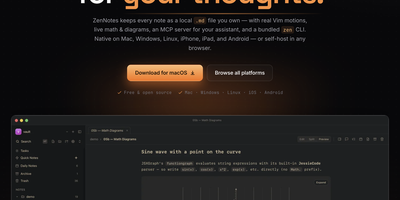
With over 2,200 GitHub stars and a philosophy that your notes should be files you own rather than rows in a database, ZenNotes is the keyboard-first Markdown editor that runs as a self-hosted web app backed by a Go server accessible from any browser on your network. Every note is a plain .md file in a vault directory you mount, with zero proprietary lock-in. Modal editing with real Vim motions, leader-key flows, and a command palette keeps your hands on the keyboard through edit, split, and preview modes. The rendering engine handles KaTeX math, Mermaid diagrams, TikZ graphics, and JSXGraph plots directly from Markdown syntax alongside wiki links and callout blocks. A first-party MCP server ships in the box with one-click integration for Claude Desktop and Cursor, letting AI assistants read and write the same Markdown files on disk without sync layers or duplicate copies. The bundled zen CLI provides note creation, search, tagging, task toggling, and piped capture with JSON output for shell scripting. Board views render plain CSV files as Kanban columns. Daily notes, quick capture, archive, and trash round out the vault workflow. The Go backend serves the browser frontend on port 7878 with token-based authentication, configurable browse roots, TLS proxy support, and file permission hardening at 0600/0700 defaults. Deploy via the multi-arch Docker image for linux/amd64 and linux/arm64. Running on a dedicated VPS on RepoCloud with guaranteed CPU, RAM, and SSD, full root SSH access, and a browser serial console. MIT licensed.
Usermemos
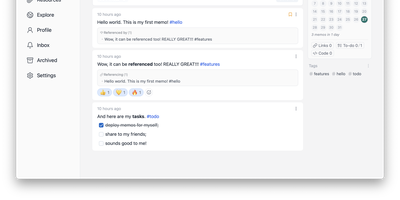
Memos, the lightweight open-source note service from the usememos project, packaged as a containerized deployment for multi-architecture Docker hosts (x86-64 and arm64): that is Usermemos. The model is frictionless capture: no folders or titles, just a chronological stream of Markdown notes with code blocks, task lists, tables, and file attachments, organized by #hashtags pulled automatically from the text. Per-memo visibility - private, protected for logged-in users, or public - lets a single instance serve as a personal journal, a shared team log, or a public microblog simultaneously. Multi-user support with authentication makes it workable for small teams, and full REST and gRPC APIs open capture and retrieval to CLIs, bots, and automation tools. The runtime is a single Go binary with a React frontend that idles around 50 MB of memory and stores content as plain Markdown in SQLite by default, with MySQL and PostgreSQL available for heavier deployments. Configuration happens through environment variables, access works over HTTP or HTTPS behind a reverse proxy, and there is no telemetry - notes stay on your server in a portable format.
Oksskolten
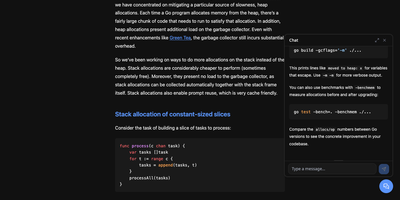
Subscribe to a feed and Oksskolten fetches the complete text of every new article, cleans it, and files it as Markdown in a library you can read without leaving the app. About 500 cleanup patterns strip ads, navigation, and tracking, with no per-feed toggles or selectors to maintain. No feed on the site? Auto-discovery goes first, then RSS Bridge, then LLM-inferred CSS selectors, while FlareSolverr gets past bot protection. Every feed is checked on its own schedule, somewhere between every 15 minutes and every 4 hours. Inbox, Read Later, Liked, and Read views keep the queue tidy. Clip any URL as a standalone article. Likes and bookmarks feed an engagement score that shapes search ranking and recommendations. One click summarizes or translates an article through Anthropic, Gemini, OpenAI, Ollama, or vLLM, with Google Translate and DeepL as translation engines. Ask the chat questions about your archive, or point Claude Code or Codex at the built-in MCP server to use the same tools. Search forgives typos and covers every stored article. Login works with a password, a passkey, or GitHub. Pick from four layouts and fourteen color themes, import custom themes as JSON, rebind keyboard shortcuts, and keep reading offline as a progressive web app. Running on a dedicated VPS on RepoCloud with guaranteed CPU, RAM, and SSD, full root SSH access, and a browser serial console. AGPL-3.0 licensed.
GPT Researcher
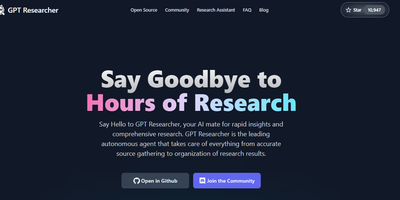
A question goes in; a cited, long-form report comes out - GPT Researcher is an open-source autonomous research agent. A planner agent decomposes the query into sub-questions, execution agents crawl 20+ web sources in parallel with JavaScript-enabled scraping, and a publisher aggregates findings into a 2,000+ word report with inline citations, exportable to PDF, Word, and Markdown. The Deep Research mode extends this recursively: each result yields follow-up questions that are explored to configurable breadth and depth in a tree pattern, while accumulated learnings, citations, and visited URLs are shared across branches. It also researches local documents (PDF, CSV, Word) alongside the web. LLM and search providers are pluggable, including OpenAI, Anthropic, Google, DeepSeek, and Ollama for models, and Tavily, Google, Bing, DuckDuckGo, and SearXNG for retrieval. It ships as a Python package, a FastAPI server with web frontend, a Docker image, and an MCP server for use inside Claude or Cursor. MIT-licensed.
Lobe Chat
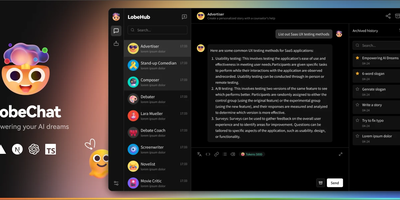
A private ChatGPT built with Next.js: Lobe Chat is the open-source AI chat interface teams self-host instead. Its main advantage is provider breadth: one interface connects to 40+ model providers, including OpenAI, Anthropic Claude, Google Gemini, Mistral, Groq, AWS Bedrock, Azure, and local models served through Ollama, so you can switch models per conversation and compare outputs. It handles multi-modal work: image recognition, image generation, text-to-speech, and speech-to-text. A plugin system based on function calling and the Model Context Protocol (MCP) adds external tools like web search and code execution. Run it in standalone mode as a single container with settings in browser storage, or in database mode with PostgreSQL and S3-compatible storage for persistent history, multi-user auth, and RAG knowledge bases built from uploaded documents with pgvector retrieval. Because tools arrive through function calling and MCP rather than a proprietary plugin format, custom internal tools can be exposed to the assistant with a standard server over STDIO or HTTP. Hundreds of pre-configured assistant roles import from the community marketplace. For teams the cost model matters: provider API keys billed per token typically undercut a ChatGPT Plus seat per person, and self-hosting keeps API keys, uploaded files, embeddings, and conversation history entirely on your own server.
DailyHub
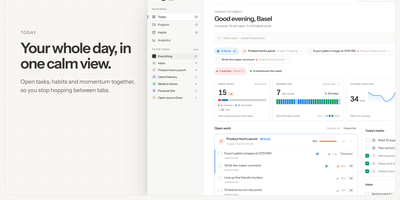
DailyHub is one calm page for a single person's whole day: today's open work grouped by project, the habits due this morning, and an inbox that catches everything that does not belong anywhere yet. The Today view greets you with a quick-add box, nudges about what is slipping, and a progress bar that fills as the day gets done. Focus mode pins the projects or tasks that matter and hides the rest until a date you pick or until you clear it, so the full list stops shouting. Projects carry status, due dates, and milestones, wear logos with accent colours derived from them automatically, and raise a banner when work stalls. Habits run on weekday schedules and report back with a 14-day consistency strip and a completion rate, so a streak is something you can see rather than guess. Analytics chart completions over time, break them down per project, and surface the weekday patterns that show when you actually get things done. A command palette jumps to any project, task, habit, or milestone from the keyboard, and light and dark themes keep long planning sessions easy on the eyes. An AI assistant can join through the built-in MCP endpoint: ask what is still open in the inbox, add a task to the website project for Friday, or mark today's workout done. Running on a dedicated VPS on RepoCloud with guaranteed CPU, RAM, and SSD, full root SSH access, and a browser serial console. MIT licensed.
LinkWarden
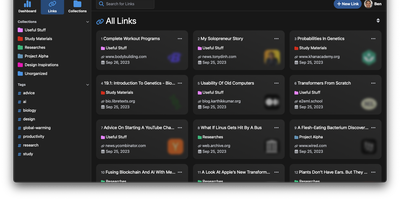
Links rot - the hard truth Linkwarden is built around, as a collaborative bookmark manager that preserves what it saves. Every page you save is fully preserved - a screenshot, a PDF, a self-contained single-file HTML archive (generated by the Monolith Rust binary), and a clean reader view - so the content survives even after the original site disappears. Think of it as a private Wayback Machine you own, with an optional one-click snapshot to archive.org on top. The reading experience matches the archival rigor: a distraction- free reader view supports text highlighting and annotation, and full-text search across everything you have saved is powered by Meilisearch. Optional AI tagging analyzes page content and auto-assigns tags - generate new ones, pick from your existing set, or constrain to predefined tags - with providers ranging from local Ollama models (fully private) to OpenAI, Anthropic, and OpenRouter. Organization is collections, sub-collections, and multiple tags per link; teams collaborate on shared collections with per-member permissions, and public collections share curated link sets (with preserved copies) to anyone. The stack is Next.js/React on TypeScript with PostgreSQL via Prisma, NextAuth supporting credentials, OAuth2, and SAML SSO, and a Playwright-driven headless Chromium worker doing the capture. Native iOS and Android apps and browser extensions feed it from anywhere.
HolaOS
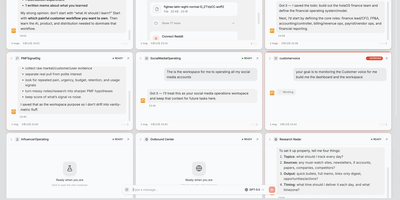
With over 6,500 GitHub stars, HolaOS bills itself as an "open agent computer" that reimagines the traditional operating system as a shared workspace where humans and AI agents collaborate across files, browsers, and 100+ integrated tools simultaneously. Unlike chat-only interfaces, HolaOS places live application UIs—Notion-style editors, browsers, custom workspace apps—side by side with the agent conversation, so operators always see what agents are doing and can intervene at any moment. The persistent memory system stores workspace knowledge locally as Markdown files and embedded vectors via SQLite vec, enabling RAG-powered recall that survives session boundaries without the typical context window bloat. Safe Session Compaction reserves roughly 70% of the model context window for fresh reasoning while folding older history into structured checkpoints that retain goals, constraints, progress, and decisions. Agents connect to Linear, GitHub, Slack, Jira, HubSpot, Gmail, and dozens more through one-click OAuth, automatically fetching relevant signals and converting scattered app data into working memory. BYOK support for Claude, GPT, and Gemini models lets operators use their own API keys at zero markup, while built-in Kimi K3 and GLM-5.2 models provide ready-to-use alternatives. Skills package reusable workflows that any agent can invoke on demand, and scheduled triggers enable autonomous digests, monitors, and reports. The runtime supports independent server deployment alongside the desktop client. Running on a dedicated VPS on RepoCloud with guaranteed CPU, RAM, and SSD, full root SSH access, and a browser serial console. Modified Apache 2.0 licensed.
Pi Pocket
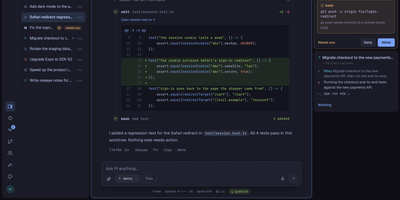
Pi Pocket puts the Pi coding agent in your phone browser, so you can start, steer, and review real coding sessions from anywhere while the work stays on your own server. Open a folder, a fresh Git worktree, or a GitHub repository, pick a model per session, and watch streamed replies with tool calls, queued follow ups, and a stop button when a run wanders. Sessions survive crashes and restarts because every model call, tool call, and subagent step is stored as it happens, and forks let you retry any reply with a different model on another branch. Invite teammates into a live session with presence, roles, and a side chat the agent never sees, or let PiP, the built in assistant, follow your other sessions and report back. GitHub watches and webhooks wake the agent when pull requests, issues, or workflows change, while scheduled messages and cron style goals keep routine work moving overnight. Spend views show cost per person and per session, and owner set limits pause new work instead of quietly burning budget. On a phone you get push notifications, dictation, share sheet intake, and a home screen app, and live reloadable extensions add routes, modules, and commands without a build step. Running on a dedicated VPS on RepoCloud with guaranteed CPU, RAM, and SSD, full root SSH access, and a browser serial console. MIT licensed.
Renewlet
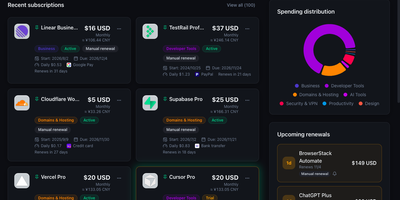
Renewlet is a self-hosted subscription ledger that shows exactly what your recurring services cost each month and warns you before every renewal, so no charge lands unannounced again. Record each subscription once with its price, currency, billing cycle, renewal date, payment method, and notes, and the dashboard keeps the monthly and yearly totals current, compares them against a budget you set, and converts between currencies. Reminders go out in each user's own time zone through Telegram, Discord, email, webhooks, and six more channels, with repeat reminders, delivery history, and retries when a send fails. Adding subscriptions takes seconds: point the AI recognition at a bill screenshot, a note, or a pasted table and it drafts the entries for your review, or import data from Wallos and other exports. Every subscription can join a shared calendar feed or publish its own ICS feed, and a public status page can show your stack with prices hidden. Accounts are protected with authenticator codes, recovery codes, and passkey sign-in. A read-only public API lets CLI tools and Shortcuts query your subscriptions, and the whole app runs in a single Docker container or on Cloudflare Workers. Running on a dedicated VPS on RepoCloud with guaranteed CPU, RAM, and SSD, full root SSH access, and a browser serial console. MIT licensed.
Monetr
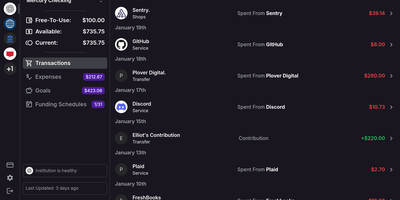
After the bills are covered, how much is actually safe to spend? monetr organizes an entire budgeting application around that one question. Inspired by the defunct Simple bank, it budgets paycheck by paycheck rather than month by month. Funding schedules encode when you get paid - including multiple schedules per account and a weekend-exclusion option for deposits that land early - and every expense or savings goal is tied to one. monetr then calculates how much of each recurring obligation (rent, car payment, subscriptions, on any repeat interval) to set aside from each paycheck, so a large bill never has to come out of a single check. What remains after allocations is surfaced as Free-To-Use, and a forecasting timeline projects contributions, due dates, and leftover funds forward so low-balance periods are visible before they happen. Transactions arrive either as OFX uploads from your bank or automatically through a Plaid connection using your own API credentials, keeping balances and transactions synced without manual entry. The app is mobile-friendly and installable as a PWA on desktop or phone. Self-hosting via Docker Compose is completely free, with all source code public and your financial data on your own hardware.
Docmost
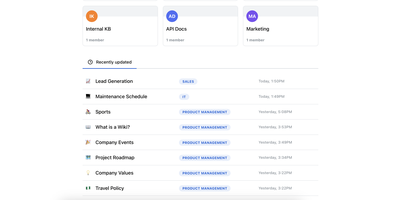
Confluence and Notion both want your team's documentation in their cloud; Docmost, an open-source collaborative wiki platform, keeps it on your server. The centerpiece is a Notion-style block editor with CRDT-based real-time collaboration: multiple people edit the same page simultaneously and changes merge without conflicts or overwrites. Content lives in spaces - per team, project, or department - with nested page trees, role-based permissions, groups, inline comments, page history with restore, and full-text search across everything. The editor covers tables, code blocks, callouts, KaTeX math, and file attachments, and diagramming is built in rather than bolted on: Mermaid, Draw.io, and Excalidraw all render inside pages, alongside embeds for Airtable, Loom, Miro, and more. Migration paths include Notion, Markdown, HTML, and ZIP archive imports (Confluence, PDF, and DOCX importers ship in the Enterprise edition, along with SSO via SAML/OIDC/LDAP and MFA). The stack is TypeScript with PostgreSQL and Redis, deploys via Docker Compose, runs in air-gapped environments with no external dependencies, and is translated into 10+ languages. The AGPL-3.0 community edition carries no per-seat fees; the project has passed 20,000 GitHub stars since its 2024 launch.