Vikunja
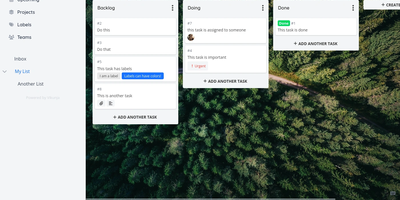
A personal to-do list that scales to team project management: Vikunja is an open-source task manager that grows with the work. Every project can be viewed four ways - classic list, drag-and-drop Kanban board, Gantt chart for timeline planning, and a spreadsheet-style table - so a project manager watches the Gantt while developers work the board, on the same data. Tasks carry the full attribute set: labels, priorities, due dates and reminders, recurring schedules, subtasks and task relations, file attachments, assignees, and comments, and Quick Add Magic parses natural-language input like dates and labels typed inline. Projects share with team members or via links, and saved filters slice tasks across projects. Built-in CalDAV support (VTODO) syncs tasks bidirectionally with clients like Thunderbird, DAVx5, and iOS Reminders, and one-click importers migrate from Todoist, Trello, and Microsoft To-Do. Nothing is metered - unlimited projects, tasks, filters, and attachments. A single Go binary with a Vue frontend runs against SQLite, MySQL, or PostgreSQL, exposes a full REST API, and works as an installable PWA on mobile. AGPLv3-licensed.
Papermerge
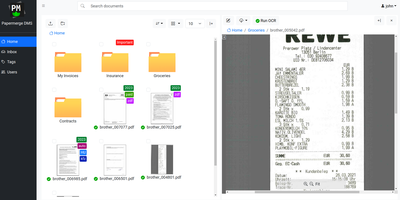
Receipts, contracts, and letters that arrive as pixels rather than text: Papermerge is a document management system built specifically for scanned documents. Upload a PDF, TIFF, JPEG, or PNG and OCR runs automatically, with a real-time status indicator beside the document title; under the hood it drives OCRmyPDF and Tesseract, supporting 130+ languages and producing a new document version with a selectable, searchable text layer you can download. Full-text search runs across everything, with multiple search-engine backends (Xapian by default). The interface deliberately mimics a modern desktop file browser: dual-panel commander, drag and drop, hierarchical folders, and colored tags on documents and folders. Page management fixes what scanners get wrong - delete blank pages, rotate, reorder, merge, extract, and move strayed pages between documents, powered by PikePDF. Document types act as categories, each with its own custom metadata fields, so invoices carry vendor and amount while contracts carry parties and dates. Versioning preserves every state of a document. Multi-user support includes groups, group ownership, permission management, and document/folder sharing between users and groups, and an OpenAPI-compliant REST API automates ingestion from scanners or scripts. Apache-licensed, ideal for long-term digital archives.
Automatisch
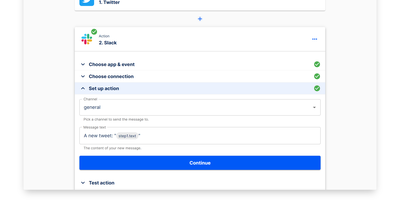
Automatisch runs your Zapier workflows on your own hardware - an open-source, self-hosted automation platform built as a direct alternative. Flows are chains of steps: one trigger (a polling or webhook event such as a new GitHub issue, a Stripe payment, or a form submission) followed by action steps that pass data downstream (post to Slack, append a Google Sheets row, update Notion). The visual builder deliberately mirrors Zapier's trigger-action model, so migrating existing Zaps requires no retraining and no programming knowledge. Roughly 60 integrations cover common business services - Slack, GitHub, Google Sheets, Notion, Stripe, Discord - and connections store credentials per service, with multiple accounts per app supported. Every execution runs on your own server: execution history, logs, and payload data never touch a third-party processor, which matters for GDPR, healthcare, and finance workloads. Error handling with retry logic, a REST API for programmatic flow management, and Docker Compose deployment round out the platform. The AGPL-3.0 Community Edition has no feature limits or per-task billing; an Enterprise Edition adds SSO, roles, and audit logs.
Tududi
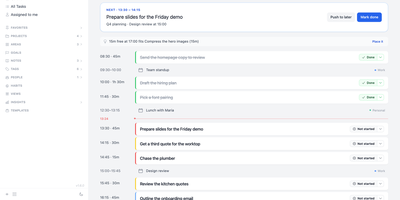
Tududi is a self-hosted planner that turns a pile of tasks into a plan for the day, keeping projects, notes, goals, and habits on a server you control. One Add box files an Inbox item, Task, Note, or Project and understands natural-language dates, recurrence, tags, projects, and people, so "every first monday #home" becomes a recurring task without opening a form. The Today page switches between planning mode, with a timeline or list beside your calendar and optional AI help to sketch the day, and doing mode, with a Next card and a hint when a free slot fits a small task. Tasks have subtasks and live in projects and areas, projects link to season or year goals, and saved views, project templates, and optional Eisenhower and Kanban boards organize the work. Habits support build or quit goals with streaks, a strength score, and a history grid, while notes offer linked pages, backlinks, and mermaid diagrams. Households and teams share projects with read-only or read-write access, assign tasks to people, and follow an Everyone board; members without email sign in through one-time links. Telegram captures tasks and can send daily summaries, CalDAV syncs with reminder apps, OIDC handles single sign-on, and an MCP server lets Claude or Cursor manage tasks. AI stays off until you enable it and add a provider; local models work too. Running on a dedicated VPS on RepoCloud with guaranteed CPU, RAM, and SSD, full root SSH access, and a browser serial console. MIT licensed.
AMUX
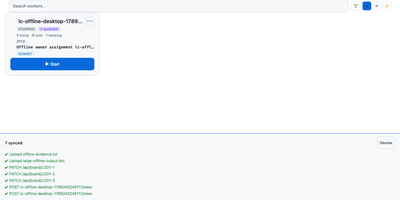
To coordinate swarms of autonomous coding agents across complex software projects, AMUX provides a concurrency-safe kanban workspace with real-time thought stream inspection and live steering controls. Engineers assign development tasks through an interactive board where autonomous worker processes claim cards using compare-and-swap mutexes to eliminate race conditions between parallel sessions. Operators monitor active reasoning streams, inspect streaming terminal outputs, and inject guidance commands mid-turn without interrupting background execution. A cryptographic origin router relays messages between agents, enabling workers to delegate sub-tasks, request automated peer code reviews, and share environment state safely. Built-in schedulers trigger recurring automated maintenance routines, dependency updates, and bug triage sweeps on cron-like timers or autonomous loop cadences. Teams can switch language models dynamically on active sessions to tackle complex architecture challenges with high-capability reasoning engines while conserving resources on routine tasks. An integrated self-healing supervisor watches over agent runtimes, automatically compacting context windows, restarting crashed terminal sessions, and resuming pending instructions seamlessly. Running on a dedicated VPS on RepoCloud with guaranteed CPU, RAM, and SSD, full root SSH access, and a browser serial console. MIT licensed.
Reactive Resume
With over 38,000 GitHub stars, nearly one million registered users, and over 1.3 million resumes created, Reactive Resume delivers a professional resume creation experience that rivals commercial platforms like Resume.io and Zety without collecting user data, showing advertisements, or imposing paywall restrictions. The real-time WYSIWYG editor renders changes instantly as users type, providing immediate visual feedback across all resume sections including work experience, education, skills, certifications, projects, and custom sections with typed extensions. Over fifteen professionally designed templates with full color customization, font selection, spacing adjustment, and icon style selectors ensure each resume reflects individual style preferences. The drag-and-drop system lets users move items between sections and pages freely across multi-column and full-width layouts. PDF generation produces pixel-perfect documents using a headless Chromium rendering pipeline, ensuring consistent output across all devices and print settings. Multi-language support covers over twenty languages with RTL script handling for Arabic and Hebrew. Authentication supports passkeys and multiple OAuth providers via Better Auth, while self-hosted deployment runs via Docker Compose with PostgreSQL and Browserless for PDF rendering. The import system accepts JSON Resume format, LinkedIn data exports, and PDF/DOCX files when AI integration is configured. AI-powered content suggestions using OpenAI, Google Gemini, Anthropic Claude, or local Ollama models help improve bullet points and professional summaries. A CSS editor with autocompletion allows fine-grained styling control. Running on a dedicated VPS on RepoCloud with guaranteed CPU, RAM, and SSD, full root SSH access, and a browser serial console. MIT licensed.
Planka
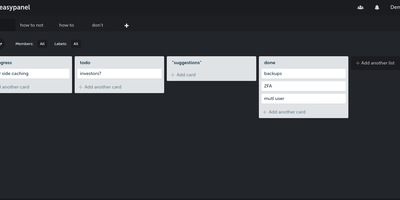
Trello's board model on your own server: Planka is an open-source Kanban project management tool. Boards organize into projects with lists, cards, labels, due dates, checklists, file attachments, and per-card stopwatch time tracking, all managed through drag-and-drop. Updates propagate over WebSockets, so a teammate moving a card or adding a comment appears instantly for everyone without a refresh - a genuine differentiator among self-hosted boards. Card descriptions use a full Markdown editor, custom fields adapt cards to your workflow, and views switch between Kanban, grid, and list layouts. Authentication supports OpenID Connect single sign-on with Google, Azure AD, Okta, or any OIDC provider - a feature Trello reserves for enterprise plans - and notifications reach 100+ channels including Slack, Discord, Telegram, and SMTP via Apprise. A REST API with 50+ webhook events supports custom integrations, and one-click board import eases migration. Built with React and Node.js on PostgreSQL, translated into 35+ languages, deployed via Docker.
Keeper
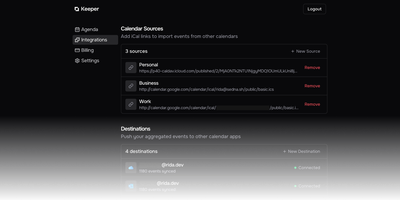
Work, personal, business, and school calendars at different providers double-book because no one system sees your real availability - Keeper solves that multi-calendar collision problem. Its pull-compare-push sync engine aggregates events from Google Calendar, Outlook/Office 365, iCloud, FastMail, any CalDAV server, or read-only iCal/ICS feeds, and pushes blocking events to one or many destination calendars so time slots align everywhere. The design is deliberately content-agnostic - it syncs timeslots, not titles or descriptions, so a personal appointment shows as busy time on your work calendar without leaking details. Sync logic is clean: events Keeper creates carry a traceable UID suffix, deletions propagate, and orphaned entries are purged automatically. A token-authenticated aggregated iCal feed combines selected calendars into one subscribable URL for Apple Calendar or Thunderbird. An optional MCP server gives AI agents read-only calendar access over OAuth 2.1 - list calendars and query events by date range, with no write capability. Built with Next.js and Bun under AGPL-3.0, the standalone Docker image bundles web, API, cron, worker, Redis, and PostgreSQL in one container, and self-hosting unlocks every Pro feature - unlimited calendars and one-minute sync intervals - for free.
Radicale
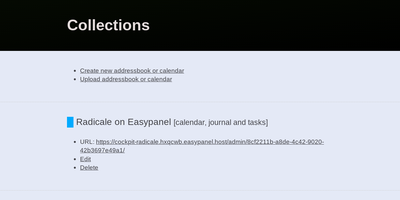
Calendars, to-do lists, journal entries, and contacts, synced over the open CalDAV and CardDAV standards nearly every client already speaks: Radicale is a small pure-Python server that works with Thunderbird, DAVx5 on Android, Apple Calendar and Contacts, GNOME, and many more. Its defining design choice is radical simplicity: there is no database. Events live as plain .ics files and contacts as .vcf files in an ordinary folder structure, which makes backup a copy command, migration a move, and disaster recovery a matter of reading text files. The server works out of the box with no complicated setup, then grows as needed: flexible authentication (htpasswd files among other methods), per-collection authorization rules, TLS-secured connections, and a plugin system for extending storage, auth, and rights handling. Built-in limits on parallel connections, file sizes, and failed authentication attempts harden it for network exposure behind a reverse proxy. A bundled web interface handles creating and managing calendars and address books - useful since many clients cannot create collections themselves. Maintained since 2011 with 140+ contributors, GPLv3-licensed, and light enough to run on the smallest VPS or a Raspberry Pi.
Wallos
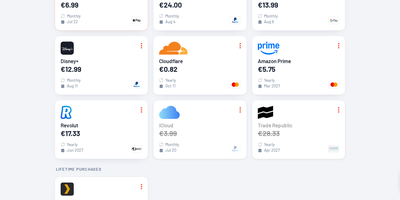
Track every recurring payment you have, from streaming services to SaaS tools, and get AI-powered recommendations on where to cut costs. Wallos manages subscriptions with automatic due date reminders delivered through email, Discord, Telegram, Pushover, Gotify, or custom webhooks so renewal charges never catch you off guard. Multi-currency support handles international subscriptions while the Fixer API converts everything to your primary currency for unified budget visibility. The statistics dashboard breaks down monthly and yearly spending by customizable categories, revealing consumption patterns and highlighting savings opportunities. AI analysis via ChatGPT, Gemini, or a locally-hosted Ollama instance reviews your subscription portfolio and suggests alternatives or consolidation strategies. Logo search automatically fetches brand imagery so your subscription list stays visually organized without manual uploads. Authentication supports OIDC with OAuth for enterprise environments, and the mobile-responsive interface works on any device with customizable themes and multi-language support. The PHP 8.3 application with SQLite backend runs from a single Docker container (bellamy/wallos image) with two persistent volumes for database and logos on port 8282. Deploy on RepoCloud with a dedicated VPS, keeping all financial data private under the GPL-3.0 license.
Kan
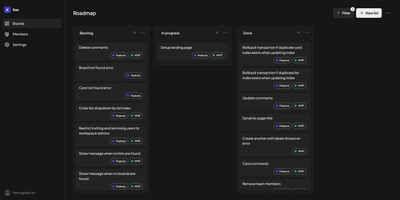
What Trello fans wanted Trello to stay: Kan (kan.bn) is a minimalist, frills-free kanban board capturing the original vision before the enterprise pivots - and then adds the things 2025 actually demands. The core is exactly right: drag-and-drop cards across lists, labels and filters to find work fast, comments for discussion on cards, checklists, a detailed activity log tracking every change, and reusable board templates. Workspaces gather your team with member invites and role management, and board visibility controls decide who can view or edit each board. Migration is first-class: a built-in Trello importer brings existing boards over, so switching costs an afternoon, not a quarter. The standout differentiator is the bundled Model Context Protocol server exposing 46 tools across workspaces, boards, lists, cards, comments, checklists, labels, and members - meaning Claude Desktop, Cursor, Copilot, or any MCP client can read and manage your boards in natural language: "move everything assigned to me into Done" becomes a sentence, not a click marathon. The stack is modern TypeScript - Next.js, tRPC, Drizzle ORM over PostgreSQL, Better Auth (credentials or OAuth), Tailwind - with optional SMTP email and S3 file storage. Unlimited boards, lists, and cards; AGPL-licensed.
MindsHub
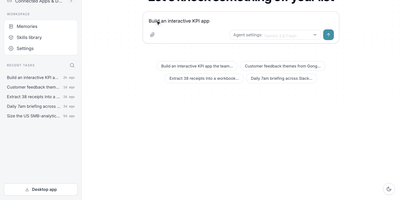
Backed by $50M+ from Benchmark, Y Combinator, and NVIDIA with 800+ contributors and 39,000+ GitHub stars, MindsHub Cowork is the unified AI workspace where open-source models handle entire projects — research, reporting, internal tools, scheduled operations — and return finished, shareable deliverables. The platform runs two interchangeable open-source agent harnesses, Anton and Hermes, swappable from a dropdown without losing context. A built-in Model Router pre-wires 25+ models spanning Anthropic Claude, OpenAI GPT, Google Gemini, DeepSeek, Qwen, Kimi, Grok, and MindsHub Air with automatic failover — no per-provider API keys required. A secure credentials vault connects BigQuery, PostgreSQL, Salesforce, HubSpot, Zendesk, Gong, Gmail, Google Drive, Notion, Linear, Stripe, and Slack, keeping secrets scoped per connection so agents never see raw keys. Agent output becomes publishable artifacts — documents, dashboards, apps, and code — each deployable to a live shareable URL. Cross-session persistent memory, a reusable skill library, and a background scheduler supporting hourly, daily, and weekly cadences enable autonomous recurring workflows. The architecture separates a React/Vite frontend (shipping as both Electron desktop app and web SPA) from a FastAPI backend with a versioned REST API at /api/v1 covering conversations, projects, artifacts, schedules, and connectors. Self-host via Docker Compose with nginx on port 3000 and the API on port 26866, or deploy on-prem, in a VPC, or air-gapped. Running on a dedicated VPS on RepoCloud with guaranteed CPU, RAM, and SSD, full root SSH access, and a browser serial console. MIT licensed.
Wallabag
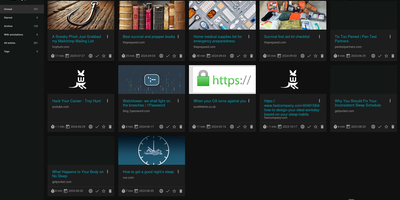
With 12,800+ GitHub stars and over a decade of active development since 2013, wallabag is the most established open-source read-it-later application — built for readers who want complete ownership of their article archive without depending on services that shut down (RIP Pocket). The Symfony-based PHP application extracts clean article content using Graby and php-readability, stripping advertisements, pop-ups, and tracking scripts to deliver a distraction-free reading experience optimized for both desktop and mobile screens. Save articles via Chrome, Firefox, or Safari browser extensions, Android and iOS native apps, REST API, or the built-in bookmarklet — all syncing to your self-hosted instance. Organize your library with tags, automated tagging rules that classify articles by content patterns, starred favorites, and archived collections. The annotation system enables highlighting extracts and attaching notes directly within articles for research and reference workflows. Import your existing reading lists from Pocket, Omnivore, Instapaper, Pinboard, Readability, and browser bookmarks. Export articles in PDF, ePUB, MOBI, JSON, CSV, TXT, or HTML for offline reading on Kindle, Kobo, and other e-readers. Full-text search with filters by reading time, domain, language, and creation date makes retrieval instant across thousands of saved articles. RSS feed output integrates with feed readers and automation services. Docker deployment with SQLite, MySQL, or PostgreSQL persistence backends takes under five minutes. Running on a dedicated VPS on RepoCloud with guaranteed CPU, RAM, and SSD, full root SSH access, and a browser serial console. MIT licensed.
Journiv
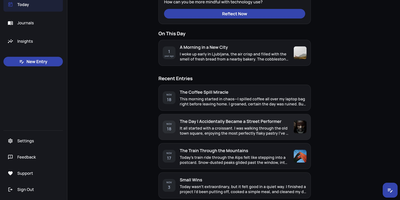
A Day One alternative that keeps your most personal writing on your own server: Journiv is journaling purpose-built for self-hosters. The FastAPI backend runs on SQLite by default with optional PostgreSQL, Redis, and Celery for background work, behind a clean, minimal web UI. Unlike general note-taking apps, it ships the features journaling actually needs: customizable moods and mood groups, activity tracking, goals with automated progress from logged activities, and daily writing prompts filterable by category and difficulty so a blank page never stalls you. Quick Log captures a moment in seconds and expands into a full entry later; "On This Day" resurfaces entries from past weeks, months, and years. Multiple journals separate work, gratitude, and personal writing, with tags and full-text search across everything, plus media uploads with automatic thumbnails and an Immich integration for linking photo-library memories. Analytics chart mood trends and writing patterns over time. Data portability is taken seriously: native import of Day One exports, JSON/Markdown/HTML export, and a standalone HTML viewer that opens your archive in any browser with no server running. OIDC single sign-on works with Authentik or Keycloak, and multi-arch images cover amd64 and arm64.
Collabora Office
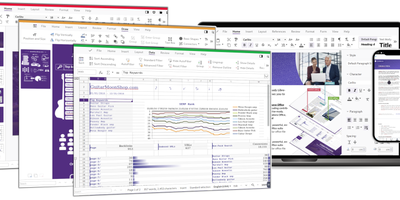
Real LibreOffice document engineering in the browser: Collabora Online is built by the company employing much of the former SUSE LibreOffice team - not a reimplementation. This deployment runs CODE (Collabora Online Development Edition), the collabora/code server that renders and edits documents entirely server-side while browsers get high-fidelity WYSIWYG output, so layout and formatting survive round-trips that break lesser converters. Four editors ship in one container: Writer for text documents (comments, track changes with comparison and restoration, form handling), Calc for spreadsheets (advanced formulas, macros, pivot tables, per-user sheet views, server-enforced cell protection), Impress for presentations, and Draw for Visio-class diagrams. Format compatibility spans DOCX, XLSX, PPTX, the ODF family, PDF, and dozens more - including Visio and Publisher import. Real-time collaborative editing supports multiple simultaneous editors with visible cursors and commenting. The architectural point: documents are processed on your server and never leave it, which is why Collabora is the engine behind Nextcloud Office and integrates with ownCloud, Seafile, and any WOPI-speaking host - or embeds in your own application via the SDK. An admin console monitors sessions and memory. For organizations that need Google Docs-style collaboration with actual data sovereignty, this is the reference open-source answer.
APITable
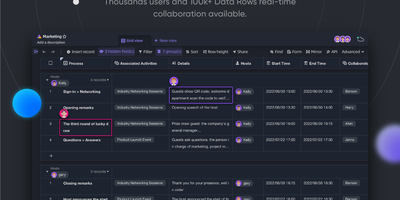
With over 15,000 GitHub stars and positioning itself as the most feature-complete open-source alternative to Airtable, APITable combines a buttery-smooth spreadsheet interface with a full database engine and automatic API generation that turns every datasheet into a queryable REST endpoint without writing a single line of backend code. Real-time collaborative editing powered by Operational Transformation algorithms supports 100,000+ rows with multiple simultaneous users, while seven built-in view types — Grid, Kanban, Gallery, Gantt chart, Calendar, Mindmap, and Form — let teams visualize the same data in whatever format suits their workflow. The one-click API panel exposes every table as a documented REST API with filtering, sorting, and pagination, effectively functioning as a backend-as-a-service for frontend developers and automation builders. Robot automation triggers workflows on record changes with integrations into n8n, Zapier, Appsmith, and Slack, while the extensible widget system provides 20+ open-source widgets for custom charts, dashboards, and data visualizations embedded directly into datasheets. Enterprise features include SAML single sign-on, field-level and row-level permissions via Mirrors, organizational team management, audit logging, database auto-backup, and data export. Bi-directional table linking with infinite cross-links creates relational data models across workspaces, and built-in templates cover CRM, project management, inventory, and content planning. Running on a dedicated VPS on RepoCloud with guaranteed CPU, RAM, and SSD, full root SSH access, and a browser serial console. AGPL-3.0 licensed.
Solidtime
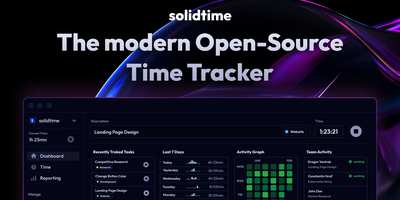
Solidtime is a time tracker for freelancers and agencies, offering a modern SaaS-quality interface that rivals commercial tools like Toggl and Clockify. The time tracking interface provides a running timer, calendar view, and weekly timesheet for flexible entry across desktop, mobile, and the dedicated macOS, Windows, and Linux desktop applications. Project management organizes work by client with hierarchical billable rates configurable at organization, member, project, and project-member levels, ensuring accurate billing across complex team structures. The invoicing module generates polished PDF invoices and structured EU e-invoices with configurable VAT rates, percentage and fixed discounts, EU reverse-charge handling, reusable company templates, and automatic line item generation from billable time entries. Reporting provides filterable summaries by user, project, client, and date range with exportable data for billing audits and team retrospectives. Multi-organization support manages separate workspaces from a single account with role-based permissions controlling access across organizations. Data import from Toggl, Clockify, and generic Timeentry CSV files enables migration from existing tools without losing historical records. The RESTful API with bearer token authentication enables automation and integration with external services. Docker deployment with PostgreSQL runs behind Nginx or Traefik reverse proxy. Running on a dedicated VPS on RepoCloud with guaranteed CPU, RAM, and SSD, full root SSH access, and a browser serial console. AGPL-3.0 licensed.
Cozy Cloud
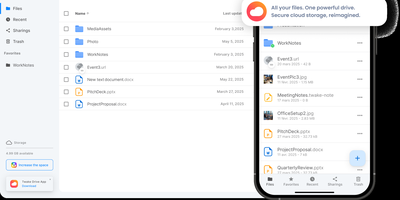
With over 1,200 GitHub stars, 12,000+ commits, and more than a decade of active development distributed under the AGPL-3.0 license, Cozy Cloud operates as a comprehensive personal data hub that goes far beyond file storage by connecting your documents, contacts, calendars, banking transactions, energy bills, and productivity tools into a single self-hosted platform where no third party profiles you. The cozy-stack Go binary handles file storage, CouchDB document management, job scheduling, app serving, and the REST API in a single process consuming approximately 150MB of RAM idle. Sandboxed konnectors import data from 50+ external services — banks, utility providers, telecom operators, cloud drives — running as isolated jobs via nsjail to prevent untrusted code from accessing other user data. The built-in app store serves web applications in subdomain-isolated environments with Content Security Policy headers, each app communicating exclusively through the documented REST API. Real-time synchronization via PouchDB replication and WebSocket keeps files, contacts, and documents consistent across desktop clients, mobile apps for iOS and Android with automatic photo backup, and the web interface. Security features include automatic Let's Encrypt TLS certificates, Argon2id password hashing, optional TOTP two-factor authentication, and GDPR-compliant data export via the CLI. Each user receives their own isolated instance with independent storage, database, and application configuration. Running on a dedicated VPS on RepoCloud with guaranteed CPU, RAM, and SSD, full root SSH access, and a browser serial console. AGPL-3.0 licensed.