Monica
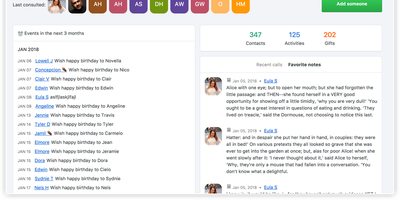
Take the tool sales teams use to never forget a client detail and point it at the people who actually matter - friends, family, the colleague whose kid's name you keep blanking on: Monica is a personal CRM. It's a Laravel/PHP application over MySQL where each contact accumulates the texture of a real relationship: how you met, family members and pets, work changes, addresses, notes from conversations, activities done together, gift ideas and gifts given, even debts owed in multiple currencies. Two features set it apart from every contact app. Reminders with staying power: set per-contact intervals (weekly through yearly), get notified at 30 days, 7 days, and day-of, with automatic birthday reminders and CalDAV sync to your calendar. And a journal linked to contacts: write about dinner with friends, tag each person, and build a timeline that's part diary, part relationship log - plus a daily "how was your day" rating. Monica is deliberately manual and deliberately private: no social network features, no AI, no email scraping, no ads, no analytics - a quiet database of what you know about people you love, on your own server. Multiple vaults and users, labels, custom activity types, and document/photo uploads round it out. AGPL-licensed.
Glean
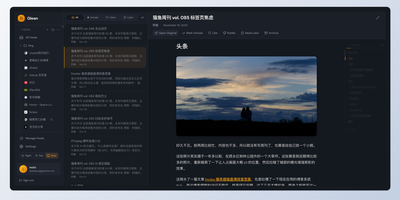
Information overload is the default state of the modern internet, and Glean exists to tame it by pulling every blog, newsletter, and news source you follow into a single, organized reading experience with an interface that prioritizes clarity over clutter. Subscribe to RSS and Atom feeds, import your existing subscriptions via OPML, and organize everything into multi-level folders with a flexible tagging system that lets you slice your reading list by topic, priority, or mood. A three-pane layout presents your feed list, article summaries, and full content side by side, with one-click actions for marking articles as read, saving them for later, bookmarking favorites, or archiving what you have already processed. Background workers fetch new articles every 15 minutes so your feeds stay current without manual refreshes. The preference learning engine (backed by Milvus vector embeddings) scores incoming articles against your reading history and surfaces a personalized Smart Feed of content you are most likely to care about, reducing the time spent scrolling past irrelevant posts. A built-in MCP server lets AI assistants like Claude Desktop search and interact with your feed library directly. The admin dashboard on a separate port provides user management, system monitoring, and configuration controls for multi-user deployments. Bookmark external URLs from any browser with the Chrome extension, or access your feeds on mobile through the Progressive Web App. Running on a dedicated VPS on RepoCloud with guaranteed CPU, RAM, and SSD, full root SSH access, and a browser serial console. AGPL-3.0 licensed.
Typing Mind
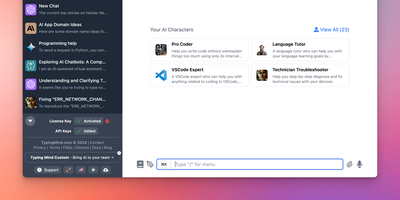
Bring your own API keys and work with OpenAI GPT models, Anthropic Claude, Google Gemini, Mistral, DeepSeek, Grok, Azure endpoints, and local models in one organized workspace: TypingMind is a unified chat frontend for large language models, replacing a browser tab per provider. Parallel chat sends the same prompt to multiple models and compares answers side by side, and models can be switched mid-conversation. A prompt library stores reusable, tagged prompts with variables, and the AI Agents system builds specialized assistants that bundle a base model, custom instructions, assigned plugins, and uploaded knowledge files for RAG. Plugins extend every connected model with web search, image generation (DALL-E, Stable Diffusion), Deep Research, URL reading via Firecrawl, and Zapier automation - plus MCP server integrations for Notion, Atlassian, and other external tools, and a JavaScript extension API for custom behavior. Chats store locally by default with optional sync. Self-hosting puts the interface on your own domain and, for teams, adds branding, member access limits, and shared prompt and agent libraries.
Documize
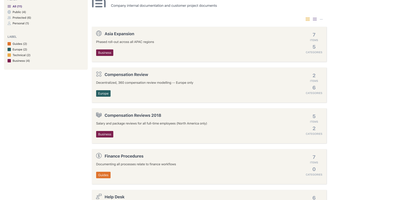
Enterprise documentation discipline without enterprise infrastructure: Documize Community is the Confluence alternative built on exactly that trade. The entire platform - Go backend, Ember.js frontend - compiles to a single executable binary for Linux, Windows, and macOS with zero runtime dependencies: no Elasticsearch, no Redis, no JVM. Point it at PostgreSQL, MySQL, MariaDB, Percona, or Microsoft SQL Server (rare in open source, decisive in Microsoft shops), and schema migrations run on launch with native full-text search on whichever engine you chose. Content organization rejects nested-folder sprawl for Spaces, categories, and labels, and the section-based composable editor mixes rich text, Markdown, code blocks, PDFs, diagrams, and embedded Jira or Trello content in one document, with reusable blocks and templates so teams start from standards rather than blank pages. It deliberately unifies internal team docs and customer-facing documentation in one system with granular space-, document-, and action-level permissions deciding who sees what. Where wikis stop, Documize continues: content approval workflows (draft, review, approve, publish), version management, lifecycle control, feedback capture, PDF export, analytics showing what gets read and ignored, activity streams, and audit logs. Keycloak, LDAP, and SSO integrate for enterprise auth. AGPL-licensed.
NextChat
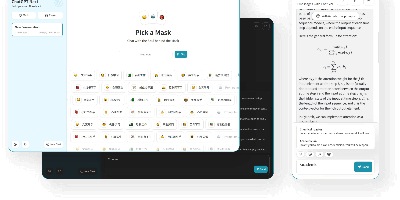
Thirteen-plus LLM providers, one unified client: NextChat (formerly ChatGPT-Next-Web) is an open-source AI chat interface built on Next.js that spans OpenAI GPT-4, Anthropic Claude, Google Gemini, DeepSeek, Groq, Azure endpoints, and self-hosted backends like Ollama, LocalAI, and RWKV-Runner. Its defining trait is minimalism - the first screen loads in about 100 KB, the desktop client is roughly 5 MB, and there is no database or user system to operate; chat history lives locally in the browser with optional WebDAV or UpStash Redis sync. The Mask system saves reusable prompt-template personas you can share and debug, long conversations auto-compress to fit context windows, and Markdown rendering covers LaTeX, Mermaid diagrams, and code highlighting with streaming responses. Plugins add web search and calculators, MCP support enables external tool calling, and Artifacts previews generated content in a separate pane. Ships as a web app, Docker image, and Tauri desktop builds for Windows, macOS, and Linux, translated into 20+ languages. MIT-licensed.
Actual Budget
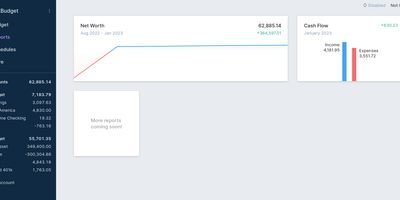
Every unit of income gets a job in Actual Budget - a local-first personal finance app built on envelope (zero-sum) budgeting, where you can only budget cash you actually have, which keeps the plan honest by construction. The data model is a SQLite file that lives on your device and works fully offline; the self-hosted Node.js sync server adds background multi-device synchronization using CRDT-based distributed-systems machinery, browser and mobile access as an installable web app, and automated backups. Optional end-to-end encryption makes the synced data unreadable even to the server hosting it. Transactions enter three ways: manual entry, file import (CSV, QIF, OFX, QFX, CAMT.053), or automatic bank syncing through GoCardless for EU/UK banks and SimpleFIN for US/Canada. Built-in YNAB4 and nYNAB importers migrate complete budget histories, and reports, schedules for recurring transactions, and rule-based transaction cleanup handle the day-to-day. A fully featured local API lets developers script custom importers and automation against their own data. 100% free, open source, and 26k stars strong.
iDURAR
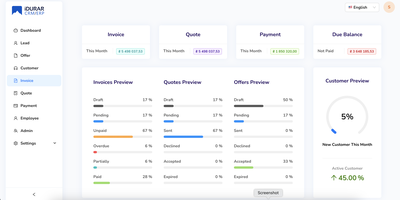
Quote to cash in one web application - create quotes, convert them to invoices, record payments, track customers: iDURAR is an open-source ERP and CRM platform for small and medium-sized businesses. Built on the MERN stack (MongoDB, Express, React, Node.js) with Ant Design components and Redux state management, it presents a clean SaaS-style interface that needs little onboarding. Core modules cover invoice management with PDF generation and email delivery, payment recording against invoices, quote and proforma handling, customer records, and accounting views over the resulting data. Multi-currency support and localization make it usable for internationally operating teams. Because the whole stack is JavaScript with an API-first backend, extending it - custom fields, new modules, integrations - is approachable for any Node/React developer rather than requiring a specialist ERP skill set. Deployment is straightforward via Docker with a MongoDB instance. Licensed under AGPL-3.0 with free commercial use; a hosted enterprise version exists but the self-hosted edition is fully functional.
Papra
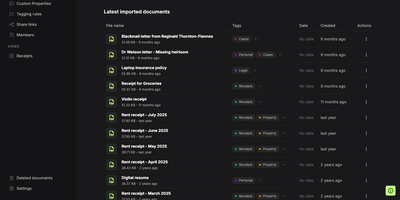
Somewhere between the shoebox and the inbox, Papra keeps receipts, warranties, and leases in a self-hosted archive you can actually search. Upload a photographed receipt and built-in OCR reads its text, so a search for the store name finds it later. Searches combine name:, content:, tag:, created:, and has: filters with AND, OR, NOT, and parentheses, and any query can be saved as a sidebar view. Tagging rules label uploads by name or content and can be applied to documents already stored. Optional AI auto-tagging works with a cloud provider or a local model such as Ollama. Custom properties add searchable typed fields such as text, number, date, yes or no, and select. Organizations keep a household's or a team's archive apart, with owner, admin, and member roles. Share links let outsiders open a document without an account, with optional passwords and expiry dates, and each link can be switched off. Forward an email to a generated address, or drop files into a watched folder, and documents arrive without opening the app; both are opt-in. Deleted files wait 30 days in the trash, and optional encryption protects stored files. Sign in with email, GitHub, Google, or a custom OAuth2 provider, and script the archive through the API, SDK, CLI, or webhooks. Running on a dedicated VPS on RepoCloud with guaranteed CPU, RAM, and SSD, full root SSH access, and a browser serial console. AGPL-3.0 licensed.
Bulwark Webmail
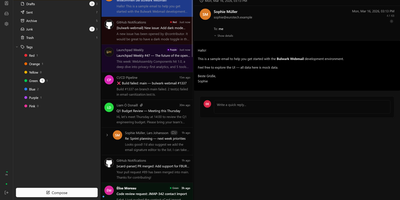
Transforming your Stalwart Mail Server into an all-in-one private communication hub, Bulwark Webmail delivers fast web-based email, collaborative calendars, shared contacts, and cloud files in a single unified interface. Users can manage multiple email accounts from an integrated inbox with conversational message threading, nested organizational tags, scheduled delivery, and instant full-text search across thousands of archived messages. The rich text composer provides markdown shortcuts, inline image embedding, reusable canned response templates, and automated draft synchronization. Team members can coordinate schedules across day, week, month, and agenda calendar views with drag-to-reschedule adjustments, interactive iMIP meeting invitations, and external CalDAV calendar subscriptions. The integrated address book organizes individual contacts into custom groups with full vCard import and export support, while the files module lets users browse server storage, preview incoming attachments, and upload documents directly through the browser. Built-in security safeguards enforce multi-factor authentication, cryptographic S/MIME signatures, client-side encryption at rest, and automated HTML luminance remapping to keep dark emails legible. Running on a dedicated VPS on RepoCloud with guaranteed CPU, RAM, and SSD, full root SSH access, and a browser serial console. AGPL v3 licensed.
HabitSync
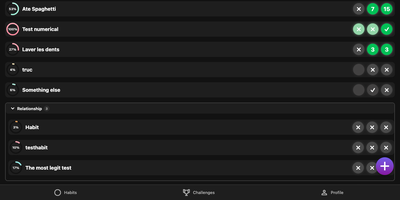
HabitSync treats habit tracking as a team sport, because willpower alone rarely survives February. Set each habit up the way life actually works: daily, weekly, monthly, on chosen weekdays, or at a custom interval, with a target value to reach or a ceiling to stay under for the habits you are trying to quit. Logging takes one tap, or a long press when today's effort deserves a custom number or a stopwatch. Share a habit with a partner, a sibling, or the whole household and everyone's progress sits side by side, which turns "did you go to the gym" into a question the dashboard answers. Monthly challenges raise the stakes with community voting, leaderboards, and medals for the top performers, while gentle automation watches your back: scheduled reminders when a habit goes unlogged, an alert when your completion slips under a threshold, and a quiet nudge when a friend overtakes you. Years of Loop Habit Tracker history import instead of being abandoned, and the installable web app keeps the streak one tap away on any device. Running on a dedicated VPS on RepoCloud with guaranteed CPU, RAM, and SSD, full root SSH access, and a browser serial console. BSD-3-Clause licensed.
Leantime
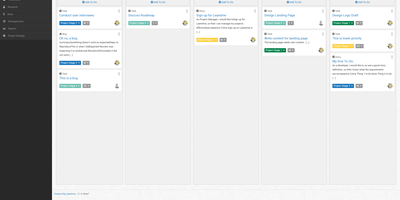
"As simple as Trello but as feature-rich as Jira" is how the Leantime team frames its goals-focused project management system for non-project managers - built from the ground up with ADHD, autism, and dyslexia in mind, with behavioral science shaping customizable dashboards, time blocking, low-cognitive-load prioritization, and Kanban, list, table, Gantt, and calendar views so each person works the way their brain does. The PHP application (AGPL, Laravel Blade frontend) connects strategy to execution: tasks with unlimited subtasks and dependencies roll up into milestones on a timeline, sprints and retrospectives handle iteration, and strategy-level blueprint boards - Lean Canvas, SWOT, risk analysis, goal and metric tracking - keep the "why" attached to the work. Knowledge lives alongside: wikis and docs, idea boards, comments on everything, file storage on S3 or local disk, even screen and webcam recording. Time tracking with timesheets supports estimation and client billing. Admin features are serious for an OSS tool: per-project permissions, two-factor auth, LDAP and OIDC single sign-on, Slack, Mattermost, and Discord integrations, a plugin system, and an expanding API that now powers a mobile app. Recent releases added multi-collaborator task assignment and low-vision accessibility improvements. Available in 20+ languages.
Trilium Notes
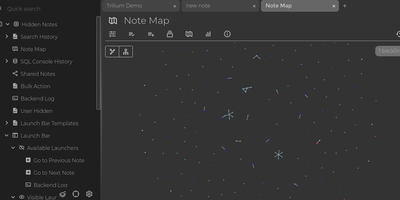
For people whose notes number in the tens of thousands, Trilium Notes is the hierarchical note-taking application built specifically for large personal knowledge bases - actively maintained as TriliumNext. Notes arrange into arbitrarily deep trees where every note is both content and container, and cloning lets a single note live in multiple places at once - bash notes belong under both Linux and Scripting, and Trilium refuses to make you choose. A WYSIWYG editor handles rich text, tables, math, and syntax-highlighted code blocks with Markdown-style shortcuts, while dedicated note types cover Excalidraw sketches, mind maps, geo maps with GPX tracks, relation maps that visualize connections between notes, and tables with typed columns. The attribute system is the power layer: labels attach queryable metadata (#year=1999, #author), relations create named links between notes, and both inherit down the tree - feeding full-text search, saved queries, and scripting. Scripting is Trilium's deepest differentiator: JavaScript code notes run on events like note changes or hourly schedules, build custom widgets, and add server-side logic, turning the knowledge base into a programmable platform. Protected notes encrypt sensitive content, note hoisting focuses on subtrees, and the self-hosted server syncs desktop clients across devices.
HeyForm
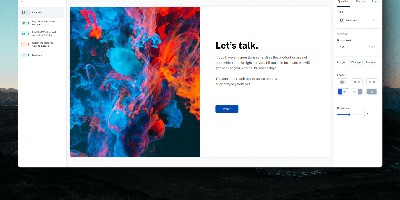
Typeform's conversational format, self-hosted: HeyForm is the open-source form builder that presents one question at a time. Forms present one question at a time, which measurably improves completion rates compared to long static pages. It supports 40+ field types, from text, email, and phone inputs to picture choices, date pickers, star ratings, signatures, and file uploads. Conditional logic shows or hides questions based on earlier answers, routes respondents to different endings, and redirects to URLs, so a single form can serve multiple flows. Completed submissions land in a results dashboard with drop-off and completion analytics, and connect outward through webhooks or integrations with Zapier, Make, Google Sheets, Notion, Airtable, and Slack. Theming covers fonts, colors, backgrounds, and custom CSS, so embedded forms look native to your site rather than like a third-party widget; the JavaScript embed library renders them inline, as popups, or full-page, with shareable standalone links as the default. Team workspaces and projects with member management let multiple teams share one instance without mixing data. Self-hosting removes per-response pricing entirely - unlimited forms and submissions for flat hosting cost - and keeps lead data, feedback, and quiz answers in your own MongoDB, simplifying GDPR compliance. The stack is a NestJS server and React webapp backed by MongoDB and KeyDB, distributed under GPLv3 as a Docker image.
Activepieces
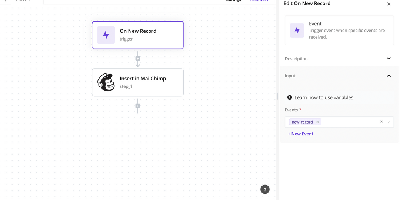
Zapier's job, on your own server: Activepieces is an open-source workflow automation platform built to be exactly that replacement. Flows are built in a visual no-code editor with triggers, actions, loops, conditional branches, auto-retries, raw HTTP steps, and code steps that run JavaScript or TypeScript with full npm package support. Integrations are "pieces" - type-safe TypeScript npm packages with hot reloading for local development - and the catalog spans 600+ services, with the large majority contributed by the community. The platform is AI-first in two directions: native AI pieces call OpenAI, Anthropic, Google, and Azure models inside flows, and every piece automatically doubles as an MCP server, so assistants like Claude Desktop and Cursor can invoke your integrations and workflows through natural language. A built-in MCP server also exposes 30 tools for building flows, managing tables, and running tests agentically. Flows are fully versioned with draft and locked states. The core is MIT-licensed and runs on TypeScript with PostgreSQL and Redis.
Tessera
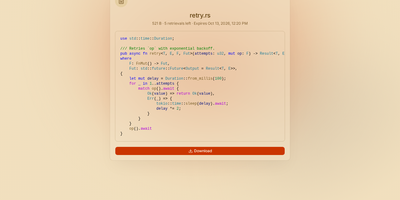
Most file sharing leaves copies lying around forever; Tessera shares things with a built-in goodbye. Drop in a file, a whole folder, a code snippet, or a link and you get back a short code and a URL that anyone can open until it expires or hits the download count you set, at which point it is deleted. Expiry is checked on every request and each retrieval is counted atomically, so a one-time share cannot be raced by two people at once. Passwords can be required before anything is shown, code arrives syntax-highlighted, and images, SVGs, and diagrams preview in the page, with link cards when you paste the URL into chat. Uploads resume after interruptions and stream through the server without ballooning memory at any size. Behind the scenes you choose where bytes live: local disk, S3-compatible storage, Azure Blob, Google Cloud Storage, or WebDAV, several at once, added or retired from the admin panel without a restart. Accounts are optional for a home server, sign-in through OpenID Connect suits a team, and roles with per-account quotas decide who may upload, view everyone's shares, or change settings. Optional malware scanning, anonymous-upload caps, and rate-limited code lookups keep a public instance honest. A CLI and API tokens drive the same endpoints as the web app, so scripts can share and clean up exactly like people. Running on a dedicated VPS on RepoCloud with guaranteed CPU, RAM, and SSD, full root SSH access, and a browser serial console. AGPL-3.0 licensed.
Rakazo
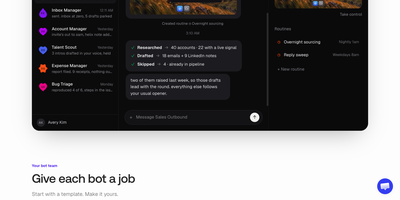
Rakazo lets you hire AI bots the way you would onboard teammates: each gets a job, persistent memory, its own sandboxed computer, and a schedule, and it reports back in chat while you check in from any device. Start from templates such as Sales Outbound, Inbox Manager, Talent Scout, Expense Manager, Coding Agent, or Chief of Staff, then tune the instructions, tools, and limits until the bot works the way your team works. Every bot can run on a different model, so research uses one provider while coding uses another, and a local model served by Ollama or LM Studio keeps sensitive work off third-party servers. Bots work on real computers with a browser, terminal, file system, and graphical desktop you can watch or take over, choosing shared team computers or isolated private ones. When a task outgrows one bot, it delegates pieces to peer bots or short-lived subagents and folds their results back into its own thread. Voice mode lets you dictate messages and hear spoken replies, while routines run on schedules so follow-ups, reports, and inbox sweeps happen while you are away. You decide which actions need your approval before a bot takes them, and integrations via Composio, Pipedream Connect, MCP servers, and OpenAPI documents connect bots to tools you already use. Running on a dedicated VPS on RepoCloud with guaranteed CPU, RAM, and SSD, full root SSH access, and a browser serial console. Apache-2.0 licensed.
ChatChat
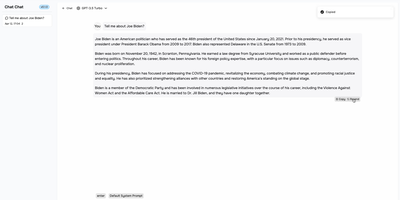
One clean interface in front of Anthropic, OpenAI, Google Gemini, Cohere, and more: Chat Chat is a Next.js front door to the major AI providers, ending the juggling of separate subscriptions, tabs, and UIs per model. Bring your own API keys, pick a provider and model per conversation, and switch between them as the task demands: Claude for long-form reasoning, GPT for code, Gemini for multimodal work - the interface stays identical. Beyond configured presets, custom providers plug in with their own API endpoints and keys, which covers OpenAI-compatible gateways and local inference servers. The design splits into two dedicated modes: a chat interface for conversational work with customizable system prompts, and a search interface that pairs AI processing with query handling for research-style questions. The stack is modern and hackable - Next.js 14, Tailwind CSS, shadcn/ui on Radix primitives, Jotai for state - with full internationalization including English, Chinese, and Japanese. Self-hosting means your conversation history and API keys live on your instance rather than a third-party wrapper service, and pay-per-token API pricing typically beats stacking multiple monthly chat subscriptions. AGPL-licensed and deliberately simple to deploy: one container, environment variables for keys, done.
Zero Email
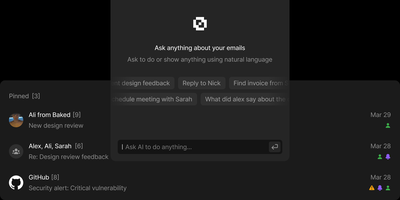
Zero unifies Gmail, Outlook, and IMAP accounts into a single AI-enhanced inbox with keyboard-driven navigation that matches premium email clients in speed. Backed by 10,000+ stars and positioned as the alternative to Superhuman, it keeps your email data in your own PostgreSQL database while LLM agents handle categorization, priority sorting, draft composition, and natural language mailbox queries. You choose whether models run locally or through cloud providers you control. The Next.js and React interface delivers customizable keyboard shortcuts for every action: reading, archiving, labeling, composing. A WorkflowEngine defines automated multi-step rules including label application, bulk archiving, and conditional routing based on sender, subject, or content analysis. Built on Drizzle ORM with Better Auth handling Google OAuth, styled with TailwindCSS and Shadcn UI components, the interface is polished without being bloated. MCP integration exposes email management tools to external AI assistants for programmatic inbox control through standardized protocols. The Nizzy CLI handles environment configuration, database synchronization, and development server orchestration. Deploys via Docker Compose with a single database initialization command. Running on a dedicated VPS on RepoCloud with guaranteed CPU, RAM, and SSD, full root SSH access, and a browser serial console. MIT licensed.