Profilarr
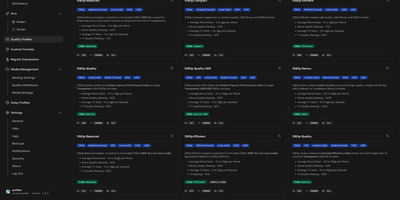
Profilarr orchestrates media library quality profiles, custom formats, and release matching rules across all your Radarr and Sonarr servers from a single centralized management console. Instead of manually copying regex strings and scoring tables between home server instances, you can link community configuration databases like TRaSH Guides and Dictionarry to automate standardization. The visual pattern workbench lets you test regular expressions directly against real-world media release titles, highlighting matches for audio codecs, HDR formats, and release group tags. You can simulate release scoring before deploying, inspecting exactly why a candidate download gets accepted or rejected based on your custom ranking conditions. Media managers can define custom delay profiles, establishing protocol priorities and minimum score thresholds to prevent premature grabs before high-quality releases surface. Granular synchronization tools push updated profiles and formatting rules to multiple production Arr instances simultaneously while preserving your local server overrides. When indexers publish new release naming conventions, you can update conditions once in your central database and roll out updates across your entire infrastructure. Running on a dedicated VPS on RepoCloud with guaranteed CPU, RAM, and SSD, full root SSH access, and a browser serial console. GNU AGPLv3 licensed.
ComposeToolbox
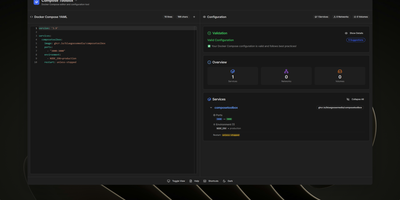
To eliminate YAML indentation errors and cryptic container misconfigurations before running docker compose up, ComposeToolbox pairs a full-featured code editor with a live configuration analyzer in a single self-hostable web workspace. Paste or write any docker-compose.yml file in the left pane to see immediate syntax validation alongside actionable best-practice warnings, such as unpinned latest image tags, missing healthchecks, or deprecated version declarations. On the right side, an interactive Configuration Overview breaks down every defined service, exposed port mapping, persistent volume mount, environment variable, and custom network into structured tabs. Built-in Quick Insert buttons let operators drop new service blocks, volume definitions, or network stanzas into the editor with one click. By mounting the persistent /app/data directory, administrators can define custom quick-insert YAML snippets with selectable hardware and networking icons in custom-templates.yml. Teams can also customize startup-template.yml so the editor opens with their organization's standard homelab or production boilerplate every time the page loads. Keyboard shortcuts, light and dark themes, and one-click YAML formatting or file export streamline daily container authoring. Running on a dedicated VPS on RepoCloud with guaranteed CPU, RAM, and SSD, full root SSH access, and a browser serial console. MIT licensed.