phpMyAdmin
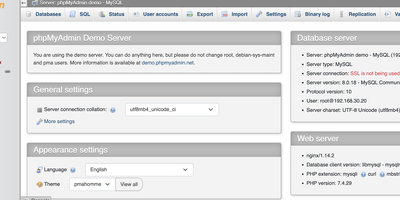
Since 1998, phpMyAdmin has been the standard web interface for MySQL and MariaDB - the tool millions of developers, DBAs, and hosting companies reach for when a database needs inspecting, fixing, or migrating. Written in PHP, it covers effectively the entire administration surface: create, browse, alter, and drop databases, tables, views, columns, and indexes; insert and edit rows through a tabular editor; manage user accounts and granular privileges; and maintain stored procedures, triggers, and events - all without touching a command line. The SQL editor executes arbitrary queries with syntax highlighting, autocompletion, history, and bookmarkable statements, including batch queries. Import/export is a migration workhorse: read SQL, CSV, XML, and OpenDocument spreadsheets in; write out to SQL dumps, CSV, JSON, XML, PDF, Word, LaTeX, and more - the fastest path for moving a WordPress database or handing a schema to a colleague. The Designer view renders your schema as an interactive ER diagram with drag-and-drop relationship editing, and data transformations display BLOBs as images or download links inline. Server maintenance views surface configuration suggestions. Multi-server support, dark mode, and translations into 72 languages round out a tool that earns its ubiquity. GPL-licensed.
Tabularis
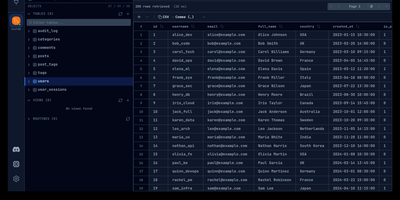
Instead of installing a different client for every database engine on your servers, Tabularis gives you one SQL workspace in the browser that speaks to PostgreSQL, MySQL, MariaDB, and SQLite directly, and to 26 more engines through installable driver plugins. The SQL editor autocompletes real table and column names as you type, runs multi-statement batches into separate result tabs, and can draw any result set as a bar or line chart. Notebooks mix executable SQL cells with Markdown and charts, sharing variables across cells for repeatable reports and investigations. You can edit rows inline in a virtualized grid that tracks pending changes before committing, build queries by dragging tables onto a canvas that writes the SQL for you, and generate an ER diagram from the live schema to see how everything connects. Natural-language prompts turn into SQL through OpenAI, Anthropic, Ollama, or any compatible endpoint you configure. Results export to CSV, JSON, or Markdown, whole databases dump to SQL files, and scheduled daily backups keep copies without manual effort. Connections reach databases through SSH or Kubernetes tunnels, and the built-in MCP server lets agents like Claude and Cursor inspect schemas and run queries under your control. Running on a dedicated VPS on RepoCloud with guaranteed CPU, RAM, and SSD, full root SSH access, and a browser serial console. Apache-2.0 licensed.
dbx
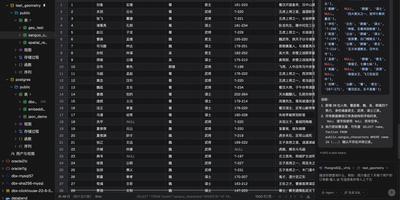
Universal database administration across modern enterprise infrastructure is simplified through dbx, a lightweight web client and SQL studio supporting over ninety database engines. Database administrators connect to MySQL, PostgreSQL, SQLite, Redis, MongoDB, ClickHouse, DuckDB, Oracle, and Microsoft SQL Server through authenticated network connections and encrypted SSH tunnels. The interactive query editor provides real-time multi-schema autocomplete, syntax linting, execution plan analysis, and natural language SQL query synthesis powered by configurable large language model backends. Teams visualize complex relational database architectures using interactive entity-relationship diagrams that map table foreign key constraints, primary indexes, and table partition layouts automatically. Operators inspect live Redis memory usage breakdowns, monitor real-time server command throughput, and manage key expirations without opening raw terminal sessions. The editable data grid supports multi-row modifications, foreign key reference lookups, CSV and JSON exports, and binary blob data inspection directly inside the browser viewport. Software developers expose connected databases directly to external AI coding assistants through native Model Context Protocol server endpoints. Running on a dedicated VPS on RepoCloud with guaranteed CPU, RAM, and SSD, full root SSH access, and a browser serial console. Apache-2.0 licensed.
pgweb
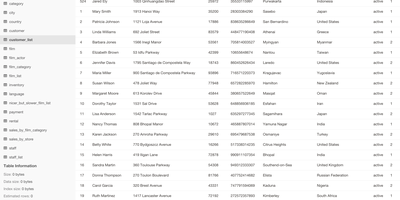
Inspect a PostgreSQL database right now, without installing pgAdmin or exposing Postgres to the internet - pgweb answers that recurring need. It's a Go application from Dan Sosedoff, a decade in development, shipped as a single statically-linked binary with zero dependencies - the Docker image is essentially just the executable - that puts a clean browser UI in front of any PostgreSQL 9.1+ server. Connect via URL string or host/port credentials, and browse tables, views, and sequences from the sidebar; selecting a table shows its rows immediately alongside tabs for structure, indexes, and constraints. The Query tab executes arbitrary SQL with query history, and the Explain Query button renders the query plan - estimated cost, row counts, execution strategy - which makes pgweb a quick performance-triage tool, not just a browser. Results and entire tables export to CSV, JSON, or XML in a click. Connectivity is more flexible than its size suggests: native SSH tunneling (password or key) reaches databases behind firewalls, server bookmarks make switching instances instant, and an optional multi-session mode handles several databases concurrently. For a RepoCloud stack full of Postgres-backed apps, one pgweb instance is the universal inspection hatch. MIT-licensed, actively maintained.
pgAdmin
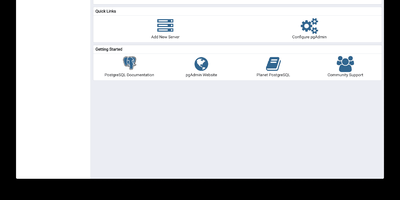
pgAdmin 4 is the reference administration GUI for PostgreSQL, bundled by virtually every Linux distribution and supporting versions 14 through 18 including EDB Advanced Server — browse schemas in a hierarchical tree, write and optimize queries with AI assistance, design entity-relationship diagrams visually, monitor live sessions, and run backup/restore operations entirely from the browser. Built on Python Flask with a ReactJS frontend, version 9.17 delivers a comprehensive web-based platform accessible from any device. The Query Tool provides syntax highlighting, auto-completion, query history, an EXPLAIN plan visualizer with graphical node representation, AI-powered SQL generation from natural language prompts, and AI Insights for execution plan analysis that identifies performance bottlenecks. The Graph Visualiser renders query results as line charts, bar charts, stacked charts, and pie charts directly in the interface. The ERD Tool auto-generates entity-relationship diagrams from existing schemas for visual database design. The Schema Browser presents databases, schemas, tables, views, functions, sequences, roles, and extensions in a navigable hierarchy. Server monitoring dashboards display real-time active sessions, locks, transaction throughput, and vacuum status. GUI-driven backup and restore wraps pg_dump and pg_restore with format and compression options. Authentication supports internal, LDAP, Kerberos, OAuth2/OIDC, and webserver modes. The Helm chart includes an HTTPRoute template for Kubernetes Gateway API deployments. Bundled pg_dump, pg_restore, and psql utilities version 18.4. Deploy via Docker with the official dpage/pgadmin4 image. Running on a dedicated VPS on RepoCloud with guaranteed CPU, RAM, and SSD, full root SSH access, and a browser serial console. PostgreSQL License.
CloudBeaver
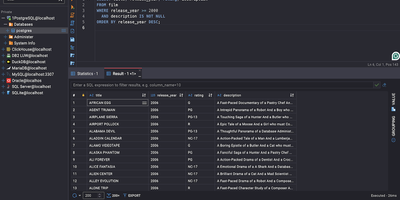
CloudBeaver puts a full-featured database management environment in your browser, connecting to PostgreSQL, MySQL, SQL Server, Oracle, ClickHouse, and over 100 additional engines through one unified interface that requires no desktop client installation. The Java server exposes a TypeScript/React frontend through a GraphQL API where teams can browse schemas, edit data, visualize relationships, and execute queries across all connected databases in a single workspace. The SQL Editor provides syntax highlighting, auto-completion with fuzzy search, AI-assisted SQL generation from natural language prompts, script management with save/download/upload capabilities, execution plan visualization, and multi-tab result display. The Data Editor enables direct cell editing, filtering, sorting, and bulk data modification with support for spatial GIS data rendering. Database administrators access a Navigator panel for browsing schemas, tables, views, foreign tables, triggers, dependencies, and stored procedures across all connected databases. ER Diagrams visualize table relationships and schema structure, while the Visual Query Builder constructs queries without hand-writing SQL. Multi-user administration provides role-based access control, connection sharing with configurable permissions, and session management. SSH tunneling secures remote database connections, and data can be exported or imported in multiple formats. Query History tracks all executed statements with timestamps and execution statistics. Running on a dedicated VPS on RepoCloud with guaranteed CPU, RAM, and SSD, full root SSH access, and a browser serial console. Apache 2.0 licensed.
WhoDB
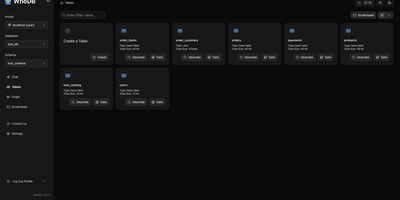
With nearly 5,000 GitHub stars earned in under two years, WhoDB has rapidly emerged as the lightweight alternative to heavyweight database clients like DBeaver and DataGrip by delivering a sub-50MB binary that starts in under a second and connects to 18+ database systems from a single interface. The Go backend serves the React and TypeScript frontend with table virtualization for efficient rendering of large result sets, lazy loading, and query result streaming that keeps the interface responsive even when browsing tables with millions of rows. The Community Edition connects to PostgreSQL, CockroachDB, YugabyteDB, MySQL, MariaDB, TiDB, SQLite, DuckDB, MongoDB, FerretDB, Redis, Valkey, Dragonfly, Elasticsearch, OpenSearch, ClickHouse, QuestDB, and Memcached through a unified credential selector that switches between databases with minimal configuration. Interactive schema diagrams render entity-relationship graphs showing table structures, foreign keys, and column types for visual database exploration. The Jupyter-style query scratchpad provides SQL autocomplete, syntax highlighting, and multi-statement execution with paginated results. AI integration optionally connects to Ollama, OpenAI, Anthropic, LM Studio, or any OpenAI-compatible provider for natural language database queries — ask questions in plain English and receive generated SQL. Data management includes inline row editing, CSV export, and filtered data views. Docker deployment runs a single container exposing port 8080. Running on a dedicated VPS on RepoCloud with guaranteed CPU, RAM, and SSD, full root SSH access, and a browser serial console. Apache-2.0 licensed.
db-ui
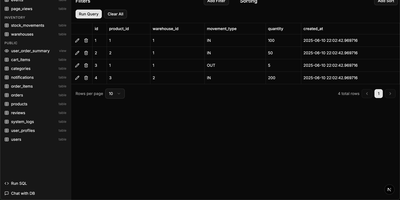
Traditional database management tools like pgAdmin and phpMyAdmin were built for DBAs, not for the rest of the team that just needs to look up a record or run a quick query. db-ui strips away the complexity and gives you a clean, modern interface that anyone can use. Browse tables in a paginated grid view with inline editing, filtering, and sorting built right into the column headers. The sidebar lists every table and view across all schemas with fuzzy search (Cmd+K to focus) that filters results as you type. Click any table to see its data, or switch to the schema introspection view to visualize columns, types, constraints, and relationships without writing a single query. The SQL editor provides syntax highlighting, result visualization in tabular format, and one-click CSV export for downstream analysis. For questions about your data model, the integrated AI chat assistant has full access to your database schema and can help you understand table relationships, write complex queries, suggest indexes, and provide optimization recommendations with streaming responses. Connect to PostgreSQL, MySQL, or Microsoft SQL Server through environment variables and deploy the whole application as a single Docker container. On RepoCloud, deploy db-ui on a dedicated VPS with root SSH access and direct connectivity to your database servers under the MIT license.