Memos
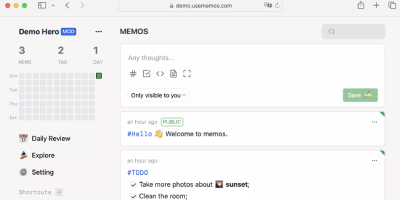
Open the page, write a Markdown note, move on - Memos is a lightweight, self-hosted service built for quick capture. Instead of folders, notebooks, and titles, it presents a timeline: open the page, write a Markdown note, and move on. Notes support headings, code blocks with syntax highlighting, task lists, tables, and file attachments, with tags auto-extracted from #hashtags in the text. Each memo carries a visibility level, private, protected (logged-in users), or public, so one instance works as a personal log, a small team wiki, or a lightweight microblog. The backend is a single Go binary with a React frontend, around 50 MB of memory at runtime and a ~20 MB Docker image, so it fits comfortably on the smallest instance size with near-zero maintenance. SQLite is the default store, with MySQL and PostgreSQL supported for multi-user deployments needing more concurrency, and full REST and gRPC APIs - Connect RPC for browsers, gRPC-Gateway for external tools - make capture scriptable from CLIs, bots, and automation platforms. Fast full-text search spans all memos, pinned notes keep references handy, and a masonry view suits visual browsing. MIT-licensed with zero telemetry; content is stored as plain Markdown in a database you control, so notes remain readable, exportable, and free of proprietary formats.
Usermemos
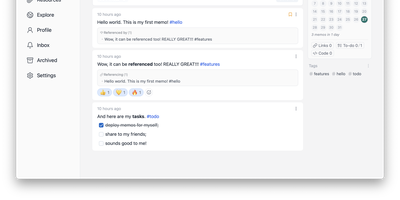
Memos, the lightweight open-source note service from the usememos project, packaged as a containerized deployment for multi-architecture Docker hosts (x86-64 and arm64): that is Usermemos. The model is frictionless capture: no folders or titles, just a chronological stream of Markdown notes with code blocks, task lists, tables, and file attachments, organized by #hashtags pulled automatically from the text. Per-memo visibility - private, protected for logged-in users, or public - lets a single instance serve as a personal journal, a shared team log, or a public microblog simultaneously. Multi-user support with authentication makes it workable for small teams, and full REST and gRPC APIs open capture and retrieval to CLIs, bots, and automation tools. The runtime is a single Go binary with a React frontend that idles around 50 MB of memory and stores content as plain Markdown in SQLite by default, with MySQL and PostgreSQL available for heavier deployments. Configuration happens through environment variables, access works over HTTP or HTTPS behind a reverse proxy, and there is no telemetry - notes stay on your server in a portable format.
Blinko
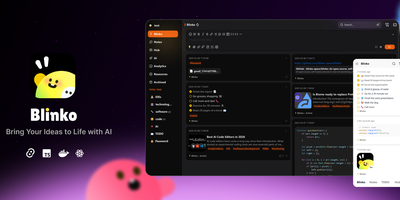
Capture fleeting thoughts as interactive flash cards and transform unorganized notes into an AI-searchable personal brain with Blinko. Users can jot down rapid notes, format rich markdown documents with code snippets and task lists, and attach multimedia files through a responsive web interface. An integrated retrieval-augmented generation engine indexes every note into vector embeddings, allowing users to query their entire personal archive using conversational natural language. You can connect local Ollama models or remote providers such as OpenAI, DeepSeek, Anthropic, and Grok to summarize lengthy entries and suggest hierarchical classification tags automatically. The interactive daily review interface presents random cards to help review, organize, or archive older insights before they are forgotten. Built-in tools include an integrated global music player for focused writing sessions, custom RSS feed ingestion, and password-protected note sharing with configurable expiration dates. Running on a dedicated VPS on RepoCloud with guaranteed CPU, RAM, and SSD, full root SSH access, and a browser serial console. GPL-3.0 licensed.
Flatnotes
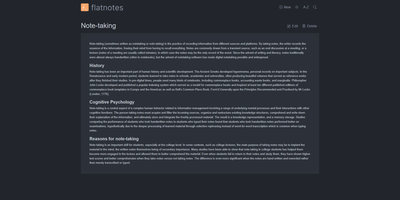
A web interface for a folder of Markdown files - Flatnotes is exactly that, and the discipline of that design is why people love it. Every note is a plain .md file in a single flat directory: no database, no proprietary format, no hierarchy to maintain, no export step if you ever leave. Edit notes in the browser or open the same files in VS Code or Obsidian, sync them with Syncthing or rsync while the app is running - the Whoosh-powered search index synchronizes incrementally, so external edits just show up. The interface is a clean Vue.js app with both WYSIWYG and raw Markdown editing modes (TOAST UI Editor), instant full-text search behind the "/" shortcut with partial-match support, wikilinks for cross-note references, and automatic tag extraction from #hashtags in note bodies. Light and dark themes and a mobile-responsive layout make it pleasant everywhere. Authentication is flexible for a personal tool: none, read-only, username/password, or TOTP two-factor. A documented REST API covers create/read/update/delete for automation. The operational story is the quiet selling point - the only state is the notes folder and a rebuildable index, so backup is copying a directory. For a personal notepad that respects your data, Flatnotes nails minimal.
Joplin
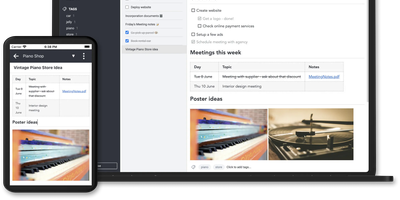
Notes on Windows, macOS, Linux, Android, iOS, and the terminal, synced through your own server: Joplin pairs its open-source clients with Joplin Server, the official self-hosted backend that replaces Dropbox, OneDrive, or Nextcloud as the synchronization target. Notes are Markdown with inline attachments (images, PDFs, audio), organized into hierarchical notebooks and sub-notebooks with cross-cutting tags, alongside to-do lists with reminders and alarms. End-to-end encryption is the headline feature: enabled in the clients, it encrypts sync payloads on-device before upload, so the server stores blobs it cannot read - genuine protection even if the host is compromised. The desktop app offers both Rich Text and Markdown editors, extended by a plugin ecosystem, custom themes, and an Extension API for writing your own scripts; a Web Clipper for Chrome and Firefox captures full pages or screenshots straight into notebooks. Joplin Server ships as a Docker image with SQLite for evaluation and PostgreSQL for production, offers a filesystem storage driver for large content, and includes multi-user support and note sharing - all free under AGPL-3.0 when self-hosted. Notes stay in an open format, so the exit path always exists.
Glass Keep
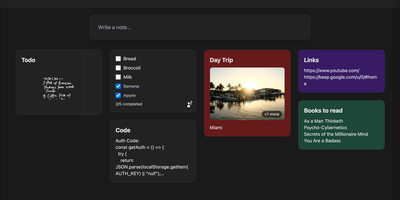
With nearly 600 GitHub stars and a feature set that rivals commercial note apps, Glass Keep is the self-hosted Google Keep alternative that wraps a full-featured notes system in a glassmorphism UI with blurred backdrops, translucent modals, and smooth transitions. The React and Vite frontend renders notes in a masonry card grid with pinning, color themes, tag chips, and drag-and-drop reordering. Text notes support Markdown with headings, bold, italic, strikethrough, blockquotes, and fenced code blocks, while checklists offer inline editing, drag-to-reorder items, and direct toggle from the grid without opening the note. A freehand drawing mode provides customizable brush sizes and colors for handwritten notes. The private AI assistant runs an optimized Llama 3.2 (1B) model entirely inside the Docker container using RAG over your own notes, answering queries like "what are my AWS commands?" without any data leaving your server. Deep search spans titles, Markdown text, tags, checklist items, and image names. Import notes from Google Keep via Takeout JSON files or export your entire vault as JSON with per-note Markdown downloads. The Express backend with better-sqlite3 requires no external database. Real-time collaboration enables shared checklists with live item toggling. Dark and light themes persist across sessions, and the PWA manifest supports installation on any device. Running on a dedicated VPS on RepoCloud with guaranteed CPU, RAM, and SSD, full root SSH access, and a browser serial console. MIT licensed.
Standard Notes
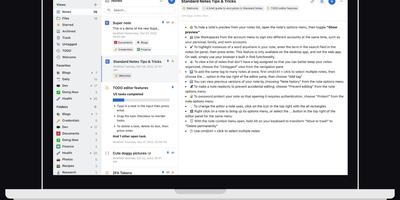
Standard Notes keeps your notes, files, and tags encrypted on your device before anything touches the network, meaning the server stores only ciphertext it cannot read. Cross-platform sync across desktop, mobile, and web delivers fast, conflict-free updates on unlimited devices with the same zero-knowledge guarantee that only your password can decrypt your content. The V2 server architecture condenses everything into four Docker containers consuming roughly 570MB RAM total (down from 13 containers and 1.7GB in the legacy setup), with startup under one minute. Revision history automatically preserves every version of every note, so recovering deleted text or reverting to a previous state never depends on manual backups. A nested tag system organizes thousands of notes with hierarchical categorization that goes well beyond flat folder structures, while search operates entirely on client-side decrypted content. File attachments of any type encrypt and sync alongside notes with identical end-to-end protection. Multiple editor options span plain text, Markdown with preview, and rich formatting to fit different writing workflows. Two-factor authentication via TOTP with email backup codes adds a second barrier beyond your password. An optional separate container serves the web frontend, providing browser access to your encrypted vault without depending on standardnotes.com infrastructure. With 5,500+ GitHub stars and active development, the project continues expanding editor plugins and sync improvements.
Jotty
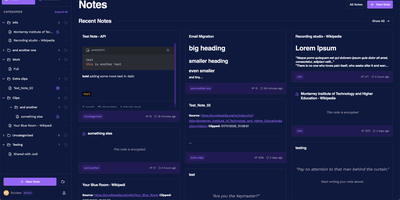
No external database cluster to babysit, no proprietary cloud lock-in, and no bloated workspace hierarchy: Jotty stores every note, checklist, and Kanban board as plain Markdown and JSON files inside a single folder on your server. Need a quick grocery list with nested categories, progress bars, and drag-and-drop reordering? Spin one up in seconds, or flip any list into a multi-column Kanban project board with custom statuses, due-date calendar views, and a built-in time tracker. Write technical documentation in a TipTap-powered WYSIWYG and Markdown editor featuring syntax-highlighted code blocks, GitHub-flavored callouts, embedded Draw.io and Excalidraw diagrams, and OpenPGP client-side encryption for sensitive records. Connect ideas across your workspace using Obsidian-compatible wikilinks, inline mention suggestions, backlinks, and an interactive 2D and 3D knowledge graph that maps relationships between tasks and notes. Share individual notes or live Kanban boards publicly via customizable read-only links, or start the optional Model Context Protocol (MCP) companion container so AI assistants like Claude and Cursor can query your notes and check off items through your scoped REST API key. Running on a dedicated VPS on RepoCloud with guaranteed CPU, RAM, and SSD, full root SSH access, and a browser serial console. AGPL-3.0 licensed.
OpenHabitTracker
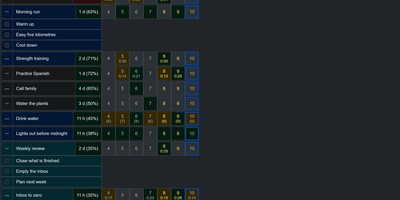
Notes, tasks, and habits in one app, synced only to a server you run yourself. Notes are written in Markdown and render right in the list, so reading one costs no clicks. Tasks get a planned date and time, a duration, a checklist, and a timer. Weekly statistics show what got done and how long it took. Habits are measured by how overdue they are, not by an unbroken streak. A habit on a ten day interval that is two days late reads 120 percent. Charts track progress toward the target for today, this week, this month, this quarter, and this year. They also list the ten longest streaks and what you finish on each weekday. Categories and priorities span all three item types. Search reads note text and checklist items, not only titles. Filter by date, status, or how overdue a habit is, then sort with eleven keys. Pick from 26 themes in dark and light mode and 20 languages, with full keyboard and screen reader support. Import and export JSON, YAML, TSV, or Markdown, or bring in a Google Keep Takeout ZIP. Native apps for Windows, Linux, macOS, iOS, and Android sync with your server. The single-user Docker server also serves an OpenAPI spec, a Scalar UI, and a log page behind the same login. Running on a dedicated VPS on RepoCloud with guaranteed CPU, RAM, and SSD, full root SSH access, and a browser serial console. GPL-3.0 licensed.

DumbPad
With a deliberately minimalist design philosophy and zero database dependencies, DumbPad delivers a self-hosted notepad that stores notes as plain text files with real-time auto-saving every 10 seconds and keyboard-shortcut manual saves. The Node.js Express backend serves a vanilla JavaScript frontend that supports multiple named notepads with direct URL linking and shareable links for instant access to specific notes. The split-view editor displays markdown source on the left and rendered preview on the right with a draggable resize handle, while the full preview mode renders complete markdown with GitHub-style alert blocks for Note, Tip, Important, Warning, and Caution callouts, extended table formatting, fenced code blocks with syntax highlighting via highlight.js covering approximately 180 programming languages, collapsible details sections, and checklist support. Fuzzy search matches across both filenames and file contents for fast navigation across large collections. Optional PIN protection secures access with configurable 4 to 10 digit codes, constant-time comparison to prevent timing attacks, brute force lockout after 5 failed attempts with 15-minute cooldown, and IP-based tracking. The Docker container runs as non-root UID 1000 by default with multi-architecture support, CORS origin restrictions for reverse proxy deployments, and persistent data volumes. Notes can be downloaded as text or markdown files, printed with auto-expanded collapsible sections, and imported by placing text files directly into the data directory. On RepoCloud, deploy DumbPad on a dedicated VPS with Docker, root SSH access, and complete control over your note-taking infrastructure, all under the GPL-3.0 license.