Coolify VPS
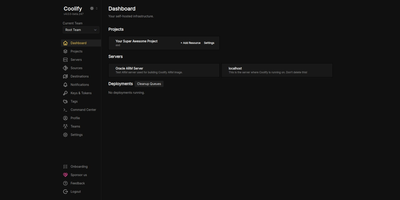
The open-source PaaS with 55,000+ GitHub stars and the largest one-click service catalog in its class — Coolify gives you the Vercel push-to-deploy workflow on a dedicated server you control. Connect a GitHub, GitLab, Bitbucket, or Gitea repository and every push builds and deploys automatically via Nixpacks, a Dockerfile, or Docker Compose, with Traefik or Caddy reverse proxying, automatic Let's Encrypt certificates, and per-branch preview deployments with their own URLs. Databases — PostgreSQL, MySQL, MariaDB, MongoDB, Redis — provision in a few clicks, and a catalog of 280+ one-click service templates covers WordPress, n8n, Grafana, MinIO, Plausible, Ollama, and more. One dashboard manages the entire server, with Docker Swarm available for clustering multiple nodes. Backups go to any S3-compatible storage with one-click restore, and a full API supports CI/CD integration. All configuration lives on your own server, so resources keep running even if you stop using Coolify — no vendor lock-in by design. Running on a dedicated VPS with guaranteed CPU, RAM, and SSD, full root access via SSH and browser console. Apache 2.0 licensed.
Dokploy VPS
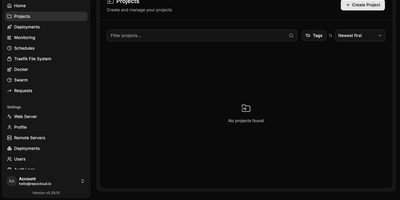
Your own Heroku or Vercel on a dedicated server — Dokploy is the open-source PaaS that replaces cloud platform subscriptions with a single dashboard you control. Point it at a Git repository or a Docker image, and it builds and deploys the application using Dockerfiles, Nixpacks, or Heroku/Paketo buildpacks. Traefik handles reverse proxying, routing, load balancing, automatic Let's Encrypt SSL, and HTTP/3. Databases — MySQL, PostgreSQL, MongoDB, MariaDB, libsql, and Redis — provision from the UI with automated backups to any S3-compatible destination. Complex multi-service applications deploy through native Docker Compose support, and multi-node scaling uses Docker Swarm. The web dashboard covers environment variables, volumes, resource limits, real-time CPU/memory/network monitoring, and deployment logs, with a CLI and REST API for automation. Deploy notifications go to Slack, Discord, Telegram, or email. One-click templates install common open-source tools, and a single control plane can manage deployments across multiple remote servers. Because everything is standard Docker, there is no lock-in: Dockerfiles, Compose files, and data volumes work anywhere else Docker runs. The push-to-deploy workflow of a $20/seat cloud PaaS, running on a dedicated VPS with guaranteed CPU, RAM, SSD, and full root access — no per-app, per-environment, or per-seat fees regardless of how many applications you deploy. 26,000+ GitHub stars.
Supabase
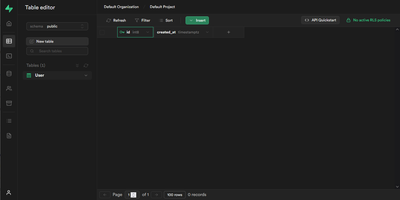
With over 107,000 GitHub stars and adoption by teams at Mozilla, 1Password, Peerlist, and thousands of startups, Supabase has become the most widely deployed open-source Firebase alternative — built entirely on PostgreSQL rather than a proprietary NoSQL store. Every project provisions a dedicated Postgres database with 40+ preinstalled extensions, auto-generating REST APIs via PostgREST, GraphQL via pg_graphql, and real-time change streams via an Elixir-based WebSocket engine that supports database change listeners, user presence tracking, and arbitrary broadcast messaging. Authentication covers email and password, phone OTP, magic links, and 20+ social providers including Google, GitHub, Apple, Azure, and SAML SSO, all enforced through Postgres Row Level Security policies that run inside the database itself. S3-compatible object storage delivers files through a CDN spanning 285+ cities with on-the-fly image transformations powered by imgproxy. Edge Functions run globally distributed TypeScript on the Deno runtime with Node.js compatibility and access to over two million NPM packages. The pgvector extension stores, indexes, and queries vector embeddings for AI-powered semantic search and retrieval-augmented generation workflows. Supabase Studio provides a browser-based dashboard with a table editor, SQL editor, schema visualizer, and log explorer. Official client SDKs ship for JavaScript, Python, Flutter, Swift, Kotlin, C#, Go, and Ruby. The self-hosted Docker Compose stack runs fourteen coordinated services including Kong API gateway, Supavisor connection pooler, and Logflare analytics. Running on a dedicated VPS on RepoCloud with guaranteed CPU, RAM, and SSD, full root SSH access, and a browser serial console. Apache 2.0 licensed.
Openship
Point Openship at a GitHub repo, local folder, or prebuilt artifact and it detects your stack, builds a Docker container, provisions databases, configures domains with automatic Let's Encrypt TLS, and routes traffic through an OpenResty edge layer on ports 80 and 443. Already past 10,000 stars since launching in March 2026, it turns any Linux VPS into a managed application host. Language support covers Node.js, Python, Go, Rust, PHP, Ruby, Java, .NET, Docker, and monorepo projects with push-to-deploy CI/CD, pull request preview environments on unique subdomains, staging/production flows, and one-click rollbacks. Integrated backend services include managed Postgres, MySQL, MongoDB, Redis, persistent volumes, WebSocket proxying, object storage, and worker processes, all provisioned from the dashboard without compose files. A built-in SMTP server handles transactional email with automatic DKIM, SPF, and DMARC configuration, eliminating external email services. The edge layer serves HTTP/3 with Brotli compression, configurable cache rules, and instant purging. Real-time monitoring streams build logs, container metrics, visitor geography, and per-status-code analytics at 1.4 microsecond overhead with zero database writes. Scheduled backups cover databases and volumes with one-click restore and export. Three interfaces (web dashboard, desktop app for macOS/Windows/Linux, and the openship CLI) drive the same API, plus a Model Context Protocol endpoint for AI integration. Running on a dedicated VPS on RepoCloud with guaranteed CPU, RAM, and SSD, full root SSH access, and a browser serial console. Apache 2.0 licensed.
OpenRun
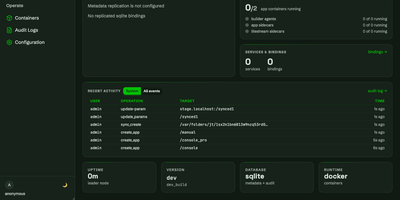
OpenRun replaces the patchwork of CI/CD pipelines, reverse proxies, and identity providers that teams typically assemble when deploying internal tools, offering declarative GitOps-based deployment of web applications to Docker, Podman, or Kubernetes from a single self-hosted Go binary. Point it at a Git repository and it builds containers from AppSpec templates, routes requests by domain or URL path, provisions TLS certificates automatically, and scales idle applications to zero when unused. Blue-green staged deployments promote new versions through development, staging, and production environments with atomic rollback across multiple apps simultaneously. Every deployed application inherits SSO authentication through OAuth, OpenID Connect, or SAML providers alongside role-based access control, all configured once at the platform level rather than per app. Service bindings provision isolated PostgreSQL, MySQL, SQLite, or Redis credentials for each application, while Litestream integration replicates SQLite databases to S3 for automatic disaster recovery. The management console provides a web interface for monitoring containers, reviewing audit logs, configuring syncs, and managing server operations. AppSpec templates handle Streamlit, Gradio, FastAPI, Flask, and FastHTML projects out of the box, deploying existing Python applications without requiring custom Dockerfiles. Running on a dedicated VPS on RepoCloud with guaranteed CPU, RAM, and SSD, full root SSH access, and a browser serial console. Apache-2.0 licensed.
Zeabur
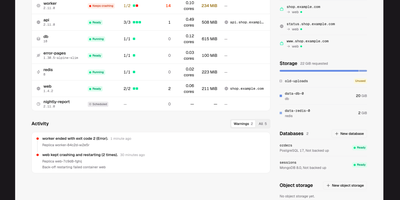
Zeabur is a self-hosted web platform that deploys and runs your services on your own Kubernetes cluster, presenting the cluster as simple projects and services instead of raw manifests. Every change starts as a readable plan listing the exact fields it will write and who owns them today, and nothing is applied until you confirm it. When something breaks, Zeabur says so in plain words and points at the fix: a worker that restarted fourteen times gets a button straight to the logs from the run before the restart. You deploy from Git repositories, from an uploaded folder or ZIP archive, or directly in the dashboard, then follow live logs, open a terminal inside a container, and watch CPU and memory move over time. Projects are namespaces and all state lives in Kubernetes objects, so there is no Zeabur database to back up, and uninstalling the platform leaves your Deployments, Services, and Ingresses running untouched. Companion pieces add passkey sign-in for kubectl with tokens that expire in minutes, image builds from Git through a BuildKit operator, and a catalog of cluster components and app templates. Running on a dedicated VPS on RepoCloud with guaranteed CPU, RAM, and SSD, full root SSH access, and a browser serial console. Apache-2.0 licensed.
Uncloud
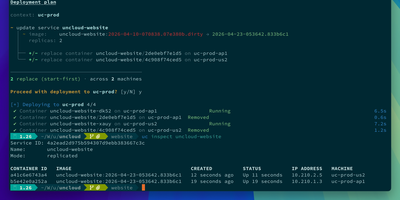
Scatter a few cheap VPS boxes, a home server, and one bare metal machine across three different providers, and Uncloud still treats them as a single place to run your applications. You describe services in ordinary Docker Compose files, deploy them with the uc command line tool, and publish any container port as a public HTTPS endpoint in a single command. Every machine joins an encrypted WireGuard mesh with its own container IP addresses, so services on different continents reach each other directly without VPN configuration or exposed ports. A built-in DNS server resolves service names to container IPs, and the integrated Caddy reverse proxy provisions and renews Let's Encrypt certificates automatically, sharing them across the cluster. Rolling updates replace containers with zero downtime, persistent Docker volumes keep stateful services safe, and the Unregistry integration pushes image layers straight to your machines when no registry is available. There is no control plane to babysit: each machine keeps a synchronised copy of the cluster state, and SSH access to any single node is enough to manage the whole fleet. Running on a dedicated VPS on RepoCloud with guaranteed CPU, RAM, and SSD, full root SSH access, and a browser serial console. Apache-2.0 licensed.
Dokku
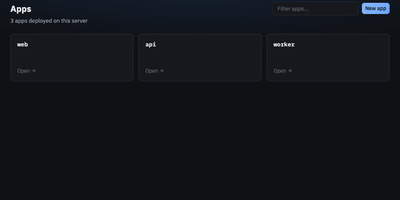
With over 32,000 GitHub stars and a decade of production use since 2013, Dokku is the original self-hosted Heroku alternative — a Docker-powered PaaS that turns any single Ubuntu server into a full application platform with a simple git push. Deploy applications written in Node.js, Python, Ruby, Go, Java, PHP, Scala, and Clojure using Heroku-compatible buildpacks, Cloud Native Buildpacks via pack-cli, standard Dockerfiles, or pre-built Docker images, with automatic language and framework detection handling the rest. Every deployment runs through zero-downtime checks that health-test new containers before routing traffic via the built-in Nginx reverse proxy, which handles virtual host configuration, WebSocket proxying, and HTTP/2 support automatically. The official plugin ecosystem provides managed datastores including PostgreSQL, MySQL, MariaDB, MongoDB, Redis, RabbitMQ, and Elasticsearch, each provisioned with a single CLI command and linked to apps via environment variables. Automated TLS certificates arrive through the Let's Encrypt plugin with auto-renewal, while persistent storage volumes, cron job scheduling, user ACL management, and process scaling round out the platform capabilities. The entire system is CLI-driven — no web dashboard — keeping resource overhead minimal enough to run multiple applications on a $5/month VPS. Dokku also supports Lambda function builds, custom builder plugins, and app.json-based healthcheck configuration for advanced deployment workflows. Running on a dedicated VPS on RepoCloud with guaranteed CPU, RAM, and SSD, full root SSH access, and a browser serial console. MIT licensed.
Bex
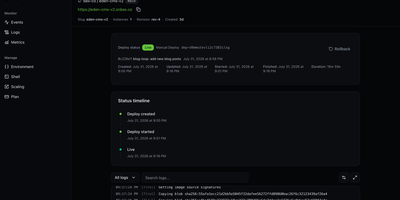
To give engineering teams a Render-style workflow of connecting a repository and getting a live HTTPS URL on infrastructure they control, Bex builds and runs web services, private services, background workers, cron jobs, and static sites from Git or container images. Dockerfiles and native builds for Node.js, Python, Go, Ruby, Rust, and Elixir deploy from public or private GitHub repositories with push-to-deploy, health checks, pre-deploy commands, and manual or policy-driven autoscaling. Blueprints in render.yaml format describe multi-resource environments in one file, and a Render-compatible CLI and API let existing tooling carry over where supported. Deploy history with cancel and rollback, live log tailing with search and filters, CPU and memory charts marked with deploy events, and suspend, resume, restart, native SSH, and browser shell controls cover daily operations. Custom domains receive automatic TLS certificates, and environment variables and secret files save and deploy in one step. Managed PostgreSQL provides backups with point-in-time recovery, high availability, and read replicas, and managed Valkey-compatible Key Value adds persistence and backups. Workspaces, projects, and environments come with OpenFGA roles, OAuth 2.1, API keys, audit logs, and signed outbound webhooks. Coding agents operate the same control plane through a remote or stdio MCP server with OAuth consent, deploy-from-chat, managed sandboxes, and structured machine-readable status, since no action is dashboard-only. Running on a dedicated VPS on RepoCloud with guaranteed CPU, RAM, and SSD, full root SSH access, and a browser serial console. Apache-2.0 licensed.
Quantum
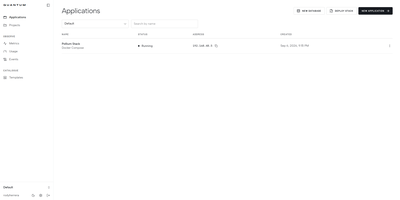
From a bare Linux server, Quantum builds and runs GitHub repositories, multi-service Docker Compose stacks, and managed databases through a self-hosted PaaS dashboard with automated webhook deployments and live container telemetry. Connect a GitHub account, pick a branch, and let the build engine compile from a Dockerfile or custom install, build, and start commands on every git push or release tag. Multi-service Compose files can be pulled from a repository or pasted into the editor, with automatic `${VAR}` placeholder detection and isolated internal networks so containers communicate by service name. Provision PostgreSQL, MySQL, MariaDB, MongoDB, and Redis instances with one-click backups, or deploy pre-configured templates for n8n, Directus, WordPress, Uptime Kuma, and Ollama. Live log streams, an interactive browser terminal, `.env` secret management, persistent volume mounts, and private registry credentials come built into every service view. Need to patch a file quickly? Clicking Open in VS Code launches a sidecar `code-server` instance mounted directly to the container filesystem. Organization and project roles enforce granular access while real-time CPU, memory, and network charts track health across 15-minute to 24-hour windows. Running on a dedicated VPS on RepoCloud with guaranteed CPU, RAM, and SSD, full root SSH access, and a browser serial console. MIT licensed.
Levelrail
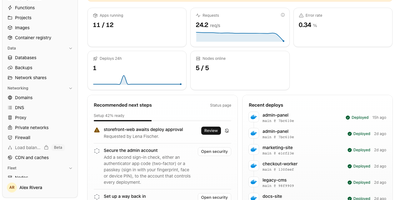
Push to git, watch the deploy go live over HTTPS, and roll back in one click, all on servers you own: Levelrail is a self-hosted platform for running apps and databases without Kubernetes. Deploys start from GitHub, GitLab, Bitbucket, or Gitea webhooks and build from a Dockerfile, Compose file, image, or framework preset such as Next.js, Go, React, or Spring Boot, with preview environments per pull request, canary and blue-green rollouts, approvals, and freezes. Embedded Caddy gives every app a domain with HTTPS: self-signed by default, Let's Encrypt with one toggle, a free sslip.io address when no domain exists, or your own uploaded certificate. Provision Postgres, MySQL, MariaDB, MongoDB, Redis, ClickHouse, and more with scheduled backups that are re-downloaded and verified, Postgres point-in-time recovery, and password rotation. Metrics with deploy markers, searchable live logs, alerts, and a public status page need no separate monitoring stack. Roughly 360 one-click templates and a Cmd+K search across apps, databases, and nodes speed up daily work. Extra servers enroll with a one-time token and a reverse-dialed agent that needs no inbound ports. Sign in with passkeys, TOTP, OAuth from 20 providers, or OIDC, then scope access with IAM policies, encrypted secrets, and a tamper-evident audit log. A CLI, HTTP API, and MCP server let scripts and coding agents deploy and roll back. Running on a dedicated VPS on RepoCloud with guaranteed CPU, RAM, and SSD, full root SSH access, and a browser serial console. Apache-2.0 licensed.
QuickStack
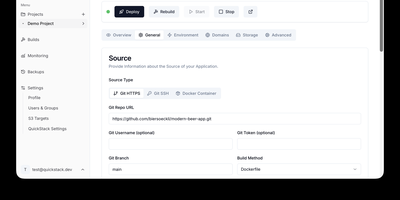
QuickStack transforms your standalone Linux server or cluster into a self-hosted platform-as-a-service that automatically compiles, deploys, and monitors full-stack applications and relational databases without vendor lock-in. Developers can trigger instant deployments directly from public or private Git repositories, upload custom Dockerfiles, or pull container images straight from private registries with automated webhook synchronization. The built-in application catalog enables one-click provisioning of production databases including PostgreSQL, MySQL, MariaDB, MongoDB, and Redis with preconfigured internal network isolation. Administrators can route traffic across custom domains with automated Let's Encrypt SSL certificate issuance, inspect real-time CPU and memory telemetry, stream container runtime logs, and launch in-browser web terminals. Teams can configure granular role-based access controls with single sign-on authentication, establish zero-trust ingress and egress network security policies, and orchestrate automated volume snapshots directly to S3 object storage. When infrastructure requirements expand, operators can attach additional worker nodes using lightweight join tokens to distribute workloads seamlessly across high-availability compute pools. Running on a dedicated VPS on RepoCloud with guaranteed CPU, RAM, and SSD, full root SSH access, and a browser serial console. GNU GPL v3.0 licensed.
CapRover
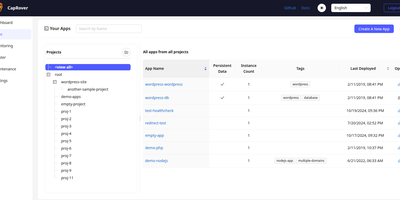
With over 15,000 GitHub stars and nearly nine years of active development, CapRover is the self-hosted PaaS that replaces Heroku's pricing with your own infrastructure while keeping the deploy-and-forget simplicity. The web dashboard manages application lifecycle from deploy through scaling — configure custom domains, environment variables, persistent volumes, instance counts, and nginx templates without touching config files or SSH. The CLI tool enables scriptable deployments with a single command from your terminal or CI/CD pipeline, while webhook-based deployment triggers automated builds from Git pushes. The one-click app marketplace provides over 100 pre-configured services including WordPress, Ghost, PostgreSQL, MySQL, MongoDB, Redis, Grafana, Portainer, and dozens more, each deployed as a Docker container with volumes and environment variables preconfigured. Automatic HTTPS provisions and renews Let's Encrypt certificates for every custom domain with one-click HTTP-to-HTTPS redirects. Under the hood, Docker Swarm orchestrates containers across multiple nodes for horizontal scaling and load balancing, while nginx handles routing with fully customizable EJS-generated configuration templates per application. Deployment supports four methods: CLI push, tarball upload through the web UI, Docker image reference, and Git repository connection. The build system supports Dockerfiles, captain-definition files with build packs, and direct Docker image pulls. NetData integration provides real-time server monitoring dashboards. Running on a dedicated VPS on RepoCloud with guaranteed CPU, RAM, and SSD, full root SSH access, and a browser serial console. Apache 2.0 licensed.
Kubero
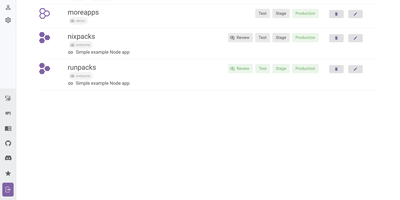
With over 4,300 GitHub stars and a v3 release adding built-in user management, team views, and multi-language support, Kubero has established itself as the most feature-complete open-source Heroku alternative running natively on Kubernetes. The platform operates as a Kubernetes operator with two containers — kubero-ui and the operator — storing all state in etcd without an external database. Developers push code via Git integration with GitHub, GitLab, Bitea, or Gitea, and Kubero automatically builds using Buildpacks, Nixpacks, Runpacks, or Dockerfiles, then deploys to the configured domain with SSL via cert-manager. CI/CD pipelines support up to four staging environments — review, test, staging, and production — with per-stage environment variable isolation and ephemeral review apps that spin up on pull request open and tear down on close. The template catalog includes over 170 pre-configured applications like WordPress, Grafana, and PostgreSQL deployable in one click, while managed add-ons provide highly available PostgreSQL, Redis, MySQL, Kafka, CouchDB, Elasticsearch, and MongoDB alongside your applications. Security features include Trivy vulnerability scanning, GitHub and OAuth2 single sign-on, basic auth, and a role-based permission system with API tokens. The NestJS backend with Vue.js and Vuetify frontend provides application metrics, real-time logs, a built-in web console for container access, scheduled cronjob management, and deployment notifications via Discord, Slack, or webhooks. Running on a dedicated VPS on RepoCloud with guaranteed CPU, RAM, and SSD, full root SSH access, and a browser serial console. GPL-3.0 licensed.
Nixopus
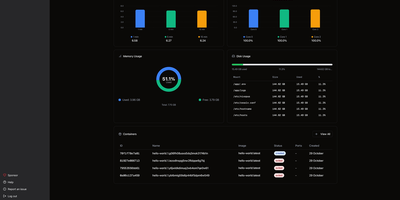
Tell an AI agent to deploy your app and watch it actually happen. Nixopus connects to your GitHub repo, analyzes the codebase to detect your framework, generates the right Docker configuration, resolves dependency conflicts, and ships the whole thing to your server with HTTPS enabled. When something breaks, the agent reads the logs, creates a pull request with a fix, and redeploys without waking you up. The chat interface lets you deploy, add custom domains, check logs, roll back, and troubleshoot in plain English from the web dashboard or directly from your VS Code or Cursor editor. Extensions bring one-click installs for 100+ self-hostable apps like Appwrite, Excalidraw, and Ollama, each showing you exactly what it runs on your server before installation. Connect multiple servers and monitor CPU, memory, disk, and running containers across your entire fleet from a single dashboard with draggable widget layouts. The built-in terminal opens SSH sessions right in the browser with split-pane support, so you can watch logs in one pane while running commands in another. Framework detection covers Next.js, Django, Rails, Go, FastAPI, and anything else that fits a container image. Every deployment gets automatic TLS via Caddy with Let's Encrypt certificates provisioned and renewed silently. Previous container images are retained so rollbacks skip the rebuild step entirely. Deploy on a dedicated VPS on RepoCloud with guaranteed CPU, RAM, and SSD, full root SSH access, and a browser serial console. AGPL-3.0 licensed.
ZaneOps
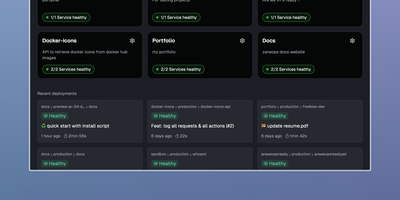
Shipping a Git repository to a live HTTPS URL takes one dashboard and one server with ZaneOps, an open-source alternative to Heroku, Railway, and Render. Linked GitHub or GitLab repositories build with a Dockerfile, Nixpacks, Railpack, or a static directory builder. Deploys start by hand, on git push, or from a CI webhook. Blue/green releases keep the previous version serving traffic while the new one starts. Each pull request or merge request can open its own preview environment, and the API can create one on demand. Configuration edits queue up as changes that you review before a new version deploys. A pasted docker-compose.yml or a ready-made template (Postgres, Redis, WordPress) deploys a whole stack with blue/green rollouts. Every domain gets a free SSL certificate that renews itself. Wildcard hosts, permanent or temporary redirects, and several services under one domain all work. Runtime logs, request logs, metrics, and health checks gather in the dashboard. Services get CPU and memory limits and volumes, and environment variables import or export as .env files. Viewer, Member, Admin, and Owner roles decide who can see and change what; the free tier allows one workspace and three users. A web terminal opens a shell inside any running deployment, and a second one reaches the server itself over SSH. Running on a dedicated VPS on RepoCloud with guaranteed CPU, RAM, and SSD, full root SSH access, and a browser serial console. MIT licensed.
Dockerizalo
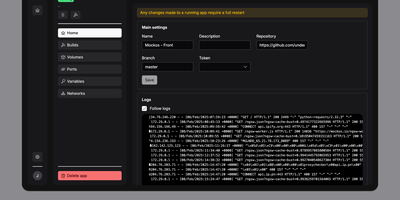
For self-hosters who want Git-driven container deployments without surrendering control of their existing reverse proxy or host networking, Dockerizalo provides a lightweight web platform that clones repositories, builds Docker images, and manages running services from a single dashboard. Point an application entry at any Git-compatible repository or public container registry image, configure custom build paths, and let the platform build and launch the container directly on your host Docker engine. A built-in template library accelerates database provisioning with pre-configured variables, networks, and persistent storage mounts. Through the web interface, operators manage environment secrets, bind-mounted volumes, custom Docker labels, and published TCP or UDP ports while coexisting peacefully alongside Caddy, Nginx, or Traefik setups. Per-application HTTP webhook triggers let teams automate continuous delivery from GitHub, GitLab, Gitea, or custom CI pipelines on every push event. Real-time paginated build and runtime container log streams prevent memory exhaustion on chatty APIs while keeping every deployment event visible. Configurable image retention policies automatically prune older tags and remove dangling images after each rollout so disk space stays clean. Multi-user account management allows homelab administrators to invite collaborators to the dashboard without sharing a single root credential. Running on a dedicated VPS on RepoCloud with guaranteed CPU, RAM, and SSD, full root SSH access, and a browser serial console. AGPL-3.0 licensed.
dyrector.io
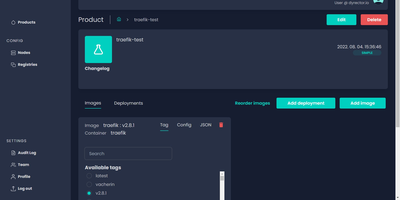
dyrector.io gives teams a visual web interface for deploying and managing containerized applications across Docker, Kubernetes, and Podman environments, replacing repetitive CLI commands and YAML editing with point-and-click configuration. Lightweight Go agents installed on target infrastructure communicate with the central TypeScript platform, enabling deployments to AWS, GCP, Azure, and on-premises servers without requiring infrastructure migration. Unified configuration screens eliminate redundant YAML editing across environments with support for all three container runtimes. Version management lets teams configure OCI-compatible container images once and deploy them as versioned releases with auto-generated changelogs and release notes. Multi-instance deployment enables simultaneous rollouts to multiple nodes with environment-specific configuration overrides, secret management, and instant test environment provisioning from any branch. The fine-grained RBAC system controls user access at project and environment levels, while audit logging tracks every deployment action. Registry integrations support Docker Hub, GitLab, GitHub, Google, and Azure container registries for image sourcing. ChatOps notifications integrate with Slack, Discord, and Microsoft Teams for deployment status alerts. Scheduled releases and workflow support enable automated deployment pipelines triggered by CI events via the REST API with JWT authentication. Running on a dedicated VPS on RepoCloud with guaranteed CPU, RAM, and SSD, full root SSH access, and a browser serial console. Apache 2.0 licensed.