FileBrowser Quantum
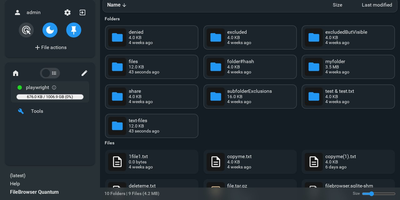
FileBrowser Quantum is an open-source, self-hosted web file manager that transforms any directory tree or mounted storage volume into a fast, searchable cloud drive accessible from any browser. You can mount multiple independent filesystem sources at once and apply custom include or exclude rules to keep sensitive system folders hidden from everyday browsing. A background indexing engine powers instant as-you-type search across millions of files, letting you filter results by file size, folder size, media type, or modification date in milliseconds. Rich media thumbnails render automatically for videos, office documents, audio album artwork, and interactive 3D models, while integrated OnlyOffice support lets you edit spreadsheets and word processing documents directly inside your browser tab. Built-in WebDAV server support allows desktop operating systems and mobile file apps to mount your remote directories as native network drives. Sharing files with external collaborators takes seconds through customizable public or private links with expiration timers, download limits, password protection, anonymous upload permissions, and custom branding themes. Administrators can authenticate users via OpenID Connect, LDAP, JSON Web Tokens, proxy headers, or local passwords with two-factor authentication, then enforce path-level read, write, and delete rules per user or group. Developers and automation engineers can generate long-lived API tokens and explore the interactive Swagger endpoint to script file transfers and directory provisioning. Running on a dedicated VPS on RepoCloud with guaranteed CPU, RAM, and SSD, full root SSH access, and a browser serial console. Apache-2.0 licensed.
OpenList
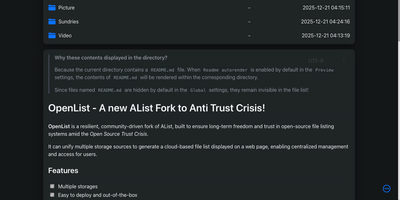
OpenList gathers every place your files live, local disks, S3 buckets, OneDrive, Google Drive, Dropbox, NAS shares, and forty-odd other services, into one browsable file list behind a single login. Mount each storage at its own path and the whole collection behaves like one tidy drive: documents open in the browser, whether PDF, Markdown, source code, or Office files, images get a gallery mode, and videos and audio play in place with subtitle and lyric support. Everyday file work happens in the same window: upload, delete, rename, move, and copy, including copying directly between two storages when you are migrating off a cloud plan. Offline download tasks let the server fetch links for you in the background, and multi-threaded acceleration squeezes speed out of sluggish single connections. Every folder can also be mounted as a real drive on your computer through the built-in WebDAV and FTP servers, with per-user permissions deciding who may read, upload, rename, or delete. Protected routes add passwords in front of sensitive shares, permalinks hand out direct download links, and granular user rules can hide files or open archive contents without extracting them. Running on a dedicated VPS on RepoCloud with guaranteed CPU, RAM, and SSD, full root SSH access, and a browser serial console. AGPL-3.0 licensed.
NextExplorer
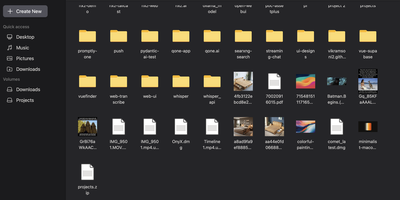
To give Docker administrators and home lab operators a fast, modern workspace for server-side storage, NextExplorer delivers a browser-based file manager with instant ripgrep search, inline editing, and multi-volume navigation. Any directory mounted under your container volume root appears immediately in the sidebar with capacity usage indicators, favorite pins, and switchable grid, list, and column browsing layouts. You can preview images, stream videos and audio with FFmpeg-generated thumbnails, read PDFs, edit source code and configuration files in the syntax-highlighted editor, or collaborate on office documents through an integrated ONLYOFFICE Document Server. Deep content search powered by ripgrep scans filenames and file contents across terabytes of storage in seconds, while bundled 7-Zip support inspects and extracts password-protected ZIP, 7z, RAR, TAR, and ISO archives with built-in zip-bomb protection. Teams can share folders via read-only or read-write links, isolate personal user directories, enforce path-level read-only or hidden access rules, and authenticate through local accounts or OpenID Connect identity providers such as Authentik and Authelia. Running on a dedicated VPS on RepoCloud with guaranteed CPU, RAM, and SSD, full root SSH access, and a browser serial console. GPL-3.0 licensed.
Drive
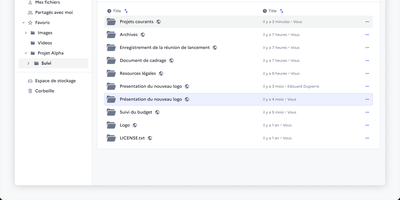
Somewhere in every organisation there is a folder called FINAL_v2 that nobody dares delete, and Drive from La Suite exists to end that. It gives teams a shared file space where uploads land in organised workspaces, versions stay findable through search, and every file or folder carries its own access list. You preview PDFs, images, audio, and video in the browser, and office documents open for editing through Collabora or OnlyOffice without downloading a thing. Sharing reaches outside the organisation too: invite external partners by link, even without an account, and revoke access the moment a project ends. Uploads pass malware scanning before they touch storage, a trash bin restores accidents, and quotas with usage metrics keep big archives honest. Administrators plug in their own OIDC identity provider, so logins follow the same single sign-on as the rest of the stack, while an embeddable file picker lets other internal apps reuse Drive as their document library. Because the data lives in your own S3-compatible storage, sovereignty requests stop being an argument with a vendor and become a setting. Running on a dedicated VPS on RepoCloud with guaranteed CPU, RAM, and SSD, full root SSH access, and a browser serial console. MIT licensed.
Nextcloud
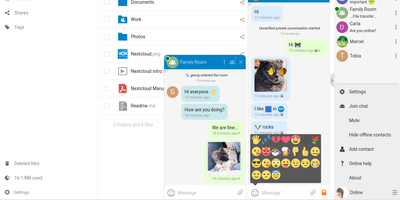
Google Workspace and Microsoft 365, replaced by a platform you actually control: Nextcloud is the self-hosted digital workspace. Files is the core: file storage and sync across desktop, mobile, and web clients, with sharing, versioning, and collaboration built in. Around it, Talk provides private text chat, audio/video conferencing with screen sharing, SIP integration, and persistent voice rooms; Groupware bundles calendar, contacts, and mail with delegation support; and Office offers two collaborative suites - the Collabora-based option with deep ODF support, and Euro-Office, whose local-processing architecture delivers strong Microsoft Office compatibility and fast browser rendering with reduced server load. The Nextcloud Assistant threads AI through the platform via a context-aware sidebar, Whiteboard covers visual collaboration, Flow handles automation, and an app ecosystem of hundreds of extensions adds everything from Kanban boards to end-to-end encryption. Hub 26 brings a lighter UI with a unified app switcher and Nextcloud Governance for organizations under strict regulatory requirements. This is the flagship of data sovereignty: your files, chats, calendars, and documents live on your server, under your jurisdiction, with GDPR compliance by architecture rather than by contract.
YunoHost
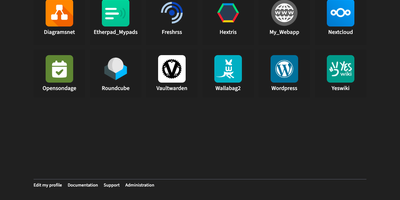
Host your own email, files, calendars, and passwords on a single server with YunoHost, a server operating system that puts every app behind one web admin and one shared login. Browse a catalog of more than 500 apps, such as Nextcloud, WordPress, and Vaultwarden, filter by quality level, and install in a few clicks, or paste a Git URL for a custom app. Each person signs in once at a portal that shows a tile for every app they may open, and apps with single sign-on skip their own login screen. Groups and per-app permissions control access, including public access for visitors, and the Admins group adds web admin, SSH, and sudo. A full mail stack handles incoming and outgoing email per domain with DKIM signing, and Let's Encrypt certificates renew automatically. The domain screen suggests the DNS records you need and can push them to a supported registrar's API, while free .nohost.me, .noho.st, and .ynh.fr subdomains configure themselves. Backups bundle system settings, mail data, and chosen apps into downloadable archives that can be restored selectively from the admin or the command line. Twice a day a built-in diagnosis checks DNS records, mail setup, and system resources, then emails the admins if anything needs attention, with a firewall editor and fail2ban protection alongside. Running on a dedicated VPS on RepoCloud with guaranteed CPU, RAM, and SSD, full root SSH access, and a browser serial console. AGPL-3.0 licensed.
OxiCloud
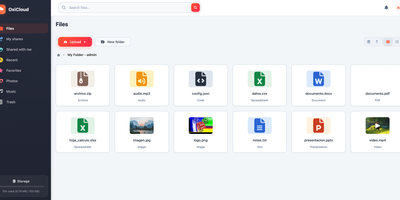
OxiCloud is a self-hosted cloud for files, photos, calendars, contacts, and office documents. Drives can be personal or shared, with configurable storage quotas. Multi-gigabyte uploads travel as parallel, resumable chunks with integrity verification. Images, PDFs, audio tracks, and video streams preview right in the browser, and photos show EXIF details and map locations. Files sync over WebDAV. Calendars sync over CalDAV. Contacts sync over CardDAV. Desktop file managers, Thunderbird, Apple Calendar, and mobile DAVx5 clients connect without proprietary software. Collabora Online or OnlyOffice plug in through WOPI for real-time co-editing of spreadsheets, presentations, and text documents. Administrators enforce role-based access controls. Sign-in runs through OpenID Connect providers such as Keycloak, Authentik, or Azure AD. Public share links can carry a password and an expiration. Identical files are stored once, and adaptive compression keeps footprints compact. Local disks, Amazon S3, and Azure Blob can be mounted at the same time, with live background migration and automated consistency checks. Running on a dedicated VPS on RepoCloud with guaranteed CPU, RAM, and SSD, full root SSH access, and a browser serial console. MIT licensed.
Tiny File Manager
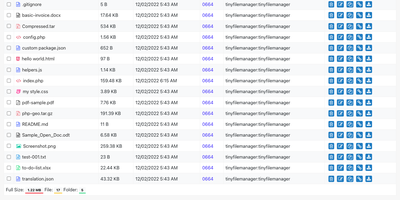
Browse, upload, edit, preview, and archive the files on your server from any web browser, with no FTP client, no shell session, and no database to set up. Tiny File Manager lists every folder in a sortable table showing size, modified date, permissions, and owner, with a search box that filters as you type. Drag files into the upload zone, send several at once, or paste a URL for the server to fetch. Rename items, select several to copy, move, delete, or pack into a zip or tar archive, and extract uploaded archives on the server. Click any text file to open the built-in editor, which offers syntax highlighting for 150+ languages and 35+ color themes, so quick fixes to configs and scripts happen where the files live. Images, audio, video, and text open in a preview without downloading, and every file has a copyable direct link. Give teammates or clients their own accounts, each locked to a root folder you choose, mark accounts read-only, and limit uploads to approved file extensions. Hide folders you never want listed, restrict access with IP allow and block lists, switch between light and dark themes, pick from 35+ interface languages, and use the responsive layout on a phone. Setup is one file copied to a web server, or one Docker container. Running on a dedicated VPS on RepoCloud with guaranteed CPU, RAM, and SSD, full root SSH access, and a browser serial console. GPL-3.0 licensed.
OpenCloud
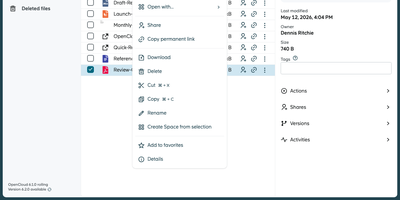
Organizations seeking complete data sovereignty over their documents, spreadsheets, and shared project folders can deploy OpenCloud as a self-hosted workspace for file sync, sharing, and real-time collaboration across web, desktop, iOS, and Android clients. Teams organize departmental assets inside dedicated Spaces where files belong to the project rather than individual user accounts, ensuring continuity when personnel change and enabling delegated space managers to assign granular read, edit, or upload permissions. Through built-in WOPI integration with Collabora Online, multiple colleagues can co-edit Microsoft Office and OpenDocument files simultaneously in the browser with automatic conflict locking and version history recovery. External partners and clients can access files via password-protected public links with custom expiration dates or upload deliverables into write-only File Drop folders without seeing existing directory contents. Cross-organization collaboration works seamlessly over the Open Cloud Mesh federation protocol, while full-text and tag-based search locates documents across personal and shared drives in seconds. Client devices synchronize changes in real time with support for virtual files on demand, resumable chunked uploads, and offline mobile access with camera document scanning. Running on a dedicated VPS on RepoCloud with guaranteed CPU, RAM, and SSD, full root SSH access, and a browser serial console. Apache-2.0 licensed.
Owncloud
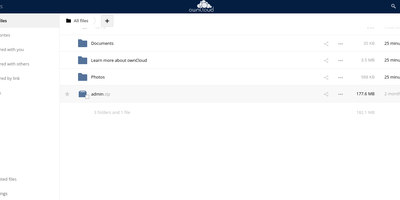
The project that proved organizations could have Dropbox-style convenience with complete data ownership: ownCloud is the original open-source file sync and share platform - the codebase Nextcloud later forked from. This deployment runs the classic ownCloud Server (PHP over PostgreSQL or MariaDB, with Redis caching), the battle-tested edition trusted across enterprises, universities, and public institutions worldwide. The core loop: store files on your server, sync them via desktop clients for Windows, macOS, and Linux plus iOS and Android apps, and access everything through the web interface or standard WebDAV. Sharing is granular - internal users and groups, external recipients via public links with passwords and expiration dates, and federated sharing that connects separate ownCloud instances into one network. Security controls include file firewall rules, multi-factor authentication, encryption, and detailed audit-friendly lifecycle management with versioning and trash-bin recovery. An app marketplace extends the platform, and Web Office integrations bring collaborative document editing through Collabora Online, OnlyOffice, or Microsoft Office Online directly into your files. LDAP and Active Directory integration slots it into existing identity infrastructure. For teams that need a proven, self-hosted alternative to Dropbox or Google Drive - where compliance demands knowing exactly which disk your data sits on - ownCloud remains a foundational choice.
HFS
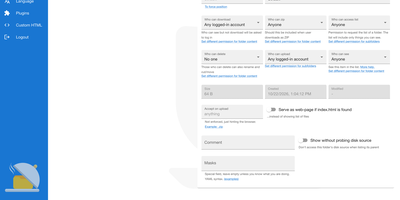
HFS turns any folder on a server into a file-sharing site that visitors open in a browser, with no upload step and no space or bandwidth cap beyond your own disk. Visitors browse, search, and download single files or whole folders as ZIP archives that start streaming immediately, and interrupted uploads or downloads can resume. A virtual file system lets you arrange and rename what is shared without touching the files on disk, while accounts and per-folder permissions decide who can see, download, upload, or delete. The admin web panel covers HTTPS with built-in certificate generation, bandwidth limits globally or per IP address, geographic blocking by country, and live connection monitoring with disconnect and IP ban. Plugins add thumbnails, share links, LDAP, two-factor sign-in, download quotas, and notifications, and a few lines of JavaScript in the admin panel can change the look or the backend behavior without a restart. The front end speaks 27+ languages, works on phones, and includes a media player for audio and video. Typical uses include sending large files to friends without uploading them first, publishing a download area, and collecting uploads from visitors. Running on a dedicated VPS on RepoCloud with guaranteed CPU, RAM, and SSD, full root SSH access, and a browser serial console. GPL-3.0 licensed.