Super Productivity
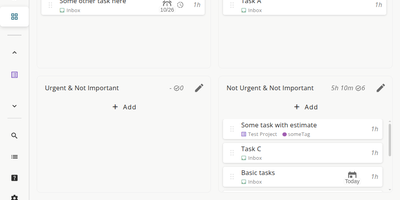
Super Productivity eliminates the context switching between issue trackers, calendars, and timer apps that fragments developer focus, pulling tasks from Jira, GitHub, GitLab, Gitea, OpenProject, Linear, ClickUp, Trello, and Azure DevOps into one local-first interface. With 21,000+ stars and availability across web, desktop, Android, and iOS, it syncs issue status, subtasks, and time logs bidirectionally so sprint planning and worklog submission happen without leaving the app. CalDAV integration pulls calendar events into your task timeline for visual timeboxing. Built-in Pomodoro and Flowmodoro timers enforce focused intervals with configurable break schedules. Data stays under your control in browser IndexedDB by default, with optional AES-encrypted sync via WebDAV, Nextcloud, Dropbox, or the SuperSync server ensuring no task data touches infrastructure you do not own. The extensible plugin system supports JavaScript-based custom panels, automations, and MCP plugins for AI workflows. A REST API on port 3876 enables external script integration for desktop automation. Time tracking generates exportable timesheets compatible with corporate reporting systems. The Docker container serves the Angular PWA through Nginx on port 80, consuming roughly 50 MB of RAM. Running on a dedicated VPS on RepoCloud with guaranteed CPU, RAM, and SSD, full root SSH access, and a browser serial console. MIT licensed.
Yuvomi
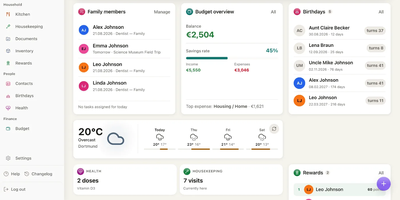
Replace a dozen household subscriptions with one app that keeps your family's tasks, calendars, meals, budget, and shopping in a single private place you control. Nineteen modules cover the daily rhythms of a household: assign chores with deadlines and priorities, plan the week's dinners and push the ingredients to a shared shopping list in one tap, track income and expenses by category with automatic subscription renewal warnings, and log health activities from vitals to medications. Two-way sync connects to Google Calendar via OAuth, iCloud and Nextcloud via CalDAV, and Outlook via Microsoft Graph, so every family member's phone shows the same schedule without switching apps. CardDAV keeps contacts in sync with external address books. The budget module handles accounts, loans, split expenses, and per-category planning with savings goals and month-over-month comparisons. Documents attach to tasks, receipts link to transactions, and a checked-off grocery item books itself back into the pantry inventory with its quantity. A Kanban board, recurring task schedules, and a rewards ledger that pays out points for completed chores keep kids and adults accountable. Wall mode turns a kitchen tablet into a glanceable family dashboard, and the Immich screensaver shows your own photos when the screen goes idle. API tokens and a built-in MCP endpoint let AI agents and third-party tools interact with every module programmatically. Deploy on a dedicated VPS on RepoCloud with guaranteed CPU, RAM, and SSD, full root SSH access, and a browser serial console. MIT licensed.
OpenTodo
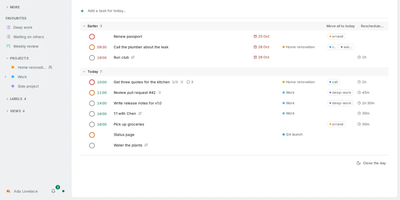
Plan the day in the morning, capture tasks in your own words as they appear, and let every device settle on the same list by evening: that rhythm is what OpenTodo is built around. The Today view opens with a briefing, a daily limit, and morning, afternoon, and evening sections, with time blocking and meetings counted against the day's real capacity. Quick add understands natural language in six languages, a pasted list becomes tasks in one step, and the command bar, inbox processing, email-to-task, and dictation keep capture fast. Projects organize work with sections, boards whose cards carry notes, timelines, sub-projects, and areas, while recurring tasks and sequential projects handle routines and ordered work. Lists can be shared with the people you live and work with, invited by link once the owner account exists. Every device keeps a full copy and works offline; changes are stamped per field and merge cleanly through your server when you reconnect, with history and undo preserving earlier values. CalDAV and calendar feeds connect your calendars, GitHub and GitLab issues flow in, and webhooks plus ntfy, Pushover, and Gotify send notifications out. Scheduled backups go to a folder, S3-compatible storage, or WebDAV, and the whole server is one container around one SQLite file. Running on a dedicated VPS on RepoCloud with guaranteed CPU, RAM, and SSD, full root SSH access, and a browser serial console. AGPL-3.0 licensed.
Edi Life OS
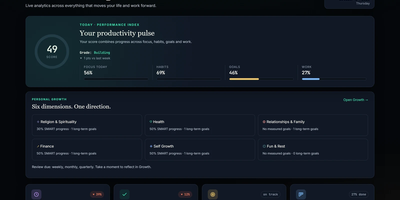
Edi Life OS puts the habits, goals, projects, money, focus sessions, and notes that usually live in five separate apps into one calm dashboard on your own server. Start the day from an Overview that rolls focus, habit trends, goals, finances, and the week ahead into one readable score. Connect long-term goals to six life areas, drive progress from a checklist, a measure, or a habit you actually keep, and use weekly, monthly, or quarterly reviews to choose the next honest step. Log daily habits with streaks and monthly progress, run timed focus sessions with short and long breaks, and keep a history of the deep work you finished. Track expenses, income, budgets, debts, and credits in your chosen currency, including recurring entries that land straight in the ledger. Plan projects on draggable Kanban boards with labels, priorities, due dates, checklists, comments, and attachments, then see card deadlines and money dues together in one calendar. Capture Markdown notes with preview and export, pin sticky notes with colors and connections, and give each account its own private workspace, theme, and currency. Ask an AI assistant through the optional MCP server to read your dashboard, create goals, log habits, or record expenses through a token-protected API that never touches the database directly. Running on a dedicated VPS on RepoCloud with guaranteed CPU, RAM, and SSD, full root SSH access, and a browser serial console. MIT licensed.
Mitra
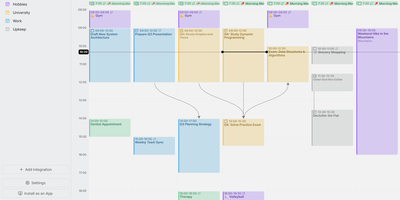
Mitra is a self-hosted calendar that puts your tasks on the same timeline as your events, so planning a week finally happens in one place instead of two. Drag across empty grid space to make an entry, drag it to move it, and stretch its edges to resize it. Tasks without a date sit in the Planning tab with a due date and an estimate until you drag them into the week. Subtasks and dependencies draw as lines between entries. Availability shading lays your working hours under the grid so double-booking becomes obvious before it happens. Keep calendars inside Mitra with no account behind them, or connect the ones you already use: CalDAV, Google Calendar, Apple Calendar, Notion, Todoist, and Tempo all sync both ways, and published feeds arrive as read-only subscriptions. Lists sort, filter, and change many entries at once. Files attach to entries, guests reply, reminders land as push notifications, and a command palette drives everything from the keyboard. Claude, Cursor, and other AI tools can read and plan your calendars over MCP. Eight languages, right-to-left layouts, light and dark themes, phone install, and OIDC sign-in for several people round it out. Running on a dedicated VPS on RepoCloud with guaranteed CPU, RAM, and SSD, full root SSH access, and a browser serial console. AGPL-3.0 licensed.
DailyHub
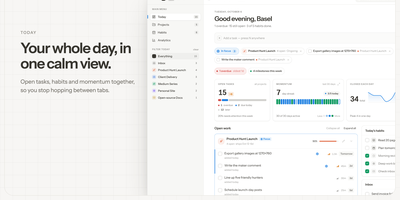
DailyHub is one calm page for a single person's whole day: today's open work grouped by project, the habits due this morning, and an inbox that catches everything that does not belong anywhere yet. The Today view greets you with a quick-add box, nudges about what is slipping, and a progress bar that fills as the day gets done. Focus mode pins the projects or tasks that matter and hides the rest until a date you pick or until you clear it, so the full list stops shouting. Projects carry status, due dates, and milestones, wear logos with accent colours derived from them automatically, and raise a banner when work stalls. Habits run on weekday schedules and report back with a 14-day consistency strip and a completion rate, so a streak is something you can see rather than guess. Analytics chart completions over time, break them down per project, and surface the weekday patterns that show when you actually get things done. A command palette jumps to any project, task, habit, or milestone from the keyboard, and light and dark themes keep long planning sessions easy on the eyes. An AI assistant can join through the built-in MCP endpoint: ask what is still open in the inbox, add a task to the website project for Friday, or mark today's workout done. Running on a dedicated VPS on RepoCloud with guaranteed CPU, RAM, and SSD, full root SSH access, and a browser serial console. MIT licensed.
Donetick
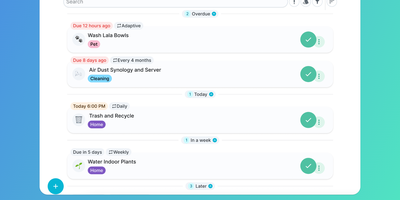
Recurring household chores and shared team checklists stay on schedule when Donetick coordinates assignments, reminders, and completion tracking from one self-hosted hub. Type a phrase like "change water filter every 6 months" and the natural-language parser extracts the due date and cadence automatically. Adaptive scheduling even adjusts future intervals from your actual completion history. Rotation rules distribute tasks fairly across family members or roommates via round-robin, random, or least-completed logic. Nested subtasks reset themselves each cycle. Finished chores earn points in the built-in gamification engine that members redeem in an admin-approved reward store. Stateful "Things" track numerical, boolean, or text metrics to trigger tasks automatically when values change. Tap physical NFC tags to check off chores on the spot, or mount a dedicated kiosk dashboard on a wall tablet for one-tap account switching. Real-time updates sync across devices alongside iCal calendar feeds, Home Assistant cards, OIDC single sign-on, and Pushover or Telegram notifications. Running on a dedicated VPS on RepoCloud with guaranteed CPU, RAM, and SSD, full root SSH access, and a browser serial console. AGPL-3.0 licensed.
Vikunja
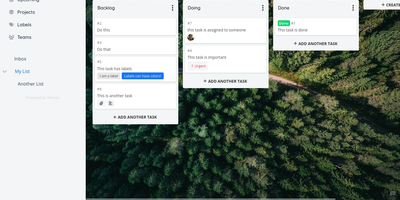
A personal to-do list that scales to team project management: Vikunja is an open-source task manager that grows with the work. Every project can be viewed four ways - classic list, drag-and-drop Kanban board, Gantt chart for timeline planning, and a spreadsheet-style table - so a project manager watches the Gantt while developers work the board, on the same data. Tasks carry the full attribute set: labels, priorities, due dates and reminders, recurring schedules, subtasks and task relations, file attachments, assignees, and comments, and Quick Add Magic parses natural-language input like dates and labels typed inline. Projects share with team members or via links, and saved filters slice tasks across projects. Built-in CalDAV support (VTODO) syncs tasks bidirectionally with clients like Thunderbird, DAVx5, and iOS Reminders, and one-click importers migrate from Todoist, Trello, and Microsoft To-Do. Nothing is metered - unlimited projects, tasks, filters, and attachments. A single Go binary with a Vue frontend runs against SQLite, MySQL, or PostgreSQL, exposes a full REST API, and works as an installable PWA on mobile. AGPLv3-licensed.
Tududi
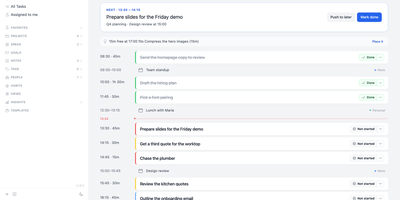
Tududi is a self-hosted planner that turns a pile of tasks into a plan for the day, keeping projects, notes, goals, and habits on a server you control. One Add box files an Inbox item, Task, Note, or Project and understands natural-language dates, recurrence, tags, projects, and people, so "every first monday #home" becomes a recurring task without opening a form. The Today page switches between planning mode, with a timeline or list beside your calendar and optional AI help to sketch the day, and doing mode, with a Next card and a hint when a free slot fits a small task. Tasks have subtasks and live in projects and areas, projects link to season or year goals, and saved views, project templates, and optional Eisenhower and Kanban boards organize the work. Habits support build or quit goals with streaks, a strength score, and a history grid, while notes offer linked pages, backlinks, and mermaid diagrams. Households and teams share projects with read-only or read-write access, assign tasks to people, and follow an Everyone board; members without email sign in through one-time links. Telegram captures tasks and can send daily summaries, CalDAV syncs with reminder apps, OIDC handles single sign-on, and an MCP server lets Claude or Cursor manage tasks. AI stays off until you enable it and add a provider; local models work too. Running on a dedicated VPS on RepoCloud with guaranteed CPU, RAM, and SSD, full root SSH access, and a browser serial console. MIT licensed.
Pomodoist
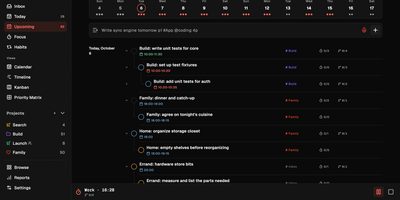
Pomodoist pairs a task manager with a Pomodoro timer, so the list of what to do and the clock that gets it done live in the same app. Type a task the way you would say it and the quick-add bar sets its priority and estimates its Pomodoros as you type, filing it into the Inbox, Today, or Upcoming views. Plan the week on a calendar, drag cards across a kanban board, spread work along a timeline, or sort it into a four-quadrant priority matrix when everything feels urgent. Start a focus session and the timer tracks intervals against the task at hand, with configurable work and break lengths, while a 3D desktop companion focuses, rests, and celebrates along with you. Share a project and the discussion stays beside the tasks, with comments on shared items and the team's focus time visible next to the work itself. Reports chart weekly focus time, completed tasks, and habit streaks, and voice notes can become task checklists when typing is not an option. An MCP endpoint lets your AI tools manage the same projects after an OAuth sign-in, and optional Google Calendar and Telegram integrations meet the planner where you already are. The self-hosted instance unlocks every feature locally, with your own accounts and one-command backups of the whole database. Running on a dedicated VPS on RepoCloud with guaranteed CPU, RAM, and SSD, full root SSH access, and a browser serial console. AGPL-3.0 licensed.
Personal Management System
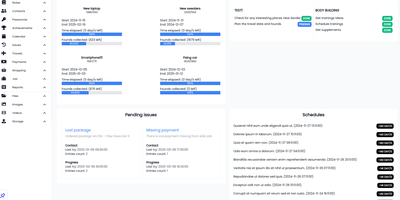
Consolidate daily to-do lists, encrypted passwords, household spending, contacts, and family photo galleries into Personal Management System, a self-hosted private command center for everyday life. Individuals can organize recurring schedules and calendar milestones with proactive notification alerts so important appointments, vehicle servicing dates, and recurring bill renewals are never overlooked. Users can balance household budgets and track expenditure across custom spending categories, calculating monthly cash flow balances while monitoring debts owed to friends or family members. Privacy-conscious users can safeguard account credentials inside an encrypted password vault featuring quick-copy buttons and secondary lock protection for sensitive personal entries. Goal setters can track multi-step personal targets and link financial milestones directly to dedicated savings pools. Home organizers can catalog contacts, log travel destinations with mapped imagery, and maintain categorized notes containing voice memos, bookmarks, and reference materials. Collectors can sort family photos and video recordings into interactive masonry galleries with built-in lightbox previews and file download tools. Running on a dedicated VPS on RepoCloud with guaranteed CPU, RAM, and SSD, full root SSH access, and a browser serial console. MIT licensed.
Jotty
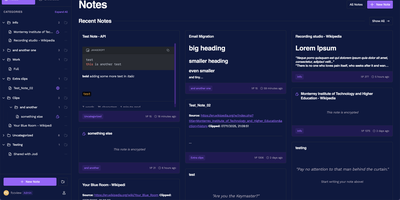
No external database cluster to babysit, no proprietary cloud lock-in, and no bloated workspace hierarchy: Jotty stores every note, checklist, and Kanban board as plain Markdown and JSON files inside a single folder on your server. Need a quick grocery list with nested categories, progress bars, and drag-and-drop reordering? Spin one up in seconds, or flip any list into a multi-column Kanban project board with custom statuses, due-date calendar views, and a built-in time tracker. Write technical documentation in a TipTap-powered WYSIWYG and Markdown editor featuring syntax-highlighted code blocks, GitHub-flavored callouts, embedded Draw.io and Excalidraw diagrams, and OpenPGP client-side encryption for sensitive records. Connect ideas across your workspace using Obsidian-compatible wikilinks, inline mention suggestions, backlinks, and an interactive 2D and 3D knowledge graph that maps relationships between tasks and notes. Share individual notes or live Kanban boards publicly via customizable read-only links, or start the optional Model Context Protocol (MCP) companion container so AI assistants like Claude and Cursor can query your notes and check off items through your scoped REST API key. Running on a dedicated VPS on RepoCloud with guaranteed CPU, RAM, and SSD, full root SSH access, and a browser serial console. AGPL-3.0 licensed.
Will Be Done
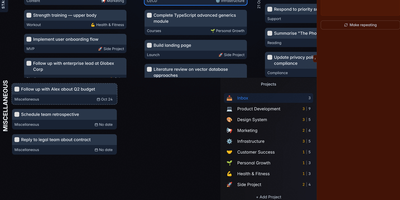
Seven columns, one per day, hold your whole week of tasks in Will Be Done, and rebalancing a crowded Wednesday means dragging a card to Friday. Unfinished tasks keep their day and get a quiet yellow marker instead of piling into tomorrow as red overdue badges. The Today view narrows the screen to one day, and Stash holds the few tasks you want close at hand without picking a date. Projects get kanban boards with columns you define, such as Week, Month, Ideas, and Someday, and separate spaces keep work and personal planning apart. Tasks carry descriptions and checklists, and recurring tasks repeat daily, weekly, monthly, or yearly with custom intervals and end dates. Every device holds a full local database, so planning, completing, and rescheduling happen with no network at all, and changes sync across tabs and devices once the server is reachable. Vim keys such as h, j, k, and l move through everything, and a global quick-add shortcut in the Linux, macOS, and Windows desktop apps captures a task without leaving the window you are in. Todoist and TickTick imports bring existing projects along, and a token-protected HTTP API with OpenAPI docs lets scripts, cron jobs, and bots drop tasks straight into your stash. Running on a dedicated VPS on RepoCloud with guaranteed CPU, RAM, and SSD, full root SSH access, and a browser serial console. AGPL-3.0 licensed.
Manage My Damn Life
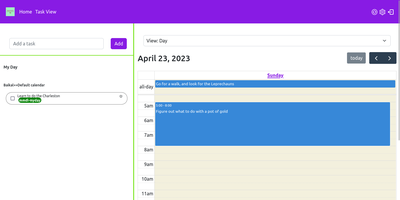
Manage My Damn Life is a personal productivity platform and CalDAV task manager that gives individuals and teams a full-featured web workspace for coordinating todos, calendar agendas, and project schedules without relying on proprietary productivity software. Users can connect multiple CalDAV server backends including Nextcloud, Radicale, and Baikal to synchronize tasks, events, and subtasks across their self-hosted infrastructure. The interface offers multiple interactive perspectives, letting planners switch between nested task checklists, full monthly calendar grids, and dynamic Gantt chart roadmaps with customizable timeline scales. Keyboard-driven operators can rapidly log action items via intuitive Quick Add syntax that parses due dates, priority tiers, and category labels from inline text triggers. A versatile filter manager allows users to save custom query views matching due dates, completion statuses, parent task hierarchies, and color-coded labels. Team members can establish reusable task templates for recurring administrative workflows, assign multi-level checklist items, and manage individual calendar visibility across shared workspaces. System administrators can configure user authentication through native accounts or integrate enterprise Single Sign-On using OpenID Connect providers like Keycloak, Authentik, and Google. Client-side state caching accelerates navigation while background sync preserves CalDAV compliance. Running on a dedicated VPS on RepoCloud with guaranteed CPU, RAM, and SSD, full root SSH access, and a browser serial console. GPL v3 licensed.
MIND
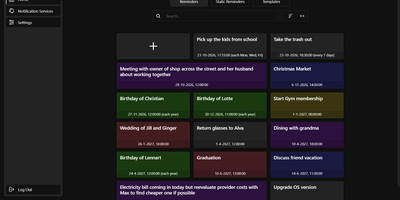
Unlike a calendar alert that rings on one phone, a MIND reminder reaches any of 100+ services, including email, Pushbullet, BlueSky, Cisco Webex Teams, and SMS gateways, from a self-hosted reminder app that you control. Normal reminders fire with second precision once or repeat every few days, once a year, on chosen weekdays, or on a custom cron schedule, while static reminders wait for a button press, so a single tap can tell the family that you are running late. Templates store colour, title, services, and text for fast creation, and the colour-coded library can be searched and sorted, with each reminder enabled, disabled, or tested on demand. Time zone changes, including daylight saving shifts, are accounted for, and sends that fail on a connection error are retried every two minutes until they succeed. Several users can share one instance: the admin panel handles accounts and registration, login lifetime, reverse-proxy URL prefix, debug logs, and scheduled database backups that can be exported and imported, and sign-in supports two-factor authentication. A documented REST API covers reminders, templates, notification services, and static triggers, and the web interface adapts to phone screens. Running on a dedicated VPS on RepoCloud with guaranteed CPU, RAM, and SSD, full root SSH access, and a browser serial console. GPL-3.0 licensed.
OpenHabitTracker
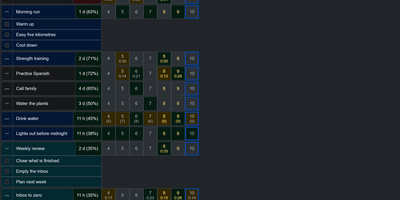
Notes, tasks, and habits in one app, synced only to a server you run yourself. Notes are written in Markdown and render right in the list, so reading one costs no clicks. Tasks get a planned date and time, a duration, a checklist, and a timer. Weekly statistics show what got done and how long it took. Habits are measured by how overdue they are, not by an unbroken streak. A habit on a ten day interval that is two days late reads 120 percent. Charts track progress toward the target for today, this week, this month, this quarter, and this year. They also list the ten longest streaks and what you finish on each weekday. Categories and priorities span all three item types. Search reads note text and checklist items, not only titles. Filter by date, status, or how overdue a habit is, then sort with eleven keys. Pick from 26 themes in dark and light mode and 20 languages, with full keyboard and screen reader support. Import and export JSON, YAML, TSV, or Markdown, or bring in a Google Keep Takeout ZIP. Native apps for Windows, Linux, macOS, iOS, and Android sync with your server. The single-user Docker server also serves an OpenAPI spec, a Scalar UI, and a log page behind the same login. Running on a dedicated VPS on RepoCloud with guaranteed CPU, RAM, and SSD, full root SSH access, and a browser serial console. GPL-3.0 licensed.