phpMyFAQ
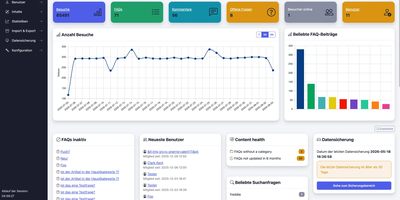
Publish the answers your team keeps repeating as a multilingual, searchable FAQ with phpMyFAQ, a knowledge base whose admin area handles writing, review, and permissions. Organize entries in nested categories that you rearrange by drag and drop, attach files, add tags and related FAQs, and let visitors leave comments. A WYSIWYG editor with an image manager writes each answer, a wiki-style revision history restores earlier versions, and a news system posts announcements. Full-text search covers every language, and optional Elasticsearch or OpenSearch backends handle larger collections. The interface covers more than 40 languages with right-to-left layouts, automatic content negotiation, and translated categories and entries. Privileges work per user and per group, so an editor can change an entry without being allowed to delete it, and categories can be limited to chosen readers. Sign in through LDAP, Active Directory, or Microsoft Entra ID, protect accounts with two-factor authentication, or try experimental passkeys. The dashboard charts 30 days of visits, lists inactive FAQs, and checks installed files against published hashes. Export entries to PDF, publish a dynamic sitemap, back up your content, and filter spam with built-in protections. Dark, light, and high-contrast themes keep the public site comfortable to read. Scripts and AI assistants reach the knowledge base through a REST API with an OpenAPI specification or an experimental MCP server, and plugins extend it. Running on a dedicated VPS on RepoCloud with guaranteed CPU, RAM, and SSD, full root SSH access, and a browser serial console. MPL-2.0 licensed.
AdventureLog
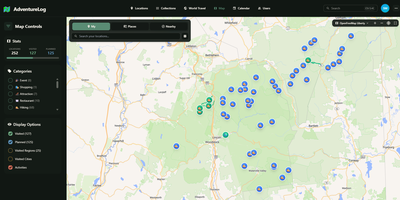
AdventureLog tracks and visualizes your travels on an interactive world map, combining GPS-tagged location logging with collaborative trip planning and a personal atlas that fills in as you explore new countries and regions. The SvelteKit frontend renders lightning-fast interactive maps powered by MapLibre GL, displaying every logged location with filtering by visit status, custom categories, and a stunning 3D globe view for immersive exploration. Each adventure entry stores rich metadata including precise GPS coordinates via PostGIS, visit dates, personal ratings, descriptions, photos, and trail uploads with detailed activity statistics. The multi-day itinerary planner organizes trips with flight information, daily activity schedules, packing checklists, collaborative notes, and resource links, while real-time sharing lets travel companions view and edit plans together. The world travel book automatically tracks which countries, states, and regions you have visited, rendering them on interactive choropleth maps that grow with every journey. Native integration with Immich connects your photo library directly, allowing photo imports via API key authentication and smart search. Django AllAuth handles user authentication with social login support, and the Django REST Framework API enables third-party integrations and mobile app connectivity. The project has gathered over 3,500 GitHub stars since its 2024 launch. A single Docker container bundles frontend, backend, and Nginx on one port for straightforward deployment. Running on a dedicated VPS on RepoCloud with guaranteed CPU, RAM, and SSD, full root SSH access, and a browser serial console. GPL-3.0 licensed.
Radar
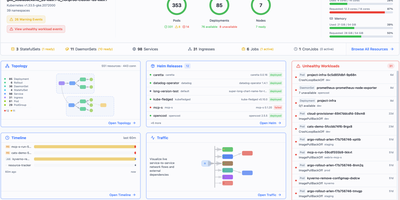
Radar is an open-source Kubernetes management dashboard and Model Context Protocol server that gives engineering teams complete cluster visibility, automated issue diagnosis, and GitOps controls through a unified web interface. Operators explore live interactive cluster topology maps rendered with automated layout engines, grouping workloads by namespace or custom application labels to trace network communication pathways. The unified event timeline retains Kubernetes activity and state change diffs well beyond default one-hour limits, allowing site reliability engineers to diagnose historical CrashLoopBackOff states and investigate failed deployment rollouts. Teams manage Helm releases by inspecting deployed values, comparing manifest revisions side by side, and initiating rollbacks or upgrades with a single click. The built-in GitOps workspace correlates ArgoCD and Flux applications, surfacing synchronization health, field-level configuration drifts, and automated remediation suggestions. Developers inspect container image filesystems directly from pod detail panels without pulling images locally or establishing interactive terminal sessions, browsing permissions and downloading specific files. Native Model Context Protocol endpoints expose cluster telemetry and operational tools to artificial intelligence coding assistants, enabling external agents to diagnose failing pods and inspect access controls securely. Running on a dedicated VPS on RepoCloud with guaranteed CPU, RAM, and SSD, full root SSH access, and a browser serial console. Apache 2.0 licensed.
Apache OpenMeetings
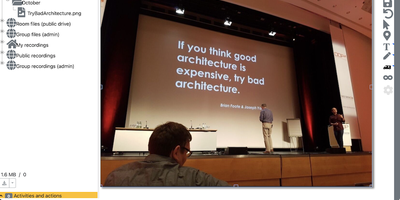
Apache OpenMeetings puts the whole meeting in the browser: cameras, a shared whiteboard, the agenda document, and recording controls, all running on your own server. Participants join rooms with audio and video, audio only, or video only, choose camera resolutions and devices, and present by sharing a screen or a single window at selectable quality. Moderators control the floor person by person: who may draw on the whiteboard, present, share or record the screen, mute others, or speak while everyone else stays muted. Multiple whiteboards hold drawings, text, clip art, and imported documents in PDF, office, and image formats, rescaling to fit every participant's screen, and boards can be saved into the drag-and-drop file explorer for the next session. Every meeting can be recorded with all audio streams exactly as heard, then downloaded as MP4 or played back in the integrated player, and the built-in calendar schedules rooms and sends invitations. Breakout rooms split classes and workshops into groups, polls gather decisions live, private and group chat runs beside the video, and telephone users can dial into rooms through the Asterisk SIP integration. Running on a dedicated VPS on RepoCloud with guaranteed CPU, RAM, and SSD, full root SSH access, and a browser serial console. Apache-2.0 licensed.
Memoh
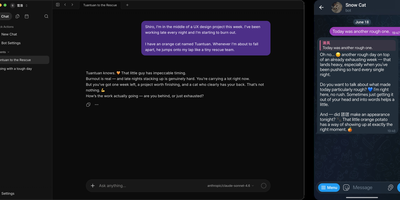
Memoh delivers an open-source multi-agent platform where every AI agent gets its own computer — not a chat window but a fully isolated container with dedicated filesystem, desktop environment, browser, network stack, and persistent long-term memory that survives across sessions, days, and platforms. The containerd-based runtime ensures each bot operates in complete isolation with snapshot and data import/export capabilities. The memory engine uses LLM-driven fact extraction with hybrid retrieval combining dense embeddings via Qdrant, sparse vectors, and BM25, plus 24-hour context loading and automatic compaction — with Mem0 and OpenViking as drop-in alternatives. Ten communication channels connect agents to users through Telegram, Discord, Lark, QQ, Matrix, WeCom, WeChat, Email, Web UI, and group chats with cross-platform identity binding. MCP tool calling enables agents to interact with external services, while browser automation drives GUI workflows for web research and data extraction. Agent hosting supports running external coding agents like Codex and Claude Code inside Memoh workspaces via ACP with per-bot configuration. Scheduled tasks run without human triggers, and agents proactively reach out when needed. The web dashboard built with Vue 3 and Tailwind CSS provides streaming chat, tool call visualization, file management, model and provider configuration, and bot lifecycle management. Deploy via Docker Compose with PostgreSQL, Qdrant, sparse service, and the Go backend server. Running on a dedicated VPS on RepoCloud with guaranteed CPU, RAM, and SSD, full root SSH access, and a browser serial console. AGPL-3.0 licensed.
OpenCloud
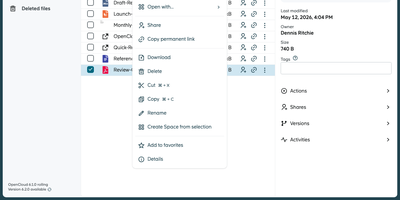
Organizations seeking complete data sovereignty over their documents, spreadsheets, and shared project folders can deploy OpenCloud as a self-hosted workspace for file sync, sharing, and real-time collaboration across web, desktop, iOS, and Android clients. Teams organize departmental assets inside dedicated Spaces where files belong to the project rather than individual user accounts, ensuring continuity when personnel change and enabling delegated space managers to assign granular read, edit, or upload permissions. Through built-in WOPI integration with Collabora Online, multiple colleagues can co-edit Microsoft Office and OpenDocument files simultaneously in the browser with automatic conflict locking and version history recovery. External partners and clients can access files via password-protected public links with custom expiration dates or upload deliverables into write-only File Drop folders without seeing existing directory contents. Cross-organization collaboration works seamlessly over the Open Cloud Mesh federation protocol, while full-text and tag-based search locates documents across personal and shared drives in seconds. Client devices synchronize changes in real time with support for virtual files on demand, resumable chunked uploads, and offline mobile access with camera document scanning. Running on a dedicated VPS on RepoCloud with guaranteed CPU, RAM, and SSD, full root SSH access, and a browser serial console. Apache-2.0 licensed.
KitchenOwl
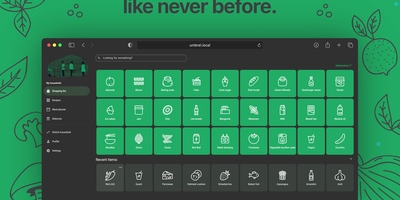
Your household's kitchen command center: shared grocery lists that sync in real-time across everyone's phones, a recipe book that imports from 500+ websites with one tap, a weekly meal planner that auto-generates shopping lists, and expense tracking that splits costs between roommates or family members. Native apps for Android, iOS, macOS, Windows, Linux, and web provide partial offline support so the list works even in store dead zones. The recipe-scrapers library with wild mode fallback handles imports from virtually any cooking site, extracting ingredients, steps, and images automatically — then converts recipe ingredients directly to shopping items with a single tap. Smart suggestions learn from your patterns over time, ordering items by your typical store route and recommending frequently purchased products. OpenID Connect authentication supports Google, Apple, Authelia, and custom providers. LLM-powered ingredient parsing uses configurable AI models for intelligent recipe text extraction. A Home Assistant integration enables voice-controlled list management via smart speakers. The REST API with a published Python client library allows third-party automation. Multi-language support covers 30+ languages through Weblate community translations. Running on a dedicated VPS on RepoCloud with guaranteed CPU, RAM, and SSD, full root SSH access, and a browser serial console. AGPL-3.0 licensed.
Ovis
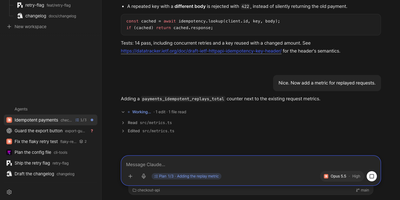
Ovis puts every coding agent running on your machine into your pocket, turning Claude Code, Codex, and a dozen other agent panes into clean phone-friendly chats you can read, answer, and steer from anywhere. Each pane shows the agent's own transcript as a conversation instead of terminal scrollback, with the live terminal one tap away when you need raw output. Permission requests, questions, and plan menus arrive as cards you answer with a tap or a number, and Ovis checks the prompt is still current before sending your answer. Live status for every pane shows which agents are working, which finished, and which are waiting on you. Web push alerts reach you even with the app closed, so a blocked agent never sits idle while you are away from the desk. Install it on your phone as a PWA with a rearrangeable key bar for Esc, Tab, Ctrl, and arrow keys, paired by QR code to your Tailscale address. Dictate replies into chat or terminal with mixed Korean and English speech, review the transcript, then send it to the agent. Open working-tree, staged, or commit comparisons from the file browser and read each file's diff without touching the repository. Reach remote PCs over SSH, queue a message for the agent's next turn, or send it immediately. Running on a dedicated VPS on RepoCloud with guaranteed CPU, RAM, and SSD, full root SSH access, and a browser serial console. MIT licensed.
Headplane
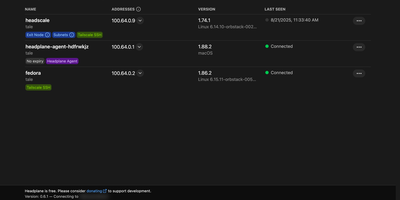
Instead of wrestling with raw command-line flags and YAML configuration files for every device on your self-hosted Headscale mesh VPN, Headplane gives you a Tailscale-style web administration console to manage machines, users, DNS records, and access policies from any browser. From the machines overview, network administrators can inspect connected nodes, view Tailnet IPv4 and IPv6 addresses, rename devices, reassign ownership across users, toggle key expiration, and approve advertised subnet routes or exit nodes in a couple of clicks. Built-in Access Control List (ACL) management lets you edit security policies, define user groups, assign node tags, and configure auto-approvers without manually SSHing into your control server. When someone needs immediate shell access to a remote Linux host on the mesh, the integrated WebSSH console opens an interactive terminal session right inside the browser tab over Tailscale SSH. You can also manage MagicDNS settings, configure split DNS nameservers, and add custom DNS records that automatically reload your Headscale instance. Multi-user administration supports OpenID Connect (OIDC) single sign-on with identity providers like Okta, Authentik, Authelia, and Google Workspace, alongside granular role assignments and pre-authentication key generation for unattended server enrollment. Running on a dedicated VPS on RepoCloud with guaranteed CPU, RAM, and SSD, full root SSH access, and a browser serial console. MIT licensed.
Omnara
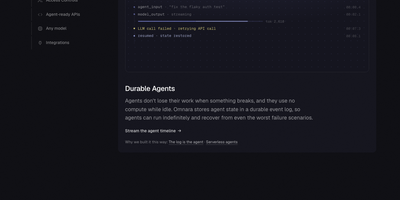
Running AI agents in production takes more than a model call: Omnara supplies the durable runtime, tools, approvals, and complete event history around any model, on your own machines. You define an agent once in a small YAML file: instructions, a model from OpenAI, Anthropic, OpenRouter, Bedrock, LiteLLM, Ollama, or your own endpoint, and the machines it may use. Launch agents from the REST API, the TypeScript SDK, the command line, or the dashboard, then stream every event live or receive it as a webhook while the agent works. Agents run shell commands and edit files on sandboxes from twelve providers, or on your own laptops, VMs, and containers through a daemon that connects outward, so no inbound ports or SSH keys are exposed. Every step is written to Postgres as an event log, which means an agent survives crashes, restarts, and disconnected machines and resumes exactly where it stopped. Tool permissions can run immediately, ask a person first, or block outright, and agents can start subagents, follow cron schedules, and keep shared memory files between conversations. Teams meet the agents where they already talk: mention the bot in Slack or Discord, or let a GitHub pull request trigger a review, with questions and approvals handled in the thread. Running on a dedicated VPS on RepoCloud with guaranteed CPU, RAM, and SSD, full root SSH access, and a browser serial console. Apache-2.0 licensed.
Zipline
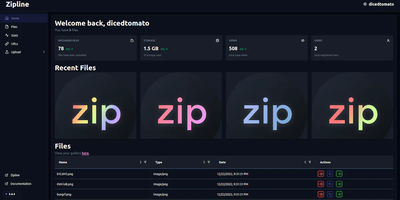
ShareX and file uploads, next generation: Zipline is a Node.js/React/PostgreSQL server that turns screenshot sharing and file hosting into something you run yourself instead of renting from Imgur or a paid image host. The core workflow is built around ShareX: generate an .sxcu config from your account settings, import it, and every screenshot or clipboard capture uploads to your domain with a short link copied automatically. Uploads accept any file type, organized with folders and tags, with token-protected uploading, optional password protection, view-limited auto-deletion, image compression, metadata stripping, automatic video thumbnails, and chunked/partial uploads for large files. File URLs come in configurable formats - UUIDs, dates, random alphanumerics, original names, even zero-width spaces. A built-in URL shortener adds vanity slugs, passwords, view caps, and custom domains. Discord embeds are first-class: customize OG metadata titles, descriptions, and colors so links unfurl exactly how you want, and fire fully customizable Discord or HTTP webhooks on each upload. Authentication is serious: OAuth2 (Discord, GitHub, Google, OIDC), TOTP two-factor, and passkeys, with invite-based registration and per-user quotas for shared instances. Storage targets local disk or any S3-compatible backend, a full REST API automates everything, and custom themes plus a PWA round out the experience.
Bulwark Webmail
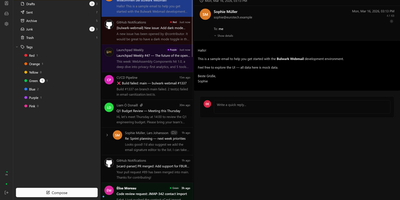
Transforming your Stalwart Mail Server into an all-in-one private communication hub, Bulwark Webmail delivers fast web-based email, collaborative calendars, shared contacts, and cloud files in a single unified interface. Users can manage multiple email accounts from an integrated inbox with conversational message threading, nested organizational tags, scheduled delivery, and instant full-text search across thousands of archived messages. The rich text composer provides markdown shortcuts, inline image embedding, reusable canned response templates, and automated draft synchronization. Team members can coordinate schedules across day, week, month, and agenda calendar views with drag-to-reschedule adjustments, interactive iMIP meeting invitations, and external CalDAV calendar subscriptions. The integrated address book organizes individual contacts into custom groups with full vCard import and export support, while the files module lets users browse server storage, preview incoming attachments, and upload documents directly through the browser. Built-in security safeguards enforce multi-factor authentication, cryptographic S/MIME signatures, client-side encryption at rest, and automated HTML luminance remapping to keep dark emails legible. Running on a dedicated VPS on RepoCloud with guaranteed CPU, RAM, and SSD, full root SSH access, and a browser serial console. AGPL v3 licensed.
Laminar
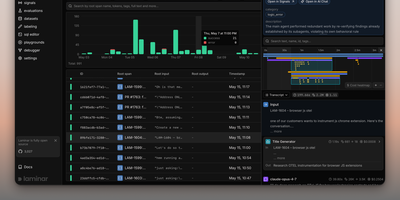
Backed by Y Combinator (S24) and processing traces from thousands of AI agents in production, Laminar is the open-source observability platform that treats agent debugging as a first-class engineering discipline rather than an afterthought. Its OpenTelemetry-native SDK auto-instruments Vercel AI SDK, LangChain, OpenAI, Anthropic, Gemini, Browser Use, Stagehand, Mastra, Pydantic AI, and the OpenAI Agents SDK with a single line of code, capturing every LLM turn, tool call, and sub-agent delegation as nested spans with full input/output data and token costs. The Signals engine lets you describe failures in plain language — "agent is stuck in a loop" or "tool returned empty results" — then reads every trace and alerts via Slack when it detects a match. A built-in debugger records runs and replays them from cache so each iteration takes seconds, designed for Claude Code, Cursor, or Codex to drive the repair loop via the MCP server or CLI. Run code-first evaluations in Python or TypeScript locally or in CI/CD pipelines, build datasets from production traces, and query everything with raw SQL through custom dashboards, the in-app editor, or your coding agent. The Rust backend delivers 20x trace compression, a custom real-time streaming engine, ultra-fast full-text search, and gRPC ingestion, while ClickHouse powers columnar analytics and PostgreSQL stores application state. Running on a dedicated VPS on RepoCloud with guaranteed CPU, RAM, and SSD, full root SSH access, and a browser serial console. Apache 2.0 licensed.
Z-Wave JS UI
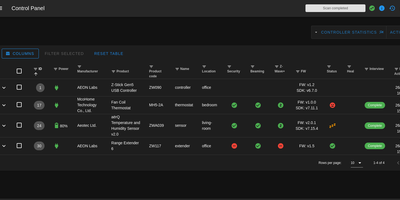
Managing dozens of smart locks, dimmers, thermostats, and sensors across a Z-Wave mesh often leaves homeowners blind to routing hops, sleepy battery devices, and firmware bugs; Z-Wave JS UI solves this by delivering a comprehensive browser control panel and MQTT gateway for your USB or network Z-Wave controller. Provision new devices with SmartStart QR scanning or S2 authenticated inclusion, inspect every Command Class parameter, and push over-the-air manufacturer firmware updates straight to switches and sensors. Interactive network topology graphs map live routing neighbors, link quality, and background RSSI signal strength, while built-in health checks and an integrated Zniffer packet analyzer pinpoint RF interference before automations fail. Operators can configure direct node-to-node association groups and multicast broadcast groups so wall switches trigger lights even when the central hub is offline. Scheduled Non-Volatile Memory controller backups and pre-inclusion restore points protect your mesh against hardware failure, and the configurable MQTT Discovery and WebSocket server bridges every entity seamlessly into Home Assistant, OpenHAB, Domoticz, Jeedom, and ioBroker. Running on a dedicated VPS on RepoCloud with guaranteed CPU, RAM, and SSD, full root SSH access, and a browser serial console. MIT licensed.
Part-DB
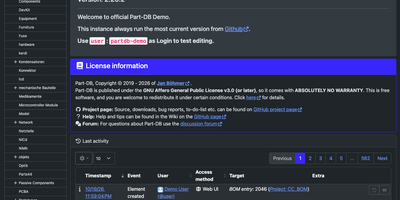
Across electronics labs, hardware startups, and university makerspaces, Part-DB indexes thousands of resistors, microcontrollers, and SMD reels with datasheets, storage locations, and live supplier pricing. Each component record tracks categories, footprints, manufacturers, multi-currency order histories, electrical tolerances, and custom tags for instant parametric search. New shipments populate part attributes, product photos, and PDF datasheets directly from Octopart, DigiKey, Mouser, Farnell, LCSC, or TME, alongside AI-assisted extraction from uploaded datasheets. Print custom barcode labels on demand. Scan internal IDs, GTIN codes, or distributor DataMatrix labels with a webcam or USB scanner to jump straight to any bin. Hardware engineers import KiCad bills of materials into project workspaces to calculate buildable board quantities and deduct stock in one step. Schematic designers can even connect Part-DB as a native KiCad 8 HTTP library source to place verified lab components with pre-linked footprints directly inside their EDA editor. Fine-grained group permissions, SAML single sign-on, WebAuthn two-factor authentication, and a versioned audit log with rollback protect shared inventories. Running on a dedicated VPS on RepoCloud with guaranteed CPU, RAM, and SSD, full root SSH access, and a browser serial console. AGPL-3.0 licensed.
Mirobody
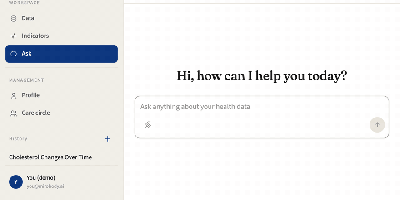
Three lab PDFs, a phone photo of a printed slip, and a spreadsheet become one cholesterol trend in Mirobody, a health data engine you host yourself, with the source file behind every number. Upload reports in 23 file types, import an Apple Health export, or connect Garmin, Oura, and Whoop, and every reading keeps a link to the page it was read from. Test names in English, Chinese, Japanese, and other languages resolve offline to LOINC codes and UCUM units, so HbA1c and Glycated Hemoglobin land on one series, and a name it cannot place stays unresolved instead of guessed. Ask questions in plain language and the agent shows each step as it works, charts the trend, and opens the reading and file behind every figure. A health journal turns one typed sentence into coded symptoms, blood pressure readings, and a medication entry, and a denied symptom like no fever is never logged. Genetic exports from 23andMe, AncestryDNA, and WeGene, or a VCF, can be queried by rsID, gene, or region. A care circle lets relatives share their own records on their own terms, and Claude Code, Codex, and Cursor can read your record through the built-in MCP endpoint. Choose OpenRouter, OpenAI, Gemini, Anthropic, or DeepSeek for answers, or keep every model on your own machine. Running on a dedicated VPS on RepoCloud with guaranteed CPU, RAM, and SSD, full root SSH access, and a browser serial console. Apache-2.0 licensed.
Piik
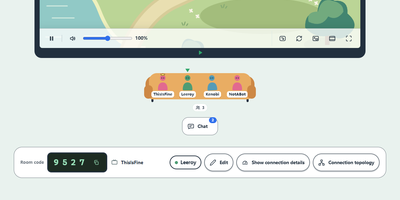
Share a game, a film, or your holiday photos with up to 20 friends, and let them watch from a browser tab with nothing to install. The host picks a screen, window, browser tab, or camera, then sends an invite link or a four-digit room code, with an optional room password. Friends open it on a desktop or phone, press Play, and chat or react while it runs, with optional on-screen chat. A microphone switch adds spoken commentary, with a choice of input device and voice volume. Video travels directly between participants where possible, and a self-hosted server can add automatic forwarding for networks that block direct links. Sharing settings cap resolution from 480p to 1440p, frame rate up to 60 fps, and audio at 64, 128, or 192 kbps, with Clarity, Balanced, and Fluency presets and a choice of VP8, H264, or automatic codecs. Viewers get playback controls, picture-in-picture, fullscreen, light and dark themes, and a connection topology view. The interface follows the system language in Chinese or English, with a visual-only mode for a text-free look. Piik App adds native capture on Windows, macOS, and Linux, while a hosted site works from any desktop browser. A self-hosted site can set a site passphrase, a viewer limit per room, and automatic cleanup of empty rooms. Running on a dedicated VPS on RepoCloud with guaranteed CPU, RAM, and SSD, full root SSH access, and a browser serial console. MIT licensed.

DEEIX Chat
Organizations deploying multiple large language models across departments use DEEIX Chat as their centralized AI workspace for model routing, multimodal conversations, document retrieval, MCP tool execution, and usage governance. Administrators connect upstream channels across OpenAI, Anthropic, Google Gemini, xAI, and OpenRouter protocols while configuring route priorities, traffic weights, and automatic circuit breaking from a unified control plane. Team members switch models mid-conversation, branch message threads, adjust reasoning effort, and generate images or video without managing individual API keys, or optionally bring their own provider keys under admin policy rules. Uploaded PDFs, spreadsheets, and images undergo OCR and semantic chunking so users can attach personal or shared knowledge bases directly to chat sessions with traceable retrieval evidence. Interactive responses render live HTML, SVG, Mermaid diagrams, KaTeX math, and stateful parameter sliders inside a sandboxed preview pane alongside the conversation. Built-in support for Streamable HTTP Model Context Protocol servers lets users discover and invoke external tools with per-message execution limits and full call inspection. Integrated permission groups, OIDC single sign-on, TOTP two-factor authentication, token and per-call billing ledgers, and audit logs give operators complete visibility over usage and spend. Running on a dedicated VPS on RepoCloud with guaranteed CPU, RAM, and SSD, full root SSH access, and a browser serial console. Apache-2.0 licensed.