OrcaQ
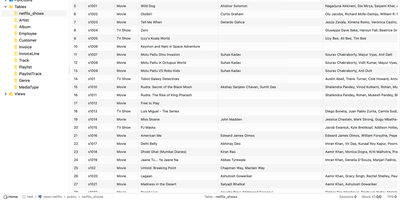
For developers and database administrators who want a full database IDE inside the browser without installing separate desktop clients on every machine, OrcaQ provides a unified workspace for PostgreSQL, MySQL, MariaDB, Oracle, SQLite, Cloudflare D1, Turso, and Redis. Engineers organize connections into named workspaces with SSH bastion tunneling, granular SSL configuration, and color-coded environment tags whose strict mode requires explicit confirmation before executing destructive mutations against production databases. The Quick Query data grid lets users filter, sort, paginate, and edit table rows inline while jumping across foreign-key relationships and inspecting table DDL metadata. When writing complex multi-statement SQL, the Raw SQL Editor provides context-aware autocomplete, query variables, nested script folders, and visual EXPLAIN execution plan analysis. Database architects can render interactive entity-relationship diagrams for single tables or entire schemas, compare two database schemas side by side to generate safe migration scripts, and manage Redis keys across string, hash, list, set, and sorted-set structures in a dedicated workbench. PostgreSQL administrators also gain a visual role-permission matrix, real-time instance health monitoring for active sessions, locks, and replication lag, native backup and restore job tracking, and an optional AI Orca Agent that drafts queries and detects anomalies while requiring human approval before any data modification runs. Running on a dedicated VPS on RepoCloud with guaranteed CPU, RAM, and SSD, full root SSH access, and a browser serial console. MIT licensed.
Levelrail
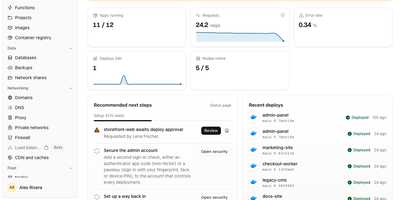
Push to git, watch the deploy go live over HTTPS, and roll back in one click, all on servers you own: Levelrail is a self-hosted platform for running apps and databases without Kubernetes. Deploys start from GitHub, GitLab, Bitbucket, or Gitea webhooks and build from a Dockerfile, Compose file, image, or framework preset such as Next.js, Go, React, or Spring Boot, with preview environments per pull request, canary and blue-green rollouts, approvals, and freezes. Embedded Caddy gives every app a domain with HTTPS: self-signed by default, Let's Encrypt with one toggle, a free sslip.io address when no domain exists, or your own uploaded certificate. Provision Postgres, MySQL, MariaDB, MongoDB, Redis, ClickHouse, and more with scheduled backups that are re-downloaded and verified, Postgres point-in-time recovery, and password rotation. Metrics with deploy markers, searchable live logs, alerts, and a public status page need no separate monitoring stack. Roughly 360 one-click templates and a Cmd+K search across apps, databases, and nodes speed up daily work. Extra servers enroll with a one-time token and a reverse-dialed agent that needs no inbound ports. Sign in with passkeys, TOTP, OAuth from 20 providers, or OIDC, then scope access with IAM policies, encrypted secrets, and a tamper-evident audit log. A CLI, HTTP API, and MCP server let scripts and coding agents deploy and roll back. Running on a dedicated VPS on RepoCloud with guaranteed CPU, RAM, and SSD, full root SSH access, and a browser serial console. Apache-2.0 licensed.
Deadair
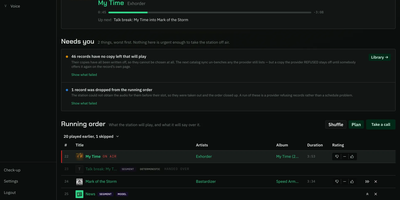
Somewhere in your house, a presenter is introducing the next record, and that presenter is a language model running on your own server. Deadair builds you a real radio station rather than another playlist: it picks records from your Navidrome, Jellyfin, Emby, or Plex library, or from Spotify, YouTube Music, Pandora, and Apple Music, writes what the host says between songs, speaks it in that host's own voice, and broadcasts the result as one shared live stream over Icecast, with no skip button and the same show for every listener. From the console you steer it in plain sentences: tell it "rap like Snoop Dogg" and the next hours programme themselves to that brief, or ask why the record on air was chosen and get an answer. The forward lineup runs several hours deep, visible and editable, and nothing reaches air until its audio is already on the machine, so the stream never stutters waiting on a download. Words and voice are separate choices, swapped live in Settings: break-writing can run on a hosted model while a local Kokoro or Chatterbox voice reads it, and a station with no model at all still talks. Twenty-seven bundled plugins cover music sources, metadata, news, weather, and speech, and third-party plugins install from the console. Running on a dedicated VPS on RepoCloud with guaranteed CPU, RAM, and SSD, full root SSH access, and a browser serial console. MIT licensed.
UWAS
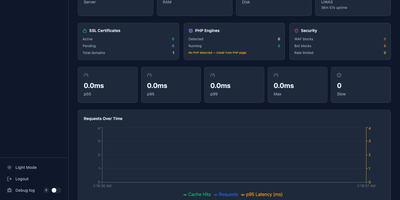
One 18 MB Go binary does the job of Apache, Nginx, Varnish, Caddy, and cPanel combined. Point UWAS at your /var/www directory and it auto-detects sites, provisions Let's Encrypt certificates, enables HTTP/3 via QUIC, and activates a two-tier caching engine with L1 memory shards and L2 disk storage, all before you write a single line of configuration. The React 19 admin dashboard provides 42 management pages for domains, PHP versions, databases, cron jobs, DNS records, file management, backup and restore, SFTP users, and uptime monitoring with real-time SSE updates. PHP sites run through FastCGI with connection pooling and full .htaccess compatibility, so WordPress, Laravel, and legacy applications work without migration effort. The built-in WAF catches SQL injection, XSS, path traversal, and shell exploits, while per-domain rate limiting and bandwidth caps protect against abuse. Reverse proxy mode supports five load balancing algorithms, circuit breakers, canary deployments, and mirroring for blue-green rollouts. Git deploy clones your repository, runs the build, checks health, and restarts the service with rollback on failure. An MCP server lets AI agents manage domains, cache, and deployments through natural language. The Nginx and Apache migration CLI converts existing configurations to UWAS format automatically. Deploy on a dedicated VPS on RepoCloud with guaranteed CPU, RAM, and SSD, full root SSH access, and a browser serial console. AGPL-3.0 licensed.
Atlantis Diagrams
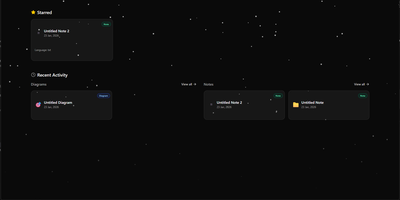
Technical teams frequently struggle to keep software architecture diagrams synchronized with evolving codebases and documentation repositories. Atlantis Diagrams delivers a unified self-hosted workspace that couples code-driven Mermaid.js diagramming with structured Markdown knowledge bases in a responsive web interface. Engineers can compose flowcharts, sequence diagrams, state machines, entity-relationship models, and Gantt schedules using split-view CodeMirror editors with real-time SVG rendering. An integrated version history tracker automatically captures revision checkpoints across the last 15 document states, letting authors compare modifications and restore previous iterations without data loss. The linked notes environment supports rich Markdown editing, LaTeX mathematical formulas, interactive task checklists, tag indexing, and full-text keyword searches across personal documentation libraries. Canvas controls allow users to pan, zoom, inspect individual nodes, and export finalized graphics directly into vector SVG, high-resolution PNG, or printable PDF documents. Storage engines adapt to deployment scale, running on zero-configuration SQLite databases out of the box with optional PostgreSQL, MySQL, and Redis caching layers for high-concurrency environments. Running on a dedicated VPS on RepoCloud with guaranteed CPU, RAM, and SSD, full root SSH access, and a browser serial console. MIT licensed.
Antirion
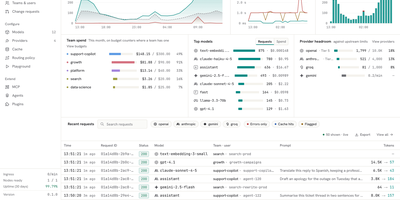
Your apps keep using the OpenAI SDK while Antirion, a self-hosted AI gateway, decides which provider answers, what each team may spend, and what gets logged. Clients speak the OpenAI, Anthropic, Gemini, or Bedrock APIs, and Antirion translates between them, so a Claude deployment can answer an OpenAI-style call, streams included. Add providers such as Amazon Bedrock, Vertex AI, Mistral, Groq, DeepSeek, or a vLLM server, then publish them as named Models. Routing rules send traffic by team or project with fallback chains, weighted splits, least-cost or least-latency targets, retries, hedging, and circuit breakers. Budgets and rate limits in dollars or tokens apply per organization, team, project, and key, with projections and alerts before money runs out. Guardrails check for personal data, secrets, keywords, and regex matches, then block, redact, flag, or divert. Exact and semantic caching answers repeated prompts without calling a provider. The request log records every attempt, route, token count, cost, and guardrail verdict, with Prometheus metrics and OTLP traces. An MCP gateway and A2A proxy put tools and agents behind the same keys. Sign in with OIDC, SAML, or GitHub, provision users with SCIM, and review every change in the audit log. Changes you choose can require a change request or a second person's approval, and the Playground sends requests from the console. Running on a dedicated VPS on RepoCloud with guaranteed CPU, RAM, and SSD, full root SSH access, and a browser serial console. Apache-2.0 licensed.
Initiative
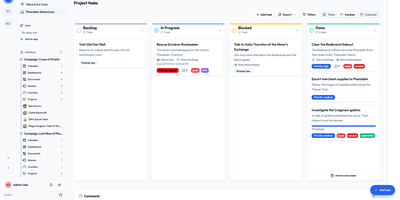
Initiative is a self-hosted, multi-tenant project management platform that organizes projects, tasks, collaborative documents, and schedules into strictly isolated community workspaces without enterprise complexity. Users create distinct communities where data remains strictly partitioned across separate database schemas, allowing agencies, volunteer groups, and gaming guilds to manage multiple client environments from a single deployment. Within each community, initiatives group related projects and documents while interactive drag-and-drop Kanban boards track task progression across custom columns, priorities, and deadlines. Integrated collaborative documents enable team members to co-author notes, project briefs, and meeting minutes in real time with threaded inline discussions and user mentions. Granular role-based permissions let administrators specify exact view and edit privileges down to individual items, while a recoverable trash system prevents accidental deletions from interrupting live operations. Curated marketplace apps supply customizable analytics dashboards, and optional bring-your-own-key artificial intelligence integrations generate task suggestions and summarize lengthy discussion threads. Running on a dedicated VPS on RepoCloud with guaranteed CPU, RAM, and SSD, full root SSH access, and a browser serial console. GNU AGPLv3 licensed.
Drydock
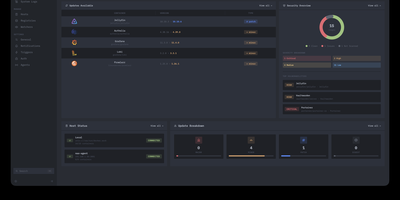
Deploying container updates without blind surprises is what Drydock delivers through a monitor-first inspection plane that evaluates image registries, scans CVE vulnerabilities, and automates rollbacks across distributed Docker infrastructure. Systems engineers track container fleets across twenty-three public and private registries including Docker Hub, GitHub Container Registry, Harbor, and Quay using cursor-based pagination and semver classification. The integrated Update Bouncer runs Trivy and Grype static scanners against incoming candidate layers, blocking deployments that fail configurable CVE severity policies while verifying cryptographic signatures through cosign. Operators configure declarative update schedules with stabilization countdown gates that hold back brand-new releases until defined burn-in periods elapse. When updates execute, Drydock creates pre-upgrade container snapshots and evaluates post-launch container health checks, instantly restoring previous image digests and network configs if failures occur. Distributed Portwing edge agents stream live container output and system logs over encrypted WebSockets, allowing central consoles to coordinate remote daemon updates without opening inbound host firewall ports. Automated event triggers dispatch granular notifications and update payloads across seventeen communication channels including Slack, Discord, Telegram, and Home Assistant MQTT brokers. Running on a dedicated VPS on RepoCloud with guaranteed CPU, RAM, and SSD, full root SSH access, and a browser serial console. AGPL-3.0 licensed.
EverShelf
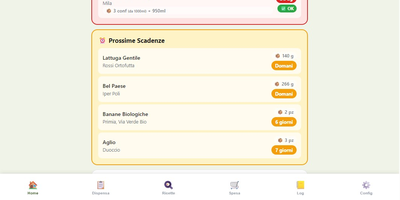
That yogurt hiding behind the ketchup expired three weeks ago, and the flour you bought "just in case" has been sitting in the pantry since last winter. EverShelf replaces mental guesswork with a structured inventory system that tracks every item across pantry, fridge, freezer, and custom locations with precise quantities, expiry dates, and consumption patterns. Scan barcodes with your phone camera to add products instantly, or let the Gemini AI identify items from a photo and estimate shelf life based on storage location. The dashboard surfaces expired items and upcoming expirations with color-coded urgency badges, while anomaly detection flags suspicious quantities and consumption predictions that deviate from your history. Opened products get reduced shelf-life calculations; vacuum-sealed items get extended dates automatically. The recipe engine generates context-aware meal suggestions from your current inventory, prioritizing ingredients approaching expiry so nothing goes to waste; each recipe includes step-by-step cooking mode with text-to-speech narration and timer integration. A smart shopping list auto-populates when stock hits zero and syncs bidirectionally with the Bring! app, with AI-estimated prices per item and consumption forecasts showing when you will need to restock. For Home Assistant users, a native HACS integration provides 22 sensors, expiry calendars, bidirectional todo-list sync, and voice assistant support for adding items hands-free. A dedicated Kiosk mode optimizes the interface for wall-mounted tablets with BLE scale integration. Running on a dedicated VPS on RepoCloud with guaranteed CPU, RAM, and SSD, full root SSH access, and a browser serial console. MIT licensed.
Cited
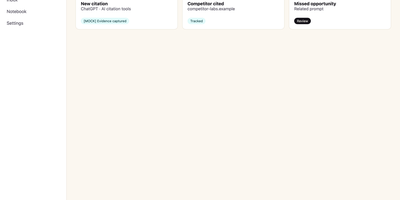
Buyers now ask an AI assistant before they ever visit your website, and Cited tells you whether your brand made it into the answer. Verify your domain with a DNS record, choose the buyer-like prompts worth watching, and Cited checks them on schedule across ChatGPT, Claude, Gemini, Perplexity, Google AI Mode, and Google AI Overviews. Every meaningful appearance becomes a durable evidence note in your citation inbox: open one to see the exact prompt, the response snapshot, where your domain appeared, and the first-seen history. It distinguishes a true source citation from a brand mention without a link, an explicit recommendation, and the uncomfortable one, a missed opportunity where a competitor got cited and you did not. Competitor tracking runs continuously, so you see rivals earning answers in your category while there is still time to respond. Notes can be annotated, organized through new, seen, saved, and resolved states, and exported for reporting. Email alerts flag meaningful new events and a weekly digest summarizes what changed, so checking becomes a habit instead of another dashboard to babysit. Workspace roles and local credentials keep a small marketing team organized on your own PostgreSQL database. Running on a dedicated VPS on RepoCloud with guaranteed CPU, RAM, and SSD, full root SSH access, and a browser serial console. AGPL-3.0 licensed.
ContainerFlow
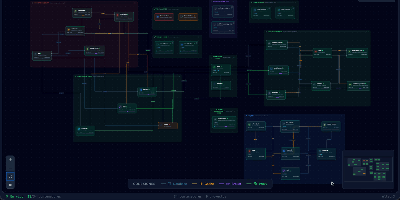
Your database container is probably not at 98 percent memory, whatever docker stats claims, because most of that figure is reclaimable page cache; ContainerFlow subtracts the full cache and shows the memory your containers actually hold. Point it at a Docker socket and it draws the whole estate as a living map: every Compose project discovered automatically, services grouped and colour coded, and the connections between them inferred, app to database, proxy to app, worker to broker. CPU and memory refresh every three seconds, the graph flashes when a container starts, stops, or restarts, and seven days of metric history wait in a local store when you need to know what happened overnight. Click any node and a detail panel opens with live logs you can filter by stream, an inline terminal that runs commands inside the container, and buttons to start, stop, restart, rebuild, recreate, or remove it. The same panel teaches as it works, flagging containers that run with no memory limit, no CPU limit, or no restart policy, while Discord webhooks fire when a container you care about crosses a threshold you set. Running on a dedicated VPS on RepoCloud with guaranteed CPU, RAM, and SSD, full root SSH access, and a browser serial console. AGPL-3.0 licensed.
Marfa
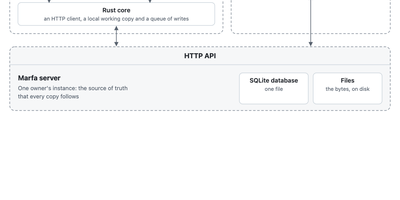
Marfa is a data layer you run yourself, where your notes, tasks, reading, and records live in one typed store that any app, script, or AI agent you allow can read and write. You decide what kinds of things you keep and how they connect, and the server checks every write against that structure, so a task, a book, and a person stay linked instead of scattered across five apps. Connectors pull in what already lives elsewhere, from GitHub repositories and issues, Todoist tasks, Readwise highlights, and RSS feeds, each writing under its own type with its own key. Keys are scoped, so the script that imports your reading list can never touch your tasks, and every change flows back out through a live event stream and full-text search. The marfa command line writes and reads from scripts and agents, the TypeScript SDK builds web apps on the same API, and the Swift SDK keeps an offline working copy on your devices that syncs its writes when your instance is reachable again. A folders command mirrors your notes as plain Markdown files on disk. Everything sits in one SQLite database and a folder of files on your server, with container deployment that streams backups to your own bucket. Running on a dedicated VPS on RepoCloud with guaranteed CPU, RAM, and SSD, full root SSH access, and a browser serial console. Apache-2.0 licensed.
Aldine
Paper co-authors usually trade .tex files by email or pay for a hosted editor seat by seat; Aldine replaces both with a self-hosted LaTeX workspace where the whole team types in one document at once and sees a typeset PDF seconds later. Live cursors and presence show who is editing which paragraph, and the underlying sync is conflict-free, so two authors can rewrite the same section without overwriting each other. Every project is a real git repository: branch a draft, edit it independently, and merge it back from the interface when the argument holds together. Connect GitHub, GitLab, Gitea, or Forgejo to push and pull without leaving the editor, watch ahead and behind indicators, resolve conflicts, and open a pull or merge request on the merged result. Moving in is painless, since an exported Overleaf project ZIP dropped on the home screen imports with its root file detected and its first typeset automatic. Citations come from your own Zotero library or a single collection, kept in sync as a .bib file and inserted from a search panel or \cite autocomplete. Reviewers select text and leave anchored, threaded comments, optionally with a suggested replacement the author accepts in one click. Compiles run in a sandboxed container with no network access, warm recompiles land in about two seconds, and errors jump to the offending line. Running on a dedicated VPS on RepoCloud with guaranteed CPU, RAM, and SSD, full root SSH access, and a browser serial console. AGPL-3.0 licensed.
Ovumcy
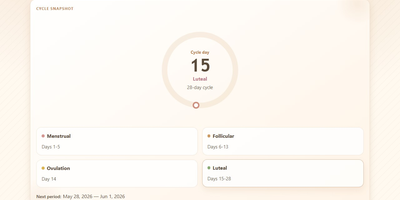
Your cycle history is among the most personal data you will ever record, and Ovumcy keeps it on a server you control instead of a tracker's cloud. Log period days, flow intensity, symptoms, and free-form notes in seconds from any browser, and define your own custom symptoms when the preset list misses something you feel. The calendar view lays out your month with predicted period, ovulation, and fertile-window days marked, while statistics views surface cycle length trends and patterns across months. Predictions come from your own logged history, refined when temperature or cervical-mucus entries sharpen the estimate. Reminders reach you three ways: a dashboard banner before an expected period, a webhook ping to your own ntfy or Gotify server, or a private read-only calendar subscription that drops estimates into the calendar app you already use. Install it to your phone home screen and it opens like a native app, in English, Russian, Spanish, French, German, or Italian. Export the full history as CSV or JSON whenever you want a backup or a change of tools. Optional OIDC sign-in and TOTP two-factor authentication protect access, and the app makes no analytics or telemetry calls at all. Running on a dedicated VPS on RepoCloud with guaranteed CPU, RAM, and SSD, full root SSH access, and a browser serial console. AGPL-3.0 licensed.
Edi Life OS
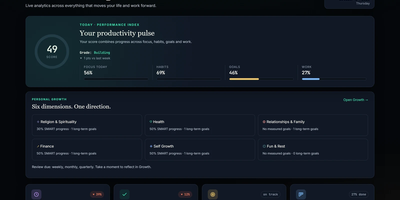
Edi Life OS puts the habits, goals, projects, money, focus sessions, and notes that usually live in five separate apps into one calm dashboard on your own server. Start the day from an Overview that rolls focus, habit trends, goals, finances, and the week ahead into one readable score. Connect long-term goals to six life areas, drive progress from a checklist, a measure, or a habit you actually keep, and use weekly, monthly, or quarterly reviews to choose the next honest step. Log daily habits with streaks and monthly progress, run timed focus sessions with short and long breaks, and keep a history of the deep work you finished. Track expenses, income, budgets, debts, and credits in your chosen currency, including recurring entries that land straight in the ledger. Plan projects on draggable Kanban boards with labels, priorities, due dates, checklists, comments, and attachments, then see card deadlines and money dues together in one calendar. Capture Markdown notes with preview and export, pin sticky notes with colors and connections, and give each account its own private workspace, theme, and currency. Ask an AI assistant through the optional MCP server to read your dashboard, create goals, log habits, or record expenses through a token-protected API that never touches the database directly. Running on a dedicated VPS on RepoCloud with guaranteed CPU, RAM, and SSD, full root SSH access, and a browser serial console. MIT licensed.

Clu Comics
Comic Library Utilities (CLU) is a self-hosted comic library manager that converts, repairs, tags, downloads, and reads your entire comic collection from one web interface. Convert whole folders or libraries from CBR to CBZ in bulk, turn PDFs into CBZ with JPEG or WebP output, and rename thousands of files to one consistent pattern without touching a terminal. Open any CBZ in the browser editor to reorder pages, add or delete images, crop covers, split merged multi issue archives, and adjust contrast and brightness issue by issue. Write ComicInfo.xml from Metron, ComicVine, Grand Comics Database, AniList, MangaDex, MangaUpdates, or Bedetheque, then bulk apply tags across a directory with review before saving and a history log that can revert any change. Browse your library by publisher, series, or folder, read page by page in the built in reader that remembers your place, and follow weekly release calendars with a pull list and Wanted tracker for issues you do not own yet. Download new issues from Direct Download sources, Usenet through Newznab indexers with SABnzbd or NZBGet, and DC++, while folder monitoring unpacks, converts, renames, and files new arrivals automatically. Add Reader, Clerk, and Store Owner accounts with per folder permissions, publish OPDS feeds for reader apps, and sync reading history with Komga. Running on a dedicated VPS on RepoCloud with guaranteed CPU, RAM, and SSD, full root SSH access, and a browser serial console. GPL-3.0 licensed.
GyroidVault
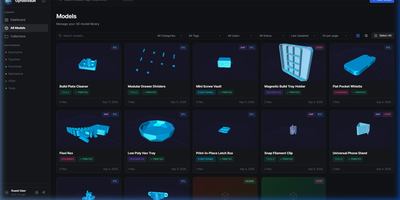
The bracket you printed last spring sits in some folder, on some drive, under a filename you no longer remember; GyroidVault is the searchable library that ends the hunt, where every model can be inspected in 3D, tracked through its prints, and sent to a printer without touching a slicer queue. Point it at your existing folders on a NAS or server and it indexes STL, 3MF, STEP, OBJ, G-code, binary BGCODE, and even Fusion 360 files non-destructively, generating thumbnails and 2x2 collages while a duplicate finder flags identical copies by SHA-256 hash. Opening a model launches Studio 2.0: orbit the mesh, jump between isometric, top, front, and side cameras, switch between solid, wireframe, and X-ray shading, try filament colours live, arrange multi-part assemblies on one build plate, and snapshot your favourite angle as the cover. Sliced files give up their secrets too, with layer-by-layer toolpath previews plus infill, temperatures, filament weight, and estimated cost extracted automatically. From the same page you can fire G-code straight to a Moonraker or Klipper printer, open the file in OrcaSlicer, Bambu Studio, PrusaSlicer, Cura, or Creality Print, log each print with its material and outcome, and share a model through an expiring public link. Collections, version histories, custom metadata fields, and role-based accounts keep a growing print farm library tidy for everyone who uses it. Running on a dedicated VPS on RepoCloud with guaranteed CPU, RAM, and SSD, full root SSH access, and a browser serial console. AGPL-3.0 licensed.
LifeGLANCE
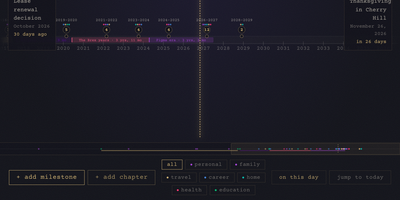
Birthdays, graduations, house moves, weddings, and the trip you keep promising yourself for next year all belong on the same line, and LifeGLANCE draws that line as one zoomable timeline of your life, past and future. Pan smoothly from a single week out to multiple decades, then zoom back in when a dense year needs room; cluster badges keep crowded stretches readable, and a minimap scrubbar jumps you across decades without endless scrolling. Each milestone carries a title, a date at day, month, or year precision, a category, a note, and a link, and you can attach photos, audio, and video directly to the moments they belong to. Birthdays and anniversaries repeat annually with an end year you set. Switch between All, Past, and Future views, search titles and notes in full text, or open On This Day to see what happened on this date in earlier years. A stats panel and summary modal turn the line into counts and patterns. Import calendar events from an ICS file, export the whole timeline as a high-resolution PNG, or back everything up and restore it as JSON. Running on a dedicated VPS on RepoCloud with guaranteed CPU, RAM, and SSD, full root SSH access, and a browser serial console. MIT licensed.