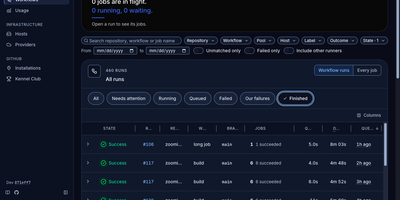
Zoomies
Zoomies converts servers you already own into an ephemeral GitHub Actions runner fleet, creating a clean runner for every queued job and destroying it the moment that job ends. Why rent CI minutes by the second while those machines sit idle? Point it at a GitHub organisation or a repository on a personal account and it watches for queued work through workflow_job webhooks, with polling as a fallback, then provisions capacity only on hosts matching the labels your workflow requested. One controller drives any number of agents across Ubuntu, Debian, Fedora, and Rocky Linux on amd64 and arm64, and agents connect outbound only, so a host behind NAT needs no inbound firewall rule. Registration needs no pasted tokens: Zoomies signs in as a GitHub App and mints single-use just-in-time runner registrations itself. Busy runners can borrow idle CPU and memory from quieter neighbours under rules you set. The live web UI shows pools, jobs, queue waits, and streaming logs in place, with a command palette for jumping anywhere and an audit row recorded for every change. Nightly backups seal themselves with your passphrase and ship to S3-compatible storage, restores are staged from the same tab, and you can ask the built-in assistant about your builds or connect your own tools through MCP. Running on a dedicated VPS on RepoCloud with guaranteed CPU, RAM, and SSD, full root SSH access, and a browser serial console. AGPL-3.0 licensed.
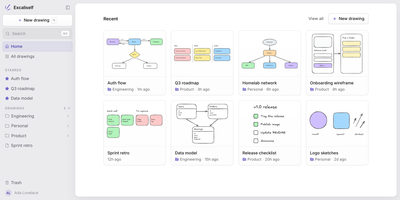
Excaliself
Excaliself turns the Excalidraw canvas into your team's own whiteboard server, where every sketch, diagram, and flowchart lives in your database instead of a vendor's cloud. The home screen works like a file cabinet for drawings: nest them in folders, star the keepers, drag files between spaces, and find anything again by title or by the text inside the drawing. Share a link and teammates edit together in real time with live cursors and follow mode; links can stay members-only or open to guests who have no account at all. A shared Team space sits next to everyone's private space, and one team library holds the shapes and icons the whole group reuses. AI clients can join with a personal access token: Claude Code or Claude Desktop can search your drawings, read what a diagram says, and create new ones from shapes or a Mermaid flowchart. Accounts are invite-only, single sign-on covers Google, Microsoft, and any OIDC provider, and admins manage members, roles, and password resets from Settings. Deleted drawings rest in a trash folder for thirty days before they are purged, and everything auto-saves as you draw. Running on a dedicated VPS on RepoCloud with guaranteed CPU, RAM, and SSD, full root SSH access, and a browser serial console. MIT licensed.
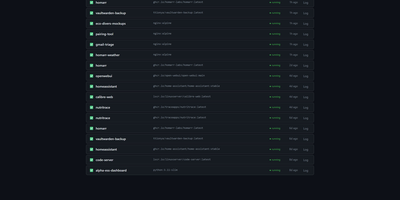
Docker Updater
Docker Updater puts you back in charge of container updates: it watches your registries for newer images, and nothing updates until you approve it, so no database restarts itself at dinner. Polls run on a schedule you set, and each container card shows the newer image waiting before anything is pulled. The check costs nothing: it compares the digest your container runs against the registry manifest without pulling a byte, across Docker Hub, GHCR and other Bearer-token registries. Read the last five GitHub releases for an image before committing, update one container or a batch, and watch the pull percentage, layer count and recreation step stream live on the card. If the new container fails to start, the old one returns automatically, and you can keep a backup even after a clean update. Not ready? Defer an update for 7, 14, 30 or 90 days, or indefinitely, and it leaves your notifications alone until then. Several Docker hosts join the same dashboard over SSH or TCP with health indicators, and Compose stacks restart together so services find new addresses. Notifications arrive through an auto-generated ntfy topic or your own Apprise URL, every update keeps a persistent log, and a reclaimable-images view shows what disk space old images hold. The dashboard serves on port 9090 in English or Simplified Chinese, with optional login. Running on a dedicated VPS on RepoCloud with guaranteed CPU, RAM, and SSD, full root SSH access, and a browser serial console. MIT licensed.
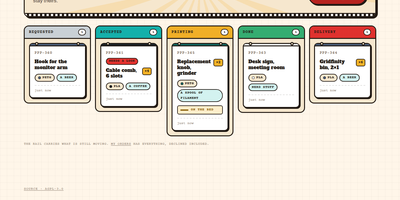
PrettyPleasePrint
Pretty Please Print turns one office's shared 3D printer into an invite-only request board: colleagues upload a model and follow it from request to delivery. Requesters upload an STL or 3MF file, or start from a Printables link the owner enabled, and the mesh renders in the browser, auto-framed and draggable, so everyone checks the geometry first. Every request becomes a ticket that the printer owner moves through Requested, Accepted, Printing, and Delivery, or declines with a reason, and requesters can withdraw their own print before it reaches the bed. Slicer specifics like layer height, infill, supports, and temperatures ride along as notes on the ticket, a low, medium, or high priority keeps the owner's queue ordered, and a conversation thread on each ticket replaces lost chat threads. The owner curates the materials and colours on the shelf, with swatches and a rainbow whatever option, and defines the tips requesters can offer, preferred ones starred. Finished jobs collect in a filterable history: Print again reopens the form with the model copied server-side and fields adjustable, and one click sends a model straight to PrusaSlicer. Accounts are invitation-only; access can be revoked with a global sign-out, every change lands in an audit trail that cannot be edited, and the same tickets are exposed over a JSON API documented in OpenAPI 3.1 with a Swagger console. Running on a dedicated VPS on RepoCloud with guaranteed CPU, RAM, and SSD, full root SSH access, and a browser serial console. AGPL-3.0 licensed.
Runwisp
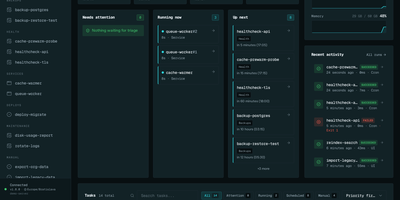
Cron ran the job, or maybe it did not; Runwisp makes the answer impossible to miss. One small binary replaces both crond and your process supervisor: list scheduled jobs and long-running services in a single runwisp.toml, and it runs the jobs on time, restarts services when they crash, and keeps every line they print. Every run leaves evidence: exit code, duration, timestamps and full stdout and stderr, searchable across a task's whole history, with CPU and memory shown next to what that task usually uses. When a run fails, the dashboard shows why, with stderr and the end reason beside the retry button, and alerts head to Slack, Discord, Telegram, ntfy, Gotify, Pushover, email or a webhook before you find out the hard way. Missed runs catch up after downtime, overlapping runs queue, skip or kill by policy, and services get restart backoff and graceful shutdown. Manual runs take typed parameters, so the dashboard generates a form with choices and defaults from your config. Long output streams live with progress bars redrawing in place, and the same history opens in a terminal UI over SSH. The config file stays the source of truth: interfaces trigger and inspect, they never edit your TOML. No database to run, no runtime to install, just the binary and its embedded storage. Running on a dedicated VPS on RepoCloud with guaranteed CPU, RAM, and SSD, full root SSH access, and a browser serial console. GPL-3.0 licensed.
Jarvis
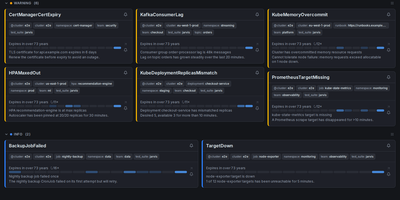
Alertmanager forgets an alert the moment it resolves; Jarvis remembers everything. This web frontend watches all your Alertmanager clusters at once and streams firing alerts into one live view over WebSocket, no refresh as problems appear or clear. Every alert's lifecycle is stored, so the resolved view answers how often something fired and how long it burned, and a grace period keeps a missed poll from being recorded as a phantom resolution. When an alert lands, claim it so the team sees who is on it, and leave comments bound to that alert fingerprint; notes survive restarts and re-fires, so the next person inherits the context. Silencing gets a rehearsal: preview exactly which alerts a silence will hit before creating it, fire a one-click Fast-Silence from the list, and save templates for recurring maintenance. Filters use the Alertmanager matchers you already know, save as named sets, ride in shareable URLs, and one can be your default view. Point Jarvis at every member of an HA gossip cluster and duplicates collapse by fingerprint, while protected upstreams authenticate with OAuth2, bearer tokens or basic auth per cluster. Sign-in is optional through built-in accounts or any OIDC provider, and it runs as one hardened container on port 8080, with PostgreSQL available when you want replicas. Keep it behind your VPN or an authenticating proxy, as its own docs insist. Running on a dedicated VPS on RepoCloud with guaranteed CPU, RAM, and SSD, full root SSH access, and a browser serial console. Apache-2.0 licensed.
M3U Studio
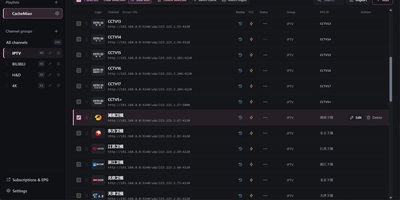
M3U Studio turns a tangled IPTV playlist into a tidy, published subscription you would actually hand to your player. Import channels from an M3U or TXT file, pasted text, or a remote link, then organize them properly: drag single channels or whole multi-selections into new groups, rename, reorder, and watch the list reshape itself as you work. Nothing goes live until you say so. Edits accumulate in a draft with undo and redo, and publishing keeps the last 30 configurations so a bad change rolls back in seconds. Channel logos stop being a scavenger hunt, because a unified logo library matches artwork automatically by name and alias, with search and batch upload when you bring your own. Select a pile of channels and fix them together: replace URL text, change groups, set EPG addresses, or move copies into another playlist, then run response checks to spot dead streams before your player does. Each playlist publishes as its own M3U or TXT subscription, or merged into a combined feed, under a custom short address that is easy to type into a TV box. Per-channel EPG, catch-up, and fast channel change settings travel with the export. Running on a dedicated VPS on RepoCloud with guaranteed CPU, RAM, and SSD, full root SSH access, and a browser serial console. GPL-2.0 licensed.
Headroom
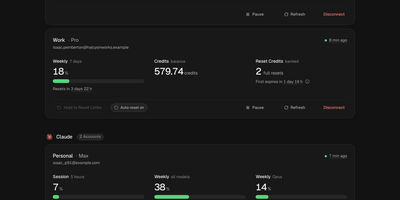
Headroom answers the question every multi-plan AI subscriber asks mid-task: which of my accounts still has room to work? It puts the live limits, reset times, credits, and spend of Claude, Codex, Cursor, Copilot, Grok, Antigravity, and Vercel AI Gateway accounts on one self-hosted dashboard instead of seven provider pages. Connect each account once, through its official CLI sign-in or a credential import, and a background scheduler refreshes every figure on schedule, renews tokens before they expire, and keeps 90 days of readings. Five-hour sessions, weekly pools, per-model limits, credit balances, banked resets, and on-demand spend sit side by side, and unreported figures show as unknown rather than a fake zero. Compare ranks same-provider accounts by the room they have left and names the one to use next, while Timeline lays every reset window on a two-week calendar. Analytics charts when you work, when you run dry, and whether each plan fits, and Wallet totals subscriptions, usage spend, and top-ups in one currency with renewals and budget alerts. In-app notices, Telegram messages, and signed webhooks warn about low limits, expiring resets, and broken sign-ins, and optional automations can spend a banked Codex reset or log a credit top-up the moment it lands. Personal, work, and side-project accounts stay separate under one owner login with passkeys and a Privacy Mode that blurs emails on screen. Running on a dedicated VPS on RepoCloud with guaranteed CPU, RAM, and SSD, full root SSH access, and a browser serial console. MIT licensed.
InfraCanvas
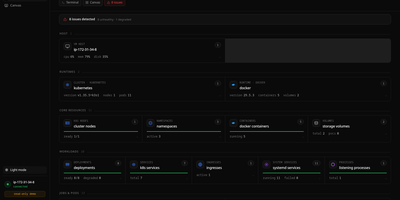
InfraCanvas draws the picture ten terminal commands cannot: a live map in your browser of every container, pod, service, volume and network on a machine, showing what runs where, what talks to what, and what is broken in one glance. Nodes turn green, amber or red from real state, including container health, pod phases, ready replicas, zombie processes and host thresholds, and real connection edges appear between processes, like your app server talking to Postgres on port 5432, read straight from the machine. It works where workloads already live: Docker and Podman containers, full Kubernetes object graphs from nodes to ingresses, LXD and Incus containers, and plain systemd or PM2 services on VMs with no container runtime. From any node you can shell into the container, pod or host, tail logs, restart or stop a service, scale a deployment, run a rolling restart, change an image or kill a process, with secrets masked before anything reaches the screen. A second machine joins through an outbound-only agent, and clusters connect by dropping in a kubeconfig with nothing installed inside them. The self-hosted binary needs no account, sends no telemetry and opens no inbound port: it binds localhost on port 7777 behind a random per-install token, with an optional read-only mode, and every action is audit-logged. Running on a dedicated VPS on RepoCloud with guaranteed CPU, RAM, and SSD, full root SSH access, and a browser serial console. AGPL-3.0 licensed.
BrightBean Chat
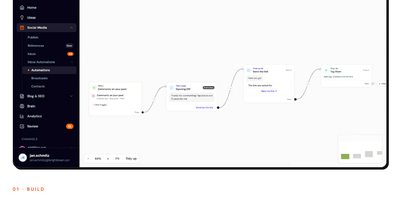
BrightBean Chat is a self-hosted chat automation platform that builds visual flows once and runs them across Instagram, WhatsApp, Messenger, Telegram, SMS, and email, so your audience automations live on your server instead of a per-contact subscription. You drag conditions, delays, randomizers, data collection, and message nodes onto a canvas, test the draft while the live version keeps running, then set it live with every save versioned. Flows start from keywords, comment-to-DM triggers, story mentions and replies, follows, ref URLs, QR codes, or calls to the public API. Every channel lands in one shared inbox where teammates assign conversations, label them, schedule replies, and take over from the bot, which pauses the automation for that contact. Contacts carry custom fields, tags, and segments that stay unified across channels, and imports and exports keep the list portable. Broadcasts and multi-step drip sequences check opt-outs and each platform's 24-hour messaging window before sending, pace themselves per channel, and show exactly who will receive a message and who is skipped. Per-node counters track sent, delivered, failed, and clicked, while a bearer-authenticated REST API and signed webhooks hand leads to Make, Zapier, n8n, or your own systems. Running on a dedicated VPS on RepoCloud with guaranteed CPU, RAM, and SSD, full root SSH access, and a browser serial console. AGPL-3.0 licensed.
Fonrex
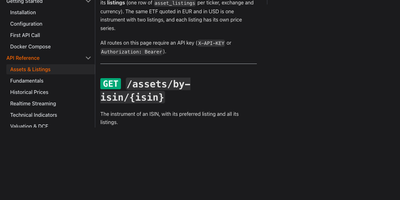
Good European market data is either expensive or wrong, so Fonrex runs it all on your server: a self-hosted API serving per-listing prices, cross-checked fundamentals, DCF valuations, and factor models for European and US shares, with no subscription or per-call meter. Every price is stored per listing in its own currency and dated by trading session, so AIR.PA resolves to Airbus rather than a same-ticker US namesake, and one ISIN can carry many listings cleanly. Fundamentals are cross-checked between sources first; figures that disagree with the consensus are rejected, and every answer names the sources it came from. Value any company three ways with FCF, EPS, and dividend DCF models, compare them side by side, and stress the result with a WACC by growth sensitivity matrix. Factor tools return Kenneth French returns for the US, Europe, and developed markets, compute listing factor exposure, and price equity with the risk-free rate of the right currency, alongside FRED and ECB rates, Treasury curves, and Eurostat indicators. Daily history spans ten years, split-adjusted with a dividend-adjusted close; live ticks stream over WebSocket, indicators and a screener run on your stored prices, and deduplicated news arrives per ticker or as a global feed. Results plug into OpenBB Workspace, Google Sheets, Python notebooks, and Zipline backtests, so spreadsheets, dashboards, and research pipelines all read the same numbers. Running on a dedicated VPS on RepoCloud with guaranteed CPU, RAM, and SSD, full root SSH access, and a browser serial console. AGPL-3.0 licensed.
Folio
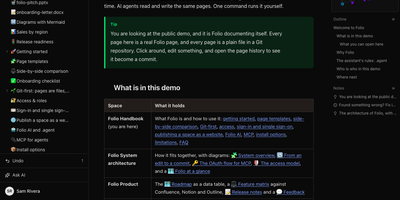
Folio is a self-hosted team wiki that stores every page as a plain Markdown file in a Git repository you own, while your team writes together in the browser in real time. People work in Reading, Live edit, or Source mode, keep editing offline until the connection returns, and watch changes land in the page history as commits they can restore. Data tables with nine column types, filters, and views sit beside the documents, and forms write submissions straight into those tables without requiring an account. Whiteboards, Mermaid diagrams, and a visual diagram editor cover the pictures, while uploads like PDF, Word, Excel, and PowerPoint files open as previewable pages inside the tree. Confluence spaces import with their trees, images, and whiteboards converted, so a migration keeps its structure instead of flattening into a pile of attachments. AI agents read and write the same pages through an MCP server with 41 tools, authenticated by personal tokens or OAuth 2.1, and the built-in assistant answers questions read-only or makes supervised edits. Administrators control access down to a single page, sign people in with SAML, SCIM, or OpenID Connect, hand out expiring share links, and publish a space as a public read-only website. Running on a dedicated VPS on RepoCloud with guaranteed CPU, RAM, and SSD, full root SSH access, and a browser serial console. MIT licensed.
Filex
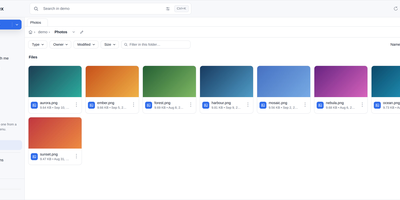
Your files already live in five places; filex puts them in one tree and serves that tree back out through almost any protocol. Mount local disks, S3 buckets, SFTP servers, WebDAV shares, FTP sites, and SMB network drives side by side, then copy in one storage and paste into another without thinking about where anything physically sits. The same tree is reachable as S3, SFTP, FTPS, NFS, and WebDAV, so rclone, restic, the AWS CLI, WinSCP, or FileZilla all work against it with the same per-user and per-folder permissions as the web interface. Sharing leaves the server under your control: public links carry a PIN, an expiry, and a download limit, and file-request links let people upload into a folder without seeing its contents. Anything deleted stays recoverable inside a retention window, overwritten files keep version snapshots, and encrypted folders are sealed in the browser so the server never receives a key. People sign in with OIDC single sign-on, LDAP or Active Directory, or the host machine's own accounts, with roles, groups, and tenants plus folder-level exceptions. A desktop app keeps chosen folders in sync within about a second, the file manager embeds into other products as a web component, and an MCP server plus REST API let agents work the same tree. It runs from one static binary or container on port 5212. Running on a dedicated VPS on RepoCloud with guaranteed CPU, RAM, and SSD, full root SSH access, and a browser serial console. MIT licensed.
Resolvr DNS Dashboard
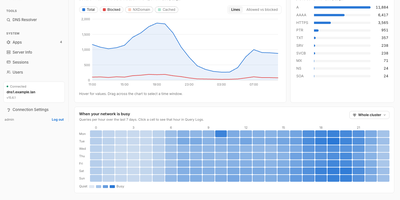
Resolvr gives your Technitium DNS server the clean, readable dashboard it deserves, turning raw query traffic into an overview you can understand at a glance. Four tabs divide the picture: Traffic charts queries over time with allowed and blocked stacked together and a seven-day heatmap of when your network is busy; Resolution shows where answers come from, cache, upstream, blocked, or authoritative, with response times and a flow diagram of each lookup; Top lists rank your chattiest clients and most-requested domains; and Infrastructure tracks DHCP scope usage, zones, and cache growth. Every chart is a doorway: click one and you land in Query Logs already filtered to what you clicked. Pick any device on the Clients page to see its queries, block rate, DHCP lease, and favourite domains. Query Logs themselves filter by client, name, protocol, response code, and time window, export to CSV, and can live-tail as new lookups arrive. Blocked Zones manages your feeds, your own blocked domains, and a checker that tells you whether a name is blocked and which feed caught it. Run a Technitium cluster and each panel gains a scope chip, comparing nodes side by side or merging their logs into one timeline. Running on a dedicated VPS on RepoCloud with guaranteed CPU, RAM, and SSD, full root SSH access, and a browser serial console. MIT licensed.
Tessera
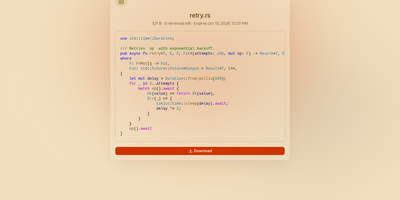
Most file sharing leaves copies lying around forever; Tessera shares things with a built-in goodbye. Drop in a file, a whole folder, a code snippet, or a link and you get back a short code and a URL that anyone can open until it expires or hits the download count you set, at which point it is deleted. Expiry is checked on every request and each retrieval is counted atomically, so a one-time share cannot be raced by two people at once. Passwords can be required before anything is shown, code arrives syntax-highlighted, and images, SVGs, and diagrams preview in the page, with link cards when you paste the URL into chat. Uploads resume after interruptions and stream through the server without ballooning memory at any size. Behind the scenes you choose where bytes live: local disk, S3-compatible storage, Azure Blob, Google Cloud Storage, or WebDAV, several at once, added or retired from the admin panel without a restart. Accounts are optional for a home server, sign-in through OpenID Connect suits a team, and roles with per-account quotas decide who may upload, view everyone's shares, or change settings. Optional malware scanning, anonymous-upload caps, and rate-limited code lookups keep a public instance honest. A CLI and API tokens drive the same endpoints as the web app, so scripts can share and clean up exactly like people. Running on a dedicated VPS on RepoCloud with guaranteed CPU, RAM, and SSD, full root SSH access, and a browser serial console. AGPL-3.0 licensed.
DailyHub
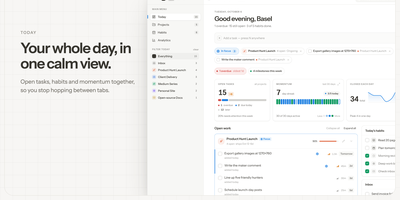
DailyHub is one calm page for a single person's whole day: today's open work grouped by project, the habits due this morning, and an inbox that catches everything that does not belong anywhere yet. The Today view greets you with a quick-add box, nudges about what is slipping, and a progress bar that fills as the day gets done. Focus mode pins the projects or tasks that matter and hides the rest until a date you pick or until you clear it, so the full list stops shouting. Projects carry status, due dates, and milestones, wear logos with accent colours derived from them automatically, and raise a banner when work stalls. Habits run on weekday schedules and report back with a 14-day consistency strip and a completion rate, so a streak is something you can see rather than guess. Analytics chart completions over time, break them down per project, and surface the weekday patterns that show when you actually get things done. A command palette jumps to any project, task, habit, or milestone from the keyboard, and light and dark themes keep long planning sessions easy on the eyes. An AI assistant can join through the built-in MCP endpoint: ask what is still open in the inbox, add a task to the website project for Friday, or mark today's workout done. Running on a dedicated VPS on RepoCloud with guaranteed CPU, RAM, and SSD, full root SSH access, and a browser serial console. MIT licensed.
AGenUI Studio
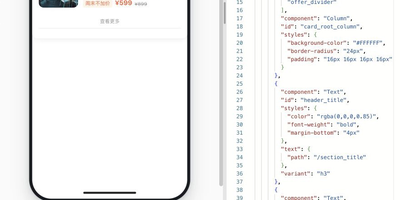
AGenUI Studio turns a written description into a working interface card: an AI agent generates the UI, binds it to your APIs and data, and packages it so it runs anywhere, no Studio required. Bring your own model by entering any OpenAI-compatible or Anthropic Messages endpoint and key in the console settings, and generation proceeds contract-first, steered by design rules you publish as versioned Markdown revisions. You preview each card live as it is generated, then refine it over multiple turns while every component, binding, and action you did not target stays protected from accidental edits. The console also manages the supporting cast: a local knowledge base, API definitions, and reusable operators, all starting from bundled demo data you can swap for real services whenever you are ready. When a card is finished, download it as a self-contained Runtime Package carrying its data sources, bindings, actions, and operators, and execute it with the bundled Card Runtime inside your own application, or register a delivery target and publish straight from the workbench over a callback or a message queue. Applications subscribe to native run events over HTTP and SSE, and production deployments can replace the local defaults piece by piece, MySQL for storage, Redis for hot state, MCP services for knowledge and data, while the packages keep the same contracts. Running on a dedicated VPS on RepoCloud with guaranteed CPU, RAM, and SSD, full root SSH access, and a browser serial console. Apache-2.0 licensed.
WechRSS
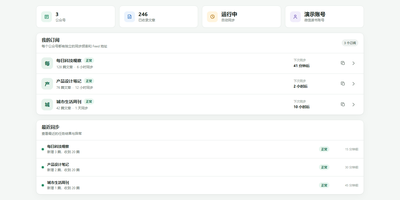
WechRSS brings WeChat Official Accounts back into your RSS reader, turning accounts that normally live inside a closed app into ordinary feeds you control. Paste any article link from an account and the tool identifies the publisher automatically, without hunting for obscure account parameters. Connect WeChat Reading by scanning a QR code in the web interface, and the session renews itself when possible so subscriptions keep flowing. Each account gets its own independent feed with its own sync schedule, item count, and on or off switch, so noisy publishers can be slowed down and favourites checked more often. A background scheduler keeps article titles, publication times, covers, and summaries up to date, with sync attempts, successes, and the latest new article all visible at a glance. Everything is stored locally, so your subscription list and credentials never sit on someone else's server. A first-time subscription wizard walks you from QR login to seeing the first article in your reader, saving progress if you get interrupted. Reader-specific links can be generated per account, letting a cloud reader fetch a feed without handing out management access. Health diagnostics flag expired logins, verification requests, and long sync gaps with concrete recovery steps. Running on a dedicated VPS on RepoCloud with guaranteed CPU, RAM, and SSD, full root SSH access, and a browser serial console. MIT licensed.