Ovumcy
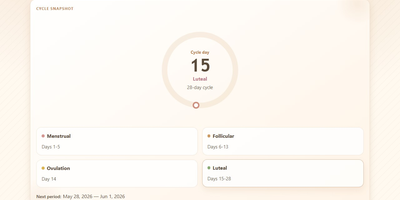
Your cycle history is among the most personal data you will ever record, and Ovumcy keeps it on a server you control instead of a tracker's cloud. Log period days, flow intensity, symptoms, and free-form notes in seconds from any browser, and define your own custom symptoms when the preset list misses something you feel. The calendar view lays out your month with predicted period, ovulation, and fertile-window days marked, while statistics views surface cycle length trends and patterns across months. Predictions come from your own logged history, refined when temperature or cervical-mucus entries sharpen the estimate. Reminders reach you three ways: a dashboard banner before an expected period, a webhook ping to your own ntfy or Gotify server, or a private read-only calendar subscription that drops estimates into the calendar app you already use. Install it to your phone home screen and it opens like a native app, in English, Russian, Spanish, French, German, or Italian. Export the full history as CSV or JSON whenever you want a backup or a change of tools. Optional OIDC sign-in and TOTP two-factor authentication protect access, and the app makes no analytics or telemetry calls at all. Running on a dedicated VPS on RepoCloud with guaranteed CPU, RAM, and SSD, full root SSH access, and a browser serial console. AGPL-3.0 licensed.

Dewarr
Your want-to-read shelf and your audiobook library finally talk to each other, so the next book you finish can trigger the hunt for the one after it. Dewarr syncs Goodreads shelves, CSV exports, custom public lists, and Hardcover lists, then watches them for new additions worth listening to. Connect Audiobookshelf or Grimmory and it knows what you already own, importing finished downloads into verified library folders instead of leaving files stranded in a downloads directory. Follow authors and series to catch future releases, with back-catalog review, filters, and exclusions before anything is grabbed, including release-day acquisition for titles you are waiting on. When you approve auto-download, it searches MyAnonamouse, Prowlarr, and AudiobookBay, ranks sources by your format, size, and seed preferences, and hands transfers to qBittorrent. Multi-file MP3 releases come back as one chapterized M4B, a chapter per file, ready for your player. The discovery page personalizes shelves with followed lists, award collections, trending books, and new releases. Household members get individual accounts, reading lists, and permissions, with sign-in through OpenID Connect providers or Plex. Notifications for grabs, imports, and digests go out over Discord, ntfy, Apprise, or plain webhooks. Running on a dedicated VPS on RepoCloud with guaranteed CPU, RAM, and SSD, full root SSH access, and a browser serial console. MIT licensed.
Excaliself
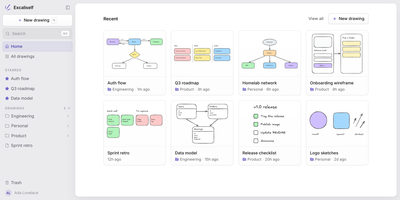
Excaliself turns the Excalidraw canvas into your team's own whiteboard server, where every sketch, diagram, and flowchart lives in your database instead of a vendor's cloud. The home screen works like a file cabinet for drawings: nest them in folders, star the keepers, drag files between spaces, and find anything again by title or by the text inside the drawing. Share a link and teammates edit together in real time with live cursors and follow mode; links can stay members-only or open to guests who have no account at all. A shared Team space sits next to everyone's private space, and one team library holds the shapes and icons the whole group reuses. AI clients can join with a personal access token: Claude Code or Claude Desktop can search your drawings, read what a diagram says, and create new ones from shapes or a Mermaid flowchart. Accounts are invite-only, single sign-on covers Google, Microsoft, and any OIDC provider, and admins manage members, roles, and password resets from Settings. Deleted drawings rest in a trash folder for thirty days before they are purged, and everything auto-saves as you draw. Running on a dedicated VPS on RepoCloud with guaranteed CPU, RAM, and SSD, full root SSH access, and a browser serial console. MIT licensed.
AutoXpose
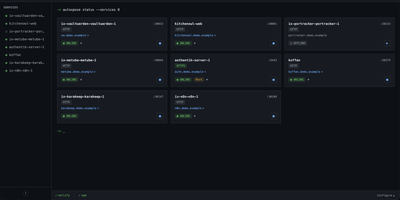
Tag a Docker container with two labels, and AutoXpose turns it into a published service with a DNS record, a reverse proxy route, and HTTPS, without you opening a single provider dashboard. From the web dashboard you connect one of six DNS providers, Cloudflare, Netlify, DigitalOcean, Porkbun, Aliyun, or Tencent DNSPod, and point it at the Nginx Proxy Manager or Caddy instance you already run. It watches your containers continuously after that: a new label creates the record, propagation is verified before the service shows as live, and removing the container removes its public entries too. Auto-expose mode publishes containers the moment they appear, while manual mode stages them in the dashboard for approval first. Color-coded service tags sort what you run into web, database, and media groups at a glance, and dashboard warnings flag misconfigurations before they become broken links. Nginx Proxy Manager access lists attach by label, so an admin panel stays reachable only from the networks you trust. When containers vanish, orphaned cleanup hunts down the stale DNS records and proxy hosts they left behind. Settings and state live inside the same single container, so the publishing pipeline for a homelab or a small fleet stays one compose service you can back up as a unit. Running on a dedicated VPS on RepoCloud with guaranteed CPU, RAM, and SSD, full root SSH access, and a browser serial console. MIT licensed.
MillionSend
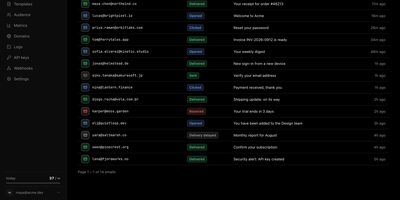
MillionSend is an open-source email platform you run yourself that sends transactional and marketing mail through your own AWS SES account behind a Resend-compatible API. Every message you send becomes a row in the dashboard, and every row opens into a timeline of SES events with the raw payload and the SMTP diagnostic when something bounces. Daily metrics chart sent, delivered, opened, clicked, bounced, and complained volumes against SES thresholds, and broadcasts stop on their own at five percent bounces or 0.1 percent complaints before Amazon can pause your account. Contacts live once for the whole team with custom properties and subscribe state, while segments and topics decide exactly who receives each broadcast. You compose broadcasts from reusable templates with per-contact merge fields, schedule them ahead, and cancel them while they wait. Applications that only speak SMTP send through the relay on port 2587 with an API key as the password, and HTTP integrations use idempotency keys, request logs with secrets redacted, and signed webhooks with a delivery history. Guided domain setup handles DKIM records, hard bounces and complaints are suppressed automatically, and every recipient gets an RFC 8058 one-click unsubscribe. Receiving and agent-ready inboxes are included in beta for mail sent to your verified domains. Running on a dedicated VPS on RepoCloud with guaranteed CPU, RAM, and SSD, full root SSH access, and a browser serial console. AGPL-3.0 licensed.
DailyHub
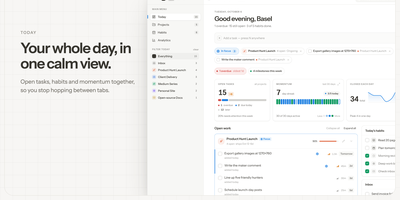
DailyHub is one calm page for a single person's whole day: today's open work grouped by project, the habits due this morning, and an inbox that catches everything that does not belong anywhere yet. The Today view greets you with a quick-add box, nudges about what is slipping, and a progress bar that fills as the day gets done. Focus mode pins the projects or tasks that matter and hides the rest until a date you pick or until you clear it, so the full list stops shouting. Projects carry status, due dates, and milestones, wear logos with accent colours derived from them automatically, and raise a banner when work stalls. Habits run on weekday schedules and report back with a 14-day consistency strip and a completion rate, so a streak is something you can see rather than guess. Analytics chart completions over time, break them down per project, and surface the weekday patterns that show when you actually get things done. A command palette jumps to any project, task, habit, or milestone from the keyboard, and light and dark themes keep long planning sessions easy on the eyes. An AI assistant can join through the built-in MCP endpoint: ask what is still open in the inbox, add a task to the website project for Friday, or mark today's workout done. Running on a dedicated VPS on RepoCloud with guaranteed CPU, RAM, and SSD, full root SSH access, and a browser serial console. MIT licensed.
Aldine
Paper co-authors usually trade .tex files by email or pay for a hosted editor seat by seat; Aldine replaces both with a self-hosted LaTeX workspace where the whole team types in one document at once and sees a typeset PDF seconds later. Live cursors and presence show who is editing which paragraph, and the underlying sync is conflict-free, so two authors can rewrite the same section without overwriting each other. Every project is a real git repository: branch a draft, edit it independently, and merge it back from the interface when the argument holds together. Connect GitHub, GitLab, Gitea, or Forgejo to push and pull without leaving the editor, watch ahead and behind indicators, resolve conflicts, and open a pull or merge request on the merged result. Moving in is painless, since an exported Overleaf project ZIP dropped on the home screen imports with its root file detected and its first typeset automatic. Citations come from your own Zotero library or a single collection, kept in sync as a .bib file and inserted from a search panel or \cite autocomplete. Reviewers select text and leave anchored, threaded comments, optionally with a suggested replacement the author accepts in one click. Compiles run in a sandboxed container with no network access, warm recompiles land in about two seconds, and errors jump to the offending line. Running on a dedicated VPS on RepoCloud with guaranteed CPU, RAM, and SSD, full root SSH access, and a browser serial console. AGPL-3.0 licensed.
VolumeVault
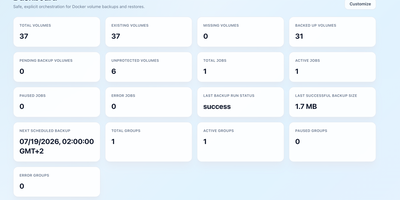
VolumeVault turns Docker volume backups into a routine you can prove: it schedules them, stores them off the box, and restores them into brand-new volumes so original data is never the test subject. A guided web dashboard discovers every Docker volume on the host and shows backup coverage per volume or per Compose and Swarm stack, including the size of the latest known backup, so gaps are visible before they matter. Each job runs on an hourly, daily, weekly or cron schedule with retention by days or archive count, include and exclude filters, and a choice of whether containers stop during the run. Archives land where you keep them: AWS S3, Cloudflare R2, any S3-compatible store, WebDAV, SFTP, Azure Blob, Dropbox, Google Drive or a local path, with credentials encrypted at rest. Restores download and verify the archive first, then unpack it into a new volume by default; overwriting the original demands an explicit confirmation. Several volumes can ride one grouped schedule that reports once for the whole set, and containers can volunteer themselves for backup through Docker labels. Small agent containers extend the same jobs to other Docker hosts, including encrypted cross-host restores into fresh volumes, while API tokens let scripts and dashboards drive everything the UI can. Running on a dedicated VPS on RepoCloud with guaranteed CPU, RAM, and SSD, full root SSH access, and a browser serial console. Apache-2.0 licensed.
RabiRoute
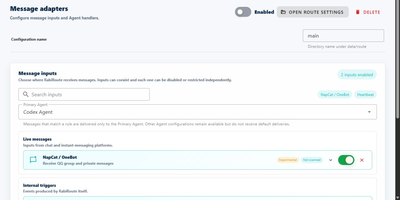
Which agent should answer a question that just arrived in your QQ group, and how much of the conversation should it see? RabiRoute is the self-hosted message gateway that answers those routing questions before your agent ever wakes up. Chat messages from QQ groups and direct chats (through NapCat and OneBot), webhooks, schedules, voice, desktop selections, and device events all arrive at one gateway, and message Routes decide which agent or local program receives each one. Every role keeps its own message history plus references to plans, memories, and skills, while each Route limits how many recent messages travel with a delivery. Roles can also fire agents on interval, time-window, daily, or one-time schedules, or run a configured local script, so recurring checks and reports happen without anyone typing a prompt. Replies to QQ, RabiLink, and other channels leave through a single sending API that validates targets, quoted messages, and sender identity, then records receipts for everything delivered. The Windows desktop side adds selected-text actions, screenshots, and annotations; speech, phone, glasses, wearable, and remote-computer clients connect as experimental integrations, and the Linux Host serves the Manager and browser WebGUI from a Node.js process. Running on a dedicated VPS on RepoCloud with guaranteed CPU, RAM, and SSD, full root SSH access, and a browser serial console. MIT licensed.
Tessera
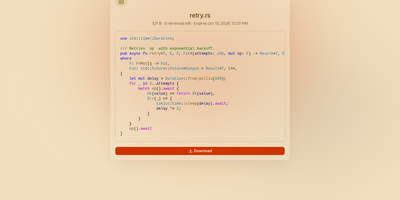
Most file sharing leaves copies lying around forever; Tessera shares things with a built-in goodbye. Drop in a file, a whole folder, a code snippet, or a link and you get back a short code and a URL that anyone can open until it expires or hits the download count you set, at which point it is deleted. Expiry is checked on every request and each retrieval is counted atomically, so a one-time share cannot be raced by two people at once. Passwords can be required before anything is shown, code arrives syntax-highlighted, and images, SVGs, and diagrams preview in the page, with link cards when you paste the URL into chat. Uploads resume after interruptions and stream through the server without ballooning memory at any size. Behind the scenes you choose where bytes live: local disk, S3-compatible storage, Azure Blob, Google Cloud Storage, or WebDAV, several at once, added or retired from the admin panel without a restart. Accounts are optional for a home server, sign-in through OpenID Connect suits a team, and roles with per-account quotas decide who may upload, view everyone's shares, or change settings. Optional malware scanning, anonymous-upload caps, and rate-limited code lookups keep a public instance honest. A CLI and API tokens drive the same endpoints as the web app, so scripts can share and clean up exactly like people. Running on a dedicated VPS on RepoCloud with guaranteed CPU, RAM, and SSD, full root SSH access, and a browser serial console. AGPL-3.0 licensed.
LanQin Email
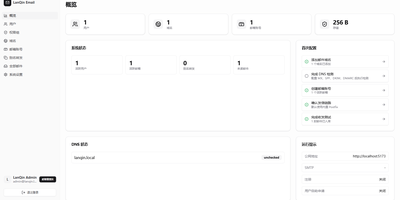
Running your own mail server usually means assembling five services and praying over DNS records; LanQin Email ships the whole stack in one container. Readers switch between mailboxes, search, label, star, and file messages into folders, then compose with a rich-text editor that handles fonts, colors, code blocks, attachments, emoji, and scheduled sending. Contacts, signatures, inbox rules with automatic forwarding, sender blacklists, and mail statistics make it a daily client rather than a demo. Administrators run the postal side from the same panel: add domains and generate DKIM keys, follow the DNS record checklist the system verifies for you, create mailboxes, set delivery aliases and catch-all addresses, and audit every message on the server. Accounts sign in with passwords or OAuth single sign-on, protected by TOTP two-factor codes and bot checks, while permission groups cap attachment size, sending rate, and mailbox count per user. Users can even request their own mailbox and wait for approval instead of filing a ticket. For programs, an Open API with bearer tokens sends mail idempotently and reports delivered, bounced, complained, rejected, and deferred events back through webhooks. External Gmail and Outlook accounts can be aggregated over IMAP, and a client-configuration page shows every IMAP, POP3, and SMTP setting in one place. A multi-container layout remains for debugging the stack piece by piece. Running on a dedicated VPS on RepoCloud with guaranteed CPU, RAM, and SSD, full root SSH access, and a browser serial console. GPL-3.0 licensed.
GymCoach
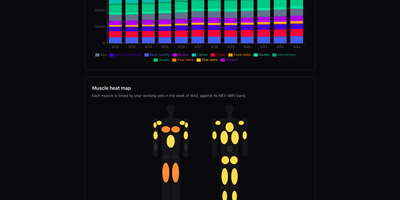
Strength training, cardio, and body metrics land in one workout log on your own server, backed by an optional AI coach that explains its advice from your real numbers. Quick entry such as 100x8@9 logs weight, reps, and effort in one line, with a rest timer, plate-loading calculator, and warm-up ramp beside the set table. A weight picker offers only loads your equipment can build, and a readiness check-in adjusts the suggested load and says why. Templates for 5/3/1 BBB, GZCLP, nSuns, PPL, and Upper/Lower run as written and edit like any custom program. Progress pages chart estimated 1RM, weekly volume per muscle group against MEV and MRV bands, a muscle heat map, bodyweight goals, and a training calendar. Garmin FIT, TCX, and GPX imports need no cloud account and add heart-rate charts and aerobic decoupling to each run or ride. The coach writes a weekly debrief, chats in a streaming conversation, and drafts a full program from a one-sentence goal, using your own Anthropic or OpenRouter key. History imports from Strong or Hevy CSV files with a dry-run preview and exports to CSV or TCX, and an MCP connector lets ChatGPT or other agents analyse it. The app installs as an offline-capable PWA, speaks English, French, Russian, and German, and keeps every user's data separate. Running on a dedicated VPS on RepoCloud with guaranteed CPU, RAM, and SSD, full root SSH access, and a browser serial console. MIT licensed.
Mitra
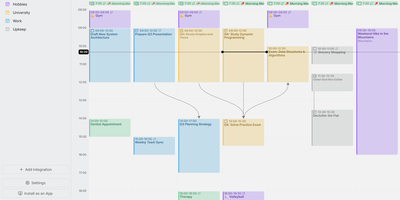
Mitra is a self-hosted calendar that puts your tasks on the same timeline as your events, so planning a week finally happens in one place instead of two. Drag across empty grid space to make an entry, drag it to move it, and stretch its edges to resize it. Tasks without a date sit in the Planning tab with a due date and an estimate until you drag them into the week. Subtasks and dependencies draw as lines between entries. Availability shading lays your working hours under the grid so double-booking becomes obvious before it happens. Keep calendars inside Mitra with no account behind them, or connect the ones you already use: CalDAV, Google Calendar, Apple Calendar, Notion, Todoist, and Tempo all sync both ways, and published feeds arrive as read-only subscriptions. Lists sort, filter, and change many entries at once. Files attach to entries, guests reply, reminders land as push notifications, and a command palette drives everything from the keyboard. Claude, Cursor, and other AI tools can read and plan your calendars over MCP. Eight languages, right-to-left layouts, light and dark themes, phone install, and OIDC sign-in for several people round it out. Running on a dedicated VPS on RepoCloud with guaranteed CPU, RAM, and SSD, full root SSH access, and a browser serial console. AGPL-3.0 licensed.
Omnibus
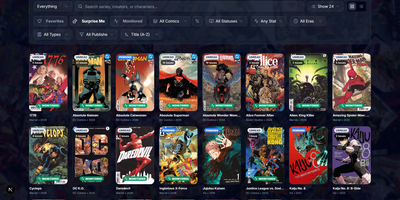
Omnibus runs your whole comic habit from one shelf: discover a series, request the missing issues, and read them in the browser when they land. Discovery starts with ComicVine or Metron metadata (high-resolution covers, synopses, and creator credits) and a release calendar that flags what you own and what is still missing across your monitored series. Requests are one click for a single issue or a whole run; Omnibus searches your indexers, hands the release to qBittorrent or SABnzbd, then imports, renames, and shelves the file with metadata embedded into the archive itself. Loose files that match nothing meet the Smart Matcher, which proposes the right series and applies every confident match in one pass. The built-in reader opens CBZ, natively read CBR and EPUB files in left-to-right, right-to-left manga, or continuous webtoon modes, with double-page spreads, brightness and contrast controls, page preloading, and preferences remembered per series; an offline button caches a full issue for the road. Reading lists assemble themselves from a pasted event ID or arrive by import from CBL files, League of Comic Geeks CSVs, AniList, or MyAnimeList, always showing how far through them you are. Everyone gets their own account, reading progress, follows, and an Updates feed, while OPDS, KOReader sync, and a Komga-compatible endpoint feed Panels, Mihon, and Paperback on the side. Running on a dedicated VPS on RepoCloud with guaranteed CPU, RAM, and SSD, full root SSH access, and a browser serial console. GPL-3.0 licensed.
Monitor
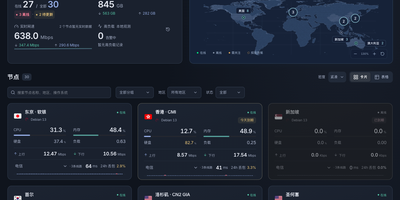
Monitor watches your servers the way a status page should: second by second, from one small binary you run yourself. A lightweight Linux agent on each machine reports CPU, memory, disks, network throughput, connections, and processes to your hub over a persistent connection, and the hub pushes a fresh snapshot to your browser every two seconds. History is kept for charting, so node pages show how load, traffic, and latency behaved over days. Ping tasks run from the hub's side too: define targets once and every agent measures latency to them on its own interval, drawing the curves next to the machine metrics. The public face is a status page you can reskin without touching the server: themes install from the panel, run as static pages against a small public API, and anonymous visitors see only the nodes you marked public, with addresses and hostnames stripped out. Node management stays practical: registration windows hand out tokens safely, installing an agent is one command, and replacing a token disconnects the old connection immediately. When a node goes offline, crosses its traffic allowance, approaches expiry, or someone signs in, alerts go out through Telegram or any webhook. The hub listens only on localhost behind your HTTPS proxy, signs in by password or GitHub OAuth allowlist, and lists revocable sessions. Running on a dedicated VPS on RepoCloud with guaranteed CPU, RAM, and SSD, full root SSH access, and a browser serial console. MIT licensed.
Jellydash
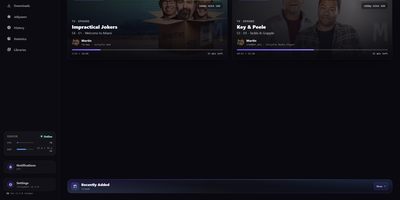
Jellydash answers the questions every Jellyfin admin asks, starting with who is watching right now and whether that stream is transcoding. Live cards show each session's artwork, user, quality, progress, and playback method, including the reason a transcode was needed, and live TV channels appear with real program progress. Behind the scenes, a background poller records every play even when nobody has the dashboard open, building a history you can search, filter by user or library, and export to CSV with poster art intact. Older Jellyfin or Emby Playback Reporting backups import in seconds, so years of viewing are not lost when you switch. Statistics turn that history into watch-time trends, top users, device and client activity, codec breakdowns, and transcode reasons, and clicking a chart opens the exact plays behind it. A monthly recap looks back at a finished month with rankings and daily activity, while trending and all-time most-watched strips show what your household actually loves. Optional pages follow Jellyseerr requests as they arrive and read the status of SABnzbd, qBittorrent, Transmission, Deluge, and NZBGet clients without ever touching their queues. Server activity, maintenance tasks, and system status stay one click away, and selected users can be excluded from monitoring entirely. When someone presses play, a notification can reach your phone through Telegram, Pushover, Discord, ntfy, Gotify, or Web Push. Running on a dedicated VPS on RepoCloud with guaranteed CPU, RAM, and SSD, full root SSH access, and a browser serial console. MIT licensed.

Kumiho
Drop a hard drive's worth of comics, e-books, and audiobooks into folders, point Kumiho at them, and the whole collection becomes a library you can browse and read from any browser. The scanner walks nested folders recursively and treats the folders that actually hold pages or files as series, so an existing collection works as it is, with no metadata matching ritual before the first read. Comics and manga open in a responsive viewer built for the format: page turning on a desktop, continuous webtoon scrolling on a phone or tablet. E-books in EPUB, PDF, and TXT open in the same library, while archives in ZIP and CBZ are read directly without unpacking. Audiobooks get a real player, with a chapter list, resume playback that remembers where you stopped, progress tracking, bookmarks, and a sleep timer for listening at night. A series folder can even carry its own soundtrack: an MP3 whose filename matches starts playing as background music while you read. Everything runs from one lightweight Go server in a single Docker container, storing its database and configuration in mounted volumes, so the library sits comfortably on a small VPS next to the files it serves. Running on a dedicated VPS on RepoCloud with guaranteed CPU, RAM, and SSD, full root SSH access, and a browser serial console. Apache 2.0 licensed.
Cited
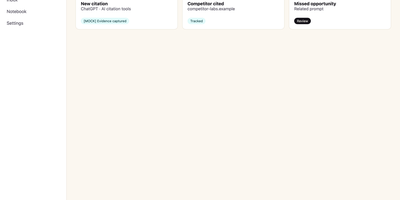
Buyers now ask an AI assistant before they ever visit your website, and Cited tells you whether your brand made it into the answer. Verify your domain with a DNS record, choose the buyer-like prompts worth watching, and Cited checks them on schedule across ChatGPT, Claude, Gemini, Perplexity, Google AI Mode, and Google AI Overviews. Every meaningful appearance becomes a durable evidence note in your citation inbox: open one to see the exact prompt, the response snapshot, where your domain appeared, and the first-seen history. It distinguishes a true source citation from a brand mention without a link, an explicit recommendation, and the uncomfortable one, a missed opportunity where a competitor got cited and you did not. Competitor tracking runs continuously, so you see rivals earning answers in your category while there is still time to respond. Notes can be annotated, organized through new, seen, saved, and resolved states, and exported for reporting. Email alerts flag meaningful new events and a weekly digest summarizes what changed, so checking becomes a habit instead of another dashboard to babysit. Workspace roles and local credentials keep a small marketing team organized on your own PostgreSQL database. Running on a dedicated VPS on RepoCloud with guaranteed CPU, RAM, and SSD, full root SSH access, and a browser serial console. AGPL-3.0 licensed.