Livebook
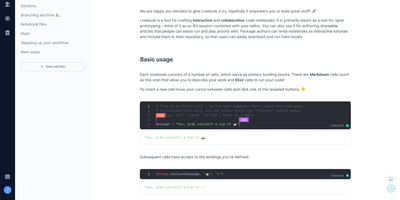
Livebook is an interactive notebook for Elixir where you write code alongside rich Markdown prose, execute it cell by cell with reactive dependency tracking, and deploy finished notebooks as standalone web applications with a single click. Nearly 6,000 GitHub stars reflect the Elixir core team's investment in a platform where code cells run on demand alongside Mermaid diagrams and KaTeX mathematical formulas. The Kino visualization library renders Vega-Lite charts, interactive data tables with sorting and pagination, Leaflet maps, and Mermaid diagrams directly within notebook output cells, while custom Kino components enable building interactive controls with sliders, text inputs, and buttons that feed values back into running code. Smart cells abstract high-level tasks into configurable UI widgets: query PostgreSQL, MySQL, SQLite, and BigQuery databases, train machine learning models with Axon, plot charts, and build map visualizations without writing boilerplate code. Real-time collaboration lets multiple users edit the same notebook simultaneously with cursor presence indicators and synchronized cell evaluation. Notebooks are stored as .livemd files, a Markdown-compatible format that renders cleanly on GitHub and integrates with standard version control workflows. Custom runtimes connect Livebook to existing Elixir applications for live introspection and documentation of running systems. The Docker image at ghcr.io/livebook-dev/livebook exposes ports 8080 and 8081 with password or token authentication. Running on a dedicated VPS on RepoCloud with guaranteed CPU, RAM, and SSD, full root SSH access, and a browser serial console. Apache 2.0 licensed.
Tolgee
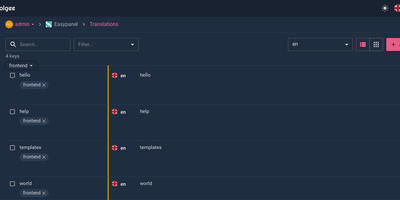
Hold Alt/Option, click any string in your running app, and edit the translation in place: Tolgee is an open-source localization platform built the way developers wish translation worked - changes save straight to the platform with no hunting through JSON or PO files. In-context editing works even in production via the Tolgee Tools browser extension, which injects credentials without touching source code, so a client or colleague with zero coding skills can translate the product inside the product. The SDKs (React, Angular, Vue, Svelte, plus iOS and Android) extract context from each UI element and capture one-click screenshots, giving both human translators and machines the surrounding meaning that raw string files lose. Autonomous translation uses that context: new keys are instantly filled from translation memory or machine translation (DeepL, Google Translate, AWS Translate), with optional human review afterward - shipping no longer waits on a translation agency. A CLI handles import/export, a REST API covers automation, a Figma plugin bridges design, and an MCP server lets AI coding assistants search keys, create translations, and trigger machine translation without leaving the editor. Self-hosting this Crowdin/Phrase/Lokalise alternative keeps every string, screenshot, and API key on your infrastructure.
AKB
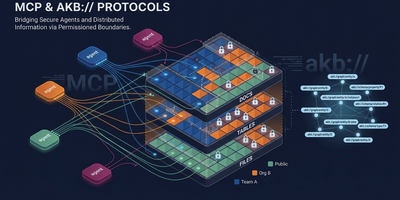
Achieving 98.4% Recall@5 on LongMemEval-S without a reranker, AKB is the agent-native knowledge infrastructure giving Claude Code, Cursor, Windsurf, and any MCP-aware agent persistent organizational memory — a drop-in replacement for Confluence or Notion where AI agents read and write directly rather than scraping human-formatted pages. Documents are stored as Markdown with YAML frontmatter in Git bare repositories (full version history, branching, diff), while PostgreSQL 16 serves as source of truth for chunk text, metadata, and BM25 vocabulary, with dense embeddings handled by a pluggable vector store (pgvector default, Qdrant optional, or managed Seahorse). Agents interact through 20+ MCP tools — akb_put, akb_search, akb_browse, akb_relations, akb_sql, akb_edit, akb_history — performing hybrid dense plus BM25 search fused via Reciprocal Rank Fusion in one call. The URI graph (depends_on, related_to, implements relations) lets agents traverse knowledge connections without external graph databases. Multi-tenant vault isolation is enforced at the PostgreSQL ACL level with per-user roles and SET LOCAL ROLE for SQL sandboxing. Event fanout streams structured events to Redis Streams for external consumers (synthesis bots, digest agents, audit trails), and a hash-chained append-only audit log integrates with enterprise SIEMs. Ships with agent plugins for Claude Code and Codex (session capture, wiki ingest, lifecycle hooks), Kubernetes kustomize manifests, and Open Knowledge Format export. Running on a dedicated VPS on RepoCloud with guaranteed CPU, RAM, and SSD, full root SSH access, and a browser serial console. BSL 1.1 licensed (free under 100 seats, auto-converts to Apache 2.0 after four years).
Colanode
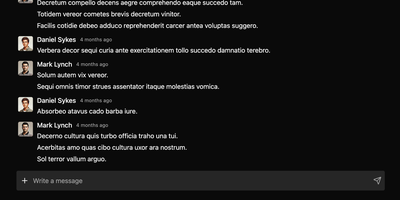
With nearly 5,000 GitHub stars and a Hacker News launch that garnered 147 points, Colanode delivers the first genuinely local-first alternative to both Slack and Notion in a single self-hosted workspace — writing every operation to a client-side SQLite database before syncing to your server, so teams work at full speed offline, on planes, or through intermittent connections without ever losing a draft. The real-time chat system provides channels and direct messages with instant delivery via WebSocket, while the rich text editor offers Notion-style block-based pages for documents, wikis, meeting notes, and knowledge bases with headings, code blocks, embeds, and nested hierarchies. Customizable databases organize structured data with custom fields and three dynamic views — table for spreadsheet-style browsing, kanban for visual workflow boards, and calendar for time-based planning. Conflict-free Replicated Data Types powered by Yjs handle concurrent editing across pages and database records: multiple users modify the same document simultaneously and the system merges changes automatically without manual conflict resolution. File management supports upload, sharing, and organization within workspaces using pluggable storage backends including local filesystem, S3-compatible services, Google Cloud Storage, and Azure Blob Storage with TUS resumable uploads for large files. The server runs Fastify with Zod validation on Node.js 20+, persists to PostgreSQL with pgvector extension, uses Redis for event broadcasting, and deploys via a single Docker image. Running on a dedicated VPS on RepoCloud with guaranteed CPU, RAM, and SSD, full root SSH access, and a browser serial console. Apache-2.0 licensed.
MateClaw
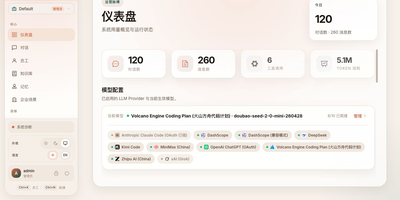
MateClaw delivers a multi-agent AI platform where digital employees run as persistent team members with roles, goals, and accumulated skills rather than stateless chat completions. The Spring Boot backend on Spring AI Alibaba provides ReAct iterative reasoning and Plan-and-Execute decomposition on a StateGraph runtime, with parallel delegation between employees and dynamic context pruning for multi-step tasks. Five career templates ship ready (Product Researcher, Customer Support, Knowledge Curator, Data Analyst, Executive Assistant) while custom employees inherit configurable backstories, pixel-art avatars, and dedicated tool bindings. The MCP integration supports stdio, SSE, and Streamable HTTP transports with per-employee tool isolation preventing capability bleed between agents. ACP bridges bring Claude Code, Codex, and other coding agents in as first-class employees. Workflow orchestration composes multiple employees and system actions into publishable linear DSL processes with seven step modes: sequential, fan_out, collect, conditional, await_approval, dispatch_channel, and write_memory. The trigger system wires cron schedules, webhooks, channel messages, employee lifecycle events, content matches, and workflow completions to automated flows. The Admin Runtime Console provides real-time visibility into running employees with token usage tracking and one-click force-recycle. Spring Boot Actuator monitoring, full audit trail, and per-channel error isolation deliver production-grade reliability. Running on a dedicated VPS on RepoCloud with guaranteed CPU, RAM, and SSD, full root SSH access, and a browser serial console. Apache-2.0 licensed.
Oxynote
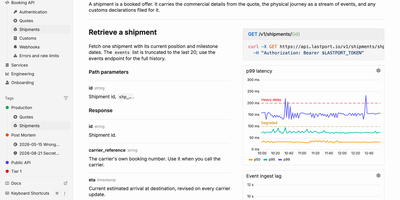
When an alert fires at 3 a.m., the live chart, the runbook, and the fix are already on one page of Oxynote, a self-hosted technical wiki. The chart is a Live Metrics block that runs its own Prometheus or SQL query and draws a time series, bar chart, or gauge. Several such blocks side by side make a dashboard inside the page. Around it, the editor works like Notion, with checklists, callouts, titled code blocks, Mermaid diagrams, Figma embeds, images, and files. Internal APIs get Stripe-style reference pages with the endpoint, a curl example, and a sample response beside the explanation. Mark a page reviewable and every edit lands in a draft. A block-aware diff shows renamed endpoints, fields, and reworded sentences in one red and green view until a reviewer approves. Freshness hooks watch GitHub files, container images, web pages, or dates, and remind maintainers when something a page depends on changes. Teammates edit together live and see who holds which block. Comments attach to a word, a diagram line, or a whole chart, with replies and an inbox for mentions. The Rubber Duck assistant edits pages and runs block queries with Anthropic, OpenAI, Google, OpenRouter, or a local Ollama model, and MCP lets Claude Code and Codex read and write the docs. Running on a dedicated VPS on RepoCloud with guaranteed CPU, RAM, and SSD, full root SSH access, and a browser serial console. Apache-2.0 licensed.

Doory
Design posters, social posts, presentations, invitations, resumes, thumbnails, and business cards in your browser with Doory, a self-hosted design editor that keeps your files, fonts, and brand assets on your own server. Start from one of ten starter templates or a blank canvas, then place text, shapes, lines, arrows, emoji, stickers, QR codes, and roughly 27,500 built-in icons anywhere on the page. Photo tools cover cropping, masks, filters, in-browser background removal, and 2x to 4x image upscaling, with stock photo search through Unsplash or Pexels. Layers can be renamed, locked, hidden, grouped, and reordered, while guides, snapping, rulers, per-page sizes, and format resizing keep multi-page designs tidy. Animations add 27 enter and exit effects, 12 emphasis motions, and 16 page transitions, plus Creative Commons music loops and sound effects, so decks can be presented live with speaker notes or exported as MP4, WebM, or GIF. Share links grant view, comment, or edit access with an optional password, and collaborators can pin comments, co-edit in real time, and roll back through version history. Brand kits store your colors, fonts, and logos so recurring posts stay on-brand, and exports cover PNG, JPG, SVG, and print-ready PDF with bleed and crop marks. An optional MCP server lets AI assistants create and fill designs from prompts, including bulk template filling from spreadsheet-style rows. Running on a dedicated VPS on RepoCloud with guaranteed CPU, RAM, and SSD, full root SSH access, and a browser serial console. Attribution Assurance License licensed.
MantisBT
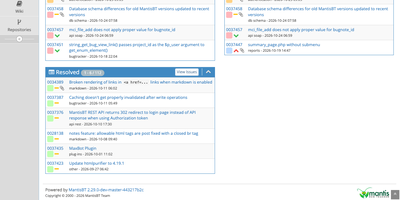
Every bug a team finds, from the first report to the day it is marked resolved, lives in one shared list in MantisBT, an open-source issue tracker. Reporters file issues with a summary, steps to reproduce, severity, and attachments, and email notifications reach the reporter, the handler, monitors, and note authors. Six access levels, from viewer to administrator, can be overridden project by project, and private projects stay hidden from users below the configured level. Administrators define their own status values, workflow transitions, and custom fields. Sub-projects inherit versions and categories from their parents, and issues link as related, parent and child, or duplicates. @mentions pull colleagues into a discussion, tags group related work, and a chronological history records who changed what. Triage works from stored and shared filters, the My View page, and summary charts, while a roadmap and changelog track what each version contains. Reporting comes through CSV and Excel export, optional time tracking with billing totals, and RSS feeds. Sign-in can use LDAP or Active Directory, scripts reach the tracker through REST and SOAP APIs, plugins extend the interface, and 50 languages are included. Running on a dedicated VPS on RepoCloud with guaranteed CPU, RAM, and SSD, full root SSH access, and a browser serial console. GPL-2.0-or-later licensed.
Agentic Resource Registry
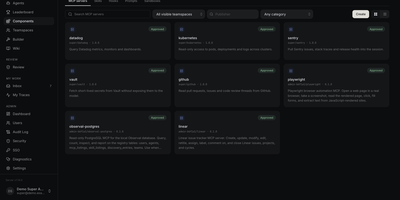
Every team building with coding agents has the same drawer problem: the best Skill, MCP server, or agent file lives in one person's repo, undocumented, while three colleagues rebuild it from scratch. Agentic Resource Registry is the internal catalog that ends the duplication, a self-hosted registry where your organization publishes Skills, MCP servers, hooks, prompts, agent files, and sandboxes in one searchable place. Browse by teamspace, publisher, category, or harness and see at a glance what each resource supports and how often it has been pulled. Authors build agent files in a four-step builder with a live summary and draft readiness checks, then submit them into a review queue where admins inspect the full prompt and version diffs before approving. Forking an approved release creates your own draft with pinned components, and reviewers can compare it against upstream line by line. The companion CLI installs any approved resource into Claude Code, Cursor, Codex, Kiro, Copilot, OpenCode, Pi, and more, generating the correct config for each harness automatically. Approved resources are also discoverable over the open ARD standard, so a running agent can hand part of its task to another approved agent or a remote A2A service. Running on a dedicated VPS on RepoCloud with guaranteed CPU, RAM, and SSD, full root SSH access, and a browser serial console. Apache-2.0 licensed.
Wiki-Go
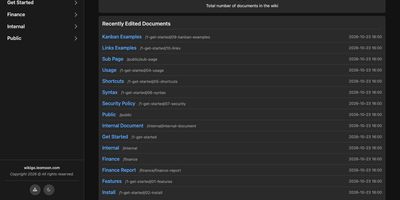
Wiki-Go turns a folder of Markdown files into a searchable team wiki with page history, comments, and access rules, and never asks you to run a database. Pages live in a nested tree with a sidebar and breadcrumbs, and an editor with a preview toggle handles emoji shortcodes, highlighted code, LaTeX math, Mermaid diagrams, collapsible sections, GitHub-style alerts, and embedded YouTube, Vimeo, or MP4 video. Full-text search supports exact phrases in quotes and term inclusion or exclusion, and highlights each match. Each save keeps a revision, up to a configurable limit, and any stored version can be restored later. Attachments such as PDFs, spreadsheets, images, and archives sit beside the page they belong to. Drop a Kanban board into any document for drag-and-drop task tracking with nested tasks, or build a categorized link library that fills in page metadata automatically. Signed-in users comment in Markdown, and admins can remove comments. Admin, editor, and viewer roles, user groups, path-based public or private rules, and an optional private-wiki mode decide who sees what. Branding comes from a custom logo, banner, and favicon, shortcodes such as stats insert live site statistics, and readers can switch between dark and light themes or print any page. A REST API opens content to scripts, and a community tool imports Notion exports. Running on a dedicated VPS on RepoCloud with guaranteed CPU, RAM, and SSD, full root SSH access, and a browser serial console. GPL-3.0 licensed.
TeXlyre
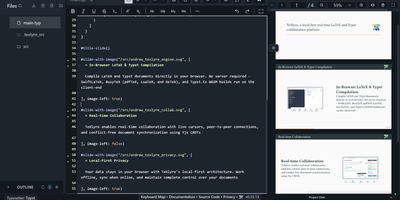
In TeXlyre, two coauthors edit the same LaTeX or Typst file at once, and the PDF compiles inside the browser tab instead of on someone else's server. Start from a template: arXiv preprint, IEEE paper, Tufte book, Beamer deck. pdfTeX, XeTeX, and LuaTeX compile with BibTeX and Biber. Errors turn into readable cards that jump to the failing line. Live cursors show who is typing where. A shared link brings coauthors in, no accounts needed. Chat sits beside the editor, and comments can be discussed and resolved. Tracked insertions and deletions land in a review panel to accept or reject. Draw.io and TikZ editors open inside the project for shared diagrams. MathLive edits a formula under the cursor with a virtual keyboard. A bibliography panel tidies BibTeX, matches DOIs, and imports from Zotero and OpenAlex. Large files travel straight from one collaborator's browser to another. Projects export as ZIP, sync to a local folder, or back up to GitHub, GitLab, Gitea, and Codeberg. Vim, Emacs, and Helix keybindings are one setting away. The app installs as a progressive web app and works offline. Language servers like LTeX LS Plus, Harper, and Tinymist plug in through recipes beside your own signaling and TeX Live package servers. Running on a dedicated VPS on RepoCloud with guaranteed CPU, RAM, and SSD, full root SSH access, and a browser serial console. AGPL-3.0 licensed.
TeamPass
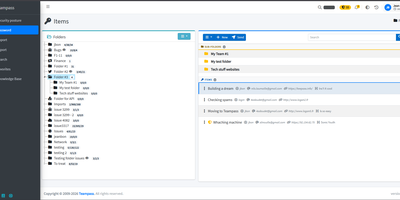
TeamPass is a dedicated on-premise password manager built specifically for teams that need collaborative credential sharing with fine-grained access controls. Role-based access control defines user permissions through hierarchical folder trees where each folder and item can be independently set to write, read, or no access against assigned roles, enabling organizations to segment credentials across departments without exposing sensitive data. Passwords are encrypted in the database using Defuse PHP Encryption with per-installation unique saltkeys, while two-factor authentication supports configurable RFC 6238 TOTP profiles with custom digits, period, and algorithm settings alongside Duo Security and Yubico hardware key integration. LDAP and Active Directory native integration enables enterprise SSO with automatic user provisioning. The Security Posture Dashboard surfaces weak, reused, breached, overdue, no-expiry, widely-shared, and unreadable credentials through indicator cards that filter and deep-link directly to items. Secure Send creates expiring, view-count-limited one-time links optionally protected by recipient passphrases for sharing credentials with external users. Import from Bitwarden, LastPass, 1Password, and KeePassXC through a unified source selector, with export to encrypted offline files. Email notifications, password expiration policies, custom fields, and attachment support round out item management. Running on a dedicated VPS on RepoCloud with guaranteed CPU, RAM, and SSD, full root SSH access, and a browser serial console. GPL-3.0 licensed.
HumHub
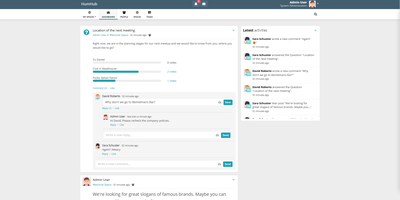
Workplace and Yammer's pattern on your own server, with GDPR compliance by construction rather than contract: HumHub is an open-source enterprise social network from Germany. Built in PHP on Yii2, it organizes everything around four concepts. Users get rich profiles with follows and interactions. Spaces are the structural unit - rooms for departments, projects, events, or clubs, with per-Space permissions, notification settings, and email summaries, and operators can auto-map users into the right Spaces. Content covers posts, wiki pages, photos and video, events, and tasks, with multi-level comments, versioning, archiving, moderation reporting, and filterable full-text search across everything. Modules make it a platform: roughly 80 install-and-activate extensions including Calendar, Wiki, Polls, Tasks, Gallery, News, direct-message Mail, OnlyOffice document editing, Advanced LDAP, SAML and JWT SSO, a RESTful API, mass user import, Translation Manager, and a Theme Builder with custom pages - every one optional and toggleable at runtime. That module economy is why HumHub serves such varied deployments: corporate intranets, city governments, universities, political parties, and nonprofits all configure the same core differently. Requirements are a plain LAMP stack - PHP 8.1+ and MySQL/MariaDB - making it one of the easiest community platforms to operate long-term.
Ever Teams
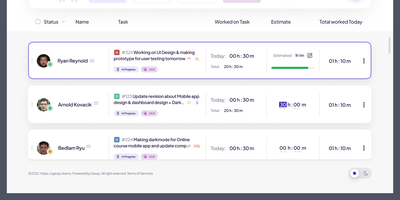
Powering distributed teams seeking full visibility into work patterns and productivity, Ever Teams is an open-source platform unifying time tracking, task management, project coordination, and team collaboration in a single self-hosted application. The real-time timer tracks work against tasks and projects with one-click start/stop, while the Electron desktop app captures periodic screenshots at configurable intervals, monitors keyboard and mouse activity levels, detects idle periods, and syncs offline sessions automatically. Kanban boards with drag-and-drop, calendar views, and daily planning tools organize work across custom statuses, priorities, and sizes. Built-in video conferencing powered by Jitsi or LiveKit enables meetings without leaving the platform. Timesheet management supports submission, review, and approval workflows with configurable time limits and budgets. The backend runs on the Ever Gauzy NestJS platform providing REST and GraphQL APIs, multi-tenant architecture with organization and team scoping, role-based access control, and an integration framework connecting GitHub issues and pull requests bidirectionally plus JIRA import and sync. Infrastructure includes PostgreSQL, Redis for caching and pub/sub, MinIO for S3-compatible storage, Elasticsearch for full-text search, and Cube.js for OLAP analytics. Built with Next.js 16, React 19, Tailwind CSS, and Recoil, with native iOS and Android clients via Expo, Electron desktop apps for Windows, macOS, and Linux, and Plasmo browser extensions for Chrome and Firefox. Internationalization spans 13-plus locales with dark, light, and system themes. Running on a dedicated VPS on RepoCloud with guaranteed CPU, RAM, and SSD, full root SSH access, and a browser serial console. AGPL v3.0 licensed.
Loomio
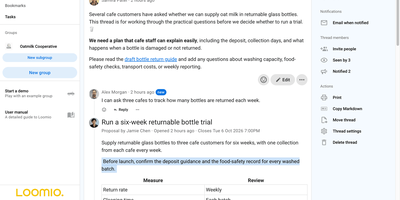
Decisions that scatter across email threads and chat scrollback get one home in Loomio, where a group discusses a question, votes, and publishes what it decided. Every decision starts as a thread with context, comments, @mentions, reactions, tags, and attachments, and tasks inside it carry assignees and emailed due-date reminders. Proposals ask for a defined response plus an optional written reason, using sense check, advice, consent, or consensus templates. Polls handle simple choices, scores, dot voting, ranked choice, meeting-time availability, and multi-winner STV elections. Coordinators set a participation quorum, require a vote share, weight votes, limit voting to appointed delegates, or hide results until close with anonymous voting. Groups nest subgroups, pick Open, Closed, or Secret visibility, and admit members freely, by request, or by invitation. People reply to discussion emails and catch up through a daily digest, and webhook integrations post invitations and outcomes to Slack, Discord, Microsoft Teams, Matrix, and Mattermost. Published outcomes stay searchable, and groups export CSV, HTML, or JSON and print threads to PDF. Comments translate on request, the interface is available in 24 languages, and a user API, server API, and webhooks connect other tools. Running on a dedicated VPS on RepoCloud with guaranteed CPU, RAM, and SSD, full root SSH access, and a browser serial console. AGPL-3.0 licensed.
Kaneo
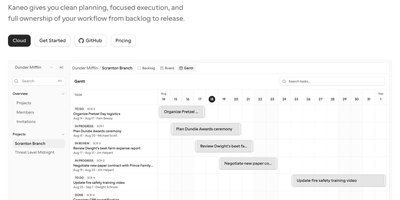
With nearly 8,000 GitHub stars since its December 2024 launch, Kaneo has rapidly gained traction as the minimalist alternative to bloated project management platforms like Jira and Linear. Built on TypeScript with React and Hono, the interface strips away complexity to focus on execution — plan in list view, track in kanban board, and schedule on interactive Gantt chart timelines where dragging bar handles adjusts start and due dates with optimistic UI updates. Native GitHub integration synchronizes issues bidirectionally, links pull requests to tasks, and keeps product planning aligned with development execution without context switching. The built-in Model Context Protocol server at /api/mcp enables AI tools like Claude and Cursor to manage tasks, projects, and labels directly, while the official @kaneo/mcp npm package provides stdio access for local MCP clients. Authentication supports password, magic link, GitHub OAuth, and Google sign-in with organization-level access management. Rich text editing for task descriptions and comments, label-based initiative grouping, priority levels, assignee management, and due date tracking provide focused planning without ceremony. Deploy with the drim CLI for automatic HTTPS and database setup, Docker Compose for custom configurations, or Helm charts for Kubernetes clusters — all requiring just 2GB RAM and PostgreSQL. Running on a dedicated VPS on RepoCloud with guaranteed CPU, RAM, and SSD, full root SSH access, and a browser serial console. MIT licensed.
Documize
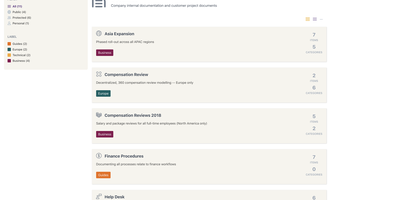
Enterprise documentation discipline without enterprise infrastructure: Documize Community is the Confluence alternative built on exactly that trade. The entire platform - Go backend, Ember.js frontend - compiles to a single executable binary for Linux, Windows, and macOS with zero runtime dependencies: no Elasticsearch, no Redis, no JVM. Point it at PostgreSQL, MySQL, MariaDB, Percona, or Microsoft SQL Server (rare in open source, decisive in Microsoft shops), and schema migrations run on launch with native full-text search on whichever engine you chose. Content organization rejects nested-folder sprawl for Spaces, categories, and labels, and the section-based composable editor mixes rich text, Markdown, code blocks, PDFs, diagrams, and embedded Jira or Trello content in one document, with reusable blocks and templates so teams start from standards rather than blank pages. It deliberately unifies internal team docs and customer-facing documentation in one system with granular space-, document-, and action-level permissions deciding who sees what. Where wikis stop, Documize continues: content approval workflows (draft, review, approve, publish), version management, lifecycle control, feedback capture, PDF export, analytics showing what gets read and ignored, activity streams, and audit logs. Keycloak, LDAP, and SSO integrate for enterprise auth. AGPL-licensed.
Lalabase
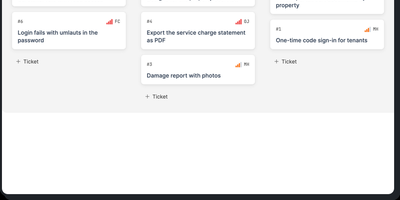
Lalabase is project management built for developers who work with clients, putting tickets, time tracking, documentation, and meetings in one workspace instead of five separate tools. Each client gets an organisation with its own projects and its own access, and roles decide exactly what clients can see. Tasks run as a list or a board with the statuses, priorities, and fields you define per project, rather than the workflow a vendor chose for you. Time tracking records several sessions per ticket, each billable on its own, with exports that go straight into the invoice. Documentation lives beside the work: notes and documents sit in the project, and a folder in your GitHub or GitLab repository becomes the project's docs automatically. Meetings keep their transcript, an AI summary, and the tasks that follow from what was actually said. When you need an answer, the AI assistant takes one question across tickets, comments, documents, hours, and meetings, and it cites the ticket, page, or conversation every answer came from. It even reads your repository's indexed code structurally, so questions about what is implemented get answered against the code. The assistant stays off until you enable it with your own provider key or a model in your own network. An MCP server and REST API let your own agents list, create, and update tickets, comment, and log time. Running on a dedicated VPS on RepoCloud with guaranteed CPU, RAM, and SSD, full root SSH access, and a browser serial console. AGPL-3.0 licensed.