Dokuwiki
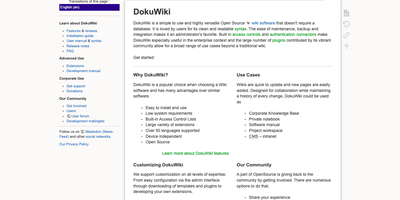
Every page in a DokuWiki knowledge base is just a plain text file on disk, so a team wiki can run for years on modest hardware with no database to feed, ever. Writers edit pages in a clean, readable syntax, fix just one section of a long document at a time, and lean on the toolbar, breadcrumbs, automatic tables of contents, and conflict locking to keep collaboration painless. Every change is kept as a revision with colored side-by-side diffs, recent-changes feeds go out over RSS, and an index-based full-text search finds content across thousands of pages in milliseconds. Namespaces organize content into a browsable tree, while built-in access control lists decide per page or per branch who may read, edit, upload, or administer, with logins checked against LDAP and other backends. Media uploads embed straight into pages, configuration happens in the browser, and the whole installation backs up by copying a folder, which makes migrations and disaster recovery almost boringly simple. When the basics stop being enough, more than twelve hundred community plugins and a hundred templates add galleries, multilingual structures, diagrams, and data tables without changing how the wiki itself works. Running on a dedicated VPS on RepoCloud with guaranteed CPU, RAM, and SSD, full root SSH access, and a browser serial console. GPL-2.0 licensed.
Bulwark Webmail
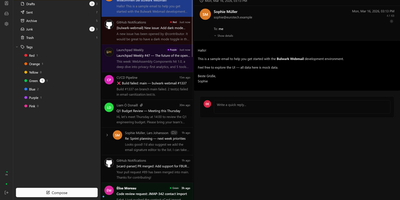
Transforming your Stalwart Mail Server into an all-in-one private communication hub, Bulwark Webmail delivers fast web-based email, collaborative calendars, shared contacts, and cloud files in a single unified interface. Users can manage multiple email accounts from an integrated inbox with conversational message threading, nested organizational tags, scheduled delivery, and instant full-text search across thousands of archived messages. The rich text composer provides markdown shortcuts, inline image embedding, reusable canned response templates, and automated draft synchronization. Team members can coordinate schedules across day, week, month, and agenda calendar views with drag-to-reschedule adjustments, interactive iMIP meeting invitations, and external CalDAV calendar subscriptions. The integrated address book organizes individual contacts into custom groups with full vCard import and export support, while the files module lets users browse server storage, preview incoming attachments, and upload documents directly through the browser. Built-in security safeguards enforce multi-factor authentication, cryptographic S/MIME signatures, client-side encryption at rest, and automated HTML luminance remapping to keep dark emails legible. Running on a dedicated VPS on RepoCloud with guaranteed CPU, RAM, and SSD, full root SSH access, and a browser serial console. AGPL v3 licensed.
Operately
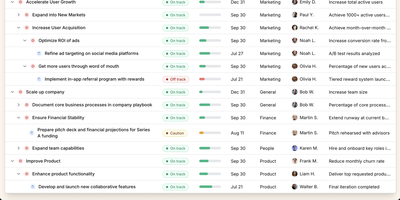
Operately is an opinionated operating system for growing companies that connects strategic goals directly to execution without the overhead of assembling separate tools. The OKR module tracks company-wide, team-level, and individual goals with measurable success conditions showing progress bars against numeric targets, timeframe deadlines, and automated progress aggregation from linked projects. Project management includes champion ownership, milestone tracking, Kanban task boards with TODO, In Progress, and Done columns, and scheduled check-ins that generate async progress updates on a configurable cadence. Team Spaces give departments organized homes for their goals, projects, documents, and discussions with configurable access controls at the space, goal, and project level. Message boards replace scattered email threads with focused project conversations, while the document and file system provides centralized content management. The Review screen aggregates everything requiring attention or approval into a single actionable view. The Elixir Phoenix backend uses Absinthe for GraphQL queries and mutations, Oban for background job processing, and Swoosh for email notifications. The React TypeScript frontend leverages Apollo Client for GraphQL state management. Full CLI and API access enables programmatic interaction, and MCP tools added in version 1.7 allow AI agents to create goals, update projects, manage tasks, and post check-ins. On RepoCloud, deploy Operately on a dedicated VPS with PostgreSQL persistence, root SSH access, and complete control over your organizational data, all under the Apache 2.0 license.
Otter Wiki
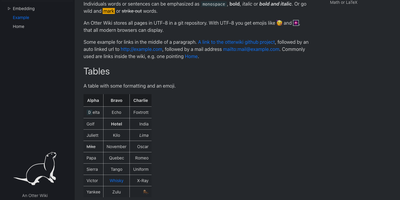
Every page in Otter Wiki is a plain Markdown file and every save is a git commit, so a small team gets a simple wiki whose history never goes missing. The editor highlights Markdown as you type, offers a toolbar for headings, lists, tables, code, alerts, and images, and can show a live preview beside the source. Paste or drop an image into the editor and it is stored as a page attachment. History, blame, and changelog views, with RSS and Atom feeds, show who changed what and when. Beyond standard Markdown you get footnotes, task lists, math formulas, Mermaid diagrams, alert boxes, and spoiler or folded blocks, plus experimental embeddings such as sortable data tables, info boxes, image frames, videos, and included pages. A customizable sidebar shows a menu, a page index, or both. Search offers case-sensitive and regular expression options. Dark mode is built in. Admins decide whether anonymous visitors, registered users, or approved users may read, write, or upload, grant rights per user, close registration, or require email confirmation. An optional, experimental git web server lets people clone, pull, and push the wiki, and changes can be pushed to or pulled from a remote repository over SSH. Running on a dedicated VPS on RepoCloud with guaranteed CPU, RAM, and SSD, full root SSH access, and a browser serial console. MIT licensed.
AtomicServer
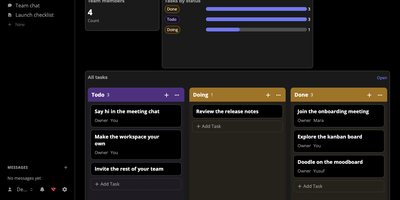
Documents, tables, files, chat, and video meetings share one workspace in atomic.place, and AtomicServer is the part you host yourself so a team can edit together while the data stays on a machine it controls. Documents are collaborative rich text with comments, icons, and cover images, tables enforce a strict schema with keyboard navigation and copy and paste, and any table can switch to a kanban, calendar, dashboard, or timer view. Templates start an issue tracker, a CRM, a project task list, or a time tracker. Live cursors, typing indicators, and presence avatars show who is working where, group channels carry attachments, replies, and search, and an infinite canvas can be drawn on together. Every write is a signed commit, so a full history is kept. Read and write rights follow the resource hierarchy, and invite links bring people in. Websites are designed in the browser, published in one click, and rolled back to any earlier version. Custom classes and properties come from the Ontology Editor, small apps are plain JavaScript screens over the same data, and AI features work with any model through OpenRouter or a local Ollama and support MCP. Typeahead search suggests results as you type. A REST API answers in JSON-AD, Turtle, or JSON-LD for automation, and export and import commands write and read JSON-AD backups. Running on a dedicated VPS on RepoCloud with guaranteed CPU, RAM, and SSD, full root SSH access, and a browser serial console. MIT licensed.
Leantime
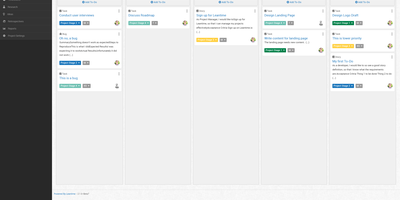
"As simple as Trello but as feature-rich as Jira" is how the Leantime team frames its goals-focused project management system for non-project managers - built from the ground up with ADHD, autism, and dyslexia in mind, with behavioral science shaping customizable dashboards, time blocking, low-cognitive-load prioritization, and Kanban, list, table, Gantt, and calendar views so each person works the way their brain does. The PHP application (AGPL, Laravel Blade frontend) connects strategy to execution: tasks with unlimited subtasks and dependencies roll up into milestones on a timeline, sprints and retrospectives handle iteration, and strategy-level blueprint boards - Lean Canvas, SWOT, risk analysis, goal and metric tracking - keep the "why" attached to the work. Knowledge lives alongside: wikis and docs, idea boards, comments on everything, file storage on S3 or local disk, even screen and webcam recording. Time tracking with timesheets supports estimation and client billing. Admin features are serious for an OSS tool: per-project permissions, two-factor auth, LDAP and OIDC single sign-on, Slack, Mattermost, and Discord integrations, a plugin system, and an expanding API that now powers a mobile app. Recent releases added multi-collaborator task assignment and low-vision accessibility improvements. Available in 20+ languages.
TaskView
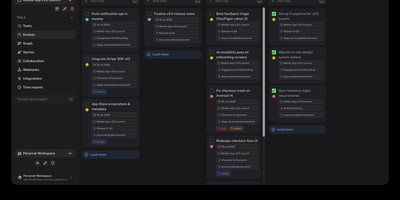
Your team's work lives in boards, sprints, and deadlines, and TaskView keeps all of it on infrastructure you control instead of a vendor's cloud. Projects break down into lists, tasks, and nested subtasks with priorities, tags, deadlines, and assignees, arranged on custom Kanban boards whose statuses you define yourself. A dependency graph shows which tasks block which, sprints organize iterations, and recurring tasks regenerate on schedule so weekly rituals never need manual recreation. Built-in time tracking separates billable from non-billable hours, and analytics turn that data into workload reports, productivity views, and income and expense summaries. Multiple organizations share one instance with invites, granular role permissions, and real-time updates, while SAML 2.0, OpenID Connect, and SCIM provisioning plug into your existing identity provider. GitHub and GitLab integrations connect development work to the board, signed webhooks push events into your other systems, and scoped API tokens plus a TypeScript client make automation safe to hand out. An MCP server lets AI assistants search projects, create and update tasks, and manage statuses within the exact permissions you grant. Running on a dedicated VPS on RepoCloud with guaranteed CPU, RAM, and SSD, full root SSH access, and a browser serial console. TaskView Source-Available License licensed.
Storyden
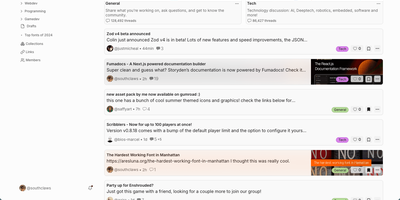
Think of Storyden as running your own small Reddit, except the knowledge your community produces does not scroll away and die in the feed. Discussion happens in threaded forums organized by categories and tags, where posts collect replies, likes, emoji reactions, and saves into personal collections. Beside the chatter sits the Library, a tree of rich pages your members build together into wikis, directories, catalogs, and guides that stay findable. Library pages carry typed properties, attached files, and table views, so a car club can track vehicles as data instead of arguing over a spreadsheet. Threads can reference Library pages and pages can link back to threads, letting a great answer graduate into permanent knowledge. Optional AI assistance helps organize titles, tags, and summaries, while the recommendation engine surfaces posts each member is likely to care about. The first account registered becomes admin, roles and permissions govern who can post or moderate, and community settings live in the admin panel rather than config files. One container starts everything with an embedded database and local file storage, and OpenAPI documentation is served from the same address. Running on a dedicated VPS on RepoCloud with guaranteed CPU, RAM, and SSD, full root SSH access, and a browser serial console. MPL-2.0 licensed.
Haven
Haven gives your community a private chat server with voice calls, screen sharing, and end-to-end encrypted direct messages where friends join via invite link in their browser without installing apps or creating third-party accounts. Real-time messaging supports image uploads via paste and drag-drop, emoji reactions, replies, threads, typing indicators, @mentions with autocomplete, and inline GIF search through Tenor or GIPHY. Peer-to-peer WebRTC voice chat includes per-user volume sliders, mute and deafen controls, talking indicators, and screen sharing with picture-in-picture mode. Direct messages use ECDH P-256 key exchange with AES-256-GCM symmetric encryption where private keys never leave the browser, ensuring not even the server operator can read them. Twenty-plus visual themes with stackable effects including CRT scanlines, Matrix Rain, Cyberpunk Text Scramble, Snowfall, and Campfire Embers let users personalize the experience with configurable intensity sliders. Rich Presence integration shows what members are playing or listening to via Last.fm, Steam, and Spotify. A built-in bot API supports webhooks and custom slash commands, while Discord history import preserves channels, threads, forums, reactions, pins, and avatars. The Node.js server deploys via Docker Compose or a single batch file that auto-handles dependencies, SSL certificates, and configuration. Running on a dedicated VPS on RepoCloud with guaranteed CPU, RAM, and SSD, full root SSH access, and a browser serial console. AGPL-3.0 licensed.
Focalboard
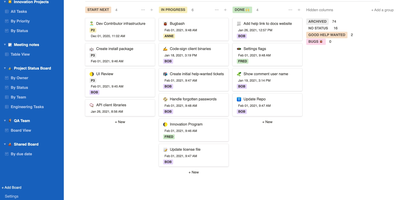
From the Mattermost team comes Focalboard, an open-source, MIT-licensed project board tool - a self-hosted alternative to Trello, Asana, and Notion databases, written in Go with a React frontend. Every board renders the same card data four ways: Kanban with drag-and-drop columns, a spreadsheet-style table, an image-forward gallery, and a calendar. Cards carry unlimited custom properties - dates, dropdowns, checkboxes, people, URLs - and boards can be grouped, filtered, and sorted by any property combination, with unlimited saved filtered views for quick access. Built-in templates cover the common workflows (meeting agendas, content calendars, project tasks, roadmaps, sprint planning), or you can build fully custom boards from scratch. Collaboration is real: card comments with @mentions, per-board permissions for teams or individuals, file attachments stored on your own infrastructure, and archiving with backup snapshots. Migration tooling imports existing boards from Trello (JSON export), Asana, and Notion, so switching does not mean starting over. It ships in 20+ languages and runs as a lightweight multi-user personal server. Worth knowing before deploying: Mattermost has shifted primary development to the integrated Mattermost Boards plugin, so the standalone edition is community-maintained - stable and functional, but evolving slowly. For teams wanting a free, private Trello without per-user fees, it remains a solid pick.
Hopp
Meeting-app screen sharing was built for slide decks, and it shows when two engineers chase a bug across a codebase together; Hopp rebuilds screen sharing for exactly that job. Click a teammate and their screen opens in under a second: no meeting links, no calendar invites, no "can you see my screen?" ritual. Both sides get real keyboard and mouse control with sub-100ms latency, so guests type, click, and navigate instead of dictating instructions. Rooms hold up to 10 people for mob programming, code reviews, and onboarding, all with shared cursors so everyone can point at the line they mean. When words fail, draw or type annotations directly on the shared screen. The stream defaults to 4K, so small fonts and subtle diffs stay readable, and noise-cancelling audio keeps voices clear with no separate call app. You share any application, not just a browser tab, so debugging in Grafana or reviewing a design works as well as editing code. App Veil hides the windows you pick, such as password managers or chat, from the shared screen. Slack starts sessions with one /hopp command, and custom keyboard shortcuts keep frequent actions in flow. The server is yours: a Docker Compose stack with PostgreSQL, Redis, LiveKit, and Caddy auto-TLS serves the web dashboard and media, and the desktop app points at your backend, not a vendor cloud. Running on a dedicated VPS on RepoCloud with guaranteed CPU, RAM, and SSD, full root SSH access, and a browser serial console. AGPL-3.0 licensed.
Baserow
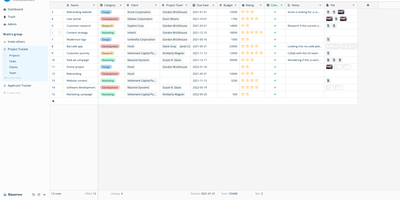
Airtable's spreadsheet-database model, self-hostable and open-source: that is Baserow. It presents data in a spreadsheet-style grid, but underneath each table is a real relational structure with typed fields, links between tables, filters, sorts, and multiple views (grid, gallery, form, kanban, calendar). Beyond the database core, it includes an application builder for composing pages and portals on your data, workflow automations, and dashboards. Everything is API-first: each table exposes a REST endpoint with token auth and webhooks, so it plugs directly into n8n, Zapier, or custom scripts. The stack is Django (Python) on the backend, Vue.js on the frontend, PostgreSQL for storage, with Redis for async tasks. Core features are MIT-licensed; premium features are a paid add-on. The self-hosted version has no row, storage, or API request limits - Airtable's per-base record caps and monthly API quotas simply don't exist here, and capacity is bounded only by your PostgreSQL database and disk. Existing Airtable bases, CSVs, and Excel files import directly with structure preserved, so migration doesn't start from a blank slate, and both the backend and frontend support plugins for custom field types and integrations without forking the core. For non-technical teammates the interface behaves like a spreadsheet; for engineers, the data model is the API.
Kanboard
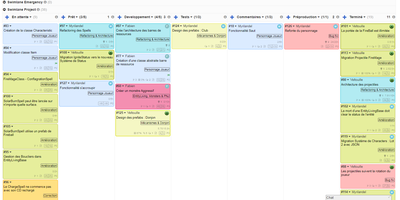
"Less is more" is Kanboard's stated philosophy, and the free, MIT-licensed PHP application lives it: drag tasks between customizable columns, enforce work-in-progress limits per column, and slice boards horizontally with swimlanes for releases, teams, or priorities. Tasks carry what matters - colors, categories, subtasks with time estimates, Markdown descriptions, comments, attachments, internal links, and due dates - and move or duplicate across projects in one click. A concise query language filters any board dynamically (assignee, category, due date, description), and saved filters become custom views. The automatic-actions engine kills repetitive triage: on events like column moves or task creation, Kanboard reassigns, recolors, recategorizes, or closes tasks by rule. Around the board sit a calendar, per-project analytics (cumulative flow, lead and cycle time), Gantt view, and time tracking. Authentication spans LDAP/Active Directory, Google, GitHub, GitLab, and reverse-proxy headers; a JSON-RPC API, webhooks for creating tasks from external systems, and a CLI cover integration. A large community plugin catalog adds what core deliberately omits. With no external dependencies, it runs happily on anything from a Raspberry Pi up - translated into 30+ languages.
Apache Answer
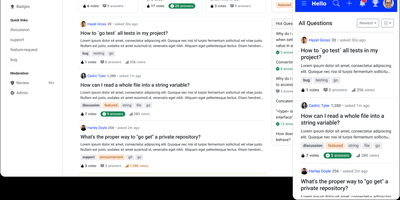
Graduated as an Apache Software Foundation Top-Level Project with over 15,500 GitHub stars and 100,000+ Docker Hub downloads, Apache Answer delivers the structured Q&A platform that Stack Overflow and Discourse popularized — fully self-hosted under Apache 2.0 with zero vendor lock-in. The Go backend with React frontend serves questions, answers, and knowledge articles with real-time Markdown preview using CommonMark syntax, inline @mentions to ping domain experts, and transparent revision history tracking every edit. Version 2.0 introduced AI workflows including an integrated AI assistant that helps draft and improve answers, a Model Context Protocol server for connecting AI agents to your knowledge base, API key management, and editor plugin support for extending the writing experience. Advanced search filters by tags, usernames, scores, and date ranges, while real-time suggestions surface relevant existing questions as users type to reduce duplicates. The reputation system rewards quality contributions with configurable privilege thresholds, and admin/moderator/user roles control access across the platform. A plugin architecture enables community-built extensions for third-party OAuth login, caching backends, search engines, and storage providers. Theming supports custom layouts, dark mode, and responsive design across devices, with content available in 15+ languages translated by the community. Bulk user import, email domain restrictions, and content access controls secure the platform for enterprise deployment. Running on a dedicated VPS on RepoCloud with guaranteed CPU, RAM, and SSD, full root SSH access, and a browser serial console. Apache 2.0 licensed.
Answer
Run a Stack Overflow of your own: Apache Answer brings the question-and-answer format in-house, maintained under the Apache Software Foundation with an Apache-2.0 license. You use it to run a community forum, product help center, or internal knowledge base where content lives as questions and answers rather than wiki pages. It ships the mechanics that make that format work: voting, accepted answers, a reputation system with privilege levels, tagging, full-text search with filters, revision history on every edit, and admin/moderator/user roles. Content is written in Markdown with real-time preview and code syntax highlighting. A plugin system covers OAuth login (Google, GitHub), S3 storage, external search backends like Algolia, and Akismet anti-spam, and a REST API exposes platform data for integration. The backend is Go, the frontend React, and it runs against SQLite, MySQL, or PostgreSQL. Self-hosting replaces per-seat tools like Stack Overflow for Teams with a flat-cost instance where you own all the content.
Rallly
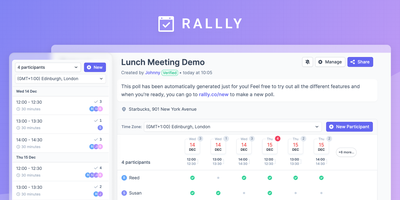
What Doodle did before ads and paywalls took over: Rallly (three L's) lets you propose a few dates, share a link, and watch an availability grid fill in - no email threads, no forced accounts, no "$6.95/month to remove ads." The availability grid makes the winning slot obvious at a glance, comments on each poll keep the "I can do Tuesday if we start late" discussion attached to the decision instead of buried in chat, and email notifications fire as votes and comments arrive. When consensus lands, finalize the winning option and everyone gets notified. The stack is modern TypeScript - Next.js, tRPC, Prisma over PostgreSQL, Tailwind - with a clean, genuinely mobile-friendly UI, dark mode, and community translations in 10+ languages. Self-hosting means unlimited polls and unlimited participants with meeting data on your server rather than a scheduling SaaS. It pairs naturally with Cal.com: Rallly answers "which time works for everyone?", Cal.com handles "book a slot on my calendar." AGPL-licensed.
Owncloud
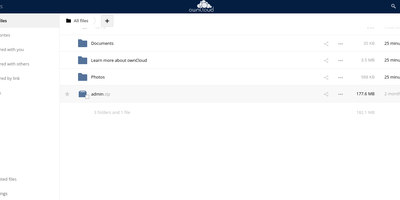
The project that proved organizations could have Dropbox-style convenience with complete data ownership: ownCloud is the original open-source file sync and share platform - the codebase Nextcloud later forked from. This deployment runs the classic ownCloud Server (PHP over PostgreSQL or MariaDB, with Redis caching), the battle-tested edition trusted across enterprises, universities, and public institutions worldwide. The core loop: store files on your server, sync them via desktop clients for Windows, macOS, and Linux plus iOS and Android apps, and access everything through the web interface or standard WebDAV. Sharing is granular - internal users and groups, external recipients via public links with passwords and expiration dates, and federated sharing that connects separate ownCloud instances into one network. Security controls include file firewall rules, multi-factor authentication, encryption, and detailed audit-friendly lifecycle management with versioning and trash-bin recovery. An app marketplace extends the platform, and Web Office integrations bring collaborative document editing through Collabora Online, OnlyOffice, or Microsoft Office Online directly into your files. LDAP and Active Directory integration slots it into existing identity infrastructure. For teams that need a proven, self-hosted alternative to Dropbox or Google Drive - where compliance demands knowing exactly which disk your data sits on - ownCloud remains a foundational choice.
GitBucket
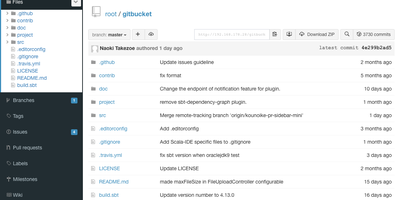
One downloadable WAR file gives your team a complete GitHub-style home for its code, with no per-seat bill and no repositories living on someone else's terms. You create public or private repositories and reach them over HTTP, HTTPS, or SSH, with Git LFS handling large binary assets alongside ordinary commits. The repository viewer includes an online file editor, so quick fixes and documentation tweaks happen in the browser without a local clone. Every repository carries its own issue tracker, pull request workflow, and wiki, keeping discussion, review, and project documentation next to the code they describe. Activity timelines and email notifications keep collaborators aware of new issues, comments, and merges as they happen. Administrators manage users and groups directly, connect account management to LDAP, and protect the instance with fine-grained repository visibility. A plug-in system extends the platform, and official plug-ins add gists, emoji, static Pages hosting, and richer notifications, while community plug-ins widen the menu further. Tools that already speak the GitHub API can point at your GitBucket instead, because its web API deliberately mirrors GitHub's. Upgrades stay simple: stop the process, replace the WAR, and restart with the same data directory. Running on a dedicated VPS on RepoCloud with guaranteed CPU, RAM, and SSD, full root SSH access, and a browser serial console. Apache-2.0 licensed.