Rackpad
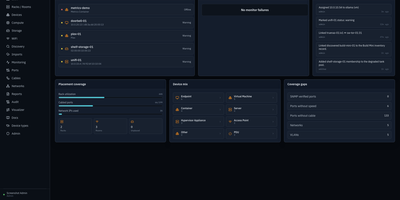
Every cable, switch port, VLAN, and rack unit in a homelab or small server room gets a documented place in Rackpad, a self-hosted inventory and operations workspace. Rack elevations show mounted gear, including paired half-width appliances. Switch-panel port maps and aggregate ports show what is patched where. Cables carry type, length, and color, editable in bulk. VLANs, subnets, DHCP scopes, reservations, and zones sit in one Networks workspace, with gateway and DNS protection and a mismatch review for IP assignments. Storage topology follows drives, bays, and pools that span several devices. Wi-Fi controllers, access points, hypervisor hosts, and virtual machines have pages of their own, and Proxmox and Hyper-V hosts can be imported after review. Discovery scans a subnet or any CIDR and stages every finding in an inbox. Per-device checks over ICMP, TCP, HTTP, HTTPS, and SNMP raise alerts by email, Discord, or Telegram. Everything feeds a movable topology map. Markdown runbooks attach to devices, and an audit log records every change. Admin, editor, and viewer roles control access, and OpenID Connect login is optional. Running on a dedicated VPS on RepoCloud with guaranteed CPU, RAM, and SSD, full root SSH access, and a browser serial console. MIT licensed.
LeafWiki
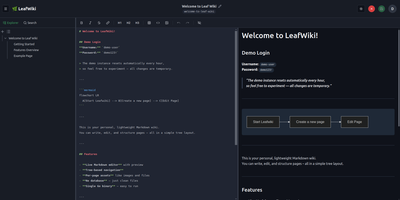
Engineering teams and technical writers maintain operational runbooks, system documentation, and knowledge bases using LeafWiki, an open-source self-hosted wiki that stores page contents directly as human-readable Markdown files on the local filesystem. Authors can compose documentation through a dual-pane editor equipped with live HTML preview, keyboard navigation, autocomplete for internal links, and native rendering for Mermaid diagrams, KaTeX mathematical formulas, and collapsible callout containers. The navigational tree organizes complex documentation into explicit directory hierarchies and custom drag-and-drop page sequences tracked in lightweight configuration files rather than arbitrary alphabetical lists. An integrated SQLite engine indexes page content and custom taxonomy tags for fast full-text searches, automatic incoming backlink tracking, and automated broken link detection. System operators can deploy the single-binary application without external database servers or runtime dependencies, backing up the entire repository by copying the data directory. Administrators can provision granular user roles, configure reverse proxy header authentication for single sign-on gateways, and manage read-only API access keys for automated documentation scripts and continuous integration pipelines. Public viewers can browse technical notes without authentication or switch between dark and light high-contrast themes. Running on a dedicated VPS on RepoCloud with guaranteed CPU, RAM, and SSD, full root SSH access, and a browser serial console. MIT licensed.
phpMyFAQ
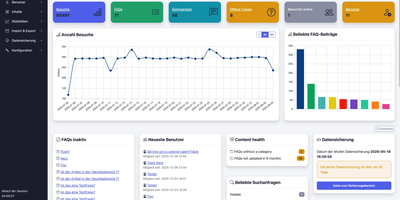
Publish the answers your team keeps repeating as a multilingual, searchable FAQ with phpMyFAQ, a knowledge base whose admin area handles writing, review, and permissions. Organize entries in nested categories that you rearrange by drag and drop, attach files, add tags and related FAQs, and let visitors leave comments. A WYSIWYG editor with an image manager writes each answer, a wiki-style revision history restores earlier versions, and a news system posts announcements. Full-text search covers every language, and optional Elasticsearch or OpenSearch backends handle larger collections. The interface covers more than 40 languages with right-to-left layouts, automatic content negotiation, and translated categories and entries. Privileges work per user and per group, so an editor can change an entry without being allowed to delete it, and categories can be limited to chosen readers. Sign in through LDAP, Active Directory, or Microsoft Entra ID, protect accounts with two-factor authentication, or try experimental passkeys. The dashboard charts 30 days of visits, lists inactive FAQs, and checks installed files against published hashes. Export entries to PDF, publish a dynamic sitemap, back up your content, and filter spam with built-in protections. Dark, light, and high-contrast themes keep the public site comfortable to read. Scripts and AI assistants reach the knowledge base through a REST API with an OpenAPI specification or an experimental MCP server, and plugins extend it. Running on a dedicated VPS on RepoCloud with guaranteed CPU, RAM, and SSD, full root SSH access, and a browser serial console. MPL-2.0 licensed.
Oxynote
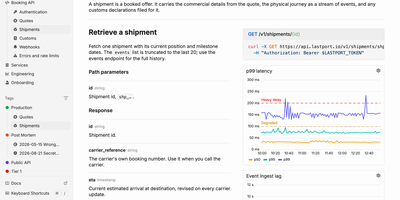
When an alert fires at 3 a.m., the live chart, the runbook, and the fix are already on one page of Oxynote, a self-hosted technical wiki. The chart is a Live Metrics block that runs its own Prometheus or SQL query and draws a time series, bar chart, or gauge. Several such blocks side by side make a dashboard inside the page. Around it, the editor works like Notion, with checklists, callouts, titled code blocks, Mermaid diagrams, Figma embeds, images, and files. Internal APIs get Stripe-style reference pages with the endpoint, a curl example, and a sample response beside the explanation. Mark a page reviewable and every edit lands in a draft. A block-aware diff shows renamed endpoints, fields, and reworded sentences in one red and green view until a reviewer approves. Freshness hooks watch GitHub files, container images, web pages, or dates, and remind maintainers when something a page depends on changes. Teammates edit together live and see who holds which block. Comments attach to a word, a diagram line, or a whole chart, with replies and an inbox for mentions. The Rubber Duck assistant edits pages and runs block queries with Anthropic, OpenAI, Google, OpenRouter, or a local Ollama model, and MCP lets Claude Code and Codex read and write the docs. Running on a dedicated VPS on RepoCloud with guaranteed CPU, RAM, and SSD, full root SSH access, and a browser serial console. Apache-2.0 licensed.
Sage Wiki
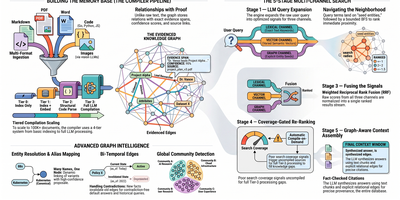
Sage Wiki turns a pile of unstructured documents into a fully interlinked, searchable wiki by running them through a five-pass LLM compiler pipeline. Inspired by Andrej Karpathy's vision of LLM-compiled knowledge bases, the pipeline processes source files through diff detection, summarization, concept extraction, image captioning, and cross-reference discovery, with parallel LLM calls and checkpoint/resume for vaults scaling to 100,000+ documents. The typed ontology graph stores entities and relations with BFS traversal, configurable relation types, multilingual synonyms, and a promotion/demotion lifecycle backed by grounding verification and consensus scoring. Multi-format ingestion handles Markdown, PDF, Word, Excel, PowerPoint, EPUB, email, CSV, images, and code files without manual tagging. LLM provider support spans Anthropic, OpenAI, Gemini, Ollama, and any OpenAI-compatible API, with per-pass model routing enabling cost optimization by assigning cheaper models to simpler tasks. The built-in MCP server exposes 17 tools over SSE transport for integration with Claude, Cursor, and any MCP-compatible agent, while native Obsidian vault overlay ensures existing note workflows remain undisrupted. Team deployment supports Git-synced shared wikis, centralized server access, and hub federation across multiple projects. Ships as a single Go binary with Docker Compose multi-arch images serving the web UI on port 3333. Running on a dedicated VPS on RepoCloud with guaranteed CPU, RAM, and SSD, full root SSH access, and a browser serial console. MIT licensed.
Wiki-Go
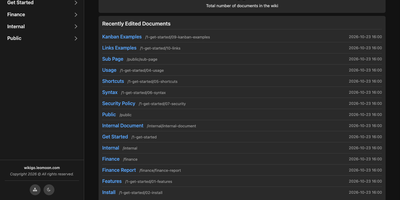
Wiki-Go turns a folder of Markdown files into a searchable team wiki with page history, comments, and access rules, and never asks you to run a database. Pages live in a nested tree with a sidebar and breadcrumbs, and an editor with a preview toggle handles emoji shortcodes, highlighted code, LaTeX math, Mermaid diagrams, collapsible sections, GitHub-style alerts, and embedded YouTube, Vimeo, or MP4 video. Full-text search supports exact phrases in quotes and term inclusion or exclusion, and highlights each match. Each save keeps a revision, up to a configurable limit, and any stored version can be restored later. Attachments such as PDFs, spreadsheets, images, and archives sit beside the page they belong to. Drop a Kanban board into any document for drag-and-drop task tracking with nested tasks, or build a categorized link library that fills in page metadata automatically. Signed-in users comment in Markdown, and admins can remove comments. Admin, editor, and viewer roles, user groups, path-based public or private rules, and an optional private-wiki mode decide who sees what. Branding comes from a custom logo, banner, and favicon, shortcodes such as stats insert live site statistics, and readers can switch between dark and light themes or print any page. A REST API opens content to scripts, and a community tool imports Notion exports. Running on a dedicated VPS on RepoCloud with guaranteed CPU, RAM, and SSD, full root SSH access, and a browser serial console. GPL-3.0 licensed.
TriliumNext
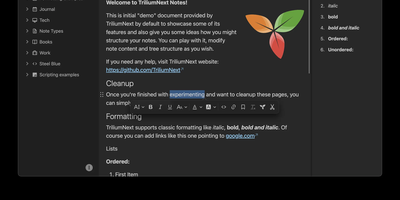
TriliumNext organizes notes in an infinitely deep tree where any single note can be cloned into multiple branches without duplication, building personal knowledge bases that mirror how ideas actually connect rather than forcing a single rigid folder hierarchy. Carrying forward the original Trilium project under active community stewardship with nearly 37,000 GitHub stars, the application is built on TypeScript with a CKEditor 5 WYSIWYG editor supporting rich text, tables, images, KaTeX math expressions, Mermaid diagrams, Excalidraw canvases, mind maps, spreadsheets with XLSX and CSV import/export, and code blocks with full syntax highlighting. A built-in JavaScript scripting engine runs on both frontend and backend, enabling custom widgets, automated workflows, scheduled tasks, and direct interaction with external REST services through a typed Script API. Full-text and fuzzy search with attribute-based queries locates any note instantly across databases tested at over 100,000 notes without performance degradation. The v0.104 release introduced importers for OneNote, Notion, Google Keep, Anytype, and Obsidian alongside 16 dedicated security fixes. Per-note AES encryption, OpenID Connect authentication, and TOTP two-factor protection safeguard sensitive content. The sync server keeps desktop clients, the progressive web app, and mobile devices in lockstep with zero third-party cloud dependency. Web Clipper captures content directly from browsers. Running on a dedicated VPS on RepoCloud with guaranteed CPU, RAM, and SSD, full root SSH access, and a browser serial console. AGPL-3.0 licensed.
SoftJL
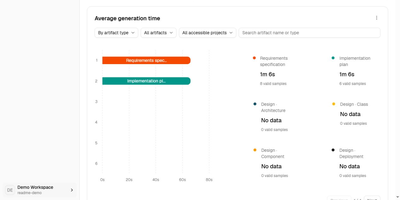
SoftJL turns a system description into the UML diagrams, test cases, and Word specifications a software project is supposed to produce, and keeps every artifact traceable back to the requirement it came from. Describe your system in chat and confirm the extracted requirement rules, then work through feasibility analysis with system context, business and system flows, and implementation options weighed by cost, benefit, and risk. From the confirmed rules it builds requirement and design models: functional structure, use cases, domain concepts, architecture, design classes, database and deployment diagrams, all editable as PlantUML with SVG export. Tests follow the same thread, with normal, exceptional, and boundary cases mapped to requirement rules in coverage and traceability matrices that show exactly which requirements lack design or test support before you submit. When a requirement changes, dependencies and update status point at the models, tests, and documents that need review, instead of leaving you to rediscover them by hand. Specifications generate from the saved models as versioned, editable DOCX files, a feasibility report, a requirements specification, and a design description, ready to compare against the diagrams and revise. An optional read-only MCP endpoint lets a coding agent read your designs and acceptance criteria, and the whole workspace runs on your own OpenAI-compatible model service. Running on a dedicated VPS on RepoCloud with guaranteed CPU, RAM, and SSD, full root SSH access, and a browser serial console. Apache-2.0 licensed.
Documize
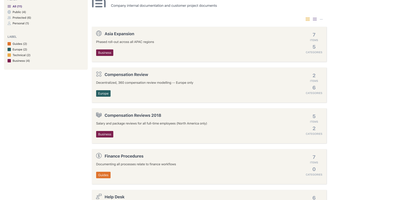
Enterprise documentation discipline without enterprise infrastructure: Documize Community is the Confluence alternative built on exactly that trade. The entire platform - Go backend, Ember.js frontend - compiles to a single executable binary for Linux, Windows, and macOS with zero runtime dependencies: no Elasticsearch, no Redis, no JVM. Point it at PostgreSQL, MySQL, MariaDB, Percona, or Microsoft SQL Server (rare in open source, decisive in Microsoft shops), and schema migrations run on launch with native full-text search on whichever engine you chose. Content organization rejects nested-folder sprawl for Spaces, categories, and labels, and the section-based composable editor mixes rich text, Markdown, code blocks, PDFs, diagrams, and embedded Jira or Trello content in one document, with reusable blocks and templates so teams start from standards rather than blank pages. It deliberately unifies internal team docs and customer-facing documentation in one system with granular space-, document-, and action-level permissions deciding who sees what. Where wikis stop, Documize continues: content approval workflows (draft, review, approve, publish), version management, lifecycle control, feedback capture, PDF export, analytics showing what gets read and ignored, activity streams, and audit logs. Keycloak, LDAP, and SSO integrate for enterprise auth. AGPL-licensed.
Lalabase
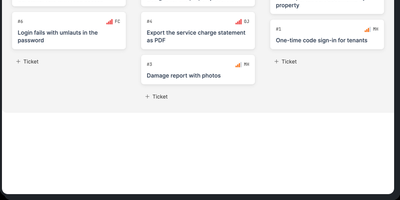
Lalabase is project management built for developers who work with clients, putting tickets, time tracking, documentation, and meetings in one workspace instead of five separate tools. Each client gets an organisation with its own projects and its own access, and roles decide exactly what clients can see. Tasks run as a list or a board with the statuses, priorities, and fields you define per project, rather than the workflow a vendor chose for you. Time tracking records several sessions per ticket, each billable on its own, with exports that go straight into the invoice. Documentation lives beside the work: notes and documents sit in the project, and a folder in your GitHub or GitLab repository becomes the project's docs automatically. Meetings keep their transcript, an AI summary, and the tasks that follow from what was actually said. When you need an answer, the AI assistant takes one question across tickets, comments, documents, hours, and meetings, and it cites the ticket, page, or conversation every answer came from. It even reads your repository's indexed code structurally, so questions about what is implemented get answered against the code. The assistant stays off until you enable it with your own provider key or a model in your own network. An MCP server and REST API let your own agents list, create, and update tickets, comment, and log time. Running on a dedicated VPS on RepoCloud with guaranteed CPU, RAM, and SSD, full root SSH access, and a browser serial console. AGPL-3.0 licensed.
Gollum
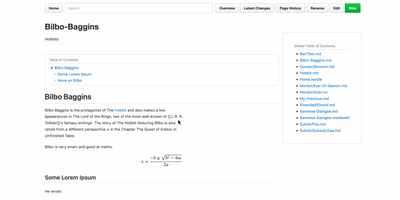
Every wiki page lives as a plain-text file in a standard Git repository, giving you full version history, branching, merging, and the freedom to edit with any text editor or IDE alongside the web interface. Originally built by GitHub's founders as the engine behind GitHub's own wiki feature, Gollum supports Markdown, AsciiDoc, reStructuredText, Org-mode, Textile, MediaWiki, Creole, and Pod markup formats with live preview rendering as you type. PlantUML and Mermaid diagrams render inline for architecture documentation, MathJax handles mathematical notation, and BibTeX integration via Pandoc provides academic citation management. YAML frontmatter controls per-page sidebars, headers, footers, and table of contents generation. CriticMarkup annotations enable editorial review workflows with tracked insertions, deletions, substitutions, and comments. Macros extend pages with dynamic content injection, file includes, and navigation helpers. The wiki maintains compatibility with GitHub and GitLab wiki repositories, so teams can clone existing platform wikis for local editing and offline access. The official Docker image at gollumwiki/gollum exposes port 4567 with volume-mounted repositories, requiring roughly 170 MB of container storage and minimal RAM. Authentication integrates via OmniAuth supporting GitHub, GitLab, Google, and other OAuth providers. Over 14,300 stars on GitHub since 2009. MIT licensed.
Dokuwiki
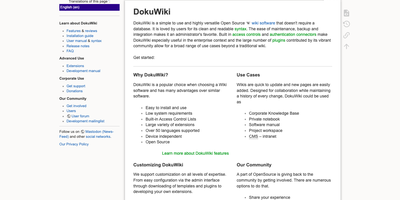
Every page in a DokuWiki knowledge base is just a plain text file on disk, so a team wiki can run for years on modest hardware with no database to feed, ever. Writers edit pages in a clean, readable syntax, fix just one section of a long document at a time, and lean on the toolbar, breadcrumbs, automatic tables of contents, and conflict locking to keep collaboration painless. Every change is kept as a revision with colored side-by-side diffs, recent-changes feeds go out over RSS, and an index-based full-text search finds content across thousands of pages in milliseconds. Namespaces organize content into a browsable tree, while built-in access control lists decide per page or per branch who may read, edit, upload, or administer, with logins checked against LDAP and other backends. Media uploads embed straight into pages, configuration happens in the browser, and the whole installation backs up by copying a folder, which makes migrations and disaster recovery almost boringly simple. When the basics stop being enough, more than twelve hundred community plugins and a hundred templates add galleries, multilingual structures, diagrams, and data tables without changing how the wiki itself works. Running on a dedicated VPS on RepoCloud with guaranteed CPU, RAM, and SSD, full root SSH access, and a browser serial console. GPL-2.0 licensed.
OpenDeepWiki
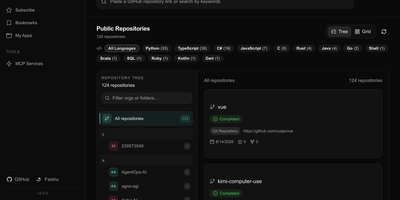
OpenDeepWiki transforms code repositories from GitHub, GitLab, Gitee, Gitea, and AtomGit into structured, searchable knowledge bases by leveraging Microsoft's Semantic Kernel for AI orchestration across OpenAI, Azure OpenAI, Anthropic, and DeepSeek providers. The three-phase Gather-Think-Write pipeline analyzes repository tree structures, generates README summaries, project overviews, wiki catalogs, and document content while producing Mermaid mind maps and optional Graphify visualization artifacts. Repository-scoped MCP endpoints at /api/mcp/{owner}/{repo} expose indexed knowledge to external AI tools, while the built-in chat assistant, embedded chat APIs, and share links provide conversational access to repository understanding. The Next.js 16 frontend serves public documentation on SEO-friendly routes with multi-language translation support, and the admin console manages repositories, users, roles, API keys, AI provider and model configuration, skills, and GitHub App imports. Background workers handle incremental updates using LibGit2Sharp to keep documentation synchronized with evolving codebases, while Polly integration provides transient failure retry handling for LLM requests. The platform supports SQLite, PostgreSQL, and MySQL database backends with Entity Framework Core providers. Running on a dedicated VPS on RepoCloud with guaranteed CPU, RAM, and SSD, full root SSH access, and a browser serial console. MIT licensed.
Otter Wiki
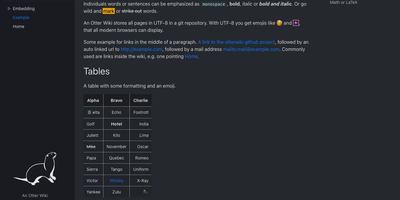
Every page in Otter Wiki is a plain Markdown file and every save is a git commit, so a small team gets a simple wiki whose history never goes missing. The editor highlights Markdown as you type, offers a toolbar for headings, lists, tables, code, alerts, and images, and can show a live preview beside the source. Paste or drop an image into the editor and it is stored as a page attachment. History, blame, and changelog views, with RSS and Atom feeds, show who changed what and when. Beyond standard Markdown you get footnotes, task lists, math formulas, Mermaid diagrams, alert boxes, and spoiler or folded blocks, plus experimental embeddings such as sortable data tables, info boxes, image frames, videos, and included pages. A customizable sidebar shows a menu, a page index, or both. Search offers case-sensitive and regular expression options. Dark mode is built in. Admins decide whether anonymous visitors, registered users, or approved users may read, write, or upload, grant rights per user, close registration, or require email confirmation. An optional, experimental git web server lets people clone, pull, and push the wiki, and changes can be pushed to or pulled from a remote repository over SSH. Running on a dedicated VPS on RepoCloud with guaranteed CPU, RAM, and SSD, full root SSH access, and a browser serial console. MIT licensed.
Trilium Notes
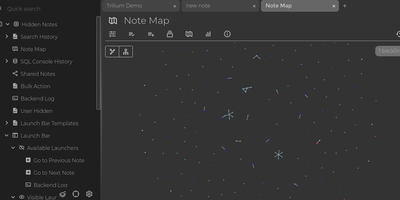
For people whose notes number in the tens of thousands, Trilium Notes is the hierarchical note-taking application built specifically for large personal knowledge bases - actively maintained as TriliumNext. Notes arrange into arbitrarily deep trees where every note is both content and container, and cloning lets a single note live in multiple places at once - bash notes belong under both Linux and Scripting, and Trilium refuses to make you choose. A WYSIWYG editor handles rich text, tables, math, and syntax-highlighted code blocks with Markdown-style shortcuts, while dedicated note types cover Excalidraw sketches, mind maps, geo maps with GPX tracks, relation maps that visualize connections between notes, and tables with typed columns. The attribute system is the power layer: labels attach queryable metadata (#year=1999, #author), relations create named links between notes, and both inherit down the tree - feeding full-text search, saved queries, and scripting. Scripting is Trilium's deepest differentiator: JavaScript code notes run on events like note changes or hourly schedules, build custom widgets, and add server-side logic, turning the knowledge base into a programmable platform. Protected notes encrypt sensitive content, note hoisting focuses on subtrees, and the self-hosted server syncs desktop clients across devices.
docat
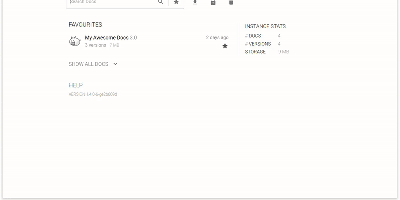
Hosting finished documentation for many projects at once, Docat leaves every uploaded version online for the readers still on version 2. Zip the static HTML that MkDocs, Sphinx, or mdBook produced. Send it to a project and version with curl or the docatl command line client. Tag the newest build as latest, and links get a stable address. Readers land on a home page that opens on starred favourites. A search box narrows the list, and its queries can be shared as links. Instance statistics report documents, versions, and storage. Inside any docs page, a version dropdown with a latest label moves between releases. Uploads are open at first. Claim a project and it returns a token that must accompany every later version upload or deletion. The same token hides versions from the dropdown and from search, and each project can carry its own icon. Operators can mount a small config file for custom header and footer HTML, raise the 100 MB default archive limit with an environment variable, and put nginx basic authentication in front of the write endpoints. Swagger UI and ReDoc pages at /api/docs and /api/redoc document the HTTP API for pipeline authors. Running on a dedicated VPS on RepoCloud with guaranteed CPU, RAM, and SSD, full root SSH access, and a browser serial console. MIT licensed.
Answer
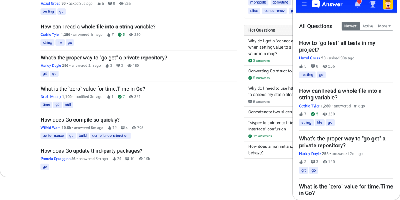
Run a Stack Overflow of your own: Apache Answer brings the question-and-answer format in-house, maintained under the Apache Software Foundation with an Apache-2.0 license. You use it to run a community forum, product help center, or internal knowledge base where content lives as questions and answers rather than wiki pages. It ships the mechanics that make that format work: voting, accepted answers, a reputation system with privilege levels, tagging, full-text search with filters, revision history on every edit, and admin/moderator/user roles. Content is written in Markdown with real-time preview and code syntax highlighting. A plugin system covers OAuth login (Google, GitHub), S3 storage, external search backends like Algolia, and Akismet anti-spam, and a REST API exposes platform data for integration. The backend is Go, the frontend React, and it runs against SQLite, MySQL, or PostgreSQL. Self-hosting replaces per-seat tools like Stack Overflow for Teams with a flat-cost instance where you own all the content.
asciinema Server
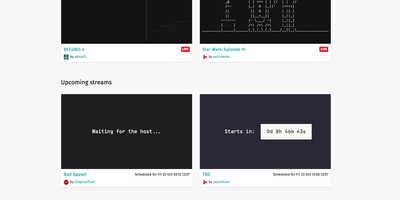
asciinema server gives terminal recordings and live streams a home on your own domain, stored as lightweight, searchable text instead of heavy video files. Demos, tutorials, and incident replays recorded with the asciinema CLI upload in the asciicast format and play back in an integrated web player with configurable terminal themes and font families. Live streams broadcast a running session to viewers in their browsers, which suits workshops, pair debugging, and open office hours. Search spans titles, descriptions, and the terminal output itself, so a command typed months ago is easy to find. Every recording or stream is private, unlisted, or public, secret links make sharing simple, and titles and Markdown descriptions stay editable after upload. Players embed in documentation pages, an SVG preview image links back to the recording, and transcripts download as plain .txt files. No tracking, no advertising. Sign-in uses emailed login links, which a single-user instance can read straight from the server log. An HTTP API creates, updates, and deletes recordings and streams, and an optional audio track can accompany either one. Running on a dedicated VPS on RepoCloud with guaranteed CPU, RAM, and SSD, full root SSH access, and a browser serial console. Apache-2.0 licensed.