Tagr
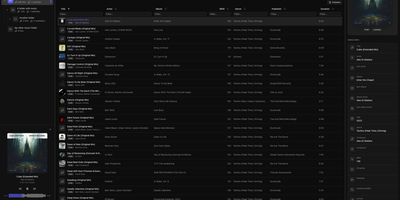
When a music library is full of wrong tags, missing covers, and blank ratings, Tagr lets you fix the whole collection from any browser, on desktop or phone. Three roles divide the work on your own server. Admins mount a music folder, press scan, and get a searchable table of every track, with sortable and filterable columns, more than 40 editable fields, and room for custom tags. Taggers make the changes: edit fields inline, swap album art, and match one song or a whole selection against MusicBrainz, ticking which fields to overwrite. Mistakes are cheap, because every edit is stored in a persistent change history with a revert action, viewable per song or per folder. Rule-based smart playlists, such as every track with an empty comment, show what still needs attention. Listeners browse and play without edit rights, using the waveform player, a Recently played view, and optional ListenBrainz scrobbling that each person connects to their own account. Supported formats include MP3, FLAC, WAV, AAC, OGG, M4A, M4B, WMA, AIFF, and Opus, with changes written straight back into the files. Swipe-friendly panels, an installable PWA, and five interface languages make the phone a comfortable place to work. Running on a dedicated VPS on RepoCloud with guaranteed CPU, RAM, and SSD, full root SSH access, and a browser serial console. AGPL-3.0 licensed.
Instatic
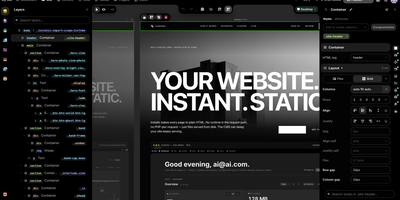
Design a website on a canvas, manage its content in spreadsheet-style tables, and publish plain HTML, all from one self-hosted Instatic server. Designers see several breakpoint frames side by side, or switch to live mode and edit one full-size page in place. A built-in design system expands one brand color into a full shade scale, generates fluid type and spacing scales, and writes the utility classes into a single small stylesheet. Reusable Visual Components take typed parameters and named slots, templates set site-wide or per-post-type layouts, and loops repeat a design over posts or media. Editors work in custom post types and data tables, and posts move through draft, scheduled, and published states. Forms on the site save their submissions to tables of your own. An AI agent can do the building, placing real, editable nodes on the canvas using Claude, OpenAI, OpenRouter, or Ollama with your own key, and an MCP connector lets Claude, ChatGPT, and other remote agents work on the site too. Super Import converts a whole static site into pages, styles, tokens, and media. Teams get roles built from 38 capabilities, TOTP two-factor sign-in, and an append-only audit log, plus site branches with private copies, shareable preview links, and merge review. Everything published is baked to plain HTML and CSS on disk. Running on a dedicated VPS on RepoCloud with guaranteed CPU, RAM, and SSD, full root SSH access, and a browser serial console. MIT licensed.

Doory
Design posters, social posts, presentations, invitations, resumes, thumbnails, and business cards in your browser with Doory, a self-hosted design editor that keeps your files, fonts, and brand assets on your own server. Start from one of ten starter templates or a blank canvas, then place text, shapes, lines, arrows, emoji, stickers, QR codes, and roughly 27,500 built-in icons anywhere on the page. Photo tools cover cropping, masks, filters, in-browser background removal, and 2x to 4x image upscaling, with stock photo search through Unsplash or Pexels. Layers can be renamed, locked, hidden, grouped, and reordered, while guides, snapping, rulers, per-page sizes, and format resizing keep multi-page designs tidy. Animations add 27 enter and exit effects, 12 emphasis motions, and 16 page transitions, plus Creative Commons music loops and sound effects, so decks can be presented live with speaker notes or exported as MP4, WebM, or GIF. Share links grant view, comment, or edit access with an optional password, and collaborators can pin comments, co-edit in real time, and roll back through version history. Brand kits store your colors, fonts, and logos so recurring posts stay on-brand, and exports cover PNG, JPG, SVG, and print-ready PDF with bleed and crop marks. An optional MCP server lets AI assistants create and fill designs from prompts, including bulk template filling from spreadsheet-style rows. Running on a dedicated VPS on RepoCloud with guaranteed CPU, RAM, and SSD, full root SSH access, and a browser serial console. Attribution Assurance License licensed.
Wiki-Go
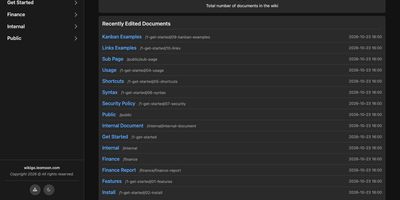
Wiki-Go turns a folder of Markdown files into a searchable team wiki with page history, comments, and access rules, and never asks you to run a database. Pages live in a nested tree with a sidebar and breadcrumbs, and an editor with a preview toggle handles emoji shortcodes, highlighted code, LaTeX math, Mermaid diagrams, collapsible sections, GitHub-style alerts, and embedded YouTube, Vimeo, or MP4 video. Full-text search supports exact phrases in quotes and term inclusion or exclusion, and highlights each match. Each save keeps a revision, up to a configurable limit, and any stored version can be restored later. Attachments such as PDFs, spreadsheets, images, and archives sit beside the page they belong to. Drop a Kanban board into any document for drag-and-drop task tracking with nested tasks, or build a categorized link library that fills in page metadata automatically. Signed-in users comment in Markdown, and admins can remove comments. Admin, editor, and viewer roles, user groups, path-based public or private rules, and an optional private-wiki mode decide who sees what. Branding comes from a custom logo, banner, and favicon, shortcodes such as stats insert live site statistics, and readers can switch between dark and light themes or print any page. A REST API opens content to scripts, and a community tool imports Notion exports. Running on a dedicated VPS on RepoCloud with guaranteed CPU, RAM, and SSD, full root SSH access, and a browser serial console. GPL-3.0 licensed.
Codel
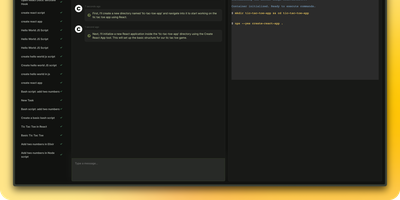
Meet your new digital sidekick, the Fully Autonomous AI Agent! This isn't just any AI; it's like having a superhero in your terminal, browser, and editor. Ready to tackle complex tasks and projects with a single command, this AI Agent is your go-to for making tech magic happen. And with RepoCloud, you're not just saving on costs, you're also joining a league of extraordinary users harnessing the power of open-source collaboration. Get ready to elevate your productivity to legendary levels!
pgAdmin
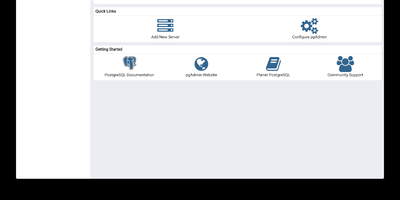
pgAdmin 4 is the reference administration GUI for PostgreSQL, bundled by virtually every Linux distribution and supporting versions 14 through 18 including EDB Advanced Server — browse schemas in a hierarchical tree, write and optimize queries with AI assistance, design entity-relationship diagrams visually, monitor live sessions, and run backup/restore operations entirely from the browser. Built on Python Flask with a ReactJS frontend, version 9.17 delivers a comprehensive web-based platform accessible from any device. The Query Tool provides syntax highlighting, auto-completion, query history, an EXPLAIN plan visualizer with graphical node representation, AI-powered SQL generation from natural language prompts, and AI Insights for execution plan analysis that identifies performance bottlenecks. The Graph Visualiser renders query results as line charts, bar charts, stacked charts, and pie charts directly in the interface. The ERD Tool auto-generates entity-relationship diagrams from existing schemas for visual database design. The Schema Browser presents databases, schemas, tables, views, functions, sequences, roles, and extensions in a navigable hierarchy. Server monitoring dashboards display real-time active sessions, locks, transaction throughput, and vacuum status. GUI-driven backup and restore wraps pg_dump and pg_restore with format and compression options. Authentication supports internal, LDAP, Kerberos, OAuth2/OIDC, and webserver modes. The Helm chart includes an HTTPRoute template for Kubernetes Gateway API deployments. Bundled pg_dump, pg_restore, and psql utilities version 18.4. Deploy via Docker with the official dpage/pgadmin4 image. Running on a dedicated VPS on RepoCloud with guaranteed CPU, RAM, and SSD, full root SSH access, and a browser serial console. PostgreSQL License.
Canvix
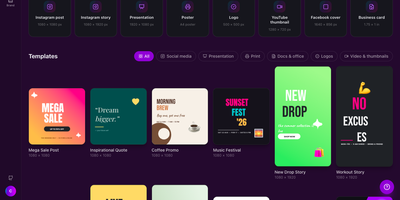
Canvix is a self-hosted design studio that lets anyone create social posts, presentations, posters, logos, and thumbnails in the browser with a drag-and-drop editor, 110 ready-made templates, and exports with no watermarks. You start from a template sized for the platform you are publishing to, then drag in shapes, lines, stickers, and your own images, moving, resizing, and rotating everything directly on the canvas. Text gets proper typography controls, with bundled fonts, styles, spacing, alignment, and curved text that arcs across the design. Layers can be reordered and locked while smart guides snap elements into alignment, and a full undo history plus autosave means a closed tab never costs you the work. Finished designs export as PNG, JPG, SVG, PDF, or video at up to three times resolution, ready to publish anywhere. Free accounts keep each person's designs private to them, while share links open a design for anyone to view or continue editing. Version snapshots let you roll a design back when an experiment goes wrong. The AI tools, magic edit, magic write, background removal, and translation, run against your own API keys, so nothing is metered. An optional MCP endpoint even lets AI assistants create and edit designs for you. Running on a dedicated VPS on RepoCloud with guaranteed CPU, RAM, and SSD, full root SSH access, and a browser serial console. MIT licensed.
TeXlyre
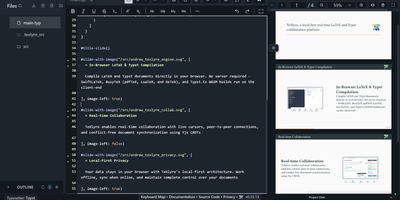
In TeXlyre, two coauthors edit the same LaTeX or Typst file at once, and the PDF compiles inside the browser tab instead of on someone else's server. Start from a template: arXiv preprint, IEEE paper, Tufte book, Beamer deck. pdfTeX, XeTeX, and LuaTeX compile with BibTeX and Biber. Errors turn into readable cards that jump to the failing line. Live cursors show who is typing where. A shared link brings coauthors in, no accounts needed. Chat sits beside the editor, and comments can be discussed and resolved. Tracked insertions and deletions land in a review panel to accept or reject. Draw.io and TikZ editors open inside the project for shared diagrams. MathLive edits a formula under the cursor with a virtual keyboard. A bibliography panel tidies BibTeX, matches DOIs, and imports from Zotero and OpenAlex. Large files travel straight from one collaborator's browser to another. Projects export as ZIP, sync to a local folder, or back up to GitHub, GitLab, Gitea, and Codeberg. Vim, Emacs, and Helix keybindings are one setting away. The app installs as a progressive web app and works offline. Language servers like LTeX LS Plus, Harper, and Tinymist plug in through recipes beside your own signaling and TeX Live package servers. Running on a dedicated VPS on RepoCloud with guaranteed CPU, RAM, and SSD, full root SSH access, and a browser serial console. AGPL-3.0 licensed.
Infinite Canvas
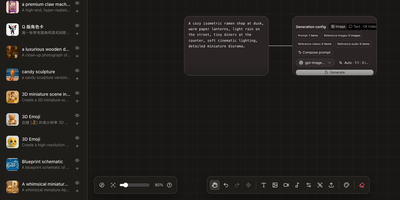
Instead of juggling a chat window, a folder of reference images, and a notebook of half-remembered prompts, Infinite Canvas puts the whole image-making process on one zoomable board. Drop in text, image, video, and generation-settings nodes, then wire them together so every result stays connected to the prompt and references behind it. Add one or several OpenAI-compatible endpoints, choose default text, image, and video models, and set image count, aspect ratio, quality, and transparent backgrounds per node. Batch results arrive as linked nodes that remember their prompt, model, and dimensions, so any of them can be retried later with the same settings. A prompt library searches seven built-in sources plus your own JSON sources and inserts the winner straight onto the board. An asset shelf keeps reusable images, clips, and audio within reach. Projects can be duplicated, exported, and synced between devices over WebDAV. Want a helper? A local Canvas Agent lets Codex read the active board and edit it through MCP, with approvals and permissions shown in a side panel. Plugins add node types, inspectors, and toolbar actions. Running on a dedicated VPS on RepoCloud with guaranteed CPU, RAM, and SSD, full root SSH access, and a browser serial console. MIT licensed.
uMap
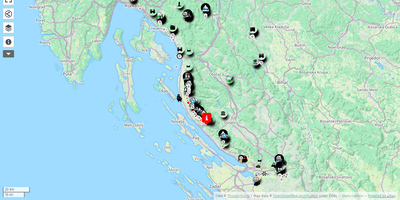
uMap turns OpenStreetMap into a personal mapmaking canvas: draw markers, lines and polygons in the browser, layer your own data over detailed street maps, and embed the finished map in any website. Each map is built from data layers you can style independently, choosing marker shapes, colors, icons and popups that show names, descriptions, photos or videos when clicked. You can sketch points of interest by hand or batch import whole datasets in GeoJSON, GPX, KML or OSM format, then let clustering group dense markers or a heatmap reveal where things concentrate. Backgrounds come from a choice of OpenStreetMap based tile layers, so the same map can sit on a street plan or a cycling map depending on the audience. Finished maps embed with a snippet of HTML, stay interactive inside the page, and can be downloaded or shared by link with read only access for viewers. Permissions decide who owns, edits or only views each map, and with real time collaboration switched on, several editors can draw on the same map simultaneously and watch each other's changes appear live. A slideshow mode turns layers into a guided story, stepping viewers through places in order with text and media attached to each stop. Running on a dedicated VPS on RepoCloud with guaranteed CPU, RAM, and SSD, full root SSH access, and a browser serial console. AGPL-3.0 licensed.
PdfDing
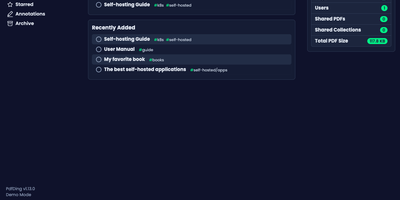
PdfDing turns a scattered folder of PDFs into a proper library you can read, annotate, sign, and share from any browser. The viewer remembers exactly where you stopped in every document, so a manual opened on your desktop resumes mid-page on your phone, and progress bars in the library show how far you have read at a glance. Workspaces and collections group related documents, multi-level tags classify them, and starring, archiving, and bulk actions keep even a large archive tidy. Inside the viewer you can add text, highlights, and freehand drawings, then review and export your highlights and comments from dedicated sections and attach Markdown notes to a document. A signature you create once is stored on your server and waits for you on every device, ready to drop onto contracts and forms. Sharing a collection or a single PDF takes a link or a QR code, with optional access control over who can open it and for how long. Accounts are protected by OIDC single sign-on and two-factor authentication with TOTP or WebAuthn, and dark mode, an inverted color mode, and multiple layouts keep long reading sessions comfortable. Running on a dedicated VPS on RepoCloud with guaranteed CPU, RAM, and SSD, full root SSH access, and a browser serial console. AGPL-3.0 licensed.
Tiny File Manager
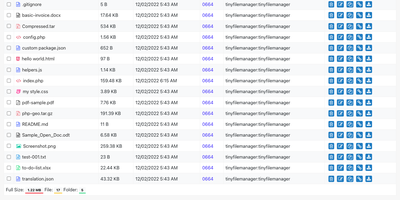
Browse, upload, edit, preview, and archive the files on your server from any web browser, with no FTP client, no shell session, and no database to set up. Tiny File Manager lists every folder in a sortable table showing size, modified date, permissions, and owner, with a search box that filters as you type. Drag files into the upload zone, send several at once, or paste a URL for the server to fetch. Rename items, select several to copy, move, delete, or pack into a zip or tar archive, and extract uploaded archives on the server. Click any text file to open the built-in editor, which offers syntax highlighting for 150+ languages and 35+ color themes, so quick fixes to configs and scripts happen where the files live. Images, audio, video, and text open in a preview without downloading, and every file has a copyable direct link. Give teammates or clients their own accounts, each locked to a root folder you choose, mark accounts read-only, and limit uploads to approved file extensions. Hide folders you never want listed, restrict access with IP allow and block lists, switch between light and dark themes, pick from 35+ interface languages, and use the responsive layout on a phone. Setup is one file copied to a web server, or one Docker container. Running on a dedicated VPS on RepoCloud with guaranteed CPU, RAM, and SSD, full root SSH access, and a browser serial console. GPL-3.0 licensed.
Marble
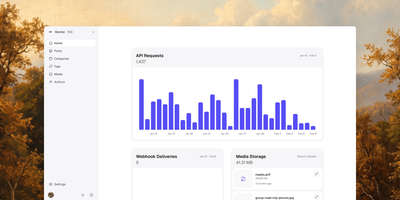
Marble gives your blog, changelog, or product updates a calm editorial home, then hands clean JSON to whatever website you already built. Writers work in a focused rich-text editor with headings, lists, code blocks, images, video, and embeds, while a readability score quietly grades each draft as it grows. Every post carries authors, one category, tags, a cover image, and typed custom fields, so a changelog entry and a long guide can share one predictable structure. Your frontend pulls sanitized HTML or Markdown through the REST API or typed SDK, filtering by category, tag, or search in a single request. Read-only public keys serve published posts safely, while scoped private keys unlock drafts and write access for the tools you trust. Uploads of images, video, audio, and documents land in a media library with alt text and dimensions, ready to embed anywhere. Signed webhooks announce every change to your site, Slack, or Discord with retries and a delivery log, and an MCP server lets AI agents search and draft content too. Running on a dedicated VPS on RepoCloud with guaranteed CPU, RAM, and SSD, full root SSH access, and a browser serial console. AGPL-3.0 licensed.
Pages CMS
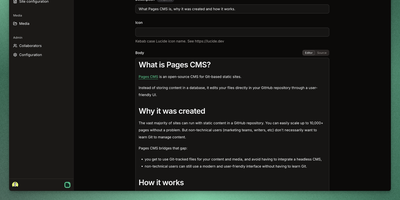
Editors can update a static website without learning Git, because Pages CMS puts a visual editor on top of the repository itself. A single .pages.yml file defines what is editable: collections of Markdown files that share a schema, standalone files such as site settings, and nested groups that organize the sidebar. Fields cover strings, rich text, code, dates, numbers, booleans, selects, images, files, references, objects, and repeatable blocks, with front matter stored as YAML, JSON, or TOML. Plain text files like robots.txt open in a raw editor, redirect files in a code editor, and CSV files as an editable datagrid. Collection lists can be searched, sorted, and shown flat or as a folder tree. The media manager supports drag-and-drop uploads, multi-file selection, allowed extensions, and safe or random renaming. People without GitHub accounts join through email invitations and edit content and media, with their saves committed through the GitHub App. Custom action buttons dispatch GitHub Actions workflows after a confirmation dialog or input form, so one click can rebuild a preview or deploy the site. Commit message templates and a choice of app or user commit identity shape how each save appears in Git history. The responsive interface works on mobile screens, and suits Jekyll, Hugo, Astro, Next.js, Eleventy, VuePress, and similar site generators. Running on a dedicated VPS on RepoCloud with guaranteed CPU, RAM, and SSD, full root SSH access, and a browser serial console. MIT licensed.
Hatchdoor
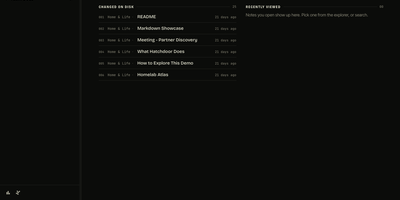
Hatchdoor gives your Markdown notes two front doors at once: a fast web interface for you, and an MCP endpoint where AI agents read and edit the very same vault. Point it at any folder of Markdown files, an existing Obsidian vault included, and it indexes everything into a disposable SQLite read model that rebuilds itself from your files if deleted. In the browser you browse folders, follow wikilinks that survive renames, explore backlinks and graph views, and search by keyword or meaning across every vault you mount. The live editor shows Markdown syntax only on the line you are editing and saves automatically, while concurrency checks refuse a save when the note changed underneath you. Agents connect with their own token and start read-only; turn writes on and Claude Code, Codex, Cursor, or Hermes can create, edit, move, and link notes through the same checked operations the interface uses. Saved queries in Obsidian's Bases syntax render as live tables, attachments preview inline, and optional git integration commits and pushes every change back to your vault's repository. Running on a dedicated VPS on RepoCloud with guaranteed CPU, RAM, and SSD, full root SSH access, and a browser serial console. AGPL-3.0 licensed.