Bazarr
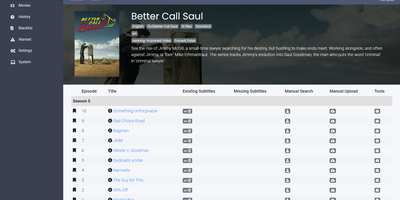
Subtitles are the one chore Sonarr and Radarr leave behind - Bazarr finishes the *arr media stack by automating them. It connects to both via their APIs and mirrors their libraries - it doesn't scan disk itself, it manages exactly what your *arr apps index. For every monitored episode and movie it checks existing internal and external subtitles against your language profiles, then hunts missing ones across dozens of providers - OpenSubtitles.com, Podnapisi, Addic7ed, Subscene, and many regional sources - covering 184 subtitle languages including forced/foreign-dialogue tracks. Matching is smarter than filename guessing: releases are compared by release group and source, some providers support exact file-hash matching, and every downloaded subtitle gets a percentage score. Set a minimum score per Sonarr/Radarr connection and Bazarr rejects weak matches; enable upgrades and it replaces previously downloaded subtitles when better ones surface. Out-of-sync files get fixed too - automatic subtitle synchronization realigns timing after download, triggered only below a configurable score threshold so good subs aren't touched. Per-show and per-movie language configuration, download history, manual on-demand search, and adaptive searching that throttles provider API calls round it out, all behind a clean Sonarr-style web UI written in Python. If your library serves multilingual viewers, this removes the last manual step.
Mealie
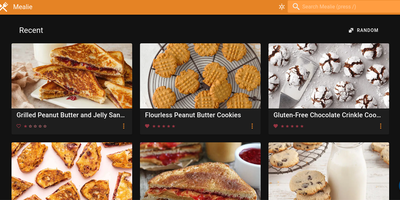
A recipe manager that feels like a consumer product rather than a homelab experiment: Mealie pairs a FastAPI backend with a reactive Vue frontend for the most polished self-hosted meal planning around. The killer feature is the recipe scraper: paste a URL from hundreds of supported cooking sites and Mealie imports the ingredients, steps, times, and photos automatically. Structured HTML/JSON paste, a Markdown-capable manual editor, and imports from other recipe apps (like Tandoor) cover everything else. Meal planning uses a drag-and-drop calendar with breakfast, lunch, dinner, and snack slots, plus rule-based random recipe insertion - constrain the pool by tags or categories per meal type or weekday. Shopping lists link recipes so all ingredients land in one place, organized into supermarket sections, and update in real time for everyone in the household. The multi-tenancy model is genuinely thought through: isolated Groups can host multiple tenants, and Households within a group share recipes and organizers while keeping meal plans and shopping lists private. Cookbooks group recipes by your own criteria, a cooking mode stays readable on a phone propped against the backsplash, and 35+ language translations ship built-in. A fully documented REST API and scheduled webhooks (e.g., today's meal plan to Home Assistant) make it automatable, with SQLite or PostgreSQL storage and automatic backups.
Cinephage
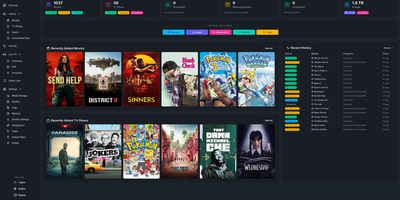
Cinephage puts your movies, series, live TV, subtitles, indexers, and download clients into one self-hosted media command center instead of a stack of separate automation services. Browse and organize libraries from a responsive interface that works on desktop and mobile, with file scanning and metadata matching keeping titles identified correctly. Search across configured indexers, compare releases with quality profiles and custom scoring rules, and send chosen downloads to your client without repeating setup for each media type. Let monitoring tasks watch for missing episodes, upgraded releases, and newly aired content, while the blocklist stops failed releases from coming back. Pull subtitles from multiple providers with language profiles, create dynamic smart lists from list sources or custom queries, and add matching titles automatically. Generate streaming links as .strm files for players such as Jellyfin, Emby, and Kodi, try live TV channels with guide data where configured, and receive library update notifications in your media server. Running on a dedicated VPS on RepoCloud with guaranteed CPU, RAM, and SSD, full root SSH access, and a browser serial console. GPL-3.0 licensed.
Mstream
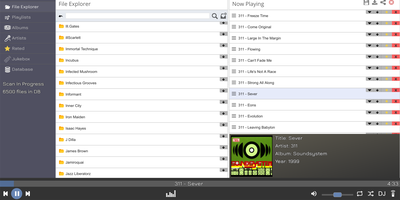
"The easiest music streaming server available" is mStream's own billing, and the claim holds up: a lightweight Node.js app that turns a folder of audio files into a private streaming service in minutes, no external database required. Its filesystem-based design is the clever part - the API mirrors your folder structure, so you can browse and play music immediately, before any library scan finishes, and your organization on disk is your organization in the app. It streams flac, mp3, wav, ogg, opus, aac, and m4a, which matters to the audiophile crowd: FLAC plays uncompressed, bit-perfect, with gapless playback for live albums and continuous mixes. The web player runs anywhere a browser does and packs personality - a Milkdrop-style visualizer (Butterchurn), playlist sharing via links, and drag-and-drop uploads straight through the file explorer. Native iOS and Android apps add the feature streaming subscriptions can't match: sync your collection to your phone for true offline playback of music you own. Multi-user support assigns separate directories and permissions per account. Resource usage is famously light - mStream is tested on multi-terabyte libraries and runs happily on a Raspberry Pi, so a small RepoCloud instance serves a lifetime's collection. GPL-licensed, with zero listening-habit telemetry.
Traefik Manager
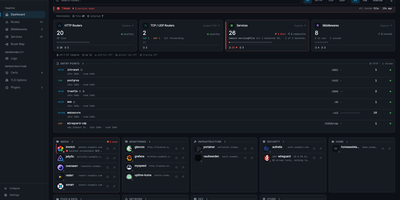
Where Traefik's built-in dashboard only shows what is running, Traefik Manager lets you change it: add routes, middlewares, and services from forms and wizards instead of editing YAML by hand. A first-run wizard connects to the Traefik API, creates a route for the manager itself, and sets the admin password. After that, the dashboard turns every route into a launchable app card with live health, and the Route Map draws each request from entry point through middlewares to backend. New routes use a slide-in form for HTTP, TCP, or UDP with several domains and backends, sticky sessions, and health checks. 30 middleware wizards handle authentication, rate limiting, headers, CORS, and redirects, and weighted, mirroring, or failover services can be built on their own. For day-to-day monitoring, the Certificates tab tracks expiry from acme.json, the Logs tab turns the access log into clickable analytics, the CrowdSec tab lists attacks and bans, and alerts reach Discord, Slack, ntfy, Telegram, and more. Changes to traefik.yml apply with a one-click restart, every edit is backed up locally and can be pushed to a git repository, and a lightweight agent brings remote Traefik servers into the same interface. Sign in with TOTP two-factor or OIDC single sign-on, in any of 14 languages. Running on a dedicated VPS on RepoCloud with guaranteed CPU, RAM, and SSD, full root SSH access, and a browser serial console. GPL-3.0 licensed.

Nowen Video
Nowen Video turns the hard drive of films and series sitting on your NAS into a streaming service your family actually wants to open, posters, seasons, and all. Point it at your media folders and it scans the usual formats, reads streams with FFprobe, and scrapes rich metadata from TMDb, Douban, TheTVDB, Bangumi, and Fanart.tv, recognizing movie, season, and episode naming as it goes. NFO files and external subtitles are honored, filesystem watching keeps the library current, and collections plus episode navigation make a big archive feel curated rather than dumped. Pressing play is where the engineering shows: a server-side planner decides per client whether to direct play, remux, or transcode to HLS on demand, with automatic fallback when the first choice fails. Hardware acceleration through the GPU keeps transcoding cheap, subtitle and speed controls ride along in the player, and a local analysis pass can surface highlight clips from your own footage. Every family member gets favorites, watch history, and continue-watching progress under their own account, while library permissions decide who sees what. An Emby-compatible API even lets clients like Infuse connect as if it were an Emby server. Running on a dedicated VPS on RepoCloud with guaranteed CPU, RAM, and SSD, full root SSH access, and a browser serial console. GPL-3.0 licensed.
Houndarr
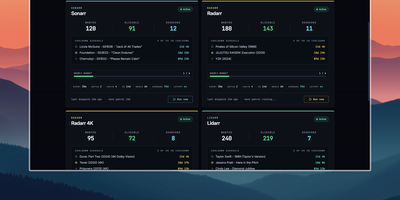
Radarr, Sonarr, and their sibling apps watch RSS feeds for new releases but never go back for what your library is still missing, and Houndarr fills that gap by asking them to search in small, polite batches. It reads the wanted lists of every connected Radarr, Sonarr, Lidarr, Readarr, and Whisparr instance and sends a few search commands per cycle, so a big backlog drains over days instead of arriving as one Search All Missing burst. Each instance has its own batch size, sleep interval, hourly cap, per-item cooldown, and post-release grace period, plus an optional download-queue limit, allowed search windows such as 09:00-23:00, and tag filters that include or exclude items. Three independent passes run per instance: missing items, cutoff-unmet items below your quality profile, and upgrades for files that already meet cutoff, with the last two off until you enable them. Sonarr, Lidarr, and Readarr can search by season, artist, or author, and search order is random or oldest-first. The dashboard shows library health, recent hunts, hourly budgets, and a cooldown schedule per instance, with Run Now buttons for on-demand cycles. The Logs page records every search and skip with its reason in a filterable audit trail that copies as TSV. A key-gated widget endpoint feeds Homepage dashboards, and built-in login or reverse-proxy authentication protects the interface. Running on a dedicated VPS on RepoCloud with guaranteed CPU, RAM, and SSD, full root SSH access, and a browser serial console. AGPL-3.0 licensed.

Halcyon Video
Friday night, 1994: you are standing in the Action aisle deciding what the weekend looks like, except the shelves are stocked with your own library and the store lives in your browser. Halcyon Video rebuilds that ritual in 3D around your Jellyfin, Plex, or Emby server, turning libraries into aisles and genres into signed sections you can walk. Pick a case off the shelf and it comes up in your hand at true rental proportions; flip it over for the synopsis, cast, runtime, ratings, and a technical table read from the actual file. Seasons arrive as box sets, popular titles sit deeper on the shelf, and the clerk behind the counter searches by title, director, or genre and recommends from your catalog and watch history. Carry an armful to the checkout and she bags them in plastic that folds around the cases, receipt and all. A RomM connection opens a games department with platform-correct cartons and clamshells, while Jellyseerr requests appear as discovery cases you can order in-store. Drive it from the couch with a TV remote, gamepad, keyboard, or phone, or let attract mode tour the floor past the ceiling CRTs. Running on a dedicated VPS on RepoCloud with guaranteed CPU, RAM, and SSD, full root SSH access, and a browser serial console. GPL-3.0 licensed.
AutoXpose
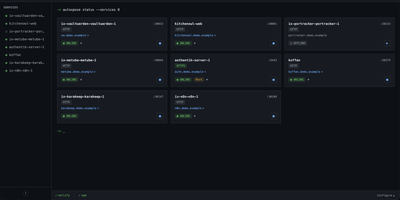
Tag a Docker container with two labels, and AutoXpose turns it into a published service with a DNS record, a reverse proxy route, and HTTPS, without you opening a single provider dashboard. From the web dashboard you connect one of six DNS providers, Cloudflare, Netlify, DigitalOcean, Porkbun, Aliyun, or Tencent DNSPod, and point it at the Nginx Proxy Manager or Caddy instance you already run. It watches your containers continuously after that: a new label creates the record, propagation is verified before the service shows as live, and removing the container removes its public entries too. Auto-expose mode publishes containers the moment they appear, while manual mode stages them in the dashboard for approval first. Color-coded service tags sort what you run into web, database, and media groups at a glance, and dashboard warnings flag misconfigurations before they become broken links. Nginx Proxy Manager access lists attach by label, so an admin panel stays reachable only from the networks you trust. When containers vanish, orphaned cleanup hunts down the stale DNS records and proxy hosts they left behind. Settings and state live inside the same single container, so the publishing pipeline for a homelab or a small fleet stays one compose service you can back up as a unit. Running on a dedicated VPS on RepoCloud with guaranteed CPU, RAM, and SSD, full root SSH access, and a browser serial console. MIT licensed.
HomeHub
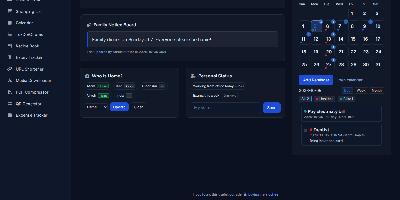
HomeHub gives a household one private page for the everyday coordination that usually scatters across chat threads, fridge notes, and five separate apps. Pin shared notes where everyone sees them, drop files into the shared cloud for the house, and keep one shopping list the whole family edits, with suggestions drawn from what you bought before. Chores become a shared checklist, the calendar holds the dates that matter, and a who's-home view answers the question every family group chat asks in the evening. The expense tracker follows family spending and handles recurring bills like the milk, the newspaper, and subscriptions, while the recipe book and expiry tracker keep the kitchen honest. Small utilities round it out: download media straight to the server, shorten URLs, compress PDFs, generate QR codes, and check the weather without leaving the hub. Every feature toggles on or off in one config file, themes recolor the interface, and there is no account system at all, because the hub trusts your home network instead of a password database. It runs happily on a Raspberry Pi, installs as a PWA on phones, and keeps uploads, media, and data in mounted folders you can back up with any file tool. Running on a dedicated VPS on RepoCloud with guaranteed CPU, RAM, and SSD, full root SSH access, and a browser serial console. MIT licensed.
DumbAssets
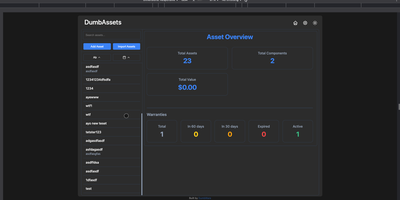
DumbAssets delivers a deliberately simple physical asset tracker that does exactly one thing well — keeping tabs on everything you own, from server racks down to individual HDDs, with hierarchical component nesting that mirrors real-world organization. The Node.js backend stores all data in JSON files within a single /data directory, making backups trivial with one folder copy while the PWA-enabled frontend provides responsive access from any device with light and dark theme persistence. Assets track model numbers, serial numbers, purchase dates, warranty expiration dates, and custom descriptions while sub-components nest infinitely — attach a Dell R730 to your server rack, then attach individual drives, CPUs, and NICs to that server with separate warranty and maintenance schedules for each. The Apprise notification engine fires configurable alerts for warranty expirations and maintenance events with direct links back to the specific asset in the web interface. Photo uploads attach visual records to any asset, receipt storage keeps purchase documentation alongside the item it covers, and a flexible tagging system enables cross-cutting organization beyond the hierarchy. PIN authentication with brute-force protection secures the interface, while search covers names, models, serials, and descriptions with sorting by warranty status, tags, components, or alphabetical order. Deploy with a single Docker command mapping port 3000 and one data volume. Running on a dedicated VPS on RepoCloud with guaranteed CPU, RAM, and SSD, full root SSH access, and a browser serial console. GPL v3 licensed.
PayMe
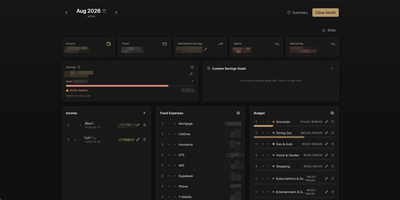
PayMe is a privacy-first personal finance dashboard that runs entirely on your own hardware with zero third-party service dependencies. The Rust backend compiled to a single binary serves a React 19 frontend built with Vite, TypeScript, and Tailwind CSS 4, storing all financial data in a local SQLite database that auto-migrates on startup. Monthly dashboards track income entries, fixed expenses like mortgage and utilities, and budget categories with real-time progress bars showing spending against configurable limits. The savings module includes goal tracking with percentage-based progress indicators, custom savings goals for targeted objectives, retirement savings projections with breakdown analysis, and projected savings calculations. Variance analysis compares actual spending against budgets across categories. Drag-and-drop reordering powered by dnd-kit lets you arrange income sources, expenses, and budget items to match your workflow. The interactive charts rendered by Recharts visualize spending trends, income patterns, and savings trajectories. Month-by-month navigation tracks financial history over time, while the Summary and Stats views aggregate data across periods. JWT-based authentication secures access, and the full OpenAPI Swagger documentation at the /swagger-ui endpoint exposes every API route for automation and integration. Docker Compose deployment creates a minimal image with the compiled Rust binary and static frontend assets, running on port 3001 behind nginx, Caddy, or Traefik reverse proxy with HTTPS. On RepoCloud, deploy PayMe on a dedicated VPS with persistent SQLite storage, root SSH access, and complete privacy over your household financial data, all under the MIT license.
Lab Dash
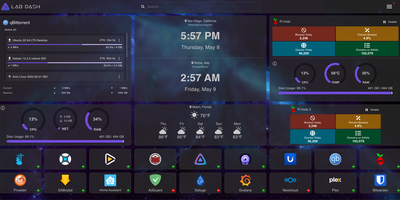
Every homelab deserves a control center that looks as good as the services it manages. Lab Dash gives you a customizable, drag-and-drop dashboard where every tile earns its spot. Add shortcut widgets linking to your Plex, Grafana, Nextcloud, or any service with automatic health check indicators showing green or red status at a glance. The system monitoring widget displays real-time CPU usage, memory consumption, network throughput, disk utilization, and temperature readings by mounting the host /sys directory as a read-only volume. Integrate Pi-hole stats, qBittorrent download progress, and media server widgets for Jellyfin, Plex, or Emby directly on your grid. Multiple pages let you organize services by category, and the search bar finds any tile instantly. Customize the background image from a local upload or URL, set a custom title and tab name, and choose your preferred search provider including self-hosted options like SearXNG. All sensitive configuration data is encrypted locally with AES-256-CBC, and only administrator accounts can modify the layout. Install Lab Dash as a Progressive Web App on desktop, phone, or tablet for a native app experience with offline capability. Configurations export as backup files for easy migration between instances. On RepoCloud, deploy Lab Dash on a dedicated VPS with root SSH access and Docker socket connectivity under the GPL-3.0 license.
Nimbus
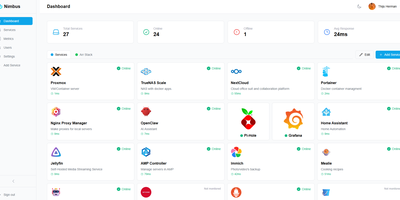
Nimbus is a self-hosted homelab dashboard that turns your scattered pile of services into a polished, organized command center with real-time health monitoring for every endpoint you care about. The dashboard displays live status cards for each registered service, tracking response times down to the millisecond and graphing uptime history so you can spot degradation before it becomes an outage. Health checks run on configurable intervals with smart self-signed certificate handling, meaning your internal services with self-issued TLS do not trigger false alarms. Multi-user support comes standard: local accounts authenticate via JWT, while OAuth2 integration with Google, GitHub, and Discord lets team members sign in with existing credentials. Role-based access control and a built-in admin panel give you granular authority over who sees what. Each user personalizes their view with custom backgrounds, light or dark mode, accent color themes, and drag-and-drop service tile arrangement. Services group into named categories and cards resize to fit your preferred layout, with both grid and list view modes available. Prometheus metrics export feeds your existing Grafana stack, and webhook notifications alert you instantly when a service goes offline. Custom service icons upload directly or auto-fetch from the Dashboard Icons collection. Zero-config Docker deployment gets you running in under 30 seconds with a single docker-compose command. Running on a dedicated VPS on RepoCloud with guaranteed CPU, RAM, and SSD, full root SSH access, and a browser serial console. AGPL-3.0 licensed.
Wiredoor
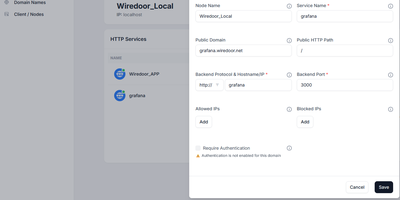
A self-hosted front door for apps that live on home labs, office LANs, and private clusters, Wiredoor publishes them to the internet without opening a single inbound port on the private side. The Wiredoor CLI on each remote machine dials out to the server over an encrypted WireGuard tunnel. Web apps and APIs are routed by domain and path, WebSocket traffic included, while TCP and UDP services such as SSH or Redis get a public port of their own. Public domains receive Let's Encrypt certificates, internal names fall back to self-signed ones, and Cloudflare or GoDaddy credentials let the server create DNS records itself. Any web route can demand OAuth2 sign-in with an email allow list and a few open paths, and every protocol accepts IP allow lists. Gateway nodes stretch one tunnel across a Docker network, Kubernetes cluster, or private subnet, so a single link serves many backends. Services can be switched off or given an expiry such as 30 minutes, 2 hours, or 1 day. The dashboard shows which nodes are connected and whether their services are enabled, while the CLI creates, enables, and disables services from a terminal. Optional Prometheus and Grafana views chart traffic and tunnel peers, and CrowdSec can block abusive addresses. Running on a dedicated VPS on RepoCloud with guaranteed CPU, RAM, and SSD, full root SSH access, and a browser serial console. Apache-2.0 licensed.
EverShelf
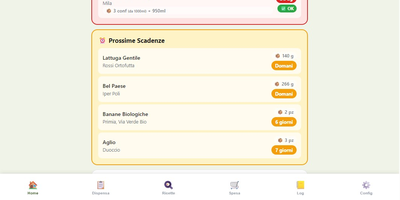
That yogurt hiding behind the ketchup expired three weeks ago, and the flour you bought "just in case" has been sitting in the pantry since last winter. EverShelf replaces mental guesswork with a structured inventory system that tracks every item across pantry, fridge, freezer, and custom locations with precise quantities, expiry dates, and consumption patterns. Scan barcodes with your phone camera to add products instantly, or let the Gemini AI identify items from a photo and estimate shelf life based on storage location. The dashboard surfaces expired items and upcoming expirations with color-coded urgency badges, while anomaly detection flags suspicious quantities and consumption predictions that deviate from your history. Opened products get reduced shelf-life calculations; vacuum-sealed items get extended dates automatically. The recipe engine generates context-aware meal suggestions from your current inventory, prioritizing ingredients approaching expiry so nothing goes to waste; each recipe includes step-by-step cooking mode with text-to-speech narration and timer integration. A smart shopping list auto-populates when stock hits zero and syncs bidirectionally with the Bring! app, with AI-estimated prices per item and consumption forecasts showing when you will need to restock. For Home Assistant users, a native HACS integration provides 22 sensors, expiry calendars, bidirectional todo-list sync, and voice assistant support for adding items hands-free. A dedicated Kiosk mode optimizes the interface for wall-mounted tablets with BLE scale integration. Running on a dedicated VPS on RepoCloud with guaranteed CPU, RAM, and SSD, full root SSH access, and a browser serial console. MIT licensed.