Gotify
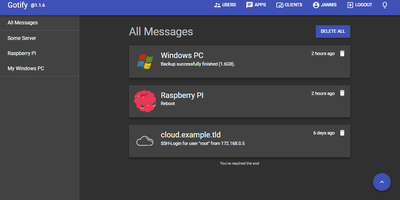
Real-time alerts from your own infrastructure to your phone, with no Firebase, Pushover, or third-party push service in the path: Gotify is a simple, self-hosted notification server written in Go. The model is deliberately minimal: senders push messages with a single HTTP POST to the REST API, receivers subscribe over a WebSocket stream, and a clean React web UI manages the pieces. Senders are namespaced as "applications," each with its own token, so your backup script, Uptime Kuma, CI pipeline, and cron jobs each get an identity, an icon, and independently revocable credentials - centralized alerting from many services with per-source management. Messages carry a title, body, and priority level that maps to notification importance on the client. The official Android app (on both F-Droid and Google Play, notable for working entirely without Google Play Services) shows push notifications for new messages; the web UI itself supports Web Push in the browser; and gotify/cli pushes messages from shell scripts with one command. A server-side plugin system adds custom behavior, and the whole thing runs as a single small binary with SQLite by default - near-zero resource footprint. Because dozens of tools (and Apprise) speak Gotify natively, it slots in as the notification hub for an entire homelab or ops stack.
Komga
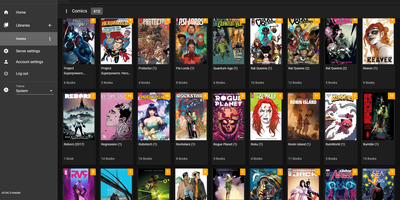
What Jellyfin is for video, Komga is for comics, manga, BDs, magazines, and eBooks: point it at folders of CBZ, CBR, CBT, PDF, and EPUB files and it becomes a proper library with cover art, embedded metadata import, and per-user reading progress. The responsive web reader handles multiple reading modes - left-to-right for western comics, right-to-left for manga, webtoon scrolling - while collections and read lists organize crossovers and story arcs, with ComicRack .cbl read list import for existing curation. Its openness is the real differentiator: OPDS v1.2 and v2.0 feeds serve virtually every reader app (Panels, Moon+ Reader, Mihon/Tachiyomi, KyBook), with OpenSearch and page-streaming extensions so mobile apps fetch pages on demand instead of whole archives. E-ink support is built in, not bolted on - Kobo devices sync directly against Komga instead of Kobo's servers, with two-way read progress, on-the-fly KEPUB conversion via Kepubify, and optional proxying so official Kobo purchases still work; KOReader sync covers everything else. Multi-user management brings per-library access control, age restrictions, and label restrictions for family setups. Housekeeping tools detect duplicate files and duplicate pages, and a REST API feeds a healthy ecosystem of community scripts. Runs from a single Docker container with embedded SQLite.
HumHub
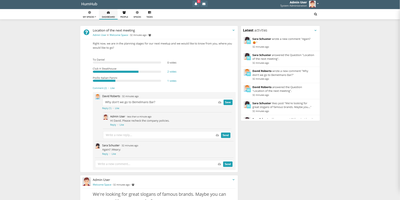
Workplace and Yammer's pattern on your own server, with GDPR compliance by construction rather than contract: HumHub is an open-source enterprise social network from Germany. Built in PHP on Yii2, it organizes everything around four concepts. Users get rich profiles with follows and interactions. Spaces are the structural unit - rooms for departments, projects, events, or clubs, with per-Space permissions, notification settings, and email summaries, and operators can auto-map users into the right Spaces. Content covers posts, wiki pages, photos and video, events, and tasks, with multi-level comments, versioning, archiving, moderation reporting, and filterable full-text search across everything. Modules make it a platform: roughly 80 install-and-activate extensions including Calendar, Wiki, Polls, Tasks, Gallery, News, direct-message Mail, OnlyOffice document editing, Advanced LDAP, SAML and JWT SSO, a RESTful API, mass user import, Translation Manager, and a Theme Builder with custom pages - every one optional and toggleable at runtime. That module economy is why HumHub serves such varied deployments: corporate intranets, city governments, universities, political parties, and nonprofits all configure the same core differently. Requirements are a plain LAMP stack - PHP 8.1+ and MySQL/MariaDB - making it one of the easiest community platforms to operate long-term.
Teedy
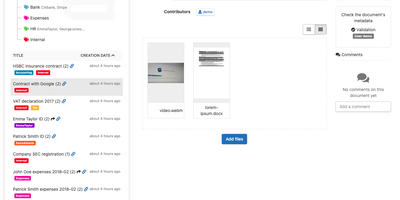
Every scan and PDF you drop into Teedy becomes searchable text in a self-hosted document archive, filed by nested tags instead of folders. OCR reads images in more than twenty languages, and the search box offers suggestions and highlights matches, even inside ODT, DOCX, and PPTX files. Video files are supported as well. Each record carries Dublin Core fields plus custom metadata of your own design, with comments and earlier file versions attached. When a document needs a second pair of eyes, workflow steps with assigned reviewers move it along in order until someone signs off. Pull in EML emails, let the server poll an inbox, or point the bulk importer at a whole folder, and incoming paperwork needs no manual filing. Share a single document through a public link, or keep it behind user and group permissions with a storage quota for each person. LDAP and two-factor authentication guard sign-in, 256-bit AES encryption protects stored files, and an audit log records who changed what. Webhooks alert other services, a documented REST API lets scripts take part, and an Android client carries the archive on a phone. Running on a dedicated VPS on RepoCloud with guaranteed CPU, RAM, and SSD, full root SSH access, and a browser serial console. GPL-2.0 licensed.
Datasette
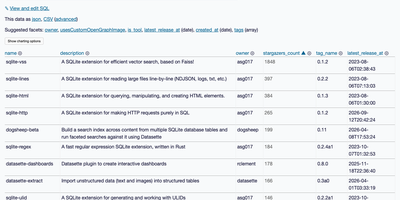
Datasette turns a database into an interactive website and JSON API, so anyone can browse, filter, and query the data without a custom backend. Point it at SQLite files and each table gets a page with sortable columns, per-column filters, full-text search where it is enabled, and facets that tally the values in a column, including array and date columns, with suggested facets surfaced automatically. Rows have their own URLs, foreign keys become links, and a row that other tables reference links to a filtered list of those records. A "View and edit SQL" link turns whatever filters you applied into an editable query, and visitors with permission can run read-only SQL with named parameters. Useful queries save as canned queries with their own URLs, and writable canned queries add forms that insert or update rows. Every page comes as JSON and as streaming CSV. A metadata file adds titles, licenses, sources, column descriptions, units, default sort orders, and hidden tables. Access rules can apply to the whole instance or a single database, table, or query. Plugins add charts, maps for latitude and longitude columns, Atom feeds, GitHub sign-in, and custom output formats. Custom templates, CSS, and static files carry your branding. SpatiaLite support adds geospatial queries, and datasette publish deploys to Google Cloud Run, Heroku, Vercel, or Fly. Running on a dedicated VPS on RepoCloud with guaranteed CPU, RAM, and SSD, full root SSH access, and a browser serial console. Apache-2.0 licensed.
tirreno
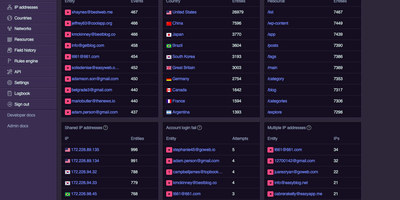
tirreno watches what accounts actually do inside your product, then surfaces the ones that look like account takeover, credential stuffing, fake signups, or insider abuse. Your backend reports events such as logins, registrations, page views, searches, email changes, and field edits through an SDK or one HTTP call, and a scheduled job turns them into per-user context: devices, IP addresses, sessions, and connected identities. Preset rules cover account takeover, credential stuffing, content spam, bot detection, multi-accounting, promo abuse, dormant accounts, API protection, and high-risk regions, and you can add rules of your own. Each rule adds to a risk score, and thresholds decide whether a user is flagged for manual review or suspended automatically. The review queue lists who needs a look, and the single user view shows behaviour patterns, risk scores, connected identities, and an activity timeline. A field audit trail records what changed and when, which supports compliance reviews, while the logbook lists every API request the instance received. Your application can ask a blacklist endpoint whether a user or IP should be blocked before it responds. An optional IP enrichment pack adds geolocation, ISP, and VPN or proxy detection. All event data stays on your own server. Running on a dedicated VPS on RepoCloud with guaranteed CPU, RAM, and SSD, full root SSH access, and a browser serial console. AGPL-3.0 licensed.
Dashy
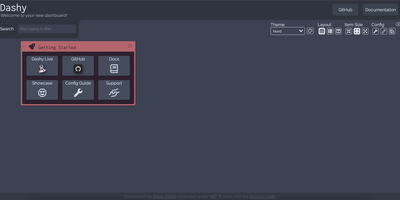
Every service you run, behind one polished start page: Dashy is the most customizable homelab dashboard, built as a Vue.js homepage. Configuration lives in a single YAML file, but you never have to hand-edit it: an integrated UI editor with real-time validation writes changes back to disk, so both config-as-code and point-and-click camps are served. Status indicators put a live health dot next to every app - HTTP checks or pings on custom intervals, with response time and status details on hover - giving you an at-a-glance uptime overview before anything breaks. Over 50 built-in widgets pull dynamic content from the services you already run: Pi-hole and AdGuard block stats, Proxmox lists, Nextcloud status, Netdata CPU/memory history, Prometheus data, plus weather, RSS, crypto prices, and generic iframe/API-response widgets for anything with an endpoint. Instant fuzzy search launches any app as you type, with customizable hotkeys and web-search fallthrough. Theming is deep: dozens of built-in themes, a UI color palette editor, and custom CSS over CSS variables. Alternate views include a fast-loading minimal startpage and a workspace view that embeds apps side-by-side without leaving the dashboard. Icons resolve from Font Awesome, homelab icon packs, emojis, or auto-fetched favicons. Built-in authentication, multi-page support, cloud backup/sync, and multi-language round out an MIT project with a massive community.
Monica
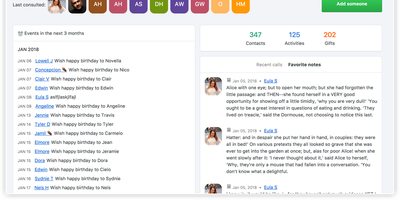
Take the tool sales teams use to never forget a client detail and point it at the people who actually matter - friends, family, the colleague whose kid's name you keep blanking on: Monica is a personal CRM. It's a Laravel/PHP application over MySQL where each contact accumulates the texture of a real relationship: how you met, family members and pets, work changes, addresses, notes from conversations, activities done together, gift ideas and gifts given, even debts owed in multiple currencies. Two features set it apart from every contact app. Reminders with staying power: set per-contact intervals (weekly through yearly), get notified at 30 days, 7 days, and day-of, with automatic birthday reminders and CalDAV sync to your calendar. And a journal linked to contacts: write about dinner with friends, tag each person, and build a timeline that's part diary, part relationship log - plus a daily "how was your day" rating. Monica is deliberately manual and deliberately private: no social network features, no AI, no email scraping, no ads, no analytics - a quiet database of what you know about people you love, on your own server. Multiple vaults and users, labels, custom activity types, and document/photo uploads round it out. AGPL-licensed.
Node-RED
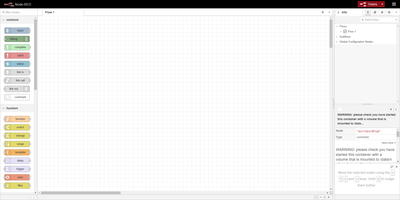
Wire nodes together in a browser, deploy in one click, and real-time data flows from sources through transformations to outputs: Node-RED is the OpenJS Foundation's flow-based programming tool for event-driven applications. Born at IBM as a proof-of-concept for manipulating MQTT topic mappings, it has become the lingua franca of IoT and automation glue - home automation, industrial control, edge data collection - with a community library of over 5,000 contributed nodes and flows covering protocols, devices, and services. Where visual wiring runs out, JavaScript function nodes written in a rich in-editor code editor take over, and every flow serializes to importable, exportable JSON that shares cleanly and version-controls sensibly. Version 5.0 (2026) delivered the largest editor overhaul in the project's history: a rethought layout with Explorer and Information panels in a split sidebar, a native dark theme with theme variants, improved accessibility, and refreshed node appearance. The runtime is lightweight Node.js, exploiting the event-driven non-blocking model so the same flows run on a Raspberry Pi at the network edge or a cloud VM. Apache-2.0 licensed with 240+ contributors, it pairs naturally with dashboard nodes for live charts and controls.
MoneyMatter
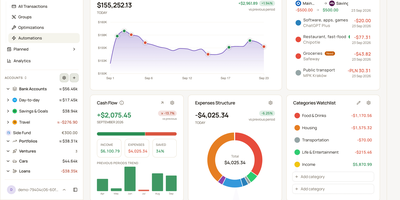
Your bank balance is only part of what you own, and MoneyMatter adds the rest: cash accounts, brokerage portfolios, cars, loans, and private deals roll into one net worth figure in your base currency. Add transactions by hand, import CSV, OFX, QFX, YNAB, Wallet, or Microsoft Money files, or let an AI model you provide parse a statement, while Monobank, SimpleFIN, Lunch Flow, and Walutomat connections sync accounts automatically. Each transaction can carry categories, tags, payees, notes, attachments, and splits, transfers and refunds link to their counterparts, and automation rules tidy new entries. Envelope-style budgets assign money to lines with Assigned, Activity, and Available columns and rollover rules, savings goals read progress from account balances, subscriptions and bills send reminders, and loans show payoff projections. Stocks, ETFs, and crypto are priced daily, vehicles depreciate along a curve, and a FIRE planner estimates years to Lean, Regular, Fat, Barista, and Coast FIRE. A customizable dashboard, cash flow, money flow, net worth history, trends comparison, and pivot table chart the results. Share accounts with a household member, export JSON, CSV, or XLSX, back up everything, or connect Claude, ChatGPT, or Claude Code through the built-in MCP server. Running on a dedicated VPS on RepoCloud with guaranteed CPU, RAM, and SSD, full root SSH access, and a browser serial console. AGPL-3.0 licensed.
CKAN
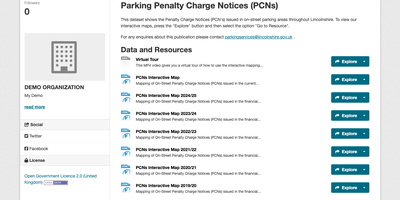
CKAN lets governments, research institutions, and companies publish data as a searchable catalog, where every dataset carries its description, license, tags, and downloadable files. Organizations own their datasets, and members, editors, and admins get different rights, so a dataset can stay private until someone with publishing rights releases it. Visitors narrow results with faceted filters on tags, formats, and organizations, or write fielded queries with wildcards and fuzzy matching. Resource pages preview spreadsheets in a grid and, when the data fits, as maps and charts, and they also display images, PDFs, and HTML. The DataStore keeps tabular resources as queryable tables, serving filtered rows with range conditions and nested AND/OR logic. Everything the web interface does is also available through the Action API. Groups gather related datasets, and custom metadata fields extend each record. Per-dataset activity streams document how data changes, and follow buttons feed a personal news feed. Files can be stored on local disk or, with extensions, in S3, Google Cloud Storage, or Azure Blob Storage. Extensions add geospatial search, harvesting for federated portals, multilingual metadata, and more chart types, and themes restyle the portal to match your brand. Running on a dedicated VPS on RepoCloud with guaranteed CPU, RAM, and SSD, full root SSH access, and a browser serial console. AGPL-3.0 licensed.
The Lounge
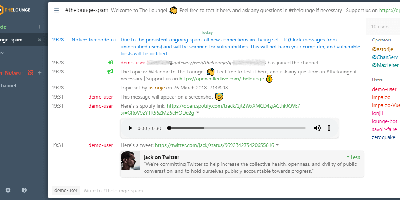
"Forget about bouncers" became a real sentence because of The Lounge: a Node.js web IRC client that holds persistent connections to your networks 24/7, logging everything while you sleep, so closing the browser tab never means missing a message or losing your place in a channel. Open it again from any device - desktop, phone, tablet - and you resume exactly where you left off, with full history synchronized. Because it combines bouncer and client in one process, the experience feels like a modern chat app rather than 1990s infrastructure: push notifications for highlights and private messages (with self-generated VAPID keys, so even Web Push needs no third-party service), automatic link previews, inline file and image uploads, and full IRCv3 protocol support. It installs as a progressive web app from any modern browser, so phones get a native-feel client without an app store. Multi-user support means one instance serves your whole team or community, each user with their own networks and history, and LDAP integration ties into existing authentication. A public mode alternatively serves as an open, registration-free web chat for events or support channels. MIT-licensed, born as a fork of Shout, and a fixture of self-hosting stacks since.
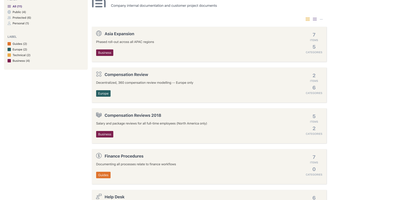
Documize
Enterprise documentation discipline without enterprise infrastructure: Documize Community is the Confluence alternative built on exactly that trade. The entire platform - Go backend, Ember.js frontend - compiles to a single executable binary for Linux, Windows, and macOS with zero runtime dependencies: no Elasticsearch, no Redis, no JVM. Point it at PostgreSQL, MySQL, MariaDB, Percona, or Microsoft SQL Server (rare in open source, decisive in Microsoft shops), and schema migrations run on launch with native full-text search on whichever engine you chose. Content organization rejects nested-folder sprawl for Spaces, categories, and labels, and the section-based composable editor mixes rich text, Markdown, code blocks, PDFs, diagrams, and embedded Jira or Trello content in one document, with reusable blocks and templates so teams start from standards rather than blank pages. It deliberately unifies internal team docs and customer-facing documentation in one system with granular space-, document-, and action-level permissions deciding who sees what. Where wikis stop, Documize continues: content approval workflows (draft, review, approve, publish), version management, lifecycle control, feedback capture, PDF export, analytics showing what gets read and ignored, activity streams, and audit logs. Keycloak, LDAP, and SSO integrate for enterprise auth. AGPL-licensed.
SearXNG
Up to 280 search services - Google, Bing, DuckDuckGo, Brave, Qwant, Startpage - aggregated without tracking or profiling: SearXNG is a privacy-respecting metasearch engine (AGPL-3.0, successor to Searx). Your instance queries the upstream engines on your behalf: your IP address, cookies, and search history never reach them, tracker parameters are stripped from result URLs, and an optional image proxy fetches thumbnails server-side so result pages leak nothing. It can even route outbound queries through Tor for full anonymity. Search is organized into categories - general, images, videos, news, maps, music, IT, science, files - with bang shortcuts for targeting specific engines, and every source can be enabled, disabled, or weighted per category in settings.yml. A plugin system adds calculators, hash tools, tracker removal, and unit conversions inline, and preferences (themes, safe search, languages, engine selection) persist in cookies rather than server-side accounts. The real argument for running your own instance rather than trusting a public one is control: you decide the logging policy (none), the engine mix, rate limiting, and who gets access - making it the default search backend for browsers, families, and teams that want Google-quality results without the profile.
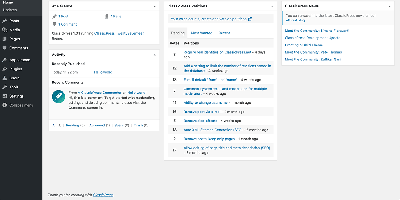
ClassicPress
WordPress without Gutenberg: ClassicPress, the community-led fork, keeps the TinyMCE classic editor as the default and strips the block editor and Full Site Editing out of core entirely. The result is roughly half WordPress's size - obsolete libraries like jQueryUI, Thickbox, and Flash support are gone, replaced by native HTML5 elements and modern alternatives like SortableJS - which translates to a measurably faster admin and a leaner attack surface. Forked from WordPress 6.2, it remains compatible with the vast plugin and theme ecosystem targeting that lineage (anything not requiring blocks generally works, helped by a blocks-compatibility mode), and the PHP-first WordPress API developers have used for over a decade works unchanged - no React required to extend your CMS. The fork adds its own improvements: built-in media categories and tags with bulk editing, revision management that lets you prune database bloat, native HTML5 dialogs for accessible touch-friendly menus, and recent releases bring APCu object-cache support, vanilla-JS core widgets, and performant translations. Governance is democratic and community-driven rather than corporate. For content sites, business sites, and blogs where the classic editing workflow is the feature, ClassicPress is stability as a philosophy.
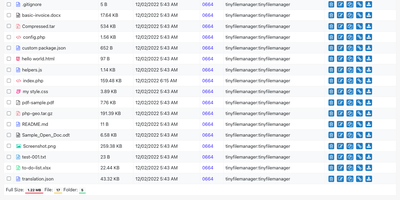
Tiny File Manager
Browse, upload, edit, preview, and archive the files on your server from any web browser, with no FTP client, no shell session, and no database to set up. Tiny File Manager lists every folder in a sortable table showing size, modified date, permissions, and owner, with a search box that filters as you type. Drag files into the upload zone, send several at once, or paste a URL for the server to fetch. Rename items, select several to copy, move, delete, or pack into a zip or tar archive, and extract uploaded archives on the server. Click any text file to open the built-in editor, which offers syntax highlighting for 150+ languages and 35+ color themes, so quick fixes to configs and scripts happen where the files live. Images, audio, video, and text open in a preview without downloading, and every file has a copyable direct link. Give teammates or clients their own accounts, each locked to a root folder you choose, mark accounts read-only, and limit uploads to approved file extensions. Hide folders you never want listed, restrict access with IP allow and block lists, switch between light and dark themes, pick from 35+ interface languages, and use the responsive layout on a phone. Setup is one file copied to a web server, or one Docker container. Running on a dedicated VPS on RepoCloud with guaranteed CPU, RAM, and SSD, full root SSH access, and a browser serial console. GPL-3.0 licensed.
Otter Wiki
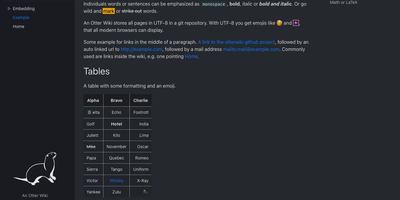
Every page in Otter Wiki is a plain Markdown file and every save is a git commit, so a small team gets a simple wiki whose history never goes missing. The editor highlights Markdown as you type, offers a toolbar for headings, lists, tables, code, alerts, and images, and can show a live preview beside the source. Paste or drop an image into the editor and it is stored as a page attachment. History, blame, and changelog views, with RSS and Atom feeds, show who changed what and when. Beyond standard Markdown you get footnotes, task lists, math formulas, Mermaid diagrams, alert boxes, and spoiler or folded blocks, plus experimental embeddings such as sortable data tables, info boxes, image frames, videos, and included pages. A customizable sidebar shows a menu, a page index, or both. Search offers case-sensitive and regular expression options. Dark mode is built in. Admins decide whether anonymous visitors, registered users, or approved users may read, write, or upload, grant rights per user, close registration, or require email confirmation. An optional, experimental git web server lets people clone, pull, and push the wiki, and changes can be pushed to or pulled from a remote repository over SSH. Running on a dedicated VPS on RepoCloud with guaranteed CPU, RAM, and SSD, full root SSH access, and a browser serial console. MIT licensed.
Papercups
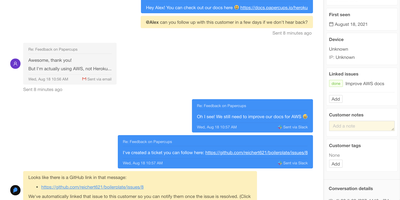
Companies with privacy and security concerns about piping customer conversations through Intercom or Zendesk run Papercups - open-source live customer chat. The stack is a deliberate strength: an Elixir/Phoenix API over PostgreSQL, with real-time messaging powered by Phoenix Channels and Presence - the same BEAM foundation trusted by Discord and PagerDuty for fault-tolerant, low-latency messaging. Customers see a customizable chat widget that embeds in any site as an HTML snippet, a React component, or even inside React Native apps, with configurable colors, greetings, and away messages. Your team sees a dashboard for managing conversations - close, assign, and prioritize - with Markdown and emoji in replies. The killer workflow is the reply-channel integration: connect Slack or Mattermost and every customer conversation becomes a synced thread your team answers without leaving the tool they already live in, with two-way message syncing handled by webhooks. Email and SMS channels extend intake beyond the widget, an analytics dashboard tracks communication patterns, and the Storytime feature adds real-time screen sharing to watch users navigate while you help them. A documented API supports fully custom chat UIs in Svelte, Flutter, or Vue. MIT-licensed and GDPR-conscious - customer data stays in your PostgreSQL.