MeetDo
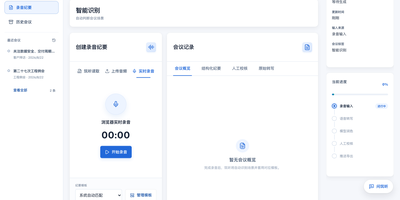
The meeting ends and, instead of a raw transcript, you get minutes you can file: MeetDo is an open-source meeting-to-action system that hosts the meeting, captions it locally, and finishes the record for you. Start a browser meeting with video, screen sharing, and chat, and watch captions stream from a speech model running on the same infrastructure, so no audio is sent to a cloud note-taker. When the call ends, the transcript becomes structured minutes: summary, agenda flow, conclusions, and action items with owners, instead of a wall of raw text. Five meeting types, from management reviews and project weeklies to interviews and customer calls, shape the record, and custom templates export to DOCX or PDF with your original layout preserved. Domain vocabulary is corrected after recognition, so names, units, and industry terms survive transcription instead of turning into near-miss words. Past meetings stay searchable in a local history, and questions can be asked across them without anything leaving the machine. Editable transcripts let a human fix the record before it is filed, and the whole pipeline works offline after the first model download. Running on a dedicated VPS on RepoCloud with guaranteed CPU, RAM, and SSD, full root SSH access, and a browser serial console. MIT licensed.
Appsmith
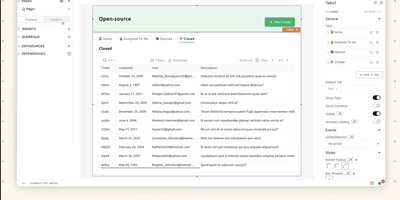
Admin panels, database GUIs, dashboards, approval flows, customer support consoles - Appsmith builds the internal tools your team keeps postponing, on an open-source low-code platform. The UI assembles from 45+ drag-and-drop widgets - tables with server-side pagination and inline editing, charts, forms, lists, buttons - which bind to data through {{ }} JavaScript expressions anywhere in the editor. Datasources cover PostgreSQL, MySQL, MongoDB, MS SQL, Redis, Snowflake, and more, plus any REST or GraphQL API, with SaaS integrations and AI query support for prompt-based steps inside apps. When the widget library falls short, custom widgets are plain JavaScript, HTML, and CSS, and external JS libraries can be imported, which keeps the platform extensible where pure no-code tools hit walls. Git-based version control enables branch-based collaboration, review, and rollback of app definitions. Queries and JS objects hold the business logic layer between datasources and UI. Self-hosted via Docker or Kubernetes, with role-based access control for published apps.
Fusion
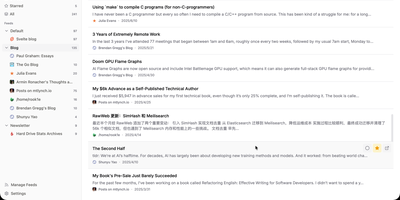
Follow every blog, newsletter, and news site you like from one distraction-free inbox with the self-hosted Fusion RSS reader, which has no AI features by design. A left sidebar lists feed groups with unread counts and jumps between Unread, Starred, and All, while the center list shows articles under filter tabs with read and star buttons on every card. Click a card and a right-hand drawer opens with the full sanitized article, a link to the original, and Previous and Next buttons. Press Cmd or Ctrl+K, or the slash key, to search feeds and articles from anywhere. Stay on the keyboard with Google Reader-style keys such as j and k to move, m to mark read, s to star, and g then u to jump to Unread; the question mark lists them all. Add a feed by entering a site address and letting auto-discovery find it, then pick its group, refresh frequency, and HTTP proxy, or suspend it to pause updates. OPML import and export bring subscriptions in or out. Starred articles are saved as snapshots that outlive their source feed. Fever API compatibility lets Reeder, Unread, and FeedMe read the same library. Sign in with a password or OIDC single sign-on, and install the interface as a PWA with Light, Dark, and System themes in eight languages. Running on a dedicated VPS on RepoCloud with guaranteed CPU, RAM, and SSD, full root SSH access, and a browser serial console. MIT licensed.
KaletaCMS
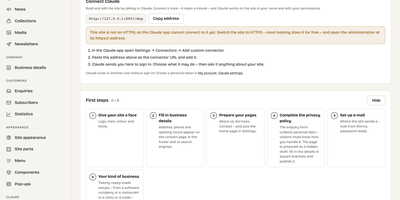
Kaleta is a business-website CMS where the page you edit is the page your visitors get, not a preview of it. The visual builder works on the live canvas: add sections, drag elements, edit text in place, and style every element separately for desktop, tablet, phone, and hover before you publish. Forty-six elements and forty ready-made sections cover pricing tables, timelines, before-and-after sliders, galleries, accordions, carousels, maps, and mega menus. Consistency comes from a design-token system: change one colour, font, spacing, or radius token and the whole site follows, with a WCAG contrast check on every colour pair and export in the W3C token format. Blocks you reuse become components edited once and updated everywhere, and each page carries its own search title, sharing image, and visibility, with the last twenty publications kept as versions. Moving in is a first-class feature: importers take WordPress exports including WooCommerce products and Polylang or WPML translations, plus Ghost, Blogger, Joomla, Drupal, and Webflow, creating a redirect from every old address so rankings survive. An optional AI assistant connected through MCP builds pages and handles chores only as drafts you approve. Forms, booking, enquiries, media folders with focal-point cropping, multilingual publishing, and GDPR duties such as automatic personal-data deletion are built in rather than bolted on. Running on a dedicated VPS on RepoCloud with guaranteed CPU, RAM, and SSD, full root SSH access, and a browser serial console. GPL-2.0 licensed.
Flame
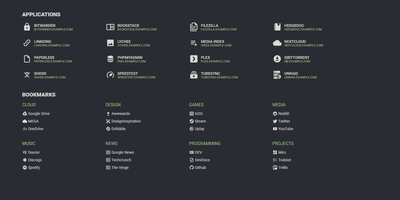
A server full of scattered services becomes one clean application hub under Flame - a self-hosted startpage where every bit of configuration happens in built-in GUI editors, never a config file. Applications and bookmarks are created, edited, and organized into categories directly in the browser, and favorites pin to the homescreen for one-click access. The integrated search bar filters your apps and bookmarks locally as you type, and prefix shortcuts (like /g for Google) route queries to any of 11 web search providers or custom ones you define, making Flame a genuine browser homepage rather than a static link wall. Docker integration is the standout for homelabs: mount the Docker socket, add flame.type, flame.name, and flame.url labels to containers, and new services appear on the dashboard automatically - Kubernetes Ingress annotations work the same way. A weather widget shows temperature, cloud coverage, and animated conditions for your coordinates, and password authentication protects settings and items. Appearance is deeply customizable with 15 built-in color themes, a custom theme builder, and full custom CSS support. The stack is Node.js with SQLite behind a React frontend - light, fast, and inspired by the minimalist SUI design.
Tabby
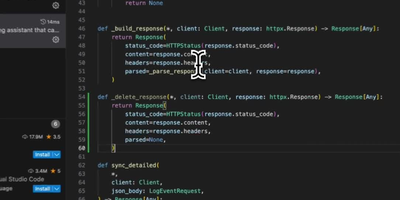
With over 33,000 GitHub stars and a codebase written in 92.9% Rust for maximum performance and memory safety, Tabby is the most widely adopted self-hosted alternative to GitHub Copilot — delivering real-time code completions entirely on your own infrastructure with zero code leaving your network. Deploy a single Docker container on any NVIDIA CUDA, Apple Silicon Metal, AMD ROCm, or CPU-only server and connect VS Code, JetBrains IDEs (IntelliJ, PyCharm, WebStorm, GoLand), Vim, Neovim, and Emacs through native extensions. The completion engine supports a curated registry of models including StarCoder2 (1B to 15B parameters), DeepSeek-Coder, CodeLlama, CodeGemma, Qwen2.5-Coder, and Mistral Code — swappable at runtime through the admin dashboard without redeployment. Repository indexing parses your Git repositories and feeds project-specific types, function signatures, and patterns into completion context via RAG, producing suggestions that understand your codebase rather than generic boilerplate. The Answer Engine provides instant responses to code queries within the IDE, while inline chat enables contextual code editing and explanation without switching windows. The admin dashboard manages per-developer API tokens, usage analytics, and model configuration. Enterprise features include SSO via LDAP, OAuth, and SAML, role-based access control, and audit logging for compliance environments. A single RTX 4090 workstation serves a team of 10-15 developers with sub-500ms completion latency. Running on a dedicated VPS on RepoCloud with guaranteed CPU, RAM, and SSD, full root SSH access, and a browser serial console. Apache 2.0 licensed.
SiYuan
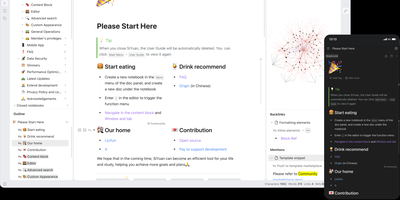
Backed by over 45,000 GitHub stars and described as the tool that replaces Notion, Evernote, and Anki in a single Docker container, SiYuan is the privacy-first knowledge management system where every paragraph, heading, and list item is a uniquely addressable content block. The block-level architecture enables bidirectional links, transclusion embeds, and SQL query blocks that dynamically aggregate content across your entire workspace, while the knowledge graph visualization maps relationship networks between documents and blocks. Built-in databases support table views with relation and rollup columns, filter composition, sorting, and template-based calculations for structured data management alongside freeform notes. The FSRS spaced repetition engine turns any content block into a flashcard with scientifically calibrated review scheduling, eliminating the need for separate memorization tools. AI integration connects to OpenAI-compatible APIs for writing assistance, translation, summarization, and Q&A chat, with semantic search using embeddings and reranking for intelligent content retrieval. The Bazaar community marketplace delivers plugins, themes, templates, and widgets through a managed extension system with TypeScript plugin APIs. End-to-end encrypted synchronization works across S3-compatible storage, WebDAV servers, or SiYuan's own cloud service, while Tesseract OCR extracts searchable text from images and the web clipper captures pages from Chrome, Edge, and Firefox. Export targets include Markdown with assets, PDF, Word, and HTML. Running on a dedicated VPS on RepoCloud with guaranteed CPU, RAM, and SSD, full root SSH access, and a browser serial console. AGPL-3.0 licensed.
NoteDiscovery
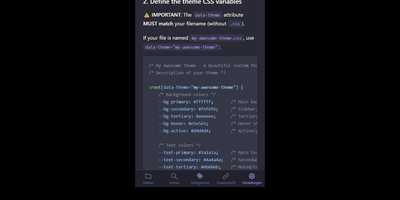
Transforming fragmented research notes, daily technical logs, and project documentation into an interconnected knowledge base is what NoteDiscovery delivers for privacy-conscious teams and researchers. Writers compose rich documents using a dual-pane editor that renders MathJax equations, interactive task lists, and dynamic Mermaid sequence diagrams side by side with raw text. The interactive knowledge graph maps semantic relationships across notebooks, allowing researchers to explore backlinks, uncover hidden topical connections, and navigate complex idea webs visually. Team members sketch architecture diagrams and wireframes directly inside note canvases using the integrated drawing tool, saving revisions as embedded image layers without external editors. The platform organizes thoughts through flexible tag hierarchies, nested folder trees, and reusable document templates equipped with automatic date and variable substitutions. Autonomous coding assistants and language models query documentation, create structured meeting summaries, and update project indexes directly through the native Model Context Protocol server. Built-in export tools convert notebook collections into standalone HTML packages, printable documents, or portable Markdown archives for offline archiving. Running on a dedicated VPS on RepoCloud with guaranteed CPU, RAM, and SSD, full root SSH access, and a browser serial console. MIT licensed.
SourceWeft
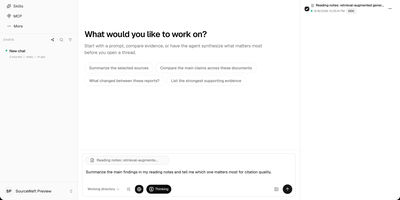
SourceWeft is an AI workstation you host yourself, where agents, your documents, and your model keys work in one place instead of scattering across chat tabs you do not control. Describe a job and a lead agent breaks it down, handing research, exploration, and execution to focused sub-agents that share the same working context and files. Agents draw on a skill library covering presentations, HTML pages, images, meeting summaries, and study guides, and you can add your own skills so good workflows become repeatable. MCP servers, web search, and web extraction connect agents to outside tools, while approved commands run inside a sandboxed environment that cannot touch the rest of your server. Feed it PDFs, web pages, notes, YouTube videos, Notion, Drive, Gmail, or Slack, then follow citations from any answer back to the source material it came from. Bring your own keys for the chat and indexing models you prefer, organize the team into workspaces with roles and access controls, and pick up any conversation from the web app or desktop clients. Running on a dedicated VPS on RepoCloud with guaranteed CPU, RAM, and SSD, full root SSH access, and a browser serial console. Apache-2.0 licensed.
Docspell
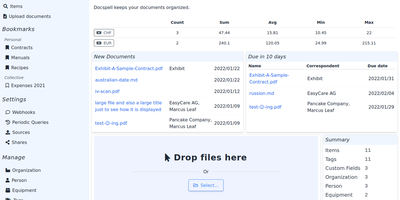
Convert paper archives, email attachments, and PDF records into an organized digital repository with Docspell, an open-source document management system that automates optical character recognition, metadata extraction, and full-text search. Users can ingest receipts and invoices through network scanners, monitored IMAP email mailboxes, mobile uploads, or drag-and-drop browser tools. The background processing pipeline executes optical character recognition via Tesseract, enhances image contrast with unpaper, and extracts text from Word documents and PDFs. Machine learning algorithms analyze document syntax to predict correspondents, suggest relevant organization tags, and identify due dates automatically. Team members can search their entire filing cabinet using complex Boolean queries and full-text indexing powered by Apache Solr or PostgreSQL. Administrators can configure multi-user collectives with isolated permissions, define custom metadata attributes, set up webhooks, and share time-limited document download links. Users can also merge multi-page scans, track processing job queues, and export curated document collections for tax filings or legal audits. Running on a dedicated VPS on RepoCloud with guaranteed CPU, RAM, and SSD, full root SSH access, and a browser serial console. GNU AGPL v3.0 licensed.
DevTrack
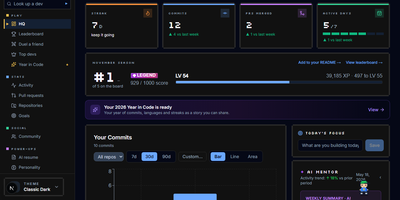
DevTrack turns your GitHub activity into a living dashboard of commit streaks, pull-request analytics, and goals that quietly update themselves. Sign in with GitHub and your last year appears as a contribution heatmap you can filter by repository and language, next to the streak you are protecting and the freeze you are saving for a holiday. Pull requests get the honest treatment: merge rate, average review time, and open-versus-closed breakdowns that show whether reviews or authors are the bottleneck. Weekly and monthly goals fill themselves in from live activity, while the consistency score and activity rings tell you whether your rhythm is steady or heroic but rare. When you want the story told back to you, an AI mentor who knows your history offers guidance, a résumé generator builds an ATS-friendly CV from merged pull requests for the role you name, and a weekly summary explains your own graphs in plain words. Opt into the public leaderboard to rank your streak, commits, and PRs against other developers, or keep everything private and share only the profile page and embeddable badges you choose. Running on a dedicated VPS on RepoCloud with guaranteed CPU, RAM, and SSD, full root SSH access, and a browser serial console. MIT licensed.
Etherpad
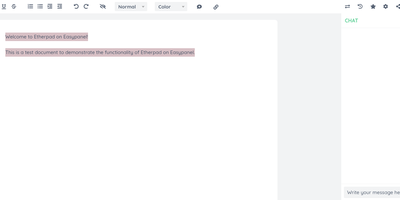
In continuous open-source development since 2009, Etherpad is the original really-real-time collaborative editor - used by Wikimedia, governments, EU public-sector institutions, and tens of thousands of self-hosters. Its core idea is visible authorship: every keystroke is attributed with author colors, every revision preserved, and the timeslider lets you scrub through a document's entire history character by character. Multiple people type into the same pad and see each other's changes instantly - it scales to thousands of simultaneous editors per pad. The base install is deliberately lightweight; capability comes from roughly 290 plugins installable from the admin web UI: comments, images, tables, drawing, video chat via WebRTC, math rendering, code highlighting, and authentication via OAuth, LDAP, or OpenID. AI is pointedly a plugin, not a default - you choose the model and infrastructure, or never turn it on. There is no telemetry. For integrators, an HTTP API (with OpenAPI definitions at /api/openapi.json) manages pads, users, and groups for embedding in your own applications, and the ueberDB abstraction layer supports PostgreSQL, MySQL, Redis, MongoDB, and SQLite backends. Full data export is built in, the format is open, it is translated into 105 languages, and it runs on anything from a Raspberry Pi to a server farm. Apache 2.0 licensed, Node.js based.
Pingvin Share X
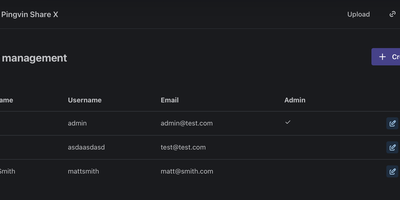
Pingvin Share X is your own WeTransfer, running on your server, with none of the transfer limits or expiring-link anxiety of the free tiers. Drop in a file of any size, get a link, and decide exactly how it behaves: an expiration date after which it vanishes, a password gate, a cap on how many visitors may open it, or all three. Email the link straight to recipients from the share dialog, and get notified when they download. Reverse shares flip the flow around: send someone a link and they upload files to you through it, which is perfect for collecting client deliverables, application documents, or the family photo archive without a single email attachment thread. Attachments can be scanned with ClamAV before anyone touches them, and storage lives on your disks or in S3-compatible buckets. Accounts connect through OIDC or LDAP single sign-on for teams, and an extensive admin panel tunes everything from password policy to upload chunk sizes. Registration rules decide whether your instance is a private family tool or an open drop point for your whole crew. Running on a dedicated VPS on RepoCloud with guaranteed CPU, RAM, and SSD, full root SSH access, and a browser serial console. BSD-2-Clause licensed.
Baikal
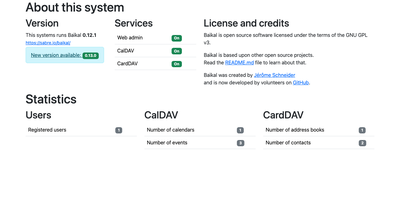
Your calendars and contacts do not need a cloud account, and Baikal is the small PHP server that keeps them on hardware you control while still syncing to every phone and laptop you own. The web admin panel is where you add users, create their calendars and address books, and reset passwords, no database editing or config files required. Each person signs in with their own username and password, so an iPhone, an Android phone running DAVx5, and a Thunderbird desktop can all stay in sync without sharing one master credential. Standard well-known redirects mean most clients configure themselves when you type the server address, and the combined dav.php endpoint serves calendars and contacts from a single URL. Events carry the full CalDAV feature set your clients expect (recurring appointments, reminders, attendees, and free-busy lookups), while CardDAV address books keep names, phone numbers, and photos in one place. Because storage is a plain database file or table set, backups are a copy you can make in seconds, and moving to a bigger host is a file transfer rather than a migration project. The same server happily runs for one person tracking a family calendar or for a small office sharing team schedules and a company address book. Running on a dedicated VPS on RepoCloud with guaranteed CPU, RAM, and SSD, full root SSH access, and a browser serial console. GPL-3.0 licensed.
Initiative
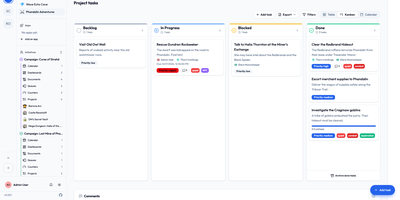
Initiative is a self-hosted, multi-tenant project management platform that organizes projects, tasks, collaborative documents, and schedules into strictly isolated community workspaces without enterprise complexity. Users create distinct communities where data remains strictly partitioned across separate database schemas, allowing agencies, volunteer groups, and gaming guilds to manage multiple client environments from a single deployment. Within each community, initiatives group related projects and documents while interactive drag-and-drop Kanban boards track task progression across custom columns, priorities, and deadlines. Integrated collaborative documents enable team members to co-author notes, project briefs, and meeting minutes in real time with threaded inline discussions and user mentions. Granular role-based permissions let administrators specify exact view and edit privileges down to individual items, while a recoverable trash system prevents accidental deletions from interrupting live operations. Curated marketplace apps supply customizable analytics dashboards, and optional bring-your-own-key artificial intelligence integrations generate task suggestions and summarize lengthy discussion threads. Running on a dedicated VPS on RepoCloud with guaranteed CPU, RAM, and SSD, full root SSH access, and a browser serial console. GNU AGPLv3 licensed.
BentoPDF
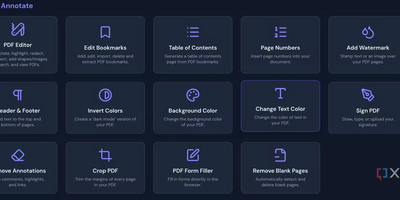
Merge, split, compress, convert, edit, annotate, redact, OCR, and sign PDFs - BentoPDF packs over 130 tools into a privacy-first toolkit that runs entirely in the browser through WebAssembly. Files are never uploaded - processing happens in browser memory on the user's machine and disappears when the tab closes, which makes the tool GDPR-clean by architecture and safe for financial, legal, and internal documents. The engine combines WASM builds of PyMuPDF, Ghostscript, and CoherentPDF; Tesseract handles OCR with searchable text-layer output; Office conversions cover Word, Excel, and PowerPoint; and digital signatures use X.509 certificates (PFX/PEM) with the private key staying on the client. Because there is no server-side processing, deployment is a static-file exercise: a single Docker container, or any static host. A dedicated self-hosted build strips the marketing pages while keeping every tool, and air-gapped deployments are first-class - an automated script bundles the WASM modules, OCR language data, and fonts for fully offline networks. No accounts, no limits, no watermarks; TypeScript and Vite under the hood.
Traggo
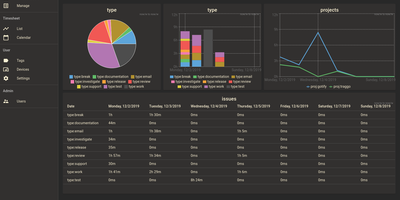
With over 1,600 GitHub stars and a design philosophy that fundamentally rethinks how time tracking should work, Traggo abandons the traditional project-task hierarchy that forces your work into rigid categories and instead lets you tag time spans with arbitrary key-value pairs — project:website, type:coding, client:acme, billable:yes — enabling cross-dimensional analysis that conventional trackers cannot replicate. The Go backend compiles into a single binary that runs alongside a SQLite database and embedded web UI in under 10MB total, consuming approximately 50MB of RAM at runtime and starting in seconds on even the smallest VPS. Tags are the fundamental data model: create any tag key with any set of values, then apply multiple tags to each time span simultaneously to track by project, client, task type, energy level, or any other dimension your workflow demands. Customizable dashboards render pie charts, bar charts, and line graphs from tag-aggregated data, letting you visualize time distribution across any combination of dimensions over configurable date ranges. The calendar view displays time spans as colored blocks across days and weeks, while the list view provides chronological entry browsing with inline editing. Multiple themes including light and dark modes adapt the interface to personal preference, and simple user management with role-based access supports small team deployments. Docker deployment runs a single container exposing port 3030 with multi-architecture support for amd64, arm64, and arm v7. Running on a dedicated VPS on RepoCloud with guaranteed CPU, RAM, and SSD, full root SSH access, and a browser serial console. GPL-3.0 licensed.
OnlyOffice
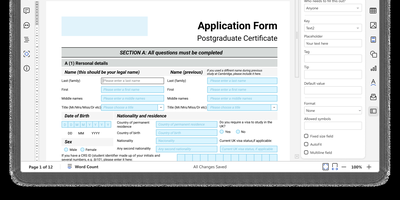
With 6,800 GitHub stars and over a decade of development since its 2014 release, ONLYOFFICE Docs delivers a self-hosted Microsoft Office replacement with pixel-perfect OOXML rendering and real-time collaborative editing supporting both Fast (character-by-character) and Strict (manual save) co-authoring modes. The suite encompasses five full-featured editors — Document Editor for DOCX/ODT/EPUB/HTML, Spreadsheet Editor with 500+ functions and pivot tables, Presentation Editor with animations and transitions, Form Creator for fillable PDF forms with field validation, and PDF Editor for annotation and conversion — all operating within a unified web interface. Format support spans 50+ types including DOCX, XLSX, PPTX, ODT, ODS, ODP, PDF, CSV, RTF, TXT, and Markdown with server-side conversion between any supported pair. The JavaScript plugin API enables extending editor functionality through a marketplace of ready-made plugins for ChatGPT integration, speech-to-text, OCR, Zotero citations, and Thesaurus. Ready-to-use connectors integrate with Nextcloud, ownCloud, Seafile, Moodle, Odoo, Confluence, SharePoint, Alfresco, Liferay, and Chamilo, while WOPI protocol compliance enables integration with any WOPI-compatible platform. JWT authentication secures all API communications between host applications and the document server. Deploy via Docker with a single command or DEB/RPM packages on Ubuntu, Debian, CentOS, or RHEL. Running on a dedicated VPS on RepoCloud with guaranteed CPU, RAM, and SSD, full root SSH access, and a browser serial console. GNU AGPL v3 licensed.