WhoDB
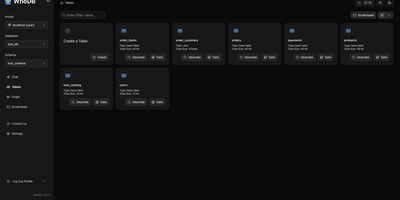
With nearly 5,000 GitHub stars earned in under two years, WhoDB has rapidly emerged as the lightweight alternative to heavyweight database clients like DBeaver and DataGrip by delivering a sub-50MB binary that starts in under a second and connects to 18+ database systems from a single interface. The Go backend serves the React and TypeScript frontend with table virtualization for efficient rendering of large result sets, lazy loading, and query result streaming that keeps the interface responsive even when browsing tables with millions of rows. The Community Edition connects to PostgreSQL, CockroachDB, YugabyteDB, MySQL, MariaDB, TiDB, SQLite, DuckDB, MongoDB, FerretDB, Redis, Valkey, Dragonfly, Elasticsearch, OpenSearch, ClickHouse, QuestDB, and Memcached through a unified credential selector that switches between databases with minimal configuration. Interactive schema diagrams render entity-relationship graphs showing table structures, foreign keys, and column types for visual database exploration. The Jupyter-style query scratchpad provides SQL autocomplete, syntax highlighting, and multi-statement execution with paginated results. AI integration optionally connects to Ollama, OpenAI, Anthropic, LM Studio, or any OpenAI-compatible provider for natural language database queries — ask questions in plain English and receive generated SQL. Data management includes inline row editing, CSV export, and filtered data views. Docker deployment runs a single container exposing port 8080. Running on a dedicated VPS on RepoCloud with guaranteed CPU, RAM, and SSD, full root SSH access, and a browser serial console. Apache-2.0 licensed.
MatrixOne
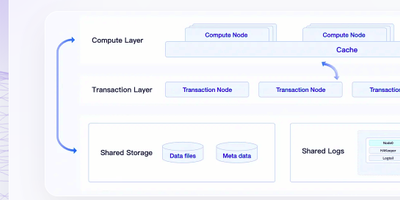
Transactions, analytics, full-text search, and vector retrieval stop needing four separate systems: MatrixOne folds them into one hyper-converged database engine that speaks the MySQL 8.0 wire protocol, so existing drivers, JDBC applications, Navicat, and BI tools connect unchanged. A single TAE storage engine serves OLTP and OLAP together, with compute and storage separated so query nodes scale independently of the data they scan. Vector columns carry IVF and HNSW indexes with L2, cosine, and inner-product distance, powering RAG and semantic search at billions scale beside your relational tables instead of in a sidecar database. Full-text indexing joins the same query, so hybrid searches combine keyword relevance and embedding similarity in one statement. Git-style version control for data lets teams clone, branch, and roll back datasets the way they already treat code, which makes experiments and audits reproducible. Streaming ingestion through Kafka connectors keeps analytical tables current, and the 4.2 line sharpens window-query performance, composite-index planning, and physical backup and restore that preserves table history. Running on a dedicated VPS on RepoCloud with guaranteed CPU, RAM, and SSD, full root SSH access, and a browser serial console. Apache-2.0 licensed.
Mathesar
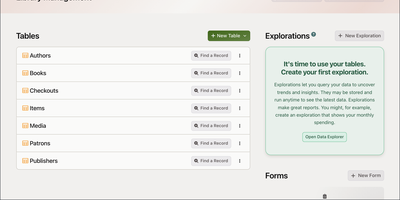
Mathesar puts a spreadsheet in front of your PostgreSQL database, letting anyone on the team browse, edit, filter, sort, and query tables without writing a line of SQL. Connect it to any existing PostgreSQL instance and immediately navigate schemas, tables, and records through an intuitive grid interface with inline editing, grouping, and summarization. The query builder joins tables across foreign key relationships, creates custom views with aggregations, and exports results to CSV. Rather than inventing its own permission layer, Mathesar maps each user or team to a native PostgreSQL role with granular schema-level and table-level privileges enforced at the database engine level, so there is never a gap between what the UI allows and what the database permits. Record summary templates display human-readable representations of linked records, making foreign key relationships immediately understandable instead of showing raw IDs. Import data from CSV files, create new tables and columns with proper PostgreSQL types including arrays, JSON, and custom domains, and modify schema structure through the web interface. Mathesar scales as well as the underlying PostgreSQL instance with no artificial limits on database size or complexity. Maintained by the Mathesar Foundation, a 501(c)(3) nonprofit, with a permanent commitment against vendor lock-in or licensing changes. Docker deployment connects to existing PostgreSQL instances or a bundled database in minutes. 5,000+ GitHub stars. GPL-3.0 licensed.
Butterbase
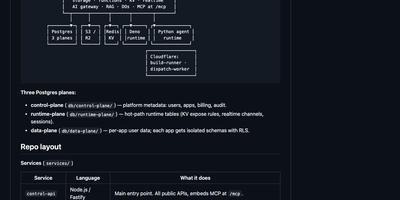
Butterbase gives AI applications a complete backend they can run themselves, from a dedicated PostgreSQL database for every app to an MCP server that lets agents operate that backend directly. Define schemas declaratively, apply migrations, protect rows with Row-Level Security policies, and call the generated REST endpoints without building a separate data API. Add email and OAuth sign-in with Google, GitHub, Apple, X, and other providers, then tune JWT behavior, post-login hooks, service keys, and API keys for each application. Store files in S3 or R2 compatible object storage with presigned URLs and access controls, and keep regional key-value data with TTLs and an audit trail. Run TypeScript functions on Deno, coordinate chat rooms or rate limiters as durable per-key objects, and stream table changes to live interfaces over WebSocket subscriptions. Route chat and embedding calls through one AI gateway, ingest documents into RAG collections, and build checkpointed agent workflows that can pause for human approval before continuing. Host static frontends and edge handlers, expose webhooks for application events, and manage schemas, storage, functions, realtime channels, and integrations through more than forty MCP tools. Running on a dedicated VPS on RepoCloud with guaranteed CPU, RAM, and SSD, full root SSH access, and a browser serial console. Apache-2.0 licensed.
Valkey
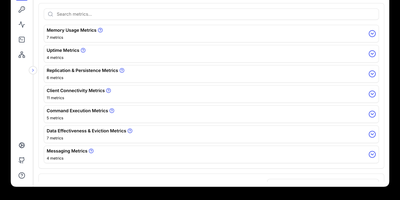
With 26,600 GitHub stars, 50 contributing companies including AWS, Google Cloud, Oracle, and Ericsson, and governance under the Linux Foundation ensuring the BSD 3-Clause license can never be revoked by a single entity, Valkey delivers a truly open-source Redis-compatible key-value datastore that reached 1.19 million requests per second in version 8.0 through redesigned asynchronous I/O threading across CPU cores while maintaining single-threaded data structure operations for predictability. Native data structures include strings, hashes, lists, sets, sorted sets, bitmaps, HyperLogLogs, streams, and geo-spatial indices with JSON support through modules. Valkey 9.0 shipped full-text search and aggregation via Valkey Search, enabling tag queries, numeric filtering, and text matching directly within the datastore without external search engines. Cluster mode provides horizontal scaling with automatic sharding, replication for high availability, and per-slot metrics for granular monitoring. Lua scripting enables complex atomic operations, while the module plugin system extends the server with custom commands and data types including probabilistic Bloom filters. Client libraries for Python, Java, Go, Node.js, and PHP maintain full Redis OSS protocol compatibility — existing Redis applications work without code changes. Deploy as a standalone daemon or in clustered mode with Docker, supporting persistent and ephemeral workloads on any Linux host. Running on a dedicated VPS on RepoCloud with guaranteed CPU, RAM, and SSD, full root SSH access, and a browser serial console. BSD 3-Clause licensed.
Apache Superset
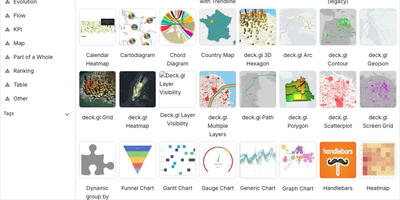
Powering data analytics at companies like Airbnb, Twitter, and Lyft where it originated, Apache Superset has become the leading open-source business intelligence platform with over 65,000 GitHub stars and an Apache Software Foundation top-level project designation. The platform ships with over forty visualization types out of the box including geographic maps, time-series charts, pivot tables, heatmaps, treemaps, and Sankey diagrams, all rendered with Apache ECharts for publication-quality output. Its SQL Lab provides a full-featured IDE experience with syntax highlighting, autocomplete, query history, and result caching for interactive data exploration. Superset connects natively to PostgreSQL, MySQL, ClickHouse, Trino, Presto, BigQuery, Snowflake, Apache Druid, Apache Hive, and dozens more databases through SQLAlchemy connectors, with support for custom database drivers via Python plugins. The semantic layer allows data teams to define calculated columns, metrics, and virtual datasets that business users can query without writing SQL. Role-based access control with row-level security enables fine-grained data governance, while the embedded analytics SDK lets you integrate dashboards directly into external applications via iframes with SSO pass-through. The caching layer supports Redis and Memcached for query result caching, and the asynchronous query execution engine powered by Celery handles long-running queries without blocking the UI. Alerts and reports can be scheduled via email or Slack with PNG or CSV attachments generated from any chart or dashboard. Running on a dedicated VPS on RepoCloud with guaranteed CPU, RAM, and SSD, full root SSH access, and a browser serial console. Apache 2.0 licensed.
phpMyAdmin
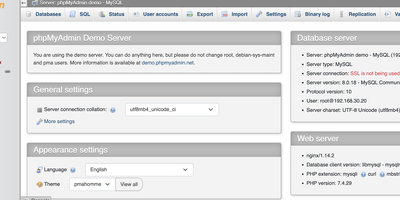
Since 1998, phpMyAdmin has been the standard web interface for MySQL and MariaDB - the tool millions of developers, DBAs, and hosting companies reach for when a database needs inspecting, fixing, or migrating. Written in PHP, it covers effectively the entire administration surface: create, browse, alter, and drop databases, tables, views, columns, and indexes; insert and edit rows through a tabular editor; manage user accounts and granular privileges; and maintain stored procedures, triggers, and events - all without touching a command line. The SQL editor executes arbitrary queries with syntax highlighting, autocompletion, history, and bookmarkable statements, including batch queries. Import/export is a migration workhorse: read SQL, CSV, XML, and OpenDocument spreadsheets in; write out to SQL dumps, CSV, JSON, XML, PDF, Word, LaTeX, and more - the fastest path for moving a WordPress database or handing a schema to a colleague. The Designer view renders your schema as an interactive ER diagram with drag-and-drop relationship editing, and data transformations display BLOBs as images or download links inline. Server maintenance views surface configuration suggestions. Multi-server support, dark mode, and translations into 72 languages round out a tool that earns its ubiquity. GPL-licensed.
SQL Chat
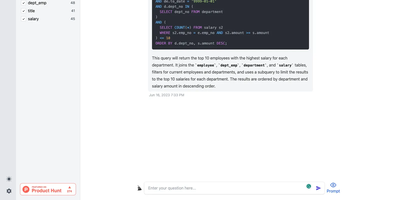
Describe what you want in plain language and get real SQL against your real schema: SQL Chat is an open-source, chat-based SQL client from the Bytebase team. Instead of writing queries in a traditional editor, you connect a database and describe what you want in plain language; the AI reads your schema automatically, generates SQL that references real table and column names, executes it, and returns tabular results in the conversation. Follow-up messages refine the query, so exploration becomes a dialogue - narrow a result set, add a join, change an aggregation - without retyping statements. It supports MySQL, PostgreSQL, SQL Server, TiDB Cloud, and OceanBase from one interface, and covers modification as well as reads: insert, update, and delete operations phrased conversationally. Built with Next.js and TypeScript, it deploys as a single stateless Docker container in single-user mode - connection profiles live in the browser, so there is nothing server-side to maintain. A custom AI endpoint setting routes inference through any OpenAI-compatible API, including self-hosted models, and an optional database-backed mode adds accounts and quotas for offering the tool to a team. MIT-licensed.
MongoDB
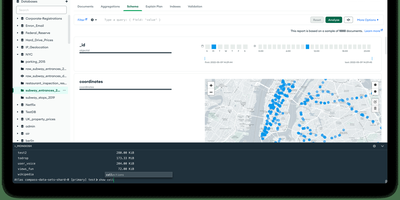
Used by over 46,800 companies including Forbes, Toyota, and Cisco, MongoDB stores data as flexible JSON-like BSON documents that eliminate rigid table schemas and support rapid application iteration. Its aggregation pipeline processes complex data transformations through composable stages including $match, $group, $lookup for joins, $unwind, and $project, operating directly within the database engine. Horizontal scaling is built in through automatic sharding, which distributes data across nodes using range-based, hashed, or zone-based shard keys, while replica sets provide automatic failover with configurable read preferences and write concerns. Multi-document ACID transactions span multiple collections and shards since version 4.0, enabling relational-style consistency guarantees within a document model. Starting with Community Edition 8.2, native full-text search and vector search are available directly in the database through $search and $vectorSearch aggregation stages, supporting RAG patterns, semantic retrieval, and hybrid search without external dependencies. Change streams provide real-time event-driven data access by tailing the oplog through the aggregation framework, enabling reactive architectures without polling. Time series collections offer optimized columnar storage for IoT sensor data and metrics with automatic bucketing and compression. Official drivers exist for Python, Node.js, Java, Go, C#, C++, Rust, Swift, and PHP, with MongoDB Compass providing a GUI for visual schema exploration and query building. Running on a dedicated VPS on RepoCloud with guaranteed CPU, RAM, and SSD, full root SSH access, and a browser serial console. SSPL v1 licensed.
DbGate
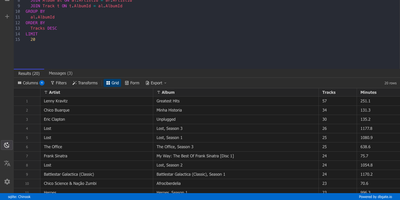
One browser tab can hold every database you manage, from MySQL and PostgreSQL to MongoDB and Redis, so there is no separate client to install for each engine. Connections are unlimited, and each can use its own SSH tunnel or SSL certificates. Tables open in an Excel-like grid where you edit cells inline, filter rows with expressions, and sort by any column. The SQL editor offers schema-aware code completion, a formatter, a join helper that builds clauses from foreign keys, query parameters, and a history of past runs, while result sets appear in separate tabs that you can filter, sort, and export. ER diagrams chart tables and their relations. The table editor creates columns, keys, and indexes and previews the SQL before anything is applied. Import and export move data between databases and files as SQL, CSV, JSON, XML, NDJSON, Excel, DBF, or YAML. Administrators can preconfigure connections through environment variables, mark them read-only, and protect the interface with logins that carry per-user permissions. Light and dark themes, customizable keyboard shortcuts, and translations into many languages keep daily work comfortable. Running on a dedicated VPS on RepoCloud with guaranteed CPU, RAM, and SSD, full root SSH access, and a browser serial console. GPL-3.0 licensed.
Redash
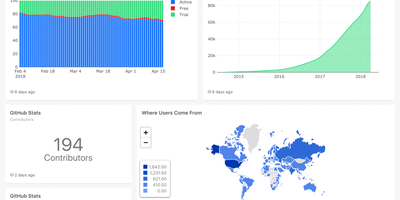
Used by millions of users at thousands of organizations worldwide and holding 29,000+ GitHub stars, Redash is the most established open-source SQL-first business intelligence tool — enabling anyone from analysts to executives to query databases, visualize results, and share dashboards without writing a single line of application code. The browser-based query editor supports SQL and NoSQL with schema browsing, auto-complete, query snippets, and parameterized queries that turn static reports into interactive data applications. Native connectors span 35+ data sources including PostgreSQL, MySQL, Amazon Redshift, Google BigQuery, Snowflake, ClickHouse, MongoDB, Elasticsearch, Databricks, Apache Presto, Microsoft SQL Server, and REST APIs — with an extensible data source API for custom integrations. Visualization types cover line, bar, area, pie, scatter, box plot, funnel, cohort, sankey, sunburst, choropleth map, and pivot tables, all draggable onto shared dashboards with cross-filtering parameters. Scheduled refreshes automatically update query results at configurable intervals, while threshold-based alerts notify teams via email, Slack, or webhook when metrics cross defined boundaries. SAML and Google OAuth SSO integration, role-based access control, API key management, and query-level permissions ensure enterprise-grade security for sensitive datasets. The self-hosted stack deploys via Docker Compose with PostgreSQL for metadata storage, Redis for job queuing, and Celery workers for background task execution. Running on a dedicated VPS on RepoCloud with guaranteed CPU, RAM, and SSD, full root SSH access, and a browser serial console. BSD 2-Clause licensed.
Tabularis
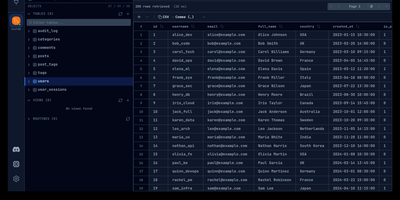
Instead of installing a different client for every database engine on your servers, Tabularis gives you one SQL workspace in the browser that speaks to PostgreSQL, MySQL, MariaDB, and SQLite directly, and to 26 more engines through installable driver plugins. The SQL editor autocompletes real table and column names as you type, runs multi-statement batches into separate result tabs, and can draw any result set as a bar or line chart. Notebooks mix executable SQL cells with Markdown and charts, sharing variables across cells for repeatable reports and investigations. You can edit rows inline in a virtualized grid that tracks pending changes before committing, build queries by dragging tables onto a canvas that writes the SQL for you, and generate an ER diagram from the live schema to see how everything connects. Natural-language prompts turn into SQL through OpenAI, Anthropic, Ollama, or any compatible endpoint you configure. Results export to CSV, JSON, or Markdown, whole databases dump to SQL files, and scheduled daily backups keep copies without manual effort. Connections reach databases through SSH or Kubernetes tunnels, and the built-in MCP server lets agents like Claude and Cursor inspect schemas and run queries under your control. Running on a dedicated VPS on RepoCloud with guaranteed CPU, RAM, and SSD, full root SSH access, and a browser serial console. Apache-2.0 licensed.
Marfa
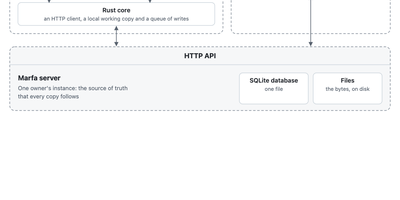
Marfa is a data layer you run yourself, where your notes, tasks, reading, and records live in one typed store that any app, script, or AI agent you allow can read and write. You decide what kinds of things you keep and how they connect, and the server checks every write against that structure, so a task, a book, and a person stay linked instead of scattered across five apps. Connectors pull in what already lives elsewhere, from GitHub repositories and issues, Todoist tasks, Readwise highlights, and RSS feeds, each writing under its own type with its own key. Keys are scoped, so the script that imports your reading list can never touch your tasks, and every change flows back out through a live event stream and full-text search. The marfa command line writes and reads from scripts and agents, the TypeScript SDK builds web apps on the same API, and the Swift SDK keeps an offline working copy on your devices that syncs its writes when your instance is reachable again. A folders command mirrors your notes as plain Markdown files on disk. Everything sits in one SQLite database and a folder of files on your server, with container deployment that streams backups to your own bucket. Running on a dedicated VPS on RepoCloud with guaranteed CPU, RAM, and SSD, full root SSH access, and a browser serial console. Apache-2.0 licensed.
dbx
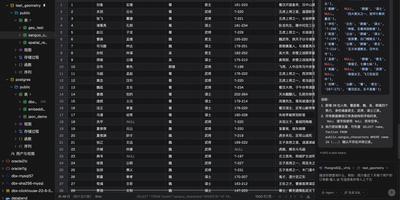
Universal database administration across modern enterprise infrastructure is simplified through dbx, a lightweight web client and SQL studio supporting over ninety database engines. Database administrators connect to MySQL, PostgreSQL, SQLite, Redis, MongoDB, ClickHouse, DuckDB, Oracle, and Microsoft SQL Server through authenticated network connections and encrypted SSH tunnels. The interactive query editor provides real-time multi-schema autocomplete, syntax linting, execution plan analysis, and natural language SQL query synthesis powered by configurable large language model backends. Teams visualize complex relational database architectures using interactive entity-relationship diagrams that map table foreign key constraints, primary indexes, and table partition layouts automatically. Operators inspect live Redis memory usage breakdowns, monitor real-time server command throughput, and manage key expirations without opening raw terminal sessions. The editable data grid supports multi-row modifications, foreign key reference lookups, CSV and JSON exports, and binary blob data inspection directly inside the browser viewport. Software developers expose connected databases directly to external AI coding assistants through native Model Context Protocol server endpoints. Running on a dedicated VPS on RepoCloud with guaranteed CPU, RAM, and SSD, full root SSH access, and a browser serial console. Apache-2.0 licensed.
PocketBase
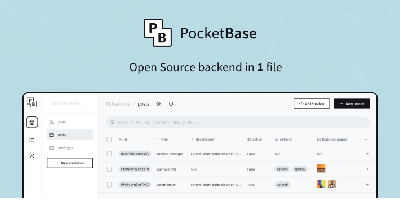
An entire backend in a single Go executable: PocketBase embeds SQLite with realtime subscriptions, authentication and user management, file storage, and an admin dashboard, all behind a REST-ish API. SQLite runs in WAL mode, which outperforms client-server databases for the read-heavy workloads typical of small and mid-sized apps. Authentication supports email/password, one-time passwords, and 15+ OAuth2 providers including Google, Apple, and GitHub, with stateless tokens. Clients subscribe to record changes over server-sent events, and official JavaScript and Dart SDKs cover web, mobile, and Flutter frontends. Collections, rules, and API access permissions are managed visually in the admin UI. When you need custom logic, extend it with JavaScript hooks running in the embedded JS VM of the prebuilt binary, or import PocketBase as a Go library and compile custom business logic into your own single-file backend. File storage attaches uploads to records with thumbnail generation for images and optional S3-compatible external storage. All state lives in one pb_data directory, so backup is a directory copy and upgrade is replacing a binary - one of the lowest-maintenance backends you can run. The contrast with Firebase is the point: where usage-based pricing scales with reads, writes, and bandwidth, PocketBase runs the entire backend at flat hosting cost, and the data is a plain SQLite file you can copy anywhere. MIT-licensed.
Apache Doris
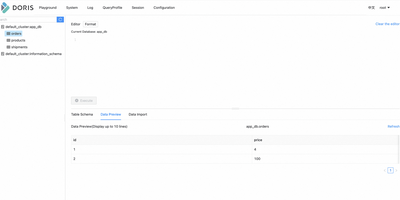
Dashboards should not wait minutes for yesterday's data, so Apache Doris answers analytical SQL over fresh data with a massively parallel, fully vectorized engine that processes column batches instead of row after row. Frontends receive queries over the MySQL protocol, plan them with a cost-based optimizer, and coordinate execution, while Backends store columnar tablets and run scans, joins, and aggregations in parallel pipelines across cores. Data lands continuously through stream and batch loads, broker imports from object storage, and change capture from operational databases, and it is queryable immediately for reporting that reflects the last minutes rather than the last nightly job. Tables outside Doris join the same SQL through catalogs for Hive, Iceberg, Paimon, Hudi, and JDBC sources, with local caching and materialized views accelerating the lakehouse queries your team runs every day. Search workloads live here too: an inverted index and a SEARCH function provide full-text retrieval, vector indexes support similarity search, and AI functions call language models from SQL for extraction and summarization, so hybrid queries mix keywords, semantics, and structured filters in one statement. Workload groups, resource controls, and compute-storage separation in cloud mode keep interactive dashboards fast while heavy ETL spills safely to disk. Running on a dedicated VPS on RepoCloud with guaranteed CPU, RAM, and SSD, full root SSH access, and a browser serial console. Apache-2.0 licensed.
Apache Druid
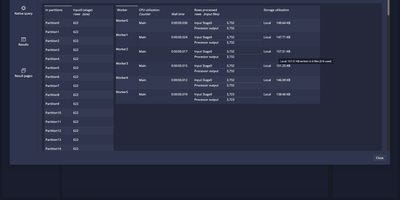
When dashboards must answer in under a second over billions of streaming events, Apache Druid is the real-time analytics database built for the job. Point a supervisor at an Apache Kafka topic or Amazon Kinesis stream and events are queryable on arrival, late data included, with exactly-once guarantees. Batch loads run as SQL: INSERT and REPLACE statements ingest files, and EXTERN reads external sources. Schema auto-discovery adds new columns and types as data lands. Joins run at ingestion or at query time. A web console gathers the daily work in one place: a tabbed Query view with EXPLAIN PLAN and query history, a Connect external data wizard, and pages for datasources, segments, retention rules, supervisors, tasks, services, and lookups. Configurable tiers place hot and cold data on different hardware. Quality-of-service settings shield priority workloads from heavy ones. Clickstream analytics, ad campaign reporting, network telemetry, application performance tracking, and IoT metrics all fit. Applications connect over the HTTP SQL API or the Avatica JDBC driver, and native JSON queries remain available for advanced needs. Running on a dedicated VPS on RepoCloud with guaranteed CPU, RAM, and SSD, full root SSH access, and a browser serial console. Apache-2.0 licensed.
Dolt
Dolt is a SQL database that versions your tables the way Git versions files, so every row carries a history you can branch, diff, merge, and roll back. The command line mirrors Git command for command: dolt init, add, commit, checkout, log, and blame operate on tables instead of files, and merges happen cell by cell, with conflicting cells landing in dolt_conflicts tables you resolve by choosing ours or theirs. Run dolt sql-server and the same database answers on the MySQL wire protocol, so the mysql client, TablePlus, DataGrip, and your existing application drivers connect unchanged, while stored procedures like DOLT_CHECKOUT and DOLT_MERGE and system tables like dolt_diff and dolt_log put version control inside SQL itself. Teams push and pull databases through remotes on DoltHub, S3, GCS, or a filesystem, fork a database to test a risky migration, and cherry-pick the good commits back. AI agents get their own branches to write into, and a human reviews the row-level diff before anything merges to main. Data publishers ship corrections as commits subscribers can pull, and analysts query any historical snapshot with AS OF instead of restoring backups. Running on a dedicated VPS on RepoCloud with guaranteed CPU, RAM, and SSD, full root SSH access, and a browser serial console. Apache-2.0 licensed.