AI Researcher
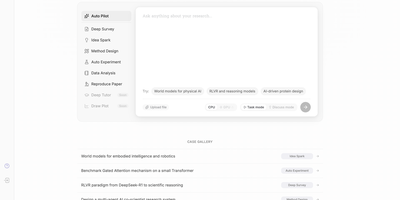
Accepted as a NeurIPS 2025 Spotlight paper and rapidly approaching 6,000 GitHub stars, AI-Researcher from the Hong Kong University Data Science Lab delivers the first fully autonomous scientific research system — a multi-agent platform that takes a list of reference papers and returns a complete research contribution with working code, validated experiments, and a formatted academic manuscript. The pipeline orchestrates five distinct phases: a Resource Collector systematically gathers materials from arXiv, IEEE Xplore, ACM Digital Library, Google Scholar, GitHub, and Hugging Face; an Idea Generator performs gap analysis against semantic embeddings to produce 3-5 novel hypotheses with feasibility scores; an Algorithm Designer transforms concepts into functional implementations; a Validation Engine automates testing, performance evaluation, and iterative optimization; and a Manuscript Creator generates polished full-length papers with figures, tables, and citations. The Gradio-based web GUI provides intuitive tabs for environment configuration, example selection, and real-time monitoring of research progress, while the production deployment at novix.science offers immediate browser access without local setup. Scientist-Bench provides a standardized benchmark comprising state-of-the-art papers across diverse AI research domains for evaluating autonomous research capabilities. The system supports multiple LLM providers including OpenAI, Anthropic, Google Gemini, and OpenRouter models with per-task routing for cost optimization. Deploy via Python with pip dependencies or Docker containerization. Running on a dedicated VPS on RepoCloud with guaranteed CPU, RAM, and SSD, full root SSH access, and a browser serial console. Apache-2.0 licensed.
Filestash
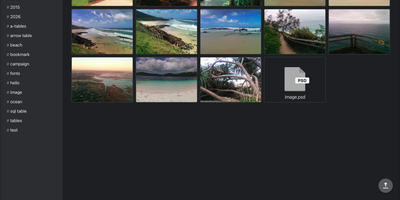
Filestash puts a Dropbox-style web interface in front of the SFTP servers, S3 buckets, SMB shares, and WebDAV storage you already run, so no file has to move. Administrators enable each connector, including FTP, NFS, Git, Dropbox, Google Drive, Storj, IPFS, and Backblaze B2, from one admin console. Colleagues browse, rename, move, and upload in a single folder view, with resumable uploads for big transfers. Thumbnails cover JPEG, PNG, WebP, TIFF, HEIF, and RAW photos. Images open with an EXIF info panel, and PDFs, audio, video, and EPUB ebooks open right in the browser. A CodeMirror editor handles text and code, and HLS transcoding streams video on demand. Outside guests get a shared link instead of credentials, with an optional password, an expiry date, and read, write, or upload-only rights. Limit a link to one email address or a whole domain, or mount it as a network drive. A workflow engine chains emails and HTTP calls after file events, webhooks, or schedules. Flip one admin setting and Claude, ChatGPT, and Mistral Le Chat can use the connected storage as MCP tools. Downloadable file apps add Office documents, 3D models, and GIS maps. Runtime plugins are zip files dropped into the plugins folder. Running on a dedicated VPS on RepoCloud with guaranteed CPU, RAM, and SSD, full root SSH access, and a browser serial console. AGPL-3.0 licensed.
Elmo
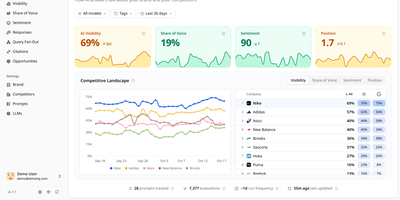
Tracking how ChatGPT, Claude, Gemini, Perplexity, and Google's AI answers talk about your brand, Elmo gives you a self-hosted dashboard for measuring and improving your AI search visibility. A setup wizard reads your website and suggests keywords, competitors, buyer personas, and tracking prompts. Behind the scenes, a worker reruns every tracked prompt on a schedule against the engines you connect, using scraping providers such as BrightData, Oxylabs, or SearchApi for real consumer experiences, or direct OpenAI, Anthropic, Mistral, and OpenRouter APIs. Each run feeds visibility scores per prompt and per model, mention tracking across names, aliases, and domains, sentiment from positive to negative, and each company's position in the answer. The Responses page filters answers by model, tag, prompt, or sentiment and highlights the passage behind each judgment. Citation analysis sorts cited URLs into your domains, competitors, social media, Google properties, and institutional sources. A share-of-voice leaderboard ranks competitors against you over time. Query fan-out shows the web searches engines ran before answering. Opportunities turns the numbers into a prioritized list of content to create, pitch, and seed. Shareable reports reach stakeholders without an account, and a REST API with TypeScript and Python SDKs plus an MCP server lets coding agents query the data. Raw engine output stays in your own database for later audit. Running on a dedicated VPS on RepoCloud with guaranteed CPU, RAM, and SSD, full root SSH access, and a browser serial console. MIT licensed.
AudioMuse-AI
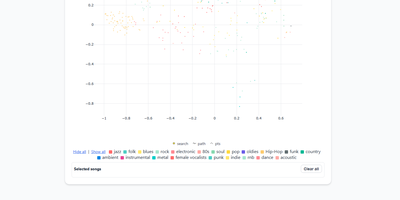
AudioMuse-AI transforms your self-hosted music collection into an intelligent sonic discovery universe that generates groove-aware playlists without relying on tag metadata or external streaming APIs. The platform scans audio files directly to extract acoustic properties, rhythmic cadence, harmonic density, and lyrical themes across seventy-two supported languages. Listeners can explore their library through a dynamic two-dimensional interactive music map, discover hidden sonic connections between distant genres, or chart smooth transitional song paths between two completely different tracks. Custom prompt-based querying lets users request niche vibes like late-night lo-fi piano, while automated clustering groups acoustically similar tracks into fresh, genre-defying collections. With Song Alchemy, curators fine-tune playlist moods by interactively adding or subtracting acoustic traits before exporting clean tracklists back to Navidrome, Jellyfin, LMS, Lyrion, Emby, or Plex. A built-in acoustic fingerprinting engine even identifies mystery tracks from twenty-second audio snippets, deduplicating songs across multi-server topologies so every file is processed only once. Running on a dedicated VPS on RepoCloud with guaranteed CPU, RAM, and SSD, full root SSH access, and a browser serial console. AGPL-3.0 licensed.
Mathesar
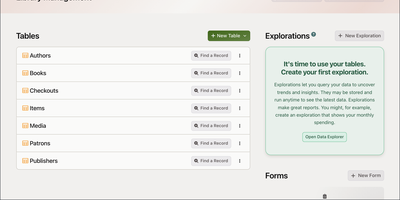
Mathesar puts a spreadsheet in front of your PostgreSQL database, letting anyone on the team browse, edit, filter, sort, and query tables without writing a line of SQL. Connect it to any existing PostgreSQL instance and immediately navigate schemas, tables, and records through an intuitive grid interface with inline editing, grouping, and summarization. The query builder joins tables across foreign key relationships, creates custom views with aggregations, and exports results to CSV. Rather than inventing its own permission layer, Mathesar maps each user or team to a native PostgreSQL role with granular schema-level and table-level privileges enforced at the database engine level, so there is never a gap between what the UI allows and what the database permits. Record summary templates display human-readable representations of linked records, making foreign key relationships immediately understandable instead of showing raw IDs. Import data from CSV files, create new tables and columns with proper PostgreSQL types including arrays, JSON, and custom domains, and modify schema structure through the web interface. Mathesar scales as well as the underlying PostgreSQL instance with no artificial limits on database size or complexity. Maintained by the Mathesar Foundation, a 501(c)(3) nonprofit, with a permanent commitment against vendor lock-in or licensing changes. Docker deployment connects to existing PostgreSQL instances or a bundled database in minutes. 5,000+ GitHub stars. GPL-3.0 licensed.

Mirobody
Three lab PDFs, a phone photo of a printed slip, and a spreadsheet become one cholesterol trend in Mirobody, a health data engine you host yourself, with the source file behind every number. Upload reports in 23 file types, import an Apple Health export, or connect Garmin, Oura, and Whoop, and every reading keeps a link to the page it was read from. Test names in English, Chinese, Japanese, and other languages resolve offline to LOINC codes and UCUM units, so HbA1c and Glycated Hemoglobin land on one series, and a name it cannot place stays unresolved instead of guessed. Ask questions in plain language and the agent shows each step as it works, charts the trend, and opens the reading and file behind every figure. A health journal turns one typed sentence into coded symptoms, blood pressure readings, and a medication entry, and a denied symptom like no fever is never logged. Genetic exports from 23andMe, AncestryDNA, and WeGene, or a VCF, can be queried by rsID, gene, or region. A care circle lets relatives share their own records on their own terms, and Claude Code, Codex, and Cursor can read your record through the built-in MCP endpoint. Choose OpenRouter, OpenAI, Gemini, Anthropic, or DeepSeek for answers, or keep every model on your own machine. Running on a dedicated VPS on RepoCloud with guaranteed CPU, RAM, and SSD, full root SSH access, and a browser serial console. Apache-2.0 licensed.
Measure
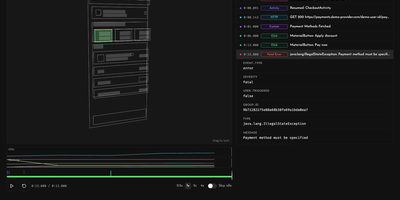
Measure is an open-source mobile monitoring platform that shows mobile teams what broke, how often, and what the user did right before it happened. Crashes, ANRs, and app hangs are grouped into single issues, and each fatal error arrives with a session replay: an ordered timeline of screens opened, taps, network calls, logs, and lifecycle events, with CPU and memory charts alongside screenshots and wireframe layout snapshots. Bug reports can be filed with a device shake or an SDK call and carry the same history of user actions. Performance traces and spans break slow startups and screens into steps, and network monitoring ranks the slowest and most error-prone endpoints. Funnels built from custom events show conversion and drop-off at each step, with a Friction view that ties every step to the crashes, errors, slow traces, and network requests users hit there. User journeys chart how people move between screens, and Adaptive Capture changes sampling, replay length, and screenshot masking remotely, with no new app build. SDKs cover Android, iOS, Flutter, React Native, and Kotlin Multiplatform. Teams sign in with Google or GitHub, invite colleagues by email, and send alerts to Slack, and an optional Measure Agent lets a coding agent or Slack help debug production issues. Running on a dedicated VPS on RepoCloud with guaranteed CPU, RAM, and SSD, full root SSH access, and a browser serial console. Apache-2.0 licensed.
Poznote
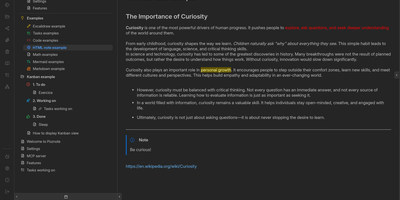
Poznote serves as an all-in-one personal knowledge base and digital workspace designed to bridge unstructured thinking and structured documentation. The platform pairs a responsive Markdown editor with live side-by-side rendering, KaTeX mathematical notation, and interactive Mermaid diagram compilation. Creative thinkers can switch instantly to an embedded Excalidraw infinite canvas to sketch system architectures, design mind maps, and create interface wireframes alongside their written notes. Every directory within the workspace can be toggled into an agile Kanban board where nested folders become customizable workflow columns and notes transform into draggable task cards. Task management views aggregate checklists across documents into unified priority queues with due date reminders and completion filters. An integrated bi-directional Git synchronization engine connects user workspaces directly to personal GitHub or Forgejo repositories, versioning edits automatically on save. The software also provides an integrated Model Context Protocol server that enables AI coding assistants to search notes, create documents, and query knowledge repositories securely. Running on a dedicated VPS on RepoCloud with guaranteed CPU, RAM, and SSD, full root SSH access, and a browser serial console. MIT licensed.
AgentDock
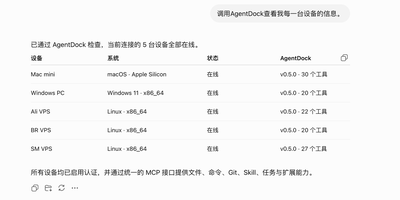
AgentDock turns the computers and servers you already run into machines an AI assistant can operate for you through one secure MCP endpoint. Connect ChatGPT, Claude, Codex, or any other MCP client and the agent works in the real environment: reading and writing files, searching code, running shell commands, and driving Git where the project actually lives. Long jobs survive interruptions because task state and checkpoints persist on the node, ready to resume where they stopped. Browser work is covered as well, with web pages driven through a native Chrome DevTools connection that reuses your logged-in sessions, captures screenshots, and can even operate macOS desktop applications. Capabilities grow through installable Skills and dynamic MCP servers, so a node picks up new tools without a rebuild. Run a single node on a laptop, or spread nodes across VPS hosts and containers and pair them with the optional NexusDock console for one fleet view, shared Recall memory, reusable workflow templates, and a single MCP address for every machine. Access stays locked down with Bearer tokens or OAuth sign-in, loopback-only defaults, and optional Cloudflare Tunnel or HTTPS exposure when a remote client needs a way in. Running on a dedicated VPS on RepoCloud with guaranteed CPU, RAM, and SSD, full root SSH access, and a browser serial console. Apache-2.0 licensed.
GoRaven
GoRaven transforms AI chat from a question-answer window into a full engineering workstation where agents read files, write code, run shell commands, query databases via MCP tools, and deliver structured results — orchestrating across OpenAI, Claude, DeepSeek, Gemini, Qwen, GLM, and Ollama with task-based routing that allocates the right model for each job based on cost and capability. Built on a Go backend using the Freedom framework with Iris HTTP and a React/TypeScript frontend powered by Vite and Tailwind CSS, each user operates in an isolated workspace with team-shared project areas and centrally managed model quotas. The skill marketplace packages prompts, scripts, and workflows as reusable installable units with automatic dependency resolution and centralized versioning. MCP toolchain integration connects agents to internal APIs, databases, private services, and CLI tools so they query data, invoke services, and trigger actions directly. RAG-powered knowledge bases ingest policies, documentation, and business data for real-time retrieval during planning, coding, and Q&A with source attribution. Long-running task support decomposes complex work through a main agent coordinating sub-agents that execute in parallel across sessions. Plugin hooks inject custom logic at conversation start and end, tool calls, and SSE event streams without forking core code. The operations dashboard tracks usage metrics, model consumption, and team activity. Supports SQLite, MySQL, or PostgreSQL with Redis or local memory caching. Deploy with a single Docker command. Running on a dedicated VPS on RepoCloud with guaranteed CPU, RAM, and SSD, full root SSH access, and a browser serial console. Apache 2.0 licensed.
Omnara
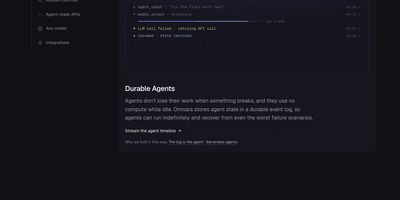
Running AI agents in production takes more than a model call: Omnara supplies the durable runtime, tools, approvals, and complete event history around any model, on your own machines. You define an agent once in a small YAML file: instructions, a model from OpenAI, Anthropic, OpenRouter, Bedrock, LiteLLM, Ollama, or your own endpoint, and the machines it may use. Launch agents from the REST API, the TypeScript SDK, the command line, or the dashboard, then stream every event live or receive it as a webhook while the agent works. Agents run shell commands and edit files on sandboxes from twelve providers, or on your own laptops, VMs, and containers through a daemon that connects outward, so no inbound ports or SSH keys are exposed. Every step is written to Postgres as an event log, which means an agent survives crashes, restarts, and disconnected machines and resumes exactly where it stopped. Tool permissions can run immediately, ask a person first, or block outright, and agents can start subagents, follow cron schedules, and keep shared memory files between conversations. Teams meet the agents where they already talk: mention the bot in Slack or Discord, or let a GitHub pull request trigger a review, with questions and approvals handled in the thread. Running on a dedicated VPS on RepoCloud with guaranteed CPU, RAM, and SSD, full root SSH access, and a browser serial console. Apache-2.0 licensed.

TypeType
On your own server, TypeType runs a private video platform for YouTube, NicoNico, and BiliBili, keeping subscriptions, history, and playlists out of someone else's recommendation engine. Pick a service and search it. Browse channels, Shorts, podcasts, and a home feed. Speed and quality control. Cinema mode. Native picture-in-picture. Subtitles, alternate audio tracks, and frame-by-frame stepping. SponsorBlock segments get skipped, or just marked, by category. Subscriptions, playlists, watch later, favorites, and resume positions fill the library. Import a Google Takeout export or a PipePipe backup and a new instance never starts empty. Download video or audio to local or S3-compatible storage and collect it in the browser when it is ready. Sign in locally or through OIDC. An admin console runs the instance. Block a channel and it disappears from feeds, search, and related videos. Hide Shorts. Hide personalized recommendations. Hide the suggestions column. A native Android client for phones and tablets syncs with the same instance. An optional experimental recommender can build a personalized home feed, and each user chooses whether to turn it on. Running on a dedicated VPS on RepoCloud with guaranteed CPU, RAM, and SSD, full root SSH access, and a browser serial console. MIT licensed.
Posta
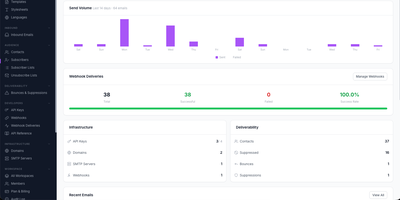
Built as a developer-first alternative to SendGrid, Mailgun, and Postmark, Posta delivers a complete self-hosted email infrastructure platform handling both outbound delivery and inbound reception through a single HTTP API with official SDKs for Go, PHP, and Java. The Go backend processes email through Redis and Asynq with automatic retries, priority queues, and async delivery while PostgreSQL stores templates, contacts, campaigns, and delivery analytics. Outbound features include versioned multi-language templates with variable substitution and stylesheet inlining, bulk campaigns with subscriber targeting and A/B testing per-variant metrics, scheduled timezone-aware delivery with draft/paused/cancelled lifecycle states, email address verification checking syntax, MX records, disposable domains, and role accounts, plus web view links with signed expiring URLs and one-click unsubscribe headers. The built-in SMTP receiver with TLS handles inbound email at your domains, parses messages and attachments, scores spam, and forwards structured payloads to your application via HMAC-verified webhooks with real-time SSE notification streams. The Vue-based dashboard manages templates, SMTP server pools, domains, contacts, API keys, campaigns, and email logs with dark and light mode support while admin-level platform metrics expose delivery rate trends, bounce rate graphs, and latency percentiles alongside Prometheus integration and daily health reports. Deploy via Docker with PostgreSQL and Redis. Running on a dedicated VPS on RepoCloud with guaranteed CPU, RAM, and SSD, full root SSH access, and a browser serial console. Apache 2.0 licensed.
Berth
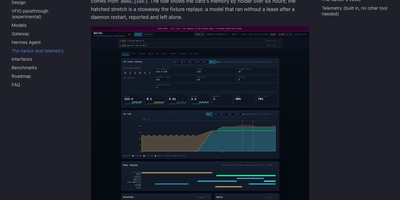
A single GPU can only hold so many models at once, and when a chat server, an image pipeline, and a voice engine all grab VRAM together, somebody runs out of memory and crashes. Berth fixes the scramble by making every engine lease the card: wrap a launch in berth run and the daemon grants memory in turn, queues the rest with an honest place in line and a start estimate, and drains a holder cleanly before the next load begins. The broker learns each engine's real footprint from its runs, so grants are sized by measured peaks instead of guesses, and processes that grab memory without a lease are reported as stowaways, never killed, with contested grants flagged in plain sight. A collisions board counts what the scheduling prevented: avoided collisions, VRAM handed off, drains, stuck releases, and refusals, and every count links back to a gap free event log you can follow live. The Harbor web UI turns that into a departures board of leases, a six hour tide of memory by holder, engine cards with decode throughput and a token ledger, plus a per model leaderboard and thirty days of stored history. Alerts reach your desktop or a webhook, Prometheus scrapes the metrics endpoint, and multi GPU machines can even pass one card through to a VM while the others keep serving. Running on a dedicated VPS on RepoCloud with guaranteed CPU, RAM, and SSD, full root SSH access, and a browser serial console. Apache-2.0 licensed.
AdventureLog
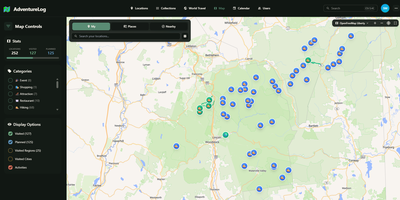
AdventureLog tracks and visualizes your travels on an interactive world map, combining GPS-tagged location logging with collaborative trip planning and a personal atlas that fills in as you explore new countries and regions. The SvelteKit frontend renders lightning-fast interactive maps powered by MapLibre GL, displaying every logged location with filtering by visit status, custom categories, and a stunning 3D globe view for immersive exploration. Each adventure entry stores rich metadata including precise GPS coordinates via PostGIS, visit dates, personal ratings, descriptions, photos, and trail uploads with detailed activity statistics. The multi-day itinerary planner organizes trips with flight information, daily activity schedules, packing checklists, collaborative notes, and resource links, while real-time sharing lets travel companions view and edit plans together. The world travel book automatically tracks which countries, states, and regions you have visited, rendering them on interactive choropleth maps that grow with every journey. Native integration with Immich connects your photo library directly, allowing photo imports via API key authentication and smart search. Django AllAuth handles user authentication with social login support, and the Django REST Framework API enables third-party integrations and mobile app connectivity. The project has gathered over 3,500 GitHub stars since its 2024 launch. A single Docker container bundles frontend, backend, and Nginx on one port for straightforward deployment. Running on a dedicated VPS on RepoCloud with guaranteed CPU, RAM, and SSD, full root SSH access, and a browser serial console. GPL-3.0 licensed.
Google Maps Scraper
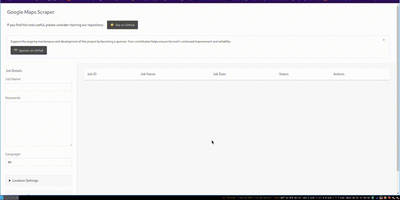
The leading open-source tool for extracting business leads from Google Maps at production scale. The Go-based engine processes approximately 120 places per minute with optimized concurrency, extracting 33+ data points per listing including business name, address, phone number, website URL, rating, review count, latitude and longitude, opening hours, price level, and optionally crawling business websites for email addresses. Three interfaces serve different workflows: the CLI accepts query files for cron jobs and CI/CD pipelines with output to CSV, JSON, PostgreSQL, S3, or LeadsDB; the Web UI provides a browser-based dashboard with real-time job monitoring, a map view of scraped places, and interactive query submission; and the REST API at /api/v1 enables programmatic integration with full Swagger documentation at /api/docs. Built-in proxy rotation supports SOCKS5, HTTP, and HTTPS with authentication for large-scale runs, while the architecture scales from a laptop to Kubernetes clusters with queue-based worker distribution. The SaaS edition adds multi-user access with API key management, admin UI with 2FA, job queue orchestration, and one-command cloud deployment via an interactive wizard. An AI Agent Skill enables coding agents to run scrapes programmatically. Deploy via Docker or build from source requiring Go 1.26.5+. Running on a dedicated VPS on RepoCloud with guaranteed CPU, RAM, and SSD, full root SSH access, and a browser serial console. MIT licensed.
Homepage
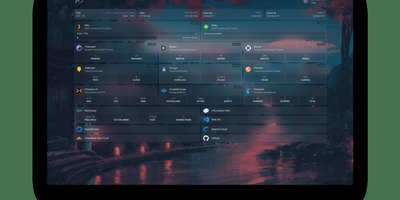
With over 31,000 GitHub stars and 430 contributors, Homepage has become the definitive self-hosted dashboard for homelab enthusiasts and server administrators who want a single, elegant landing page for all their services. The dashboard renders as a fully static site at build time for instant page loads, while a Node.js backend securely proxies all API requests to prevent exposing service credentials to the browser. Docker integration automatically discovers running containers through label-based configuration, populating the dashboard with service status indicators, health checks, and real-time statistics without manual URL entry. Over 100 native service widgets display live data from popular applications including Plex, Jellyfin, Radarr, Sonarr, Home Assistant, Pi-hole, Portainer, Proxmox, Nextcloud, Gitea, and dozens more, each showing relevant metrics like active streams, download queues, or system health directly on the dashboard. Information widgets provide weather forecasts, system resource utilization, search bars, and date/time displays. The layout system supports multiple columns, tabs, and custom CSS for pixel-perfect arrangement of service groups and bookmarks. Built-in authentication options include OIDC integration and password protection. Quick search functionality enables instant access to bookmarks and services with keyboard shortcuts. Internationalization covers 40+ languages with community-maintained translations. Configuration lives entirely in YAML files for version-controlled, reproducible dashboard setups. Deploy on a dedicated VPS on RepoCloud with guaranteed CPU, RAM, and SSD, full root SSH access, and a browser serial console for complete control. GPL-3.0 licensed with an active community and bi-weekly releases.
Calibre
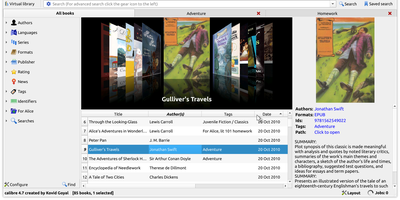
Serious readers organize, convert, edit, and serve their e-book libraries with Calibre - the definitive open-source e-book manager. This deployment runs the full Calibre desktop application on your server, accessible from any browser, so your library lives in one authoritative place instead of scattered across devices. Its conversion engine is the best in the business, translating between every major format - EPUB, MOBI, AZW3, PDF, DOCX, and dozens more - with fine control over fonts, margins, metadata, and structure detection. Metadata management downloads covers, descriptions, series info, and identifiers from online sources, and every field is editable in bulk. Beyond cataloging, Calibre includes a full e-book editor for EPUB and AZW3 internals, a news engine that fetches newspapers and magazines from the web on schedule and converts them into e-books, book comparison tools, and device syncing that sends the right format to each connected reader. The built-in content server exposes your library over HTTP so phones, tablets, and e-readers can browse and download remotely. A deep plugin ecosystem extends everything - metadata sources, format support, store integrations. For power users, the complete CLI (calibredb, ebook-convert) enables scripted library automation. Your books, your metadata, your server - permanent and DRM-free storage under your control.