Dockhand
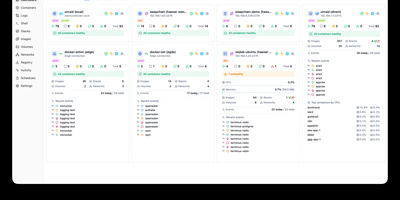
Dockhand is a Docker management platforms, offering a modern alternative to Portainer with free OIDC SSO and vulnerability scanning that competitors gate behind paid tiers. Real-time container management provides start, stop, restart, and remove operations with live resource monitoring across CPU, memory, and network usage on a dashboard with real-time metrics. The visual Docker Compose editor enables stack creation and modification with syntax highlighting, while Git integration deploys stacks directly from repositories with webhooks and auto-sync for GitOps workflows. Vulnerability scanning powered by Grype and Trivy analyzes container images against CVE databases, with configurable auto-update scheduling that can trigger updates based on vulnerability severity criteria. The Hawser Go agent enables management of remote Docker hosts in Standard mode for LAN environments or Edge mode using outbound WebSocket connections for hosts behind NAT, firewalls, or dynamic IPs without exposing inbound ports. Interactive terminal sessions provide shell access into running containers, while the file browser enables uploading, downloading, and editing files directly within containers. Image management includes registry browsing, pull operations, and layer inspection alongside network and volume administration. The security-focused architecture builds its own OS layer from scratch using Wolfi packages via apko with every package explicitly declared. Running on a dedicated VPS on RepoCloud with guaranteed CPU, RAM, and SSD, full root SSH access, and a browser serial console. BSL 1.1 licensed, converting to Apache 2.0 in 2029.
Komodo
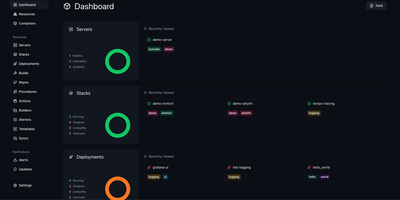
Komodo puts every server, container, and deployment pipeline behind a single dashboard where you build, ship, and monitor Docker workloads across unlimited hosts. Lightweight stateless agents install on each connected server and report CPU, memory, and disk metrics back to the Rust-powered core, giving you real-time visibility without heavyweight monitoring stacks. Docker Compose stacks deploy directly from the UI or link to Git repositories with webhook-triggered automatic redeploys on push. A built-in CI pipeline compiles versioned Docker images from source, with optional AWS spot instances for burst build capacity. For orchestration at scale, Docker Swarm management handles node configuration, service deployment, and multi-node stack orchestration from the same control plane. Browser terminal sessions open persistent named shells on servers and inside containers, complete with shared team access and scriptable Actions that chain executions into multi-stage procedures. Infrastructure-as-code support defines all resources declaratively in TOML files within a Git repository, keeping production state version-controlled and auditable. Granular role-based access control with user groups, per-resource permissions, and OAuth through GitHub and Google keeps teams operating within defined boundaries. A full OpenAPI specification, dedicated CLI, and typesafe client libraries for Rust and TypeScript make programmatic integration straightforward. With 12,000+ stars and active development, the community continues expanding multi-architecture builds and Swarm tooling.
Dockge
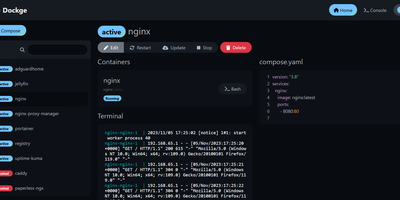
Created by the developer behind Uptime Kuma and carrying over 23,000 GitHub stars, Dockge brings the same clean, reactive design philosophy to Docker Compose stack management with a web interface that makes Portainer's compose handling feel like editing YAML in a terminal over SSH. The interactive editor provides syntax highlighting, inline validation, and a live preview of your compose.yaml files while keeping every stack stored as a standard file on disk in /opt/stacks by default, meaning you can seamlessly switch between the web UI and the docker compose CLI without lock-in or proprietary database formats. Real-time WebSocket updates stream pull progress, container start/stop transitions, and build output directly to the browser with no polling delays. The built-in web terminal opens a shell session inside any running container for quick debugging, while the docker-run-to-compose converter transforms single-container run commands into proper compose.yaml definitions with one click. Multi-agent support introduced in version 1.4.0 connects multiple Docker hosts to a single Dockge dashboard, enabling centralized management of stacks distributed across different servers. Image update detection shows which stacks have newer versions available, and one-click updates pull the latest images and recreate containers without manual intervention. The stack is a single Docker container running on Node.js with Socket.IO for reactivity and stores no external database. Running on a dedicated VPS on RepoCloud with guaranteed CPU, RAM, and SSD, full root SSH access, and a browser serial console. MIT licensed.
Kite
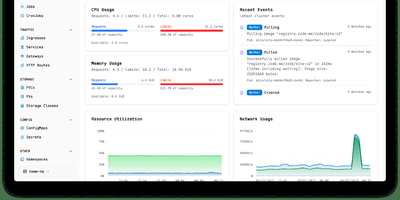
With nearly 3,000 GitHub stars and 14 releases since its June 2025 launch, Kite delivers a lightweight Kubernetes dashboard that replaces the fragmented workflow of switching between kubectl, Lens, and separate monitoring tools with a unified multi-cluster management platform. The dashboard automatically discovers clusters from kubeconfig files and supports independent Prometheus configurations per cluster, providing real-time CPU, memory, and network charts alongside live pod log streaming with filtering and search. A built-in web terminal opens shells directly into pods and nodes without kubectl port-forward, while the Monaco-based YAML editor offers syntax highlighting and validation for in-place resource editing. The integrated AI agent, powered by OpenAI or Anthropic models via native Go SDK integrations, translates natural language into precise client-go API calls — querying cluster health, analyzing pod logs, scaling deployments, patching resources, and cleaning up failed jobs — all operating strictly within the logged-in user's RBAC permissions. Enterprise governance includes OAuth 2.0 single sign-on, multi-factor authentication, FIDO2 passkeys, granular role-based access control with per-namespace permissions, and comprehensive audit logging. Helm chart management enables browsing, installing, and upgrading releases directly from the UI, while the Docker registry integration provides quick image tag selection. Deploy via a single Docker container with SQLite or use the official OCI Helm chart with PostgreSQL or MySQL for production. Running on a dedicated VPS on RepoCloud with guaranteed CPU, RAM, and SSD, full root SSH access, and a browser serial console. Apache 2.0 licensed.
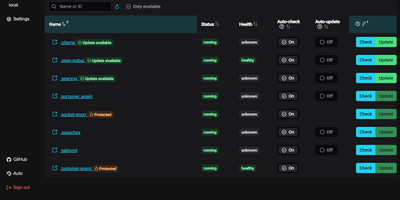
Tugtainer
Tugtainer delivers a visual command center for Docker environments that automates container image updates, monitors registry releases, and manages application lifecycles across multiple servers without command-line intervention. System administrators can inspect running containers across all connected hosts, trigger immediate image pulls, and configure automated cron schedules for recurring health and registry checks. Flexible update policies allow teams to flag production databases as notification-only while automatically updating stateless web applications whenever new image tags publish. When updating linked services, the platform analyzes Docker Compose project definitions and custom dependency labels to stop and restart containers in strict dependency order, preventing broken network links and orphaned volume mounts. Administrators can authenticate private container registries, browse image layers and tags, and view real-time container log streams directly within the browser console. Automated pruning jobs continuously reclaim server disk space by deleting obsolete, untagged images and dangling build layers after successful deployments. Multi-channel alerting integrates with over fifty notification providers, delivering real-time update summaries and error warnings directly to Discord, Telegram, Slack, and email webhooks. Running on a dedicated VPS on RepoCloud with guaranteed CPU, RAM, and SSD, full root SSH access, and a browser serial console. MIT licensed.
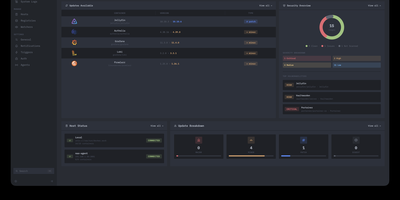
Drydock
Deploying container updates without blind surprises is what Drydock delivers through a monitor-first inspection plane that evaluates image registries, scans CVE vulnerabilities, and automates rollbacks across distributed Docker infrastructure. Systems engineers track container fleets across twenty-three public and private registries including Docker Hub, GitHub Container Registry, Harbor, and Quay using cursor-based pagination and semver classification. The integrated Update Bouncer runs Trivy and Grype static scanners against incoming candidate layers, blocking deployments that fail configurable CVE severity policies while verifying cryptographic signatures through cosign. Operators configure declarative update schedules with stabilization countdown gates that hold back brand-new releases until defined burn-in periods elapse. When updates execute, Drydock creates pre-upgrade container snapshots and evaluates post-launch container health checks, instantly restoring previous image digests and network configs if failures occur. Distributed Portwing edge agents stream live container output and system logs over encrypted WebSockets, allowing central consoles to coordinate remote daemon updates without opening inbound host firewall ports. Automated event triggers dispatch granular notifications and update payloads across seventeen communication channels including Slack, Discord, Telegram, and Home Assistant MQTT brokers. Running on a dedicated VPS on RepoCloud with guaranteed CPU, RAM, and SSD, full root SSH access, and a browser serial console. AGPL-3.0 licensed.
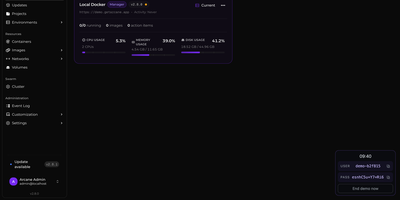
Arcane
Arcane gives you a single polished dashboard to manage Docker containers, images, volumes, networks, and Compose projects across unlimited remote hosts. The SvelteKit frontend paired with a Go backend delivers real-time resource monitoring with historical graphs, container lifecycle controls including shell exec and live log streaming, and one-click Docker Compose deployment with Git repository synchronization for version-controlled stack definitions. The manager-agent architecture connects remote environments via Direct TCP on port 3553 or Edge mode where agents initiate outbound gRPC/WebSocket connections through NAT and firewalls without requiring inbound ports, all secured with mTLS certificates. Vulnerability scanning identifies security issues in running container images directly from the interface. The backup system enables scheduled container snapshots with configurable retention for disaster recovery. Network and volume administration includes visual relationship mapping between services, and the responsive interface supports dark/light themes with full mobile optimization and community-driven internationalization via Crowdin. 6,500+ stars and 89 releases since April 2025 reflect a rapid development cadence. Running on a dedicated VPS on RepoCloud with guaranteed CPU, RAM, and SSD, full root SSH access, and a browser serial console. BSD-3-Clause licensed.
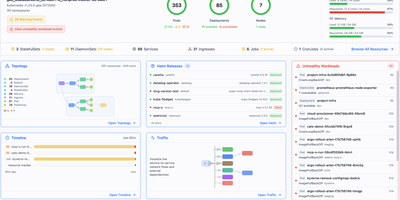
Radar
Radar is an open-source Kubernetes management dashboard and Model Context Protocol server that gives engineering teams complete cluster visibility, automated issue diagnosis, and GitOps controls through a unified web interface. Operators explore live interactive cluster topology maps rendered with automated layout engines, grouping workloads by namespace or custom application labels to trace network communication pathways. The unified event timeline retains Kubernetes activity and state change diffs well beyond default one-hour limits, allowing site reliability engineers to diagnose historical CrashLoopBackOff states and investigate failed deployment rollouts. Teams manage Helm releases by inspecting deployed values, comparing manifest revisions side by side, and initiating rollbacks or upgrades with a single click. The built-in GitOps workspace correlates ArgoCD and Flux applications, surfacing synchronization health, field-level configuration drifts, and automated remediation suggestions. Developers inspect container image filesystems directly from pod detail panels without pulling images locally or establishing interactive terminal sessions, browsing permissions and downloading specific files. Native Model Context Protocol endpoints expose cluster telemetry and operational tools to artificial intelligence coding assistants, enabling external agents to diagnose failing pods and inspect access controls securely. Running on a dedicated VPS on RepoCloud with guaranteed CPU, RAM, and SSD, full root SSH access, and a browser serial console. Apache 2.0 licensed.
Runtipi
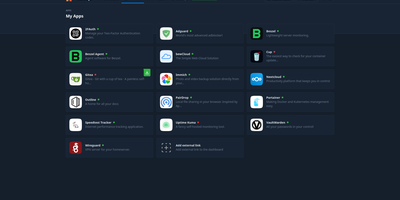
Runtipi makes any Linux server a personal app platform where installing services like Plex, Nextcloud, or Home Assistant takes a single click from a curated store of 265+ applications. With 9,500+ GitHub stars and 50 contributors, the React frontend backed by NestJS orchestrates Docker Compose projects for each installed app, automatically generating environment files, compose configurations, and Traefik reverse proxy labels for domain routing and SSL certificate provisioning via Let's Encrypt. The integrated Traefik reverse proxy handles all incoming traffic routing, HTTPS termination, and forward-auth protection for securing applications behind Runtipi's authentication layer without manual configuration. One-click updates notify administrators of new app versions and apply container image upgrades with automatic pre-update backup creation, while the restore feature rolls back application data to any saved snapshot. Custom app stores extend the ecosystem through Git repositories following the Runtipi app definition format, enabling organizations and communities to maintain private catalogs alongside the official store. The Docker Compose override system preserves user customizations across updates, allowing advanced modifications without losing changes. Architecture-aware filtering detects ARM64 or x86 platforms and displays only compatible applications. All apps deploy as standard Docker containers, and compose files can be exported for independent operation without lock-in. Running on a dedicated VPS on RepoCloud with guaranteed CPU, RAM, and SSD, full root SSH access, and a browser serial console. GPL-3.0 licensed.
Sencho
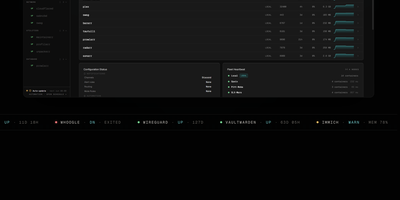
With over 430 GitHub stars and designed for DevOps engineers, platform teams, and homelab operators, Sencho is the self-hosted Docker Compose control plane that gives you a real operational cockpit without abandoning file-on-disk compose workflows. The web dashboard provides live CPU, memory, and disk sparklines per container, one-click start/stop/restart controls, and a Monaco-powered YAML editor with syntax highlighting, inline diff, and one-click rollback. Compose files remain the source of truth on the host filesystem. Multi-node management connects remote Sencho instances via authenticated HTTP and WebSocket proxy using long-lived API tokens, with no SSH access or exposed Docker sockets required. The Pilot Agent establishes an outbound-only WebSocket tunnel for nodes behind NAT, CGNAT, or strict firewalls. Blueprints define compose intent once and deploy it across label-targeted nodes, with drift detection keeping the fleet aligned. Fleet Federation provides cordon and pin controls for maintenance windows, while Fleet Actions execute bulk deploy, stop, and restart operations by stack label across the entire infrastructure. The security suite includes Trivy vulnerability scanning, deploy enforcement policies, SARIF and SBOM export, and Fleet Sync to replicate scan policies across replicas. Additional capabilities include 199+ one-click app templates, Git source integration, atomic deploys with auto-rollback, auto-heal, scheduled operations, webhooks, and custom S3 off-site backups to MinIO, R2, B2, or AWS. Running on a dedicated VPS on RepoCloud with guaranteed CPU, RAM, and SSD, full root SSH access, and a browser serial console. AGPL-3.0 licensed.
DCM
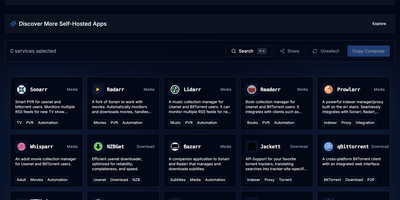
DCM is a visual builder that eliminates docker-compose copy-paste anxiety for home server enthusiasts. The TypeScript and Next.js web interface on port 7576 presents a curated catalog of popular self-hosted applications organized into categories: media management with Jellyfin, Plex, Sonarr, Radarr, and Prowlarr; dashboards like Homarr and Heimdall; databases including PostgreSQL, MariaDB, MongoDB, and Redis; monitoring stacks with Grafana and Prometheus; download clients like qBittorrent and NZBGet; security tools including Vaultwarden; storage solutions like Nextcloud; and home automation via Home Assistant. Select any combination of containers and DCM generates both compose.yaml and .env files with correct volume mounts, environment variables, PUID/PGID ownership, network modes, and port mappings — ready to paste into your terminal. Automatic port conflict detection identifies clashing services and reassigns ports before you ever hit a deployment error. The Template Gallery ships predefined multi-container stacks for common setups: media servers, development environments, database clusters, and monitoring solutions — some incorporating ten or more services in a single template. Built as a static Next.js export served from a 62 MB multi-arch Docker image supporting amd64, arm64, and arm/v7, DCM runs on everything from rack servers to Raspberry Pis. Share generated configurations via URL or download them locally. Running on a dedicated VPS on RepoCloud with guaranteed CPU, RAM, and SSD, full root SSH access, and a browser serial console. AGPL-3.0 licensed.
Dockpeek
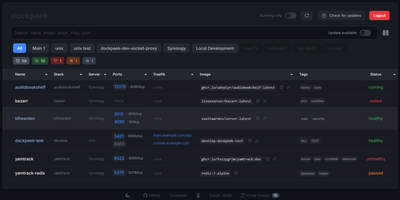
Fleet-wide container discovery, live log streaming, and Traefik reverse-proxy routing converge into Dockpeek, a lightweight Docker dashboard built for multi-host server environments. System administrators can launch web applications with one click through automatic port binding detection and integrated Traefik label parsing that extracts public routing hostnames directly from container configurations. The platform monitors multi-host environments through encrypted Docker socket proxies, letting operators inspect running containers, query published network ports, and trigger image updates from a unified control panel. Native Docker Swarm integration auto-detects active cluster managers, mapping swarm services and replicated tasks alongside standalone workloads while flagging degraded service replicas. Built-in log inspectors stream stdout and stderr outputs in real time with line-filtering controls to diagnose crashed services without opening remote SSH terminals. Operators can track image registries for newer digest tags, review pending updates across container fleets, and trigger graceful rolling container recreations directly from the dashboard. Running on a dedicated VPS on RepoCloud with guaranteed CPU, RAM, and SSD, full root SSH access, and a browser serial console. MIT licensed.
Compose Craft
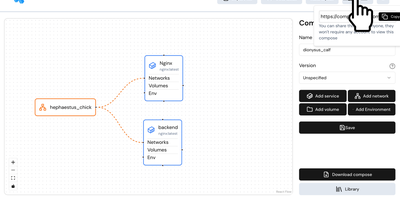
Compose Craft is an open-source visual diagramming and management platform that transforms raw Docker Compose configuration files into an interactive canvas of interconnected service nodes. Developers can drag and drop container services to map complex microservice architectures, automatically wiring port mappings, internal bridge networks, volume mounts, and dependency relationships. The real-time synchronization engine reflects every node repositioning, environment variable adjustment, and resource constraint directly into standard docker-compose syntax alongside a live editable code preview pane. Teams can import existing configuration files to diagnose routing conflicts, auto-format tangled service trees, and generate clean architectural documentation for operational handoffs. Engineers can generate shareable read-only public links to demonstrate infrastructure topologies to teammates and external reviewers without forcing them to register accounts. The built-in playground lets administrators experiment with container restart policies, healthcheck definitions, build contexts, and secret keys before deploying to production hosts. Running on a dedicated VPS on RepoCloud with guaranteed CPU, RAM, and SSD, full root SSH access, and a browser serial console. MIT licensed.
Composr
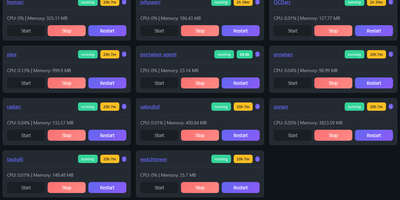
Managing multi-server container fleets often deteriorates into fragmented SSH sessions, mismatched compose files, and conflicting port allocations. Composr consolidates multiple Docker host daemons into a unified web dashboard that controls running containers, stack definitions, and system metrics from a single interface. Operators can connect remote Docker daemons through encrypted TCP sockets, inspect container health, and stream live execution logs with sub-second responsiveness. A built-in project creation wizard guides administrators through drafting new Compose topologies across local directories or remote server nodes. In-browser CodeMirror editors deliver live syntax highlighting for YAML files, configuration dotfiles, and reverse proxy definitions without detaching containers from disk. The platform tracks service properties directly, letting you toggle Compose profiles, relocate services between YAML manifests with pre-flight risk checks, and detect target port collisions before redeployment. Integrated backup managers bundle container metadata, compose files, and environment definitions into downloadable archive packages for automated disaster recovery. System operators can open interactive browser terminals into any active container, execute batch maintenance tasks, and configure scheduled image update checks. Running on a dedicated VPS on RepoCloud with guaranteed CPU, RAM, and SSD, full root SSH access, and a browser serial console. MIT licensed.
Yacht
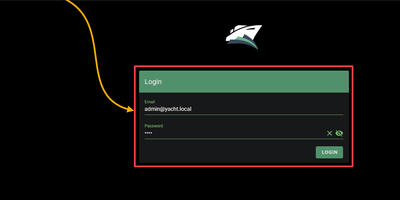
Docker deployment reimagined as an app store: browse a visual catalog of applications, click to deploy with sensible defaults, and customize ports, volumes, and environment variables only when you need to. Point Yacht at any Portainer-compatible template JSON URL and it parses every application into a browsable, searchable interface with pre-configured settings ready for one-click launch. The template framework is fully decentralized — anyone can host template files on GitHub, a personal server, or any URL, creating a community-driven ecosystem of deployment packages without central gatekeeping. Template variables prefixed with ! automatically substitute server-level settings, so !config resolves to your configured path across every deployment without repetitive manual editing. The Python backend handles container lifecycle — start, stop, restart, kill, removal — while streaming real-time logs, providing browser-based shell access, and monitoring resource statistics through the Vuetify dashboard. Docker Compose stacks sit alongside individual containers in the same management interface. Advanced editing lets you modify port mappings, volumes, environment variables, and restart policies on running containers without redeployment. The develop branch introduces agent-managed remote host support for expanding management to additional Docker hosts. Authentication can be disabled for environments behind external proxies like Authelia or Traefik forward auth. Running on a dedicated VPS on RepoCloud with guaranteed CPU, RAM, and SSD, full root SSH access, and a browser serial console. CC-BY-4.0 licensed.
Dock-Dploy
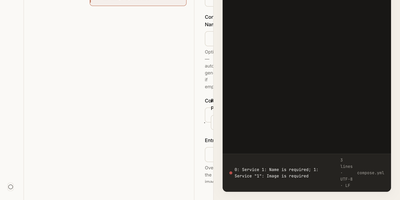
Visual drag-and-drop assembly replaces manual text editing in Dock-Dploy, a Docker Compose builder and configuration management suite that turns complex multi-service container topologies into validated YAML manifests. DevOps engineers and self-hosters can visually assemble application stacks by selecting container base images, defining healthcheck probes, mapping bridge networks, and assigning persistent volume mounts through a reactive web interface. An integrated marketplace catalog allows teams to search, preview, and import battle-tested templates for services like PostgreSQL, Redis, and Nginx with one click. Real-time Zod schema validation inspects every service parameter as you type, flagging port collisions, missing environment variables, and malformed volume syntax before deployment. A split-screen CodeMirror editor provides continuous synchronization between graphic form fields and generated YAML definitions with automatic code sanitization and clipboard exports. Beyond Compose stacks, operators can design blueprint templates, generate reverse proxy routing profiles, and assemble recurring cron schedules for automated backup and maintenance routines. Running on a dedicated VPS on RepoCloud with guaranteed CPU, RAM, and SSD, full root SSH access, and a browser serial console. AGPL-3.0 licensed.
Usulnet
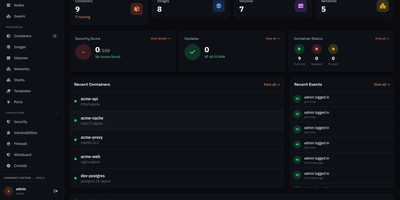
Usulnet packs container management, Trivy security scanning, Nginx reverse proxy, scheduled backups, WireGuard VPN, firewall rules, and multi-node orchestration into a single 70MB Go binary with zero external runtime dependencies. Every module ships in one download with no paid tiers, no telemetry, and no edition gating. Container lifecycle management covers creation, start, stop, restart, pause, kill, and removal with bulk operations, real-time resource statistics, filesystem browsing, and settings editing. Trivy integration scans images and running containers for CVEs with severity scoring, generates SBOMs, and validates CIS benchmarks. The multi-node architecture supports standalone, master, or agent modes where agents connect over NATS JetStream with mTLS encryption, enabling remote Docker host management from a central dashboard. Reverse proxy configuration handles Nginx with automatic Let's Encrypt certificates, TCP/UDP stream proxying, access lists, and dead host detection. Backup operations capture container volumes and Compose stacks on configurable schedules with retention policies and full restore capabilities. A built-in application catalog provides 60+ one-click templates for common services. JWT license validation uses an RSA-4096 public key embedded in the binary, requiring no call-home and working entirely offline. For teams tired of maintaining separate tools for each infrastructure concern, Usulnet collapses the entire stack into a single point of management with Docker Compose deployment alongside PostgreSQL, Redis, and NATS.
Statainer
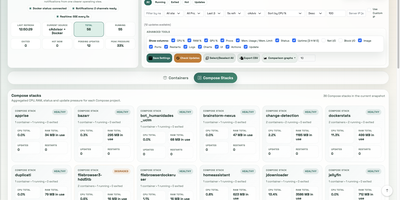
Monitoring and safeguarding Docker infrastructure without heavy enterprise software overhead is the primary mission of Statainer, an open-source management control center for container hosts. System operators inspect live CPU loads, memory consumption, network throughput, and disk I/O metrics across individual containers or comparative top-ranking charts. The interface groups containers by Compose projects, enabling administrators to start, stop, or restart entire application stacks and inspect real-time log streams without opening SSH sessions. The built-in Update Manager detects available image tags, executes single-click container updates, and maintains persistent deployment history with automated rollback capabilities for failed recreations. Custom alert configurations trigger instant notifications to Telegram, Discord, Slack, Pushover, or generic webhook endpoints whenever resource thresholds are breached or container health states change. Developers can provision scoped API keys with token authentication to automate container state transitions and export performance telemetry into custom monitoring workflows. Running on a dedicated VPS on RepoCloud with guaranteed CPU, RAM, and SSD, full root SSH access, and a browser serial console. MIT licensed.