BookLogr
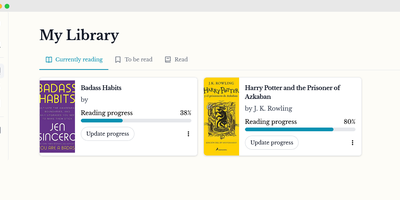
For avid readers who want to catalog their home bookshelves and track annual reading progress without handing personal habits to commercial social networks, BookLogr delivers a self-hosted personal library and reading tracker that replaces Goodreads and The StoryGraph. Searching by title, ISBN-10, or ISBN-13 pulls book covers, author names, page counts, and descriptions directly from OpenLibrary, while manual entry and user-defined custom fields let you record text, numbers, dates, selections, or boolean attributes for rare and indie editions. Configurable library tabs organize titles across Reading, To Be Read, Already Read, Did Not Finish, and All views with instant author filtering. As you read, you can update your current page number or completion percentage, log start and finish dates across multiple re-reads, and rate completed books on a granular 0.5 to 5.0 star scale. Readers can capture page-linked notes and favorite quotes, keeping reflections private or publishing them to a dedicated Notes and Quotes feed on a shareable public profile. Automated Mastodon integration posts reading milestones to the fediverse, while OpenID Connect single sign-on and single-user mode adapt the workspace for households or solo collectors. Built-in Goodreads CSV import and one-click exports to CSV, JSON, and HTML guarantee complete data portability. Running on a dedicated VPS on RepoCloud with guaranteed CPU, RAM, and SSD, full root SSH access, and a browser serial console. Apache-2.0 licensed.
Posta
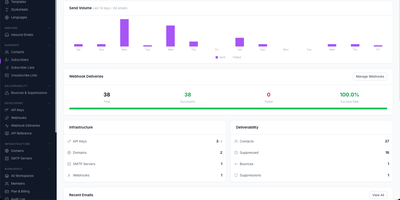
Built as a developer-first alternative to SendGrid, Mailgun, and Postmark, Posta delivers a complete self-hosted email infrastructure platform handling both outbound delivery and inbound reception through a single HTTP API with official SDKs for Go, PHP, and Java. The Go backend processes email through Redis and Asynq with automatic retries, priority queues, and async delivery while PostgreSQL stores templates, contacts, campaigns, and delivery analytics. Outbound features include versioned multi-language templates with variable substitution and stylesheet inlining, bulk campaigns with subscriber targeting and A/B testing per-variant metrics, scheduled timezone-aware delivery with draft/paused/cancelled lifecycle states, email address verification checking syntax, MX records, disposable domains, and role accounts, plus web view links with signed expiring URLs and one-click unsubscribe headers. The built-in SMTP receiver with TLS handles inbound email at your domains, parses messages and attachments, scores spam, and forwards structured payloads to your application via HMAC-verified webhooks with real-time SSE notification streams. The Vue-based dashboard manages templates, SMTP server pools, domains, contacts, API keys, campaigns, and email logs with dark and light mode support while admin-level platform metrics expose delivery rate trends, bounce rate graphs, and latency percentiles alongside Prometheus integration and daily health reports. Deploy via Docker with PostgreSQL and Redis. Running on a dedicated VPS on RepoCloud with guaranteed CPU, RAM, and SSD, full root SSH access, and a browser serial console. Apache 2.0 licensed.
Show Me The Story
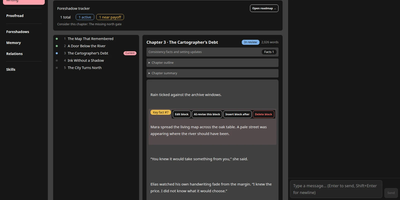
Somewhere between the brilliant novel idea you had in the shower and the finished manuscript sits a hundred hours of outlining, drafting, and continuity wrangling; Show Me The Story compresses that distance. Start with a synopsis and get a full chapter outline you can review, edit inline, or send back for revision before a single paragraph of prose exists. Once the outline is confirmed, the writing page drafts one chapter at a time with streaming output, then waits for your verdict: accept it, or highlight a passage and request a surgical revision that leaves the rest untouched. Characters, organizations, world rules, and relationships live in structured settings, complete with a relationship graph, and are woven into prompts automatically. A dedicated foreshadow system plans setups and payoffs chapters apart, tracks each thread from planted to resolved, and nudges you when one is overdue. After every chapter, extracted facts and a consistency check guard the story against contradictions, and an optional automatic mode keeps the chapters flowing while you supervise. Finished books can be diagnosed and polished in one pass, then exported as a single text file. Running on a dedicated VPS on RepoCloud with guaranteed CPU, RAM, and SSD, full root SSH access, and a browser serial console. MIT licensed.
Marmot
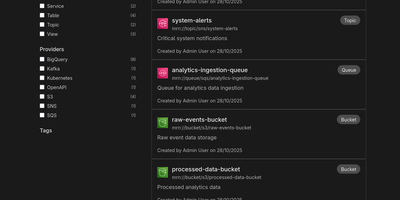
Cataloging tables, topics, queues, and APIs across fragmented data stacks usually demands heavyweight enterprise governance suites, yet Marmot delivers fast full-text asset discovery and AI-ready metadata context in a single self-hosted service. Data engineering and platform teams use its 71 official plugins to automatically ingest schemas, run histories, and dependencies from Apache Kafka, Airflow, Iceberg, Superset, PostgreSQL, BigQuery, and AsyncAPI specifications without moving raw table rows or message payloads. From the web interface, analysts can run structured boolean queries, filter assets by custom tags or PII classifications, and inspect column-level schemas in seconds. Interactive upstream and downstream lineage graphs let engineers trace how events flow from message brokers into warehouse tables and BI dashboards so they can assess what breaks before renaming a column or deprecating an endpoint. Shared business glossaries, bidirectional ownership assignments, and curated data product bundles ensure every department speaks the same language and knows exactly which team maintains each pipeline. Through the built-in Model Context Protocol server, AI assistants in Cursor, Claude Desktop, and LibreChat can invoke tools like discover_data, find_ownership, and lookup_term to answer natural-language questions against live catalog metadata instead of guessing. Platform administrators can also manage catalog resources declaratively using the REST API, CLI, Terraform provider, or Pulumi integration. Running on a dedicated VPS on RepoCloud with guaranteed CPU, RAM, and SSD, full root SSH access, and a browser serial console. MIT licensed.
Zeabur
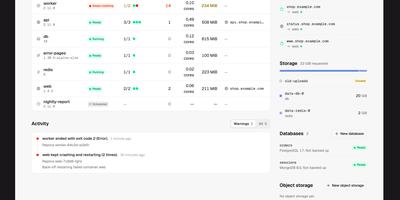
Zeabur is a self-hosted web platform that deploys and runs your services on your own Kubernetes cluster, presenting the cluster as simple projects and services instead of raw manifests. Every change starts as a readable plan listing the exact fields it will write and who owns them today, and nothing is applied until you confirm it. When something breaks, Zeabur says so in plain words and points at the fix: a worker that restarted fourteen times gets a button straight to the logs from the run before the restart. You deploy from Git repositories, from an uploaded folder or ZIP archive, or directly in the dashboard, then follow live logs, open a terminal inside a container, and watch CPU and memory move over time. Projects are namespaces and all state lives in Kubernetes objects, so there is no Zeabur database to back up, and uninstalling the platform leaves your Deployments, Services, and Ingresses running untouched. Companion pieces add passkey sign-in for kubectl with tokens that expire in minutes, image builds from Git through a BuildKit operator, and a catalog of cluster components and app templates. Running on a dedicated VPS on RepoCloud with guaranteed CPU, RAM, and SSD, full root SSH access, and a browser serial console. Apache-2.0 licensed.
GoCron
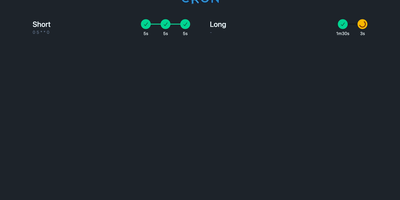
Configuring recurring cron jobs via version-controlled YAML manifests becomes seamless with GoCron, giving systems engineers and DevOps administrators a responsive web console to orchestrate scheduled commands with hot-reloading and sandboxed execution. Administrators can declare schedules using standard five-field cron syntax, establish global default configurations, and inherit execution timeouts, retry policies, and environment variable expansions across individual tasks. The interactive web interface provides immediate visibility into upcoming runs, past execution durations, status badges, and expandable terminal output logs stored in local SQLite databases. Operators can trigger ad-hoc job runs on demand, cancel stalled processes, and utilize a built-in sandboxed terminal utility governed by strict command whitelists. Automated health check webhooks dispatch HTTP notifications to external monitoring services upon job initiation, successful completion, or unexpected execution failure. The container environment bundles common server utilities including Restic, BorgBackup, and Rclone, streamlining automated offsite database backups and cloud storage synchronization routines without additional dependencies. Dynamic configuration reloading automatically detects filesystem modifications to YAML manifests without restarting the daemon, ensuring zero-downtime schedule updates. Running on a dedicated VPS on RepoCloud with guaranteed CPU, RAM, and SSD, full root SSH access, and a browser serial console. MIT licensed.
Wiki-Go
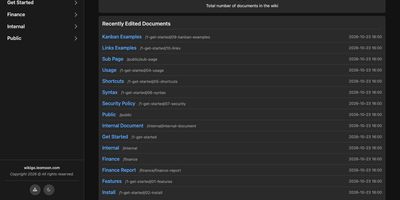
Wiki-Go turns a folder of Markdown files into a searchable team wiki with page history, comments, and access rules, and never asks you to run a database. Pages live in a nested tree with a sidebar and breadcrumbs, and an editor with a preview toggle handles emoji shortcodes, highlighted code, LaTeX math, Mermaid diagrams, collapsible sections, GitHub-style alerts, and embedded YouTube, Vimeo, or MP4 video. Full-text search supports exact phrases in quotes and term inclusion or exclusion, and highlights each match. Each save keeps a revision, up to a configurable limit, and any stored version can be restored later. Attachments such as PDFs, spreadsheets, images, and archives sit beside the page they belong to. Drop a Kanban board into any document for drag-and-drop task tracking with nested tasks, or build a categorized link library that fills in page metadata automatically. Signed-in users comment in Markdown, and admins can remove comments. Admin, editor, and viewer roles, user groups, path-based public or private rules, and an optional private-wiki mode decide who sees what. Branding comes from a custom logo, banner, and favicon, shortcodes such as stats insert live site statistics, and readers can switch between dark and light themes or print any page. A REST API opens content to scripts, and a community tool imports Notion exports. Running on a dedicated VPS on RepoCloud with guaranteed CPU, RAM, and SSD, full root SSH access, and a browser serial console. GPL-3.0 licensed.
phpMyFAQ
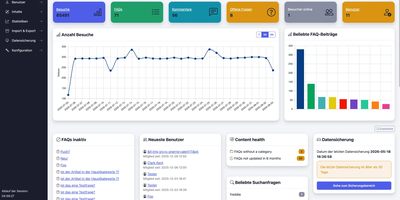
Publish the answers your team keeps repeating as a multilingual, searchable FAQ with phpMyFAQ, a knowledge base whose admin area handles writing, review, and permissions. Organize entries in nested categories that you rearrange by drag and drop, attach files, add tags and related FAQs, and let visitors leave comments. A WYSIWYG editor with an image manager writes each answer, a wiki-style revision history restores earlier versions, and a news system posts announcements. Full-text search covers every language, and optional Elasticsearch or OpenSearch backends handle larger collections. The interface covers more than 40 languages with right-to-left layouts, automatic content negotiation, and translated categories and entries. Privileges work per user and per group, so an editor can change an entry without being allowed to delete it, and categories can be limited to chosen readers. Sign in through LDAP, Active Directory, or Microsoft Entra ID, protect accounts with two-factor authentication, or try experimental passkeys. The dashboard charts 30 days of visits, lists inactive FAQs, and checks installed files against published hashes. Export entries to PDF, publish a dynamic sitemap, back up your content, and filter spam with built-in protections. Dark, light, and high-contrast themes keep the public site comfortable to read. Scripts and AI assistants reach the knowledge base through a REST API with an OpenAPI specification or an experimental MCP server, and plugins extend it. Running on a dedicated VPS on RepoCloud with guaranteed CPU, RAM, and SSD, full root SSH access, and a browser serial console. MPL-2.0 licensed.
Operately
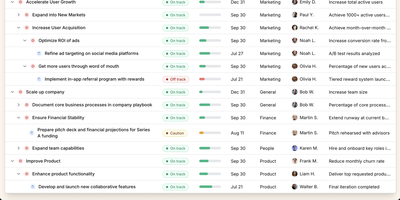
Operately is an opinionated operating system for growing companies that connects strategic goals directly to execution without the overhead of assembling separate tools. The OKR module tracks company-wide, team-level, and individual goals with measurable success conditions showing progress bars against numeric targets, timeframe deadlines, and automated progress aggregation from linked projects. Project management includes champion ownership, milestone tracking, Kanban task boards with TODO, In Progress, and Done columns, and scheduled check-ins that generate async progress updates on a configurable cadence. Team Spaces give departments organized homes for their goals, projects, documents, and discussions with configurable access controls at the space, goal, and project level. Message boards replace scattered email threads with focused project conversations, while the document and file system provides centralized content management. The Review screen aggregates everything requiring attention or approval into a single actionable view. The Elixir Phoenix backend uses Absinthe for GraphQL queries and mutations, Oban for background job processing, and Swoosh for email notifications. The React TypeScript frontend leverages Apollo Client for GraphQL state management. Full CLI and API access enables programmatic interaction, and MCP tools added in version 1.7 allow AI agents to create goals, update projects, manage tasks, and post check-ins. On RepoCloud, deploy Operately on a dedicated VPS with PostgreSQL persistence, root SSH access, and complete control over your organizational data, all under the Apache 2.0 license.

Photofield
Instead of paging through albums, Photofield lays a whole photo library out on one zoomable canvas, where thousands of thumbnails sharpen into full-resolution pictures as you zoom. Collections come straight from directories named in a configuration file. One setting turns every subfolder into its own collection. Pick a layout per collection: album grouped by date, timeline with month markers, wall, map, highlights with dates and place names, or flex. Sort oldest first, newest first, or shuffled hourly, daily, weekly, or monthly. Tiles load progressively, and an info drawer shows the date, file name, and dimensions. A right-click menu opens or copies an image, copies its link, or finds similar images. Originals are never modified, so a read-only mount is safe. Indexing runs at up to 10,000 files per second on a fast SSD with a warm cache. JPEG, PNG, AVIF, HEIC, DNG, GIF, MP4, and MOV files are recognized. Place names resolve from an embedded database, with no external lookups. The optional photofield-ai companion adds search by words like beach sunset or cat eyes, plus a Faces layout of detected faces. Alpha tagging lets you label photos. Running on a dedicated VPS on RepoCloud with guaranteed CPU, RAM, and SSD, full root SSH access, and a browser serial console. MIT licensed.
Znuny
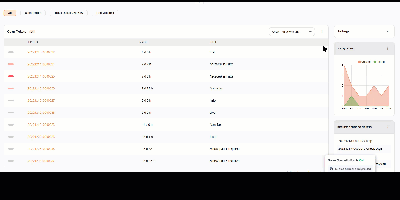
Znuny turns every customer request into a ticket with an owner, a priority, a deadline, and a complete history, no matter whether it arrived by email, phone, web portal, API, or a monitoring alert. Agents work from a dashboard that lists open and new tickets, escalations, running processes, a seven-day created-versus-closed chart, upcoming events, and logged-in colleagues. Queues route tickets to the right team, and automation handles classification, escalation, notifications, and state changes, from simple email filters up to multi-step business processes. Service level agreements are tracked against every ticket, with alerts before deadlines pass and overdue items highlighted. Customers help themselves through a self-service portal and a searchable FAQ knowledge base, while agents opening a ticket immediately see who the customer is, which company they belong to, the services they are entitled to, and their full support history. Configuration items in the CMDB link assets and services to the tickets they affect, statistics and reports turn ticket data into decisions, and calendar appointments can create tickets on schedule. Administrators shape the system with over 2,000 configuration options, dynamic fields, and granular permissions. Running on a dedicated VPS on RepoCloud with guaranteed CPU, RAM, and SSD, full root SSH access, and a browser serial console. GPL-3.0 licensed.
Glass Keep
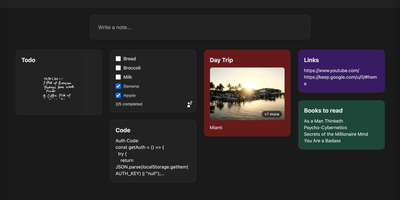
With nearly 600 GitHub stars and a feature set that rivals commercial note apps, Glass Keep is the self-hosted Google Keep alternative that wraps a full-featured notes system in a glassmorphism UI with blurred backdrops, translucent modals, and smooth transitions. The React and Vite frontend renders notes in a masonry card grid with pinning, color themes, tag chips, and drag-and-drop reordering. Text notes support Markdown with headings, bold, italic, strikethrough, blockquotes, and fenced code blocks, while checklists offer inline editing, drag-to-reorder items, and direct toggle from the grid without opening the note. A freehand drawing mode provides customizable brush sizes and colors for handwritten notes. The private AI assistant runs an optimized Llama 3.2 (1B) model entirely inside the Docker container using RAG over your own notes, answering queries like "what are my AWS commands?" without any data leaving your server. Deep search spans titles, Markdown text, tags, checklist items, and image names. Import notes from Google Keep via Takeout JSON files or export your entire vault as JSON with per-note Markdown downloads. The Express backend with better-sqlite3 requires no external database. Real-time collaboration enables shared checklists with live item toggling. Dark and light themes persist across sessions, and the PWA manifest supports installation on any device. Running on a dedicated VPS on RepoCloud with guaranteed CPU, RAM, and SSD, full root SSH access, and a browser serial console. MIT licensed.
Ever Teams
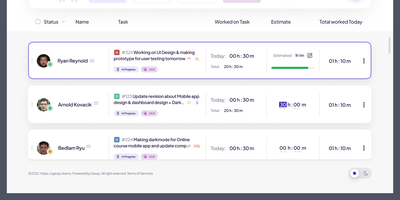
Powering distributed teams seeking full visibility into work patterns and productivity, Ever Teams is an open-source platform unifying time tracking, task management, project coordination, and team collaboration in a single self-hosted application. The real-time timer tracks work against tasks and projects with one-click start/stop, while the Electron desktop app captures periodic screenshots at configurable intervals, monitors keyboard and mouse activity levels, detects idle periods, and syncs offline sessions automatically. Kanban boards with drag-and-drop, calendar views, and daily planning tools organize work across custom statuses, priorities, and sizes. Built-in video conferencing powered by Jitsi or LiveKit enables meetings without leaving the platform. Timesheet management supports submission, review, and approval workflows with configurable time limits and budgets. The backend runs on the Ever Gauzy NestJS platform providing REST and GraphQL APIs, multi-tenant architecture with organization and team scoping, role-based access control, and an integration framework connecting GitHub issues and pull requests bidirectionally plus JIRA import and sync. Infrastructure includes PostgreSQL, Redis for caching and pub/sub, MinIO for S3-compatible storage, Elasticsearch for full-text search, and Cube.js for OLAP analytics. Built with Next.js 16, React 19, Tailwind CSS, and Recoil, with native iOS and Android clients via Expo, Electron desktop apps for Windows, macOS, and Linux, and Plasmo browser extensions for Chrome and Firefox. Internationalization spans 13-plus locales with dark, light, and system themes. Running on a dedicated VPS on RepoCloud with guaranteed CPU, RAM, and SSD, full root SSH access, and a browser serial console. AGPL v3.0 licensed.
taOS
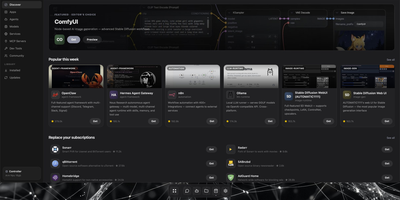
taOS is a self-hosted operating system for AI agents that lives on hardware you already own, offline by default and cloud only when you invite it. Open one URL and a full web desktop appears: floating windows, a dock, launchpad, widgets, notifications, and 43 bundled apps, from mail and kanban projects to an app store with over a hundred one-click installs. Agents deploy through a guided wizard into isolated containers (LXC on bare metal, Docker on a VPS), each with its own memory store, files, secrets, and network identity. taOS owns the agent lifecycle outside the framework, so you can swap SmolAgents for LangChain or OpenClaw and the agent keeps its history, channels, trained adapters, and API keys untouched. Long-term memory is a temporal knowledge graph with hybrid search on your disk, not a row in a vendor database, and the messages app works like a private Discord that also installs as a phone PWA. Local inference spans Apple Silicon, NVIDIA, AMD, Rockchip NPUs, Raspberry Pi boards, and salvaged Android phones, with auto-clustering that pools idle machines into one compute fabric. Messaging connectors cover Telegram, Discord, Slack, Matrix, email, and webhooks, and a rollback command returns the system to a known-good state when an experiment misbehaves. Running on a dedicated VPS on RepoCloud with guaranteed CPU, RAM, and SSD, full root SSH access, and a browser serial console. AGPL-3.0 licensed.

Tonkatsu Box
Tonkatsu Box is a collection manager for games, movies, TV shows, anime, visual novels, manga, books, music, and podcasts that tracks progress, ratings, and shelves for all of them in one place. One search field queries fifteen catalogues, from IGDB, TMDB, and TVmaze to AniList, MangaDex, OpenLibrary, ComicVine, and Podcast Index, and a result can land in several collections at once. Collections organize by platform, genre, or anything else, with grid, list, table, and board views, drag and drop ordering, global tags, and bulk actions across a selection. Progress speaks each medium's grammar: episodes for series, pages for books, chapters for manga, listened track checklists for albums, plus statuses, ratings, dates, and replays. The episode tracker unfolds seasons with posters, stills, air dates, and synopses, and marks one episode, a whole season, or the next unwatched one in a tap. Statistics turn the library into numbers with per type breakdowns, a month by month ribbon, platforms, formats, tags, best against worst, and a shareable summary card. Visual boards arrange posters, notes, and connections on a free canvas, and tier lists and mood grids rank and lay out items for export as PNG. Importers read Steam, Trakt, Simkl, MyAnimeList, AniList, Hardcover, and RetroAchievements libraries, plus JSON and CSV, and collections travel as offline .xcollx packages. Running on a dedicated VPS on RepoCloud with guaranteed CPU, RAM, and SSD, full root SSH access, and a browser serial console. MIT licensed.
Koha
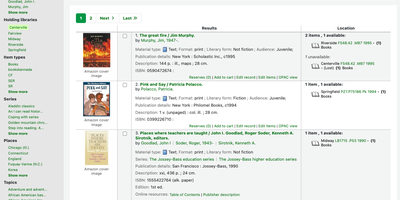
Circulation desk, cataloging workbench, acquisitions office, serials room, and public catalog all share one roof in Koha, an open-source library system that scales across school libraries, branch networks, and consortia. Staff search the catalog with facets for availability, authors, holding libraries, and item types, then open a record to see its cover, subjects, classification numbers, and every copy with its call number, status, and barcode. Catalogers edit MARC 21 or UNIMARC records field by field, copy records in via Z39.50 and SRU searches, and link authorities automatically. At the desk, staff check out, check in, and renew items, work with holds, bookings, and claims, and see overdue warnings and outstanding charges beside each patron. Circulation and fine rules vary by library, patron category, and item type. Acquisitions handles vendors, baskets, budgets, and funds. Serials track subscriptions and issue receiving. A guided report wizard, SQL reports, and statistics wizards summarize circulation and collections. Patrons search the public catalog, place holds, save lists, tag and rate titles, and suggest purchases. Staff tools design notices and slips, print patron cards, set holiday calendars, and import or batch-edit patrons. SIP2 serves self-checkout kiosks, OAI-PMH sets share records, and a REST API exposes patrons, holds, checkouts, and biblios. Lending continues during outages with offline circulation. Running on a dedicated VPS on RepoCloud with guaranteed CPU, RAM, and SSD, full root SSH access, and a browser serial console. GPL-3.0 licensed.
Uyuni
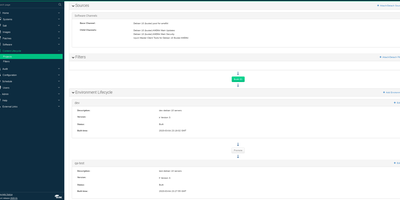
Four hundred servers need a security patch, they run five different Linux distributions, and a spreadsheet says which ones were done. Uyuni replaces that spreadsheet: one server inventories your fleet, mirrors the software channels each machine subscribes to, and shows exactly which patches and errata apply where. Administrators register clients manually, by bootstrap script, or automatically through activation keys, then group them into systems sets so an action aimed at a group lands on staging first and production on schedule. Patch management creates and applies errata with CVE context, and CVE audits check systems against vulnerability data so you can prove a fix landed instead of believing it did. Configuration channels push files, directories, and symbolic links rendered with Jinja templates through the built-in Salt master, which also runs remote commands and orchestration across tens of thousands of clients. The Content Lifecycle Manager promotes package sets from development through testing to production channels, so every environment consumes tested content in order. Provisioning reinstalls or network-boots machines through PXE with AutoYaST, Kickstart, or cloud-init profiles, proxies cache content for branch offices, and built-in Prometheus and Grafana monitoring watches the management server itself. Running on a dedicated VPS on RepoCloud with guaranteed CPU, RAM, and SSD, full root SSH access, and a browser serial console. GPL-2.0 licensed.
Nowen Note
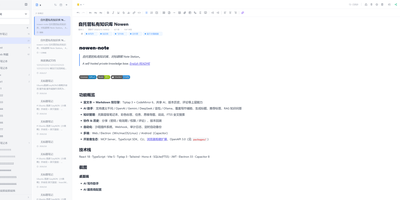
Nowen Note is a self-hosted knowledge base where your notes, tasks, daily journals, and mind maps live in one private workspace you control. One tree holds folders, rich-text documents, and Markdown notes side by side, with drag-and-drop ordering, unlimited nesting, colored tags, pinning, and full-text search across everything. Each note can switch between a rich-text editor and Markdown with live preview, split view, outlines, tables, code blocks, math formulas, diagrams, comments, and version history. Connect the AI provider you prefer, such as an OpenAI-compatible API, Gemini, DeepSeek, or local Ollama, to continue drafts, rewrite passages, translate, summarize, and ask questions answered from your own notes. Tasks get list, board, calendar, and timeline views with dependencies, recurring rules, reminders, and templates, while daily journals capture short entries, moods, and photos and roll them into AI weekly and monthly reviews. Teammates edit together in real time, and folder-level permissions, passwords, allow and deny rules, share links with expiry dates, and guest comments decide exactly who sees what. Imports arrive from Obsidian, SiYuan, Word documents, web pages, and plain Markdown, attachments can live on local disk or S3-compatible storage, and scheduled backups travel to email or WebDAV. Keep working offline with a cached workspace that syncs when you reconnect, clip pages from the browser extension, and connect other tools through the OpenAPI, SDK, webhooks, and MCP server. Running on a dedicated VPS on RepoCloud with guaranteed CPU, RAM, and SSD, full root SSH access, and a browser serial console. GPL-3.0 licensed.