WikiDocs
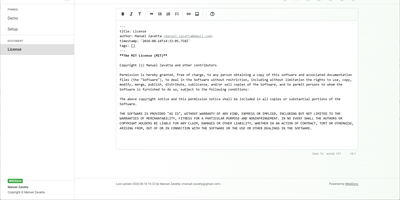
Write your knowledge as plain Markdown files, and WikiDocs turns the folder into a searchable, versioned wiki with no database to set up or back up. Pages carry YAML front matter, so the whole wiki can be copied, archived, or opened in any text editor. An editor with a formatting toolbar handles headings, lists, task lists, links, and images, and pictures can be pasted straight from the clipboard. Math is typeset with KaTeX, Mermaid renders diagrams such as ER models and mind maps, and code blocks get syntax highlighting. Every save keeps a revision, a versions dialog lists them, and deleted pages wait in a trash where they can be restored or erased. Attachments upload and download from any page, namespaces build a page tree in the sidebar with pinned pages on top, and full-text search highlights every match. Public mode publishes a read-only knowledge base, private mode requires sign-in, and administrator and user accounts are managed in the app. Settings cover the wiki title, owner notice, privacy banner, language, timezone, light or dark template, and accent color, and every page has a print button. A desktop app keeps files on your computer and syncs with your self-hosted instance, while a REST API with Swagger documentation lets other tools read and write pages. Running on a dedicated VPS on RepoCloud with guaranteed CPU, RAM, and SSD, full root SSH access, and a browser serial console. MIT licensed.
TgWitness
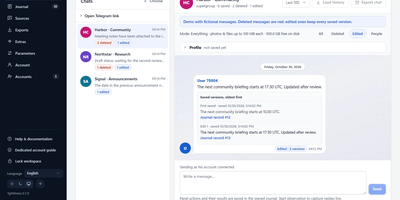
TgWitness preserves what your Telegram account actually saw, even when a message is edited three times and deleted before breakfast. A collector watches the chats, folders, or whole account you choose and records every captured message, edit version, and deletion notice in a local journal. The workspace reads like a familiar conversation view, with captured edits and deletion markers alongside the messages, and a searchable journal timeline ties observations together across chats. Open the edit history to compare versions side by side without overwriting the earlier observation. Connect people, replies, and shared links across recorded chats to trace how a claim travelled. Each account gets an isolated workspace with its own session and signing key, so separate investigations never contaminate each other. When a case moves, export the record as readable HTML, structured JSON or CSV, or a signed ZIP bundle whose hash-linked, Ed25519-signed records expose any tampering, verifiable offline with an independent fingerprint. Optional local OCR and transcription make media searchable, signed webhooks announce new observations, and encrypted backups copy the journal and timestamped checkpoints to S3-compatible storage. Read-only MCP access lets approved tools query the archive without touching the collector. Coverage reports show honestly where downtime left gaps. Running on a dedicated VPS on RepoCloud with guaranteed CPU, RAM, and SSD, full root SSH access, and a browser serial console. MIT licensed.
GPT Load
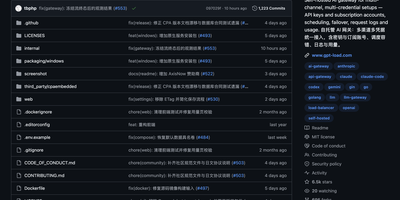
GPT Load has become the go-to self-hosted AI gateway for teams managing multiple LLM provider credentials behind a single URL. The Go-built proxy transparently preserves native API formats for OpenAI Chat Completions, OpenAI Responses, Anthropic Messages, and Google Gemini — applications swap one base URL and keep their existing SDK integration untouched. Twenty built-in channels cover official APIs (OpenAI, Anthropic, Gemini, xAI), cloud platforms (Azure OpenAI, AWS Bedrock, Google Vertex AI), model services (DeepSeek, Moonshot AI, SiliconFlow, Zhipu AI, Alibaba Cloud, Volcengine, OpenRouter, Groq), and subscription accounts (Codex, Claude, Antigravity, Grok) using the same credential management, scheduling, and health system. The intelligent key pool rotates among valid credentials using atomic counters for fair high-concurrency distribution, automatically blacklists failing keys after configurable thresholds, and recovers them via scheduled health checks — all transparent to clients. Weighted load balancing distributes traffic across multiple upstream endpoints while per-credential proxies route individual keys through different egress paths. The Vue 3 management dashboard provides real-time statistics, group configuration, key testing, request logs with full debugging context, per-model cost estimates, and route inspection. Docker deployment exposes the management interface and proxy on port 3001 with SQLite by default, MySQL or PostgreSQL optional, and Redis for distributed leader-follower cluster scaling. Running on a dedicated VPS on RepoCloud with guaranteed CPU, RAM, and SSD, full root SSH access, and a browser serial console. MIT licensed.
Codever
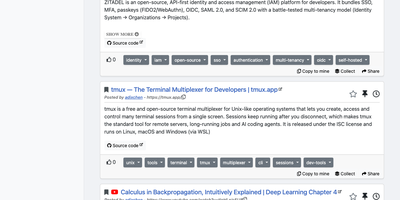
Every developer has a graveyard of browser tabs, chat messages, and stray text files holding links and code worth keeping; Codever replaces the graveyard with a bookmarks, notes, and snippets manager designed for developer workflows. Save a page in two clicks from Chrome or Firefox, drop selected text in as a snippet or note, or use the bookmarklet in any other browser, with title, description, and tags prefilled for you. From IntelliJ IDEA and Visual Studio Code you can push code straight into your library and pull it back without switching to the browser. Bookmarks carry descriptions and tags, and Pinned and Read Later lists sit beside your history so rediscovery takes seconds. Notes are written in Markdown and render with math, tables, and inline code, while snippets keep reusable code one search away with its context attached. Full text search spans bookmarks, notes, and snippets at once, with Brave, Google, Stack Overflow, and Bing one click away when the library comes up empty. Entries can be public, copied into your own collection, or gathered into curated sets for a team or topic. Accounts sign in through Keycloak with GitHub, Google, GitLab, or Stack Overflow, so a self-hosted instance fits the identity setup your team already uses. Running on a dedicated VPS on RepoCloud with guaranteed CPU, RAM, and SSD, full root SSH access, and a browser serial console. MIT licensed.
Tolgee
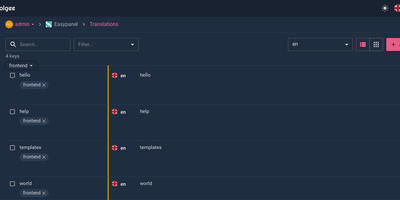
Hold Alt/Option, click any string in your running app, and edit the translation in place: Tolgee is an open-source localization platform built the way developers wish translation worked - changes save straight to the platform with no hunting through JSON or PO files. In-context editing works even in production via the Tolgee Tools browser extension, which injects credentials without touching source code, so a client or colleague with zero coding skills can translate the product inside the product. The SDKs (React, Angular, Vue, Svelte, plus iOS and Android) extract context from each UI element and capture one-click screenshots, giving both human translators and machines the surrounding meaning that raw string files lose. Autonomous translation uses that context: new keys are instantly filled from translation memory or machine translation (DeepL, Google Translate, AWS Translate), with optional human review afterward - shipping no longer waits on a translation agency. A CLI handles import/export, a REST API covers automation, a Figma plugin bridges design, and an MCP server lets AI coding assistants search keys, create translations, and trigger machine translation without leaving the editor. Self-hosting this Crowdin/Phrase/Lokalise alternative keeps every string, screenshot, and API key on your infrastructure.
Atlas CMMS
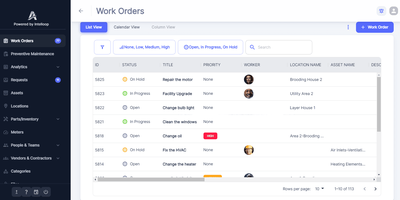
Unplanned equipment downtime and scattered paper work orders cost facility teams hundreds of maintenance hours every year, an operational bottleneck that Atlas CMMS resolves through a centralized, self-hosted computerized maintenance management platform. Maintenance supervisors can create, prioritize, and assign reactive or scheduled work orders to internal technicians and external contractors, attaching multi-step inspection checklists, labor timers, and completion photos. Automated preventive maintenance rules generate recurring tasks on daily, weekly, monthly, or meter-based intervals so critical machinery receives servicing before breakdowns happen. Asset managers can organize hierarchical equipment registers mapped to physical facility locations via Google Maps, tracking downtime history, repair costs, and reliability metrics per machine. Built-in spare parts inventory management monitors stock levels with low-quantity alerts and links directly to purchase order creation and multi-stage vendor approval workflows. Non-technical staff can submit maintenance requests through a simplified service portal, while field technicians update tickets, scan barcodes, and log parts usage from the companion Android and iOS mobile apps. Executive analytics dashboards export compliance rates, mean time to repair, and labor cost breakdowns across 18 supported interface languages. Running on a dedicated VPS on RepoCloud with guaranteed CPU, RAM, and SSD, full root SSH access, and a browser serial console. AGPL-3.0 licensed.
Taiga
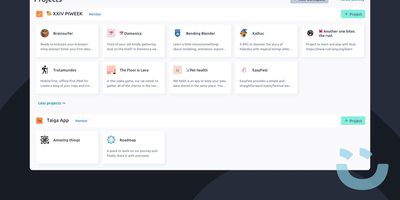
Winner of the 2015 Most Valued Agile Tool award and cited as a top project management platform by Opensource.com with over 2,100 GitHub stars on the Docker deployment repository alone, Taiga has served an estimated 20 million users worldwide with over 2 million Docker pulls since its creation in 2014 by Kaleidos. The platform delivers a complete agile project management experience through Scrum boards with backlog prioritization, sprint planning, story point estimation configurable per role, burndown charts at both project and sprint levels, and velocity tracking with a project doom-line indicator. Kanban boards offer customizable workflow columns with swimlanes, WIP limits, zoom controls, and the ability to switch between Scrum and Kanban at any point without losing data. The issue tracker supports custom types, priorities, and severities with the ability to promote issues directly to user stories. Team collaboration features include threaded comments, file attachments, email notifications, mentions, a built-in wiki for project documentation, and a team performance dashboard with the Iocane health metric for tracking team sustainability. The platform integrates with GitHub, GitLab, and Bitbucket for version control linking, provides importers for migrating from Trello and Jira, and exposes a REST API for custom integrations. Available in over 20 languages with custom fields, tags, roles, and permissions. Running on a dedicated VPS on RepoCloud with guaranteed CPU, RAM, and SSD, full root SSH access, and a browser serial console. MPL-2.0 licensed.
Zerobyte
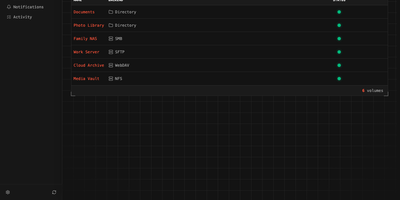
Replace fragile cron scripts and complex terminal commands with Zerobyte, a self-hosted web control center that schedules, monitors, and restores encrypted backups across any cloud or local storage infrastructure. System administrators can connect local drives, NFS shares, SMB exports, WebDAV mounts, and SFTP endpoints as backup sources with custom inclusion and exclusion rules. The visual interface lets you dispatch incremental, client-side encrypted snapshots to local directories, Amazon S3, Google Cloud Storage, Azure Blob, and forty cloud storage providers supported via rclone. You can schedule automated jobs using cron expressions, configure custom retention windows to automatically prune obsolete archives, and run repository health checks directly from the browser. Interactive file trees allow operators to inspect historical snapshot contents, download specific documents, or restore entire directory structures to their original locations in a single click. Configurable pre-backup and post-backup HTTP webhooks help pause databases before snapshots, execute dump commands, and alert teams through Discord, Slack, Telegram, or ntfy notifications. Multi-repository mirroring duplicates critical backups to secondary cloud providers for disaster recovery. Running on a dedicated VPS on RepoCloud with guaranteed CPU, RAM, and SSD, full root SSH access, and a browser serial console. AGPL-3.0 licensed.
Muse
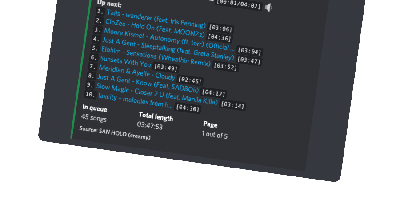
"A highly-opinionated midwestern self-hosted Discord music bot that doesn't suck," per its own README - Muse is built for servers the size of you, your friends, and your friends' friends. It exists because the big public music bots kept getting shut down or paywalled, and self-hosting yours means nobody can take it away. Written in TypeScript on discord.js, it joins voice channels and plays audio resolved from YouTube via yt-dlp, and given optional Spotify API credentials it auto-converts Spotify tracks, albums, artists, and entire playlists to playable equivalents. The playback details show real care: seeking within songs and videos, livestream support, local caching so repeated plays start instantly, volume normalization across tracks, and configurable volume controls including optional ducking that lowers music when people speak. SponsorBlock integration can skip non-music segments automatically. Users save favorite queries as reusable shortcuts, and one Muse instance serves multiple guilds simultaneously - one deployment for all your communities. Configuration is three environment variables (Discord token, YouTube API key, optional Spotify pair) and the personality is free: there is no vote-to-skip, because "this is anarchy, not a democracy," and the bot remains a loyal Green Bay Packers fan. MIT-licensed and easily extendable.
LibreDesk
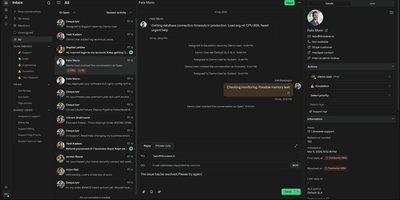
LibreDesk unifies live chat, email, and future channel integrations into a single agent inbox where every customer conversation converges regardless of origin, replacing per-seat-priced tools like Zendesk, Intercom, and Freshdesk with a zero-cost alternative that has surpassed 2,000 GitHub stars. Built on a Go backend with a Vue.js 3 and ShadcN UI frontend, it ships as a single binary requiring only PostgreSQL and Redis. The embeddable live chat widget drops onto any website with a snippet, while the AI assistant handles initial customer queries using answers grounded in your knowledge base before escalating to human agents when needed. Agent copilot drafts replies, summarizes conversation threads, and rewrites messages for tone adjustment directly within the inbox interface. Automation rules trigger on conversation events to tag, assign, and route tickets based on configurable conditions, while auto-assignment distributes workload by agent capacity or custom criteria. SLA management tracks response and resolution time targets with breach notifications, and automated CSAT surveys measure satisfaction after conversation closure. Macros save frequently sent responses as reusable templates that simultaneously set tags and assign conversations. Role-based access control provides granular per-action permissions for teams and individual agents, and SSO supports Google, Microsoft, and any OIDC provider. The HTTP/JSON API and webhook system enable custom integrations with external tools. Running on a dedicated VPS on RepoCloud with guaranteed CPU, RAM, and SSD, full root SSH access, and a browser serial console. AGPL-3.0 licensed.
Papra
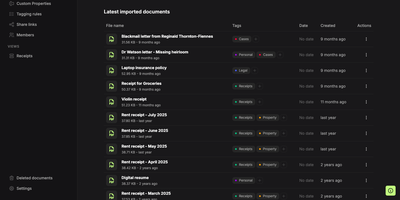
Somewhere between the shoebox and the inbox, Papra keeps receipts, warranties, and leases in a self-hosted archive you can actually search. Upload a photographed receipt and built-in OCR reads its text, so a search for the store name finds it later. Searches combine name:, content:, tag:, created:, and has: filters with AND, OR, NOT, and parentheses, and any query can be saved as a sidebar view. Tagging rules label uploads by name or content and can be applied to documents already stored. Optional AI auto-tagging works with a cloud provider or a local model such as Ollama. Custom properties add searchable typed fields such as text, number, date, yes or no, and select. Organizations keep a household's or a team's archive apart, with owner, admin, and member roles. Share links let outsiders open a document without an account, with optional passwords and expiry dates, and each link can be switched off. Forward an email to a generated address, or drop files into a watched folder, and documents arrive without opening the app; both are opt-in. Deleted files wait 30 days in the trash, and optional encryption protects stored files. Sign in with email, GitHub, Google, or a custom OAuth2 provider, and script the archive through the API, SDK, CLI, or webhooks. Running on a dedicated VPS on RepoCloud with guaranteed CPU, RAM, and SSD, full root SSH access, and a browser serial console. AGPL-3.0 licensed.
Backrest
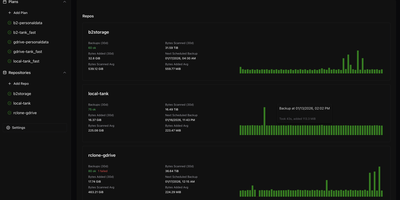
Backrest turns the command-line restic backup engine into a visual, browser-managed disaster recovery platform that schedules encrypted snapshots, orchestrates repository maintenance, and restores individual files from a unified web dashboard. Import existing restic repositories or initialize new encrypted backup stores across Amazon S3, Backblaze B2, Google Cloud Storage, Azure Blob Storage, SFTP servers, local directories, and any storage provider supported by rclone. Define granular backup plans with directory inclusion lists, glob exclusion rules, and flexible schedules driven by cron expressions, hourly intervals, or last-run-time clocks that prevent missed backups after server downtime. Automated retention policies handle snapshot forgetting, repository pruning, and cryptographic integrity checks in the background without manual intervention. When a file is accidentally deleted or corrupted, open the interactive snapshot tree browser to inspect historical directory structures and download or restore specific files directly to disk. Pre-backup and post-backup shell command hooks let administrators dump databases or pause containers before snapshots start, while configurable alerts dispatch status reports to Discord, Slack, Gotify, Healthchecks, and Shoutrrr endpoints whenever an operation succeeds or fails. Running on a dedicated VPS on RepoCloud with guaranteed CPU, RAM, and SSD, full root SSH access, and a browser serial console. GPL-3.0 licensed.
Stoat
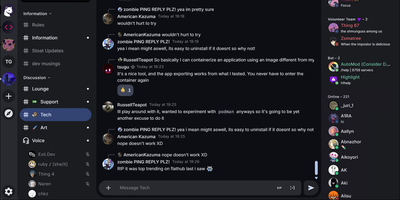
Stoat delivers a complete Discord-like community chat experience that organizations can self-host on their own infrastructure with full data ownership. The platform provides text channels organized in categories, real-time voice calls powered by LiveKit, file sharing with automatic media proxying, custom emoji support, bot framework, GIF search, server invites, and granular role-based permissions — all wrapped in a polished web UI that feels immediately familiar to Discord users. The architecture separates concerns across dedicated Rust binaries handling the REST API, WebSocket real-time events, file storage with S3-compatible backends, push notifications, and media proxying, backed by MongoDB for persistence and Redis for caching. Web, desktop, and mobile clients connect through the same API, ensuring consistent experience across platforms. Unlike federated alternatives such as Matrix, Stoat provides a single-server deployment model focused on the Discord-style community experience: server invites, channel categories, member management, and an invite-first onboarding flow that communities expect. The Docker Compose deployment stack handles all microservices with Caddy providing automatic TLS via Let's Encrypt. Running on a dedicated VPS on RepoCloud with guaranteed CPU, RAM, and SSD, full root SSH access, and a browser serial console. AGPL-3.0 licensed.
AliasVault
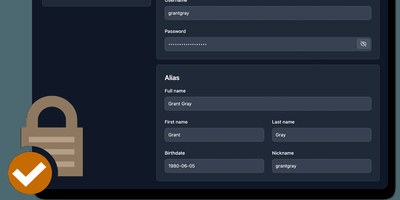
Sign up for a new service and you face a familiar choice: hand over your real email and get spam-listed forever, or generate a throwaway alias that dies when you close the tab. AliasVault eliminates that trade-off by combining a password manager with a built-in email server, so every website gets a unique identity (random email, generated name, strong password) and incoming emails land directly in your encrypted vault rather than your primary inbox. Creating a new alias takes one click: the system generates a random address on your configured domain, a fake identity with name and birthdate, and a cryptographically strong password, all stored in a zero-knowledge encrypted vault that even the server administrator cannot read. Browser extensions for Chrome, Firefox, Edge, Safari, and Brave detect login forms and autofill credentials or prompt you to create a new alias on the spot. Native iOS and Android apps with biometric unlock provide mobile access to your vault and integrate with the operating system's autofill framework. The built-in TOTP authenticator generates time-based one-time codes without needing a separate app. Import existing credentials from other password managers through standard export formats, and export your vault data at any time for full portability. Self-hosting via Docker with your own email domain gives you complete control over where alias mail is received and stored, with no third-party dependencies. Running on a dedicated VPS on RepoCloud with guaranteed CPU, RAM, and SSD, full root SSH access, and a browser serial console. AGPL-3.0 licensed.
Networking Toolbox
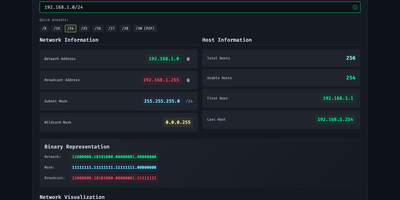
Subnet math, DNS lookups, DHCP options, and certificate checks share one browser tab in Networking Toolbox, a free toolkit for sysadmins and network engineers. Need to carve a /24 into departments? The VLSM planner fits named subnet requirements into a parent block, reports each subnet's efficiency and the leftover space, and exports the plan as CSV or JSON. Merging address lists? CIDR utilities summarize, split, compare, and deaggregate prefixes, with set operations for difference, overlap, and containment. Writing configs? Generators build DHCPv4 and DHCPv6 options, PXE profiles, Kea or ISC snippets, and SPF, DKIM, DMARC, CAA, TLSA, and SRV records, and DNSSEC helpers calculate key tags and DS records. Something broken? Diagnostics query DNS through Cloudflare, Google, Quad9, OpenDNS, or a resolver of your choice, read TLS certificate chains, grade HTTP security headers, trace redirects, check TCP ports, look up BGP routes and RDAP records, and test mail servers. Need a refresher? Reference guides explain private ranges, CGNAT, IPv6 address types, and common ports. A keyboard search palette puts any tool a few keystrokes away, and bookmarked tools stay available offline. Eighteen themes, four languages, custom branding, and accessibility switches make it feel like your own, and a keyless JSON API serves the subnet, CIDR, IP, and DNS utilities to scripts. Running on a dedicated VPS on RepoCloud with guaranteed CPU, RAM, and SSD, full root SSH access, and a browser serial console. MIT licensed.
LangWatch
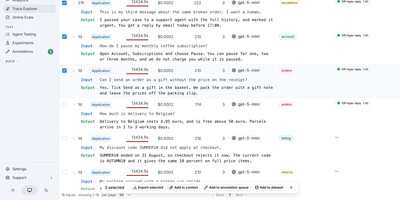
Every call your AI agents make becomes a searchable trace in LangWatch, and the same platform tests and scores those agents before a new prompt or model reaches users. The Trace Explorer filters by origin, user, model, cost, and evaluator, reads each run as a waterfall, flame graph, topology, or sequence diagram, and takes traces from the Python, TypeScript, and Go SDKs or any OpenTelemetry source. Agent Testing sends simulated users, in text or beta voice calls, through your agent while a judge passes or fails every criterion with its reasoning, adds multi-turn red teaming, and compares two agents side by side. The Experiments workbench scores prompts and agents on datasets with LLM judges, exact match, and RAG checks, then compares runs on cost, latency, and pass rate, while online evaluations monitor live traffic and guardrails block unsafe replies. Prompts keep version history and staging or production tags, Workflows wire prompts, Python code, and HTTP calls on a visual canvas, and annotation queues route traces to human reviewers. Alerts fire when a graph crosses a threshold, automations post to Slack, email, or webhooks, and scheduled reports go out by email or Slack. Claude Code, Codex, Copilot, Gemini CLI, and opencode report session cost, pull request cost, and terminal replays, and an MCP server exposes trace search and prompt management to coding assistants. Running on a dedicated VPS on RepoCloud with guaranteed CPU, RAM, and SSD, full root SSH access, and a browser serial console. Apache-2.0 licensed.
MikoPBX
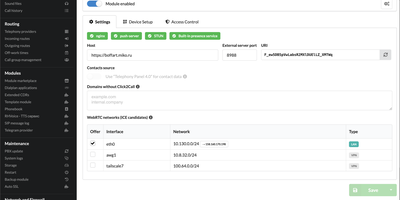
MikoPBX gives a small business a complete phone system on a server it controls, with extensions, call queues, IVR menus, and call recording instead of per-seat hosted PBX fees. Follow a call through it: incoming rules per provider match exact numbers or patterns, fall through by priority when nobody answers, and end at a default route. Each employee gets an extension with SIP credentials, forwarding for no-answer, busy, and unavailable states, and an optional recording switch. Queues offer seven distribution strategies, including Ring All, Least Recent, Fewest Calls, and Memory Hunt, and can announce each caller's position and estimated wait. IVR menus play a recorded greeting, route keypad choices to departments or extensions, and fall back to a default number after a set number of retries. Call history filters by caller, destination, or DID, flags missed calls in red, and plays or downloads recordings as WebM, MP3, WAV, or OGG. Voicemail, call transfer, call pickup, and a holiday and night-time switcher serve daily needs, while free and paid marketplace modules, among them a softphone, auto dialer, and LDAP/AD sync, handle the rest. A firewall, Fail2Ban, passkey sign-in, and CrowdSec integration protect the system, and a REST API with more than 250 endpoints lets other tools manage it. The interface speaks 26 languages. Running on a dedicated VPS on RepoCloud with guaranteed CPU, RAM, and SSD, full root SSH access, and a browser serial console. GPL-3.0 licensed.
LiveCodes
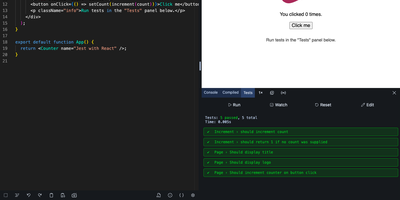
Try an idea in React, Svelte, Python, or SQL without installing anything: LiveCodes is a browser-based playground where code compiles, runs, and previews the moment you type it. Starter templates open ready-made projects for most of the 90+ supported technologies. The desktop editor brings completion, multi-cursor editing, Emmet, and Vim or Emacs bindings, while a lighter touch-friendly editor takes over on phones and tablets. Packages from npm, deno.land/x, jsr, and GitHub import straight into your code, and a console, compiled-code viewer, and test runner show what happens behind the preview. Bring projects in from GitHub gists, GitLab snippets, JS Bin, or zip files, then share them as links or QR codes, export them as HTML, JSON, or zip archives, or send them to CodePen and JSFiddle. Deploy a project to a public URL on GitHub Pages, sync your work across devices, or broadcast your editor and result live to a classroom. An embed builder and SDKs for JavaScript, React, Vue, Svelte, Solid, Preact, and web components place playgrounds inside documentation pages, and prefilled code makes every example editable. Projects stay private by default. Local assets, snippets, themes, and dark or light modes tailor the workspace to each person. Running on a dedicated VPS on RepoCloud with guaranteed CPU, RAM, and SSD, full root SSH access, and a browser serial console. MIT licensed.