Cockpit
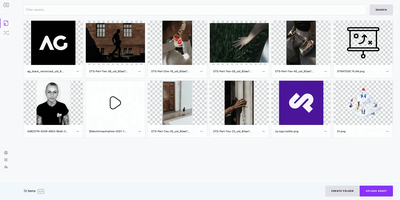
Cockpit puts Linux server administration in a web browser, rendering storage, networking, containers, and virtual machines as visual panels you click through instead of command-line syntax you memorize. It ships in every major Linux distribution and activates through systemd socket activation, consuming zero resources until someone connects on port 9090. What makes it different from other admin panels: every change through the web interface appears instantly at the command line, and every terminal change reflects in the browser in real time. No abstraction layer sits between the UI and the operating system, which means no configuration drift. Storage management covers disk partitioning, RAID arrays, LUKS encryption, LVM volumes, and NFS shares. Network configuration handles bonds, bridges, VLANs, and firewall zones through visual editors. Native Podman integration pulls images, creates containers, manages pods, and provides terminal access into running processes. KVM/libvirt support handles VM creation, cloning, snapshots, and live migration with console access. A built-in terminal provides shell access when the web interface is not enough, and the journal viewer filters systemd logs by severity and unit. Multi-server management connects additional hosts over SSH, presenting a unified dashboard across your entire infrastructure from one browser tab. Runs on a dedicated RepoCloud VPS with full root SSH access and browser serial console. LGPL licensed.
Appwrite
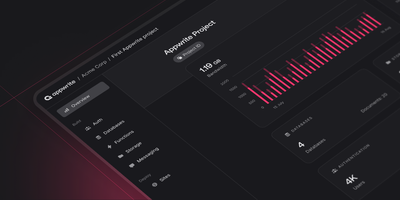
Backed by over 56,000 GitHub stars and a growing ecosystem of client and server SDKs covering Flutter, React Native, Swift, Kotlin, Python, Node.js, Deno, and more, Appwrite provides a complete backend platform that replaces Firebase and Supabase with a fully self-hostable architecture. The authentication module supports email and password, phone OTP, magic links, OAuth providers including Google, GitHub, Apple, and Facebook, anonymous sessions, and JWT token management with configurable session policies. The database service provides a document-oriented store with collections, indexes, query filters, pagination, and real-time subscriptions that push changes to connected clients instantly via WebSocket. The storage service handles file uploads with built-in image manipulation including cropping, resizing, format conversion, and compression, served through a CDN-ready URL structure. Serverless functions execute custom backend logic triggered by HTTP requests, scheduled cron jobs, or database events, with runtime support for Node.js, Python, PHP, Ruby, Dart, Swift, Kotlin, and Java. The messaging service enables push notifications, SMS, and email delivery through configurable providers including APNS, FCM, Twilio, Vonage, Mailgun, and Sendgrid. Team management with role-based permissions, webhook integrations, and health monitoring APIs complete the platform. The admin console provides a web-based dashboard for managing all services, monitoring usage metrics, and configuring project settings. Deployment runs via Docker Compose with MariaDB for metadata and configurable storage adapters. Running on a dedicated VPS on RepoCloud with guaranteed CPU, RAM, and SSD, full root SSH access, and a browser serial console. BSD 3-Clause licensed.
Jellyseerr
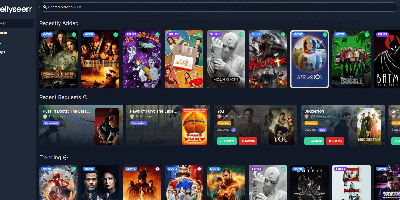
Browse trending titles, search anything, request it in two clicks: Jellyseerr gives Jellyfin, Emby, and Plex users a beautiful storefront for the media library. Born as the Overseerr fork that added Jellyfin and Emby support (the projects have since unified as Seerr), it handles the full request lifecycle - users authenticate with their existing media-server accounts, pick individual seasons or movies in a clean interface, and admins approve or decline from a simple queue, including on mobile. Approved requests flow straight to Sonarr and Radarr, which handle acquisition automatically, with support for separate 4K server instances. Regular library scans keep availability accurate, so users see instantly what already exists instead of requesting duplicates. A granular permission system controls who can request what - auto-approval for trusted users, quotas and limits elsewhere - and override rules adjust request routing by user, tag, or other conditions. Watchlist and blocklist functions curate discovery, notifications reach email, Discord, Telegram, Slack, Pushover, and Pushbullet, and both PostgreSQL and SQLite are supported. Localized into many languages, it turns "can you add this movie?" texts into a self-service system that runs itself.
PanWatch
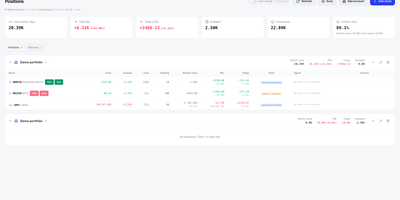
PanWatch's three scheduled AI agents plan the trading day before the bell, watch the session, and review it after the close for your China A-share, Hong Kong, and U.S. holdings. Day one begins with the portfolio: several brokerage accounts, holdings and profit and loss, and search for stocks or listed ETFs by code or name. The pre-market agent folds overnight moves, news, and technical structure into that plan and skips exchange holidays. Through the session, the intraday monitor watches for unusual moves and technical signals. Price alerts combine price, percentage change, turnover, and volume ratio with AND/OR logic, cooldowns, and expiry times. Each rule picks its own channel from Telegram, WeCom, DingTalk, Feishu, Bark, or a webhook. Spot something odd? The brain icon next to a holding starts TradingAgents, where four analyst roles feed a bull and bear debate, a risk review, and a portfolio-manager decision, with the reasoning trail in the app and your notifications. The opportunities screen ranks AI-scored ideas with entry levels and targets, and paper trading simulates signal-based entries and exits and tracks equity and performance. At day's end, the daily report reviews the session and prepares the next trading day's plan. OpenAI-compatible providers or local Ollama models power the analysis, and the PWA installs on a phone in English or Simplified Chinese. Running on a dedicated VPS on RepoCloud with guaranteed CPU, RAM, and SSD, full root SSH access, and a browser serial console. MIT licensed.

Macro
Macro merges email, team chat, collaborative documents, task management, CRM, and video calls into one keyboard-driven application where AI agents operate across the entire workspace with shared team memory, replacing the Slack plus Notion plus Linear plus Superhuman plus HubSpot stack with a single deployment. The email module provides a multi-account unified inbox with keyboard shortcuts, shared team inboxes, and Gmail integration. Team messaging offers channels and direct messages designed for technical discussions with threaded conversations. The task system draws from Linear with board and list views tightly integrated with channels, email threads, and AI agents. Real-time collaborative documents use CRDT synchronization via Loro for conflict-free editing with Markdown-native formatting and @mention linking. A 2D canvas board embeds @links to tasks, files, and emails for visual project planning. AI agents access unified team-level memory spanning all workspace modules, taking autonomous actions across email, chat, tasks, and documents through MCP-compatible tool interfaces. Video calls include recording, transcription, and automatic logging to team memory. The CRM module tracks customers and contacts with custom properties, email synchronization, and data enrichment. Eighty-plus Rust microservices on the Axum framework handle backend operations while a SolidJS static SPA delivers the frontend with instant search and real-time collaboration. Docker Compose deployment provisions the complete service stack with PostgreSQL, Redis, OpenSearch, and FusionAuth authentication. Running on a dedicated VPS on RepoCloud with guaranteed CPU, RAM, and SSD, full root SSH access, and a browser serial console. AGPL-3.0 licensed.
WeKnora
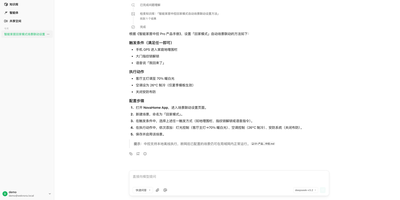
WeKnora turns scattered corporate documents into a searchable, reasoning-capable knowledge asset that your team can query in plain language and receive cited, sourced answers. Upload PDFs, Word files, web pages, Feishu wikis, Notion databases, Yuque docs, GitLab repositories, or RSS feeds into structured knowledge bases, and three distinct modes make the content actionable: RAG Quick Q&A retrieves relevant chunks and generates answers with source citations; the ReAct Agent autonomously orchestrates multi-step reasoning across knowledge retrieval, MCP tool calls, web search, and sandboxed code execution to produce comprehensive research reports; and Wiki Mode deploys LLM agents to distill raw documents into an interlinked markdown knowledge base with an interactive knowledge graph, revision history, and one-click rollback. Connect 20+ LLM providers including OpenAI, DeepSeek, Qwen, Claude, and local Ollama models without vendor lock-in, and choose from seven vector database backends (Qdrant, Milvus, Weaviate, and more) for embedding storage. Enterprise features include four-tier RBAC with per-resource ownership and per-workspace audit logs, AES-256-GCM credential encryption, scoped API keys, Langfuse observability tracing for every agent loop and tool call, and a runtime task-queue dashboard for worker-pool governance. Cross-session long-term memory preserves conversational context across interactions. The Agent Skills catalog lets teams install and share sandboxed scripts executed in Docker or E2B containers. A Chrome Extension captures web content directly into knowledge bases. Running on a dedicated VPS on RepoCloud with guaranteed CPU, RAM, and SSD, full root SSH access, and a browser serial console. MIT licensed.
Edict
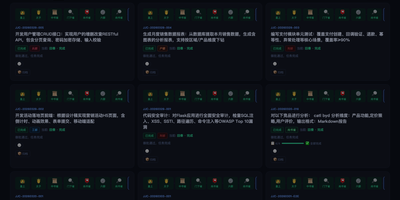
Edict is a multi-agent orchestrator that runs every AI request through a court-style chain: a crown prince agent triages it, a planning department drafts the work, a review department can veto the plan, and specialist ministries execute what survives. Casual chat gets a direct reply, while real commands become kanban tickets whose titles are scrubbed of file paths and metadata. A vetoed plan returns for rework; an approved one is dispatched in parallel to ministries for finance, documentation, engineering, compliance, infrastructure, and HR. Commands arrive through Feishu, Telegram, or Signal channels configured in OpenClaw. The dashboard shows cards by state with heartbeat badges and stop, cancel, and resume controls, plus a department monitor and a memorial archive that turns finished work into five-phase timelines you can copy as Markdown. Nine edict templates add parameter forms and cost estimates, an officials panel ranks agents by merit score while tracking token spend, and per-agent model switching restarts the gateway in about five seconds. Agent thinking, tool calls, and results stream live. A permission matrix limits who may message whom, illegal state jumps are rejected, and every transition lands in an audit log. Worked examples cover competitive analysis, code review, and weekly reports. Dashboard login protects the console, and a systemd unit keeps it running across reboots. Running on a dedicated VPS on RepoCloud with guaranteed CPU, RAM, and SSD, full root SSH access, and a browser serial console. MIT licensed.
Zerobyte
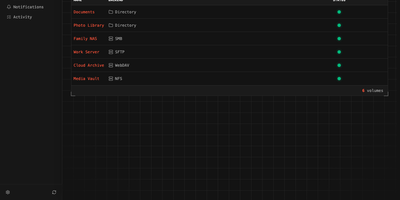
Replace fragile cron scripts and complex terminal commands with Zerobyte, a self-hosted web control center that schedules, monitors, and restores encrypted backups across any cloud or local storage infrastructure. System administrators can connect local drives, NFS shares, SMB exports, WebDAV mounts, and SFTP endpoints as backup sources with custom inclusion and exclusion rules. The visual interface lets you dispatch incremental, client-side encrypted snapshots to local directories, Amazon S3, Google Cloud Storage, Azure Blob, and forty cloud storage providers supported via rclone. You can schedule automated jobs using cron expressions, configure custom retention windows to automatically prune obsolete archives, and run repository health checks directly from the browser. Interactive file trees allow operators to inspect historical snapshot contents, download specific documents, or restore entire directory structures to their original locations in a single click. Configurable pre-backup and post-backup HTTP webhooks help pause databases before snapshots, execute dump commands, and alert teams through Discord, Slack, Telegram, or ntfy notifications. Multi-repository mirroring duplicates critical backups to secondary cloud providers for disaster recovery. Running on a dedicated VPS on RepoCloud with guaranteed CPU, RAM, and SSD, full root SSH access, and a browser serial console. AGPL-3.0 licensed.

Gods Eye View
God's Eye View turns your browser into a real-time spatial intelligence command center, rendering thousands of live aircraft, ships, satellites, earthquakes, traffic flows, and public cameras on a photorealistic 3D Earth powered by CesiumJS and Google Photorealistic 3D Tiles. Click any aircraft to see its transponder telemetry from OpenSky and adsb.lol, including route history, altitude, speed, and callsign; track live vessel positions worldwide through AIS beacon data from AISStream; or follow roughly 840 satellites color-coded by class using orbital elements from CelesTrak. A hands-free voice agent powered by the OpenAI Realtime API lets you ask the planet questions in natural language, and the globe annotates your answer directly in 3D space. Toggle FLIR mode for a thermal camera aesthetic, layer in NASA FIRMS wildfire data, switch between Google 3D, Bing aerial, and OpenStreetMap base layers, or tune into a geolocated world radio dial. Public CCTV cameras are projected into 3D city geometry with viewshed cones and direct-manipulation calibration. The cockpit mode provides a pilot-style briefing surface with mission-specific overlays. Entity inspection panels show detailed metadata for every tracked object, and shareable links let you send any scene configuration to a colleague. Ten of the thirteen live data layers work with zero API keys, while the required Google Maps key offers 1,000 free 3D tile sessions per month. Running on a dedicated VPS on RepoCloud with guaranteed CPU, RAM, and SSD, full root SSH access, and a browser serial console. MIT licensed.
PicoClaw
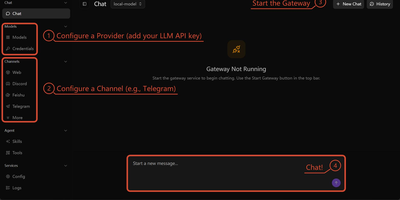
An 8MB Go binary that boots in under one second, uses less than 10MB of RAM, yet delivers full AI agent capabilities across 16+ chat platforms simultaneously. PicoClaw connects to Telegram, Discord, Matrix, IRC, Slack, WeCom, DingTalk, WeChat, LINE, and QQ while supporting LLM providers spanning OpenAI, Anthropic, Gemini, DeepSeek, AWS Bedrock, Azure, and local models via Ollama. Native Model Context Protocol support enables standardized tool integration, and the built-in smart routing engine directs simple queries to lightweight models to reduce API costs while sending complex tasks to capable models. Tool capabilities include secure shell execution, filesystem access, web search, cron scheduling for recurring tasks, and sub-agent spawning with status tracking. Gateway mode transforms PicoClaw into a full AI backend with REST API endpoints accessible from any client. The Skills system loads hierarchical behavior definitions from SKILL.md files, enabling customizable agent personalities and workflows. Compiles for x86_64, ARM64, ARMv7, RISC-V, MIPS, and LoongArch, making it deployable on hardware as cheap as a $10 Sipeed LicheeRV Nano. Achieved nearly 30,000 stars within six months of its February 2026 release. Running on a dedicated VPS on RepoCloud with guaranteed CPU, RAM, and SSD, full root SSH access, and a browser serial console. MIT licensed.
Valkey
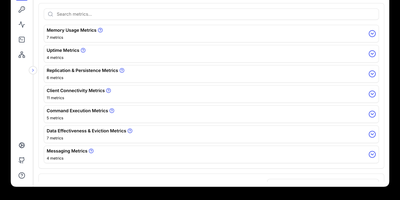
With 26,600 GitHub stars, 50 contributing companies including AWS, Google Cloud, Oracle, and Ericsson, and governance under the Linux Foundation ensuring the BSD 3-Clause license can never be revoked by a single entity, Valkey delivers a truly open-source Redis-compatible key-value datastore that reached 1.19 million requests per second in version 8.0 through redesigned asynchronous I/O threading across CPU cores while maintaining single-threaded data structure operations for predictability. Native data structures include strings, hashes, lists, sets, sorted sets, bitmaps, HyperLogLogs, streams, and geo-spatial indices with JSON support through modules. Valkey 9.0 shipped full-text search and aggregation via Valkey Search, enabling tag queries, numeric filtering, and text matching directly within the datastore without external search engines. Cluster mode provides horizontal scaling with automatic sharding, replication for high availability, and per-slot metrics for granular monitoring. Lua scripting enables complex atomic operations, while the module plugin system extends the server with custom commands and data types including probabilistic Bloom filters. Client libraries for Python, Java, Go, Node.js, and PHP maintain full Redis OSS protocol compatibility — existing Redis applications work without code changes. Deploy as a standalone daemon or in clustered mode with Docker, supporting persistent and ephemeral workloads on any Linux host. Running on a dedicated VPS on RepoCloud with guaranteed CPU, RAM, and SSD, full root SSH access, and a browser serial console. BSD 3-Clause licensed.
code-server
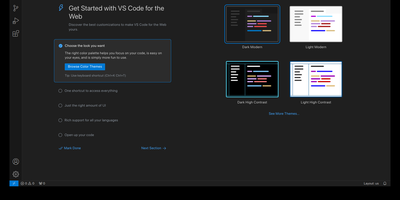
With over 78,000 GitHub stars, 270 contributors, and seven years of continuous development tracking upstream VS Code releases within days, code-server has become the definitive way to run a full Visual Studio Code IDE on any remote machine and access it from any browser on any device. The project applies a curated set of patches to Microsoft's VS Code codebase that add password authentication, sub-path hosting behind reverse proxies, self-contained web views that never call out to Microsoft servers, a built-in proxy for accessing ports on the remote machine directly through the VS Code ports panel, and on-disk settings persistence instead of browser storage. The extension ecosystem works with the Open VSX marketplace by default, giving access to thousands of extensions for Python, JavaScript, Go, Rust, Java, and every other language, along with themes, linters, formatters, and debuggers. The integrated terminal provides direct shell access to the server, Git integration handles version control without leaving the editor, and the debugger supports breakpoints, variable inspection, and step-through execution for Node.js, Python, Go, and other runtimes. DevContainer support enables reproducible development environments defined in JSON configuration files. Installation options include a one-line install script, manual package installation, Docker via the official codercom/code-server image, and DevContainer features. Minimum requirements are a Linux machine with 1GB RAM, 2 vCPUs, and WebSocket support. Running on a dedicated VPS on RepoCloud with guaranteed CPU, RAM, and SSD, full root SSH access, and a browser serial console. MIT licensed.
Apache Superset
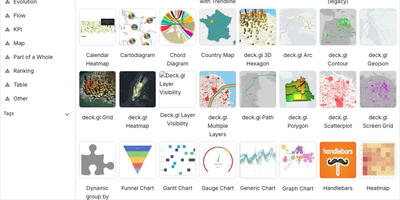
Powering data analytics at companies like Airbnb, Twitter, and Lyft where it originated, Apache Superset has become the leading open-source business intelligence platform with over 65,000 GitHub stars and an Apache Software Foundation top-level project designation. The platform ships with over forty visualization types out of the box including geographic maps, time-series charts, pivot tables, heatmaps, treemaps, and Sankey diagrams, all rendered with Apache ECharts for publication-quality output. Its SQL Lab provides a full-featured IDE experience with syntax highlighting, autocomplete, query history, and result caching for interactive data exploration. Superset connects natively to PostgreSQL, MySQL, ClickHouse, Trino, Presto, BigQuery, Snowflake, Apache Druid, Apache Hive, and dozens more databases through SQLAlchemy connectors, with support for custom database drivers via Python plugins. The semantic layer allows data teams to define calculated columns, metrics, and virtual datasets that business users can query without writing SQL. Role-based access control with row-level security enables fine-grained data governance, while the embedded analytics SDK lets you integrate dashboards directly into external applications via iframes with SSO pass-through. The caching layer supports Redis and Memcached for query result caching, and the asynchronous query execution engine powered by Celery handles long-running queries without blocking the UI. Alerts and reports can be scheduled via email or Slack with PNG or CSV attachments generated from any chart or dashboard. Running on a dedicated VPS on RepoCloud with guaranteed CPU, RAM, and SSD, full root SSH access, and a browser serial console. Apache 2.0 licensed.
Homelable
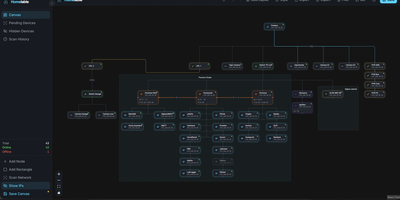
Homelable turns your entire homelab into a live, interactive network canvas where every device, link, and service shows its real-time status at a glance. Run an nmap-powered network scan against your subnets and the tool fingerprints services, queues unknown devices for review, and drops approved hosts onto a drag-and-drop canvas with 15 native node types covering routers, switches, hypervisors, NAS boxes, IoT sensors, and more. Import your full Zigbee2MQTT mesh (controllers, routers, end devices with link quality indicators) and Z-Wave JS device trees in one click, preserving the actual RF topology without manual wiring. Proxmox integration pulls in hosts, VMs, and LXC containers so you can nest virtual machines inside their parent hypervisor node on the canvas. The Rack Canvas mode documents the physical side of your lab: create racks with configurable U-height, mount gear into slots, and patch ports across devices to track your cabling. Health checks run every 60 seconds using ping, HTTP, HTTPS, TCP, SSH, or Prometheus scrape endpoints, with WebSocket push delivering green, red, or pending status pulses directly to the canvas. Split your infrastructure across multiple canvases organized by site, rack, or purpose, and share a read-only Live View URL with anyone on your network. A built-in Model Context Protocol server lets AI assistants like Claude query and modify your topology through natural language. Deploy on a dedicated VPS on RepoCloud with guaranteed CPU, RAM, and SSD, full root SSH access, and a browser serial console. MIT licensed.
SurfSense
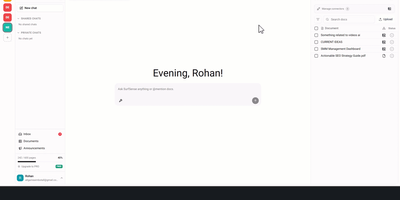
Positioned as the open-source NotebookLM alternative for AI agents, SurfSense delivers a live web research platform where your agents access structured data from Reddit, YouTube, Instagram, TikTok, Amazon, Walmart, Google Maps, Google Search, Indeed, and any page on the open web through one REST API or MCP server. Scheduled and event-triggered agents transform findings into briefs, alerts, podcasts, and presentations, while a built-in knowledge base keeps every discovery searchable with Perplexity-style cited answers using hybrid semantic and full-text search powered by PostgreSQL with pgvector. Upload PDFs, Office documents, images, and audio files, or sync Google Drive, OneDrive, and Dropbox — 50+ file formats supported with AI file sorting that auto-organizes documents by source, date, and topic. The MCP server exposes scrapers, knowledge base, and workspaces as native tools for Claude, Cursor, and any MCP-compatible agent. Cross-country proxy rotation handles Reddit, TikTok, and Google Search scraping with geo-aware sticky sessions and captcha-aware anti-bot handling. The platform features collaborative chats, multi-format document export, git-native knowledge base with Open Knowledge Format export, and a desktop quick-ask panel with global shortcut. Docker Compose deployment manages nine services including Caddy proxy, PostgreSQL, Redis, FastAPI backend, Celery workers, zero-cache real-time sync, and Next.js frontend with automatic Watchtower updates. Running on a dedicated VPS on RepoCloud with guaranteed CPU, RAM, and SSD, full root SSH access, and a browser serial console. AGPL-3.0 licensed.
Bitwarden
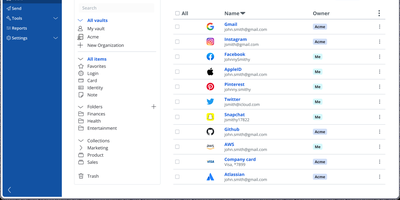
Backed by nearly 20,000 GitHub stars and ranked number one in G2's Enterprise User Satisfaction for eleven consecutive quarters, Bitwarden is the open-source password manager trusted by millions worldwide. The zero-knowledge encryption architecture ensures all vault data — passwords, passkeys, credit cards, identities, secure notes, and file attachments — is encrypted exclusively on client devices using AES-256 with PBKDF2-SHA256 or Argon2id key derivation and RSA-2048 for organization key exchange. Cross-platform clients span a web vault, browser extensions for Chrome, Firefox, Safari, Edge, Opera, Vivaldi, and Brave, native desktop apps for Windows, macOS, and Linux, mobile apps for iOS and Android, and a CLI for scripting. Bitwarden Send enables time-limited, password-protected sharing of text and files, while the built-in TOTP authenticator generates two-factor codes alongside stored credentials. Enterprise deployments integrate with identity providers through SAML 2.0 and OpenID Connect SSO, automate provisioning via SCIM or Directory Connector supporting LDAP, Active Directory, Azure AD, Okta, and OneLogin, and enforce security policies with custom roles and granular permissions. Emergency access allows designated contacts to request vault view or takeover through configurable waiting periods with cryptographic key exchange. The Secrets Manager stores API keys, tokens, and infrastructure credentials with native GitHub Actions, GitLab CI/CD, Ansible, and Terraform integrations. Running on a dedicated VPS on RepoCloud with guaranteed CPU, RAM, and SSD, full root SSH access, and a browser serial console. AGPL-3.0 licensed.

Subwave
When shuffle algorithms start feeling sterile, Subwave transforms your self-hosted Navidrome or Subsonic music library into a live 24/7 personal internet radio station hosted by AI DJ personas. Every listener tunes into a single shared Icecast broadcast simultaneously. Curated tracks play alongside spoken station idents, local weather reports, news briefings, time checks, and track introductions. Want to hear something specific? Listeners submit plain-language song or mood requests directly from the web player, native mobile and desktop apps, or an MCP client, and the on-air DJ weaves those selections into the rotation. Operators staff up to 24 distinct DJ personas with guest co-hosts, programme a 24x7 weekly show grid with multi-hour episode arcs, and customize between-track skills from the browser admin console. Acoustic analysis measures BPM, musical key, loudness, vocal ranges, and track endings so crossfades and voice ducking sound like a studio broadcast across MP3, Opus, AAC, and lossless FLAC streams. An interactive Library Observatory maps every analyzed track by genre and energy. Runtime-swappable LLM providers (Ollama, OpenAI, Anthropic, and OpenRouter) and six local or cloud TTS engines keep voices flexible. Running on a dedicated VPS on RepoCloud with guaranteed CPU, RAM, and SSD, full root SSH access, and a browser serial console. MIT licensed.
FileBrowser Quantum
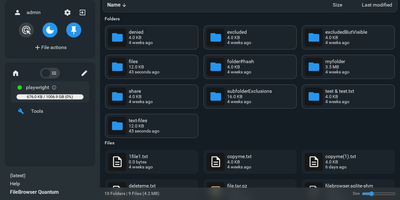
FileBrowser Quantum is an open-source, self-hosted web file manager that transforms any directory tree or mounted storage volume into a fast, searchable cloud drive accessible from any browser. You can mount multiple independent filesystem sources at once and apply custom include or exclude rules to keep sensitive system folders hidden from everyday browsing. A background indexing engine powers instant as-you-type search across millions of files, letting you filter results by file size, folder size, media type, or modification date in milliseconds. Rich media thumbnails render automatically for videos, office documents, audio album artwork, and interactive 3D models, while integrated OnlyOffice support lets you edit spreadsheets and word processing documents directly inside your browser tab. Built-in WebDAV server support allows desktop operating systems and mobile file apps to mount your remote directories as native network drives. Sharing files with external collaborators takes seconds through customizable public or private links with expiration timers, download limits, password protection, anonymous upload permissions, and custom branding themes. Administrators can authenticate users via OpenID Connect, LDAP, JSON Web Tokens, proxy headers, or local passwords with two-factor authentication, then enforce path-level read, write, and delete rules per user or group. Developers and automation engineers can generate long-lived API tokens and explore the interactive Swagger endpoint to script file transfers and directory provisioning. Running on a dedicated VPS on RepoCloud with guaranteed CPU, RAM, and SSD, full root SSH access, and a browser serial console. Apache-2.0 licensed.