Open Source App Cloud Marketplace
Deploy, host, and scale with one click, at half the cost. Then customize with AI agents.
1Panel
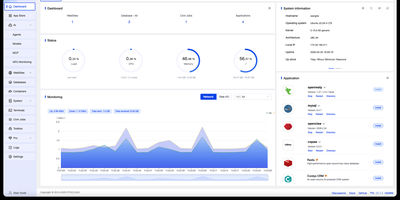
Backed by over 36,000 GitHub stars and 120 contributors with 123 releases since 2022, 1Panel has rapidly become the go-to open-source alternative to cPanel and Plesk for modern Linux server management. The platform delivers a clean Vue.js dashboard powered by a Go backend using the Gin framework, providing visual management of Docker containers, images, networks, and volumes without touching the command line. Its curated app marketplace offers one-click installation of 165+ trusted open-source applications including Nextcloud, Bitwarden, Umami analytics, WordPress, and NocoBase, each running in isolated containers for maximum security. Native AI capabilities set 1Panel apart from every competing panel: deploy Ollama LLMs directly from the dashboard, spin up OpenClaw personal agents, monitor GPU utilization, and manage AI models through a unified interface. Website management includes automatic domain binding, Let's Encrypt SSL certificate provisioning, and Nginx configuration with zero manual setup. Security runs deep with built-in firewall rules, fail2ban integration, container isolation, WAF protection, and comprehensive audit logging enabled from day one. Automated backups support AWS S3, Cloudflare R2, and local storage with one-click restore from any snapshot. The panel supports Debian, Ubuntu, CentOS, and Rocky Linux across x86_64, aarch64, armv7l, ppc64le, and s390x architectures. Running on a dedicated VPS on RepoCloud with guaranteed CPU, RAM, and SSD, full root SSH access, and a browser serial console. GPL-3.0 licensed.
Bigcapital
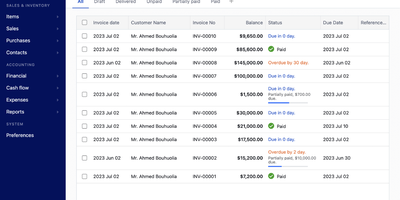
Bigcapital gives small and medium businesses a complete double-entry accounting, invoicing, and inventory management platform they can self-host for free, replacing the per-seat subscriptions of QuickBooks, Xero, and Wave. Every transaction records debits and credits across your chart of accounts, automatically generating balance sheets, profit and loss statements, trial balances, general ledger reports, journal entries, accounts receivable and payable summaries, cash flow analysis, inventory valuation, and inventory summary reports. Sales invoicing supports recurring schedules, customer payment tracking, estimate-to-invoice conversion, and configurable GST/VAT tax rates. Purchase invoicing handles vendor bills with expense categorization for payroll, rent, and operational costs. The inventory module tracks stock levels using FIFO and average cost methods, automatically adjusting quantities on every sale or purchase and providing reorder alerts. Multi-currency accounting converts transactions at real-time exchange rates and consolidates them under customer or vendor profiles with detailed currency reports. The platform deploys via Docker Compose with multi-tenant isolation giving each organization its own separate database, requiring as little as 2GB RAM for the complete production stack. A headless REST API with Postman collections lets developers embed the accounting engine into external applications for programmatic transaction management. Role-based permissions control access for team members and invited accountants across organizations. Running on a dedicated VPS on RepoCloud with guaranteed CPU, RAM, and SSD, full root SSH access, and a browser serial console. AGPL-3.0 licensed.
xyOps
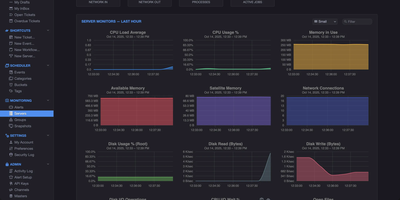
With 4,500+ GitHub stars and version 1.0.92 released August 2026, xyOps delivers a complete operations platform that unifies workflow automation, job scheduling, server monitoring, alerting, and incident response in one self-hosted system. The platform uses a distributed architecture where a central conductor coordinates lightweight xySat satellite agents running on Linux, macOS, or Windows worker nodes via persistent WebSocket connections. The visual workflow builder lets you chain events, triggers, actions, and monitors into multi-step pipelines with conditional logic, fan-out/fan-in parallelism, multiplex controllers for fleet-wide execution, and configurable resource limits. QuickMon provides per-second CPU, memory, disk, and network visibility streamed live to the web UI, while user-defined monitor plugins sample metrics every minute with time-series storage at hourly, daily, monthly, and yearly resolutions. Alert triggers evaluate expressions against live data and fire notifications via email, webhook, or custom actions, with full server snapshots attached showing every running process, network connection, and resource utilization at the moment of detection. Failed jobs and alerts automatically create tickets with linked logs, metrics history, and context for end-to-end incident tracking. The plugin marketplace supports extensions written in any language, and the Docker plugin enables container-based job execution. Deploy via Docker with persistent volumes on port 5522 for the web UI and 5523 for API access, running on a dedicated VPS on RepoCloud with guaranteed CPU, RAM, and SSD, full root SSH access, and a browser serial console. BSD-3-Clause licensed.

Claper
Passive slide decks put audiences to sleep, which is why Claper turns any presentation into a two-way live session where every attendee can vote in polls, submit questions, and react in real time from their phone. Speakers upload existing PDF or PowerPoint decks directly into the web studio and interleave interactive poll, quiz, form, and web embed slides between their static pages without rebuilding presentations from scratch. Conference organizers and educators share a short join code or QR link so hundreds of participants can enter the attendee room instantly from any mobile browser without installing an app or creating an account. During the talk, the presenter console displays incoming audience questions sorted by upvote popularity, alongside moderation controls to approve, pin, hide, or mark inquiries as answered on the main screen. Live polling supports multiple-choice, rating scale, and open-text prompts that animate into real-time bar charts and percentage breakdowns as votes arrive, while timed quizzes grade participant responses automatically. Integrated real-time speech transcription generates live captions and searchable session transcripts so international and hearing-impaired attendees can follow every spoken word. Universities and corporate training teams connect Claper directly to Moodle or OpenID Connect identity providers via LTI 1.3 to synchronize student rosters, push quiz scores to gradebooks, and export complete CSV engagement reports after every session. Running on a dedicated VPS on RepoCloud with guaranteed CPU, RAM, and SSD, full root SSH access, and a browser serial console. AGPL-3.0 licensed.
RustXNG
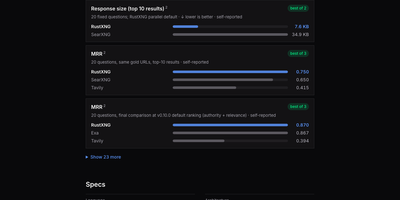
RustXNG gives your AI agents a private web search API that needs no keys, no accounts, and no per-search fees: ask once and get ranked results plus the text of the top pages, ready to ground an answer in real sources. A single request fans out to 180 search engines in parallel, drawn from 226 engine types covering general web, images, video, academic literature, package registries, and news, then merges what comes back with its own ranking that rewards term coverage and canonical-site authority instead of trusting any one engine's order. Engines that time out or keep answering nothing are suspended with backoff and rested automatically, so one dead source never stalls a task, and a repeated query returns from cache in about a hundredth of a second. Call it over HTTP with the familiar SearXNG-shaped JSON, CSV, RSS, or HTML formats, narrow results by domain, engine, or time range, or run the built-in MCP server and hand your agent native search and read_page tools with bounded, truncation-aware responses. Page fetches are hardened against untrusted URLs, an experimental local index can crawl your own corpus and merge it into results, and health, metrics, and per-engine status stay visible through the ops endpoints and the browser UI. Running on a dedicated VPS on RepoCloud with guaranteed CPU, RAM, and SSD, full root SSH access, and a browser serial console. AGPL-3.0 licensed.
OpeniLink Hub
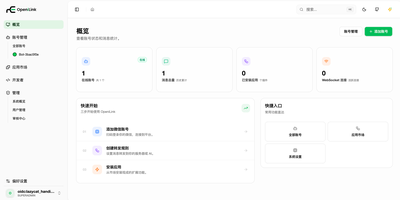
OpeniLink Hub turns a personal WeChat account into a programmable bot platform, with a web console, multi-bot management, and a one-click app marketplace that wires WeChat to Lark, Slack, GitHub, Notion, and twenty other services. Bind accounts by scanning a QR code, then watch every bot's status, expiry window, and message flow from one dashboard. Install marketplace apps without writing code: Lark gains 34 AI-callable tools across calendars, docs, tasks, and meetings, while GitHub brings 36 tools for issues, pull requests, and Actions. Every incoming message fans out in parallel over WebSocket for millisecond pushes, Webhook callbacks to your own servers, and an AI channel that answers through any OpenAI-compatible API. Message tracing follows each message from receipt to delivery, showing exactly which hop stalled when something breaks. Passkey sign-in with fingerprint or hardware keys keeps the console protected, with GitHub and LinuxDo OAuth as alternatives. Reminders, expense tracking, currency conversion, RSS digests, and cron-scheduled pushes run as installable apps, and expiry reminders warn you before the 24-hour reply window closes. Build your own integrations with official SDKs for Go, Node.js, Python, PHP, Java, C#, and Lua, or expose local CLI commands as chat-callable tools with the Runner app. Running on a dedicated VPS on RepoCloud with guaranteed CPU, RAM, and SSD, full root SSH access, and a browser serial console. MIT licensed.
Tautulli
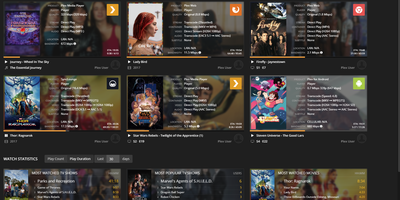
Plex's own dashboard shows current streams and forgets everything else - which is why every Plex server admin eventually installs Tautulli, the analytics layer. This Python web application (descended from PlexWatch and Headphones) logs complete watch history - what was watched, who watched it, when, where, from which device and IP, and whether it played directly or transcoded - and turns it into clean Highcharts graphs of daily plays, concurrent streams, bandwidth, and platform breakdowns. The home page surfaces top statistics over configurable windows: most-watched content, most active users, stream type ratios. For running a server shared with family and friends, this is operational truth: spot the user forcing 4K transcodes on a phone, see which libraries earn their disk space, and track sync activity across users. The notification engine triggers on server events - playback starts, transcode decision changes, recently added media, server down - through dozens of agents (Discord, Telegram, Slack, email, webhooks) with fully customizable text and conditions, plus arbitrary script execution. Scheduled newsletters email your users a styled digest of recently added content. A comprehensive API exposes every statistic for dashboards like Homarr, and an official mobile app monitors activity on the go. Themed to match Plex/Web. GPL-licensed.
Eclipse Che
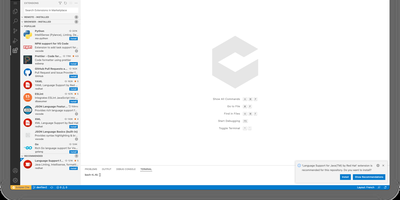
Eclipse Che spins up complete development environments on Kubernetes from a Devfile in the project repository, so new developers click a factory link and open a browser IDE with dependencies, runtimes, and debugging already configured instead of spending their first day installing toolchains. Each workspace runs as a DevWorkspace custom resource in the user's namespace, making environments API-manageable with kubectl and GitOps tooling alike. Developers choose their editor per workspace, from Visual Studio Code Open Source to JetBrains IDEs via Projector, and the 7.124 release adds Orca, an agent development environment for working alongside AI coding agents. Workspaces carry their own containers for build and run, so code executes in a production-like environment with direct Kubernetes API access from the IDE. Teams standardize stacks as Devfile templates, onboard contributors in minutes, and open a fresh workspace per branch or pull request in a new browser tab. The 7.124 release also builds workspace lifecycle commands into chectl, including SSH connections with port forwarding to desktop editors, and DevWorkspace Operator 1.0 adds optional per-workspace NetworkPolicy isolation. Running on a dedicated VPS on RepoCloud with guaranteed CPU, RAM, and SSD, full root SSH access, and a browser serial console. EPL-2.0 licensed.
Usermemos
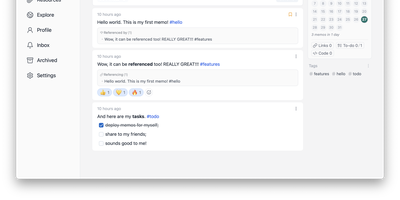
Memos, the lightweight open-source note service from the usememos project, packaged as a containerized deployment for multi-architecture Docker hosts (x86-64 and arm64): that is Usermemos. The model is frictionless capture: no folders or titles, just a chronological stream of Markdown notes with code blocks, task lists, tables, and file attachments, organized by #hashtags pulled automatically from the text. Per-memo visibility - private, protected for logged-in users, or public - lets a single instance serve as a personal journal, a shared team log, or a public microblog simultaneously. Multi-user support with authentication makes it workable for small teams, and full REST and gRPC APIs open capture and retrieval to CLIs, bots, and automation tools. The runtime is a single Go binary with a React frontend that idles around 50 MB of memory and stores content as plain Markdown in SQLite by default, with MySQL and PostgreSQL available for heavier deployments. Configuration happens through environment variables, access works over HTTP or HTTPS behind a reverse proxy, and there is no telemetry - notes stay on your server in a portable format.
Magento Open Source
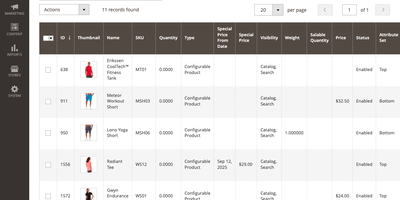
One admin panel, many storefronts: Magento Open Source is a free ecommerce platform for selling online under separate domains, category trees, languages, and currencies from a single install. Catalog managers create simple, configurable, grouped, virtual, bundle, and downloadable products and organize them with categories and attribute sets. Merchandisers assemble CMS pages, blocks, and product and category content in Page Builder by dragging rows, columns, tabs, banners, sliders, videos, and product lists onto a visual stage. Catalog price rules and cart price rules with coupon codes drive promotions, and customer groups such as Wholesale and Retailer can get targeted discounts and their own tax class. Shoppers browse the Luma storefront theme and check out as guests or with accounts. Staff then take each order through invoice, shipment, and credit memo, while Multi-Source Inventory tracks stock across warehouses, stores, and drop shippers. Built-in sales, customer, and product reports show what sells, and Login as Customer lets permitted staff view the storefront as an opted-in shopper sees it. Import and export tools move products and customers in bulk, and the REST and GraphQL APIs let ERPs, shipping tools, and headless front ends read and write store data. Running on a dedicated VPS on RepoCloud with guaranteed CPU, RAM, and SSD, full root SSH access, and a browser serial console. OSL-3.0 licensed.
Berth
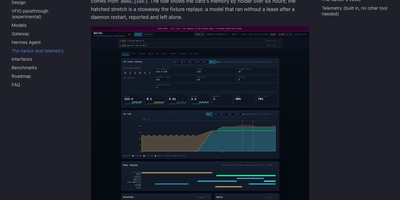
A single GPU can only hold so many models at once, and when a chat server, an image pipeline, and a voice engine all grab VRAM together, somebody runs out of memory and crashes. Berth fixes the scramble by making every engine lease the card: wrap a launch in berth run and the daemon grants memory in turn, queues the rest with an honest place in line and a start estimate, and drains a holder cleanly before the next load begins. The broker learns each engine's real footprint from its runs, so grants are sized by measured peaks instead of guesses, and processes that grab memory without a lease are reported as stowaways, never killed, with contested grants flagged in plain sight. A collisions board counts what the scheduling prevented: avoided collisions, VRAM handed off, drains, stuck releases, and refusals, and every count links back to a gap free event log you can follow live. The Harbor web UI turns that into a departures board of leases, a six hour tide of memory by holder, engine cards with decode throughput and a token ledger, plus a per model leaderboard and thirty days of stored history. Alerts reach your desktop or a webhook, Prometheus scrapes the metrics endpoint, and multi GPU machines can even pass one card through to a VM while the others keep serving. Running on a dedicated VPS on RepoCloud with guaranteed CPU, RAM, and SSD, full root SSH access, and a browser serial console. Apache-2.0 licensed.
Drive
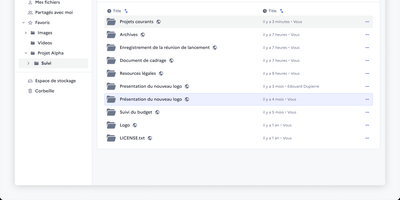
Somewhere in every organisation there is a folder called FINAL_v2 that nobody dares delete, and Drive from La Suite exists to end that. It gives teams a shared file space where uploads land in organised workspaces, versions stay findable through search, and every file or folder carries its own access list. You preview PDFs, images, audio, and video in the browser, and office documents open for editing through Collabora or OnlyOffice without downloading a thing. Sharing reaches outside the organisation too: invite external partners by link, even without an account, and revoke access the moment a project ends. Uploads pass malware scanning before they touch storage, a trash bin restores accidents, and quotas with usage metrics keep big archives honest. Administrators plug in their own OIDC identity provider, so logins follow the same single sign-on as the rest of the stack, while an embeddable file picker lets other internal apps reuse Drive as their document library. Because the data lives in your own S3-compatible storage, sovereignty requests stop being an argument with a vendor and become a setting. Running on a dedicated VPS on RepoCloud with guaranteed CPU, RAM, and SSD, full root SSH access, and a browser serial console. MIT licensed.
Warpdrive
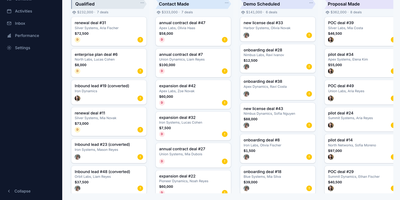
Warpdrive is a self-hosted sales CRM that gives business-development teams the complete Pipedrive workflow, pipelines, deal timelines, and two-way Gmail, on infrastructure they own outright. Drag deals across a Kanban board with custom stages while per-stage weighted totals, rotting-deal warnings, and saved filters keep the forecast honest without a weekly cleanup meeting. Every deal opens into one workspace where activities, notes, files, emails, and the full change history share a single timeline, with participants, followers, labels, and lost reasons attached. People and organizations carry custom fields, firmographics, and org-to-org relationships, and a leads inbox plus CSV import with an undo step keeps new data from corrupting the book. Contact enrichment from Apollo, RocketReach, and GetProspect fills empty people and organization fields, and every enriched value waits behind an explicit review step before it lands. Two-way Gmail sync threads every message onto its deal and contact automatically, and templates, signatures, merge fields, scheduled sends, and open tracking live in the same inbox. Boards, inboxes, and notifications update in real time across the team, while funnel and activity stats show exactly where deals stall and who is carrying the pipeline. An MCP server lets AI assistants query the pipeline and log activity under the same permissions, and role-based access keeps every seat scoped to its own work. Running on a dedicated VPS on RepoCloud with guaranteed CPU, RAM, and SSD, full root SSH access, and a browser serial console. MIT licensed.
Ghost
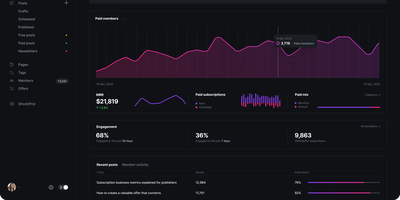
Get ready to transform your audience into a thriving empire with Ghost, the ultimate toolkit for the modern creator on a mission to monetize their mojo. Picture this: a sleek website that screams 'you', bursting with content that captivates, newsletters that fly straight into inboxes, and a subscription service that turns followers into financiers. Wave goodbye to bland and hello to a smorgasbord of stunning, free themes that you can finesse to fit your unique flair. But wait, there's more! Ghost's editor is like the Swiss Army knife for content connoisseurs—slick, sophisticated, and oh-so-simple to use. Unleash your creativity with multimedia storytelling that includes everything but the kitchen sink—galleries, chucklesome gifs, videos, podcasts, you name it. And when it's time to hit 'send', those built-in newsletters make sure your words woo your audience without breaking a sweat. Want to play the mysterious type? Ghost's got you covered with native signup forms that turn casual lurkers into committed members. And because we all love a good sneak peek, Ghost dishes out the deets with analytics that spill the tea on who's loving your work the most. Plus, with tantalizing offers and promotions, you'll have new subscribers flocking like seagulls at a beach picnic. All this, hosted on RepoCloud, where the cost is as tiny as your chances of being bored. So, what are you waiting for? Let's Ghost!
Halo
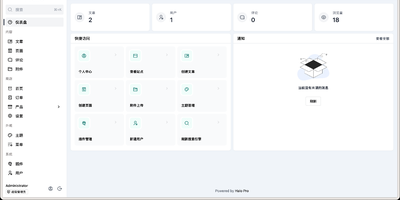
Halo is a modern CMS that handles blogs, knowledge bases, corporate sites, and full e-commerce storefronts from a single installation, distinguished by a polyglot plugin architecture that runs both Java and JavaScript extensions on a GraalVM runtime. Built on Spring Boot 3 with a Vue.js admin console, the platform delivers a clean content management experience with Markdown and rich-text editing, live preview, scheduled publishing, draft management, media uploads, and granular multi-user role-based access controls. Plugins can be enabled or disabled at runtime without restarting the server, and the official marketplace offers over 100 free themes plus a growing library of extensions covering SEO optimization, search integration, paid content access, AI writing assistance, and Q&A chatbots. Storage backends are configurable through plugins, supporting local disk, S3-compatible object storage, and other providers. The fully documented RESTful API enables headless CMS usage for decoupled frontend architectures. Database support includes embedded H2 for quick starts, with production deployments on PostgreSQL or MySQL. Nearly 40,000 GitHub stars and over 2.5 million Docker pulls reflect the project's maturity and active development pace. A single Docker command gets a functional instance running on port 8090. Running on a dedicated VPS on RepoCloud with guaranteed CPU, RAM, and SSD, full root SSH access, and a browser serial console. GPL-3.0 licensed.
Typebot
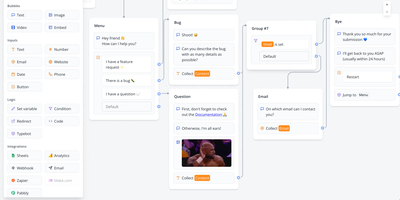
A fair-source chatbot and conversational-form builder: Typebot assembles conversations in a visual graph editor. In a visual graph editor you chain blocks from four categories: bubbles display text, images, video, audio, and embeds; inputs collect data through text fields, email, phone, buttons, picture choices, date pickers, file uploads, and Stripe payments; logic blocks handle conditional branching, variables, URL redirects, A/B testing, and custom JavaScript; integration blocks call webhooks, OpenAI, Google Sheets, Google Analytics, Meta Pixel, Zapier, Make, and Chatwoot. Build once, deploy anywhere: custom domains, WhatsApp, or embedded in any site as a container, popup, or chat bubble through a fast native JS library with no iframe and no external dependencies - plus an HTTP API for executing bots programmatically from any language. Theming covers fonts, colors, roundness, and shadows with custom CSS and reusable templates, and results arrive in real time with drop-off and completion analytics plus CSV export. Two Next.js apps (builder and viewer) self-host via Docker under the Functional Source License, which converts to Apache 2.0 after two years.
Pagesift
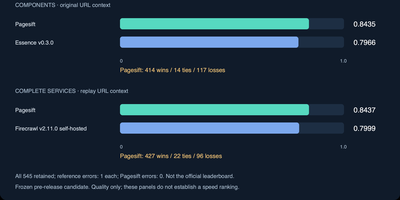
Pagesift converts messy web pages, PDFs, and Office documents into clean Markdown and structured JSON that language models can actually use, from one self-hosted binary you run yourself. Call it the way you already call Firecrawl: the HTTP API speaks the Firecrawl v1 and v2 formats, so existing scrape, crawl, and batch jobs point at your server instead, and a Jina Reader style endpoint answers simple /r/ URL requests. Scrape a single page, submit batches, or crawl whole sites with sitemap support, focused crawling by query, robots.txt respect, and per-host rate limits by default. Headless rendering kicks in only when a page needs JavaScript, keeping plain pages fast. Documents work offline too: Word, Excel, PowerPoint, EPUB, and CSV files become Markdown with titles, links, images, and publication metadata attached. Jobs persist so long crawls survive restarts, webhooks report completions, and per-API-key limits and quotas keep multi-tenant use civilized, with Prometheus metrics and a health endpoint for operators. AI agents can drive the same engine directly through the bundled MCP server over stdio or HTTP, while developers get Python, Node, and Rust libraries. Memory stays bounded under load by design, sized from container limits rather than hope. Running on a dedicated VPS on RepoCloud with guaranteed CPU, RAM, and SSD, full root SSH access, and a browser serial console. AGPL-3.0 licensed.
PeerDB
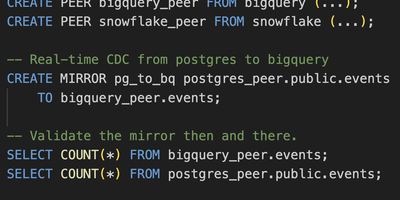
Replicate PostgreSQL to data warehouses 10x faster than conventional CDC tools, proven across 400+ companies including AutoNation and LC Waikiki collectively moving 200 TB monthly. The architecture pairs a Rust-based Nexus query layer implementing the PGWire protocol with Go-based Flow workers orchestrated by Temporal. Because Nexus speaks native Postgres wire protocol, any client tool (pgAdmin, psql, Grafana, Tableau, Flyway) can manage replication through standard SQL commands like CREATE MIRROR. Three streaming modes serve different needs: log-based CDC via logical replication slots, cursor-based streaming through timestamp or integer columns, and XMIN-based capture for tables lacking logical replication. Parallel initial load achieves consistent snapshots through transaction snapshotting and CTID range scans, reducing 100+ GB migrations from days to minutes. Native TOAST column handling processes large JSONB payloads and IoT data efficiently without row expansion penalties. Destinations include ClickHouse, Snowflake, BigQuery, Kafka, Azure Event Hubs, Google PubSub, S3, and PostgreSQL with in-flight SQL transformations. Schema change propagation, partitioned table support, and slot growth alerts ensure production reliability. Docker Compose bundles Temporal, catalog Postgres, Flow API, workers, and the Next.js monitoring UI. Deployable on RepoCloud with dedicated VPS resources under AGPL-3.0.