nopCommerce
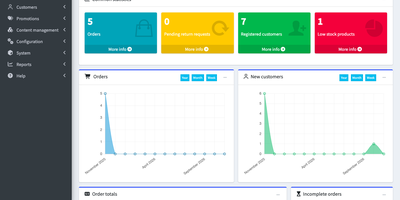
nopCommerce is a self-hosted shopping cart and merchant back office for selling physical goods, downloads, rentals, and gift cards from a storefront you fully control. The catalog covers simple, grouped, downloadable, rental, recurring, and gift card products, with categories, manufacturers, tier prices, product and specification attributes, stock tracking, and Excel import with Excel or XML export. Shoppers get a one-page checkout, wishlists, product comparison, reviews, reward points, gift card redemption, and return requests. Run several stores or outside vendors from a single back office; vendors can apply for accounts and manage their own products, orders, and shipments. Orders move through status changes, offline refunds, shipments, recurring payments, and PDF invoices, while built-in reports surface bestsellers, low stock, country sales, and top-spending customers. Multiple languages and currencies, tax and shipping providers, warehouses, pickup points, and EU Omnibus and GDPR settings support selling abroad. Discounts, affiliates, newsletters, campaigns, SEO-friendly page names, blog, news, forums, and polls cover promotion and content. Customer roles and an access control list set who can manage what, and multi-factor authentication protects sign-ins. Plugins and themes add payment gateways, social sign-in, search, and exchange rates, and the Web API plugin exposes store functions over REST for mobile apps, ERP, CRM, and accounting systems. Running on a dedicated VPS on RepoCloud with guaranteed CPU, RAM, and SSD, full root SSH access, and a browser serial console. nopCommerce Public License 4.0 licensed.

Hoarder
Hoarder (now Karakeep) is a bookmark manager that actually fights link rot: every page you save gets archived at capture time using Monolith, so the content survives even when the original URL dies. Beyond archival, an AI layer powered by OpenAI or local Ollama models auto-tags everything by analyzing page content. Prefer full privacy? Ollama keeps all inference on your server with zero external API calls. Full-text search through Meilisearch indexes the actual scraped content of every bookmark, not just titles and tags, so you find articles by what they say rather than labels you half-remember. Save links with automatic metadata extraction, plain text notes, uploaded images, and PDF documents, all organized into shareable lists with collaborative access. Browser extensions for Chrome and Firefox make saving a one-click operation from any page. Migrating is painless with importers for Chrome, Pocket, Linkwarden, Omnivore, and Tab Session Manager. LLM summarization condenses saved pages into brief overviews for quick scanning. The AI layer is entirely optional: Hoarder works perfectly as a manual bookmark manager, with intelligence adding convenience rather than imposing a requirement. SSO integration and responsive dark mode round out the package.
Open SEO
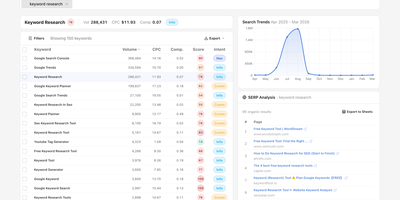
OpenSEO provides an alternative to the $100+/month SEO suite monopoly by connecting directly to DataForSEO APIs on a pay-as-you-go basis — you bring your own API key and pay only for the queries you actually make. The platform delivers focused workflows for keyword research with volume, difficulty, CPC, intent, and live SERP inspection; rank tracking with historical position monitoring; backlink analysis with referring domain quality scoring; technical site audits that crawl pages and surface issues; competitor insights comparing SERP positions across keyword sets; and AI visibility monitoring that tracks brand mentions, citations, and prompts across AI models. The integrated MCP server exposes all tools to AI coding agents including Claude Code, OpenClaw, Hermes, and Cursor, while Agent Skills provide reusable SKILL.md workflows that guide agents through complex SEO research tasks. Google Search Console integration reads first-party performance data including clicks, impressions, CTR, and position metrics with URL-level index status inspection. The Prompt Explorer compares how different AI models respond to SEO-relevant queries. Self-host via Docker for personal use or deploy to Cloudflare for team access with automatic database backups. The hosted version at openseo.so adds a 28% markup on DataForSEO requests. Running on a dedicated VPS on RepoCloud with guaranteed CPU, RAM, and SSD, full root SSH access, and a browser serial console. MIT licensed.
SyncWatch
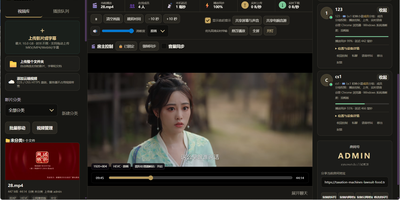
Movie night should not depend on everyone pressing play at the same second; SyncWatch runs your own watch-party server so friends in different places watch the same frame together. The host controls play, pause, seeking, and playback speed for the whole room, and late joiners or drifting clients are corrected back to the shared position automatically. You build the program from uploads or direct HTTPS media links, with subtitles, audio, images, and documents handled in the same library. Rooms can be permanent or temporary, protected by passwords and member limits, with host, admin, and permission-group control over who may operate playback. Between scenes, people talk through public and private chat, on-screen danmaku comments, emoji, voice messages, or full-room voice. Anyone can share a browser tab, window, desktop, or phone screen into the room, so a clip, a game, or a presentation becomes the shared screen. The server also keeps friends, notifications, online presence, bans, registration approvals, and an operations log, so a private community can run itself without a platform account. Uploaded media is analyzed and thumbnailed automatically, with browser-compatible versions generated for awkward formats. Backups, data export, a recycle bin, mail verification, and network diagnostics round out the admin side. Running on a dedicated VPS on RepoCloud with guaranteed CPU, RAM, and SSD, full root SSH access, and a browser serial console. Apache-2.0 licensed.
SnappyMail
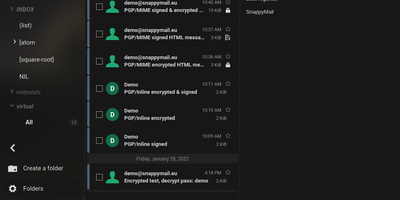
SnappyMail is a fast, privacy-respecting webmail client that connects to any existing IMAP and SMTP server, booting in under a second with a JavaScript payload of just 138 KB under Brotli compression (down from RainLoop's 8 MB fork origin). No database is required: all configuration and user data persists as flat files in a single volume, making Docker deployment trivially simple with the roughly 30 MB image consuming approximately 50 MB of RAM. Built-in PGP encryption supports three backends: OpenPGP.js v5 with ECDSA and EDDSA key generation, GnuPG integration, and Mailvelope browser extension compatibility, eliminating the need for separate encryption plugins. The integrated Sieve script editor enables users to create mail filtering rules, vacation auto-responders, and forwarding conditions directly within the web interface when connected to ManageSieve-capable servers on port 4190. Multi-domain administration allows a single instance to serve users across multiple IMAP servers with per-domain authentication routing. The admin panel manages extensions, security settings, branding customization, and domain configuration. GDPR-friendly by design, it removes all social media integrations, Gravatar lookups, and external tracking present in RainLoop. Dark mode strips background and font colors from email messages. The modified Squire HTML editor replaces CKEditor for composing rich-text messages. Scores 99% on Lighthouse performance. Running on a dedicated VPS on RepoCloud with guaranteed CPU, RAM, and SSD, full root SSH access, and a browser serial console. AGPL-3.0 licensed.
Web-Check
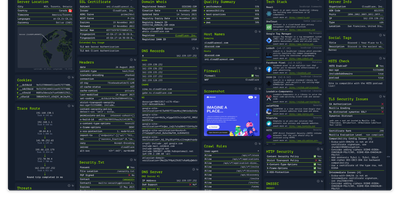
Enter a URL and get a dashboard of everything publicly discoverable about its security posture, server architecture, and technology stack: Web-Check is an all-in-one OSINT tool for analyzing any website. One scan surfaces IP info and server location, the full SSL certificate chain with issuing authority and validity, DNS records (A, MX, NS, CNAME, TXT) with DNSSEC status, HTTP response headers interpreted for security directives like HSTS, CSP, and X-Frame-Options, cookies and their flags, WHOIS domain info, robots.txt crawl rules, a sitemap-derived page map, the redirect ledger, open ports, traceroute, detected technologies, third-party trackers, associated hostnames, site performance, and even carbon footprint. Each card explains what the data means and why it matters, which makes the tool double as a security education resource - junior engineers learn headers and attack surfaces by scanning real sites. Practical uses span pre-deployment security audits (catch missing headers and misconfigurations before they ship), privacy compliance checks (identify trackers and cookie behavior for GDPR work), competitive tech-stack research, and network debugging via DNS and redirect inspection. Built by Lissy93 in TypeScript, it deploys as a single Docker container, and self-hosting keeps your reconnaissance targets and audit activity off third-party services.
TapMap
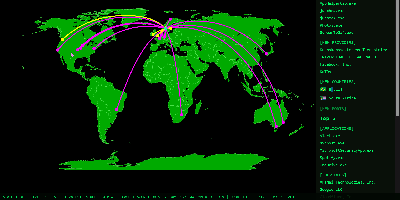
TapMap draws a computer's live network connections on an interactive world map, so you can watch which applications are talking to which services, where those services sit, and what normal looks like for that machine. A local pipeline scans active sockets, extracts the remote addresses, and enriches them with geolocation from databases stored on the machine itself. Every connection carries the owning application or process, its network operator, and the operating system's verification status for that app, and places that share a location are highlighted when connections overlap. The same view lists local open ports, both TCP listeners and bound UDP sockets, established services on your LAN, and public services whose location could not be mapped. A rolling 30-day history turns raw connections into awareness: an Insights panel surfaces new applications, providers, countries, and ports, plus the most frequent activity, while a Significant Connections log records first sightings and failed verifications. A Daily Activity Report goes further, sorting applications into seen-once, occasional, recurring, and stable patterns, analyzing provider concentration, and charting country activity with detailed timelines. New significant connections can raise a desktop notification or publish to an MQTT broker you configure. Nothing is sent anywhere by default: processing happens locally, with no telemetry. Running on a dedicated VPS on RepoCloud with guaranteed CPU, RAM, and SSD, full root SSH access, and a browser serial console. MIT licensed.
Rackpad
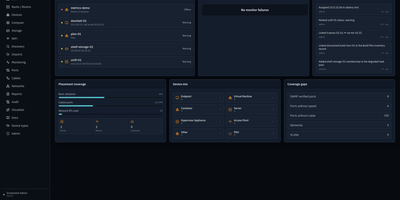
Every cable, switch port, VLAN, and rack unit in a homelab or small server room gets a documented place in Rackpad, a self-hosted inventory and operations workspace. Rack elevations show mounted gear, including paired half-width appliances. Switch-panel port maps and aggregate ports show what is patched where. Cables carry type, length, and color, editable in bulk. VLANs, subnets, DHCP scopes, reservations, and zones sit in one Networks workspace, with gateway and DNS protection and a mismatch review for IP assignments. Storage topology follows drives, bays, and pools that span several devices. Wi-Fi controllers, access points, hypervisor hosts, and virtual machines have pages of their own, and Proxmox and Hyper-V hosts can be imported after review. Discovery scans a subnet or any CIDR and stages every finding in an inbox. Per-device checks over ICMP, TCP, HTTP, HTTPS, and SNMP raise alerts by email, Discord, or Telegram. Everything feeds a movable topology map. Markdown runbooks attach to devices, and an audit log records every change. Admin, editor, and viewer roles control access, and OpenID Connect login is optional. Running on a dedicated VPS on RepoCloud with guaranteed CPU, RAM, and SSD, full root SSH access, and a browser serial console. MIT licensed.
Wallabag
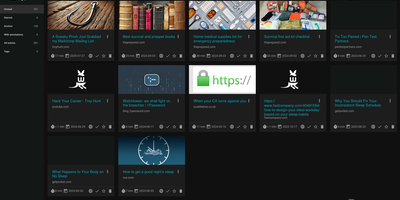
With 12,800+ GitHub stars and over a decade of active development since 2013, wallabag is the most established open-source read-it-later application — built for readers who want complete ownership of their article archive without depending on services that shut down (RIP Pocket). The Symfony-based PHP application extracts clean article content using Graby and php-readability, stripping advertisements, pop-ups, and tracking scripts to deliver a distraction-free reading experience optimized for both desktop and mobile screens. Save articles via Chrome, Firefox, or Safari browser extensions, Android and iOS native apps, REST API, or the built-in bookmarklet — all syncing to your self-hosted instance. Organize your library with tags, automated tagging rules that classify articles by content patterns, starred favorites, and archived collections. The annotation system enables highlighting extracts and attaching notes directly within articles for research and reference workflows. Import your existing reading lists from Pocket, Omnivore, Instapaper, Pinboard, Readability, and browser bookmarks. Export articles in PDF, ePUB, MOBI, JSON, CSV, TXT, or HTML for offline reading on Kindle, Kobo, and other e-readers. Full-text search with filters by reading time, domain, language, and creation date makes retrieval instant across thousands of saved articles. RSS feed output integrates with feed readers and automation services. Docker deployment with SQLite, MySQL, or PostgreSQL persistence backends takes under five minutes. Running on a dedicated VPS on RepoCloud with guaranteed CPU, RAM, and SSD, full root SSH access, and a browser serial console. MIT licensed.
LeafWiki
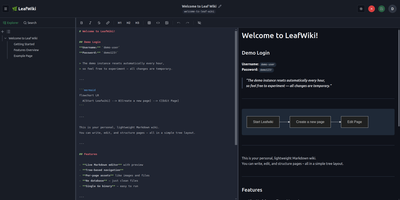
Engineering teams and technical writers maintain operational runbooks, system documentation, and knowledge bases using LeafWiki, an open-source self-hosted wiki that stores page contents directly as human-readable Markdown files on the local filesystem. Authors can compose documentation through a dual-pane editor equipped with live HTML preview, keyboard navigation, autocomplete for internal links, and native rendering for Mermaid diagrams, KaTeX mathematical formulas, and collapsible callout containers. The navigational tree organizes complex documentation into explicit directory hierarchies and custom drag-and-drop page sequences tracked in lightweight configuration files rather than arbitrary alphabetical lists. An integrated SQLite engine indexes page content and custom taxonomy tags for fast full-text searches, automatic incoming backlink tracking, and automated broken link detection. System operators can deploy the single-binary application without external database servers or runtime dependencies, backing up the entire repository by copying the data directory. Administrators can provision granular user roles, configure reverse proxy header authentication for single sign-on gateways, and manage read-only API access keys for automated documentation scripts and continuous integration pipelines. Public viewers can browse technical notes without authentication or switch between dark and light high-contrast themes. Running on a dedicated VPS on RepoCloud with guaranteed CPU, RAM, and SSD, full root SSH access, and a browser serial console. MIT licensed.
Journiv
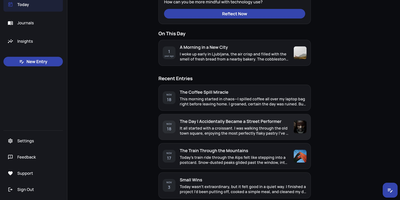
A Day One alternative that keeps your most personal writing on your own server: Journiv is journaling purpose-built for self-hosters. The FastAPI backend runs on SQLite by default with optional PostgreSQL, Redis, and Celery for background work, behind a clean, minimal web UI. Unlike general note-taking apps, it ships the features journaling actually needs: customizable moods and mood groups, activity tracking, goals with automated progress from logged activities, and daily writing prompts filterable by category and difficulty so a blank page never stalls you. Quick Log captures a moment in seconds and expands into a full entry later; "On This Day" resurfaces entries from past weeks, months, and years. Multiple journals separate work, gratitude, and personal writing, with tags and full-text search across everything, plus media uploads with automatic thumbnails and an Immich integration for linking photo-library memories. Analytics chart mood trends and writing patterns over time. Data portability is taken seriously: native import of Day One exports, JSON/Markdown/HTML export, and a standalone HTML viewer that opens your archive in any browser with no server running. OIDC single sign-on works with Authentik or Keycloak, and multi-arch images cover amd64 and arm64.
Dossier
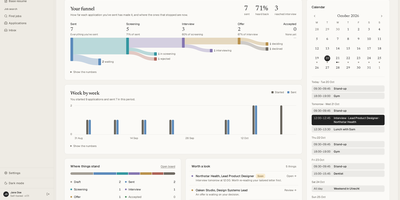
Paste in a job posting and Dossier, a self-hosted job search app, shows how your profile matches it, then drafts a tailored resume and cover letter that use only facts you have given it. Requirements your profile cannot back up appear as gaps instead of invented experience, and a chat lets you refine any part, undo AI changes, or return to an earlier version. Twelve resume themes and a theme builder print to PDF on the server. Find jobs through JSearch, Adzuna, or Germany's Bundesagentur für Arbeit, score a posting against your profile, and start an application in one click. An optional job agent runs one search a day and can prepare drafts that wait for your approval; it never sends or applies. A board and a table track each application from draft to offer, and the dashboard charts your funnel week by week. Connect Gmail and Google Calendar to send applications from your own address, have the AI read employers' replies and draft answers, and keep interviews in step both ways, with nothing sent until you confirm. Choose a local model through Ollama or LM Studio, or a hosted OpenAI-compatible, Anthropic, or Mistral provider. Everything exports as one file, with nightly backups. Running on a dedicated VPS on RepoCloud with guaranteed CPU, RAM, and SSD, full root SSH access, and a browser serial console. AGPL-3.0 licensed.
Collabora Office
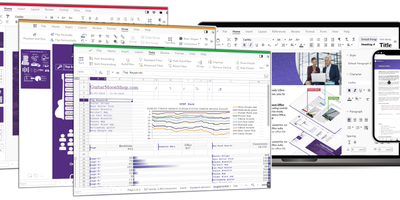
Real LibreOffice document engineering in the browser: Collabora Online is built by the company employing much of the former SUSE LibreOffice team - not a reimplementation. This deployment runs CODE (Collabora Online Development Edition), the collabora/code server that renders and edits documents entirely server-side while browsers get high-fidelity WYSIWYG output, so layout and formatting survive round-trips that break lesser converters. Four editors ship in one container: Writer for text documents (comments, track changes with comparison and restoration, form handling), Calc for spreadsheets (advanced formulas, macros, pivot tables, per-user sheet views, server-enforced cell protection), Impress for presentations, and Draw for Visio-class diagrams. Format compatibility spans DOCX, XLSX, PPTX, the ODF family, PDF, and dozens more - including Visio and Publisher import. Real-time collaborative editing supports multiple simultaneous editors with visible cursors and commenting. The architectural point: documents are processed on your server and never leave it, which is why Collabora is the engine behind Nextcloud Office and integrates with ownCloud, Seafile, and any WOPI-speaking host - or embeds in your own application via the SDK. An admin console monitors sessions and memory. For organizations that need Google Docs-style collaboration with actual data sovereignty, this is the reference open-source answer.
Fireshare
FireShare turns a folder of game captures on your server into a browsable library where every clip gets its own permanent link, ready to paste into Discord the moment something worth bragging about happens. Point it at the directories you already record to and it scans what is there: the file people watch is always your untouched original, in MP4, WebM, or MOV, never a recompressed stand-in. Privacy is set per file, public for the feed, link-only for friends, or behind a password, and whole folders can be shared as a single link. It also sorts the chaos for you, detecting the game in each capture and shelving hundreds of timestamped filenames under proper cover art you can search and browse. Trim the dead air off a clip before posting it, add a title, description, tags, and a custom thumbnail, and watch the view count climb. For screens that struggle with huge originals, optional transcoding adds adaptive lower qualities on CPU or an NVIDIA GPU, and HDR captures get tone-mapped to SDR instead of looking washed out. Friends can upload through the browser or by token from scripts, new public clips can announce themselves to Discord or an RSS reader, and accounts come with permissions, profiles, and two-factor sign-in. Running on a dedicated VPS on RepoCloud with guaranteed CPU, RAM, and SSD, full root SSH access, and a browser serial console. GPL-3.0 licensed.
ODS
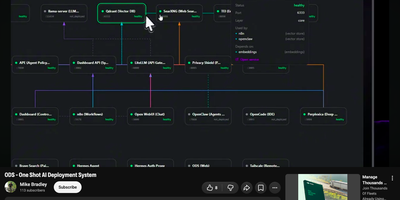
ODS turns a GPU machine or server you already own into a complete private AI stack with a single install command, replacing a shelf of separate tools with one system that serves models, chat, agents, automation, and search from your own hardware. The installer reads your GPU, VRAM, memory, and disk, then downloads a GGUF model matched to that hardware tier, and a compact bootstrap model starts answering within minutes while the full model finishes downloading. From the web dashboard you watch every service's health, ports, and resource use, restart what misbehaves, and check storage and updates without touching a terminal. You chat with local models in Open WebUI, hand background work to the Hermes and Portal agents, and build automations in n8n that connect the stack to more than 400 other apps. Documents you add become searchable knowledge through Qdrant vector storage, so answers cite your files instead of the model's memory. SearXNG and Perplexica answer web questions without trackers or accounts, Whisper transcribes speech, Kokoro reads text aloud, and ComfyUI generates images, all on the same box. Every bundled service is an extension you can enable, disable, or replace, and a Privacy Shield scrubs personal data before anything reaches an optional cloud model through the LiteLLM gateway. Running on a dedicated VPS on RepoCloud with guaranteed CPU, RAM, and SSD, full root SSH access, and a browser serial console. Apache-2.0 licensed.
Dockge
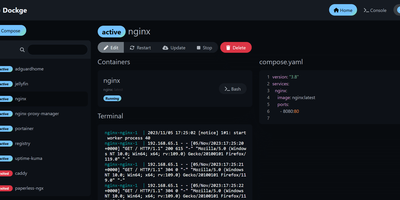
Created by the developer behind Uptime Kuma and carrying over 23,000 GitHub stars, Dockge brings the same clean, reactive design philosophy to Docker Compose stack management with a web interface that makes Portainer's compose handling feel like editing YAML in a terminal over SSH. The interactive editor provides syntax highlighting, inline validation, and a live preview of your compose.yaml files while keeping every stack stored as a standard file on disk in /opt/stacks by default, meaning you can seamlessly switch between the web UI and the docker compose CLI without lock-in or proprietary database formats. Real-time WebSocket updates stream pull progress, container start/stop transitions, and build output directly to the browser with no polling delays. The built-in web terminal opens a shell session inside any running container for quick debugging, while the docker-run-to-compose converter transforms single-container run commands into proper compose.yaml definitions with one click. Multi-agent support introduced in version 1.4.0 connects multiple Docker hosts to a single Dockge dashboard, enabling centralized management of stacks distributed across different servers. Image update detection shows which stacks have newer versions available, and one-click updates pull the latest images and recreate containers without manual intervention. The stack is a single Docker container running on Node.js with Socket.IO for reactivity and stores no external database. Running on a dedicated VPS on RepoCloud with guaranteed CPU, RAM, and SSD, full root SSH access, and a browser serial console. MIT licensed.
Dialoqbase
Retrieval-augmented chatbots on your own knowledge base - that is the whole mission of Dialoqbase, an open-source bot-building platform. Feed it content through a broad set of data loaders - web pages and full crawls, sitemaps, PDFs, DOCX, CSV, plain text, GitHub repositories, YouTube videos, and MP3/MP4 audio - and it handles the whole RAG pipeline in one self-contained app: chunking, embedding, vector storage, and LLM querying. The distinguishing architecture choice is PostgreSQL with pgvector for embedding storage and similarity search, which removes the separate vector-database dependency, and Redis-backed Bull queues for ingesting large documents without blocking the API. Model choice is wide open: OpenAI, Anthropic Claude, Google Gemini, Cohere, Fireworks, Hugging Face, local models via Ollama, and any OpenAI-compatible endpoint, with an equally broad list of embedding providers. Finished bots embed on any website with customizable styling or deploy to Telegram, Discord, and WhatsApp, and an API creates and manages bots programmatically. Multi-user support adds registration limits and per-user bot quotas. MIT-licensed and free for commercial use.
phpMyFAQ
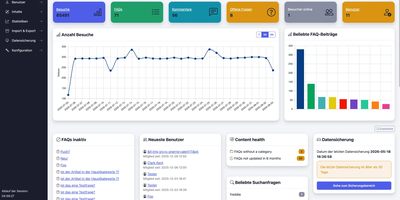
Publish the answers your team keeps repeating as a multilingual, searchable FAQ with phpMyFAQ, a knowledge base whose admin area handles writing, review, and permissions. Organize entries in nested categories that you rearrange by drag and drop, attach files, add tags and related FAQs, and let visitors leave comments. A WYSIWYG editor with an image manager writes each answer, a wiki-style revision history restores earlier versions, and a news system posts announcements. Full-text search covers every language, and optional Elasticsearch or OpenSearch backends handle larger collections. The interface covers more than 40 languages with right-to-left layouts, automatic content negotiation, and translated categories and entries. Privileges work per user and per group, so an editor can change an entry without being allowed to delete it, and categories can be limited to chosen readers. Sign in through LDAP, Active Directory, or Microsoft Entra ID, protect accounts with two-factor authentication, or try experimental passkeys. The dashboard charts 30 days of visits, lists inactive FAQs, and checks installed files against published hashes. Export entries to PDF, publish a dynamic sitemap, back up your content, and filter spam with built-in protections. Dark, light, and high-contrast themes keep the public site comfortable to read. Scripts and AI assistants reach the knowledge base through a REST API with an OpenAPI specification or an experimental MCP server, and plugins extend it. Running on a dedicated VPS on RepoCloud with guaranteed CPU, RAM, and SSD, full root SSH access, and a browser serial console. MPL-2.0 licensed.