Hopp
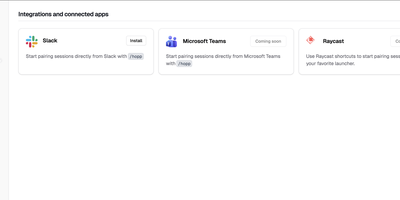
Meeting-app screen sharing was built for slide decks, and it shows when two engineers chase a bug across a codebase together; Hopp rebuilds screen sharing for exactly that job. Click a teammate and their screen opens in under a second: no meeting links, no calendar invites, no "can you see my screen?" ritual. Both sides get real keyboard and mouse control with sub-100ms latency, so guests type, click, and navigate instead of dictating instructions. Rooms hold up to 10 people for mob programming, code reviews, and onboarding, all with shared cursors so everyone can point at the line they mean. When words fail, draw or type annotations directly on the shared screen. The stream defaults to 4K, so small fonts and subtle diffs stay readable, and noise-cancelling audio keeps voices clear with no separate call app. You share any application, not just a browser tab, so debugging in Grafana or reviewing a design works as well as editing code. App Veil hides the windows you pick, such as password managers or chat, from the shared screen. Slack starts sessions with one /hopp command, and custom keyboard shortcuts keep frequent actions in flow. The server is yours: a Docker Compose stack with PostgreSQL, Redis, LiveKit, and Caddy auto-TLS serves the web dashboard and media, and the desktop app points at your backend, not a vendor cloud. Running on a dedicated VPS on RepoCloud with guaranteed CPU, RAM, and SSD, full root SSH access, and a browser serial console. AGPL-3.0 licensed.
Reloops
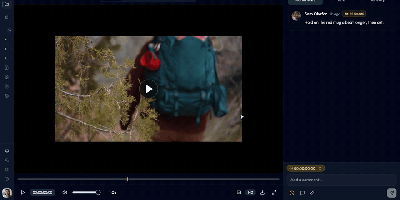
Reloops is a self-hosted creative asset workspace where teams keep every video, design, PDF, audio file, and live website in one library and collect feedback on the files themselves instead of in scattered email threads. Reviewers click anywhere on an image to pin a note to that exact spot, and on video the comments attach to the precise frame, so "fix this bit" always points at the bit in question. Every upload becomes a new version on the same asset, older cuts stay available for side-by-side comparison, and approvals are recorded on the file so nobody ships the wrong export by accident. Clients never need an account: send them a share link or a branded collection and they can watch, comment, and sign off as guests. The library searches the way people remember work, because each asset carries generated descriptions, tags, and metadata filters, so "the approved homepage with the blue button" actually finds something. Day to day, assignments and review queues keep feedback moving, while scoped API keys let agents such as Claude, OpenClaw, Zapier, and n8n upload new versions, post comments, update statuses, and manage share links inside the same workspace. Running on a dedicated VPS on RepoCloud with guaranteed CPU, RAM, and SSD, full root SSH access, and a browser serial console. AGPL-3.0 licensed.
Paaster
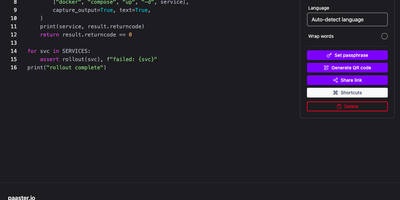
Paaster is the pastebin for snippets too sensitive for a public paste site: every paste is encrypted in your browser before upload, so the server only ever stores ciphertext it cannot read. Paste code or logs and the text is sealed with libsodium the moment you stop typing, with the secret riding in the link fragment that browsers never send to a server. Share the link and only its holder can open the paste; share it as a QR code, or beam it to your other device with a five-minute code using Send to device. Set a paste to delete after its first view or after a chosen time, protect it with an access code, and let automatic language detection syntax-highlight the result. Your own pastes stay browsable in a local history, themes and keyboard shortcuts keep the editor fast, and drag-and-drop file sharing works the same encrypted way. Upload from the terminal with the companion CLI or the REST API, and store everything in MongoDB with MinIO, S3, or Cloudflare R2 holding the encrypted blobs. Running on a dedicated VPS on RepoCloud with guaranteed CPU, RAM, and SSD, full root SSH access, and a browser serial console. AGPL-3.0 licensed.
FileSync
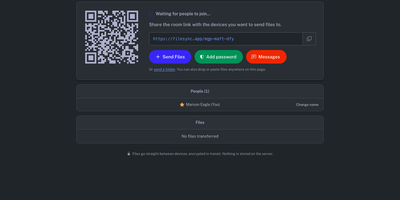
Moving a 40 GB video from your laptop to three colleagues takes a shared link instead of a cloud upload when FileSync sends it from one device to many in real time, straight between browsers, from a server you host yourself. Open a room, share its link or QR code, and everyone inside can send, receive, and download everything as a zip. The files travel directly between browsers over encrypted connections while the server only introduces the devices to each other, so your documents never sit on someone else's disk. A verification key rides inside the link itself and is never sent to the server, proving the person who joined is the person you invited. Transfers stream to disk as they arrive, so file size is limited by storage rather than memory, and every file is checked with SHA-256 the moment it lands. Close a tab mid-transfer and the download resumes from the last saved byte instead of starting over. You can send whole folders, paste straight from your clipboard, and coordinate through the built-in room chat while the files move. When two devices cannot connect directly, the included relay carries the traffic automatically, and rooms can ask for a password before anyone joins. Recipients need no account and install nothing; they open the link in any modern browser and start receiving. Running on a dedicated VPS on RepoCloud with guaranteed CPU, RAM, and SSD, full root SSH access, and a browser serial console. MIT licensed.
Owncloud
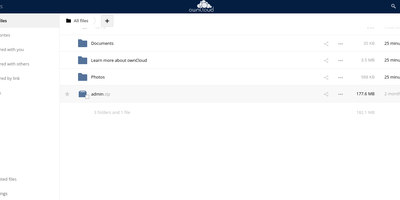
The project that proved organizations could have Dropbox-style convenience with complete data ownership: ownCloud is the original open-source file sync and share platform - the codebase Nextcloud later forked from. This deployment runs the classic ownCloud Server (PHP over PostgreSQL or MariaDB, with Redis caching), the battle-tested edition trusted across enterprises, universities, and public institutions worldwide. The core loop: store files on your server, sync them via desktop clients for Windows, macOS, and Linux plus iOS and Android apps, and access everything through the web interface or standard WebDAV. Sharing is granular - internal users and groups, external recipients via public links with passwords and expiration dates, and federated sharing that connects separate ownCloud instances into one network. Security controls include file firewall rules, multi-factor authentication, encryption, and detailed audit-friendly lifecycle management with versioning and trash-bin recovery. An app marketplace extends the platform, and Web Office integrations bring collaborative document editing through Collabora Online, OnlyOffice, or Microsoft Office Online directly into your files. LDAP and Active Directory integration slots it into existing identity infrastructure. For teams that need a proven, self-hosted alternative to Dropbox or Google Drive - where compliance demands knowing exactly which disk your data sits on - ownCloud remains a foundational choice.
Screego
With over 10,000 GitHub stars and a reputation forged in the frustration of laggy corporate screen sharing, Screego delivers what Microsoft Teams and Zoom screen share consistently fail to provide: instant, high-resolution screen streaming that lets remote colleagues actually read your code. Built on WebRTC peer-to-peer connections, Screego transmits screen data directly between browsers without routing through centralized servers, achieving sub-second latency and native-resolution quality that makes pair programming and code reviews genuinely productive. The server component, written in Go with a TypeScript frontend, deploys as a single binary or Docker container with minimal configuration — set your external URL, generate a secret key, and you're live. An integrated TURN server handles NAT traversal automatically, eliminating the need for separate STUN/TURN infrastructure, with configurable UDP port ranges and support for external TURN servers when scaling beyond a single instance. Authentication supports three modes — requiring login for all actions, only for TURN connections, or none — with user management via simple credential files. Rooms are created instantly and support multiple simultaneous viewers, with system and tab audio sharing available for demonstrations that need sound. The architecture supports reverse proxy deployment behind Nginx, Caddy, or Apache with automatic TLS termination, and recent releases added riscv64 architecture support alongside existing amd64 and arm64 builds. Running on a dedicated VPS on RepoCloud with guaranteed CPU, RAM, and SSD, full root SSH access, and a browser serial console. GPL-3.0 licensed.
bewCloud
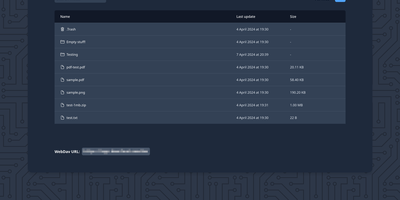
A personal cloud does not need the weight of a small enterprise suite, and bewCloud proves it by keeping files, photos, notes, contacts, and calendars in one compact service a single person can run for a whole household. The Files app stores uploads in a plain folder tree on disk, offers public sharing links, optional whole-folder downloads as zip archives, and a WebDAV endpoint that desktop tools can mount. Photos turns that same storage into a browsable gallery, while Notes keeps quick text within reach of every login. Contacts and Calendar speak CardDAV and CalDAV through a bundled Radicale server, so the calendar and address book on a phone or laptop stay in sync without another account anywhere. News collects feeds to read in the browser, and Expenses tracks spending in a small ledger beside everything else. The header shows only the apps you enable, in the order you choose, and companion desktop and mobile apps connect to the same server for people who prefer native sync. Accounts can be protected with multi-factor authentication using TOTP, passkeys, or email codes, and optional single sign-on lets a household sign in through an existing identity provider. Running on a dedicated VPS on RepoCloud with guaranteed CPU, RAM, and SSD, full root SSH access, and a browser serial console. AGPL-3.0 licensed.
Webtor
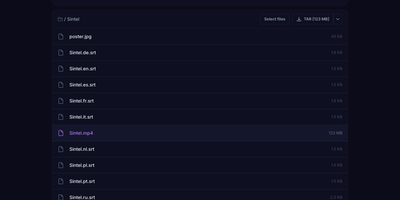
Webtor turns any magnet link or .torrent file into instant in-browser streaming and direct downloads on your own server, with no desktop torrent client and nothing to install for viewers. Drop in a magnet, an infohash, or a torrent file and the file list appears in seconds; pick a video and it plays in the built-in player while the pieces are still arriving, or take a plain HTTP download link for any single file instead. Whole torrents come down as ZIP or TAR archives generated on the fly with the folder structure preserved, and formats from MKV and MP4 to FLAC and MP3 stream without a separate transcoding step in most cases. Torrents you keep go into a personal library that recognizes movies and series automatically and enriches them with posters and descriptions, and the same library can mount as a network drive over WebDAV or S3 and play on a TV through the Stremio addon. Subtitles are matched from OpenSubtitles inside the player, uploaded tracks are supported, and optional AI translation renders them in your language; a master password locks the instance, the player embeds into other sites through the JavaScript SDK, and a REST API drives everything from your own code. Running on a dedicated VPS on RepoCloud with guaranteed CPU, RAM, and SSD, full root SSH access, and a browser serial console. MIT licensed.
QuickDrop
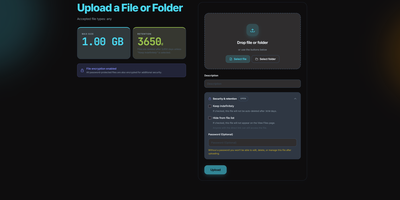
QuickDrop functions as an ephemeral, self-hosted file distribution node and pastebin that eliminates account requirements for rapid data transfers. Users can drag individual files, paste plain text code snippets, or drop entire folder structures while preserving complete directory hierarchies through automated client manifests. Resumable chunked transfers split multi-gigabyte payloads into resilient blocks, ensuring dependable uploads over unstable network connections. Senders can protect sensitive documents with optional AES encryption at rest, individual passphrase requirements, and automatic metadata stripping that removes GPS coordinates and camera EXIF markers. Granular share token policies restrict access by enforce maximum download quotas, burn-after-reading limits, or strict calendar expiration timestamps. In-browser viewers generate instant previews for code syntax, Markdown documentation, PDF reports, audio tracks, and high-resolution images without downloading files locally. Built-in QR code generators allow mobile devices to retrieve shared payloads instantly across local wireless networks. System operators can govern storage lifecycles through an administrative control panel with configurable retention windows, automated background garbage collection, and custom storage caps. Running on a dedicated VPS on RepoCloud with guaranteed CPU, RAM, and SSD, full root SSH access, and a browser serial console. MIT licensed.
Pixelfed
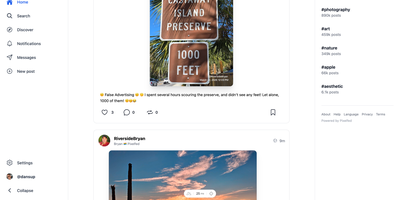
With nearly 7,000 GitHub stars and instances spanning hundreds of federated servers, Pixelfed has become the leading open-source alternative to Instagram — delivering ad-free, algorithm-free photo sharing across the Fediverse. Built on Laravel with a Vue.js frontend, Pixelfed provides a polished, mobile-responsive interface where users upload photos and videos, apply built-in filters, create multi-image posts with alt text, share ephemeral stories, organize content into curated collections, and exchange direct messages — all without tracking, algorithmic manipulation, or targeted advertising. Federation through the ActivityPub protocol means Mastodon, Pleroma, and other Fediverse users can follow Pixelfed accounts, view photo posts in their timelines, and interact through likes, boosts, and replies, while Pixelfed users can discover content through both local and federated timelines. Instance administrators control registration policies, content moderation rules, federation blocklists and allowlists, storage backends including local or S3-compatible options, and server-wide settings. The Mastodon-compatible API enables third-party mobile app support alongside the built-in Progressive Web App experience. Advanced features include blurhash image placeholders for smooth loading, federated groups for community building through FEP-400e and FEP-1b12 extensions, HTTP Signatures with Authorized Fetch for secure federation, and comprehensive data export for full portability. Deployment requires PHP 8.1+, MySQL or PostgreSQL, Redis, and a reverse proxy, with Docker Compose configurations available for streamlined setup. Running on a dedicated VPS on RepoCloud with guaranteed CPU, RAM, and SSD, full root SSH access, and a browser serial console. AGPL-3.0 licensed.
Mikochi
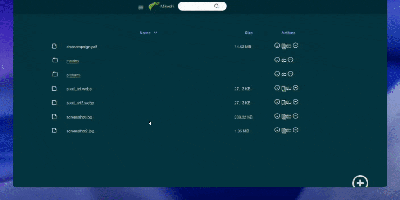
Point a browser at your server's folders and skip the FTP clients, the SSH tunnels, and the heavyweight cloud clones: Mikochi turns any directory on your machine into a clean web file browser you can open from anywhere. You browse nested folders in a fast list view, jump to files with fuzzy search, upload new material, create folders, rename items, and delete what is no longer needed. Whole directories come down as a single tar.gz archive, which makes backups and bulk transfers painless. Media files get a smarter treatment: Mikochi generates streaming links that open directly in VLC or mpv, so a film or album stored on the server plays on your screen without downloading gigabytes first. Access stays protected behind a username and password login with JWT sessions, and you can serve everything over TLS with your own certificates or disable authentication entirely on a trusted private network. Deployment takes one Docker command with a mounted data directory, and Kubernetes users get an official Helm chart. Homelab owners point it at a NAS share, developers drop it on a build box, and anyone tired of scp commands gets a permanent window into their files. Running on a dedicated VPS on RepoCloud with guaranteed CPU, RAM, and SSD, full root SSH access, and a browser serial console. MIT licensed.

Chevereto
Build your own image and video sharing site, with public galleries, private albums, and embeddable links, on a server you control. Uploads arrive by drag and drop, clipboard paste, image URL, camera, ShareX, or API, in AVIF, JPEG, PNG, GIF, WebP, BMP, MOV, MP4, and WebM, and chunked transfers handle large files. Lossless JPEG handling fixes orientation and can strip EXIF data. Duplicate detection catches repeat uploads. Tags are created on the fly with autocomplete, camera models become tags automatically, and albums nest into sub-albums with covers, privacy levels, and passwords. Categories, search, and explore views help visitors find things; a bulk importer brings in folders of existing media. Each file gets viewer, direct, thumbnail, and medium links plus HTML, Markdown, and BBCode snippets with one-click copy, and oEmbed lets other sites preview a link. Roles split admin, manager, and user duties, profiles can be private, and two-factor authentication protects accounts. Files sit on local disk or S3-compatible storage, optionally served through a CDN URL. A dashboard tracks usage, color palettes and custom CSS and JavaScript restyle the site, and a single-profile mode suits a personal portfolio. Running on a dedicated VPS on RepoCloud with guaranteed CPU, RAM, and SSD, full root SSH access, and a browser serial console. AGPL-3.0 licensed.
PrivateBin
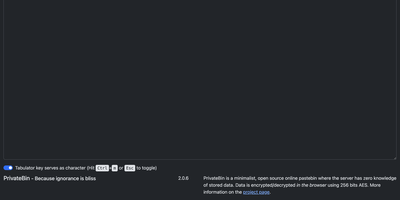
PrivateBin shares text and files with true zero-knowledge encryption: the server stores only ciphertext it cannot decrypt because the key exists exclusively in the URL fragment that never reaches the server. With over 8,400 GitHub stars and 500,000+ Docker pulls, it has become the standard for privacy-respecting paste sharing where not even the hosting operator can read stored content. All encryption uses 256-bit AES in Galois Counter mode performed entirely client-side in the browser. Burn-after-reading mode destroys pastes on first view, while configurable expiration timers automatically purge content after periods ranging from five minutes to forever. Optional password protection adds a second encryption layer requiring recipients to enter a passphrase before decryption occurs. Discussion threads enable anonymous or nickname-based commenting on pastes with IP-based identicon avatars for visual identity. Markdown rendering with live preview formats pastes as styled HTML, and syntax highlighting through prettify.js supports dozens of programming languages across four color themes. File upload support enables sharing images, PDFs, and media files with in-browser preview. QR code generation converts paste URLs for mobile device transfer. Customizable templates include Bootstrap 5, classic Bootstrap CSS, and Darkstrap themes. Storage backends support filesystem, MySQL, PostgreSQL, SQLite, Amazon S3, and Google Cloud Storage. Deploy via Docker with the privatebin/nginx-fpm-alpine image on port 8080. Running on a dedicated VPS on RepoCloud with guaranteed CPU, RAM, and SSD, full root SSH access, and a browser serial console. zlib licensed.
HFS
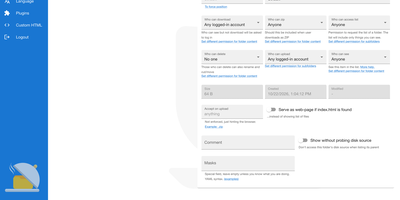
HFS turns any folder on a server into a file-sharing site that visitors open in a browser, with no upload step and no space or bandwidth cap beyond your own disk. Visitors browse, search, and download single files or whole folders as ZIP archives that start streaming immediately, and interrupted uploads or downloads can resume. A virtual file system lets you arrange and rename what is shared without touching the files on disk, while accounts and per-folder permissions decide who can see, download, upload, or delete. The admin web panel covers HTTPS with built-in certificate generation, bandwidth limits globally or per IP address, geographic blocking by country, and live connection monitoring with disconnect and IP ban. Plugins add thumbnails, share links, LDAP, two-factor sign-in, download quotas, and notifications, and a few lines of JavaScript in the admin panel can change the look or the backend behavior without a restart. The front end speaks 27+ languages, works on phones, and includes a media player for audio and video. Typical uses include sending large files to friends without uploading them first, publishing a download area, and collecting uploads from visitors. Running on a dedicated VPS on RepoCloud with guaranteed CPU, RAM, and SSD, full root SSH access, and a browser serial console. GPL-3.0 licensed.
Enclosed
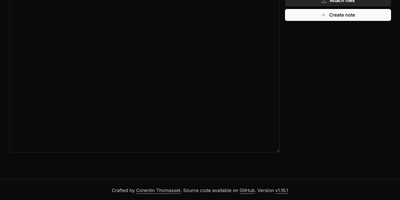
Private text, encrypted before it leaves the browser: Enclosed turns passwords, keys, and other secrets into a link that only its holder can open, with no third-party service in between. Can the server read the note? No. It stores only ciphertext and settings, because the decryption key rides in the part of the link after the # sign, which browsers never send. Want a second lock? Add a password, or generate a random one with a click, and share it by another route. Worried about links lingering in chat history? Pick one hour, one day, one week, or one month, and tick Delete after reading so the first view removes the note, with a warning shown to the recipient beforehand. Need more than text? Attach files by button or drag and drop, and recipients download them one by one or all at once. Sending to a phone? Every finished note offers a QR code, downloadable as SVG or PNG. Setting it up for a team? Restrict note creation to signed-in users, create notes from the command line, and let people read the interface in 17 languages with light, dark, or system themes. Running on a dedicated VPS on RepoCloud with guaranteed CPU, RAM, and SSD, full root SSH access, and a browser serial console. Apache-2.0 licensed.
Drive
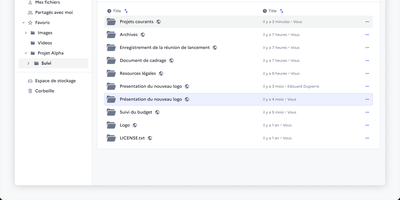
Somewhere in every organisation there is a folder called FINAL_v2 that nobody dares delete, and Drive from La Suite exists to end that. It gives teams a shared file space where uploads land in organised workspaces, versions stay findable through search, and every file or folder carries its own access list. You preview PDFs, images, audio, and video in the browser, and office documents open for editing through Collabora or OnlyOffice without downloading a thing. Sharing reaches outside the organisation too: invite external partners by link, even without an account, and revoke access the moment a project ends. Uploads pass malware scanning before they touch storage, a trash bin restores accidents, and quotas with usage metrics keep big archives honest. Administrators plug in their own OIDC identity provider, so logins follow the same single sign-on as the rest of the stack, while an embeddable file picker lets other internal apps reuse Drive as their document library. Because the data lives in your own S3-compatible storage, sovereignty requests stop being an argument with a vendor and become a setting. Running on a dedicated VPS on RepoCloud with guaranteed CPU, RAM, and SSD, full root SSH access, and a browser serial console. MIT licensed.
ByteStash
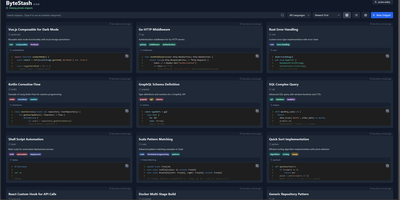
The functions, config files, and one-liners you keep re-deriving finally get a searchable home: ByteStash is a self-hosted code snippet manager - a private Gist. Each snippet holds multiple code fragments, so a Docker Compose file, its .env template, and a plaintext usage note live together under one titled, categorized entry. Monaco-based syntax highlighting covers dozens of languages, from Python, TypeScript, Go, and Rust to YAML, Dockerfiles, Terraform, and Markdown. Retrieval is the point: filter by language or category, search titles and descriptions, and optionally include snippet contents in full-text search. Snippets can be pinned for quick access and shared via public links that recipients open without an account. Multi-user support runs on JWT authentication with optional OIDC single sign-on for teams on centralized identity, and a full CRUD REST API with Swagger documentation wires snippet retrieval into editors, scripts, and CI pipelines. Storage is a single SQLite database with optional encryption, and collections export as JSON or Markdown. A React frontend on a Node.js backend, deployed as one lightweight container.
Password Pusher
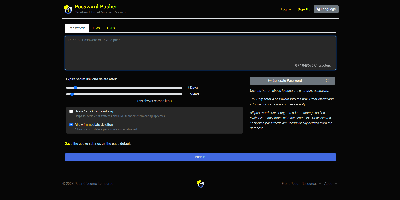
Credentials sitting forever in email threads and chat scrollback - Password Pusher solves that everyday security failure. Instead of pasting a password into Slack, you push it - a password, note, file, URL, or QR code - and share a unique one-time link that expires after a set number of views, a time limit, or both. Content is encrypted at rest with AES-GCM under a configurable master key, optionally guarded by a passphrase, and permanently deleted from the database the moment it expires; a retrieval-step option keeps URL-scanning bots from consuming views. Full audit logs record when each link was created and viewed (and by whom, with logins), and TOTP two-factor authentication can be required instance-wide. The delivery page is deliberately unbranded - no logos or confusing links for recipients - and the interface ships in 31 languages with light and dark themes. Automation runs through a JSON API (v2), an official CLI for pushing and expiring secrets from the terminal, a Chrome extension, and a catalog of third-party integrations. Apache-2.0 licensed Ruby on Rails, deployable via Docker, Kubernetes, or Helm, with SQLite or PostgreSQL storage - the sysadmin staple for sending credentials that clean up after themselves.