Distr
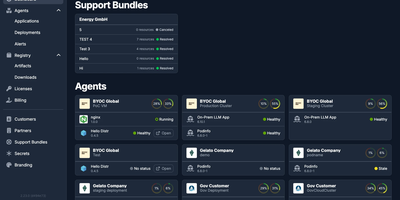
Shipping commercial software to customer-managed infrastructure demands a reliable distribution hub, and Distr provides that control plane for vendors who sell into VPCs, on-prem data centers, and air-gapped networks. Vendors define Docker Compose, Docker Swarm, or Helm applications with versions and configuration templates, then roll releases out to every customer deployment from a single vendor portal. Prebuilt deployment controllers installed in customer environments apply updates and report status, container logs, live host metrics, and alerts back, so support teams can diagnose problems without touching anyone's infrastructure. Customers get a white-labeled portal with your branding, install instructions, registry credentials, version management, and customer-initiated support bundles. A built-in OCI registry distributes Docker images, Helm charts, Zarf packages, and other artifacts with per-customer tag access, pull-through caching, and download analytics showing which customer pulls which version. Entitlements control which application versions each customer may deploy, and Ed25519-signed JWT license keys let your own software verify usage limits offline, which keeps licensing working in air-gapped sites. An OpenTofu controller provisions and reconciles BYOC cloud infrastructure, while a REST API and SDK automate onboarding, releases, and entitlements from CI pipelines. Role-based access control manages permissions across vendor and customer organizations, while the Kubernetes compatibility matrix and vulnerability scanning help validate releases before they ship. Running on a dedicated VPS on RepoCloud with guaranteed CPU, RAM, and SSD, full root SSH access, and a browser serial console. Apache-2.0 licensed.
Calagopus
When hosting multiplayer game servers for communities or friends requires container isolation and low-overhead administration, Calagopus steps in as a modern game server management panel. Server operators use it to deploy and control Minecraft, Rust, ARK, Valheim, FiveM, and any other Linux containerized workload while reusing existing Pterodactyl and Pelican eggs without modification. From the live WebSocket console, administrators monitor real-time CPU, memory, and network graphs, autocomplete saved command snippets, inspect per-layer Docker image pull progress bars, and pop the terminal out into a secondary window. Managing configuration files and modpacks happens directly in the browser through a split-pane tabbed editor featuring real-time collaborative editing, side-by-side revision diffs with one-click rollback, a visual disk usage treemap, in-place archive browsing, and VS Code workspace mounting. Database workflows are equally streamlined: you can provision MySQL, PostgreSQL, MongoDB, or Redis instances, browse and edit rows or SQLite files in a built-in data explorer, and run read-only or writable SQL queries without external database clients. Automated schedules support conditional if-else branching, regex variable extraction from console output, crash-detection triggers, and eight backup storage drivers including S3, Restic, Kopia, ZFS, Btrfs, and Proxmox Backup Server. Running on a dedicated VPS on RepoCloud with guaranteed CPU, RAM, and SSD, full root SSH access, and a browser serial console. MIT licensed.
Zot
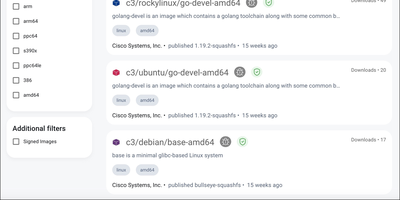
Think of Zot as the registry equivalent of a well-run warehouse: OCI images and artifacts come in, get cataloged, checked, and shipped back out to any compliant client. The bundled web interface lets you browse repositories and tags, inspect image details, and copy ready-made pull commands for Docker, Podman, and Skopeo instead of memorizing registry URLs. Sync extensions mirror upstream registries such as Docker Hub on a schedule or on demand, which keeps air-gapped and rate-limited environments supplied without manual image ferrying. Scrubbing walks the storage in the background comparing blocks against their SHA-256 checksums, so silent bit-rot gets caught by the registry instead of by a failed production deploy. Signature verification with Cosign and Notation checks that images came from who they claim, search answers queries across the catalog, and CVE scanning flags vulnerable images before they spread. Prometheus metrics, a management API, and webhook events cover the operations side, while the minimal image strips everything but the distribution spec for embedded or high-security deployments. Running on a dedicated VPS on RepoCloud with guaranteed CPU, RAM, and SSD, full root SSH access, and a browser serial console. Apache-2.0 licensed.
Pelican Panel
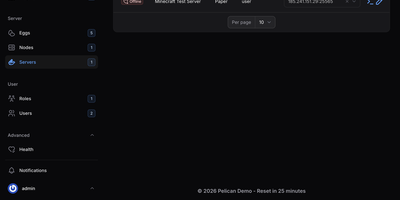
Pelican Panel is an open-source game server management platform that enables gaming communities and hosting providers to deploy, configure, and operate multiplayer servers for titles like Minecraft, Palworld, and Counter-Strike within secure, containerized environments. Administrators can provision dedicated game servers in seconds using modular configuration eggs, allocating precise CPU cores, memory thresholds, and disk quotas to prevent resource contention across noisy neighbors. Players and server operators access an interactive web console featuring live terminal output, instant power state toggles, and direct command execution over secure WebSockets. An integrated file browser enables operators to upload server modifications, edit configuration scripts with syntax highlighting, and decompress archives without opening an external terminal. Built-in scheduling pipelines automate recurring tasks such as world backups, daily server restarts, and mod updates based on custom cron expressions. Multi-tenant permission controls allow guild leaders to invite co-administrators and grant granular privileges for restarting daemons, reviewing console logs, or managing database credentials without exposing the host system. Operators can also provision external SFTP endpoints, attach secondary IP allocations, and trigger webhook alerts whenever container health anomalies occur. Running on a dedicated VPS on RepoCloud with guaranteed CPU, RAM, and SSD, full root SSH access, and a browser serial console. AGPL-3.0 licensed.
Open DroneLog
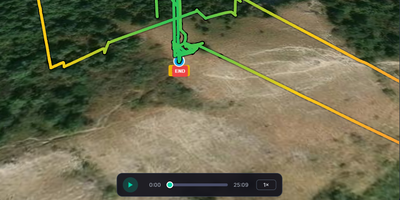
Every DJI and Litchi flight you have ever logged becomes a searchable dashboard on your own server with Open DroneLog, a free, open-source alternative to DroneLogbook, Airdata UAV, and Flight Reader. Drop in DJI .txt logs, Litchi CSV files, or Airdata CSV exports and units are detected automatically, while deduplication on drone serial, battery serial, and start time lets you re-import a folder without duplicate flights. Each flight opens as a 3D terrain map with satellite, topographic, and OpenStreetMap layers, then replays from 0.5x to 16x speed with live telemetry and an RC joystick overlay. Synchronized charts plot height, speed, battery cell voltages, attitude, RC signal, GPS, and distance to home, with drag-to-zoom. Filters narrow flights by date, drone, battery, controller, duration, altitude, distance, tag, or map area, and automatic tags such as Night Flight and Low Battery arrive with offline reverse-geocoded locations. The overview dashboard adds an activity heatmap, per-drone and per-battery charts, and a cluster map. Battery health bars track cycle counts and capacity history, and maintenance thresholds show as color-coded progress bars. Export flights as CSV, JSON, GPX, or KML, build printable HTML flight reports that save as PDF, or generate a FlyCard image for social media. A sync folder imports new logs automatically, pilot profiles can sit behind passwords, and full-database backup and restore moves data between desktop and Docker. Running on a dedicated VPS on RepoCloud with guaranteed CPU, RAM, and SSD, full root SSH access, and a browser serial console. AGPL-3.0 licensed.
NextExplorer
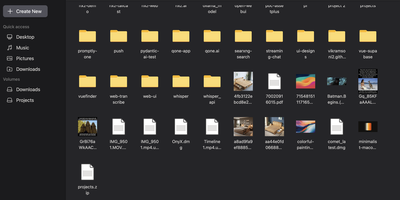
To give Docker administrators and home lab operators a fast, modern workspace for server-side storage, NextExplorer delivers a browser-based file manager with instant ripgrep search, inline editing, and multi-volume navigation. Any directory mounted under your container volume root appears immediately in the sidebar with capacity usage indicators, favorite pins, and switchable grid, list, and column browsing layouts. You can preview images, stream videos and audio with FFmpeg-generated thumbnails, read PDFs, edit source code and configuration files in the syntax-highlighted editor, or collaborate on office documents through an integrated ONLYOFFICE Document Server. Deep content search powered by ripgrep scans filenames and file contents across terabytes of storage in seconds, while bundled 7-Zip support inspects and extracts password-protected ZIP, 7z, RAR, TAR, and ISO archives with built-in zip-bomb protection. Teams can share folders via read-only or read-write links, isolate personal user directories, enforce path-level read-only or hidden access rules, and authenticate through local accounts or OpenID Connect identity providers such as Authentik and Authelia. Running on a dedicated VPS on RepoCloud with guaranteed CPU, RAM, and SSD, full root SSH access, and a browser serial console. GPL-3.0 licensed.
ProjectSend
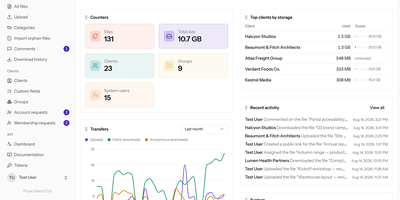
ProjectSend gives every client a private, signed-in page on your own server where only the files you assigned to them appear, so contracts, photo shoots, and quarterly reports skip the third-party file-sharing service. You upload once, then share a file or a whole folder with one client, a group, or anyone holding a public link, with an optional expiry date or download limit. Clients search, preview, and download files one by one or as a zip, whole folders included, comment on a document so questions stay beside it, and send files back within the quota you set. Uploads of up to 2 GB travel in resumable pieces, so a dropped connection pauses a transfer instead of ruining it. Folders, categories, custom client fields, and linked file versions keep a growing library tidy, while roles with granular permissions let staff work without becoming administrators. The activity log and download history record who received what and when, and the log exports to CSV. Sign-in works with email and password, LDAP, or Google and Microsoft accounts, with optional two-factor authentication. Your logo, watermark, themes, and editable email templates carry your brand, and the interface is translated into 16 languages. Optional virus scanning quarantines suspicious uploads, and a REST API with scoped tokens automates uploads, sharing, and account management. Running on a dedicated VPS on RepoCloud with guaranteed CPU, RAM, and SSD, full root SSH access, and a browser serial console. GPL-2.0-or-later licensed.
Dynacat
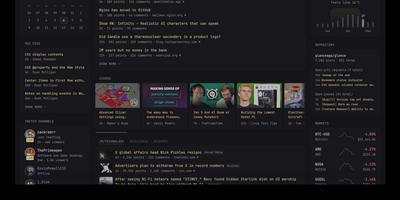
Monitoring dozens of self-hosted containers, RSS feeds, and web services from a single customizable startpage becomes effortless with Dynacat, a dynamic dashboard engine driven by declarative YAML configuration and live data widgets. You can arrange multi-tab layouts in the browser-based visual editor by dragging widgets across columns and picking color themes, and Dynacat automatically writes every adjustment back to your configuration file. Built-in widgets aggregate RSS and Atom feeds, Reddit communities, Hacker News, Lobste.rs, YouTube channel uploads, Twitch streams, weather forecasts, stock and crypto market tickers, and software releases across GitHub, GitLab, Codeberg, and Docker Hub. Homelab operators can inspect and control Docker containers, track server CPU, memory, and disk mountpoints, monitor AdGuard Home or Pi-hole DNS statistics, view Sonarr and Radarr release calendars, and manage torrents across qBittorrent, Deluge, and Transmission from one screen. For custom services, the visual widget builder connects to any JSON endpoint and binds UI blocks to response fields without manual template coding, while the Dynawidgets catalog imports community widgets with a single slug. Every widget refreshes independently on its own schedule and exposes cached data through a local JSON API, with OpenID Connect group rules securing private admin pages. Running on a dedicated VPS on RepoCloud with guaranteed CPU, RAM, and SSD, full root SSH access, and a browser serial console. AGPL-3.0 licensed.
Quantum
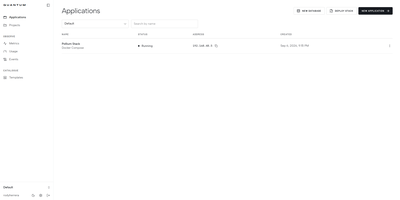
From a bare Linux server, Quantum builds and runs GitHub repositories, multi-service Docker Compose stacks, and managed databases through a self-hosted PaaS dashboard with automated webhook deployments and live container telemetry. Connect a GitHub account, pick a branch, and let the build engine compile from a Dockerfile or custom install, build, and start commands on every git push or release tag. Multi-service Compose files can be pulled from a repository or pasted into the editor, with automatic `${VAR}` placeholder detection and isolated internal networks so containers communicate by service name. Provision PostgreSQL, MySQL, MariaDB, MongoDB, and Redis instances with one-click backups, or deploy pre-configured templates for n8n, Directus, WordPress, Uptime Kuma, and Ollama. Live log streams, an interactive browser terminal, `.env` secret management, persistent volume mounts, and private registry credentials come built into every service view. Need to patch a file quickly? Clicking Open in VS Code launches a sidecar `code-server` instance mounted directly to the container filesystem. Organization and project roles enforce granular access while real-time CPU, memory, and network charts track health across 15-minute to 24-hour windows. Running on a dedicated VPS on RepoCloud with guaranteed CPU, RAM, and SSD, full root SSH access, and a browser serial console. MIT licensed.
What's Up Docker
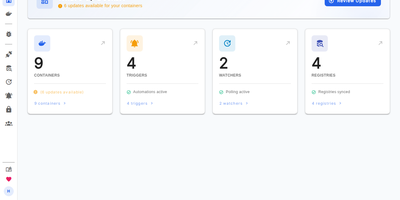
Does your container fleet silently fall behind on upstream patches until a critical vulnerability advisory forces an emergency audit? What's Up Docker continuously watches standalone Docker daemons, Compose stacks, Swarm services, Kubernetes workloads, and Nomad jobs to detect new image tags across public and private registries before sending alerts or rolling out updates automatically. Watchers connect over local sockets, TLS-secured TCP endpoints, kubeconfigs, or Nomad APIs to inventory active workloads without invasive sidecars. From there, registry connectors authenticate against Docker Hub, GitHub Container Registry, AWS ECR, Google Artifact Registry, Azure Container Registry, Quay, GitLab, Gitea, Forgejo, and self-hosted OCI registries to compare digests and tags. Flexible filtering rules let you restrict alerts to major, minor, or patch semantic version increments, match custom regular expressions, or pin specific tag patterns per container label. Once an eligible release appears, over thirty built-in triggers can dispatch notifications to Discord, Slack, Telegram, Matrix, Mattermost, Gotify, Ntfy, Pushover, Apprise, PagerDuty, or SMTP, publish events to MQTT, Kafka, RabbitMQ, or NATS, or recreate containers directly on demand. A responsive web dashboard and REST API provide manual update controls, OpenID Connect single sign-on with role-based access control, and Prometheus metrics for Grafana observability. Running on a dedicated VPS on RepoCloud with guaranteed CPU, RAM, and SSD, full root SSH access, and a browser serial console. MIT licensed.
degoog
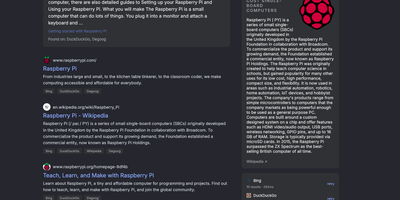
Instead of trusting one search company with every query, degoog is a self-hosted search aggregator that fans each one out to the engines you choose, from your own server, and merges the answers into one deduplicated, ranked list. It installs with no engines at all; a first-run tour then walks you through picking Google, Bing, DuckDuckGo, Brave, Startpage, Reddit, or Wikipedia from the built-in Store. Pages found by several engines collapse into a single row that lists every source, while a sidebar times each engine, explains failures like rate limits or CAPTCHAs, and retries only the one that failed. Tabs appear for each search type your engines serve, and the Images tab adds size, color, layout, and safe-mode filters beside a zoomable preview panel. Bangs target one engine or run commands (!w for Wikipedia, !ip, !speedtest, !uuid), and Store plugins add weather, definitions, QR codes, and search across your own Jellyfin or Meilisearch libraries. Owners can block, rewrite, or score domains, serve a script-free page to text browsers, and turn on an indexer that remembers seen results for later recall. A JSON search API, a SearXNG-compatible response mode for Open WebUI, and an MCP companion feed the same results to scripts and LLM clients. Running on a dedicated VPS on RepoCloud with guaranteed CPU, RAM, and SSD, full root SSH access, and a browser serial console. AGPL-3.0 licensed.
DockFlare
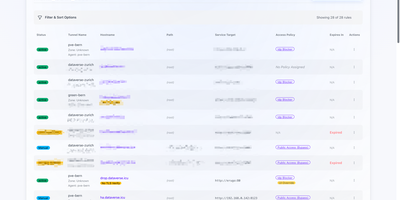
Combining Docker container labels with a live web control plane, DockFlare automates Cloudflare Tunnel ingress routing, multi-zone DNS records, and Zero Trust Access policies across self-hosted infrastructure. DevOps engineers and homelab operators can attach simple container labels to expose HTTP, HTTPS, TCP, SSH, and RDP services publicly in seconds without clicking through external cloud dashboards. For non-containerized workloads such as bare-metal hypervisors or network appliances, administrators can define manual ingress rules, path-based routes, custom TLS SNI headers, and origin certificate bypass flags directly in the web interface. Security teams use reusable Access Groups and wildcard zone policies to enforce Google, GitHub, Azure AD, or custom OIDC authentication across every subdomain from a single policy definition. Distributed deployments connect lightweight remote agents back to the primary controller using Zero Trust service tokens so multi-host clusters share one unified routing view. When containers stop or restart, configurable grace-period timers prevent accidental route churn before cleaning up stale DNS entries, while encrypted state backups protect your entire ingress configuration. Running on a dedicated VPS on RepoCloud with guaranteed CPU, RAM, and SSD, full root SSH access, and a browser serial console. GPL-3.0 licensed.
ZaneOps
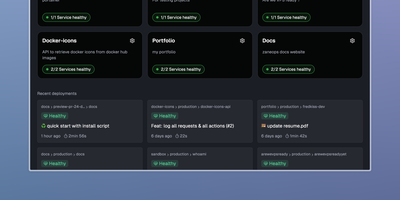
Shipping a Git repository to a live HTTPS URL takes one dashboard and one server with ZaneOps, an open-source alternative to Heroku, Railway, and Render. Linked GitHub or GitLab repositories build with a Dockerfile, Nixpacks, Railpack, or a static directory builder. Deploys start by hand, on git push, or from a CI webhook. Blue/green releases keep the previous version serving traffic while the new one starts. Each pull request or merge request can open its own preview environment, and the API can create one on demand. Configuration edits queue up as changes that you review before a new version deploys. A pasted docker-compose.yml or a ready-made template (Postgres, Redis, WordPress) deploys a whole stack with blue/green rollouts. Every domain gets a free SSL certificate that renews itself. Wildcard hosts, permanent or temporary redirects, and several services under one domain all work. Runtime logs, request logs, metrics, and health checks gather in the dashboard. Services get CPU and memory limits and volumes, and environment variables import or export as .env files. Viewer, Member, Admin, and Owner roles decide who can see and change what; the free tier allows one workspace and three users. A web terminal opens a shell inside any running deployment, and a second one reaches the server itself over SSH. Running on a dedicated VPS on RepoCloud with guaranteed CPU, RAM, and SSD, full root SSH access, and a browser serial console. MIT licensed.
ComposeToolbox
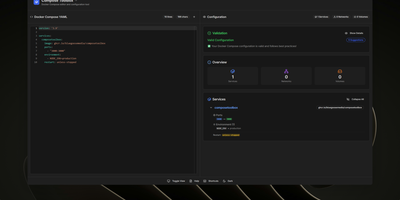
To eliminate YAML indentation errors and cryptic container misconfigurations before running docker compose up, ComposeToolbox pairs a full-featured code editor with a live configuration analyzer in a single self-hostable web workspace. Paste or write any docker-compose.yml file in the left pane to see immediate syntax validation alongside actionable best-practice warnings, such as unpinned latest image tags, missing healthchecks, or deprecated version declarations. On the right side, an interactive Configuration Overview breaks down every defined service, exposed port mapping, persistent volume mount, environment variable, and custom network into structured tabs. Built-in Quick Insert buttons let operators drop new service blocks, volume definitions, or network stanzas into the editor with one click. By mounting the persistent /app/data directory, administrators can define custom quick-insert YAML snippets with selectable hardware and networking icons in custom-templates.yml. Teams can also customize startup-template.yml so the editor opens with their organization's standard homelab or production boilerplate every time the page loads. Keyboard shortcuts, light and dark themes, and one-click YAML formatting or file export streamline daily container authoring. Running on a dedicated VPS on RepoCloud with guaranteed CPU, RAM, and SSD, full root SSH access, and a browser serial console. MIT licensed.
Dock-Dploy
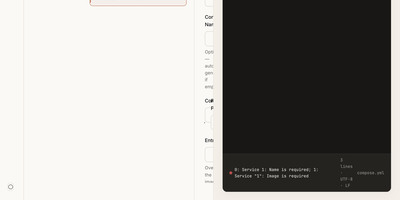
Visual drag-and-drop assembly replaces manual text editing in Dock-Dploy, a Docker Compose builder and configuration management suite that turns complex multi-service container topologies into validated YAML manifests. DevOps engineers and self-hosters can visually assemble application stacks by selecting container base images, defining healthcheck probes, mapping bridge networks, and assigning persistent volume mounts through a reactive web interface. An integrated marketplace catalog allows teams to search, preview, and import battle-tested templates for services like PostgreSQL, Redis, and Nginx with one click. Real-time Zod schema validation inspects every service parameter as you type, flagging port collisions, missing environment variables, and malformed volume syntax before deployment. A split-screen CodeMirror editor provides continuous synchronization between graphic form fields and generated YAML definitions with automatic code sanitization and clipboard exports. Beyond Compose stacks, operators can design blueprint templates, generate reverse proxy routing profiles, and assemble recurring cron schedules for automated backup and maintenance routines. Running on a dedicated VPS on RepoCloud with guaranteed CPU, RAM, and SSD, full root SSH access, and a browser serial console. AGPL-3.0 licensed.
Dockerizalo
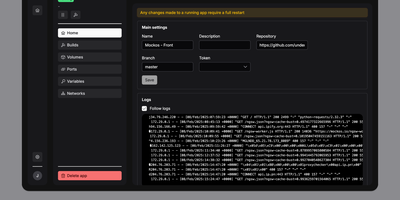
For self-hosters who want Git-driven container deployments without surrendering control of their existing reverse proxy or host networking, Dockerizalo provides a lightweight web platform that clones repositories, builds Docker images, and manages running services from a single dashboard. Point an application entry at any Git-compatible repository or public container registry image, configure custom build paths, and let the platform build and launch the container directly on your host Docker engine. A built-in template library accelerates database provisioning with pre-configured variables, networks, and persistent storage mounts. Through the web interface, operators manage environment secrets, bind-mounted volumes, custom Docker labels, and published TCP or UDP ports while coexisting peacefully alongside Caddy, Nginx, or Traefik setups. Per-application HTTP webhook triggers let teams automate continuous delivery from GitHub, GitLab, Gitea, or custom CI pipelines on every push event. Real-time paginated build and runtime container log streams prevent memory exhaustion on chatty APIs while keeping every deployment event visible. Configurable image retention policies automatically prune older tags and remove dangling images after each rollout so disk space stays clean. Multi-user account management allows homelab administrators to invite collaborators to the dashboard without sharing a single root credential. Running on a dedicated VPS on RepoCloud with guaranteed CPU, RAM, and SSD, full root SSH access, and a browser serial console. AGPL-3.0 licensed.
Misago
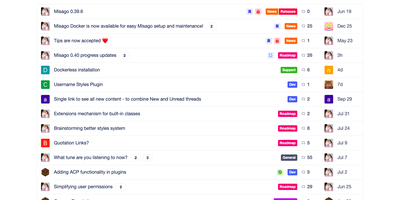
A Misago forum comes with threads, polls, private conversations, nested categories, and the moderation tools to keep them in order. Categories nest to any depth. Permissions follow rank, role, and category. Registration can require e-mail activation or administrator approval, and a Q&A challenge, reCAPTCHA, Stop Forum Spam, or an IP blacklist can turn away spam sign-ups. More than 50 OAuth providers, including Google, GitHub, Steam, and Facebook, can handle sign-in. Posts accept GitHub-flavoured Markdown, a BBCode subset, or both, and attachments get thumbnails. Polls allow public or private voters, multiple choices, vote changes, and deadlines. Question threads let one reply be marked as the best answer. A post-accurate read tracker flags threads with new replies. Private threads stay visible only to the people invited. Presence shows who is online, and members can hide their own activity from non-admins. Custom profile fields get their own display and validation rules. Features and settings for GDPR compliance are included. Themes restyle the forum from the admin panel, and plugins extend it through action and filter hooks. Moderators can edit, move, hide, approve, delete, or close content, and a moderation queue holds new submissions for review before other members see them. If someone empties a post, the edit log shows the original wording and can restore it. Running on a dedicated VPS on RepoCloud with guaranteed CPU, RAM, and SSD, full root SSH access, and a browser serial console. GPL-2.0 licensed.