Dockhand
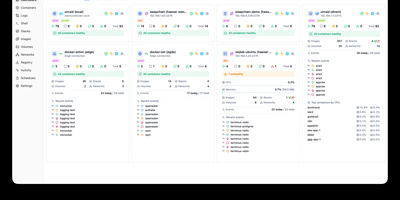
Dockhand is a Docker management platforms, offering a modern alternative to Portainer with free OIDC SSO and vulnerability scanning that competitors gate behind paid tiers. Real-time container management provides start, stop, restart, and remove operations with live resource monitoring across CPU, memory, and network usage on a dashboard with real-time metrics. The visual Docker Compose editor enables stack creation and modification with syntax highlighting, while Git integration deploys stacks directly from repositories with webhooks and auto-sync for GitOps workflows. Vulnerability scanning powered by Grype and Trivy analyzes container images against CVE databases, with configurable auto-update scheduling that can trigger updates based on vulnerability severity criteria. The Hawser Go agent enables management of remote Docker hosts in Standard mode for LAN environments or Edge mode using outbound WebSocket connections for hosts behind NAT, firewalls, or dynamic IPs without exposing inbound ports. Interactive terminal sessions provide shell access into running containers, while the file browser enables uploading, downloading, and editing files directly within containers. Image management includes registry browsing, pull operations, and layer inspection alongside network and volume administration. The security-focused architecture builds its own OS layer from scratch using Wolfi packages via apko with every package explicitly declared. Running on a dedicated VPS on RepoCloud with guaranteed CPU, RAM, and SSD, full root SSH access, and a browser serial console. BSL 1.1 licensed, converting to Apache 2.0 in 2029.
Dockge
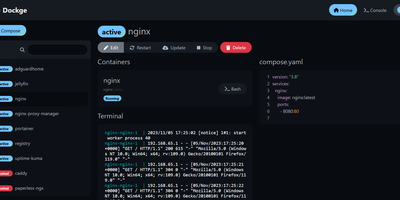
Created by the developer behind Uptime Kuma and carrying over 23,000 GitHub stars, Dockge brings the same clean, reactive design philosophy to Docker Compose stack management with a web interface that makes Portainer's compose handling feel like editing YAML in a terminal over SSH. The interactive editor provides syntax highlighting, inline validation, and a live preview of your compose.yaml files while keeping every stack stored as a standard file on disk in /opt/stacks by default, meaning you can seamlessly switch between the web UI and the docker compose CLI without lock-in or proprietary database formats. Real-time WebSocket updates stream pull progress, container start/stop transitions, and build output directly to the browser with no polling delays. The built-in web terminal opens a shell session inside any running container for quick debugging, while the docker-run-to-compose converter transforms single-container run commands into proper compose.yaml definitions with one click. Multi-agent support introduced in version 1.4.0 connects multiple Docker hosts to a single Dockge dashboard, enabling centralized management of stacks distributed across different servers. Image update detection shows which stacks have newer versions available, and one-click updates pull the latest images and recreate containers without manual intervention. The stack is a single Docker container running on Node.js with Socket.IO for reactivity and stores no external database. Running on a dedicated VPS on RepoCloud with guaranteed CPU, RAM, and SSD, full root SSH access, and a browser serial console. MIT licensed.
Kite
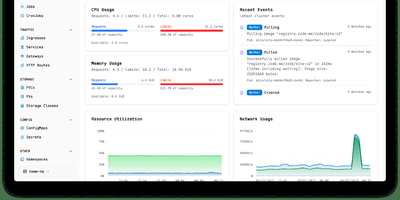
With nearly 3,000 GitHub stars and 14 releases since its June 2025 launch, Kite delivers a lightweight Kubernetes dashboard that replaces the fragmented workflow of switching between kubectl, Lens, and separate monitoring tools with a unified multi-cluster management platform. The dashboard automatically discovers clusters from kubeconfig files and supports independent Prometheus configurations per cluster, providing real-time CPU, memory, and network charts alongside live pod log streaming with filtering and search. A built-in web terminal opens shells directly into pods and nodes without kubectl port-forward, while the Monaco-based YAML editor offers syntax highlighting and validation for in-place resource editing. The integrated AI agent, powered by OpenAI or Anthropic models via native Go SDK integrations, translates natural language into precise client-go API calls — querying cluster health, analyzing pod logs, scaling deployments, patching resources, and cleaning up failed jobs — all operating strictly within the logged-in user's RBAC permissions. Enterprise governance includes OAuth 2.0 single sign-on, multi-factor authentication, FIDO2 passkeys, granular role-based access control with per-namespace permissions, and comprehensive audit logging. Helm chart management enables browsing, installing, and upgrading releases directly from the UI, while the Docker registry integration provides quick image tag selection. Deploy via a single Docker container with SQLite or use the official OCI Helm chart with PostgreSQL or MySQL for production. Running on a dedicated VPS on RepoCloud with guaranteed CPU, RAM, and SSD, full root SSH access, and a browser serial console. Apache 2.0 licensed.
Headlamp
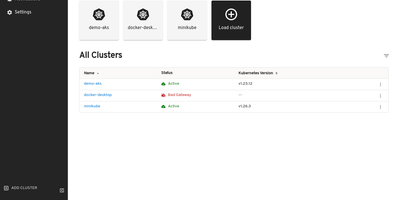
The Kubernetes project's own answer to cluster management UIs: maintained under SIG UI governance, Headlamp's roadmap tracks Kubernetes releases and its design philosophy reflects community needs rather than a vendor's product strategy. The React interface provides full read-write capabilities adapted to each user's RBAC permissions — delete, scale, edit, and restart buttons appear only when the authenticated user holds the corresponding cluster role, preventing accidental unauthorized actions. Multi-cluster support surfaces workloads across development, staging, and production from a single view without context switching. The plugin architecture drives extensibility through a curated catalog: an AI Assistant plugin answers natural-language cluster queries and performs operations via configurable LLM keys, Flux handles GitOps, Karpenter manages nodes. Integrated terminals provide browser-based exec access to running pods, live log streaming follows container output with filtering, and the YAML editor displays inline Kubernetes API documentation alongside resource definitions. Deployment creation forms let you configure containers, environment variables, volumes, and replicas without writing manifests. Side-by-side cluster comparison views surface differences in workload distribution. Works with any distribution: EKS, GKE, AKS, Minikube, Docker Desktop. Helm chart installation via the Headlamp repository with images on GitHub Container Registry. Running on a dedicated VPS on RepoCloud with guaranteed CPU, RAM, and SSD, full root SSH access, and a browser serial console. Apache-2.0 licensed.
Arcane
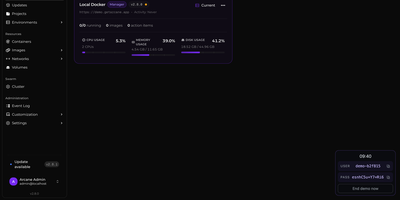
Arcane gives you a single polished dashboard to manage Docker containers, images, volumes, networks, and Compose projects across unlimited remote hosts. The SvelteKit frontend paired with a Go backend delivers real-time resource monitoring with historical graphs, container lifecycle controls including shell exec and live log streaming, and one-click Docker Compose deployment with Git repository synchronization for version-controlled stack definitions. The manager-agent architecture connects remote environments via Direct TCP on port 3553 or Edge mode where agents initiate outbound gRPC/WebSocket connections through NAT and firewalls without requiring inbound ports, all secured with mTLS certificates. Vulnerability scanning identifies security issues in running container images directly from the interface. The backup system enables scheduled container snapshots with configurable retention for disaster recovery. Network and volume administration includes visual relationship mapping between services, and the responsive interface supports dark/light themes with full mobile optimization and community-driven internationalization via Crowdin. 6,500+ stars and 89 releases since April 2025 reflect a rapid development cadence. Running on a dedicated VPS on RepoCloud with guaranteed CPU, RAM, and SSD, full root SSH access, and a browser serial console. BSD-3-Clause licensed.
KubeSphere
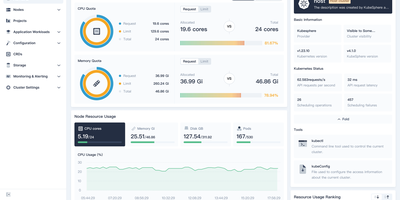
Managing Kubernetes shouldn't require every developer to become a Kubernetes expert — KubeSphere wraps cluster operations, CI/CD, service mesh, and observability into guided web workflows that operations teams configure once and developers consume without kubectl. The LuBan extensible architecture treats each capability as an independently installable extension plugging into a lightweight microkernel: enable DevOps without service mesh, add monitoring without the app store, compose exactly what your organization needs. Multi-cluster management provides a centralized control plane for provisioning and operating clusters across cloud providers, data centers, and edge locations with unified identity and resource quotas. The DevOps extension integrates Jenkins for graphical pipeline creation with S2I and B2I workflows, while Argo CD powers GitOps continuous deployment with real-time sync status. Istio-based service mesh provides traffic management, canary deployments, circuit breaking, and distributed tracing through the console without CLI knowledge. Prometheus monitoring with custom dashboards, Fluentd log collection with multi-tenant search, and alerting via Slack and email complete the observability stack. Multi-tenant workspace hierarchy enforces resource quotas and fine-grained RBAC roles across teams. A built-in Helm-based app store handles lifecycle management across clusters. KubeKey deploys production-grade clusters on bare metal or VMs with air-gapped support. Running on a dedicated VPS on RepoCloud with guaranteed CPU, RAM, and SSD, full root SSH access, and a browser serial console. Apache-2.0 licensed.
DCM
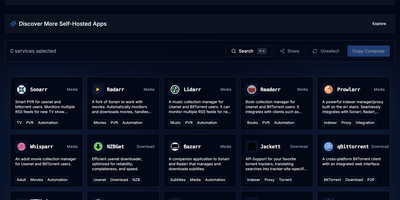
DCM is a visual builder that eliminates docker-compose copy-paste anxiety for home server enthusiasts. The TypeScript and Next.js web interface on port 7576 presents a curated catalog of popular self-hosted applications organized into categories: media management with Jellyfin, Plex, Sonarr, Radarr, and Prowlarr; dashboards like Homarr and Heimdall; databases including PostgreSQL, MariaDB, MongoDB, and Redis; monitoring stacks with Grafana and Prometheus; download clients like qBittorrent and NZBGet; security tools including Vaultwarden; storage solutions like Nextcloud; and home automation via Home Assistant. Select any combination of containers and DCM generates both compose.yaml and .env files with correct volume mounts, environment variables, PUID/PGID ownership, network modes, and port mappings — ready to paste into your terminal. Automatic port conflict detection identifies clashing services and reassigns ports before you ever hit a deployment error. The Template Gallery ships predefined multi-container stacks for common setups: media servers, development environments, database clusters, and monitoring solutions — some incorporating ten or more services in a single template. Built as a static Next.js export served from a 62 MB multi-arch Docker image supporting amd64, arm64, and arm/v7, DCM runs on everything from rack servers to Raspberry Pis. Share generated configurations via URL or download them locally. Running on a dedicated VPS on RepoCloud with guaranteed CPU, RAM, and SSD, full root SSH access, and a browser serial console. AGPL-3.0 licensed.
Dockpeek
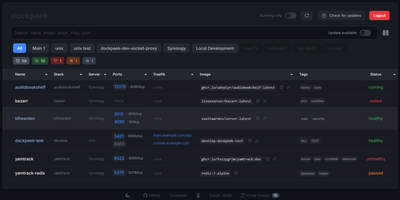
Fleet-wide container discovery, live log streaming, and Traefik reverse-proxy routing converge into Dockpeek, a lightweight Docker dashboard built for multi-host server environments. System administrators can launch web applications with one click through automatic port binding detection and integrated Traefik label parsing that extracts public routing hostnames directly from container configurations. The platform monitors multi-host environments through encrypted Docker socket proxies, letting operators inspect running containers, query published network ports, and trigger image updates from a unified control panel. Native Docker Swarm integration auto-detects active cluster managers, mapping swarm services and replicated tasks alongside standalone workloads while flagging degraded service replicas. Built-in log inspectors stream stdout and stderr outputs in real time with line-filtering controls to diagnose crashed services without opening remote SSH terminals. Operators can track image registries for newer digest tags, review pending updates across container fleets, and trigger graceful rolling container recreations directly from the dashboard. Running on a dedicated VPS on RepoCloud with guaranteed CPU, RAM, and SSD, full root SSH access, and a browser serial console. MIT licensed.
Composr
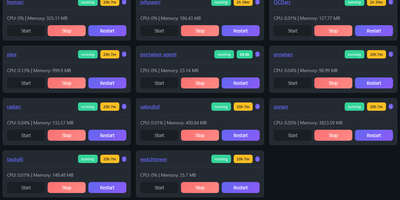
Managing multi-server container fleets often deteriorates into fragmented SSH sessions, mismatched compose files, and conflicting port allocations. Composr consolidates multiple Docker host daemons into a unified web dashboard that controls running containers, stack definitions, and system metrics from a single interface. Operators can connect remote Docker daemons through encrypted TCP sockets, inspect container health, and stream live execution logs with sub-second responsiveness. A built-in project creation wizard guides administrators through drafting new Compose topologies across local directories or remote server nodes. In-browser CodeMirror editors deliver live syntax highlighting for YAML files, configuration dotfiles, and reverse proxy definitions without detaching containers from disk. The platform tracks service properties directly, letting you toggle Compose profiles, relocate services between YAML manifests with pre-flight risk checks, and detect target port collisions before redeployment. Integrated backup managers bundle container metadata, compose files, and environment definitions into downloadable archive packages for automated disaster recovery. System operators can open interactive browser terminals into any active container, execute batch maintenance tasks, and configure scheduled image update checks. Running on a dedicated VPS on RepoCloud with guaranteed CPU, RAM, and SSD, full root SSH access, and a browser serial console. MIT licensed.
Yacht
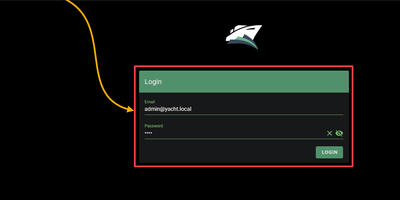
Docker deployment reimagined as an app store: browse a visual catalog of applications, click to deploy with sensible defaults, and customize ports, volumes, and environment variables only when you need to. Point Yacht at any Portainer-compatible template JSON URL and it parses every application into a browsable, searchable interface with pre-configured settings ready for one-click launch. The template framework is fully decentralized — anyone can host template files on GitHub, a personal server, or any URL, creating a community-driven ecosystem of deployment packages without central gatekeeping. Template variables prefixed with ! automatically substitute server-level settings, so !config resolves to your configured path across every deployment without repetitive manual editing. The Python backend handles container lifecycle — start, stop, restart, kill, removal — while streaming real-time logs, providing browser-based shell access, and monitoring resource statistics through the Vuetify dashboard. Docker Compose stacks sit alongside individual containers in the same management interface. Advanced editing lets you modify port mappings, volumes, environment variables, and restart policies on running containers without redeployment. The develop branch introduces agent-managed remote host support for expanding management to additional Docker hosts. Authentication can be disabled for environments behind external proxies like Authelia or Traefik forward auth. Running on a dedicated VPS on RepoCloud with guaranteed CPU, RAM, and SSD, full root SSH access, and a browser serial console. CC-BY-4.0 licensed.
Usulnet
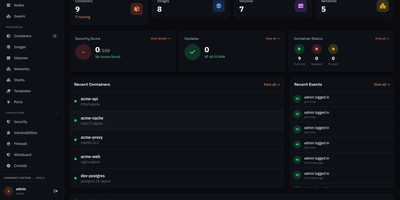
Usulnet packs container management, Trivy security scanning, Nginx reverse proxy, scheduled backups, WireGuard VPN, firewall rules, and multi-node orchestration into a single 70MB Go binary with zero external runtime dependencies. Every module ships in one download with no paid tiers, no telemetry, and no edition gating. Container lifecycle management covers creation, start, stop, restart, pause, kill, and removal with bulk operations, real-time resource statistics, filesystem browsing, and settings editing. Trivy integration scans images and running containers for CVEs with severity scoring, generates SBOMs, and validates CIS benchmarks. The multi-node architecture supports standalone, master, or agent modes where agents connect over NATS JetStream with mTLS encryption, enabling remote Docker host management from a central dashboard. Reverse proxy configuration handles Nginx with automatic Let's Encrypt certificates, TCP/UDP stream proxying, access lists, and dead host detection. Backup operations capture container volumes and Compose stacks on configurable schedules with retention policies and full restore capabilities. A built-in application catalog provides 60+ one-click templates for common services. JWT license validation uses an RSA-4096 public key embedded in the binary, requiring no call-home and working entirely offline. For teams tired of maintaining separate tools for each infrastructure concern, Usulnet collapses the entire stack into a single point of management with Docker Compose deployment alongside PostgreSQL, Redis, and NATS.