HAProxy Manager
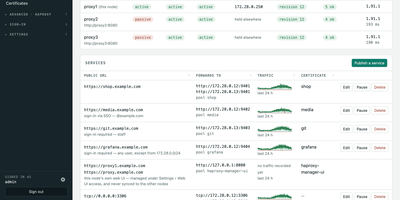
HAProxy Cluster Manager puts a web console on top of HAProxy, so you publish services, issue certificates, and cluster nodes from forms instead of hand-editing haproxy.cfg. Publishing a service takes two inputs, the public URL and the backend address, and the wizard builds the frontend, backend pool, host condition, routing rule, HTTPS listener, certificate, and HTTP redirect, with a preview of the exact configuration before anything applies. Every change is rendered and checked with haproxy -c before it is written, and a failed reload rolls back to the previous file automatically. Certificates come from Let's Encrypt through acme.sh, using HTTP-01 or DNS-01 with about 190 DNS providers, and renewals reload HAProxy and push the new certificate to every node on their own. Any number of nodes share one virtual IP through Keepalived: configuration and certificates sync between them, only the node holding the address is editable, and the dashboard flags split brain, an unclaimed virtual IP, or a node running stale configuration. You can gate services behind basic sign-in or OIDC single sign-on enforced by HAProxy itself, watch traffic statistics and logs, take transition alerts by email, Pushover, or webhook, and expose Prometheus metrics and Home Assistant entities. Running on a dedicated VPS on RepoCloud with guaranteed CPU, RAM, and SSD, full root SSH access, and a browser serial console. GPL-3.0 licensed.
Contrack
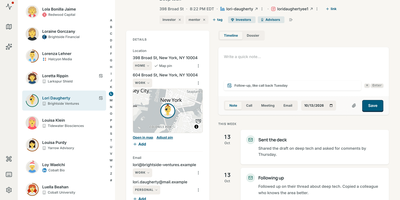
Your contacts live in four different address books; Contrack merges Apple, Google, LinkedIn, and Facebook into one self-hosted personal CRM you fully control. Importing merges the address books you already keep, and connecting a calendar or inbox lays past meetings and conversations along each person's timeline. Obvious duplicates merge themselves, borderline matches wait in a side-by-side review with field-level differences highlighted, and every merge can be undone for 90 days. A scribbled note such as 'met at Sarah's wedding, catch up quarterly' turns into fields, tags, dates, and reminders, while optional web research fills in roles and links with cited sources. Each morning, Pulse shows who is due a follow-up, whose birthday lands this week, and which friends have quietly gone a year without contact. Ask Contrack answers plain questions like 'who do I know in Lisbon' or 'who loves natural wine' by searching your notes and contacts locally. The map plots everyone by city, and drawing a loop around a neighborhood before a trip turns a visit into a dinner list in seconds. Households share one server while each profile keeps a private book, and the built-in MCP server lets Claude, ChatGPT, or Cursor look up context and log notes for you. One-click verified backups snapshot the whole address book, passkeys handle sign-in, and open exports mean your data leaves whenever you do. Running on a dedicated VPS on RepoCloud with guaranteed CPU, RAM, and SSD, full root SSH access, and a browser serial console. AGPL-3.0 licensed.
Pug
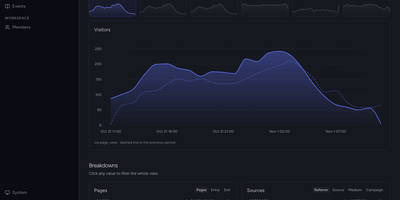
Pageviews tell you someone arrived; Pug is an open-source product analytics platform that shows what people actually did next, across events, funnels, retention, and user flows. Capture events from browser, Android, Flutter, Node, Go, or Ruby SDKs into an ingestion pipeline that enriches each hit with geography, user agent, bot detection, and web attribution automatically. Identify and alias the users behind events, then open a profile to see traits, sessions, and the full activity history of a person. Build insights as trends, funnels, retention cohorts, segmentation, Sankey user flows, and top-K breakdowns, with filters and period-over-period comparison on every chart. A web analytics overview is generated from your events with visitors, sessions, pageviews, bounce rate, and traffic sources, requiring no tile wiring. The live view plots every current visitor on a real-time world map, down to the person and the event they just fired. Compose dashboards from insight and markdown tiles on a time-windowed grid that analysts rearrange without touching ingestion. Erase a person's events and profile on request to satisfy GDPR and DPDP data-subject obligations. Running on a dedicated VPS on RepoCloud with guaranteed CPU, RAM, and SSD, full root SSH access, and a browser serial console. AGPL-3.0 licensed.
Litpage
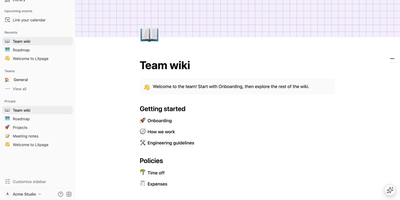
A project brief and the task board tracking it belong together, and Litpage keeps pages, databases, and team discussion in one self-hosted workspace instead of scattering them across subscriptions. Write in a block editor with 41 block types, a slash menu, markdown shortcuts, drag and drop, mentions, equations, and highlighted code blocks. The same data becomes a table, board, list, gallery, calendar, timeline, chart, dashboard, feed, form, or map, with typed fields, formulas, relations, and rollups underneath. Automations and buttons turn those databases into working tools, while templates keep repeated projects consistent. Teammates edit together live, comment, suggest edits, and revisit version history, with page-level and field-level permissions deciding who sees what. Pages can be shared publicly or published as sites, and Markdown, CSV, HTML, Word, and PDF files import into the tree. Optional AI runs on the provider and key you configure: chat that searches your workspace, custom agents on schedules or triggers, writing help, database autofill, and meeting-note summaries. Administrators get member and guest management, security policies, an audit log, analytics, passkeys, and two-step verification. A REST API with personal tokens, webhooks, and an MCP endpoint open everything to your other tools. Running on a dedicated VPS on RepoCloud with guaranteed CPU, RAM, and SSD, full root SSH access, and a browser serial console. MIT licensed.
Homeio
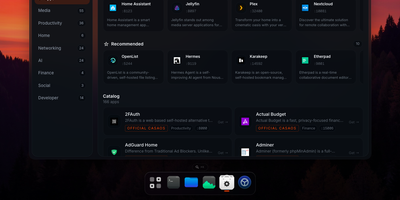
Homeio turns a Linux box into a desktop you open in a browser tab, with draggable windows, a dock, a lock screen, and a command palette sitting on top of your Docker apps, files, and disks. The App Store installs Docker Compose stacks from the CasaOS catalog or your own store sources, and each app's ports, volumes, environment variables, and compose file stay editable before and after install. Containers you started elsewhere still appear with live CPU and memory stats, streaming logs with keyword filters, and one-click restarts. The file manager uploads with progress, previews images, audio, video, and PDFs, edits text in a built-in code editor, mounts USB drives and SMB shares, and shares folders over Samba. A real login shell lives in the Terminal window, with exec access into any container, so routine fixes never need a separate SSH client. Cron-style scheduled tasks restart apps, pull images, or run backups on a timer, and scheduled archives of the database, files, and compose stacks restore from the same interface. Tailscale puts the whole desktop on your private network, while Cloudflare Tunnel can publish a single app on a public hostname with its DNS record created for you. Live metrics stream to widgets and the status bar, and notifications flag crashed containers, filling disks, and failed tasks. Running on a dedicated VPS on RepoCloud with guaranteed CPU, RAM, and SSD, full root SSH access, and a browser serial console. AGPL-3.0 licensed.
Minimax Music UI
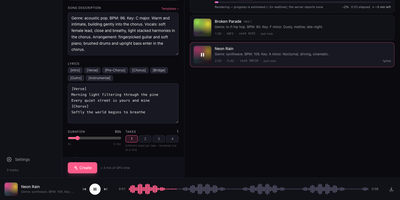
Minimax Music UI turns a self-hosted MiniMax-Music3 model into a private song factory, giving you a Suno-style studio where you describe a track, add lyrics, and watch finished songs appear in your own library. The Create panel works in Simple or Custom mode: write a style description covering genre, BPM, key, vocals, and arrangement, then shape words in a lyrics editor with one-tap [Verse], [Chorus], [Bridge], and [Instrumental] section chips. One submit can queue up to four takes at 5 to 360 seconds each, and the render queue shows queued, rendering, and done states with elapsed time, cancel, and retry, surviving a server restart without losing your place. When you run the bundled inference server, you can even press play on a track that is still rendering and hear the waveform grow in real time. A magic wand rewrites rough ideas into structured music captions, and a second wand drafts original lyrics sized to your chosen duration, both through any OpenAI-compatible model you point it at. Finished renders land in a searchable library with cover art, seeds, and render times, ready to download as WAV, reuse as a template, or open in a detail panel with the prompt and lyrics. A sticky waveform player with seek and keyboard shortcuts keeps music going while you work, and an optional access token locks the whole studio down. Running on a dedicated VPS on RepoCloud with guaranteed CPU, RAM, and SSD, full root SSH access, and a browser serial console. MIT licensed.
Netra
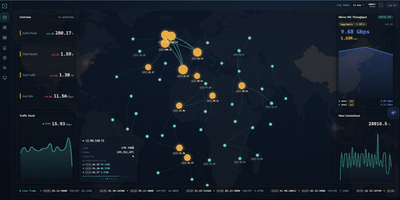
Netra watches your network from the side, plugged into a switch mirror port, and turns everything it sees into a live picture of your traffic without ever sitting in the forwarding path. A single binary loads its eBPF collectors in the kernel, so aggregation happens before packets reach user space and multi-gigabit mirror feeds stay observable instead of dropping samples. The dashboard opens on totals, protocol share, and traffic trends, then lets you drill into flows by address, port, domain, or service, check which countries your traffic talks to on a world map, and read the internal topology as a live graph. Domains surface passively from TLS handshakes, public addresses are enriched with country and organization data, and heuristic detectors flag scanning, flooding, and single-host surges, pushing alerts to your team chat with an optional AI-written explanation. You can ask the built-in assistant questions about real recorded history, connect external MCP servers so it can call your own tools while it answers, and stream flows onward to Kafka for other consumers. History rolls into compressed columnar files on a schedule and stays queryable for a month by default. Running on a dedicated VPS on RepoCloud with guaranteed CPU, RAM, and SSD, full root SSH access, and a browser serial console. GPL-3.0 licensed.
AgenTerm
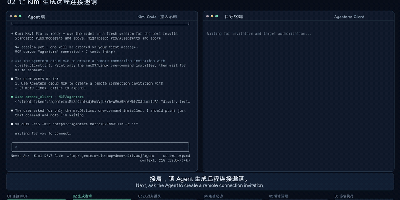
AgenTerm lets your AI agent work inside a remote computer's terminal with the owner's permission, through a relay server you host yourself. Your agent connects to the server over MCP and creates an invitation, single-use and expiring in fifteen minutes by default, or reusable across several devices; you privately share the generated connection command with the person who needs help. That person runs a small client on macOS, Linux, or Windows, reads what access means, and authorizes it; the client then dials out to your server, so the target computer needs no SSH service and no open inbound port. The agent can then run one-off commands with a chosen working directory, environment overrides, and timeouts, receiving stdout, stderr, and exit status, or hold an interactive session open, reading output as it arrives and typing answers to prompts. The person at the keyboard watches every command and its output in the client and can disconnect at any moment, and the client reconnects by itself after a network drop. Use it to troubleshoot a colleague's machine without swapping logs, help family through a terminal problem, or drive a development box with no agent or model account of its own. The relay itself is a single Go binary guarded by a management key, deployed with Docker Compose or systemd, with in-memory sessions and a health endpoint. Running on a dedicated VPS on RepoCloud with guaranteed CPU, RAM, and SSD, full root SSH access, and a browser serial console. Apache-2.0 licensed.
Codex LB Enhanced
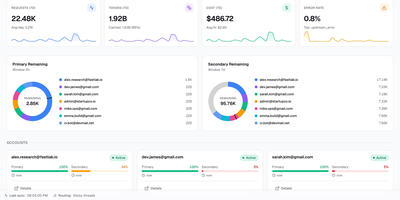
Codex LB Enhanced is a session-aware gateway that pools your ChatGPT accounts so a long Codex session survives quota limits, dropped connections, and paused accounts without losing the conversation. It serves Codex desktop, CLI, and IDE clients through the native Responses protocol and WebSocket transport, and answers any OpenAI-compatible client through the familiar /v1 endpoints. When an account runs out of quota, gets suspended, times out, or drops mid-stream, the gateway classifies the failure, removes that account from the current request, and selects the next one through your load-balancing policy. Verified request history, including interrupted tool-call context, is replayed across the account switch when it is safe, so the client sees a slower answer instead of a dead stream. Every API key carries its own policy: time windows from five hours to monthly, limits by credits, tokens, or cost, and model-specific rules. Usage appears in native Codex quota headers and in a /v1/usage view backed by the same data, so editors and automation agree on what is left. Diagnostics correlate each request with its upstream account, transport, failover stage, and retry count, and a web dashboard manages accounts, keys, usage windows, request logs, and recovery reports. Running on a dedicated VPS on RepoCloud with guaranteed CPU, RAM, and SSD, full root SSH access, and a browser serial console. MIT licensed.
OpenSkyCam
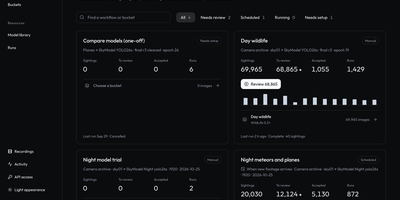
OpenSkyCam records a sky-facing IP camera around the clock on hardware you own, and searches the footage for meteors, planes, and anything else that moves. A small Linux relay by the camera copies the RTSP stream into one-minute MP4 files without re-encoding, kept on your disk under a rolling 40-day window: browse by day, scrub by hour, zoom into the 4K frame, download originals. Workshop workflows sample frames from any time window, run up to four detection or classification models over them, and sort each frame into buckets by class, score, count, time of day, or motion, once or nightly as footage lands. Detections of one object link across a recording into tracks labeled moving, stationary, or brief, so fixed stars and porch lights are discarded and aircraft kept. A trained night detector for planes and meteors ships with the project; every detection waits in a review view where you confirm or correct its label and box, then freeze the approved set as a versioned training dataset. The processor lives on your machine too (Apple or NVIDIA GPU, or plain CPU), and the footage itself never leaves your disk. Every website action is also a /v1 API call, and an MCP server lets an AI agent find last night's clearest meteors, take a photo at any second of stored video, or schedule the next workflow. Running on a dedicated VPS on RepoCloud with guaranteed CPU, RAM, and SSD, full root SSH access, and a browser serial console. MIT licensed.
SubLane
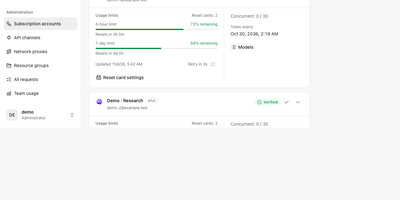
Five teammates sharing three AI subscriptions usually means a password in a group chat; SubLane replaces that with a gateway you host, where accounts are pooled and every person gets a managed key. Connect Codex, Claude, Antigravity, and Grok Build subscriptions once, by browser OAuth or credential import, and the gateway snapshots each account's quota windows and allowances so routing knows who still has room. Add API channels for OpenAI-compatible services alongside the subscriptions, then group everything into resource pools with model allowlists, conversation affinity, concurrency controls, and cooldown recovery for accounts that hit a limit. Each member receives a personal key scoped to one group, with its own expiry, rate and concurrency limits, and an allowance measured in tokens, internal dollars, or estimated quota share; keys can be paused or revoked without touching anyone else. Whatever the client speaks, the gateway answers: OpenAI Responses and Chat Completions, Claude Messages, and Gemini formats flow over HTTP, SSE, or WebSocket, independent of which subscription actually serves the request. Administrators watch per-member and per-model usage charts, activity heatmaps, and request diagnostics, bind a fixed outbound proxy to any account, and apply workspace content rules before dispatch. It all runs as one Go process with SQLite and an embedded dashboard, backed up and restored from the interface. Running on a dedicated VPS on RepoCloud with guaranteed CPU, RAM, and SSD, full root SSH access, and a browser serial console. AGPL-3.0 licensed.
Omnibus
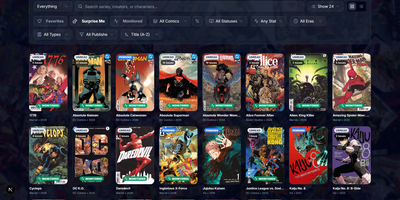
Omnibus runs your whole comic habit from one shelf: discover a series, request the missing issues, and read them in the browser when they land. Discovery starts with ComicVine or Metron metadata (high-resolution covers, synopses, and creator credits) and a release calendar that flags what you own and what is still missing across your monitored series. Requests are one click for a single issue or a whole run; Omnibus searches your indexers, hands the release to qBittorrent or SABnzbd, then imports, renames, and shelves the file with metadata embedded into the archive itself. Loose files that match nothing meet the Smart Matcher, which proposes the right series and applies every confident match in one pass. The built-in reader opens CBZ, natively read CBR and EPUB files in left-to-right, right-to-left manga, or continuous webtoon modes, with double-page spreads, brightness and contrast controls, page preloading, and preferences remembered per series; an offline button caches a full issue for the road. Reading lists assemble themselves from a pasted event ID or arrive by import from CBL files, League of Comic Geeks CSVs, AniList, or MyAnimeList, always showing how far through them you are. Everyone gets their own account, reading progress, follows, and an Updates feed, while OPDS, KOReader sync, and a Komga-compatible endpoint feed Panels, Mihon, and Paperback on the side. Running on a dedicated VPS on RepoCloud with guaranteed CPU, RAM, and SSD, full root SSH access, and a browser serial console. GPL-3.0 licensed.
Regen
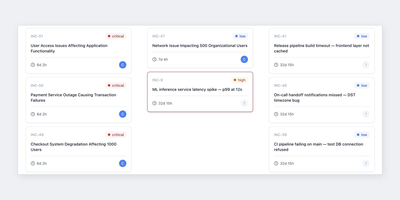
When a production alert fires at 3 a.m., Regen is the self-hosted on-call and incident management platform that makes sure a human answers it, keeping alerts, incidents, schedules, and escalations on one shared timeline instead of split across three tools. Alerts stream in from Prometheus Alertmanager, Grafana, AWS CloudWatch, or any webhook, and deduplication collapses repeat firings before Regen opens an incident automatically; responders can also declare one by hand and let AI draft the title and summary. Layered on-call rotations absorb overrides, holidays, and leave, while multi-step escalation policies with timeouts keep paging the next person until somebody acknowledges, so a critical page never dies in one inbox. The incident timeline syncs to Slack and Microsoft Teams, where bot commands acknowledge, escalate, and post updates without leaving chat, and Telegram notifications cover teams that live there instead. One-click summaries and handoff digests brief the incoming shift, editable postmortem drafts are assembled from the timeline using your own templates, and similar past incidents resurface with what worked last time. AI is bring-your-own-key through OpenAI, Anthropic, or a local Ollama model, and the platform loses nothing core if you never enable it. Schedules and escalation policies import in one click from PagerDuty, Grafana OnCall, or Opsgenie, SAML single sign-on through Okta, Azure AD, or Google Workspace is free, and nothing caps your incidents, schedules, or postmortems. Running on a dedicated VPS on RepoCloud with guaranteed CPU, RAM, and SSD, full root SSH access, and a browser serial console. AGPL-3.0 licensed.
Kumiho
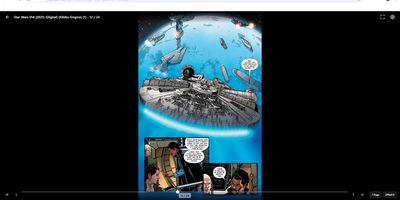
Drop a hard drive's worth of comics, e-books, and audiobooks into folders, point Kumiho at them, and the whole collection becomes a library you can browse and read from any browser. The scanner walks nested folders recursively and treats the folders that actually hold pages or files as series, so an existing collection works as it is, with no metadata matching ritual before the first read. Comics and manga open in a responsive viewer built for the format: page turning on a desktop, continuous webtoon scrolling on a phone or tablet. E-books in EPUB, PDF, and TXT open in the same library, while archives in ZIP and CBZ are read directly without unpacking. Audiobooks get a real player, with a chapter list, resume playback that remembers where you stopped, progress tracking, bookmarks, and a sleep timer for listening at night. A series folder can even carry its own soundtrack: an MP3 whose filename matches starts playing as background music while you read. Everything runs from one lightweight Go server in a single Docker container, storing its database and configuration in mounted volumes, so the library sits comfortably on a small VPS next to the files it serves. Running on a dedicated VPS on RepoCloud with guaranteed CPU, RAM, and SSD, full root SSH access, and a browser serial console. Apache 2.0 licensed.
Zimi
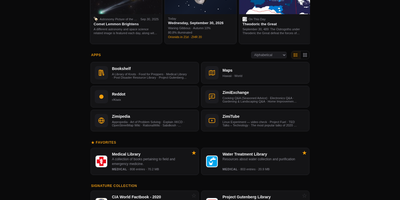
When the internet goes away, your library does not have to: Zimi serves Kiwix ZIM archives of Wikipedia, books, videos and forums through a rich web interface, with one search box querying every archive across more than 100 million articles. Each content type gets its own app: Zimipedia for wikis, the Dictionary for Wiktionary, Bookshelf for books, ZimiTube for video, ZimiExchange for Q&A, Reddot for subreddits and offline street Maps. Bookmarks, lists, likes and highlights live in every app and sync across devices when you sign in, and any article can switch into whichever language edition you hold. The library manages itself: browse the Kiwix catalog of over 1,000 archives, download with one click, let auto-updates keep editions fresh, and seed downloads over BitTorrent with a ratio cap you set. Zimi servers on the same network find each other and pass archives at LAN speed, and one offline switch turns off every internet-bound feature for air-gapped rooms. You can also make your own ZIMs from a web page, a whole site, a video playlist or a folder of files. Access ranges from public to sign-in only with per-archive allowlists, and the JSON API plus MCP server let AI agents search the same library. Docker runs Zimi on port 8899 with your ZIM files and config mounted as volumes. Running on a dedicated VPS on RepoCloud with guaranteed CPU, RAM, and SSD, full root SSH access, and a browser serial console. GPL-3.0 licensed.
OpenGTM
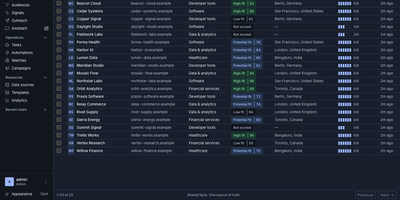
OpenGTM turns a market, a list, or a workbook into enriched, researched, ready-to-contact prospects on servers you control. Give it a market and it sources companies and people; hand it a CSV or a Clay table and it maps the columns into a shared record library. Enrichment columns run as waterfalls that try providers in cost order until a field is filled, and before anything spends a cent you see best and worst case estimates, with a workbook budget ceiling that halts paid calls on its own. Research columns send an agent to answer the hard question for each row, and the answer keeps citations to the pages it actually fetched, so a human can audit the claim before outreach. Live audiences segment your records and watch for hiring and buying signals, refreshing on schedules and firing automations when a prospect heats up. Finished rows flow out to HubSpot, Salesforce, Slack, Sheets, Airtable, Instantly, Smartlead, webhooks, or a warehouse, while every cell keeps a trace of provider attempts, latency, and cost. Your own agents get the same workspace through a REST API, webhooks, and an MCP server with scoped read and write tokens, and a seeded zero-key demo means the team can explore the whole loop before adding a single provider key under Settings. Running on a dedicated VPS on RepoCloud with guaranteed CPU, RAM, and SSD, full root SSH access, and a browser serial console. AGPL-3.0 licensed.
Tela
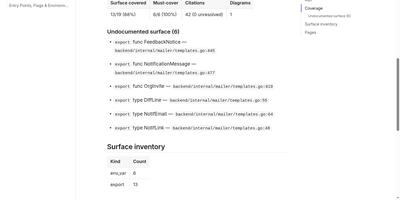
Tela keeps a team's documentation as canonical markdown in a self-hosted wiki that AI agents read, search, and write alongside humans through a built-in MCP server. People edit together with live multi-cursor collaboration, threaded comments, backlinks, and full revision history, so every page shows who changed what and why. PostgreSQL full-text search works immediately, and adding an embedder unlocks semantic retrieval and grounded ask-your-docs answers that cite their sources. Connect Claude, Cursor, or another MCP client with a personal access token and the agent can search the wiki, draft and patch pages, answer comment threads, build spreadsheets with real formulas, and assemble presentation decks exportable to PDF and PPTX. Atlas, the built-in documentation engine, points at a git repository or Jira project and drafts cited wiki pages, then keeps them fresh as the sources change. Teams organize work into spaces, invite members by email, and flip any space public to publish a login-free blog with per-author home pages. Content syncs over WebDAV and exports to zip or PDF, and optional AI features run against your own endpoint or a bundled local Ollama profile, so nothing leaves your server unless you wire it up. Running on a dedicated VPS on RepoCloud with guaranteed CPU, RAM, and SSD, full root SSH access, and a browser serial console. AGPL-3.0 licensed.
Flowplan
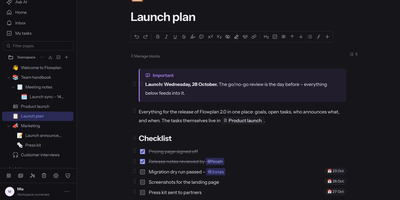
Flowplan puts your team's documents, databases, whiteboards, handwriting notebooks, and daily journal into one self-hosted page tree, so the work lives in a single place you control instead of five subscriptions. Write in a block editor that stays out of the way, and when a number appears mid-sentence, type the calculation and press Tab to drop in the result, or graph functions and vectors in 2D and 3D without leaving the page. The same records can be viewed as a table, board, calendar, timeline, gallery, list, feed, chart, form, or sprint board, with relations, rollups, and formulas tying them together, and projects get ticket numbers, sprints with burndown, and automations on top. Brainstorm on whiteboards with sticky notes, mind maps, and voting; keep a journal page per day with templates and an optional PIN lock; and write by hand in notebooks with lined, grid, or Cornell paper, annotate PDFs, and sketch inside documents with a pressure-sensitive pen. Teammates edit together with live cursors, comment in inline threads, and share single pages with guests through password-protected, expiring links, while permissions reach down to a single record. AI is off until an admin enables it, per feature and per person, and it can run entirely on your own hardware or answer questions about the workspace with links to its sources. Running on a dedicated VPS on RepoCloud with guaranteed CPU, RAM, and SSD, full root SSH access, and a browser serial console. AGPL-3.0 licensed.